cruise control CHEVROLET VOLT 2019 Owner's Guide
[x] Cancel search | Manufacturer: CHEVROLET, Model Year: 2019, Model line: VOLT, Model: CHEVROLET VOLT 2019Pages: 373, PDF Size: 5.66 MB
Page 200 of 373

Chevrolet VOLT Owner Manual (GMNA-Localizing-U.S./Canada/Mexico-
12163007) - 2019 - CRC - 11/5/18
Driving and Operating 199
Other Vehicle Lane Changes
ACC will not detect a vehicle ahead
until it is completely in the lane. The
brake may need to be manually
applied.
Object Not Directly in Front of
Your Vehicle
The detection of objects in front of
the vehicle may not be possible if:
.The vehicle or object ahead is
not within your lane.
. The vehicle ahead is shifted, not
centered, or is shifted to one
side of the lane. Driving in Narrow Lanes
Vehicles in adjacent traffic lanes or
roadside objects may be incorrectly
detected when located along the
roadway.
Do Not Use ACC on Hills and
When Towing a Trailer
Do not use ACC when driving on
steep hills or when towing a trailer.
ACC will not detect a vehicle in the
lane while driving on steep hills.
If the brakes are applied, the ACC
disengages.
Disengaging ACC
There are four ways to
disengage ACC:
.
Step lightly on the brake pedal. .
Press
*.
. Press
5.
. Press the Regen on Demand
paddle.
Erasing Speed Memory
The cruise control set speed is
erased from memory if
5is pressed
or if the ignition is turned off.
Weather Conditions Affecting ACC
If the interior temperature is
extremely high, the instrument
cluster may indicate that ACC is
temporarily unavailable. This can be
caused by extreme hot weather
conditions with direct sunlight on the
front camera. ACC will return to
normal operation once the cabin
temperature is lower.
Conditions that are associated with
low visibility, such as fog, rain,
snow, or road spray, may limit ACC
performance. Water droplets from
rain or snow that remain on the
windshield may also limit ACC's
ability to detect objects.
Page 201 of 373
Chevrolet VOLT Owner Manual (GMNA-Localizing-U.S./Canada/Mexico-
12163007) - 2019 - CRC - 11/5/18
200 Driving and Operating
Lighting Conditions Affecting ACC
The ACC front camera can be
affected by poor lighting conditions,
and ACC may have limited
performance when:
.There are changes in brightness,
such as entering and exiting
tunnels, bridges, and
overpasses
. Low sun angles cause the
camera to not detect objects,
or it is more difficult to detect
objects in the same traffic lane
. Lighting is poor in the evening or
early morning
. There are multiple changes in
brightness or shadows along the
vehicle roadway
. In a tunnel without the head
lamps on, or in a tunnel when
there is a vehicle in front that
does not have its tail lamps on .
Subjected to strong light from
opposing lane traffic in the front
of the vehicle, such as
high-beam head lamps from
oncoming traffic
Accessory Installations and
Vehicle Modifications
Do not install or place any object on
the front of the vehicle that would
obstruct the front radar view.
Do not install or place any object
around the front camera windshield
area that would obstruct the front
camera view.
Do not install objects on top of the
vehicle that overhang and obstruct
the front camera, such as a canoe,
kayak, or other items that can be
transported on a roof rack system.
Do not modify the hood, head
lamps, or fog lamps, as this may
limit the camera's ability to detect an
object. Cleaning the Sensing System
The camera sensor on the
windshield ahead of the rearview
mirror and the radar sensors on the
front of the vehicle can become
blocked by snow, ice, dirt, or mud.
These areas need to be cleaned for
ACC to operate properly.
If ACC will not operate, regular
cruise control may be available. See
"Switching Between ACC and
Regular Cruise Control" in this
section. Always consider driving
conditions before using either cruise
control system.
For cleaning instructions, see
“Washing the Vehicle”
under
Exterior Care 0309.
Page 207 of 373
Chevrolet VOLT Owner Manual (GMNA-Localizing-U.S./Canada/Mexico-
12163007) - 2019 - CRC - 11/5/18
206 Driving and Operating
required, and there will be additional
instructions. When changing gears,
allow the automatic steering to
complete before continuing the
parking maneuver. Upon successful
completion of a maneuver, APA will
beep and display a PARKING
COMPLETE message. Place the
vehicle in P (Park).
APA may automatically disengage if:
.The steering wheel is used by
the driver.
. The maximum allowed speed is
exceeded.
. There is a failure with the APA
system.
. Electronic stability control or
antilock brakes are activated.
. A high priority vehicle message
is displayed in the DIC.
To cancel APA, press
Oagain.
When the System Does Not Seem
to Work Properly
The APA system may require a
short period of driving along curves
to calibrate.
Assistance Systems for
Driving
If equipped, when driving the
vehicle in a forward gear, Forward
Collision Alert (FCA), Lane
Departure Warning (LDW), Lane
Keep Assist (LKA), Side Blind Zone
Alert (SBZA), Lane Change Alert
(LCA), and/or Forward Automatic
Braking (FAB) can help to avoid a
crash or reduce crash damage.
Forward Collision Alert
(FCA) System
If equipped, the FCA system may
help to avoid or reduce the harm
caused by front-end crashes. When
approaching a vehicle ahead too
quickly, FCA provides a red flashing
alert on the windshield and rapidly
beeps. FCA also lights an amber
visual alert if following another
vehicle much too closely.
FCA detects vehicles within a
distance of approximately 60 m
(197 ft) and operates at speeds
above 8 km/h (5 mph). If the vehicle
has Adaptive Cruise Control (ACC), it can detect vehicles to distances of
approximately 110 m (360 ft) and
operates at speeds above 4 km/h
(2.5 mph). See
Adaptive Cruise
Control 0191.
{Warning
FCA is a warning system and
does not apply the brakes. When
approaching a slower-moving or
stopped vehicle ahead too rapidly,
or when following a vehicle too
closely, FCA may not provide a
warning with enough time to help
avoid a crash. It also may not
provide any warning at all. FCA
does not warn of pedestrians,
animals, signs, guardrails,
bridges, construction barrels,
or other objects. Be ready to take
action and apply the brakes. See
Defensive Driving 0159.
FCA can be disabled. See
“Collision/Detection Systems” under
Vehicle Personalization 0137.
Page 208 of 373
Chevrolet VOLT Owner Manual (GMNA-Localizing-U.S./Canada/Mexico-
12163007) - 2019 - CRC - 11/5/18
Driving and Operating 207
Detecting the Vehicle Ahead
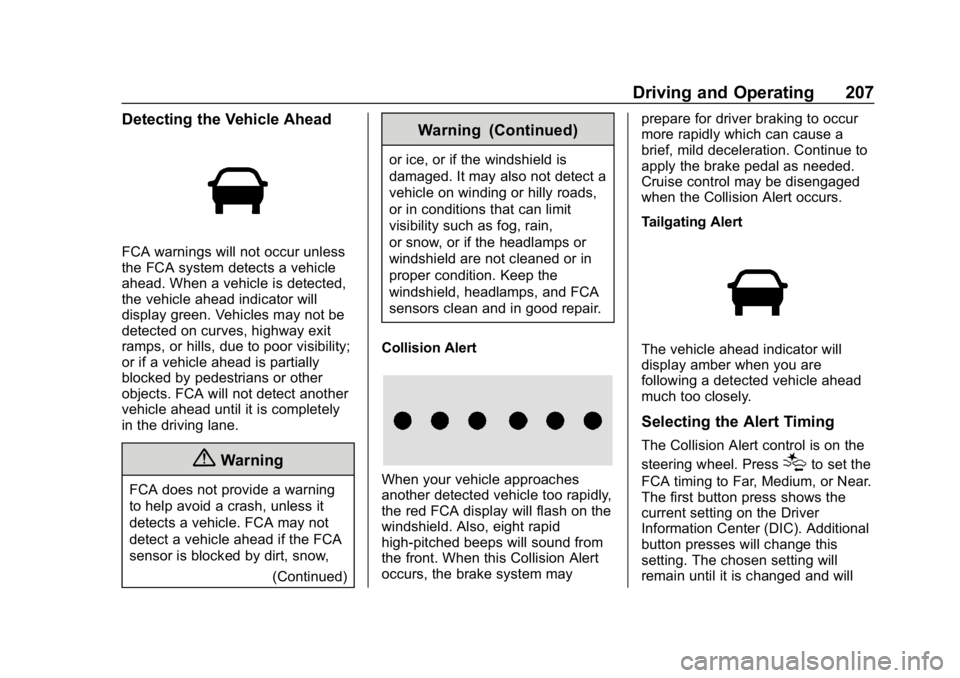
FCA warnings will not occur unless
the FCA system detects a vehicle
ahead. When a vehicle is detected,
the vehicle ahead indicator will
display green. Vehicles may not be
detected on curves, highway exit
ramps, or hills, due to poor visibility;
or if a vehicle ahead is partially
blocked by pedestrians or other
objects. FCA will not detect another
vehicle ahead until it is completely
in the driving lane.
{Warning
FCA does not provide a warning
to help avoid a crash, unless it
detects a vehicle. FCA may not
detect a vehicle ahead if the FCA
sensor is blocked by dirt, snow,(Continued)
Warning (Continued)
or ice, or if the windshield is
damaged. It may also not detect a
vehicle on winding or hilly roads,
or in conditions that can limit
visibility such as fog, rain,
or snow, or if the headlamps or
windshield are not cleaned or in
proper condition. Keep the
windshield, headlamps, and FCA
sensors clean and in good repair.
Collision Alert
When your vehicle approaches
another detected vehicle too rapidly,
the red FCA display will flash on the
windshield. Also, eight rapid
high-pitched beeps will sound from
the front. When this Collision Alert
occurs, the brake system may prepare for driver braking to occur
more rapidly which can cause a
brief, mild deceleration. Continue to
apply the brake pedal as needed.
Cruise control may be disengaged
when the Collision Alert occurs.
Tailgating Alert
The vehicle ahead indicator will
display amber when you are
following a detected vehicle ahead
much too closely.
Selecting the Alert Timing
The Collision Alert control is on the
steering wheel. Press
[to set the
FCA timing to Far, Medium, or Near.
The first button press shows the
current setting on the Driver
Information Center (DIC). Additional
button presses will change this
setting. The chosen setting will
remain until it is changed and will
Page 362 of 373

Chevrolet VOLT Owner Manual (GMNA-Localizing-U.S./Canada/Mexico-
12163007) - 2019 - CRC - 11/5/18
Index 361
IndexA
Accessories andModifications . . . . . . . . . . . . . . . . . . 237
Accessory Power . . . . . . . . . . . . . . . 171
Adaptive Cruise Control . . . . . . . . 191
Add-On Electrical Equipment . . . 233
Additional Information OnStar . . . . . . . . . . . . . . . . . . . . . . . 351
Additional Maintenance and Care . . . . . . . . . . . . . . . . . . . . . . 326
Adjustments Lumbar, Front Seats . . . . . . . . . . . . 55
Air Cleaner/Filter, Engine . . . . . . . 245
Air Conditioning . . . . . . . . . . . . . . . . 150
Air Filter Life System . . . . . . . . . . . . . . . . . . . 244
Air Filter, Passenger Compartment . . . . . . . . . . . . . . . . . 155
Air Vents . . . . . . . . . . . . . . . . . . . . . . . 155
Airbag System
Check . . . . . . . . . . . . . . . . . . . . . . . . . . 79
How Does an AirbagRestrain? . . . . . . . . . . . . . . . . . . . . . 72
Passenger Sensing System . . . . 74
What Makes an Airbag
Inflate? . . . . . . . . . . . . . . . . . . . . . . . . 72
What Will You See after an Airbag Inflates? . . . . . . . . . . . . . . . 72 Airbag System (cont'd)
When Should an Airbag
Inflate? . . . . . . . . . . . . . . . . . . . . . . . . 71
Where Are the Airbags? . . . . . . . . 69
Airbags Adding Equipment to theVehicle . . . . . . . . . . . . . . . . . . . . . . . . 78
Passenger Status Indicator . . . .113
Readiness Light . . . . . . . . . . . . . . .113
Servicing Airbag-Equipped Vehicles . . . . . . . . . . . . . . . . . . . . . . . 78
System Check . . . . . . . . . . . . . . . . . . 67
Alarm Vehicle Security . . . . . . . . . . . . . . . . 46
Alert Lane Change . . . . . . . . . . . . . . . . . 210
Side Blind Zone (SBZA) . . . . . . 210
All-Season Tires . . . . . . . . . . . . . . . . 273
Antilock Brake System (ABS) . . . 182
Warning Light . . . . . . . . . . . . . . . . . .117
Appearance Care Exterior . . . . . . . . . . . . . . . . . . . . . . . 309
Interior . . . . . . . . . . . . . . . . . . . . . . . . 314
Assistance Program, Roadside . . . . . . . . . . . . . . . . . . . . . . 339
Assistance Systems for Driving . . . . . . . . . . . . . . . . . . . . . . . . 206
Page 364 of 373

Chevrolet VOLT Owner Manual (GMNA-Localizing-U.S./Canada/Mexico-
12163007) - 2019 - CRC - 11/5/18
Index 363
Clock . . . . . . . . . . . . . . . . . . . . . . . . . . . 104
Cluster, Instrument . . . . . . . . . . . . . 107
Collision Damage Repair . . . . . . . 342
CompartmentsStorage . . . . . . . . . . . . . . . . . . . . . . . . . 98
Compass . . . . . . . . . . . . . . . . . . . . . . . 104
Compressor Kit, Tire Sealant . . . 292
Connected Services Connections . . . . . . . . . . . . . . . . . . 358
Diagnostics . . . . . . . . . . . . . . . . . . . 360
Navigation . . . . . . . . . . . . . . . . . . . . 357
Connections Connected Services . . . . . . . . . . 358
Control Traction and ElectronicStability . . . . . . . . . . . . . . . . . . . . . 186
Control of a Vehicle . . . . . . . . . . . . . 159
Convex Mirrors . . . . . . . . . . . . . . . . . . 48
Coolant Engine TemperatureWarning Light . . . . . . . . . . . . . . . 120
Cooling . . . . . . . . . . . . . . . . . . . . . . . . . 150
Cooling System . . . . . . .246, 250, 251
Courtesy Transportation Program . . . . . . . . . . . . . . . . . . . . . . . 341
Cover Cargo . . . . . . . . . . . . . . . . . . . . . . . . . . . 99
Cruise Control . . . . . . . . . . . . . . . . . . 188 Cruise Control (cont'd)
Light . . . . . . . . . . . . . . . . . . . . . . . . . . 122
Cruise Control, Adaptive . . . . . . . . 191
Customer Assistance . . . . . . . . . . . 338 Offices . . . . . . . . . . . . . . . . . . . . . . . . 337
Text Telephone (TTY)Users . . . . . . . . . . . . . . . . . . . . . . . 338
Customer Information Publications Ordering
Information . . . . . . . . . . . . . . . . . . 345
Customer Satisfaction Procedure . . . . . . . . . . . . . . . . . . . . . 335
D
Damage Repair, Collision . . . . . . . 342
Danger, Warning, and Caution . . . . 2
Data CollectionInfotainment System . . . . . . . . . . 348
OnStar . . . . . . . . . . . . . . . . . . . . . . . 348
Data Recorders, Event . . . . . . . . . 347
Daytime Running Lamps (DRL) . . . . . . . . . . . . . . . . . . 144
Defensive Driving . . . . . . . . . . . . . . . 159
Delayed Charging Override . . . . . 216
Delayed Locking . . . . . . . . . . . . . . . . . 43
Diagnostics Connected Services . . . . . . . . . . 360
Distracted Driving . . . . . . . . . . . . . . . 158 Dome Lamps . . . . . . . . . . . . . . . . . . . 147
Door
Ajar Light . . . . . . . . . . . . . . . . . . . . . 123
Delayed Locking . . . . . . . . . . . . . . . . 43
Locks . . . . . . . . . . . . . . . . . . . . . . . . . . . 40
Power Locks . . . . . . . . . . . . . . . . . . . . 43
Drive Belt Routing, Engine . . . . . . 334
Drive Unit
Electric . . . . . . . . . . . . . . . . . . . . . . . 181
Driver Assistance Systems . . . . . 201
Driver Efficiency Gauge . . . . . . . . 111
Driver Information Center (DIC) . . . . . . . . . . . . . . . . . . 133
Driver Mode Control . . . . . . . . . . . . 188
Driver Selected Operating Modes . . . . . . . . . . . . . . . . . . . . . . . . 174
Driving Assistance Systems . . . . . . . . . . 206
Defensive . . . . . . . . . . . . . . . . . . . . . 159
Drunk . . . . . . . . . . . . . . . . . . . . . . . . . 159
Hill and Mountain Roads . . . . . . 162
If the Vehicle is Stuck . . . . . . . . . 164
Loss of Control . . . . . . . . . . . . . . . 161
Off-Road Recovery . . . . . . . . . . . 160
Vehicle Load Limits . . . . . . . . . . . 164
Wet Roads . . . . . . . . . . . . . . . . . . . 161
Winter . . . . . . . . . . . . . . . . . . . . . . . . 163
Page 367 of 373

Chevrolet VOLT Owner Manual (GMNA-Localizing-U.S./Canada/Mexico-
12163007) - 2019 - CRC - 11/5/18
366 Index
J
Jump Starting - NorthAmerica . . . . . . . . . . . . . . . . . . . . . . . 299
K
Keyless EntryRemote (RKE) System . . . . . . . . . 31
Keys . . . . . . . . . . . . . . . . . . . . . . . . . . . . . 30
L
Labeling, Tire Sidewall . . . . . . . . . . 274
Lamps Daytime Running (DRL) . . . . . . 144
Dome . . . . . . . . . . . . . . . . . . . . . . . . . 147
Exterior Controls . . . . . . . . . . . . . . 142
Exterior Lighting BatterySaver . . . . . . . . . . . . . . . . . . . . . . . 148
License Plate . . . . . . . . . . . . . . . . . 262
Malfunction Indicator (Check Engine) . . . . . . . . . . . . . .114
On Reminder . . . . . . . . . . . . . . . . . 122
Reading . . . . . . . . . . . . . . . . . . . . . . 147
Taillamps . . . . . . . . . . . . . . . . . . . . . 261
Lane Change Alert (LCA) . . . . . . . 210
Lane Departure Warning (LDW) . . . . . . . . . . . . . . . . 212
Lane Keep Assist (LKA) . . . . . . . . 212
Lane Keep Assist Light . . . . . . . . . 118
Lap-Shoulder Belt . . . . . . . . . . . . . . . 63 LATCH System
Replacing Parts after a
Crash . . . . . . . . . . . . . . . . . . . . . . . . . 92
LATCH, Lower Anchors and Tethers for Children . . . . . . . . . . . . 87
LED Lighting . . . . . . . . . . . . . . . . . . . . 260
Lighting Entry . . . . . . . . . . . . . . . . . . . . . . . . . 148
Exit . . . . . . . . . . . . . . . . . . . . . . . . . . . 148
Illumination Control . . . . . . . . . . . 146
LED . . . . . . . . . . . . . . . . . . . . . . . . . . 260
Lights Airbag Readiness . . . . . . . . . . . . . .113
Antilock Brake System(ABS) Warning . . . . . . . . . . . . . . .117
Brake System Warning . . . . . . . .116
Charging System . . . . . . . . . . . . . .114
Check Engine (Malfunction
Indicator) . . . . . . . . . . . . . . . . . . . . .114
Cruise Control . . . . . . . . . . . . . . . . 122
Door Ajar . . . . . . . . . . . . . . . . . . . . . 123
Electric Parking Brake . . . . . . . . .117
Engine Coolant Temperature Warning . . . . . . . 120
Engine Oil Pressure . . . . . . . . . . 121
Flash-to-Pass . . . . . . . . . . . . . . . . . 144
High-Beam On . . . . . . . . . . . . . . . . 122
High/Low Beam Changer . . . . . 144 Lights (cont'd)
Hold Mode . . . . . . . . . . . . . . . . . . . . .118
Lane Keep Assist . . . . . . . . . . . . . .118
Low Fuel Warning . . . . . . . . . . . . 121
Mountain Mode . . . . . . . . . . . . . . . .118
Seat Belt Reminders . . . . . . . . . . .112
Security . . . . . . . . . . . . . . . . . . . . . . 121
Service Electric Parking
Brake . . . . . . . . . . . . . . . . . . . . . . . .117
Sport Mode . . . . . . . . . . . . . . . . . . . .118
StabiliTrak OFF . . . . . . . . . . . . . . . .119
Tire Pressure . . . . . . . . . . . . . . . . . 120
Traction Control System (TCS)/StabiliTrak . . . . . . . . . . . . .119
Traction Off . . . . . . . . . . . . . . . . . . . .119
Vehicle Ready . . . . . . . . . . . . . . . . 122
Locks Automatic Door . . . . . . . . . . . . . . . . . 43
Delayed Locking . . . . . . . . . . . . . . . . 43
Door . . . . . . . . . . . . . . . . . . . . . . . . . . . . 40
Lockout Protection . . . . . . . . . . . . . . 43
Power Door . . . . . . . . . . . . . . . . . . . . . 43
Safety . . . . . . . . . . . . . . . . . . . . . . . . . . 44
Loss of Control . . . . . . . . . . . . . . . . . 161
Low Fuel Warning Light . . . . . . . . . 121
Low-Profile Tires . . . . . . . . . . . . . . . . 274