ECU CHEVROLET VOLT 2019 Owner's Guide
[x] Cancel search | Manufacturer: CHEVROLET, Model Year: 2019, Model line: VOLT, Model: CHEVROLET VOLT 2019Pages: 373, PDF Size: 5.66 MB
Page 100 of 373
Chevrolet VOLT Owner Manual (GMNA-Localizing-U.S./Canada/Mexico-
12163007) - 2019 - CRC - 11/5/18
Storage 99
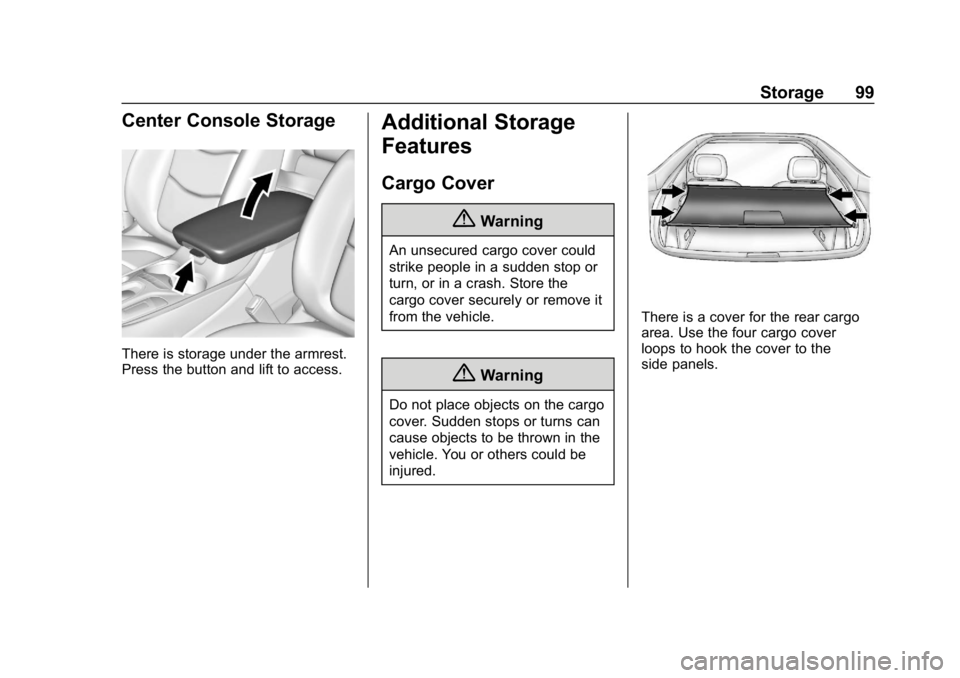
Center Console Storage
There is storage under the armrest.
Press the button and lift to access.
Additional Storage
Features
Cargo Cover
{Warning
An unsecured cargo cover could
strike people in a sudden stop or
turn, or in a crash. Store the
cargo cover securely or remove it
from the vehicle.
{Warning
Do not place objects on the cargo
cover. Sudden stops or turns can
cause objects to be thrown in the
vehicle. You or others could be
injured.
There is a cover for the rear cargo
area. Use the four cargo cover
loops to hook the cover to the
side panels.
Page 101 of 373
Chevrolet VOLT Owner Manual (GMNA-Localizing-U.S./Canada/Mexico-
12163007) - 2019 - CRC - 11/5/18
100 Storage
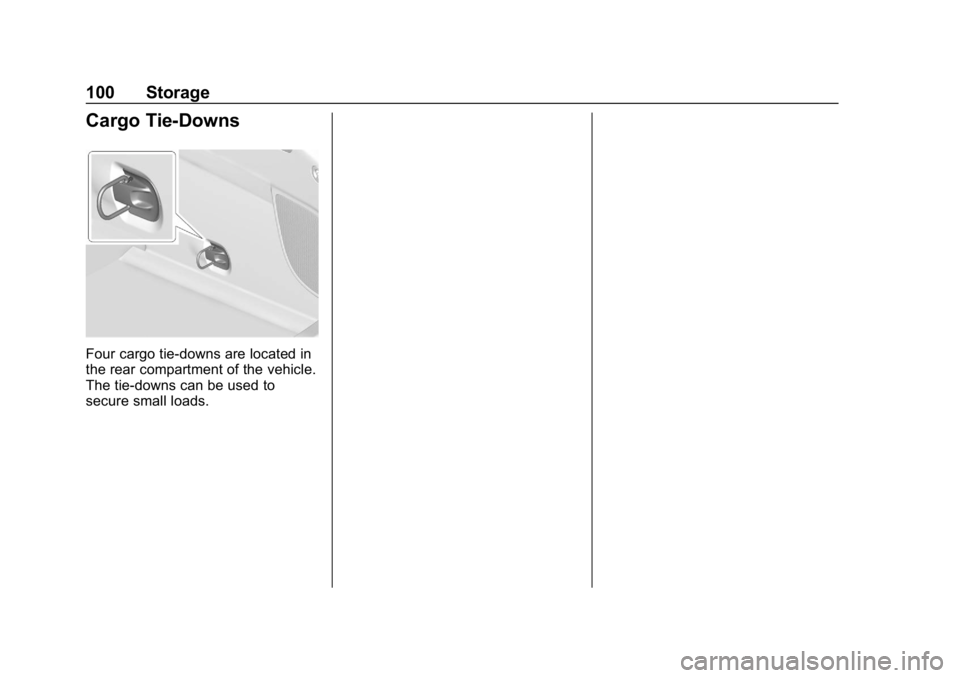
Cargo Tie-Downs
Four cargo tie-downs are located in
the rear compartment of the vehicle.
The tie-downs can be used to
secure small loads.
Page 102 of 373
Chevrolet VOLT Owner Manual (GMNA-Localizing-U.S./Canada/Mexico-
12163007) - 2019 - CRC - 11/5/18
Instruments and Controls 101
Instruments and
Controls
Controls
Steering Wheel Adjustment . . . 102
Steering Wheel Controls . . . . . . 102
Heated Steering Wheel . . . . . . . 102
Horn . . . . . . . . . . . . . . . . . . . . . . . . . . 102
Pedestrian Safety Signal . . . . . 102
Windshield Wiper/Washer . . . . 103
Compass . . . . . . . . . . . . . . . . . . . . . 104
Clock . . . . . . . . . . . . . . . . . . . . . . . . . 104
Power Outlets . . . . . . . . . . . . . . . . 104
Wireless Charging . . . . . . . . . . . . 105
Warning Lights, Gauges, and
Indicators
Warning Lights, Gauges, andIndicators . . . . . . . . . . . . . . . . . . . 107
Instrument Cluster . . . . . . . . . . . . 107
Speedometer . . . . . . . . . . . . . . . . . 110
Odometer . . . . . . . . . . . . . . . . . . . . . 110
Trip Odometer . . . . . . . . . . . . . . . . 110
Battery Gauge (High Voltage) . . . . . . . . . . . . . . . . . . . . . 110
Fuel Gauge . . . . . . . . . . . . . . . . . . . 111
Driver Efficiency Gauge . . . . . . . 111
Power Indicator Gauge . . . . . . . 112 Seat Belt Reminders . . . . . . . . . . 112
Airbag Readiness Light . . . . . . . 113
Passenger Airbag Status
Indicator . . . . . . . . . . . . . . . . . . . . . 113
Charging System Light (12-Volt
Battery) . . . . . . . . . . . . . . . . . . . . . 114
Malfunction Indicator Lamp (Check Engine Light) . . . . . . . . 114
Brake System Warning Light . . . . . . . . . . . . . . . . . . . . . . . . 116
Electric Parking Brake Light . . . . . . . . . . . . . . . . . . . . . . . . 117
Service Electric Parking Brake Light . . . . . . . . . . . . . . . . . . . . . . . . 117
Antilock Brake System (ABS) Warning Light . . . . . . . . . . . . . . . 117
Sport Mode Light . . . . . . . . . . . . . 118
Mountain Mode Light . . . . . . . . . 118
Hold Mode Light . . . . . . . . . . . . . . 118
Lane Keep Assist (LKA) Light . . . . . . . . . . . . . . . . . . . . . . . . 118
Vehicle Ahead Indicator . . . . . . . 119
Traction Off Light . . . . . . . . . . . . . 119
StabiliTrak OFF Light . . . . . . . . . 119
Traction Control System (TCS)/ StabiliTrak Light . . . . . . . . . . . . . 119
Engine Coolant Temperature Warning Light . . . . . . . . . . . . . . . 120
Tire Pressure Light . . . . . . . . . . . 120
Engine Oil Pressure Light . . . . 121 Low Fuel Warning Light . . . . . . 121
Security Light . . . . . . . . . . . . . . . . . 121
Vehicle Ready Light . . . . . . . . . . 122
High-Beam On Light . . . . . . . . . . 122
Lamps On Reminder . . . . . . . . . 122
Cruise Control Light . . . . . . . . . . 122
Door Ajar Light . . . . . . . . . . . . . . . 123
Information Displays
Power Flows . . . . . . . . . . . . . . . . . 123
Programmable Charging . . . . . . 123
Energy Information . . . . . . . . . . . 131
Driver Information
Center (DIC) . . . . . . . . . . . . . . . . 133
Vehicle Messages
Vehicle Messages . . . . . . . . . . . . 135
Propulsion PowerMessages . . . . . . . . . . . . . . . . . . . 136
Vehicle Speed Messages . . . . . 136
Vehicle Personalization
Vehicle Personalization . . . . . . . 137
Page 122 of 373
Chevrolet VOLT Owner Manual (GMNA-Localizing-U.S./Canada/Mexico-
12163007) - 2019 - CRC - 11/5/18
Instruments and Controls 121
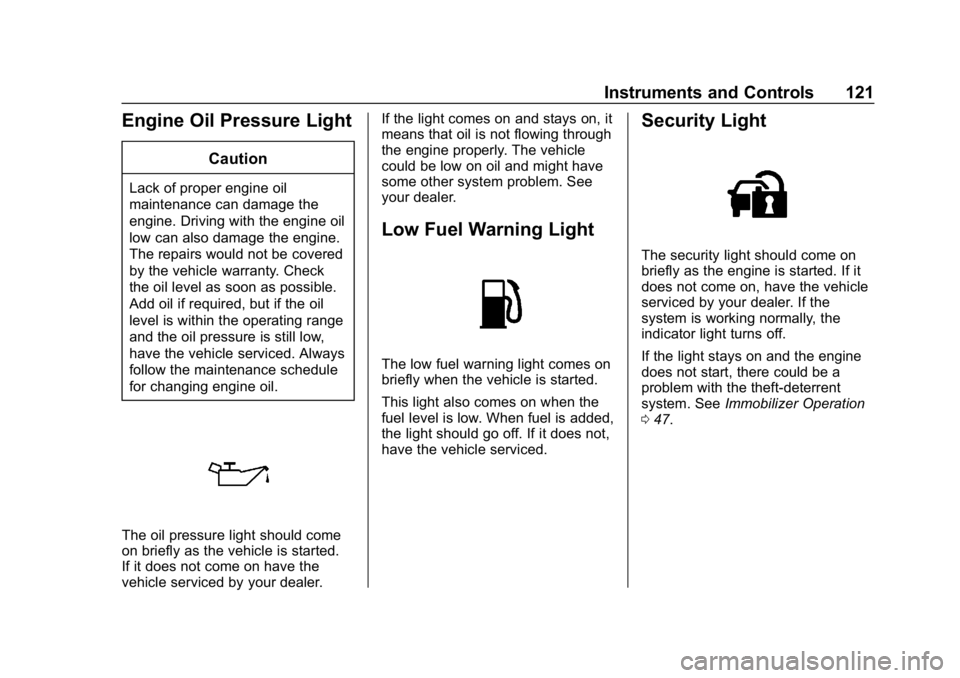
Engine Oil Pressure Light
Caution
Lack of proper engine oil
maintenance can damage the
engine. Driving with the engine oil
low can also damage the engine.
The repairs would not be covered
by the vehicle warranty. Check
the oil level as soon as possible.
Add oil if required, but if the oil
level is within the operating range
and the oil pressure is still low,
have the vehicle serviced. Always
follow the maintenance schedule
for changing engine oil.
The oil pressure light should come
on briefly as the vehicle is started.
If it does not come on have the
vehicle serviced by your dealer.If the light comes on and stays on, it
means that oil is not flowing through
the engine properly. The vehicle
could be low on oil and might have
some other system problem. See
your dealer.
Low Fuel Warning Light
The low fuel warning light comes on
briefly when the vehicle is started.
This light also comes on when the
fuel level is low. When fuel is added,
the light should go off. If it does not,
have the vehicle serviced.
Security Light
The security light should come on
briefly as the engine is started. If it
does not come on, have the vehicle
serviced by your dealer. If the
system is working normally, the
indicator light turns off.
If the light stays on and the engine
does not start, there could be a
problem with the theft-deterrent
system. See
Immobilizer Operation
0 47.
Page 124 of 373
Chevrolet VOLT Owner Manual (GMNA-Localizing-U.S./Canada/Mexico-
12163007) - 2019 - CRC - 11/5/18
Instruments and Controls 123
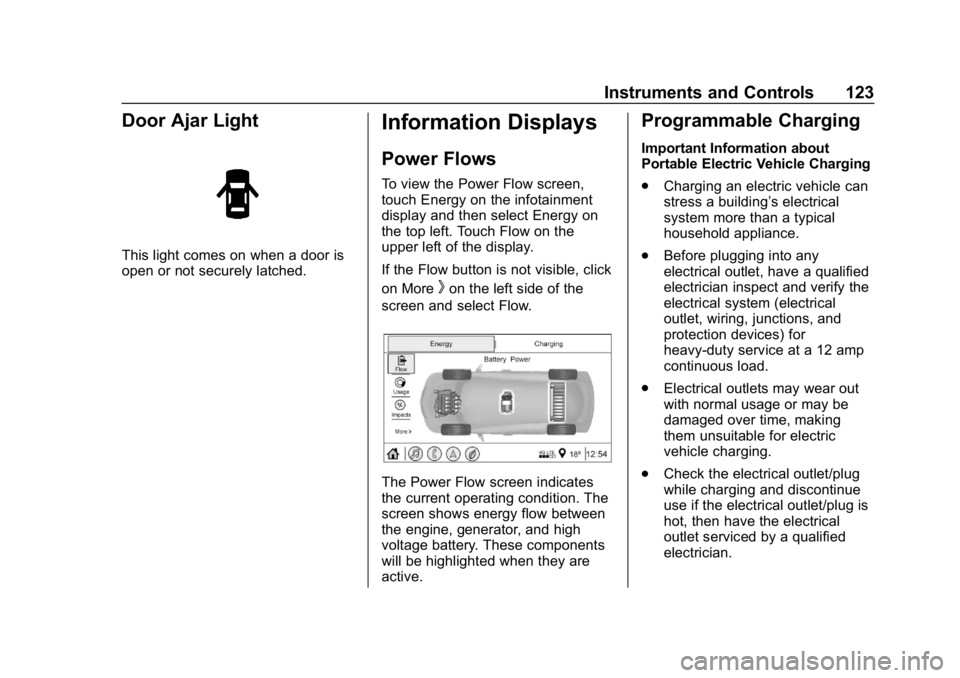
Door Ajar Light
This light comes on when a door is
open or not securely latched.
Information Displays
Power Flows
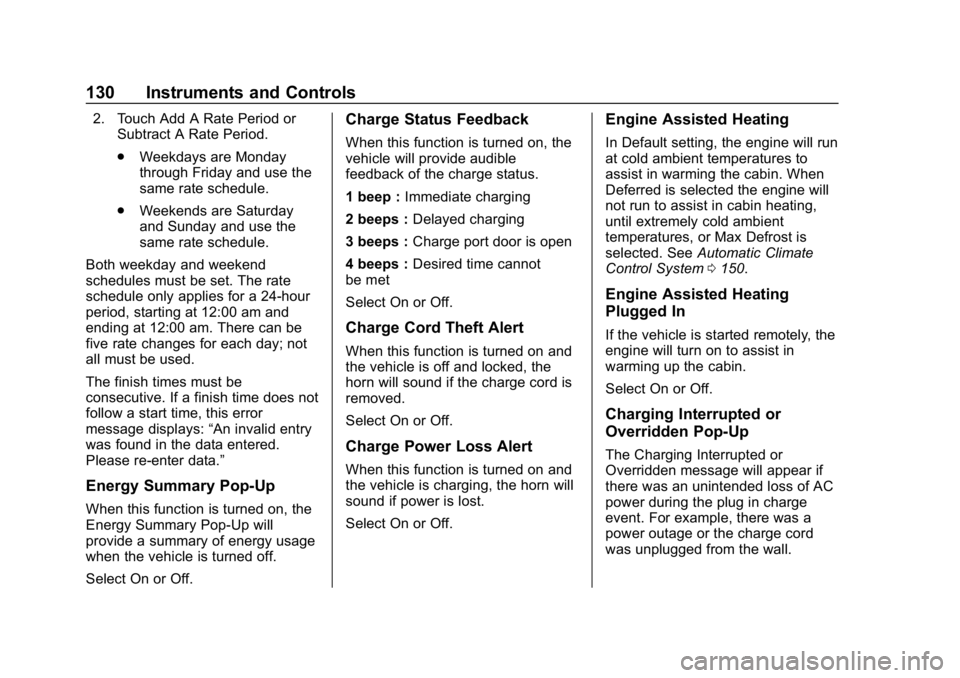
To view the Power Flow screen,
touch Energy on the infotainment
display and then select Energy on
the top left. Touch Flow on the
upper left of the display.
If the Flow button is not visible, click
on More
kon the left side of the
screen and select Flow.
The Power Flow screen indicates
the current operating condition. The
screen shows energy flow between
the engine, generator, and high
voltage battery. These components
will be highlighted when they are
active.
Programmable Charging
Important Information about
Portable Electric Vehicle Charging
. Charging an electric vehicle can
stress a building’ s electrical
system more than a typical
household appliance.
. Before plugging into any
electrical outlet, have a qualified
electrician inspect and verify the
electrical system (electrical
outlet, wiring, junctions, and
protection devices) for
heavy-duty service at a 12 amp
continuous load.
. Electrical outlets may wear out
with normal usage or may be
damaged over time, making
them unsuitable for electric
vehicle charging.
. Check the electrical outlet/plug
while charging and discontinue
use if the electrical outlet/plug is
hot, then have the electrical
outlet serviced by a qualified
electrician.
Page 131 of 373
Chevrolet VOLT Owner Manual (GMNA-Localizing-U.S./Canada/Mexico-
12163007) - 2019 - CRC - 11/5/18
130 Instruments and Controls
2. Touch Add A Rate Period orSubtract A Rate Period.
.Weekdays are Monday
through Friday and use the
same rate schedule.
. Weekends are Saturday
and Sunday and use the
same rate schedule.
Both weekday and weekend
schedules must be set. The rate
schedule only applies for a 24-hour
period, starting at 12:00 am and
ending at 12:00 am. There can be
five rate changes for each day; not
all must be used.
The finish times must be
consecutive. If a finish time does not
follow a start time, this error
message displays: “An invalid entry
was found in the data entered.
Please re-enter data.”
Energy Summary Pop-Up
When this function is turned on, the
Energy Summary Pop-Up will
provide a summary of energy usage
when the vehicle is turned off.
Select On or Off.
Charge Status Feedback
When this function is turned on, the
vehicle will provide audible
feedback of the charge status.
1 beep : Immediate charging
2 beeps : Delayed charging
3 beeps : Charge port door is open
4 beeps : Desired time cannot
be met
Select On or Off.
Charge Cord Theft Alert
When this function is turned on and
the vehicle is off and locked, the
horn will sound if the charge cord is
removed.
Select On or Off.
Charge Power Loss Alert
When this function is turned on and
the vehicle is charging, the horn will
sound if power is lost.
Select On or Off.
Engine Assisted Heating
In Default setting, the engine will run
at cold ambient temperatures to
assist in warming the cabin. When
Deferred is selected the engine will
not run to assist in cabin heating,
until extremely cold ambient
temperatures, or Max Defrost is
selected. See Automatic Climate
Control System 0150.
Engine Assisted Heating
Plugged In
If the vehicle is started remotely, the
engine will turn on to assist in
warming up the cabin.
Select On or Off.
Charging Interrupted or
Overridden Pop-Up
The Charging Interrupted or
Overridden message will appear if
there was an unintended loss of AC
power during the plug in charge
event. For example, there was a
power outage or the charge cord
was unplugged from the wall.
Page 136 of 373
Chevrolet VOLT Owner Manual (GMNA-Localizing-U.S./Canada/Mexico-
12163007) - 2019 - CRC - 11/5/18
Instruments and Controls 135
Average Speed :Shows the
average speed of the vehicle in
kilometers per hour (km/h) or miles
per hour (mph). This average is
calculated based on the various
vehicle speeds recorded since the
last reset of this value. The average
speed can be reset by pressing and
holding
Vwhile this display is
active.
Timer : This display can be used as
a timer. To start the timer, press
V
while this display is active. The
display will show the amount of time
that has passed since the timer was
last reset. To stop the timer, press
V
briefly while this display is active
and the timer is running. To reset
the timer to zero, press and hold
V
while this display is active. Speed Limit :
Shows the current
speed limit. The information for this
page comes from a roadway
database.
Follow Distance Indicator : The
current follow time to the vehicle
ahead is displayed as a time value
on this page.
Driver Assistance : If equipped,
shows information for Lane Keep
Assist (LKA), Lane Departure
Warning (LDW), and Forward
Collision Alert (FCA).
Coolant Temperature : Shows the
engine coolant temperature in either
degrees Celsius (°C) or degrees
Fahrenheit (°F).
Blank Page : The Blank Page
display allows for no information to
be displayed in the cluster info
display areas.
Vehicle Messages
Messages displayed on the DIC
indicate the status of the vehicle or
some action that may be needed to
correct a condition. Multiple
messages may appear one after
another.
The messages that do not require
immediate action can be
acknowledged and cleared by
pressing
V. The messages that
require immediate action cannot be
cleared until that action is
performed.
All messages should be taken
seriously; clearing the message
does not correct the problem.
If a SERVICE message appears,
see your dealer.
Follow the instructions given in the
messages. The system displays
messages regarding the following
topics:
. Service Messages
. Fluid Levels
. Vehicle Security
Page 169 of 373
Chevrolet VOLT Owner Manual (GMNA-Localizing-U.S./Canada/Mexico-
12163007) - 2019 - CRC - 11/5/18
168 Driving and Operating
{Warning
Things inside the vehicle can
strike and injure people in a
sudden stop or turn, or in a
crash.
.Put things in the cargo
area of the vehicle. In the
cargo area, put them as
far forward as possible.
Try to spread the weight
evenly.
.Never stack heavier
things, like suitcases,
inside the vehicle so that
some of them are above
the tops of the seats.
(Continued)
Warning (Continued)
. Do not leave an
unsecured child restraint
in the vehicle.
.Secure loose items in the
vehicle.
.Do not leave a seat
folded down unless
needed.
Starting and
Operating
New Vehicle Break-In
The vehicle does not require a
break-in period. Vehicle break-in is
performed during manufacturing.
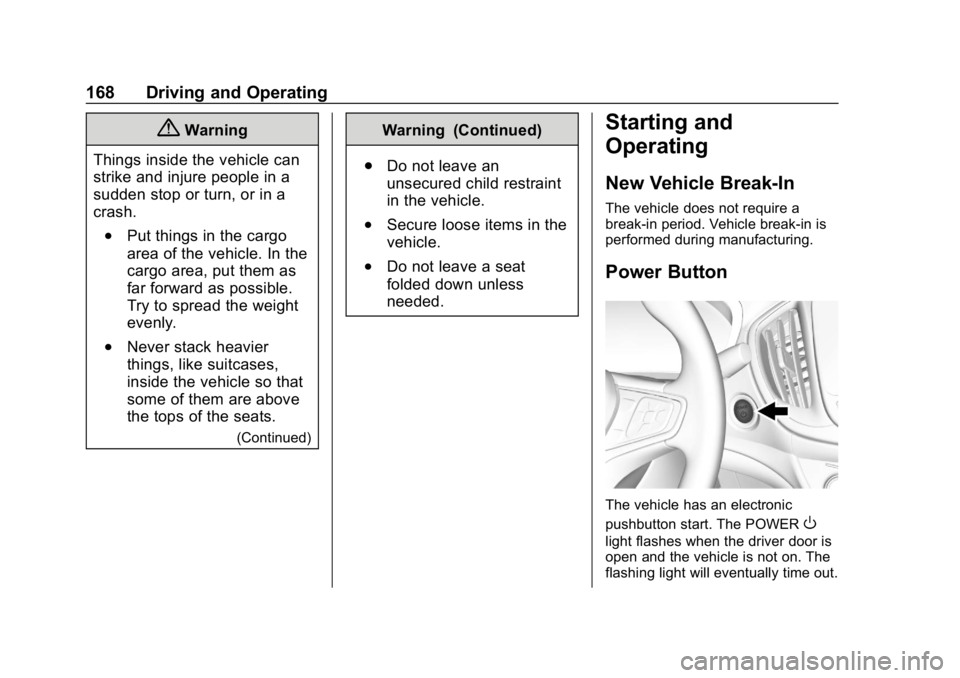
Power Button
The vehicle has an electronic
pushbutton start. The POWER
O
light flashes when the driver door is
open and the vehicle is not on. The
flashing light will eventually time out.
Page 228 of 373
Chevrolet VOLT Owner Manual (GMNA-Localizing-U.S./Canada/Mexico-
12163007) - 2019 - CRC - 11/5/18
Driving and Operating 227
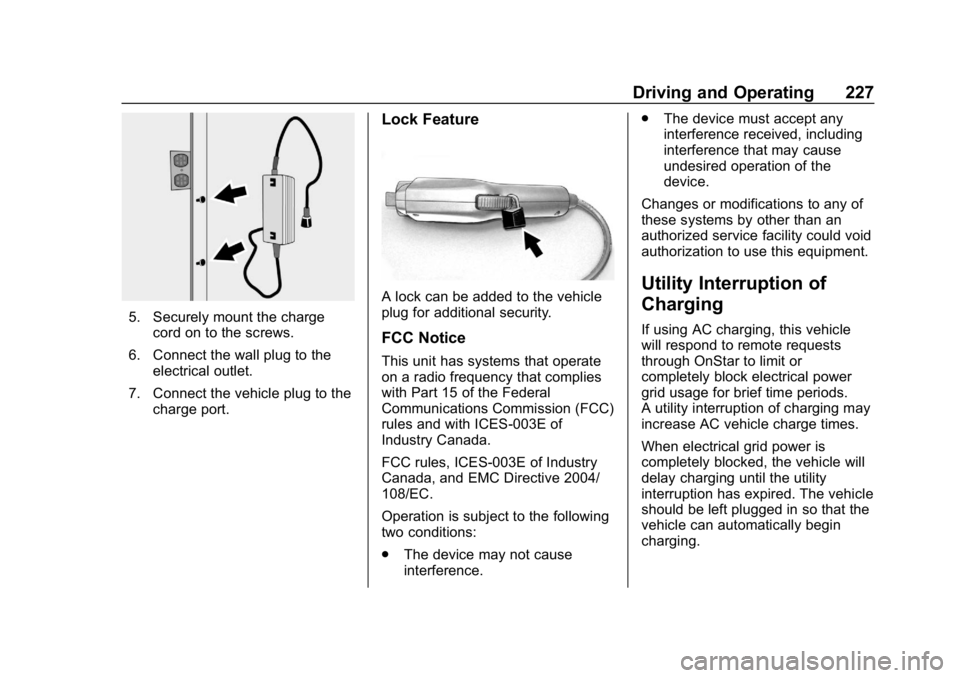
5. Securely mount the chargecord on to the screws.
6. Connect the wall plug to the electrical outlet.
7. Connect the vehicle plug to the charge port.
Lock Feature
A lock can be added to the vehicle
plug for additional security.
FCC Notice
This unit has systems that operate
on a radio frequency that complies
with Part 15 of the Federal
Communications Commission (FCC)
rules and with ICES-003E of
Industry Canada.
FCC rules, ICES-003E of Industry
Canada, and EMC Directive 2004/
108/EC.
Operation is subject to the following
two conditions:
.The device may not cause
interference. .
The device must accept any
interference received, including
interference that may cause
undesired operation of the
device.
Changes or modifications to any of
these systems by other than an
authorized service facility could void
authorization to use this equipment.
Utility Interruption of
Charging
If using AC charging, this vehicle
will respond to remote requests
through OnStar to limit or
completely block electrical power
grid usage for brief time periods.
A utility interruption of charging may
increase AC vehicle charge times.
When electrical grid power is
completely blocked, the vehicle will
delay charging until the utility
interruption has expired. The vehicle
should be left plugged in so that the
vehicle can automatically begin
charging.
Page 240 of 373
Chevrolet VOLT Owner Manual (GMNA-Localizing-U.S./Canada/Mexico-
12163007) - 2019 - CRC - 11/5/18
Vehicle Care 239
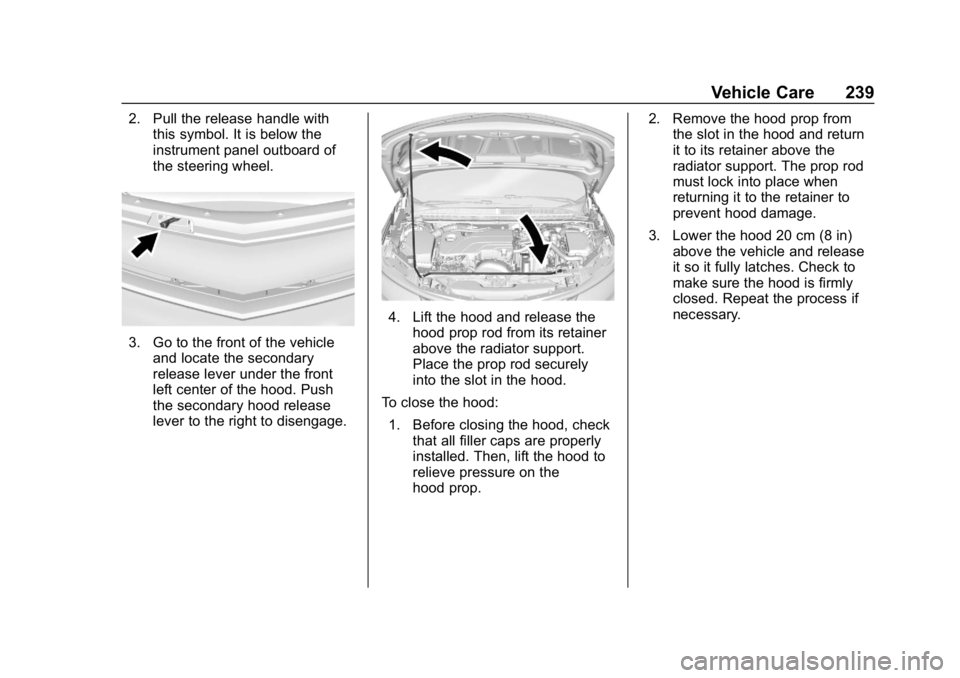
2. Pull the release handle withthis symbol. It is below the
instrument panel outboard of
the steering wheel.
3. Go to the front of the vehicle
and locate the secondary
release lever under the front
left center of the hood. Push
the secondary hood release
lever to the right to disengage.
4. Lift the hood and release thehood prop rod from its retainer
above the radiator support.
Place the prop rod securely
into the slot in the hood.
To close the hood:
1. Before closing the hood, check that all filler caps are properly
installed. Then, lift the hood to
relieve pressure on the
hood prop. 2. Remove the hood prop from
the slot in the hood and return
it to its retainer above the
radiator support. The prop rod
must lock into place when
returning it to the retainer to
prevent hood damage.
3. Lower the hood 20 cm (8 in) above the vehicle and release
it so it fully latches. Check to
make sure the hood is firmly
closed. Repeat the process if
necessary.