lock CHEVROLET VOLT 2019 Manual PDF
[x] Cancel search | Manufacturer: CHEVROLET, Model Year: 2019, Model line: VOLT, Model: CHEVROLET VOLT 2019Pages: 373, PDF Size: 5.66 MB
Page 207 of 373
Chevrolet VOLT Owner Manual (GMNA-Localizing-U.S./Canada/Mexico-
12163007) - 2019 - CRC - 11/5/18
206 Driving and Operating
required, and there will be additional
instructions. When changing gears,
allow the automatic steering to
complete before continuing the
parking maneuver. Upon successful
completion of a maneuver, APA will
beep and display a PARKING
COMPLETE message. Place the
vehicle in P (Park).
APA may automatically disengage if:
.The steering wheel is used by
the driver.
. The maximum allowed speed is
exceeded.
. There is a failure with the APA
system.
. Electronic stability control or
antilock brakes are activated.
. A high priority vehicle message
is displayed in the DIC.
To cancel APA, press
Oagain.
When the System Does Not Seem
to Work Properly
The APA system may require a
short period of driving along curves
to calibrate.
Assistance Systems for
Driving
If equipped, when driving the
vehicle in a forward gear, Forward
Collision Alert (FCA), Lane
Departure Warning (LDW), Lane
Keep Assist (LKA), Side Blind Zone
Alert (SBZA), Lane Change Alert
(LCA), and/or Forward Automatic
Braking (FAB) can help to avoid a
crash or reduce crash damage.
Forward Collision Alert
(FCA) System
If equipped, the FCA system may
help to avoid or reduce the harm
caused by front-end crashes. When
approaching a vehicle ahead too
quickly, FCA provides a red flashing
alert on the windshield and rapidly
beeps. FCA also lights an amber
visual alert if following another
vehicle much too closely.
FCA detects vehicles within a
distance of approximately 60 m
(197 ft) and operates at speeds
above 8 km/h (5 mph). If the vehicle
has Adaptive Cruise Control (ACC), it can detect vehicles to distances of
approximately 110 m (360 ft) and
operates at speeds above 4 km/h
(2.5 mph). See
Adaptive Cruise
Control 0191.
{Warning
FCA is a warning system and
does not apply the brakes. When
approaching a slower-moving or
stopped vehicle ahead too rapidly,
or when following a vehicle too
closely, FCA may not provide a
warning with enough time to help
avoid a crash. It also may not
provide any warning at all. FCA
does not warn of pedestrians,
animals, signs, guardrails,
bridges, construction barrels,
or other objects. Be ready to take
action and apply the brakes. See
Defensive Driving 0159.
FCA can be disabled. See
“Collision/Detection Systems” under
Vehicle Personalization 0137.
Page 208 of 373
Chevrolet VOLT Owner Manual (GMNA-Localizing-U.S./Canada/Mexico-
12163007) - 2019 - CRC - 11/5/18
Driving and Operating 207
Detecting the Vehicle Ahead
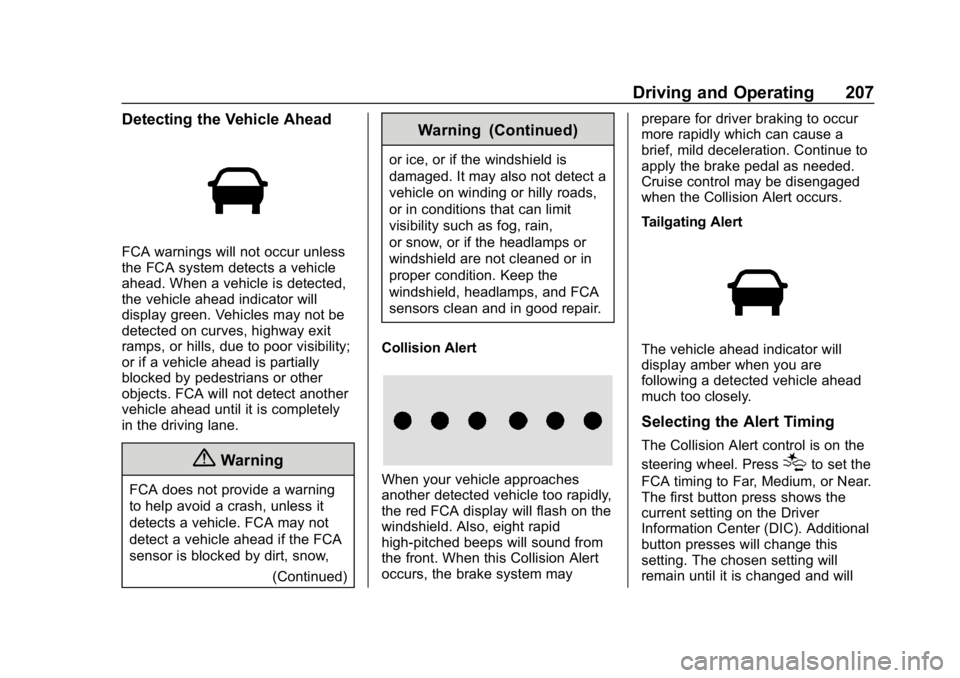
FCA warnings will not occur unless
the FCA system detects a vehicle
ahead. When a vehicle is detected,
the vehicle ahead indicator will
display green. Vehicles may not be
detected on curves, highway exit
ramps, or hills, due to poor visibility;
or if a vehicle ahead is partially
blocked by pedestrians or other
objects. FCA will not detect another
vehicle ahead until it is completely
in the driving lane.
{Warning
FCA does not provide a warning
to help avoid a crash, unless it
detects a vehicle. FCA may not
detect a vehicle ahead if the FCA
sensor is blocked by dirt, snow,(Continued)
Warning (Continued)
or ice, or if the windshield is
damaged. It may also not detect a
vehicle on winding or hilly roads,
or in conditions that can limit
visibility such as fog, rain,
or snow, or if the headlamps or
windshield are not cleaned or in
proper condition. Keep the
windshield, headlamps, and FCA
sensors clean and in good repair.
Collision Alert
When your vehicle approaches
another detected vehicle too rapidly,
the red FCA display will flash on the
windshield. Also, eight rapid
high-pitched beeps will sound from
the front. When this Collision Alert
occurs, the brake system may prepare for driver braking to occur
more rapidly which can cause a
brief, mild deceleration. Continue to
apply the brake pedal as needed.
Cruise control may be disengaged
when the Collision Alert occurs.
Tailgating Alert
The vehicle ahead indicator will
display amber when you are
following a detected vehicle ahead
much too closely.
Selecting the Alert Timing
The Collision Alert control is on the
steering wheel. Press
[to set the
FCA timing to Far, Medium, or Near.
The first button press shows the
current setting on the Driver
Information Center (DIC). Additional
button presses will change this
setting. The chosen setting will
remain until it is changed and will
Page 210 of 373
Chevrolet VOLT Owner Manual (GMNA-Localizing-U.S./Canada/Mexico-
12163007) - 2019 - CRC - 11/5/18
Driving and Operating 209
Warning (Continued)
FAB may not:. Detect a vehicle ahead on
winding or hilly roads.
. Detect all vehicles,
especially vehicles with a
trailer, tractors, muddy
vehicles, etc.
. Detect a vehicle when
weather limits visibility, such
as in fog, rain, or snow.
. Detect a vehicle ahead if it
is partially blocked by
pedestrians or other objects.
Complete attention is always
required while driving, and you
should be ready to take action
and apply the brakes and/or steer
the vehicle to avoid crashes.
FAB may slow the vehicle to a
complete stop to try to avoid a
potential crash. If this happens, FAB
may engage the Electric Parking Brake (EPB) to hold the vehicle at a
stop. Release the EPB or firmly
press the accelerator pedal.
{Warning
FAB may automatically brake the
vehicle suddenly in situations
where it is unexpected and
undesired. It could respond to a
turning vehicle ahead, guardrails,
signs, and other non-moving
objects. To override FAB, firmly
press the accelerator pedal, if it is
safe to do so.
Intelligent Brake Assist (IBA)
IBA may activate when the brake
pedal is applied quickly by providing
a boost to braking based on the
speed of approach and distance to
a vehicle ahead.
Minor brake pedal pulsations or
pedal movement during this time is
normal and the brake pedal should
continue to be applied as needed.
IBA will automatically disengage
only when the brake pedal is
released.
{Warning
IBA may increase vehicle braking
in situations when it may not be
necessary. You could block the
flow of traffic. If this occurs, take
your foot off the brake pedal and
then apply the brakes as needed.
FAB and IBA can be disabled
through vehicle personalization. See
“Collision/Detection Systems” under
Vehicle Personalization 0137.
A system unavailable message may
display if:
. The front of the vehicle or
windshield is not clean.
. Heavy rain or snow is interfering
with object detection.
. There is a problem with the
StabiliTrak system.
The FAB system does not need
service.
Page 213 of 373
Chevrolet VOLT Owner Manual (GMNA-Localizing-U.S./Canada/Mexico-
12163007) - 2019 - CRC - 11/5/18
212 Driving and Operating
If the LCA displays do not light up
when moving vehicles are in the
side blind zone or rapidly
approaching this zone and the
system is clean, the system may
need service. Take the vehicle to
your dealer.
Radio Frequency Information
SeeRadio Frequency Statement
0 345.
Lane Departure
Warning (LDW)
If equipped, LDW may help avoid
crashes due to unintentional lane
departures. It may provide a
warning if the vehicle is crossing a
detected lane marking without using
a turn signal in the lane departure
direction. Since this system is part
of the Lane Keep Assist (LKA)
system, read the entire LKA section
before using this feature.
Lane Keep Assist (LKA)
If equipped, LKA may help avoid
crashes due to unintentional lane
departures. It may assist by gently
turning the steering wheel if the
vehicle approaches a detected lane
marking without using a turn signal
in that direction. It may also provide
a Lane Departure Warning (LDW)
system alert as the lane marking is
crossed. The LKA system will not
assist or provide an LDW alert if it
detects that you are actively
steering. Override LKA by turning
the steering wheel. LKA uses a
camera to detect lane markings
between 60 km/h (37 mph) and
180 km/h (112 mph).
{Warning
The LKA system does not
continuously steer the vehicle.
It may not keep the vehicle in the
lane or give a Lane Departure
Warning (LDW) alert, even if a
lane marking is detected.
(Continued)
Warning (Continued)
The LKA and LDW systems
may not:
. Provide an alert or enough
steering assist to avoid a
lane departure or crash.
. Detect lane markings under
poor weather or visibility
conditions. This can occur if
the windshield or
headlamps are blocked by
dirt, snow, or ice, if they are
not in proper condition, or if
the sun shines directly into
the camera.
. Detect road edges.
. Detect lanes on winding or
hilly roads.
If LKA only detects lane markings
on one side of the road, it will
only assist or provide an LDW
alert when approaching the lane
on the side where it has detected
a lane marking. Even with LKA (Continued)
Page 215 of 373
Chevrolet VOLT Owner Manual (GMNA-Localizing-U.S./Canada/Mexico-
12163007) - 2019 - CRC - 11/5/18
214 Driving and Operating
If the LKA system is not functioning
properly when lane markings are
clearly visible, cleaning the
windshield may help.
A system unavailable message may
display if the camera is blocked.
The LKA system does not need
service.
LKA assistance and/or LDW alerts
may occur due to tar marks,
shadows, cracks in the road,
temporary or construction lane
markings, or other road
imperfections. This is normal system
operation; the vehicle does not need
service. Turn LKA off if these
conditions continue.Charging
Plug-In Charging
This section explains the charging
of the vehicle's high voltage battery.
Do not allow the vehicle to remain in
extreme temperatures for long
periods without being driven or
plugged in. Plug the vehicle in when
temperatures are below 0 °C (32 °F)
and above 32 °C (90 °F) to
maximize the life of the high voltage
battery.
When using a 120-volt AC electrical
outlet, it will take approximately
13 hours to charge the vehicle with
the 12 amp AC current setting or
19 hours using the default 8 amp
AC current setting.
When using a 240-volt charging
station, if the vehicle is equipped
with a 7.2kw on-board charge
module, it will take approximately2.3 hours to charge the vehicle.
When using a 240-volt charging
station, if the vehicle is equipped
with a 3.6kw on-board charge
module, it will take approximately
4.5 hours to charge the vehicle.
Charge times will vary with outside
temperature. There are three ways
to program how the vehicle is
charged. See
Programmable
Charging 0123.
The charging system may run fans
and pumps that result in sounds
from the vehicle while it is turned
off. Additional unexpected clicking
sounds may be caused by the
electrical devices used while
charging.
While the charge cord is plugged
into the vehicle, the vehicle cannot
be driven.
Page 216 of 373
Chevrolet VOLT Owner Manual (GMNA-Localizing-U.S./Canada/Mexico-
12163007) - 2019 - CRC - 11/5/18
Driving and Operating 215
Charging
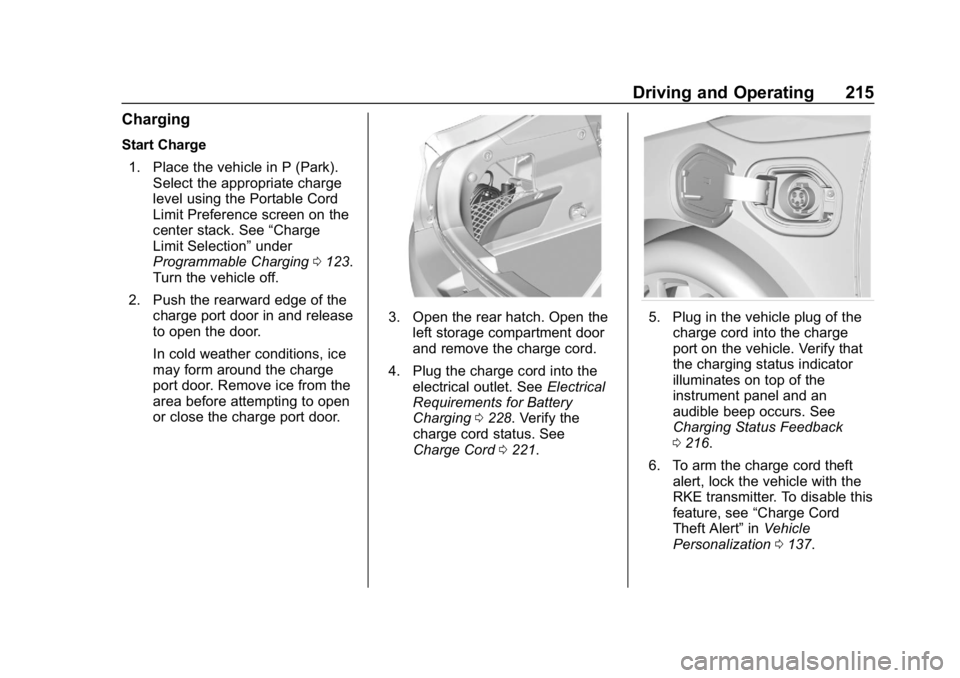
Start Charge1. Place the vehicle in P (Park). Select the appropriate charge
level using the Portable Cord
Limit Preference screen on the
center stack. See “Charge
Limit Selection” under
Programmable Charging 0123.
Turn the vehicle off.
2. Push the rearward edge of the charge port door in and release
to open the door.
In cold weather conditions, ice
may form around the charge
port door. Remove ice from the
area before attempting to open
or close the charge port door.
3. Open the rear hatch. Open the
left storage compartment door
and remove the charge cord.
4. Plug the charge cord into the electrical outlet. See Electrical
Requirements for Battery
Charging 0228. Verify the
charge cord status. See
Charge Cord 0221.5. Plug in the vehicle plug of the
charge cord into the charge
port on the vehicle. Verify that
the charging status indicator
illuminates on top of the
instrument panel and an
audible beep occurs. See
Charging Status Feedback
0216.
6. To arm the charge cord theft alert, lock the vehicle with the
RKE transmitter. To disable this
feature, see “Charge Cord
Theft Alert” inVehicle
Personalization 0137.
Page 217 of 373
Chevrolet VOLT Owner Manual (GMNA-Localizing-U.S./Canada/Mexico-
12163007) - 2019 - CRC - 11/5/18
216 Driving and Operating
End Charge1. Unlock the vehicle with the RKE transmitter to disarm the
charge cord theft alert.
2. Unplug the vehicle plug of thecharge cord from the vehicle.
3. Close the charge port door by pressing firmly on the rearward
edge of the door surface.
4. Unplug the charge cord from the electrical outlet.
5. Place the charge cord into the storage compartment.
Delayed Charging
Override
To temporarily override a delayed
charge event, unplug the charge
cord from the charge port and then
plug it back in within five seconds.
A single audible beep will sound
and charging will begin immediately.
To cancel a temporary override,
unplug the charge cord, wait for
10 seconds, and then plug the
charge cord back in. A double
audible beep will sound and
charging will be delayed.
See Programmable Charging 0123
for advanced charge scheduling
options.
Charging Status
Feedback
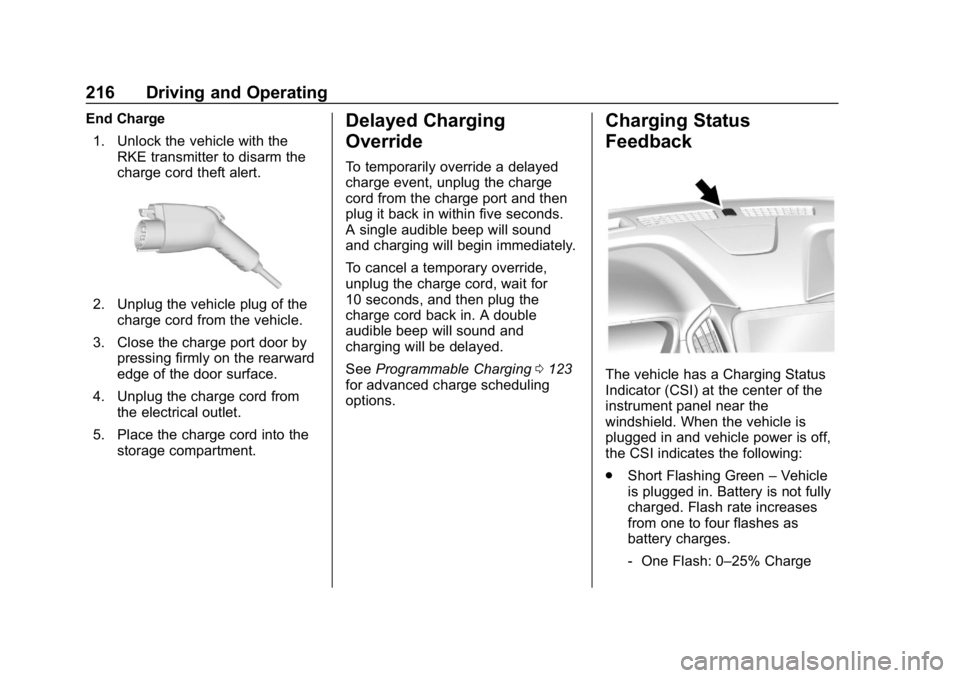
The vehicle has a Charging Status
Indicator (CSI) at the center of the
instrument panel near the
windshield. When the vehicle is
plugged in and vehicle power is off,
the CSI indicates the following:
. Short Flashing Green –Vehicle
is plugged in. Battery is not fully
charged. Flash rate increases
from one to four flashes as
battery charges.
‐ One Flash: 0–25% Charge
Page 228 of 373
Chevrolet VOLT Owner Manual (GMNA-Localizing-U.S./Canada/Mexico-
12163007) - 2019 - CRC - 11/5/18
Driving and Operating 227
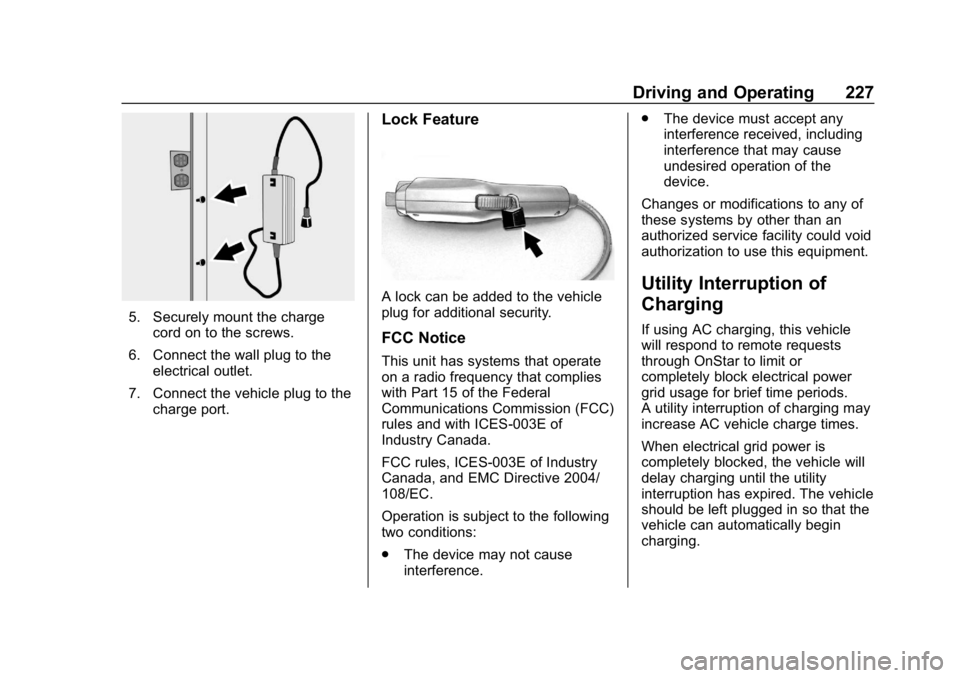
5. Securely mount the chargecord on to the screws.
6. Connect the wall plug to the electrical outlet.
7. Connect the vehicle plug to the charge port.
Lock Feature
A lock can be added to the vehicle
plug for additional security.
FCC Notice
This unit has systems that operate
on a radio frequency that complies
with Part 15 of the Federal
Communications Commission (FCC)
rules and with ICES-003E of
Industry Canada.
FCC rules, ICES-003E of Industry
Canada, and EMC Directive 2004/
108/EC.
Operation is subject to the following
two conditions:
.The device may not cause
interference. .
The device must accept any
interference received, including
interference that may cause
undesired operation of the
device.
Changes or modifications to any of
these systems by other than an
authorized service facility could void
authorization to use this equipment.
Utility Interruption of
Charging
If using AC charging, this vehicle
will respond to remote requests
through OnStar to limit or
completely block electrical power
grid usage for brief time periods.
A utility interruption of charging may
increase AC vehicle charge times.
When electrical grid power is
completely blocked, the vehicle will
delay charging until the utility
interruption has expired. The vehicle
should be left plugged in so that the
vehicle can automatically begin
charging.
Page 232 of 373
Chevrolet VOLT Owner Manual (GMNA-Localizing-U.S./Canada/Mexico-
12163007) - 2019 - CRC - 11/5/18
Driving and Operating 231
Warning (Continued)
.Keep children away from
the fuel pump and never let
children pump fuel.
. Fuel can spray out if the fuel
cap is opened too quickly.
This spray can happen if the
tank is nearly full, and is
more likely in hot weather.
Open the fuel cap slowly
and wait for any hiss noise
to stop, then unscrew the
cap all the way.
The fuel system on this vehicle
requires a refueling process to
control evaporative emissions. To
refuel the vehicle:
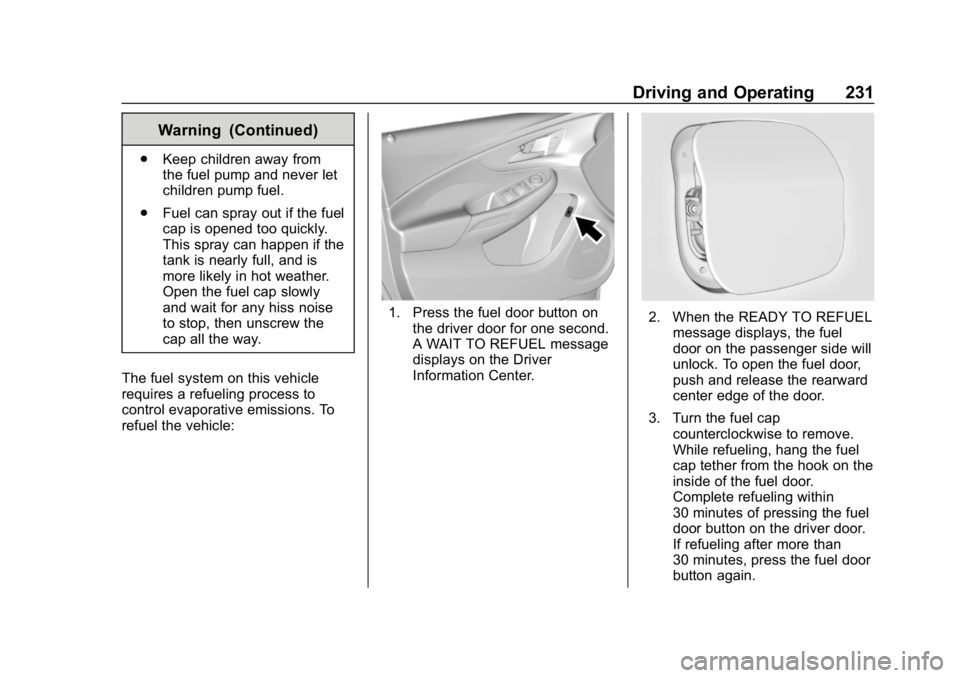
1. Press the fuel door button on the driver door for one second.
A WAIT TO REFUEL message
displays on the Driver
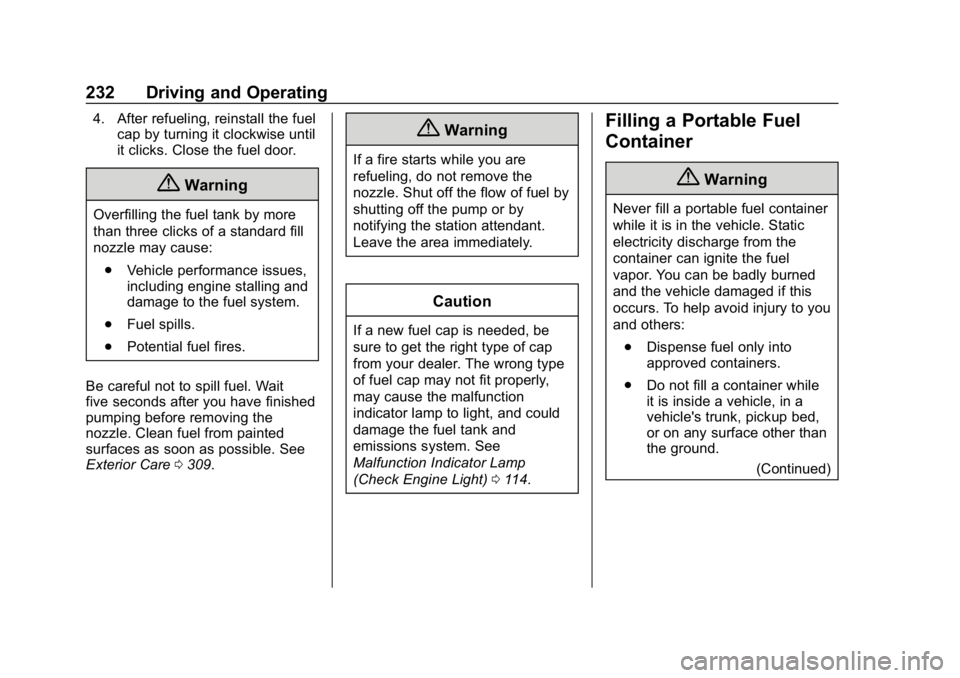
Information Center.2. When the READY TO REFUELmessage displays, the fuel
door on the passenger side will
unlock. To open the fuel door,
push and release the rearward
center edge of the door.
3. Turn the fuel cap counterclockwise to remove.
While refueling, hang the fuel
cap tether from the hook on the
inside of the fuel door.
Complete refueling within
30 minutes of pressing the fuel
door button on the driver door.
If refueling after more than
30 minutes, press the fuel door
button again.
Page 233 of 373
Chevrolet VOLT Owner Manual (GMNA-Localizing-U.S./Canada/Mexico-
12163007) - 2019 - CRC - 11/5/18
232 Driving and Operating
4. After refueling, reinstall the fuelcap by turning it clockwise until
it clicks. Close the fuel door.
{Warning
Overfilling the fuel tank by more
than three clicks of a standard fill
nozzle may cause:
. Vehicle performance issues,
including engine stalling and
damage to the fuel system.
. Fuel spills.
. Potential fuel fires.
Be careful not to spill fuel. Wait
five seconds after you have finished
pumping before removing the
nozzle. Clean fuel from painted
surfaces as soon as possible. See
Exterior Care 0309.
{Warning
If a fire starts while you are
refueling, do not remove the
nozzle. Shut off the flow of fuel by
shutting off the pump or by
notifying the station attendant.
Leave the area immediately.
Caution
If a new fuel cap is needed, be
sure to get the right type of cap
from your dealer. The wrong type
of fuel cap may not fit properly,
may cause the malfunction
indicator lamp to light, and could
damage the fuel tank and
emissions system. See
Malfunction Indicator Lamp
(Check Engine Light) 0114.
Filling a Portable Fuel
Container
{Warning
Never fill a portable fuel container
while it is in the vehicle. Static
electricity discharge from the
container can ignite the fuel
vapor. You can be badly burned
and the vehicle damaged if this
occurs. To help avoid injury to you
and others:
. Dispense fuel only into
approved containers.
. Do not fill a container while
it is inside a vehicle, in a
vehicle's trunk, pickup bed,
or on any surface other than
the ground.
(Continued)