battery CHEVROLET VOLT 2020 User Guide
[x] Cancel search | Manufacturer: CHEVROLET, Model Year: 2020, Model line: VOLT, Model: CHEVROLET VOLT 2020Pages: 347, PDF Size: 5.71 MB
Page 58 of 347
Chevrolet BOLT EV Owner Manual (GMNA-Localizing-U.S./Canada/Mexico-
13556250) - 2020 - CRC - 2/11/20
Seats and Restraints 57
“Child Restraints”in the Index for
additional information about the
importance of proper restraint use.
A thick layer of additional material,
such as a blanket or cushion,
or aftermarket equipment such as
seat covers, seat heaters, and seat
massagers can affect how well the
passenger sensing system
operates. We recommend that you
not use seat covers or other
aftermarket equipment except when
approved by GM for your specific
vehicle. See Adding Equipment to
the Airbag-Equipped Vehicle 057
for more information about
modifications that can affect how
the system operates.
The ON indicator may be lit if an
object, such as a briefcase,
handbag, grocery bag, laptop,
or other electronic device is put on
an unoccupied seat. If this is not
desired, remove the object from
the seat.
{Warning
Stowing articles under the
passenger seat or between the
passenger seat cushion and
seatback may interfere with the
proper operation of the passenger
sensing system.
Servicing the
Airbag-Equipped Vehicle
Airbags affect how the vehicle
should be serviced. There are parts
of the airbag system in several
places around the vehicle. Your
dealer and the service manual have
information about servicing the
vehicle and the airbag system. To
purchase a service manual, see
Publication Ordering Information
0 321.
{Warning
For up to 10 seconds after the
vehicle is turned off and the 12‐
volt battery is disconnected, an
airbag can still inflate during
improper service. You can be
injured if you are close to an
airbag when it inflates. Avoid
yellow connectors. They are
probably part of the airbag
system. Be sure to follow proper
service procedures, and make
sure the person performing work
for you is qualified to do so.
Adding Equipment to the
Airbag-Equipped Vehicle
Adding accessories that change the
vehicle's frame, bumper system,
height, front end, or side sheet
metal may keep the airbag system
from working properly.
The operation of the airbag system
can also be affected by changing,
including improperly repairing or
replacing, any parts of the following:
Page 85 of 347
Chevrolet BOLT EV Owner Manual (GMNA-Localizing-U.S./Canada/Mexico-
13556250) - 2020 - CRC - 2/11/20
84 Instruments and Controls
Instruments and
Controls
Controls
Steering Wheel Adjustment . . . . 85
Steering Wheel Controls . . . . . . . 85
Heated Steering Wheel . . . . . . . . 86
Horn . . . . . . . . . . . . . . . . . . . . . . . . . . . 86
Pedestrian Safety Signal . . . . . . . 86
Windshield Wiper/Washer . . . . . . 87
Rear Window Wiper/Washer . . . 88
Compass . . . . . . . . . . . . . . . . . . . . . . 89
Clock . . . . . . . . . . . . . . . . . . . . . . . . . . 90
Power Outlets . . . . . . . . . . . . . . . . . 90
Wireless Charging . . . . . . . . . . . . . 91
Warning Lights, Gauges, and
Indicators
Warning Lights, Gauges, andIndicators . . . . . . . . . . . . . . . . . . . . 94
Instrument Cluster . . . . . . . . . . . . . 94
Speedometer . . . . . . . . . . . . . . . . . . 97
Odometer . . . . . . . . . . . . . . . . . . . . . . 97
Trip Odometer . . . . . . . . . . . . . . . . . 97
Battery Gauge (High
Voltage) . . . . . . . . . . . . . . . . . . . . . . 98
Driver Efficiency Gauge . . . . . . . . 98
Power Indicator Gauge . . . . . . . . 99 Seat Belt Reminders . . . . . . . . . . . 99
Airbag Readiness Light . . . . . . . 100
Passenger Airbag Status
Indicator . . . . . . . . . . . . . . . . . . . . 100
Charging System Light (12-Volt
Battery) . . . . . . . . . . . . . . . . . . . . . 101
Service Vehicle Soon Light . . . 102
Brake System Warning Light . . . . . . . . . . . . . . . . . . . . . . . . 102
Electric Parking Brake Light . . . . . . . . . . . . . . . . . . . . . . . . 102
Service Electric Parking Brake Light . . . . . . . . . . . . . . . . . . . . . . . . 103
Antilock Brake System (ABS) Warning Light . . . . . . . . . . . . . . . 103
Sport Mode Light . . . . . . . . . . . . . 103
Lane Keep Assist (LKA) Light . . . . . . . . . . . . . . . . . . . . . . . . 103
Vehicle Ahead Indicator . . . . . . 104
Pedestrian Ahead Indicator . . . 104
Traction Off Light . . . . . . . . . . . . . 104
StabiliTrak OFF Light . . . . . . . . . 105
Traction Control System (TCS)/ StabiliTrak Light . . . . . . . . . . . . . 105
Tire Pressure Light . . . . . . . . . . . 105
Security Light . . . . . . . . . . . . . . . . . 106
Vehicle Ready Light . . . . . . . . . . 106
High-Beam On Light . . . . . . . . . . 106
Lamps On Reminder . . . . . . . . . 106
Cruise Control Light . . . . . . . . . . 107 Door Ajar Light . . . . . . . . . . . . . . . 107
Information Displays
Power Flows . . . . . . . . . . . . . . . . . 107
Programmable Charging . . . . . . 107
Energy Information . . . . . . . . . . . 115
Charging Options . . . . . . . . . . . . . 117
Driver Information
Center (DIC) . . . . . . . . . . . . . . . . 118
Vehicle Messages
Vehicle Messages . . . . . . . . . . . . 120
Propulsion PowerMessages . . . . . . . . . . . . . . . . . . . 120
Vehicle Speed Messages . . . . . 121
Vehicle Personalization
Vehicle Personalization . . . . . . . 121
Page 92 of 347
Chevrolet BOLT EV Owner Manual (GMNA-Localizing-U.S./Canada/Mexico-
13556250) - 2020 - CRC - 2/11/20
Instruments and Controls 91
Caution
Leaving electrical equipment
plugged in for an extended period
of time while the vehicle is off will
drain the battery. Always unplug
electrical equipment when not in
use and do not plug in equipment
that exceeds the maximum
20 amp rating.
Certain accessory power plugs may
not be compatible with the
accessory power outlet and could
overload vehicle or adapter fuses.
If a problem is experienced, see
your dealer.
When adding electrical equipment,
be sure to follow the proper
installation instructions included with
the equipment. See Add-On
Electrical Equipment 0230.
Caution
Hanging heavy equipment from
the power outlet can cause
damage not covered by the
vehicle warranty. The power
outlets are designed for
accessory power plugs only, such
as cell phone charge cords.
Wireless Charging
The vehicle may have a wireless
charging pocket outside the armrest
of the center console. The system
operates at 145 kHz and wirelessly
charges one Qi compatible mobile
device. The power output of the
system is capable of charging at a
rate up to 3 amp (19.5W), as
requested by the compatible mobile
device. See Radio Frequency
Statement 0322.
{Warning
Wireless charging can affect the
operation of an implanted
pacemaker or other medical
devices. If you have one, it is
recommended to consult with
your doctor before using the
wireless charging system.
The vehicle must be on, in Service
Mode, or Retained Accessory
Power (RAP) must be active. The
wireless charging feature may not
correctly indicate charging when the
vehicle is in RAP. See Retained
Accessory Power (RAP) 0184.
The operating temperature is −20 °C
(−4 °F) to 60 °C (140 °F) for the
charging system and 0 °C (32 °F) to
35 °C (95 °F) for the mobile phone.
Page 95 of 347
Chevrolet BOLT EV Owner Manual (GMNA-Localizing-U.S./Canada/Mexico-
13556250) - 2020 - CRC - 2/11/20
94 Instruments and Controls
OR PROFITS; OR BUSINESS
INTERRUPTION) HOWEVER
CAUSED AND ON ANY THEORY
OF LIABILITY, WHETHER IN
CONTRACT, STRICT LIABILITY,
OR TORT (INCLUDING
NEGLIGENCE OR OTHERWISE)
ARISING IN ANY WAY OUT OF
THE USE OF THIS SOFTWARE,
EVEN IF ADVISED OF THE
POSSIBILITY OF SUCH DAMAGE.Warning Lights,
Gauges, and
Indicators
Warning lights and gauges can
signal that something is wrong
before it becomes serious enough
to cause an expensive repair or
replacement. Paying attention to the
warning lights and gauges could
prevent injury.
Some warning lights come on briefly
when the propulsion system is
started to indicate they are working.
When one of the warning lights
comes on and stays on while
driving, or when one of the gauges
shows there may be a problem,
check the section that explains what
to do. Waiting to do repairs can be
costly and even dangerous.
Instrument Cluster
The instrument cluster displays a
preview of information that includes
electric range, charging, odometer,
and battery status. This happens
upon entry when the driver door is
opened, before starting the vehicle.
This preview will dismiss after
starting the vehicle or soon after
closing the driver door.
Page 97 of 347
Chevrolet BOLT EV Owner Manual (GMNA-Localizing-U.S./Canada/Mexico-
13556250) - 2020 - CRC - 2/11/20
96 Instruments and Controls
Reconfigurable Instrument
Cluster
The cluster layout can be changed.
There are three display
configurations to choose from:
Classic, Modern, and Enhanced.
Use the steering wheel control to
move between the different display
zones and scroll through the
different displays. See“Layout”
under “Cluster Menu” following.
. Classic configuration displays
the speedometer with a
simplified battery gauge and
efficiency light.
. Modern configuration displays
the speedometer with a battery
gauge and efficiency gauge.
. Enhanced configuration displays
the speedometer with battery
gauge, efficiency ring, and
power gauge.
Cluster Menu
There is an interactive display area
in the center of the instrument
cluster.
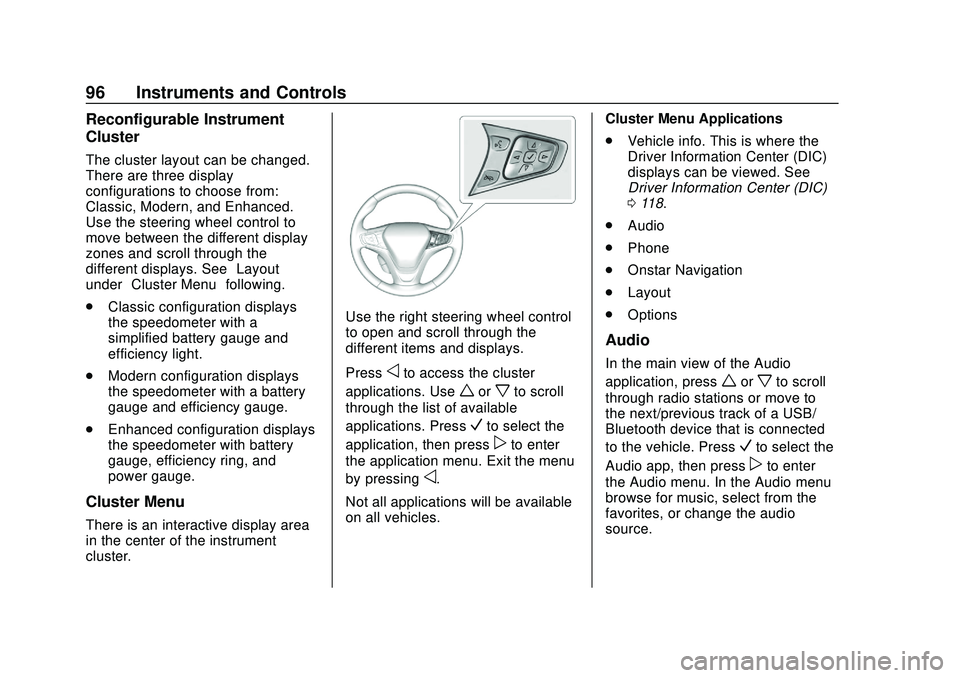
Use the right steering wheel control
to open and scroll through the
different items and displays.
Press
oto access the cluster
applications. Use
worxto scroll
through the list of available
applications. Press
Vto select the
application, then press
pto enter
the application menu. Exit the menu
by pressing
o.
Not all applications will be available
on all vehicles. Cluster Menu Applications
.
Vehicle info. This is where the
Driver Information Center (DIC)
displays can be viewed. See
Driver Information Center (DIC)
0118.
. Audio
. Phone
. Onstar Navigation
. Layout
. Options
Audio
In the main view of the Audio
application, press
worxto scroll
through radio stations or move to
the next/previous track of a USB/
Bluetooth device that is connected
to the vehicle. Press
Vto select the
Audio app, then press
pto enter
the Audio menu. In the Audio menu
browse for music, select from the
favorites, or change the audio
source.
Page 99 of 347
Chevrolet BOLT EV Owner Manual (GMNA-Localizing-U.S./Canada/Mexico-
13556250) - 2020 - CRC - 2/11/20
98 Instruments and Controls
Battery Gauge (High
Voltage)
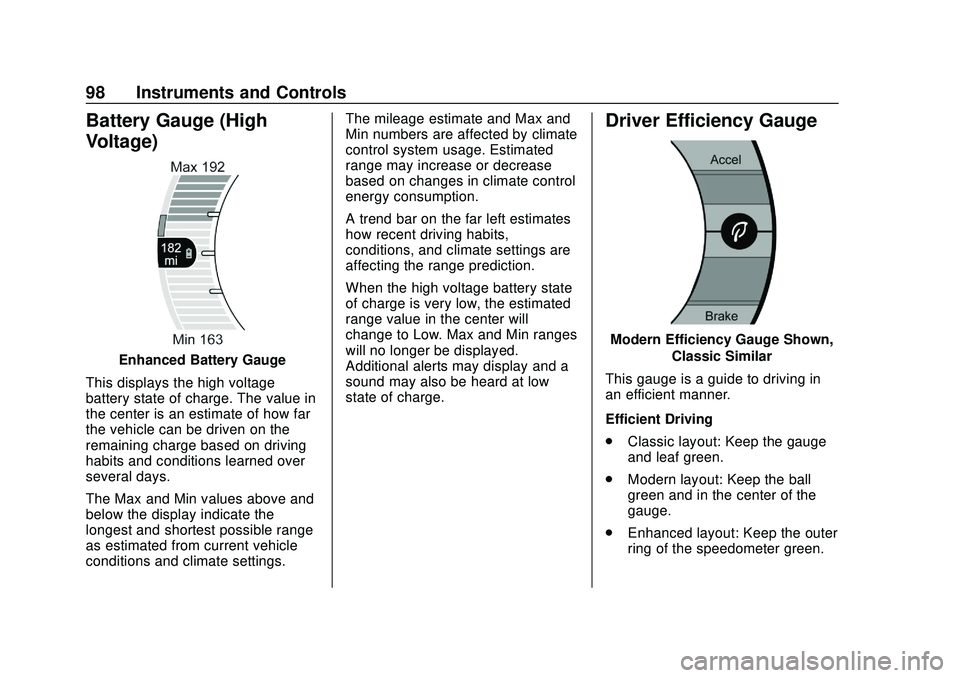
Enhanced Battery Gauge
This displays the high voltage
battery state of charge. The value in
the center is an estimate of how far
the vehicle can be driven on the
remaining charge based on driving
habits and conditions learned over
several days.
The Max and Min values above and
below the display indicate the
longest and shortest possible range
as estimated from current vehicle
conditions and climate settings. The mileage estimate and Max and
Min numbers are affected by climate
control system usage. Estimated
range may increase or decrease
based on changes in climate control
energy consumption.
A trend bar on the far left estimates
how recent driving habits,
conditions, and climate settings are
affecting the range prediction.
When the high voltage battery state
of charge is very low, the estimated
range value in the center will
change to Low. Max and Min ranges
will no longer be displayed.
Additional alerts may display and a
sound may also be heard at low
state of charge.
Driver Efficiency Gauge
Modern Efficiency Gauge Shown,
Classic Similar
This gauge is a guide to driving in
an efficient manner.
Efficient Driving
. Classic layout: Keep the gauge
and leaf green.
. Modern layout: Keep the ball
green and in the center of the
gauge.
. Enhanced layout: Keep the outer
ring of the speedometer green.
Page 100 of 347
Chevrolet BOLT EV Owner Manual (GMNA-Localizing-U.S./Canada/Mexico-
13556250) - 2020 - CRC - 2/11/20
Instruments and Controls 99
Inefficient Driving/Aggressive
Braking
.Classic layout: The gauge and
leaf turn yellow.
. Modern layout: When driving
inefficiently, the ball turns yellow
and moves above the center of
the gauge. When braking
aggressively, the ball turns
yellow and moves below the
center of the gauge.
. Enhanced layout: The outer ring
of the speedometer turns yellow.
Power Indicator Gauge
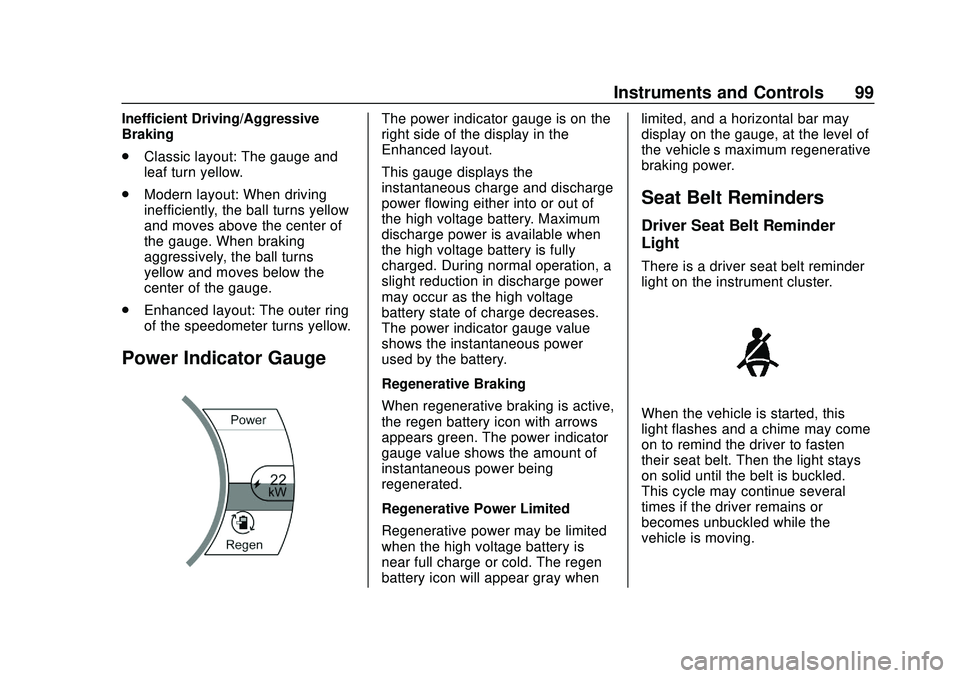
The power indicator gauge is on the
right side of the display in the
Enhanced layout.
This gauge displays the
instantaneous charge and discharge
power flowing either into or out of
the high voltage battery. Maximum
discharge power is available when
the high voltage battery is fully
charged. During normal operation, a
slight reduction in discharge power
may occur as the high voltage
battery state of charge decreases.
The power indicator gauge value
shows the instantaneous power
used by the battery.
Regenerative Braking
When regenerative braking is active,
the regen battery icon with arrows
appears green. The power indicator
gauge value shows the amount of
instantaneous power being
regenerated.
Regenerative Power Limited
Regenerative power may be limited
when the high voltage battery is
near full charge or cold. The regen
battery icon will appear gray when limited, and a horizontal bar may
display on the gauge, at the level of
the vehicle’
s maximum regenerative
braking power.
Seat Belt Reminders
Driver Seat Belt Reminder
Light
There is a driver seat belt reminder
light on the instrument cluster.
When the vehicle is started, this
light flashes and a chime may come
on to remind the driver to fasten
their seat belt. Then the light stays
on solid until the belt is buckled.
This cycle may continue several
times if the driver remains or
becomes unbuckled while the
vehicle is moving.
Page 102 of 347
Chevrolet BOLT EV Owner Manual (GMNA-Localizing-U.S./Canada/Mexico-
13556250) - 2020 - CRC - 2/11/20
Instruments and Controls 101
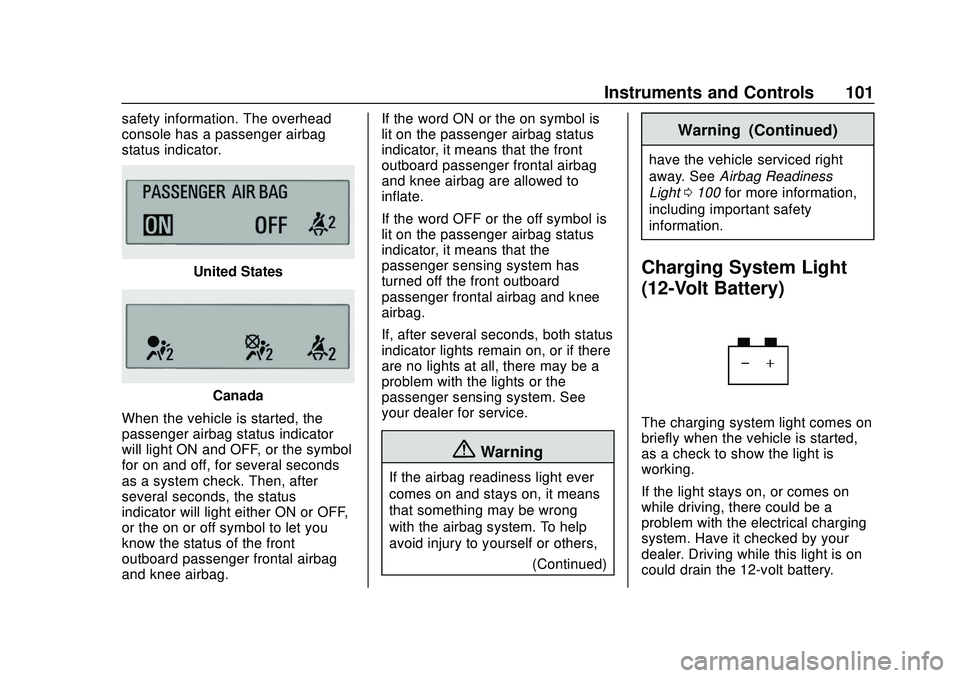
safety information. The overhead
console has a passenger airbag
status indicator.
United States
Canada
When the vehicle is started, the
passenger airbag status indicator
will light ON and OFF, or the symbol
for on and off, for several seconds
as a system check. Then, after
several seconds, the status
indicator will light either ON or OFF,
or the on or off symbol to let you
know the status of the front
outboard passenger frontal airbag
and knee airbag. If the word ON or the on symbol is
lit on the passenger airbag status
indicator, it means that the front
outboard passenger frontal airbag
and knee airbag are allowed to
inflate.
If the word OFF or the off symbol is
lit on the passenger airbag status
indicator, it means that the
passenger sensing system has
turned off the front outboard
passenger frontal airbag and knee
airbag.
If, after several seconds, both status
indicator lights remain on, or if there
are no lights at all, there may be a
problem with the lights or the
passenger sensing system. See
your dealer for service.
{Warning
If the airbag readiness light ever
comes on and stays on, it means
that something may be wrong
with the airbag system. To help
avoid injury to yourself or others,
(Continued)
Warning (Continued)
have the vehicle serviced right
away. SeeAirbag Readiness
Light 0100 for more information,
including important safety
information.
Charging System Light
(12-Volt Battery)
The charging system light comes on
briefly when the vehicle is started,
as a check to show the light is
working.
If the light stays on, or comes on
while driving, there could be a
problem with the electrical charging
system. Have it checked by your
dealer. Driving while this light is on
could drain the 12-volt battery.
Page 108 of 347
Chevrolet BOLT EV Owner Manual (GMNA-Localizing-U.S./Canada/Mexico-
13556250) - 2020 - CRC - 2/11/20
Instruments and Controls 107
Cruise Control Light
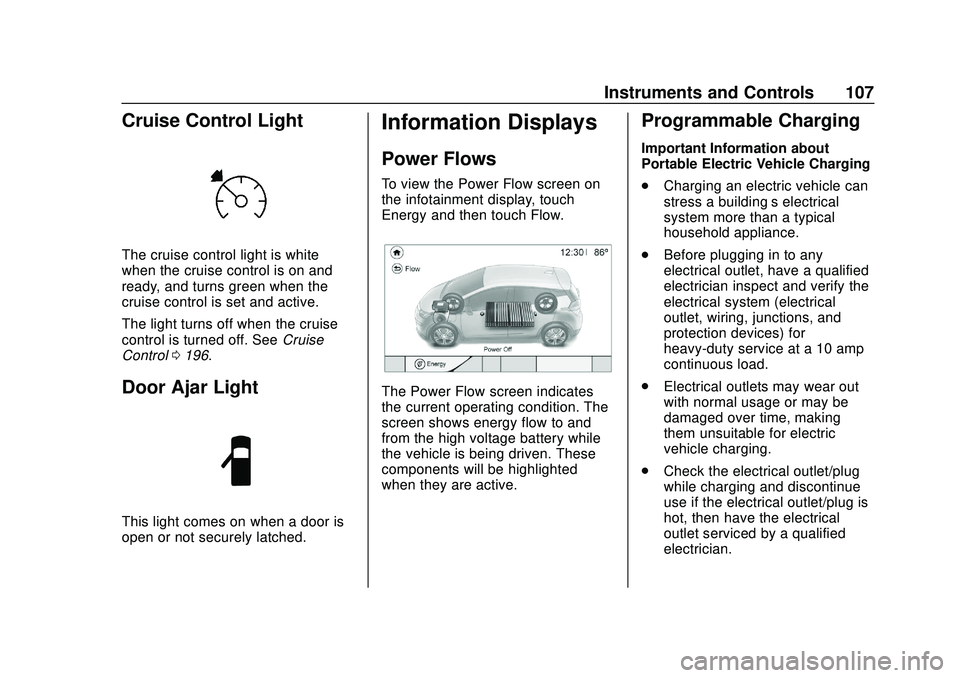
The cruise control light is white
when the cruise control is on and
ready, and turns green when the
cruise control is set and active.
The light turns off when the cruise
control is turned off. SeeCruise
Control 0196.
Door Ajar Light
This light comes on when a door is
open or not securely latched.
Information Displays
Power Flows
To view the Power Flow screen on
the infotainment display, touch
Energy and then touch Flow.
The Power Flow screen indicates
the current operating condition. The
screen shows energy flow to and
from the high voltage battery while
the vehicle is being driven. These
components will be highlighted
when they are active.
Programmable Charging
Important Information about
Portable Electric Vehicle Charging
.
Charging an electric vehicle can
stress a building’ s electrical
system more than a typical
household appliance.
. Before plugging in to any
electrical outlet, have a qualified
electrician inspect and verify the
electrical system (electrical
outlet, wiring, junctions, and
protection devices) for
heavy-duty service at a 10 amp
continuous load.
. Electrical outlets may wear out
with normal usage or may be
damaged over time, making
them unsuitable for electric
vehicle charging.
. Check the electrical outlet/plug
while charging and discontinue
use if the electrical outlet/plug is
hot, then have the electrical
outlet serviced by a qualified
electrician.
Page 111 of 347
Chevrolet BOLT EV Owner Manual (GMNA-Localizing-U.S./Canada/Mexico-
13556250) - 2020 - CRC - 2/11/20
110 Instruments and Controls
{Warning
Using a charge level that exceeds
the electrical circuit or electrical
outlet capacity may start a fire or
damage the electrical circuit. Use
the lowest charge level until a
qualified electrician inspects the
electrical circuit capacity. Use the
lowest charge level if the
electrical circuit or electrical outlet
capacity is not known.
Electric Rate Preference
The vehicle estimates the charging
start time based on the utility rate
schedule, utility rate preference, and
programmed departure time for the
current day of the week. The vehicle
will charge during the least
expensive rate periods to achieve a
full battery charge by the departure
time. Electrical rate information from
the utility company for the charging
location is required for this mode.
If the selected charge mode is
Departure, then electric rate
preference selection will display. Electric Rate Preference Selection
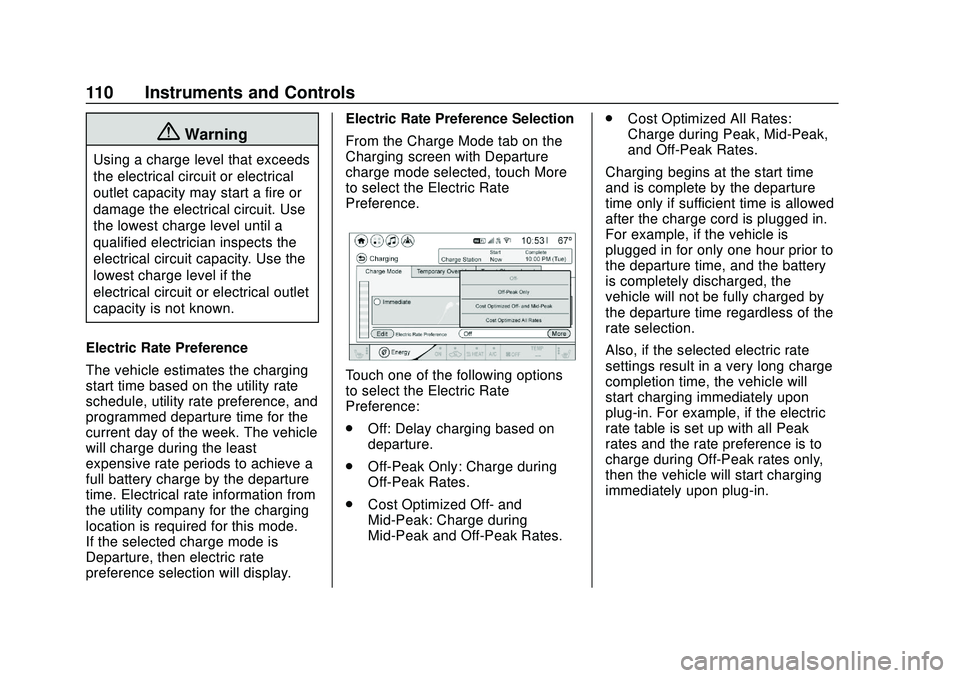
From the Charge Mode tab on the
Charging screen with Departure
charge mode selected, touch More
to select the Electric Rate
Preference.
Touch one of the following options
to select the Electric Rate
Preference:
.
Off: Delay charging based on
departure.
. Off-Peak Only: Charge during
Off-Peak Rates.
. Cost Optimized Off- and
Mid-Peak: Charge during
Mid-Peak and Off-Peak Rates. .
Cost Optimized All Rates:
Charge during Peak, Mid-Peak,
and Off-Peak Rates.
Charging begins at the start time
and is complete by the departure
time only if sufficient time is allowed
after the charge cord is plugged in.
For example, if the vehicle is
plugged in for only one hour prior to
the departure time, and the battery
is completely discharged, the
vehicle will not be fully charged by
the departure time regardless of the
rate selection.
Also, if the selected electric rate
settings result in a very long charge
completion time, the vehicle will
start charging immediately upon
plug-in. For example, if the electric
rate table is set up with all Peak
rates and the rate preference is to
charge during Off-Peak rates only,
then the vehicle will start charging
immediately upon plug-in.