park assist CHRYSLER 200 2015 2.G Owner's Manual
[x] Cancel search | Manufacturer: CHRYSLER, Model Year: 2015, Model line: 200, Model: CHRYSLER 200 2015 2.GPages: 698, PDF Size: 5.12 MB
Page 274 of 698
CAUTION!
•The ParkSense® Active Park Assist system is only
a parking aid and it is unable to recognize every
obstacle, including small obstacles. Parking curbs
might be temporarily detected or not detected at
all. Obstacles located above or below the sensors
will not be detected when they are in close prox-
imity.
• The vehicle must be driven slowly when using the
ParkSense® Active Park Assist system in order to
be able to stop in time when an obstacle is detected.
It is recommended that the driver looks over his/
her shoulder when using the ParkSense® Active
Park Assist system.
Active ParkSense Complete — Check Parking Position
272 UNDERSTANDING THE FEATURES OF YOUR VEHICLE
Page 275 of 698
WARNING!
•Drivers must be careful when performing parallel
or perpendicular parking maneuvers even when
using the ParkSense® Active Park Assist system.
Always check carefully behind and in front of your
vehicle, look behind and in front of you, and be
sure to check for pedestrians, animals, other ve-
hicles, obstructions, and blind spots before back-
ing up and moving forward. You are responsible
for safety and must continue to pay attention to
your surroundings. Failure to do so can result in
serious injury or death.
(Continued)
WARNING! (Continued)
•Before using the ParkSense® Active Park Assist
system, it is strongly recommended that the ball
mount and hitch ball assembly is disconnected
from the vehicle when the vehicle is not used for
towing. Failure to do so can result in injury or
damage to vehicles or obstacles because the hitch
ball will be much closer to the obstacle than the
rear fascia when the loudspeaker sounds the con-
tinuous tone. Also, the sensors could detect the ball
mount and hitch ball assembly, depending on its
size and shape, giving a false indication that an
obstacle is behind the vehicle.
3
UNDERSTANDING THE FEATURES OF YOUR VEHICLE 273
Page 337 of 698
•BACK/LEFT Arrow Button
Press and release the LEFT arrow button to
access the information screens or submenu
screens of a main menu item.
• OK Button
Push the OK button to access/select the information
screens or submenu screens of a Main Menu item. Push
and hold the OK arrow button for one second to reset
displayed/selected features that can be reset.
Electronic Vehicle Information Center (EVIC) —
3.5” Display
The 3.5” EVIC displays are located in the center portion
of the cluster. 1. Electronic Park Brake Failure — If Equipped
This telltale indicates that there is an Electronic
Park Brake Fault. Please see your authorized
dealer for assistance.
4
UNDERSTANDING YOUR INSTRUMENT PANEL 335
Page 344 of 698
NOTE:•Even if power steering assistance is no longer opera-
tional, it is still possible to steer the vehicle. Under
these conditions there will be a substantial increase
in steering effort, especially at very low vehicle
speeds and during parking maneuvers.
• If the condition persists, see your authorized dealer
for service.
• Charging System Light
This light shows the status of the electrical
charging system. If the light stays on or comes
on while driving, turn off some of the vehicle’s
non-essential electrical devices or increase engine
speed (if at idle). If the charging system light remains
on, it means that the vehicle is experiencing a prob-
lem with the charging system. Obtain SERVICE IM-
MEDIATELY. See an authorized dealer. If jump starting is required, refer to “Jump Starting
Procedures” in “What To Do In Emergencies”.
•
Oil Pressure Warning Light
This light indicates low engine oil pressure.
The light should turn on momentarily when
the engine is started. If the light turns on while
driving, stop the vehicle and shut off the engine as
soon as possible. A chime will sound for four minutes
when this light turns on.
Do not operate the vehicle until the cause is cor-
rected. This light does not show how much oil is in
the engine. The engine oil level must be checked
under the hood.
• Electronic Throttle Control (ETC) Light
This light informs you of a problem with
the Electronic Throttle Control (ETC) sys-
tem. The light will come on when the
ignition is first turned ON and remain on
342 UNDERSTANDING YOUR INSTRUMENT PANEL
Page 354 of 698
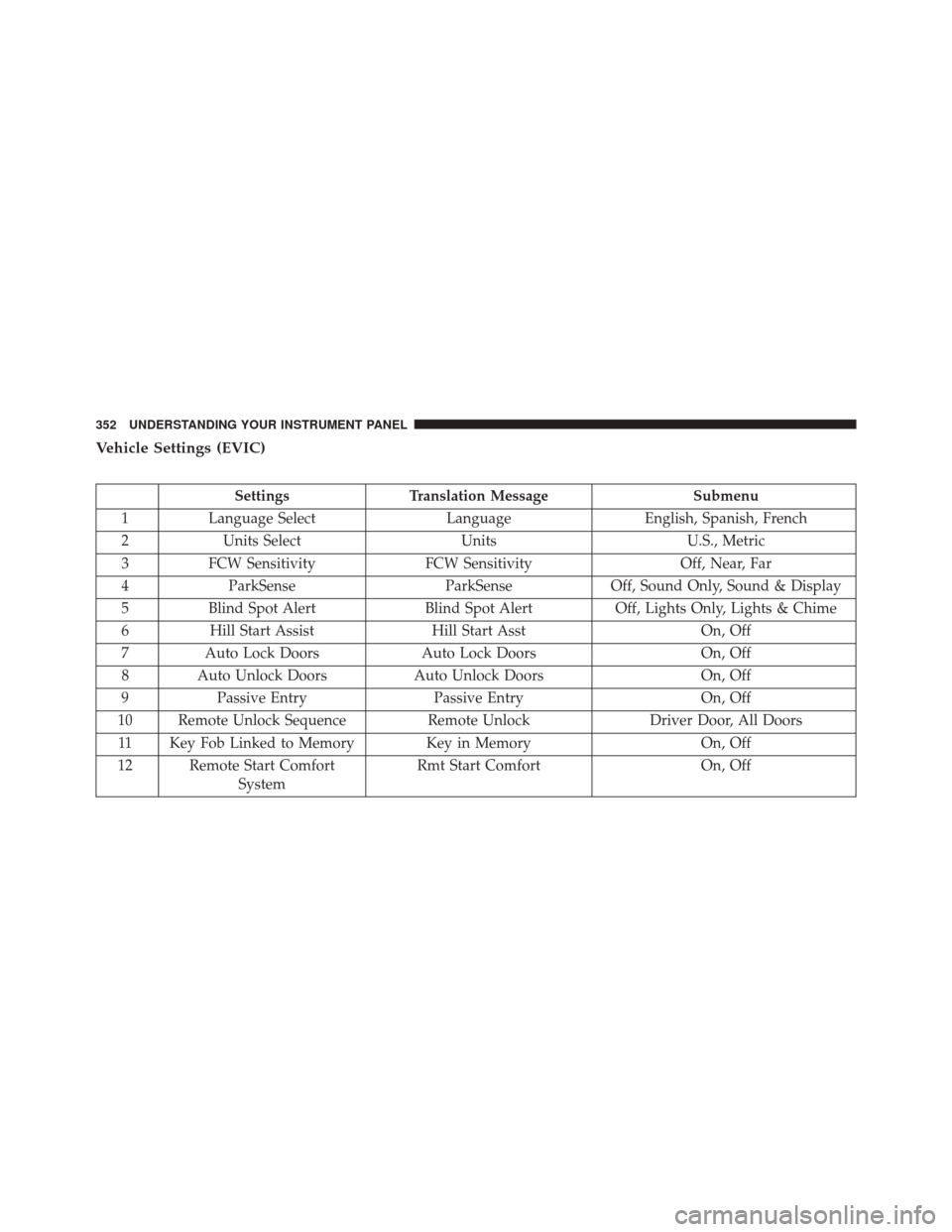
Vehicle Settings (EVIC)
SettingsTranslation Message Submenu
1 Language Select LanguageEnglish, Spanish, French
2 Units Select UnitsU.S., Metric
3 FCW Sensitivity FCW Sensitivity Off, Near, Far
4 ParkSense ParkSenseOff, Sound Only, Sound & Display
5 Blind Spot Alert Blind Spot AlertOff, Lights Only, Lights & Chime
6 Hill Start Assist Hill Start Asst On, Off
7 Auto Lock Doors Auto Lock Doors On, Off
8 Auto Unlock Doors Auto Unlock DoorsOn, Off
9 Passive Entry Passive Entry On, Off
10 Remote Unlock Sequence Remote UnlockDriver Door, All Doors
11 Key Fob Linked to Memory Key in Memory On, Off
12 Remote Start Comfort System Rmt Start Comfort
On, Off
352 UNDERSTANDING YOUR INSTRUMENT PANEL
Page 361 of 698
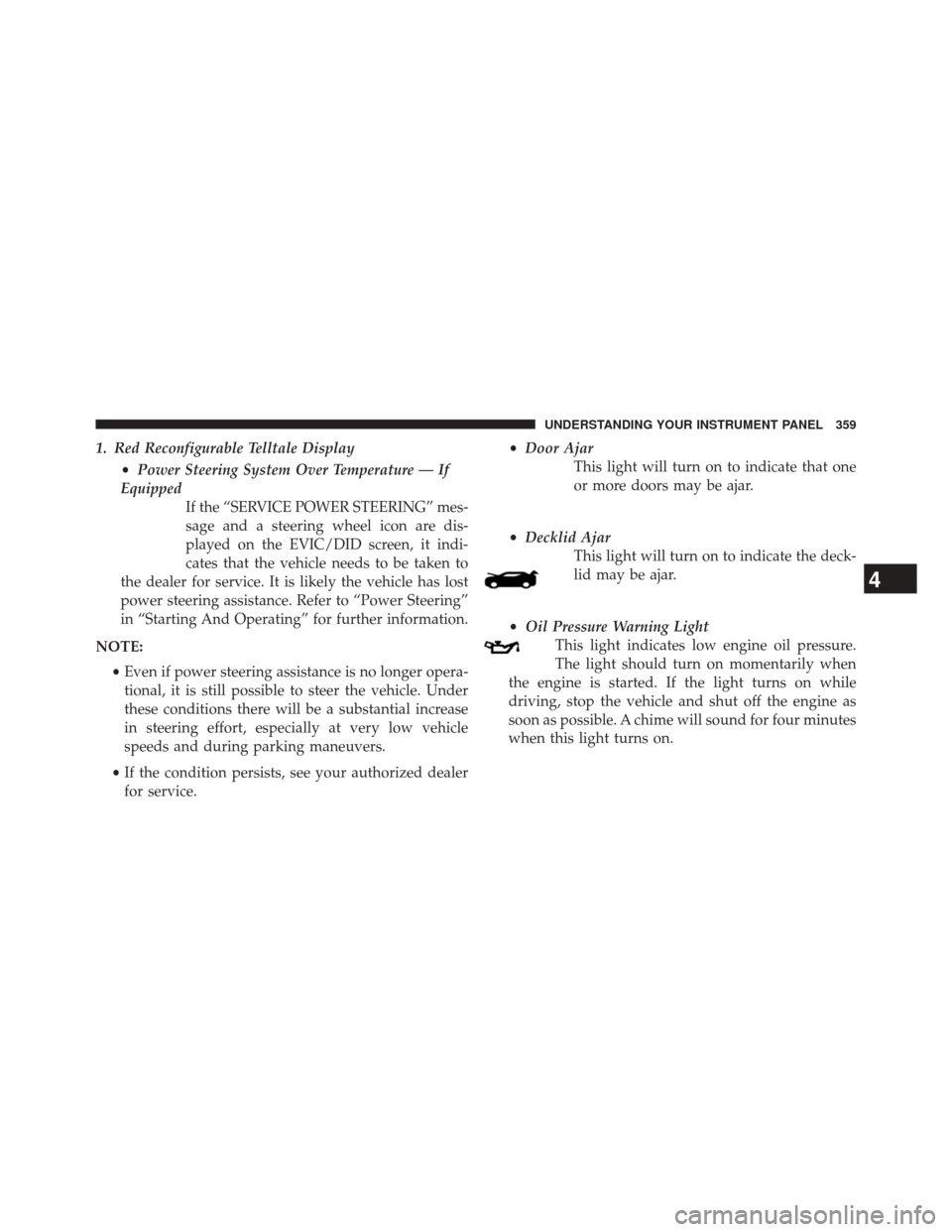
1. Red Reconfigurable Telltale Display•Power Steering System Over Temperature — If
Equipped If the “SERVICE POWER STEERING” mes-
sage and a steering wheel icon are dis-
played on the EVIC/DID screen, it indi-
cates that the vehicle needs to be taken to
the dealer for service. It is likely the vehicle has lost
power steering assistance. Refer to “Power Steering”
in “Starting And Operating” for further information.
NOTE: •Even if power steering assistance is no longer opera-
tional, it is still possible to steer the vehicle. Under
these conditions there will be a substantial increase
in steering effort, especially at very low vehicle
speeds and during parking maneuvers.
• If the condition persists, see your authorized dealer
for service. •
Door Ajar
This light will turn on to indicate that one
or more doors may be ajar.
• Decklid Ajar
This light will turn on to indicate the deck-
lid may be ajar.
• Oil Pressure Warning Light
This light indicates low engine oil pressure.
The light should turn on momentarily when
the engine is started. If the light turns on while
driving, stop the vehicle and shut off the engine as
soon as possible. A chime will sound for four minutes
when this light turns on.
4
UNDERSTANDING YOUR INSTRUMENT PANEL 359
Page 368 of 698
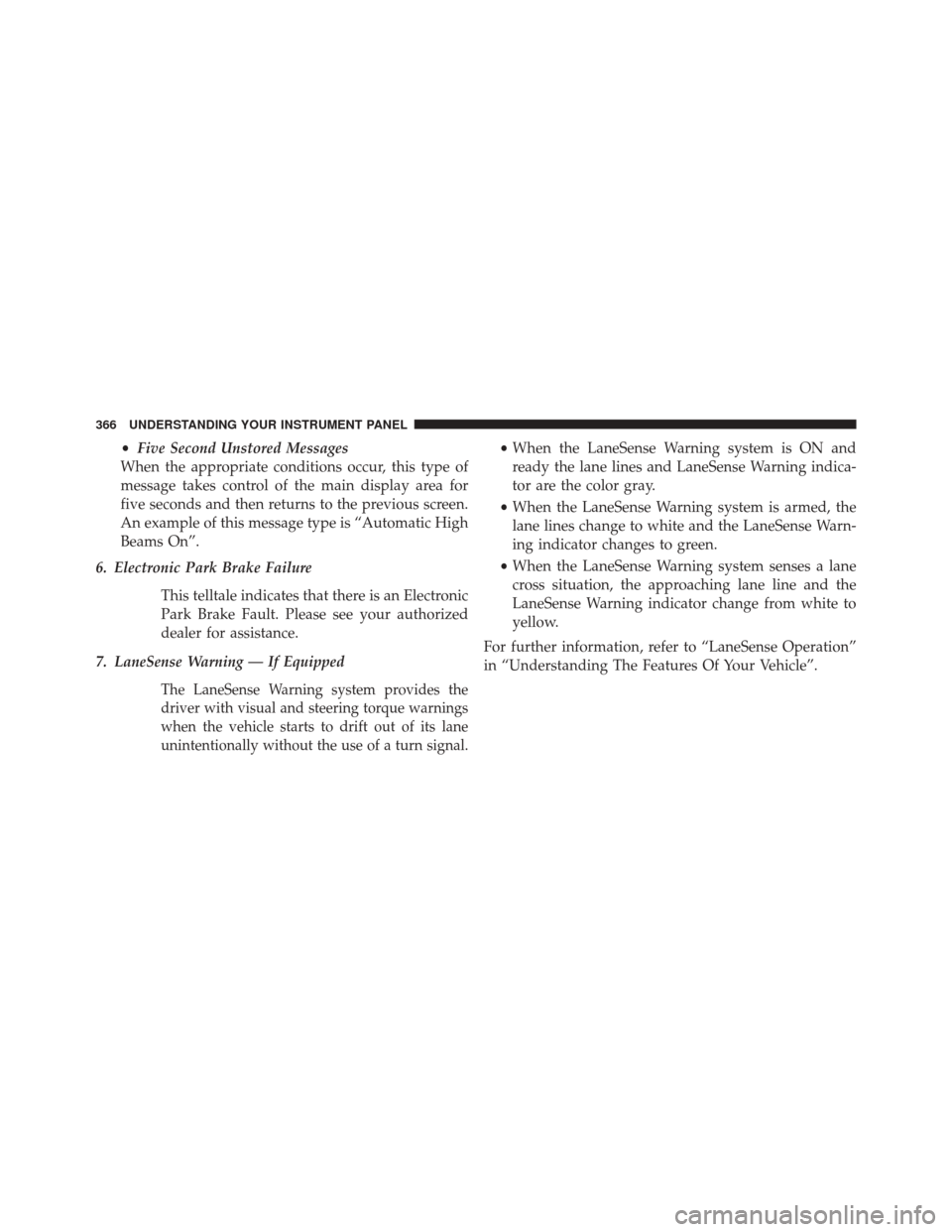
•Five Second Unstored Messages
When the appropriate conditions occur, this type of
message takes control of the main display area for
five seconds and then returns to the previous screen.
An example of this message type is “Automatic High
Beams On”.
6. Electronic Park Brake Failure
This telltale indicates that there is an Electronic
Park Brake Fault. Please see your authorized
dealer for assistance.
7. LaneSense Warning — If Equipped
The LaneSense Warning system provides the
driver with visual and steering torque warnings
when the vehicle starts to drift out of its lane
unintentionally without the use of a turn signal.
• When the LaneSense Warning system is ON and
ready the lane lines and LaneSense Warning indica-
tor are the color gray.
• When the LaneSense Warning system is armed, the
lane lines change to white and the LaneSense Warn-
ing indicator changes to green.
• When the LaneSense Warning system senses a lane
cross situation, the approaching lane line and the
LaneSense Warning indicator change from white to
yellow.
For further information, refer to “LaneSense Operation”
in “Understanding The Features Of Your Vehicle”.
366 UNDERSTANDING YOUR INSTRUMENT PANEL
Page 388 of 698

•Rear ParkSense® Braking Assist — If Equipped
When this feature is selected, the ParkSense® system will
detect objects located behind the vehicle and utilize
autonomous braking to help stop the vehicle (only en-
abled when ParkSense® is also on).
Refer to “ParkSense® Rear Braking Assist” in “Under-
standing The Features Of Your Vehicle” for system func-
tion and operating information.
• Tilt Mirrors In Reverse — If Equipped
When this feature is selected, the outside sideview mir-
rors will tilt downward when the ignition is in the RUN
position and the transmission shift lever is in the RE-
VERSE position. The mirrors will move back to their
previous position when the transmission is shifted out of
REVERSE. To enable or turn on, press the “Tilt Mirrors In
Reverse” button on the touchscreen, until a check-mark appears next to setting, showing that setting has been
selected. Press the back arrow button on the touchscreen
to return to the previous menu.
•
Blind Spot Alert — If Equipped
When this feature is selected, the Blind Spot Alert feature
can be set to Off, Lights Only or Lights and Chime. The
Blind Spot Alert feature can be activated in Lights
category. When this category is selected, the Blind Spot
Monitor (BSM) system is activated and will only show a
visual alert in the outside mirrors. When Lights & Chime
category is activated, the Blind Spot Monitor (BSM) will
show a visual alert in the outside mirrors as well as an
audible alert when the turn signal is on. When Off is
selected, the Blind Spot Monitor (BSM) system is deacti-
vated. To change the Blind Spot Alert status, press the
“Off,” “Lights” or “Lights & Chime” button on the
touchscreen. Then press the back arrow button on the
touchscreen, or push the back button on the faceplate.
386 UNDERSTANDING YOUR INSTRUMENT PANEL
Page 389 of 698
NOTE:If your vehicle has experienced any damage in
the area where the sensor is located, even if the fascia is
not damaged, the sensor may have become misaligned.
Take your vehicle to an authorized dealer to verify sensor
alignment. Having a sensor that is misaligned will result
in the BSM not operating to specification.
• ParkView® Backup Camera Active Guidelines — If
Equipped
When this feature is enabled, active (dynamic) grid lines
are overlaid on the Rear Backup Camera image to
illustrate the width of the vehicle and its projected back
up path based on the steering wheel position. A dashed
center line overlay indicates the center of the vehicle to
assist with parking or aligning to a hitch/receiver.
• ParkView® Backup Camera Fixed Guidelines — If
Equipped
When this feature is enabled, fixed (static) grid lines are
overlaid on the Rear Backup Camera image to illustrate
the width of the vehicle. •
ParkView® Backup Camera Delay
When this feature is enabled, it will allow the ParkView®
Backup Camera display to remain on while in drive for
up to 10 seconds, or 8 mph (13 km/h).
• Rain Sensing Auto Wipers
When this feature is selected, the system will automati-
cally activate the windshield wipers if it senses moisture
on the windshield and the wipers are set to an intermit-
tent position. To make your selection, press the “Rain
Sensing” button on the touchscreen, until a check-mark
appears next to the setting, showing that setting has been
selected. Press the back arrow button on the touchscreen
to return to the previous menu.
• Electric Park Brake Service Mode — If Equipped
This feature provides a means for a technician or vehicle
owner to utilize a vehicle integrated, menu driven system, to
command the electric park brake retraction, to service the
rear foundation brakes (brake pads, calipers, rotors, etc.).
4
UNDERSTANDING YOUR INSTRUMENT PANEL 387
Page 390 of 698
For further information, refer to “Electric Parking Brake
(EPD)” in “Starting and Operating.”
•Auto Park Brake
Auto Park Brake will set the park brake once the vehicle
is set in park (or at key off for a manual transmission)
• Hill Start Assist
This setting will hold the brake if the driver is on a hill
and takes their foot off the brake to accelerate.
Lights
After pressing the “Lights” button on the touchscreen the
following settings will be available.
• Headlights Off Delay
When this feature is selected, it allows the adjustment of
the amount of time the headlights remain on after the
engine is shut off. To change the Headlights Off Delay
setting, press the “Headlights Off Delay” button on the touchscreen, and choose either 0 sec, 30 sec, 60 sec or 90
seconds. A check-mark appears next to setting indicating
that the setting has been selected. Press the back arrow
button on the touchscreen to return to the previous
menu, or push the back button on the faceplate.
•
Headlight Illumination On Approach
When this feature is selected, the headlights will activate
and remain on for 0, 30, 60, or 90 seconds when the doors
are unlocked with the Remote Keyless Entry (RKE)
transmitter. To change the Illuminated Approach status,
press the + or - button on the touchscreen to select your
desired time interval. Press the back arrow button on the
touchscreen to return to the previous menu, or push the
back button on the faceplate.
• Headlights With Wipers — If Equipped
When this feature is selected, and the headlight switch is
in the AUTO position, the headlights will turn on ap-
proximately 10 seconds after the wipers are turned on.
388 UNDERSTANDING YOUR INSTRUMENT PANEL