headlights CHRYSLER 200 2016 2.G User Guide
[x] Cancel search | Manufacturer: CHRYSLER, Model Year: 2016, Model line: 200, Model: CHRYSLER 200 2016 2.GPages: 702, PDF Size: 5.13 MB
Page 348 of 702
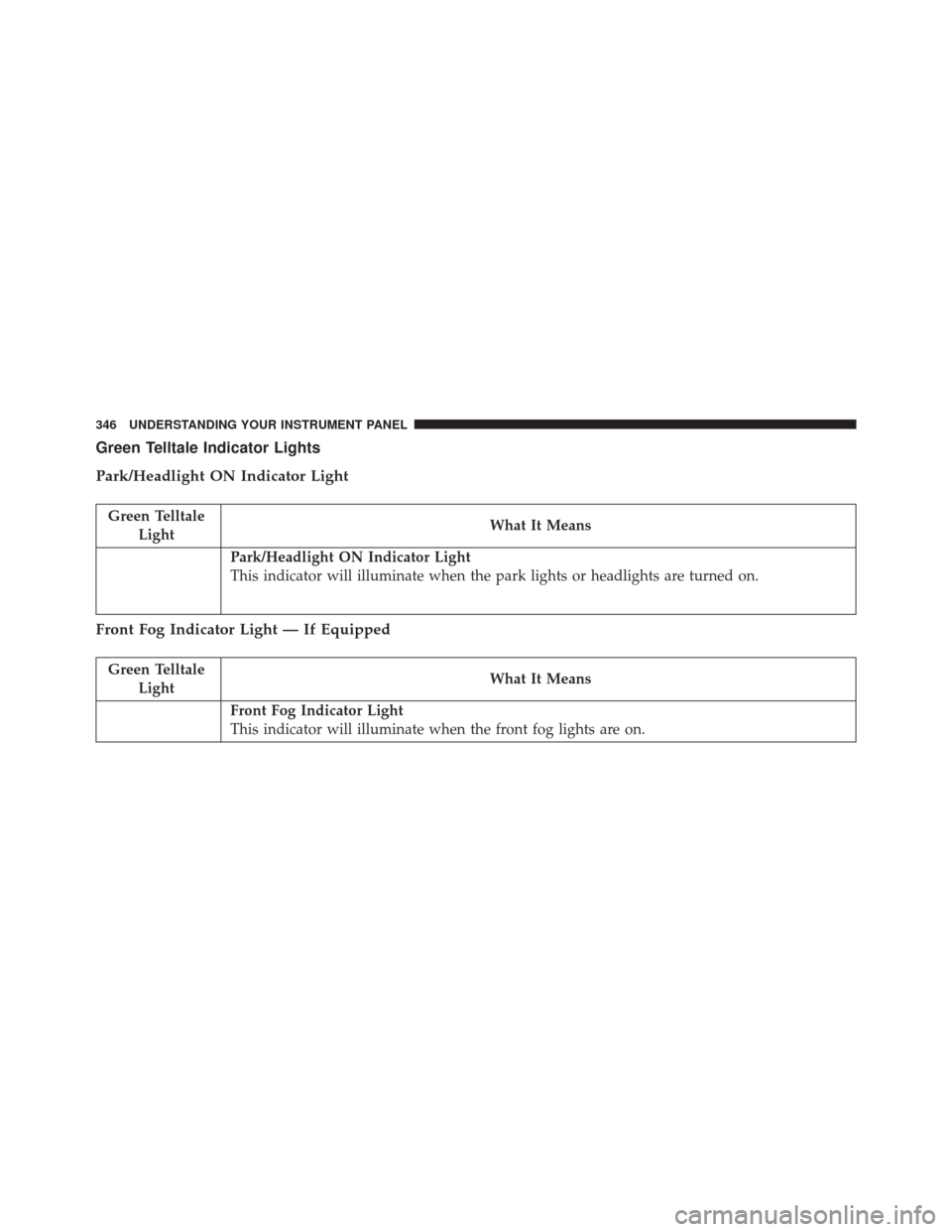
Green Telltale Indicator Lights
Park/Headlight ON Indicator Light
Green TelltaleLight What It Means
Park/Headlight ON Indicator Light
This indicator will illuminate when the park lights or headlights are turned on.
Front Fog Indicator Light — If Equipped
Green Telltale
Light What It Means
Front Fog Indicator Light
This indicator will illuminate when the front fog lights are on.
346 UNDERSTANDING YOUR INSTRUMENT PANEL
Page 353 of 702
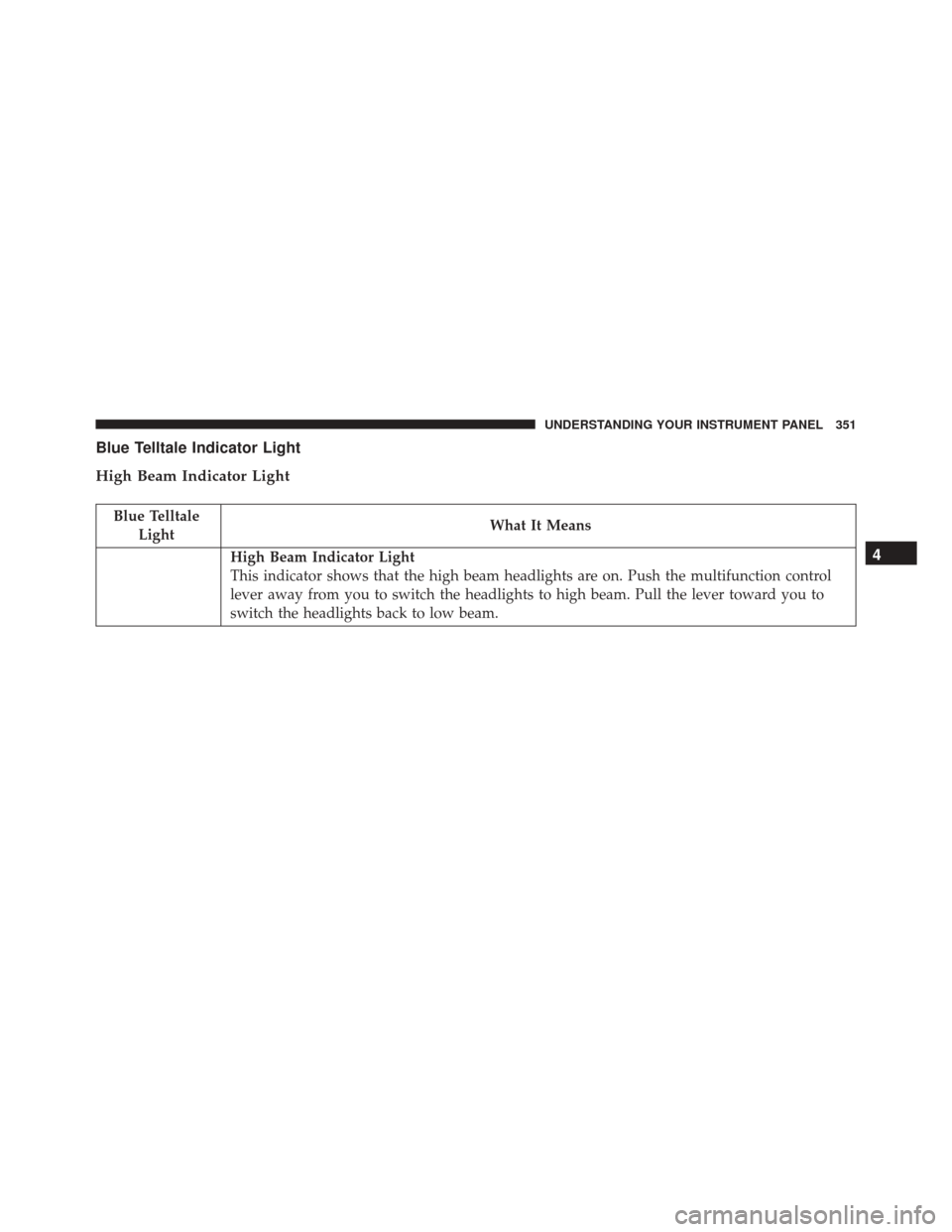
Blue Telltale Indicator Light
High Beam Indicator Light
Blue TelltaleLight What It Means
High Beam Indicator Light
This indicator shows that the high beam headlights are on. Push the multifunction control
lever away from you to switch the headlights to high beam. Pull the lever toward you to
switch the headlights back to low beam.4
UNDERSTANDING YOUR INSTRUMENT PANEL 351
Page 363 of 702
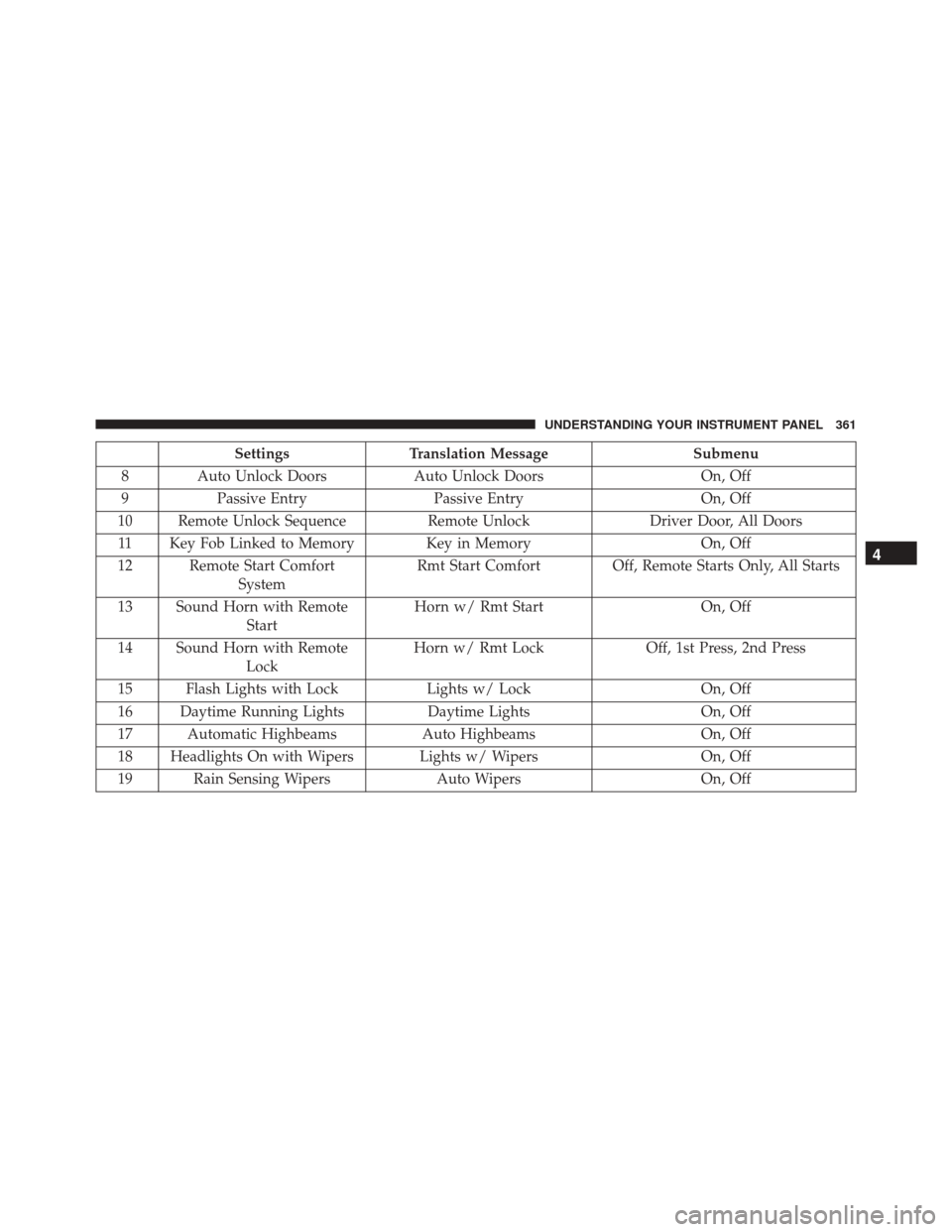
SettingsTranslation Message Submenu
8 Auto Unlock Doors Auto Unlock DoorsOn, Off
9 Passive Entry Passive Entry On, Off
10 Remote Unlock Sequence Remote UnlockDriver Door, All Doors
11 Key Fob Linked to Memory Key in Memory On, Off
12 Remote Start Comfort System Rmt Start Comfort Off, Remote Starts Only, All Starts
13 Sound Horn with Remote Start Horn w/ Rmt Start
On, Off
14 Sound Horn with Remote Lock Horn w/ Rmt Lock
Off, 1st Press, 2nd Press
15 Flash Lights with Lock Lights w/ LockOn, Off
16 Daytime Running Lights Daytime LightsOn, Off
17 Automatic Highbeams Auto HighbeamsOn, Off
18 Headlights On with Wipers Lights w/ Wipers On, Off
19 Rain Sensing Wipers Auto WipersOn, Off
4
UNDERSTANDING YOUR INSTRUMENT PANEL 361
Page 364 of 702
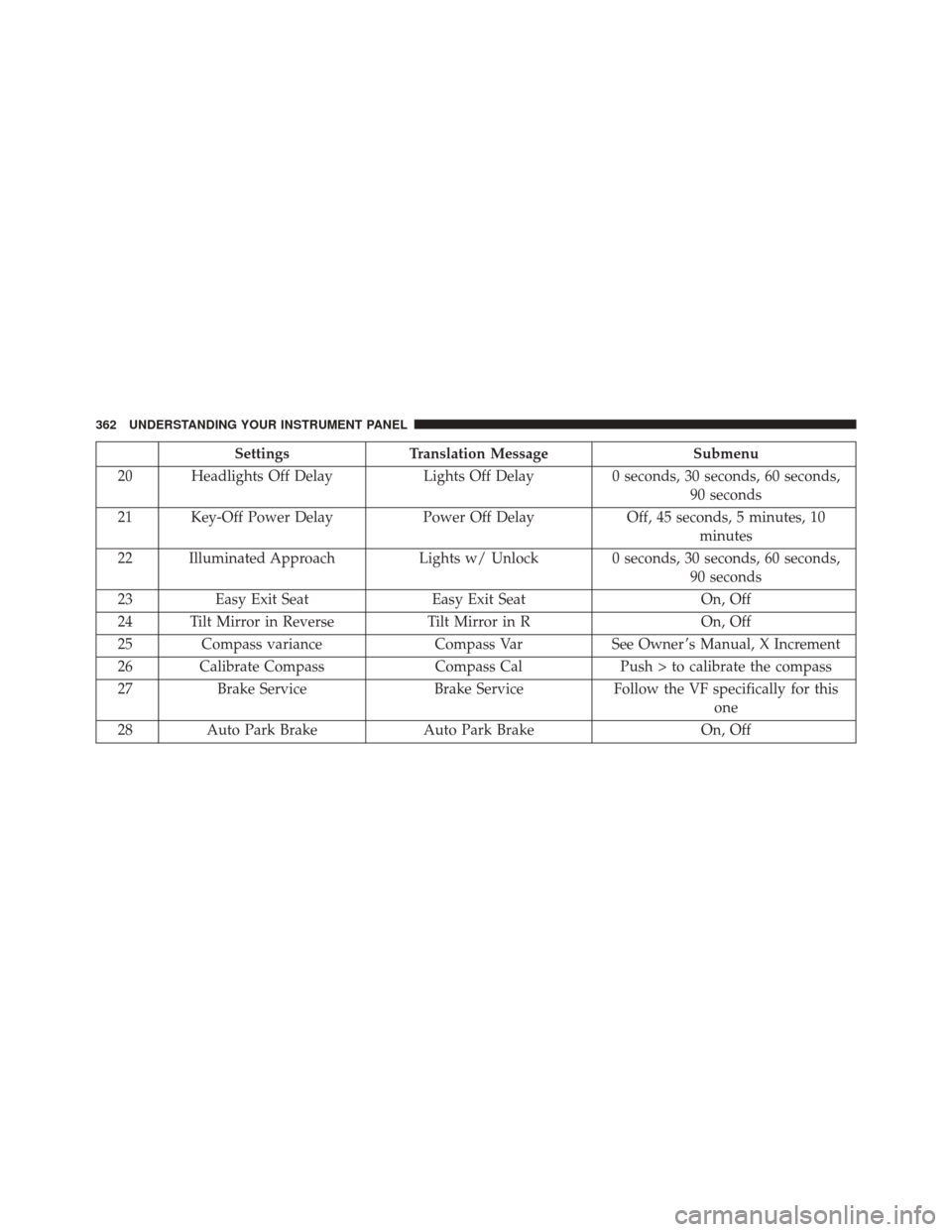
SettingsTranslation Message Submenu
20 Headlights Off Delay Lights Off Delay0 seconds, 30 seconds, 60 seconds,
90 seconds
21 Key-Off Power Delay Power Off DelayOff, 45 seconds, 5 minutes, 10
minutes
22 Illuminated Approach Lights w/ Unlock 0 seconds, 30 seconds, 60 seconds,
90 seconds
23 Easy Exit Seat Easy Exit Seat On, Off
24 Tilt Mirror in Reverse Tilt Mirror in ROn, Off
25 Compass variance Compass VarSee Owner ’s Manual, X Increment
26 Calibrate Compass Compass CalPush > to calibrate the compass
27 Brake Service Brake ServiceFollow the VF specifically for this
one
28 Auto Park Brake Auto Park Brake On, Off
362 UNDERSTANDING YOUR INSTRUMENT PANEL
Page 381 of 702
Display
After pressing the “Display” button on the touchscreen
the following settings will be available:
•Display Mode
This feature allows you to select one of the auto display
settings. To change Mode status, press and release the
Auto or Manual button on the touchscreen.
• Display Brightness With Headlights On
This feature allows you to select the display brightness
when the headlights are on. Adjust the brightness with
the + and – setting buttons on the touchscreen.
• Display Brightness With the Headlights Off
This feature allows you to select the display brightness
when the headlights are off. Adjust the brightness with
the + and – setting buttons on the touchscreen. •
Set Language
This feature allows you to select one of the languages for
all display nomenclature, including the trip functions
and the navigation system (if equipped). Press the “Set
Language” button on the touchscreen and then press the
desired language button on the touchscreen until a
check-mark appears next to the language, showing that
setting has been selected.
• Units
This feature allows you to select US or Metric units of
measure in the EVIC/DID, odometer, and navigation
system (if equipped). Press “US” or “Metric” until a
check-mark appears next to the setting, showing that
setting has been selected.
• Touchscreen Beep
This feature allows you to turn on or shut off the sound
heard when a touchscreen button is pressed. Press the
4
UNDERSTANDING YOUR INSTRUMENT PANEL 379
Page 387 of 702
•Rain Sensing Auto Wipers
When this feature is selected, the system will automati-
cally activate the windshield wipers if it senses moisture
on the windshield and the wipers are set to an intermit-
tent position. To make your selection, press the “Rain
Sensing” button on the touchscreen, until a check-mark
appears next to the setting, showing that setting has been
selected.
• Electric Park Brake Service Mode — If Equipped
This feature provides a means for a technician or vehicle
owner to utilize a vehicle integrated, menu driven sys-
tem, to command the electric park brake retraction, to
service the rear foundation brakes (brake pads, calipers,
rotors, etc.).
For further information, refer to “Electric Parking Brake
(EPD)” in “Starting and Operating.” •
Auto Park Brake
Auto Park Brake will set the park brake once the vehicle
is set in park (or at key off for a manual transmission)
• Hill Start Assist
This setting will hold the brake if the driver is on a hill
and takes their foot off the brake to accelerate.
Lights
After pressing the “Lights” button on the touchscreen the
following settings will be available.
• Headlights Off Delay
When this feature is selected, it allows the adjustment of
the amount of time the headlights remain on after the
engine is shut off. To change the Headlights Off Delay
setting, press the “Headlights Off Delay” button on the
4
UNDERSTANDING YOUR INSTRUMENT PANEL 385
Page 388 of 702
touchscreen, and choose either 0 sec, 30 sec, 60 sec or 90
seconds. A check-mark appears next to setting indicating
that the setting has been selected.
•Headlight Illumination On Approach
When this feature is selected, the headlights will activate
and remain on for 0, 30, 60, or 90 seconds when the doors
are unlocked with the Remote Keyless Entry (RKE)
transmitter. To change the Illuminated Approach status,
press the + or - button on the touchscreen to select your
desired time interval.
• Headlights With Wipers — If Equipped
When this feature is selected, and the headlight switch is
in the AUTO position, the headlights will turn on ap-
proximately 10 seconds after the wipers are turned on.
The headlights will also turn off when the wipers are
turned off if they were turned on by this feature. To make your selection, press the “Headlights With Wipers” but-
ton on the touchscreen, until a check-mark appears next
to setting, indicating that the setting has been selected.
•
Auto Dim High Beams — If Equipped
When this feature is selected, the high beam headlights
will activate/deactivate automatically under certain con-
ditions. To make your selection, press the “Auto High
Beams” button on the touchscreen, until a check-mark
appears next to setting, indicating that the setting has
been selected. Refer to “Lights — If Equipped” in “Un-
derstanding The Features Of Your Vehicle” for further
information.
• Daytime Running Lights — If Equipped
When this feature is selected, the headlights will turn on
whenever the engine is running. To make your selection,
press the Daytime Running Lights button on the touch-
screen, until a check-mark appears next to setting, indi-
cating that the setting has been selected.
386 UNDERSTANDING YOUR INSTRUMENT PANEL
Page 392 of 702
temperatures are above 80° F (26.7° C) the driver vented
seat will turn on. To make your selection, press “Off,”
“Remote Start Only,” OR “All Starts” checkbox until a
check-mark appears next to the setting option. Select
“Off,” “Remote Start Only” OR “All Starts” to determine
when the feature is activated.
Engine Off Options
After pressing the “Engine Off Options” button on the
touchscreen the following settings will be available:
•Easy Exit Seat
This feature provides automatic driver seat positioning to
enhance driver mobility when entering and exiting the
vehicle. To make your selection, press the “Easy Exit
Seats” button on the touchscreen, until a check-mark
appears next to setting, showing that setting has been
selected. •
Engine Off Power Delay
When this feature is selected, the power window
switches, radio, Uconnect Phone system (if equipped),
DVD video system (if equipped), power sunroof (if
equipped), and power outlets will remain active for up to
10 minutes after the ignition is cycled to OFF. Opening
either front door will cancel this feature. To change the
Engine Off Power Delay status, press the “0 seconds,”
“45 seconds,” “5 minutes” or “10 minutes” button on the
touchscreen.
• Headlight Off Delay
When this feature is selected, it allows the adjustment of
the amount of time the headlights remain on after the
engine is shut off. To change the Headlights Off Delay
setting, press the “Headlights Off Delay” button on the
touchscreen, and choose either 0 sec, 30 sec, 60 sec or 90
seconds. A check-mark appears next to setting indicating
that the setting has been selected.
390 UNDERSTANDING YOUR INSTRUMENT PANEL
Page 625 of 702
CAUTION!
Do not use Alcohol and Alcohol-based and/or Keton
based cleaning products to clean leather seats, as
damage to the seat may result.
Cleaning Headlights
Your vehicle is equipped with plastic headlights and fog
lights that are lighter and less susceptible to stone break-
age than glass headlights.
Plastic is not as scratch resistant as glass and therefore
different lens cleaning procedures must be followed.
To minimize the possibility of scratching the lenses and
reducing light output, avoid wiping with a dry cloth. To
remove road dirt, wash with a mild soap solution fol-
lowed by rinsing.Do not use abrasive cleaning components, solvents, steel
wool or other aggressive material to clean the lenses.
Glass Surfaces
All glass surfaces should be cleaned on a regular basis
with MOPAR Glass Cleaner, or any commercial
household-type glass cleaner. Never use an abrasive type
cleaner. Use caution when cleaning the inside rear win-
dow equipped with electric defrosters or windows
equipped with radio antennas. Do not use scrapers or
other sharp instrument that may scratch the elements.
When cleaning the rear view mirror, spray cleaner on the
towel or cloth that you are using. Do not spray cleaner
directly on the mirror.
7
MAINTAINING YOUR VEHICLE 623
Page 681 of 702
AlarmArm The System ........................19
Disarm The System .......................20
Rearming The System .....................19
Tamper Alert ...........................21
Vehicle Security Alarm ....................19
Alarm, Panic .............................24
Alarm (Security Alarm) .....................325
All Wheel Drive (AWD) .....................464
Alterations/Modifications, Vehicle ...............7
Antifreeze (Engine Coolant) ...............610, 653
Disposal ............................. .613
Anti-Lock Brake System (ABS) ................475
Anti-Lock Warning Light ....................341
Appearance Care ........................ .618
Assist, Hill Start ......................... .478
Auto Down Power Windows ..................42
Automatic Door Locks ......................34
Automatic Headlights ..................... .160Automatic High Beams
.....................161
Automatic Temperature Control (ATC) ..........416
Automatic Transaxle ...................... .451
Automatic Transmission .................453, 618
Adding Fluid ...................... .618, 657
Fluid And Filter Changes ..................618
Fluid Change ......................... .618
Fluid Level Check ...................616, 617
Fluid Type ........................ .616, 657
Special Additives ...................... .617
Autostick .............................. .461
Auto Unlock, Doors ........................34
Auto Up Power Windows ....................43
Axle Lubrication ......................... .657
Battery ............................ .327, 599
Charging System Light ...................327
Keyless Transmitter Replacement (RKE) ........25
Remote Battery Replacement ................25
10
INDEX 679