brake CHRYSLER 200 2017 2.G Owner's Manual
[x] Cancel search | Manufacturer: CHRYSLER, Model Year: 2017, Model line: 200, Model: CHRYSLER 200 2017 2.GPages: 539, PDF Size: 5.18 MB
Page 161 of 539
Metric Speed (km/h)
•Pushing the SET -button once will result in a 1 km/h
decrease in set speed. Each subsequent tap of the button
results in a decrease of 1 km/h.
• If the button is continually pushed, the set speed will
continue to decrease in 10 km/h decrements until the
button is released. The decrease in set speed is reflected
in the Instrument Cluster Display.
To Cancel
The following conditions will cancel the Normal (Fixed
Speed) Electronic Speed Control without clearing the
memory:
• The brake pedal is applied.
• The CANCEL button is pushed.
• The Electronic Stability Control/Traction Control Sys-
tem (ESC/TCS) activates.
• The vehicle parking brake is applied.
• The braking temperature exceeds normal range (over-
heated).
• The gear selector is removed from the D (DRIVE)
position.
To Resume Speed
To resume a previously set speed, push the RES button and
release. Resume can be used at any speed above 20 mph
(32 km/h).
To Turn Off
The system will turn off and erase the set speed in memory
if:
• The Normal (Fixed Speed) Electronic Speed Control
ON/OFF button is pushed.
• The ignition is turned off.
• The Adaptive Cruise Control (ACC) On/Off button is
pushed.
FORWARD COLLISION WARNING (FCW) WITH
MITIGATION — IF EQUIPPED
Forward Collision Warning (FCW) With Mitigation
Operation
The Forward Collision Warning (FCW) system with miti-
gation provides the driver with audible warnings, visual
warnings (within the Instrument Cluster Display), and
may apply a brake jerk to warn the driver when it detects
a potential frontal collision. The warnings and limited
3
UNDERSTANDING THE FEATURES OF YOUR VEHICLE 159
Page 162 of 539
braking are intended to provide the driver with enough
time to react, avoid or mitigate the potential collision.
NOTE:FCW monitors the information from the forward
looking sensors as well as the Electronic Brake Controller
(EBC), to calculate the probability of a forward collision.
When the system determines that a forward collision is
probable, the driver will be provided with audible and
visual warnings and may provide a brake jerk warning.
If the driver does not take action based upon these pro-
gressive warnings, then the system will provide a limited
level of active braking to help slow the vehicle and mitigate
the potential forward collision. If the driver reacts to the
warnings by braking and the system determines that the
driver intends to avoid the collision by braking but has not
applied sufficient brake force, the system will compensate
and provide additional brake force as required.
If a Forward Collision Warning with Mitigation event
begins at a speed below 20 mph (32 km/h), the system may
provide the maximum braking possible to mitigate the
potential forward collision. If the Forward Collision Warn-
ing with Mitigation event stops the vehicle completely, the
system will hold the vehicle at standstill for two seconds
and then release the brakes. When the system determines a collision with the vehicle in
front of you is no longer probable, the warning message
will be deactivated.
NOTE:
•
The minimum speed for FCW activation is 1 mph
(2 km/h).
• The FCW alerts may be triggered on objects other than
vehicles such as guard rails or sign posts based on the
course prediction. This is expected and is a part of
normal FCW activation and functionality.
FCW Message
160 UNDERSTANDING THE FEATURES OF YOUR VEHICLE
Page 164 of 539
•Changing the Active Braking status to “Off” prevents
the system from providing autonomous braking, or
additional brake support if the driver is not braking
adequately in the event of a potential frontal collision,
but maintains the audible and visual warnings.
NOTE: The FCW system state is kept in memory from one
key cycle to the next. If the system is turned OFF, it will
remain off when the vehicle is restarted.
Changing FCW And Active Braking Status
The FCW Sensitivity And Active Braking Settings are
programmable through the Uconnect System. Refer to
“Uconnect Settings” in “Understanding Your Instrument
Panel” for further information.
The default status of FCW is the “Far” setting and the
Active Braking is the “On” setting, this allows the system
to warn you of a possible collision with the vehicle in front
of you when you are farther away and it applies limited
braking. This gives you the most reaction time to avoid a
possible collision.
Changing the FCW status to the “Near” setting, allows the
system to warn you of a possible collision with the vehicle
in front of you when you are much closer. This setting provides less reaction time than the “Far” setting, which
allows for a more dynamic driving experience.
NOTE:
•
The system will retain the last setting selected by the
driver after ignition shut down.
• FCW may not react to irrelevant objects such as over-
head objects, ground reflections, objects not in the path
of the vehicle, stationary objects that are far away,
oncoming traffic, or leading vehicles with the same or
higher rate of speed.
• FCW will be disabled like ACC, with the unavailable
screens.
FCW Limited Warning
If the Instrument Cluster Display reads “ACC/FCW Lim-
ited Functionality” or “ACC/FCW Limited Functionality
Clean Front Windshield” momentarily, there may be a
condition that limits FCW functionality. Although the
vehicle is still drivable under normal conditions, the active
braking may not be fully available. Once the condition that
limited the system performance is no longer present, the
system will return to its full performance state. If the
problem persists, see your Authorized Dealer.
162 UNDERSTANDING THE FEATURES OF YOUR VEHICLE
Page 169 of 539
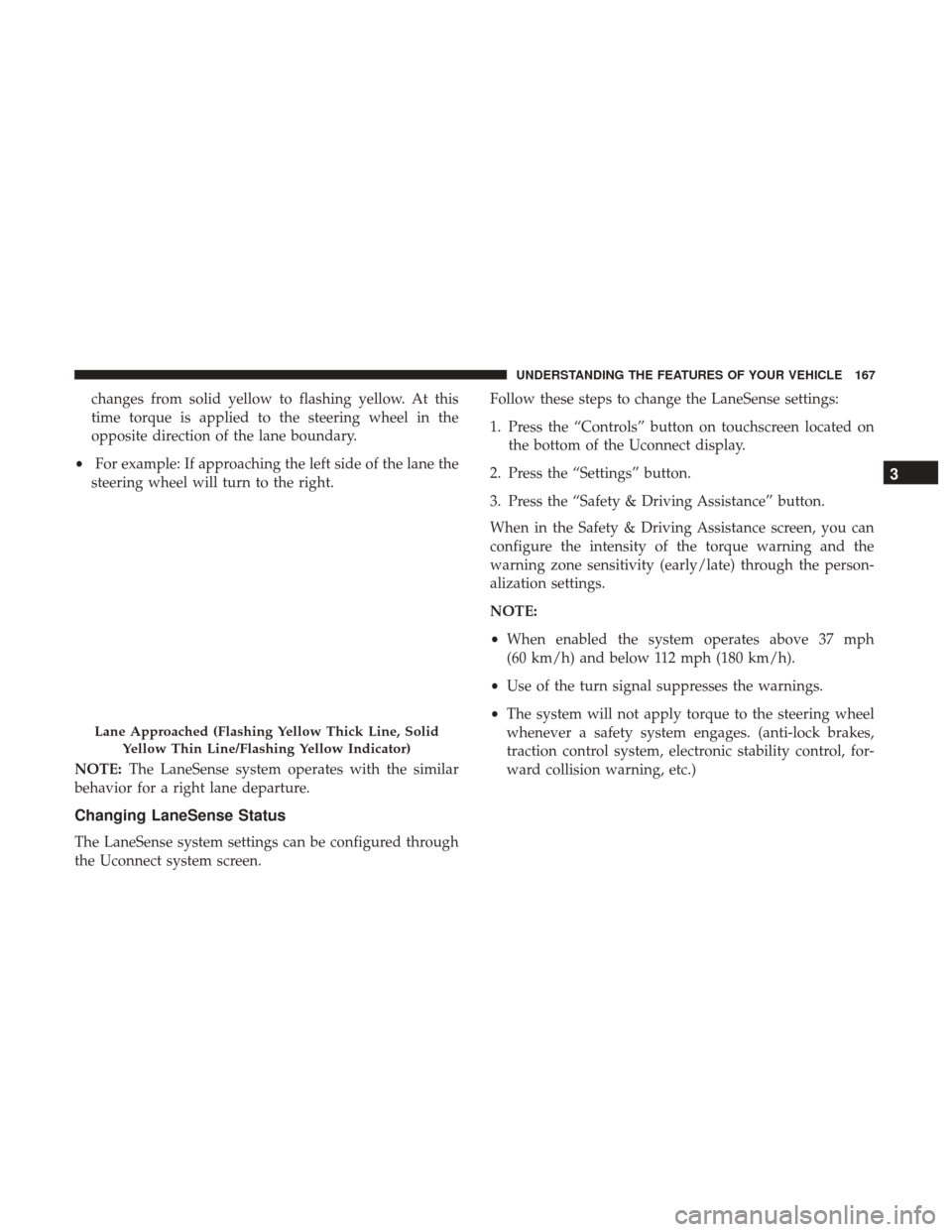
changes from solid yellow to flashing yellow. At this
time torque is applied to the steering wheel in the
opposite direction of the lane boundary.
• For example: If approaching the left side of the lane the
steering wheel will turn to the right.
NOTE: The LaneSense system operates with the similar
behavior for a right lane departure.
Changing LaneSense Status
The LaneSense system settings can be configured through
the Uconnect system screen. Follow these steps to change the LaneSense settings:
1. Press the “Controls” button on touchscreen located on
the bottom of the Uconnect display.
2. Press the “Settings” button.
3. Press the “Safety & Driving Assistance” button.
When in the Safety & Driving Assistance screen, you can
configure the intensity of the torque warning and the
warning zone sensitivity (early/late) through the person-
alization settings.
NOTE:
• When enabled the system operates above 37 mph
(60 km/h) and below 112 mph (180 km/h).
• Use of the turn signal suppresses the warnings.
• The system will not apply torque to the steering wheel
whenever a safety system engages. (anti-lock brakes,
traction control system, electronic stability control, for-
ward collision warning, etc.)
Lane Approached (Flashing Yellow Thick Line, Solid
Yellow Thin Line/Flashing Yellow Indicator)
3
UNDERSTANDING THE FEATURES OF YOUR VEHICLE 167
Page 177 of 539
WARNING!
Drivers must be careful when backing up even when
using ParkSense. Always check carefully behind your
vehicle, look behind you, and be sure to check for
pedestrians, animals, other vehicles, obstructions, and
blind spots before backing up. You are responsible for
safety and must continue to pay attention to your
surroundings. Failure to do so can result in serious
injury or death.
CAUTION!
•ParkSense is only a parking aid and it is unable to
recognize every obstacle, including small obstacles.
Parking curbs might be temporarily detected or not
detected at all. Obstacles located above or below the
sensors will not be detected when they are in close
proximity.
• The vehicle must be driven slowly when using
ParkSense in order to be able to stop in time when an
obstacle is detected. It is recommended that the
driver looks over his/her shoulder when using
ParkSense.
PARKSENSE FRONT AND REAR PARK ASSIST —
IF EQUIPPED
The ParkSense Park Assist system provides visual and
audible indications of the distance between the rear and/or
front fascia and a detected obstacle when backing up or
moving forward, e.g. during a parking maneuver. If your
vehicle is equipped with an Automatic Transmission, the
vehicle brakes may be automatically applied and released
when performing a reverse parking maneuver if the sys-
tem detects a possible collision with an obstacle.
NOTE:
• The driver can override the automatic braking function
by pushing the gas pedal, turning ParkSense off via
ParkSense switch, or changing the gear while the auto-
matic brakes are being applied.
• Automatic brakes will not be available if ESC is not
available.
• Automatic brakes will not be available if there is a
faulted condition detected with the ParkSense Park
Assist system or the Braking System Module.
• The automatic braking function may only be applied if
the vehicle deceleration is not enough to avoid colliding
with a detected obstacle.
3
UNDERSTANDING THE FEATURES OF YOUR VEHICLE 175
Page 187 of 539
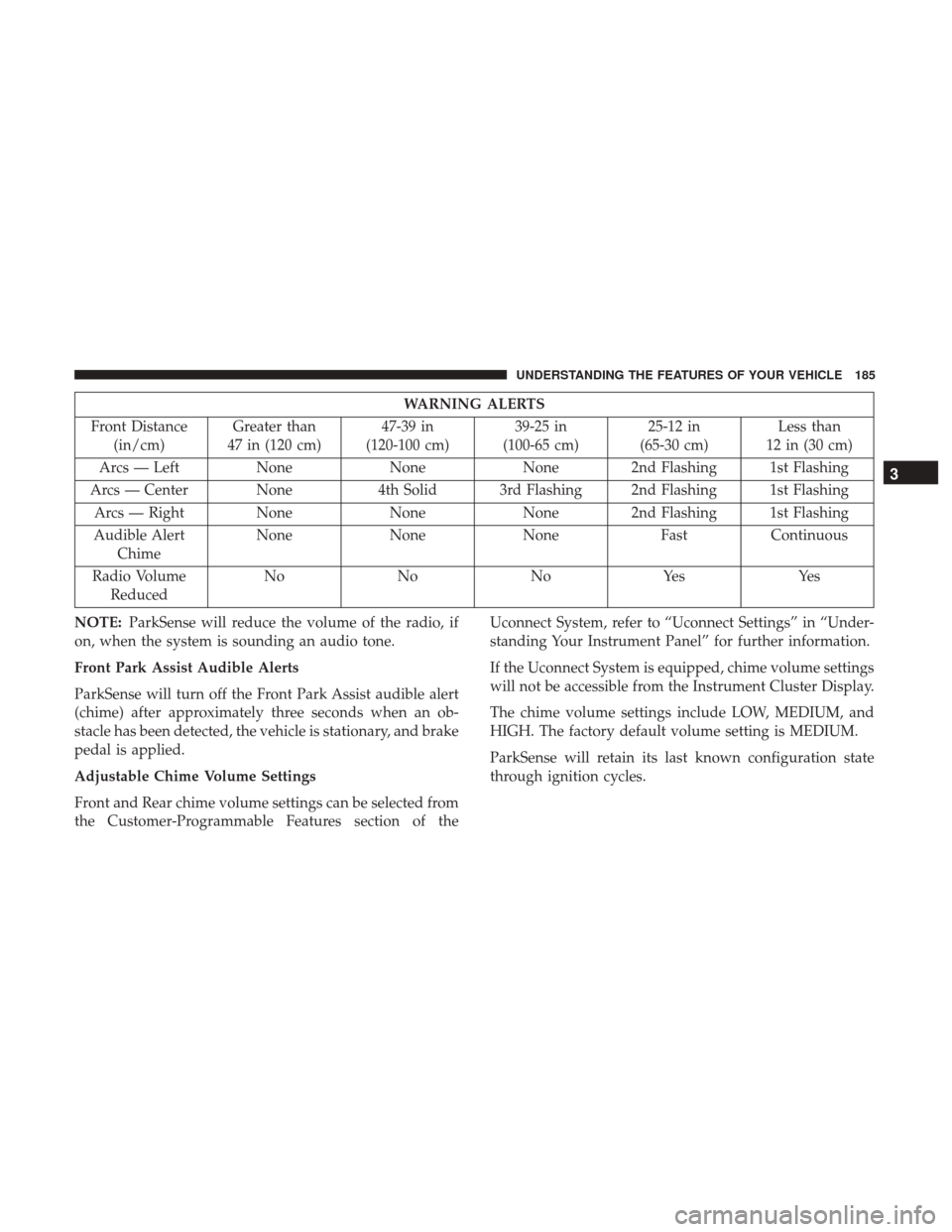
WARNING ALERTS
Front Distance (in/cm) Greater than
47 in (120 cm) 47-39 in
(120-100 cm) 39-25 in
(100-65 cm) 25-12 in
(65-30 cm) Less than
12 in (30 cm)
Arcs — Left NoneNoneNone 2nd Flashing 1st Flashing
Arcs — Center None 4th Solid 3rd Flashing 2nd Flashing 1st Flashing
Arcs — Right None NoneNone 2nd Flashing 1st Flashing
Audible Alert Chime None
NoneNone FastContinuous
Radio Volume Reduced No
NoNoYes Yes
NOTE: ParkSense will reduce the volume of the radio, if
on, when the system is sounding an audio tone.
Front Park Assist Audible Alerts
ParkSense will turn off the Front Park Assist audible alert
(chime) after approximately three seconds when an ob-
stacle has been detected, the vehicle is stationary, and brake
pedal is applied.
Adjustable Chime Volume Settings
Front and Rear chime volume settings can be selected from
the Customer-Programmable Features section of the Uconnect System, refer to “Uconnect Settings” in “Under-
standing Your Instrument Panel” for further information.
If the Uconnect System is equipped, chime volume settings
will not be accessible from the Instrument Cluster Display.
The chime volume settings include LOW, MEDIUM, and
HIGH. The factory default volume setting is MEDIUM.
ParkSense will retain its last known configuration state
through ignition cycles.
3
UNDERSTANDING THE FEATURES OF YOUR VEHICLE 185
Page 191 of 539
PARKSENSE ACTIVE PARK ASSIST SYSTEM — IF
EQUIPPED
The ParkSense Active Park Assist system is intended to
assist the driver during parallel and perpendicular parking
maneuvers by identifying a proper parking space, provid-
ing audible/visual instructions, and controlling the steer-
ing wheel. The ParkSense Active Park Assist system is
defined as “semi-automatic” since the driver maintains
control of the accelerator, gear selector and brakes. De-
pending on the driver’s parking maneuver selection, the
ParkSense Active Park Assist system is capable of maneu-
vering a vehicle into a parallel or a perpendicular parking
space on either side (i.e., driver side or passenger side).
NOTE:
•The driver is always responsible for controlling the
vehicle, responsible for any surrounding objects, and
must intervene as required.
• The system is provided to assist the driver and not to
substitute the driver.
• During a semi-automatic maneuver, if the driver touches
the steering wheel after being instructed to remove their hands from the steering wheel, the system will cancel,
and the driver will be required to manually complete the
parking maneuver.
• The system may not work in all conditions (e.g. envi-
ronmental conditions such as heavy rain, snow, etc., or if
searching for a parking space that has surfaces that will
absorb the ultrasonic sensor waves).
• New vehicles from the dealership must have at least 30
miles accumulated before the ParkSense Active Park
Assist system is fully calibrated and performs accurately.
This is due to the system’s dynamic vehicle calibration
to improve the performance of the feature. The system
will also continuously perform the dynamic vehicle
calibration to account for differences such as over or
under inflated tires and new tires.
Enabling And Disabling The ParkSense Active Park
Assist System
The ParkSense Active Park Assist system can be enabled
and disabled with the ParkSense Active Park Assist switch,
located on the switch panel below the Uconnect display.
3
UNDERSTANDING THE FEATURES OF YOUR VEHICLE 189
Page 196 of 539
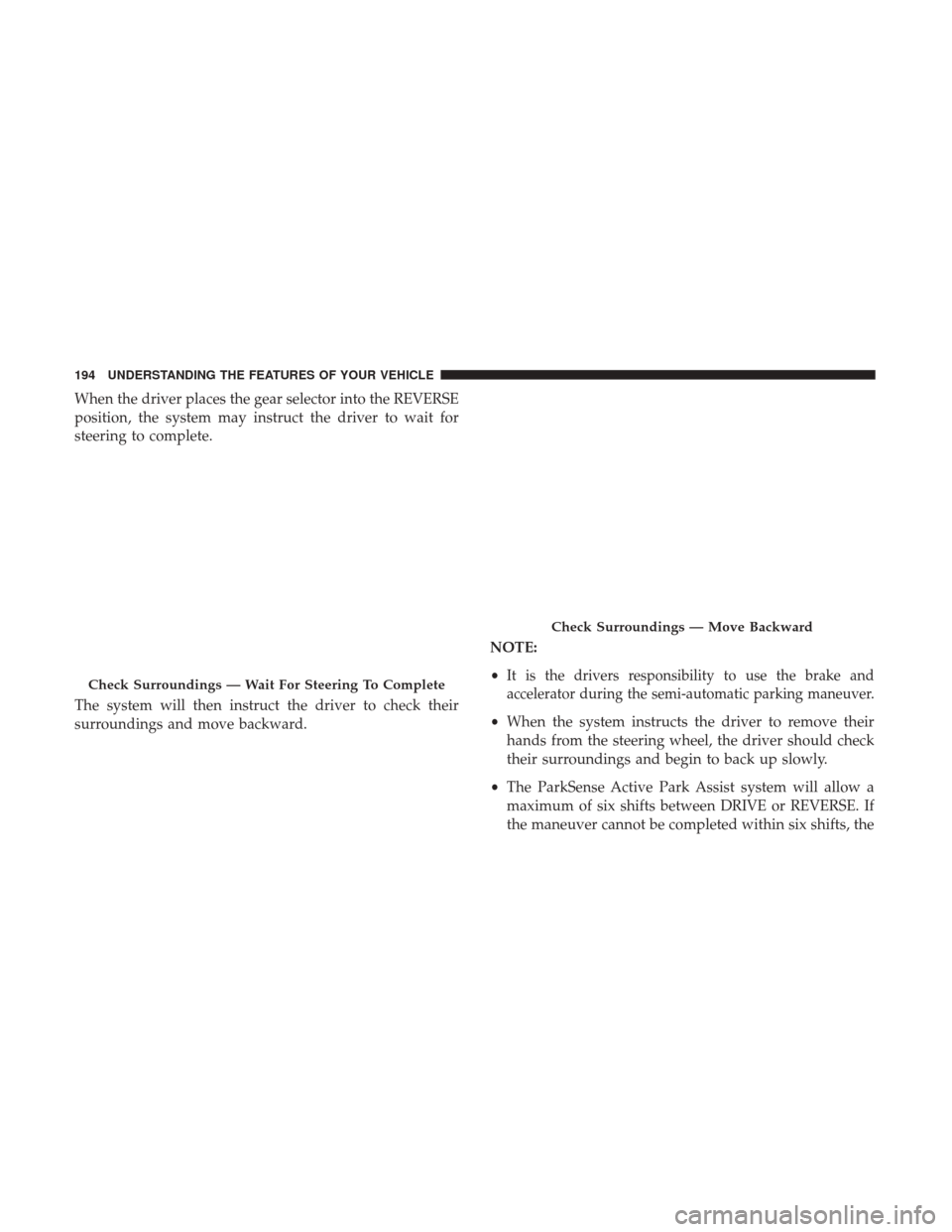
When the driver places the gear selector into the REVERSE
position, the system may instruct the driver to wait for
steering to complete.
The system will then instruct the driver to check their
surroundings and move backward.NOTE:
•
It is the drivers responsibility to use the brake and
accelerator during the semi-automatic parking maneuver.
• When the system instructs the driver to remove their
hands from the steering wheel, the driver should check
their surroundings and begin to back up slowly.
• The ParkSense Active Park Assist system will allow a
maximum of six shifts between DRIVE or REVERSE. If
the maneuver cannot be completed within six shifts, the
Check Surroundings — Wait For Steering To Complete
Check Surroundings — Move Backward
194 UNDERSTANDING THE FEATURES OF YOUR VEHICLE
Page 197 of 539
system will cancel and the Instrument Cluster Display
will instruct the driver to complete the maneuver manu-
ally.
• The system will cancel the maneuver if the vehicle speed
exceeds 5 mph (7 km/h) during active steering guidance
into the parking space. The system will provide a
warning to the driver at 3 mph (5 km/h) that tells them
to slow down. The driver is then responsible for com-
pleting the maneuver if the system is canceled.
• If the system is canceled during the maneuver for any
reason, the driver must take control of the vehicle.
When the vehicle has reached the end of its backward
movement, the system will instruct the driver to check
their surroundings and stop the vehicle’s movement. NOTE:
It is the drivers responsibility to use the brake and
stop the vehicle. The driver should check their surround-
ings and be prepared to stop the vehicle either when
instructed to, or when driver intervention is required.
Check Surroundings — STOP
3
UNDERSTANDING THE FEATURES OF YOUR VEHICLE 195
Page 199 of 539
The system will then instruct the driver to check their
surroundings and move forward.
When the vehicle has reached the end of its forward
movement, the system will instruct the driver to check
their surroundings and stop the vehicle’s movement.NOTE:
It is the drivers responsibility to use the brake and
stop the vehicle. The driver should check their surround-
ings and be prepared to stop the vehicle either when
instructed to, or when driver intervention is required.
Check Surroundings — Move Forward
Check Surroundings — STOP
3
UNDERSTANDING THE FEATURES OF YOUR VEHICLE 197