instrument panel CHRYSLER 300 2010 1.G Owners Manual
[x] Cancel search | Manufacturer: CHRYSLER, Model Year: 2010, Model line: 300, Model: CHRYSLER 300 2010 1.GPages: 538, PDF Size: 10.25 MB
Page 2 of 538
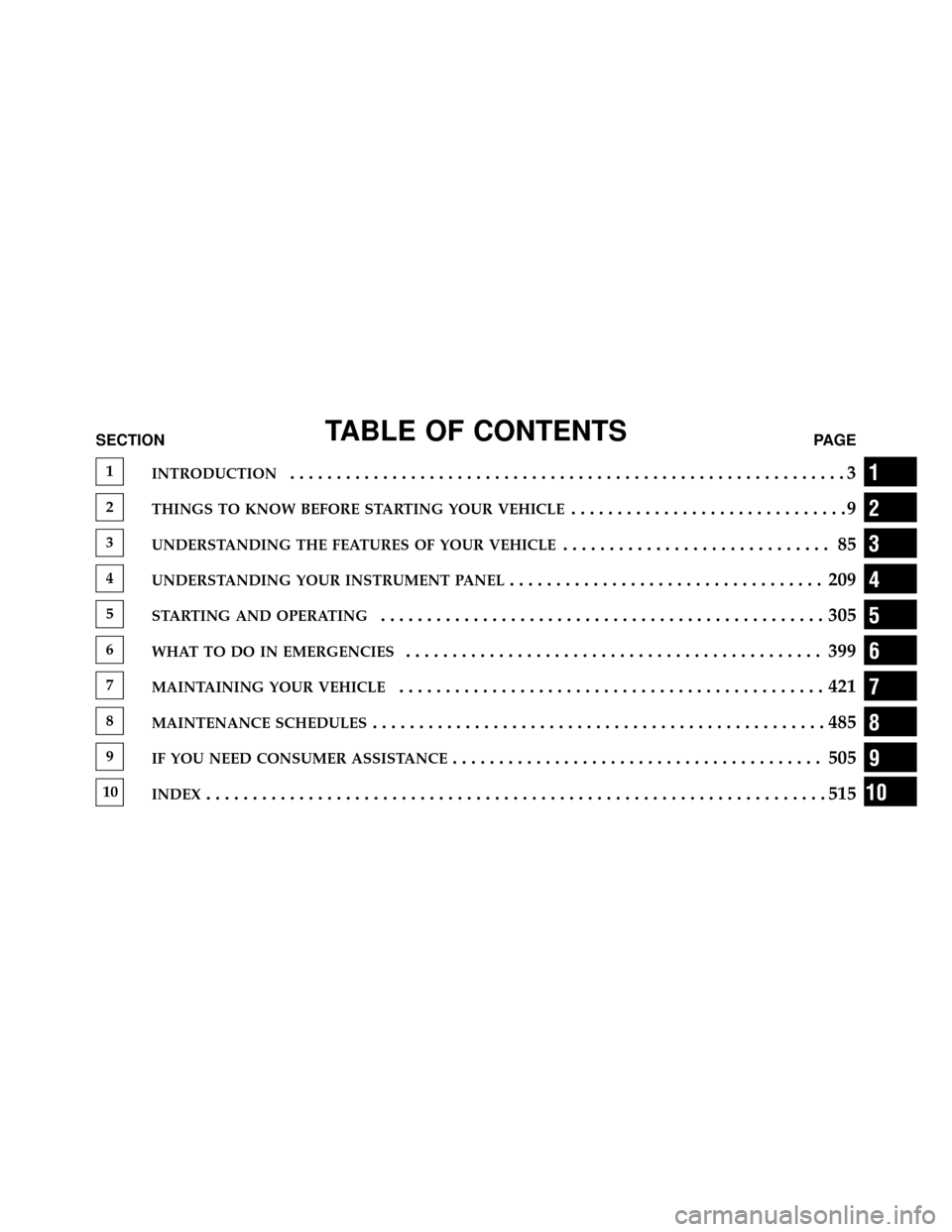
TABLE OF CONTENTSSECTIONPAGE
1INTRODUCTION............................................................3
2THINGS TO KNOW BEFORE STARTING YOUR VEHICLE..............................9
3UNDERSTANDING THE FEATURES OF YOUR VEHICLE............................. 85
4UNDERSTANDING YOUR INSTRUMENT PANEL.................................. 209
5STARTING AND OPERATING................................................305
6WHAT TO DO IN EMERGENCIES............................................. 399
7MAINTAINING YOUR VEHICLE..............................................421
8MAINTENANCE SCHEDULES.................................................485
9IF YOU NEED CONSUMER ASSISTANCE........................................ 505
10INDEX...................................................................515
1
2
3
4
5
6
7
8
9
10
Page 7 of 538
WARNINGS AND CAUTIONS
This Owner’s Manual containsWARNINGSagainst op-
erating procedures that could result in an accident or
bodily injury. It also contains CAUTIONSagainst proce-
dures that could result in damage to your vehicle. If you
do not read this entire manual, you may miss important
information. Observe all Warnings and Cautions.
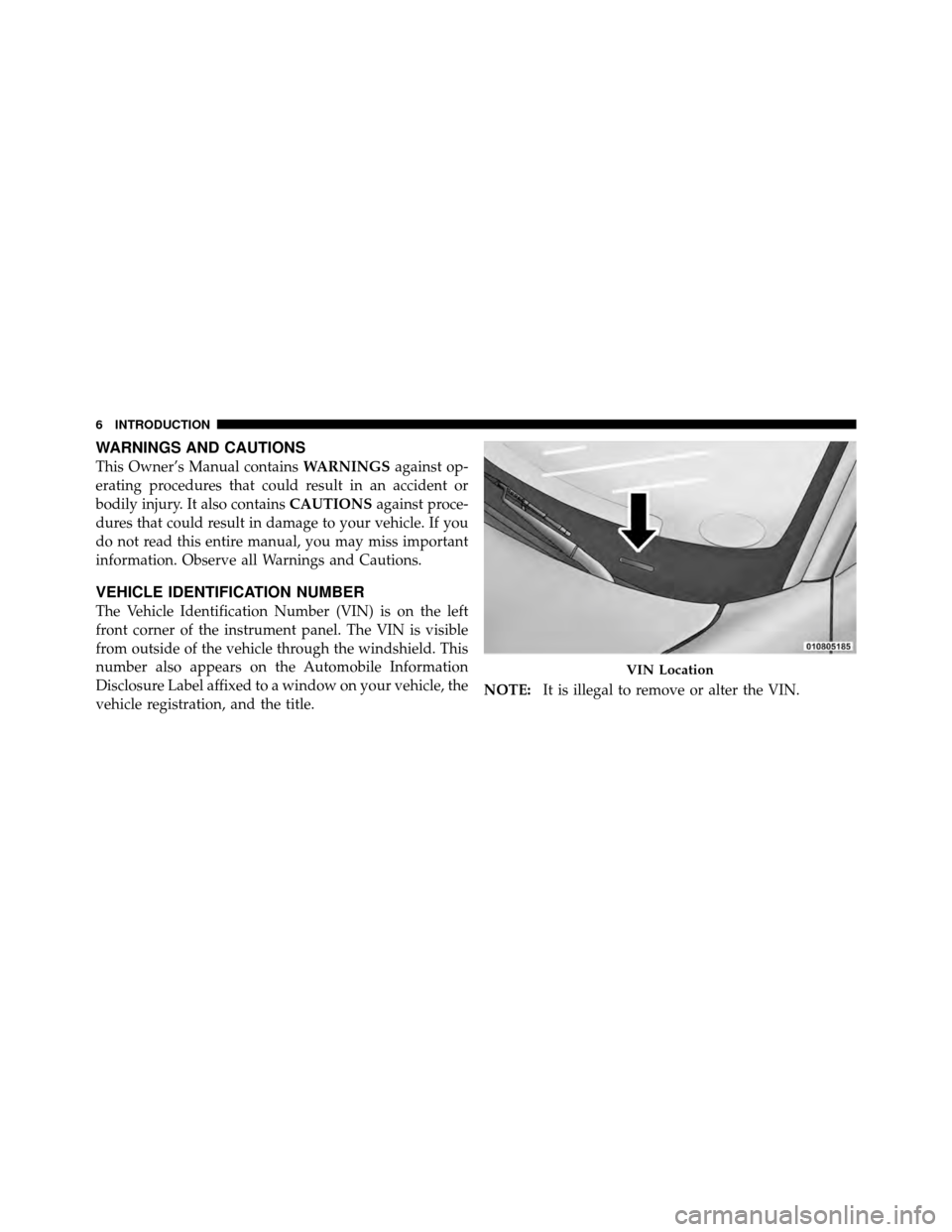
VEHICLE IDENTIFICATION NUMBER
The Vehicle Identification Number (VIN) is on the left
front corner of the instrument panel. The VIN is visible
from outside of the vehicle through the windshield. This
number also appears on the Automobile Information
Disclosure Label affixed to a window on your vehicle, the
vehicle registration, and the title. NOTE:
It is illegal to remove or alter the VIN.
VIN Location
6 INTRODUCTION
Page 13 of 538
A WORD ABOUT YOUR KEYS
Your vehicle uses a keyless ignition system. This system
consists of a Key Fob with Remote Keyless Entry (RKE)
transmitter and a Wireless Ignition Node (WIN) with
integral ignition switch. You can insert the Key Fob into
the ignition switch with either side up.
Keyless Go Feature
This vehicle may be equipped with the Keyless Go
feature, refer to “Starting Procedure” in “Starting And
Operating” for further information.
Wireless Ignition Node (WIN)
The Wireless Ignition Node (WIN) operates similar to an
ignition switch. It has four operating positions, three with
detents and one that is spring-loaded. The detent posi-
tions are OFF, ACC, and RUN. The START position is a
spring-loaded momentary contact position. When re-
leased from the START position, the switch automatically
returns to the RUN position.NOTE:
If your vehicle is equipped with Keyless Go, the
Electronic Vehicle Information Center (EVIC) will display
the ignition switch position (OFF/ACC/RUN). Refer to
“Electronic Vehicle Information Center (EVIC) — If
Equipped” in “Understanding Your Instrument Panel”
for further information.
12 THINGS TO KNOW BEFORE STARTING YOUR VEHICLE
Page 15 of 538
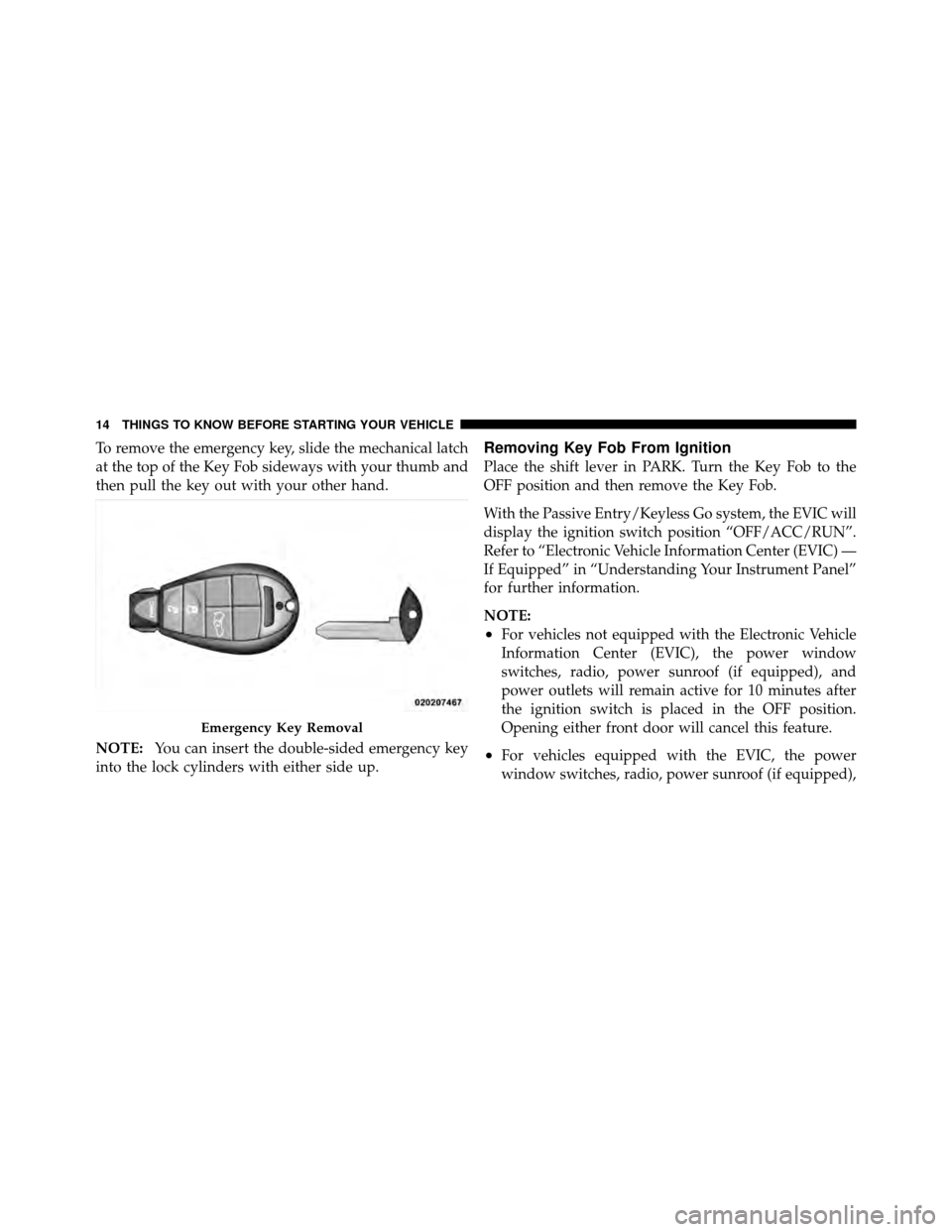
To remove the emergency key, slide the mechanical latch
at the top of the Key Fob sideways with your thumb and
then pull the key out with your other hand.
NOTE:You can insert the double-sided emergency key
into the lock cylinders with either side up.Removing Key Fob From Ignition
Place the shift lever in PARK. Turn the Key Fob to the
OFF position and then remove the Key Fob.
With the Passive Entry/Keyless Go system, the EVIC will
display the ignition switch position “OFF/ACC/RUN”.
Refer to “Electronic Vehicle Information Center (EVIC) —
If Equipped” in “Understanding Your Instrument Panel”
for further information.
NOTE:
•For vehicles not equipped with the Electronic Vehicle
Information Center (EVIC), the power window
switches, radio, power sunroof (if equipped), and
power outlets will remain active for 10 minutes after
the ignition switch is placed in the OFF position.
Opening either front door will cancel this feature.
•For vehicles equipped with the EVIC, the power
window switches, radio, power sunroof (if equipped),
Emergency Key Removal
14 THINGS TO KNOW BEFORE STARTING YOUR VEHICLE
Page 23 of 538
Settings (Customer-Programmable Features)” in “Un-
derstanding Your Instrument Panel” for further infor-
mation.
•For vehicles not equipped with the EVIC, perform the
following procedure:
1. Press and hold the LOCK button on a programmed
RKE transmitter for at least 4 seconds, but no longer than
10 seconds. Then, press and hold the UNLOCK button
while still holding the LOCK button.
2. Release both buttons at the same time.
3. Test the feature while outside of the vehicle by press-
ing the LOCK/UNLOCK buttons on the RKE transmitter
with the ignition switch in the OFF position and the key
removed.
4. Repeat these steps if you want to return this feature to
its previous setting. NOTE:
Pressing the LOCK button on the RKE transmit-
ter while you are inside the vehicle will activate the
security alarm. Opening a door with the Vehicle Security
Alarm armed will cause the alarm to sound. Press the
UNLOCK button to deactivate the security alarm.
Flash Lights with Remote Key Lock
This feature will cause the turn signal lights to flash when
the doors are locked with the RKE transmitter. When this
feature is turned on and the vehicle is equipped with the
Passive Entry system, using the Passive Entry system to
LOCK the vehicle will cause the parking lights to flash.
This feature can be turned on or turned off. To change the
current setting, proceed as follows:
•For vehicles equipped with the EVIC, refer to “Elec-
tronic Vehicle Information Center (EVIC) — If
Equipped/Personal Settings (Customer-
Programmable Features)” in “Understanding Your In-
strument Panel” for further information.
22 THINGS TO KNOW BEFORE STARTING YOUR VEHICLE
Page 24 of 538
•For vehicles not equipped with the EVIC, perform the
following procedure:
1. Press and hold the UNLOCK button on a programmed
RKE transmitter for at least 4 seconds, but no longer than
10 seconds. Then, press and hold the LOCK button while
still holding the UNLOCK button.
2. Release both buttons at the same time.
3. Test the feature while outside of the vehicle by press-
ing the LOCK/UNLOCK buttons on the RKE transmitter
with the ignition switch in the OFF position and the key
removed.
4. Repeat these steps if you want to return this feature to
its previous setting.
NOTE: Pressing the LOCK button on the RKE transmit-
ter while you are in the vehicle will activate the security alarm. Opening a door with the security alarm activated
will cause the alarm to sound. Press the UNLOCK button
to deactivate the security alarm.
Turn Headlights On with Remote Key Unlock
This feature activates the headlights for up to 90 seconds
when the doors are unlocked with the RKE transmitter.
When this feature is turned on and the vehicle is
equipped with the Passive Entry system, using the Pas-
sive Entry system to UNLOCK the vehicle will cause the
parking lights to flash.
The time for this feature is programmable on vehicles
equipped with the EVIC. Refer to “Electronic Vehicle
Information Center (EVIC) — If Equipped/Personal Set-
tings (Customer-Programmable Features)” in “Under-
standing Your Instrument Panel” for further information.
2
THINGS TO KNOW BEFORE STARTING YOUR VEHICLE 23
Page 34 of 538
4. The throttle is pressed.
5. The vehicle speed is above 15 mph (24 km/h).
6. The doors were not previously locked using the power
door lock switch or Remote Keyless Entry (RKE)
transmitter.
Automatic Door Locks Programming
The Automatic Door Locks feature can be enabled or
disabled as follows:
•For vehicles equipped with the Electronic Vehicle
Information Center (EVIC), refer to “Electronic Vehicle
Information Center (EVIC)/Personal Settings
(Customer-Programmable Features)” in “Understand-
ing Your Instrument Panel” for further information.
•For vehicles not equipped with the EVIC, perform the
following procedure:1. Close all doors and place the Key Fob in the ignition
switch.
2. Cycle the ignition switch between OFF and RUN and
then back to OFF four times ending up in the OFF
position (do not start engine).
3. Press the power door LOCK switch to lock the doors.
4. A single chime will indicate the completion of the
programming.
5. Cycle the ignition after performing steps one to four
for the feature to be enabled or disabled.
6. Repeat these steps if you want to return this feature to
its previous setting.
NOTE:
Use the Automatic Door Locks feature in accor-
dance with local laws.
2
THINGS TO KNOW BEFORE STARTING YOUR VEHICLE 33
Page 35 of 538
Automatic Unlock Doors on Exit
The doors will unlock automatically on vehicles with
power door locks if:
1. The Automatic Unlock Doors On Exit feature is en-
abled.
2. The transmission was in gear and the vehicle speed
returned to 0 mph (0 km/h).
3. The transmission is in NEUTRAL or PARK.
4. The driver door is opened.
5. The doors were not previously unlocked.
6. The vehicle speed is 0 mph (0 km/h).
Automatic Unlock Doors on Exit Programming
The Automatic Unlock Doors On Exit feature can be
enabled or disabled as follows:
•For vehicles equipped with the EVIC, refer to “Elec-
tronic Vehicle Information Center (EVIC)/Personal
Settings (Customer-Programmable Features)” in “Un-
derstanding Your Instrument Panel” for further infor-
mation.
•For vehicles not equipped with the EVIC, perform the
following procedure:
1. Close all doors and place the Key Fob in the ignition.
2. Cycle the ignition switch between OFF and RUN and
then back to OFF four times ending up in the OFF
position (do not start engine).
3. Press the power door UNLOCK switch to unlock the
doors.
4. A single chime will indicate the completion of the
programming.
34 THINGS TO KNOW BEFORE STARTING YOUR VEHICLE
Page 36 of 538
5. Repeat these steps if you want to return this feature to
its previous setting.
NOTE:Use the Automatic Unlock Doors On Exit feature
in accordance with local laws.
Passive Entry System — If Equipped
The Passive Entry system is an enhancement to the
vehicle’s Remote Keyless Entry (RKE) system. This fea-
ture allows you to lock and unlock the vehicle’s door(s)
without having to press the RKE transmitter lock or
unlock buttons.
NOTE:
•Passive Entry may be programmed ON/OFF, refer to
“Electronic Vehicle Information Center (EVIC)/
Personal Settings (Customer-Programmable Fea-
tures)” in “Understanding Your Instrument Panel” for
further information.
•If a passive entry door handle has not been used for
72 hours the passive entry feature for that handle may
time out. Also, if it has been raining on a passive entry
door handle for 24 hours, that door handle’s passive
entry feature may be deactivated. Pulling the deacti-
vated front door handle will reactivate that door
handle’s passive entry feature.
•If wearing hand gloves, the Passive Entry door handle
unlock sensitivity can be affected, resulting in a slower
response time.
To Unlock From The Driver’s Side:
With a valid Passive Entry RKE transmitter within 5 ft
(1.5 m) of the driver’s side of the vehicle, grab the front
driver door handle to unlock the driver’s door automati-
cally.
NOTE: If “Unlock All Doors 1st Press” is programmed
all doors will unlock when you grab hold of the front
driver ’s door handle. To select between “Unlock Driver
2
THINGS TO KNOW BEFORE STARTING YOUR VEHICLE 35
Page 37 of 538
Door 1st Press” and “Unlock All Doors 1st Press”, refer to
“Electronic Vehicle Information Center (EVIC)/Personal
Settings (Customer-Programmable Features)” in “Under-
standing Your Instrument Panel” for further information.
To Unlock From The Passenger Side:
With a valid Passive Entry RKE transmitter within 5 ft
(1.5 m) of the passenger side of the vehicle, grab the front
passenger door handle to unlock all four doors automati-
cally.
NOTE:All doors will unlock when the front passenger
door handle is grabbed regardless of the driver ’s door
unlock preference setting (“Unlock Driver Door 1st
Press” or “Unlock All Doors 1st Press”).
Preventing Inadvertent Locking Of Passive Entry RKE
Transmitter In Vehicle
To minimize the possibility of unintentionally locking a
Passive Entry RKE transmitter inside your vehicle, the Passive Entry system is equipped with an automatic door
unlock feature. If one of the vehicle doors is open and the
door panel switch is used to lock the vehicle, once all
open doors have been closed, the vehicle checks the
passenger compartment for any valid Passive Entry RKE
transmitters. If one of the vehicle’s Passive Entry RKE
transmitters is detected, the Passive Entry System auto-
matically unlocks ALL vehicle doors and chirps the horn
three times (on the third attempt ALL doors will lock and
the Passive Entry RKE transmitter can be locked in the
vehicle).
To Enter the Trunk
With a valid Passive Entry RKE transmitter within 3 ft
(1.0 m) of the deck lid, press the button on the left side of
CHMSL, (Center High Mounted Stop Light) which is
located on the deck lid.
NOTE:
If you inadvertently leave your vehicle’s Passive
Entry RKE transmitter in the trunk and try to close the
36 THINGS TO KNOW BEFORE STARTING YOUR VEHICLE