engine CHRYSLER 300 2011 2.G Owner's Manual
[x] Cancel search | Manufacturer: CHRYSLER, Model Year: 2011, Model line: 300, Model: CHRYSLER 300 2011 2.GPages: 536, PDF Size: 6.15 MB
Page 156 of 536
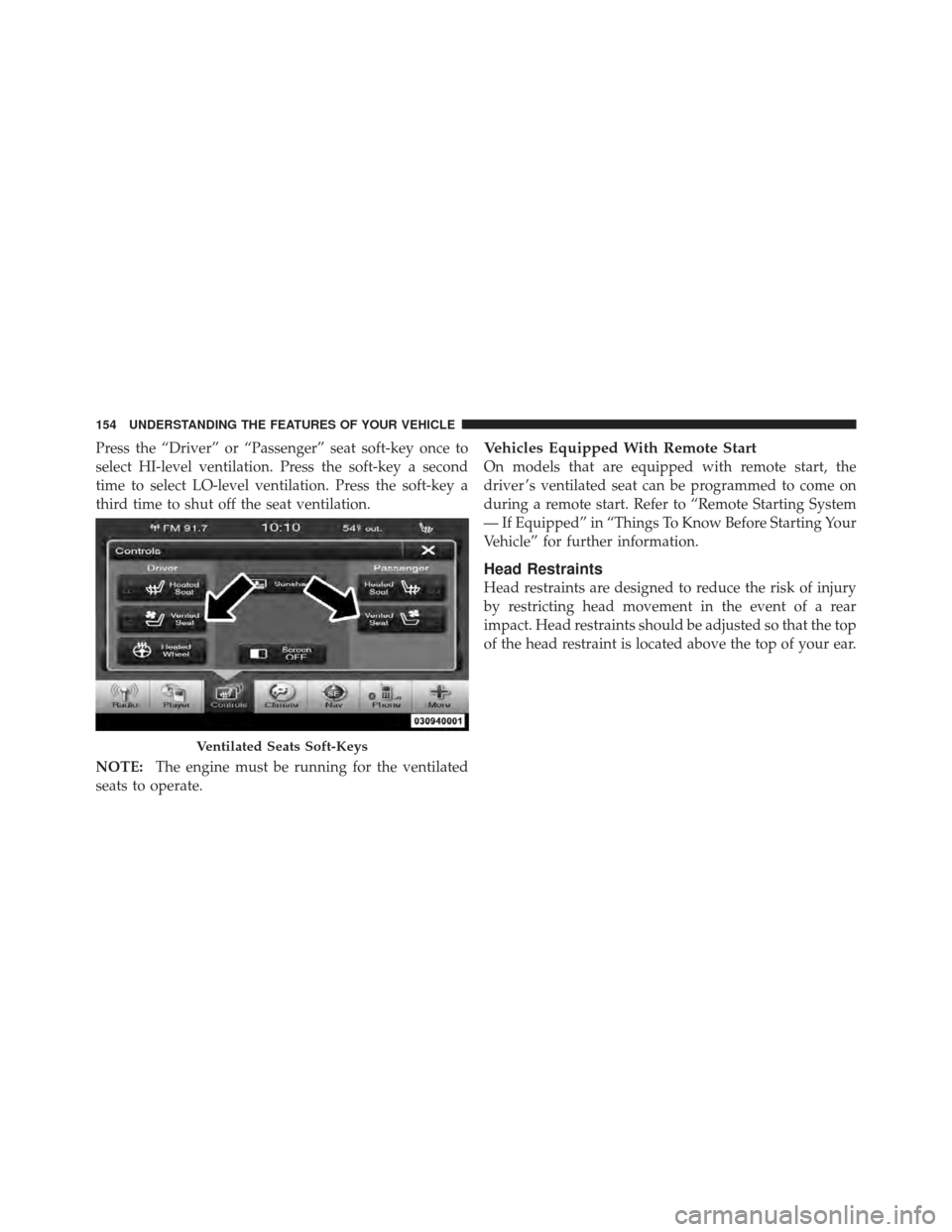
Press the “Driver” or “Passenger” seat soft-key once to
select HI-level ventilation. Press the soft-key a second
time to select LO-level ventilation. Press the soft-key a
third time to shut off the seat ventilation.
NOTE:The engine must be running for the ventilated
seats to operate.Vehicles Equipped With Remote Start
On models that are equipped with remote start, the
driver ’s ventilated seat can be programmed to come on
during a remote start. Refer to “Remote Starting System
— If Equipped” in “Things To Know Before Starting Your
Vehicle” for further information.
Head Restraints
Head restraints are designed to reduce the risk of injury
by restricting head movement in the event of a rear
impact. Head restraints should be adjusted so that the top
of the head restraint is located above the top of your ear.
Ventilated Seats Soft-Keys
154 UNDERSTANDING THE FEATURES OF YOUR VEHICLE
Page 166 of 536
LIGHTS
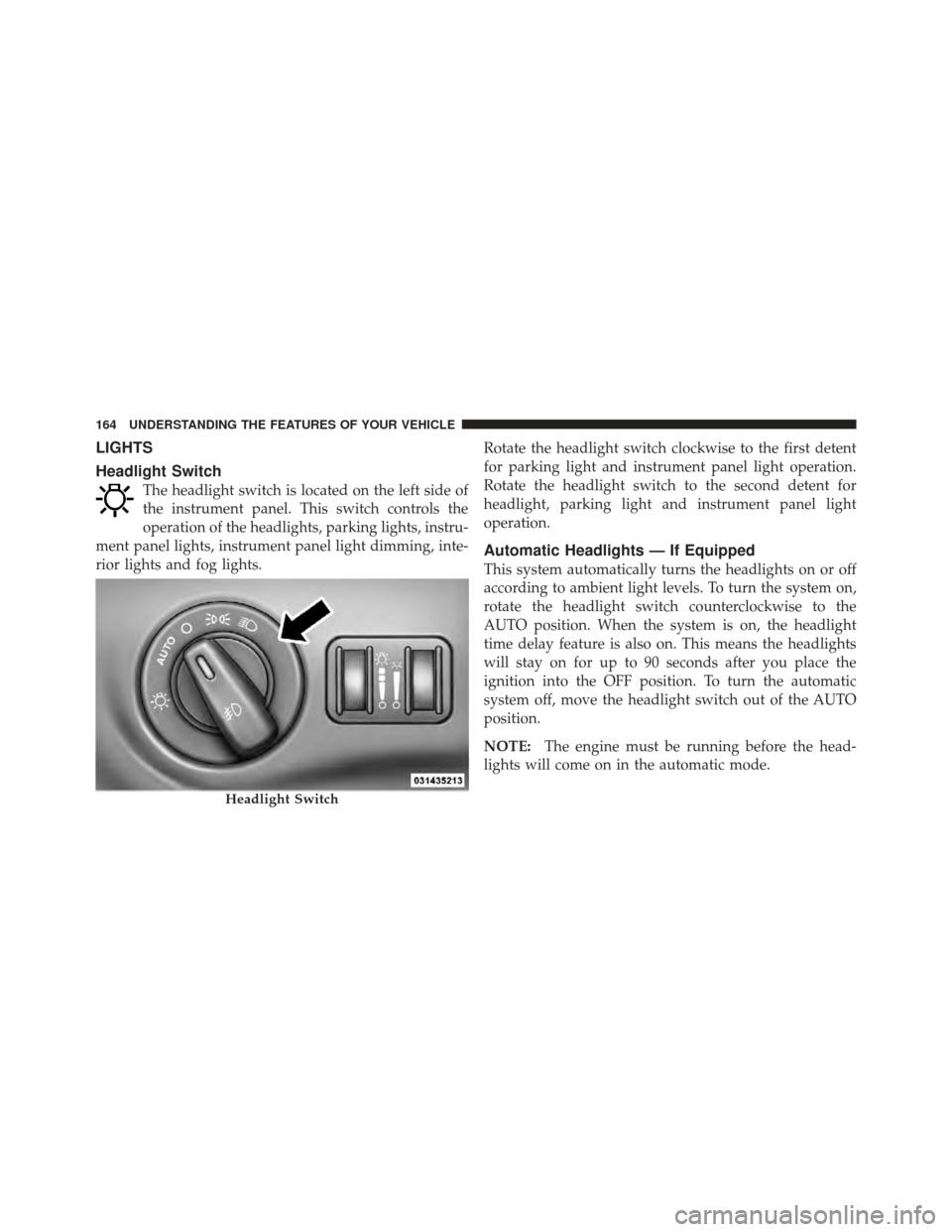
Headlight Switch
The headlight switch is located on the left side of
the instrument panel. This switch controls the
operation of the headlights, parking lights, instru-
ment panel lights, instrument panel light dimming, inte-
rior lights and fog lights. Rotate the headlight switch clockwise to the first detent
for parking light and instrument panel light operation.
Rotate the headlight switch to the second detent for
headlight, parking light and instrument panel light
operation.
Automatic Headlights — If Equipped
This system automatically turns the headlights on or off
according to ambient light levels. To turn the system on,
rotate the headlight switch counterclockwise to the
AUTO position. When the system is on, the headlight
time delay feature is also on. This means the headlights
will stay on for up to 90 seconds after you place the
ignition into the OFF position. To turn the automatic
system off, move the headlight switch out of the AUTO
position.
NOTE:
The engine must be running before the head-
lights will come on in the automatic mode.
Headlight Switch
164 UNDERSTANDING THE FEATURES OF YOUR VEHICLE
Page 176 of 536
Intermittent Wiper System
Use the intermittent wiper when weather conditions
make a single wiping cycle with a variable pause be-
tween cycles desirable. Rotate the end of the multifunc-
tion lever to the first detent position, and then turn the
end of the lever to select the desired delay interval. There
are four delay settings, which allow you to regulate the
wipe interval from a minimum of one cycle every second
to a maximum of approximately 18 seconds between
cycles. The delay intervals will double in duration when
the vehicle speed is 10 mph (16 km/h) or less.
Wiper Operation
Rotate the end of the multifunction lever to the first
detent, past the intermittent settings for low-speed wiper
operation, or to the second detent past the intermittent
settings for high-speed wiper operation.
CAUTION!
•Turn the windshield wipers off when driving
through an automatic car wash. Damage to the
windshield wipers may result if the wiper control
is left in any position other than off.
•In cold weather, always turn off the wiper switch
and allow the wipers to return to the “Park”
position before turning off the engine. If the wiper
switch is left on and the wipers freeze to the
windshield, damage to the wiper motor may occur
when the vehicle is restarted.
•Always remove any buildup of snow that prevents
the windshield wiper blades from returning to the
off position. If the windshield wiper control is
turned off and the blades cannot return to the off
position, damage to the wiper motor may occur.
174 UNDERSTANDING THE FEATURES OF YOUR VEHICLE
Page 182 of 536
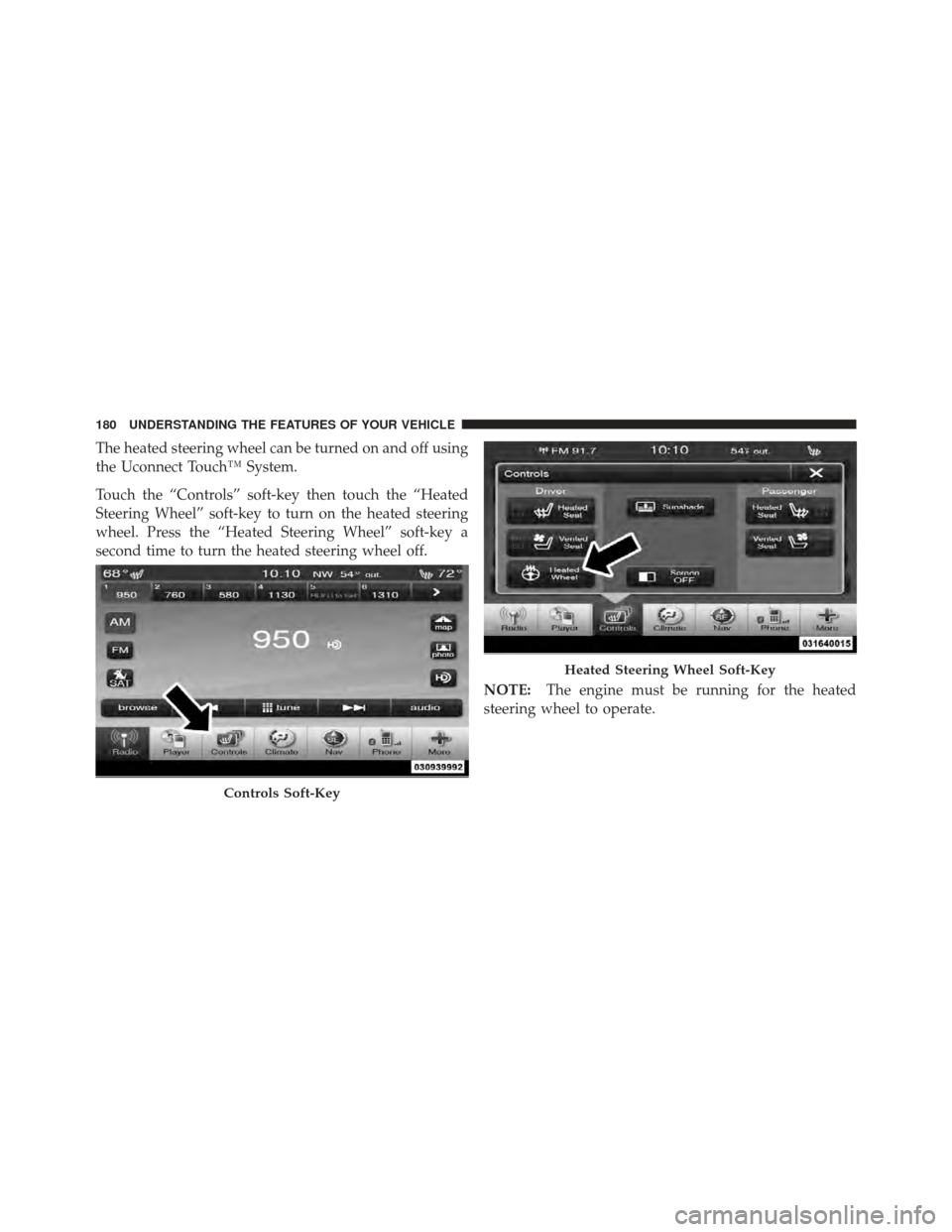
The heated steering wheel can be turned on and off using
the Uconnect Touch™ System.
Touch the “Controls” soft-key then touch the “Heated
Steering Wheel” soft-key to turn on the heated steering
wheel. Press the “Heated Steering Wheel” soft-key a
second time to turn the heated steering wheel off.NOTE:The engine must be running for the heated
steering wheel to operate.
Controls Soft-Key
Heated Steering Wheel Soft-Key
180 UNDERSTANDING THE FEATURES OF YOUR VEHICLE
Page 196 of 536
NOTE:
•When you use the SET-button to decelerate, if the
engine’s braking power does not slow the vehicle
sufficiently to reach the set speed, the brake system
will automatically slow the vehicle.
•The ACC system can only apply a maximum of 25% of
the vehicle’s braking capability and will not bring the
vehicle to a complete stop.
•The ACC system maintains set speed when driving up
hill and down hill. However, a slight speed change on
moderate hills is normal. In addition, downshifting
may occur while climbing uphill or descending down-
hill. This is normal operation and necessary to main-
tain set speed.
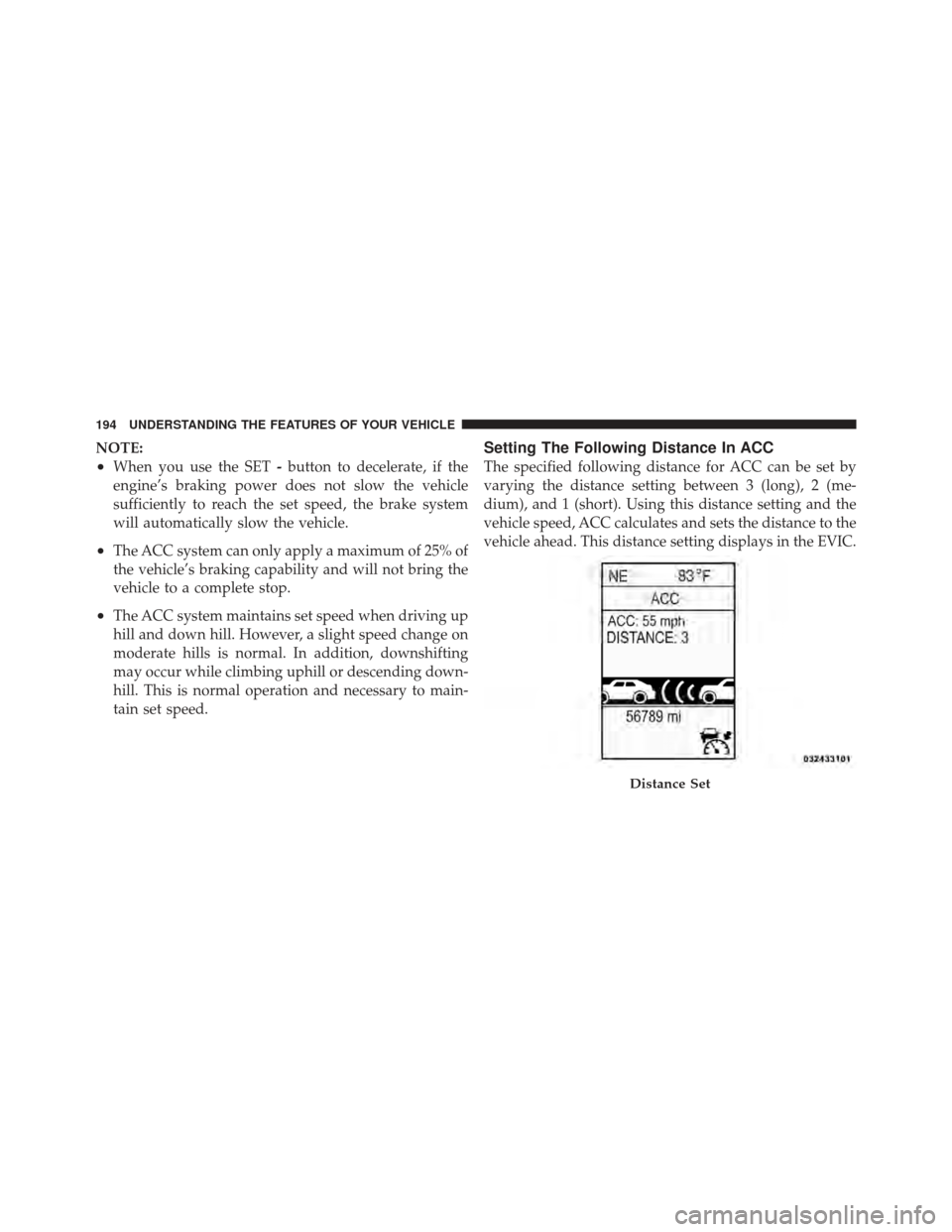
Setting The Following Distance In ACC
The specified following distance for ACC can be set by
varying the distance setting between 3 (long), 2 (me-
dium), and 1 (short). Using this distance setting and the
vehicle speed, ACC calculates and sets the distance to the
vehicle ahead. This distance setting displays in the EVIC.
Distance Set
194 UNDERSTANDING THE FEATURES OF YOUR VEHICLE
Page 241 of 536
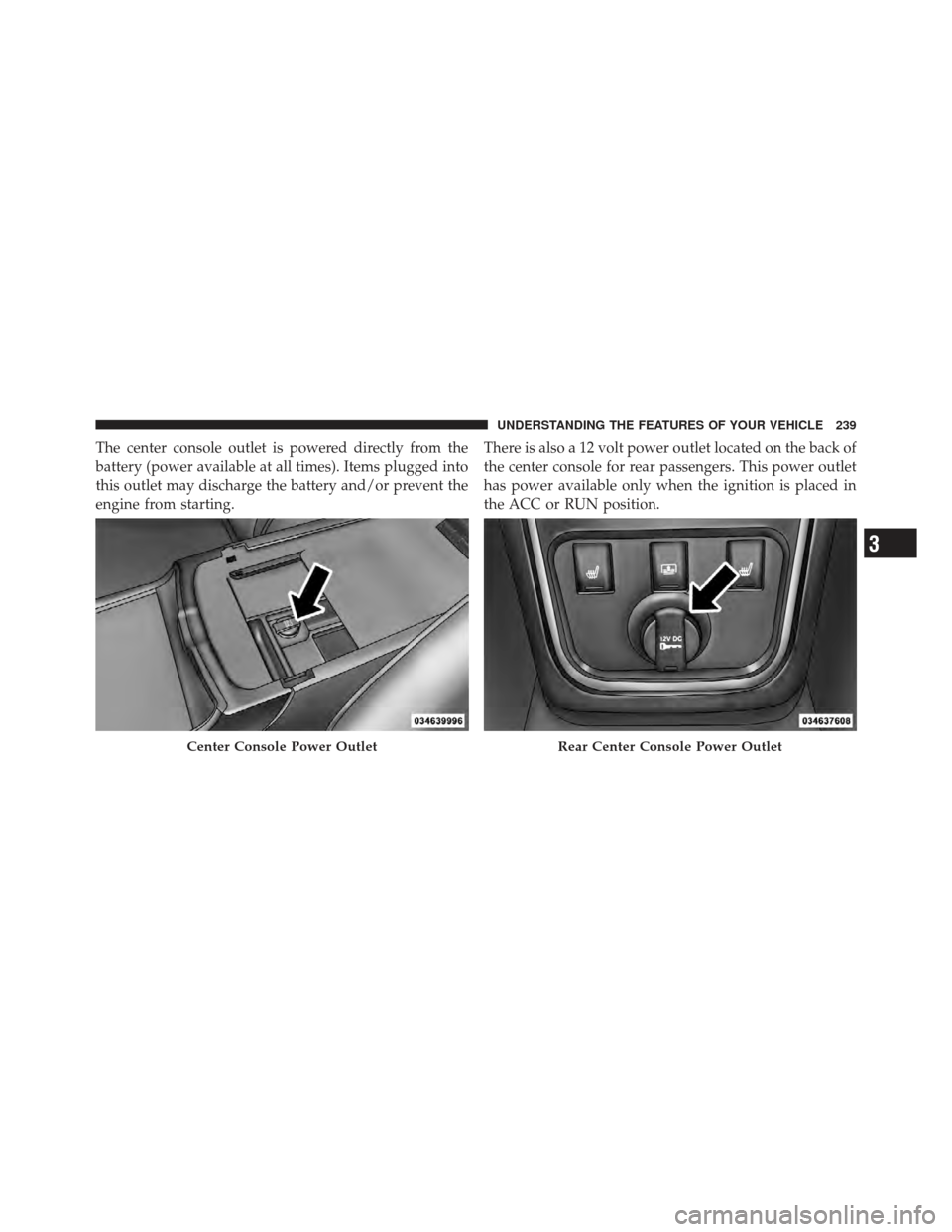
The center console outlet is powered directly from the
battery (power available at all times). Items plugged into
this outlet may discharge the battery and/or prevent the
engine from starting.There is also a 12 volt power outlet located on the back of
the center console for rear passengers. This power outlet
has power available only when the ignition is placed in
the ACC or RUN position.
Center Console Power OutletRear Center Console Power Outlet
3
UNDERSTANDING THE FEATURES OF YOUR VEHICLE 239
Page 243 of 536
CAUTION!
•Many accessories that can be plugged in draw
power from the vehicle’s battery even when not in
use (i.e., cellular phones, etc.). Eventually, if
plugged in long enough, the vehicle’s battery will
discharge sufficiently to degrade battery life
and/or prevent the engine from starting.
•Accessories that draw higher power (i.e., coolers,
vacuum cleaners, lights, etc.) will degrade the
battery even more quickly. Only use these inter-
mittently and with greater caution.(Continued)
CAUTION! (Continued)
•After the use of high power draw accessories or
long periods of the vehicle not being started (with
accessories still plugged in), the vehicle must be
driven a sufficient length of time to allow the
alternator to recharge the vehicle’s battery.
•Power outlets are designed for accessory plugs
only. Do not hang any type of accessory or acces-
sory bracket from the plug. Improper use of the
power outlet can cause damage.
3
UNDERSTANDING THE FEATURES OF YOUR VEHICLE 241
Page 259 of 536
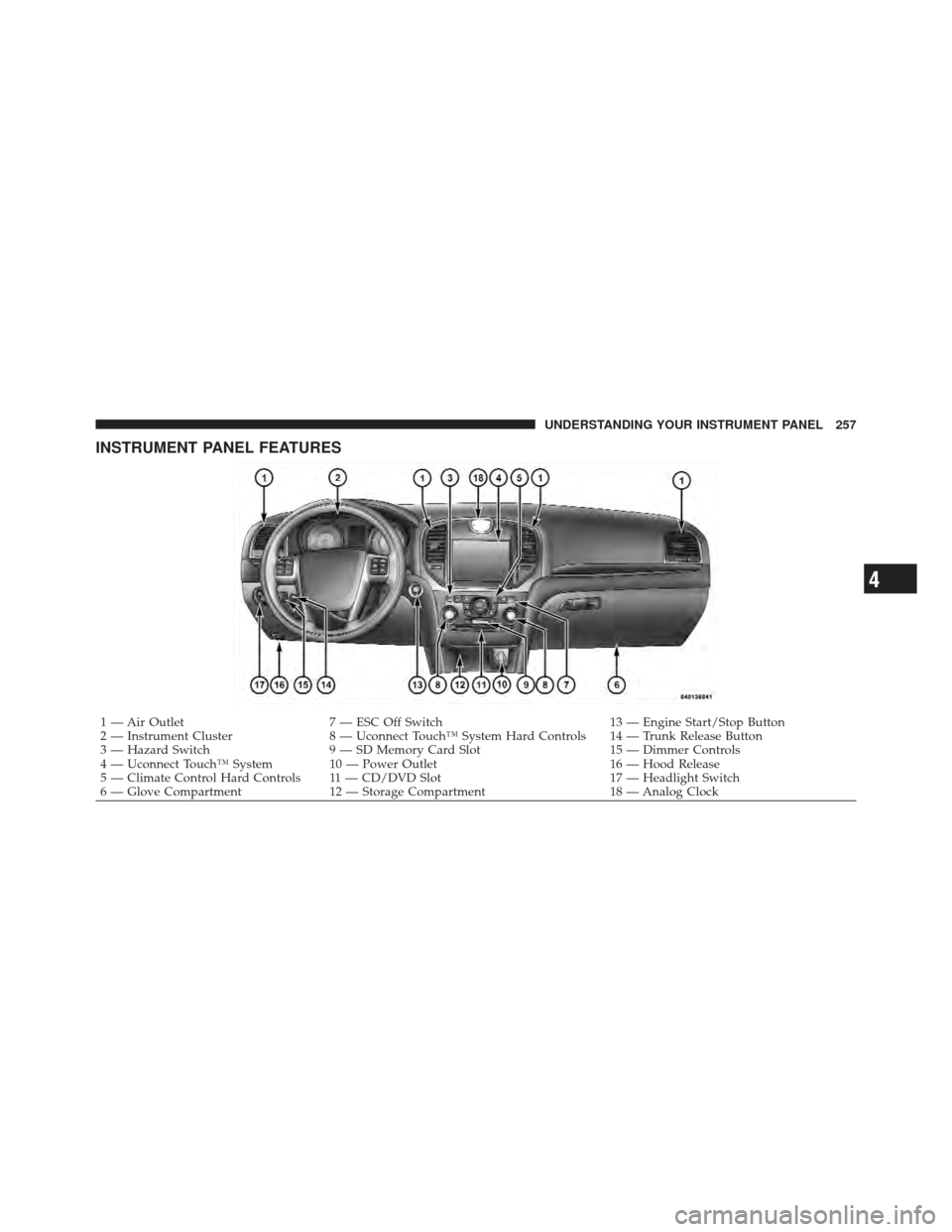
INSTRUMENT PANEL FEATURES
1 — Air Outlet7 — ESC Off Switch 13 — Engine Start/Stop Button
2 — Instrument Cluster 8 — Uconnect Touch™ System Hard Controls 14 — Trunk Release Button
3 — Hazard Switch 9 — SD Memory Card Slot 15 — Dimmer Controls
4 — Uconnect Touch™ System 10 — Power Outlet 16 — Hood Release
5 — Climate Control Hard Controls 11 — CD/DVD Slot 17 — Headlight Switch
6 — Glove Compartment 12 — Storage Compartment 18 — Analog Clock
4
UNDERSTANDING YOUR INSTRUMENT PANEL 257
Page 261 of 536
INSTRUMENT CLUSTER DESCRIPTIONS
1. Tachometer
The red segments indicate the maximum permissible
engine revolutions per minute (RPM x 1000) for each gear
range. Before reaching the red area, ease up on the
accelerator.
2. AWD (All Wheel Drive) Indicator — If Equipped
The AWD indicator will illuminate when All Wheel Drive
(AWD) is activated.
3. Park/Headlight ON Indicator — If EquippedThis indicator will illuminate when the park
lights or headlights are turned on.
4. Front Fog Light Indicator — If Equipped This indicator will illuminate when the front fog
lights are on. 5. Turn Signal Indicators
The arrow will flash with the exterior turn signal
when the turn signal lever is operated.
If the vehicle electronics sense that the vehicle is driven
more than 1 mile (1.6 km) with either turn signal on, a
continuous chime will sound to alert you to turn the
signals off. If either indicator flashes at a rapid rate, check
for a defective outside light bulb.
6. High Beam Indicator This indicator shows that the high beam head-
lights are on. Push the multifunction lever forward
to switch the headlights to high beam, and pull toward
yourself (normal position) to return to low beam.
4
UNDERSTANDING YOUR INSTRUMENT PANEL 259
Page 264 of 536
Your vehicle has also been equipped with a TPMS
malfunction indicator to indicate when the system is not
operating properly. The TPMS malfunction indicator is
combined with the low tire pressure telltale. When the
system detects a malfunction, the telltale will flash for
approximately one minute and then remain continuously
illuminated. This sequence will continue upon subse-
quent vehicle start-ups as long as the malfunction exists.
When the malfunction indicator is illuminated, the sys-
tem may not be able to detect or signal low tire pressure
as intended. TPMS malfunctions may occur for a variety
of reasons, including the installation of replacement or
alternate tires or wheels on the vehicle that prevent the
TPMS from functioning properly. Always check the
TPMS malfunction telltale after replacing one or more
tires or wheels on your vehicle, to ensure that the
replacement or alternate tires and wheels allow the TPMS
to continue to function properly.CAUTION!
The TPMS has been optimized for the original
equipment tires and wheels. TPMS pressures and
warning have been established for the tire size
equipped on your vehicle. Undesirable system opera-
tion or sensor damage may result when using re-
placement equipment that is not of the same size,
type, and/or style. Aftermarket wheels can cause
sensor damage. Do not use tire sealant from a can or
balance beads if your vehicle is equipped with a
TPMS, as damage to the sensors may result.
10. Malfunction Indicator Light (MIL) The Malfunction Indicator Light (MIL) is part of
an onboard diagnostic system, called OBD, that
monitors engine and automatic transmission con-
trol systems. The light will illuminate when the key is in
the ON/RUN position, before engine start. If the bulb
262 UNDERSTANDING YOUR INSTRUMENT PANEL