brake CHRYSLER 300 2012 2.G User Guide
[x] Cancel search | Manufacturer: CHRYSLER, Model Year: 2012, Model line: 300, Model: CHRYSLER 300 2012 2.GPages: 124, PDF Size: 3.67 MB
Page 5 of 124
Vehicles Sold In Canada
With respect to any vehicles sold in Canada, the name Chrysler Group LLC shall be deemed
to be deleted and the name Chrysler Canada Inc. used in substitution therefore.
WARNING!
• Pedals that cannot move freely can cause loss of vehicle control and increase the risk ofserious personal injury.
• Always make sure that objects cannot fall into the driver foot well while the vehicle is moving. Objects can become trapped under the brake pedal and accelerator pedal
causing a loss of vehicle control.
• Failure to properly follow floor mat installation or mounting can cause interference with the brake pedal and accelerator pedal operation causing loss of control of the vehicle.
• Never use the ‘PARK’ position as a substitute for the parking brake. Always apply the parking brake fully when parked to guard against vehicle movement and possible injury
or damage.
• Refer to your Owner's Manual on the DVD for further details.
USE OF AFTERMARKET PRODUCTS (ELECTRONICS)
The use of aftermarket devices including cell phones, MP3 players, GPS systems, or chargers
may affect the performance of on-board wireless features including Keyless Enter-N-Go™ and
Remote Start range. If you are experiencing difficulties with any of your wireless features, try
disconnecting your aftermarket devices to see if the situation improves. If your symptoms
persist, please see an authorized dealer.
CHRYSLER, DODGE, JEEP, RAM TRUCK, ATF+4, MOPAR and Uconnect are registered
trademarks of Chrysler Group LLC.
COPYRIGHT ©2012 CHRYSLER GROUP LLC
INTRODUCTION/WELCOME
03
Page 7 of 124
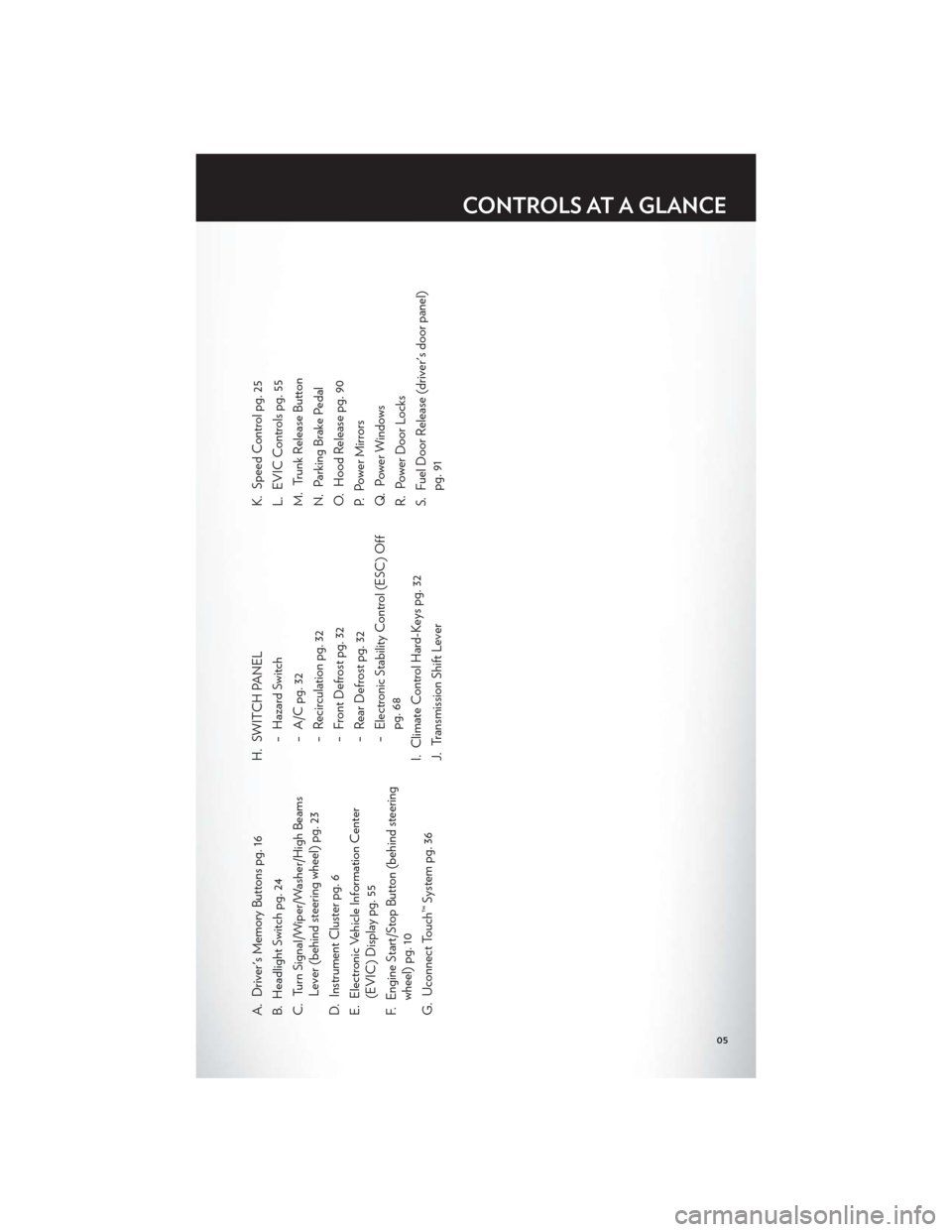
A. Driver's Memory Buttons pg. 16
B. Headlight Switch pg. 24
C. Turn Signal/Wiper/Washer/High BeamsLever (behind steering wheel) pg. 23
D. Instrument Cluster pg. 6
E. Electronic Vehicle Information Center (EVIC) Display pg. 55
F. Engine Start/Stop Button (behind steering wheel) pg. 10
G. Uconnect Touch™ System pg. 36 H. SWITCH PANEL
− Hazard Switch
− A/C pg. 32
− Recirculation pg. 32
− Front Defrost pg. 32
− Rear Defrost pg. 32
− Electronic Stability Control (ESC) Offpg. 68
I. Climate Control Hard-Keys pg. 32
J. Transmission Shift Lever K. Speed Control pg. 25
L. EVIC Controls pg. 55
M. Trunk Release Button
N. Parking Brake Pedal
O. Hood Release pg. 90
P. Power Mirrors
Q. Power Windows
R. Power Door Locks
S. Fuel Door Release (driver's door panel)
pg. 91
CONTROLS AT A GLANCE
05
Page 8 of 124
INSTRUMENT CLUSTER
Warning Lights
- Low Fuel Warning Light
- Charging System Light**
- Oil Pressure Warning Light
- Anti-Lock Brake (ABS) Light**
- Air Bag Warning Light**
- Electronic Throttle Control (ETC) Light
- Tire Pressure Monitoring System (TPMS) Light
- Engine Temperature Warning Light
- Seat Belt Reminder Light
BRAKE- Brake Warning Light**
- Malfunction Indicator Light (MIL)**
- Electronic Stability Control (ESC) Activation/Malfunction Indicator Light*
(See page 68 for more information.)
CONTROLS AT A GLANCE
06
Page 9 of 124
Indicators
- Turn Signal Indicators
- High Beam Indicator
- Front Fog Light Indicator
- Vehicle Security Indicator*
- Electronic Speed Control ONIndicator
- Electronic Speed Control SETIndicator
- Adaptive Cruise Control (ACC)ON Indicator*
- Adaptive Cruise Control (ACC)SET Indicator*
- Electronic Stability Control(ESC) Off Indicator*
- Windshield Washer Fluid LowIndicator
- Door Ajar Indicator
- Decklid Ajar Indicator
SPORT- Sport Mode Indicator
EVIC Messages
ECO/Fuel Economy Oil Change Due
Low Tire Pressure Press Brake Pedal and Push Button to Start
Turn Signal On
* If equipped
** Bulb Check with Key On
CONTROLS AT A GLANCE
07
Page 10 of 124
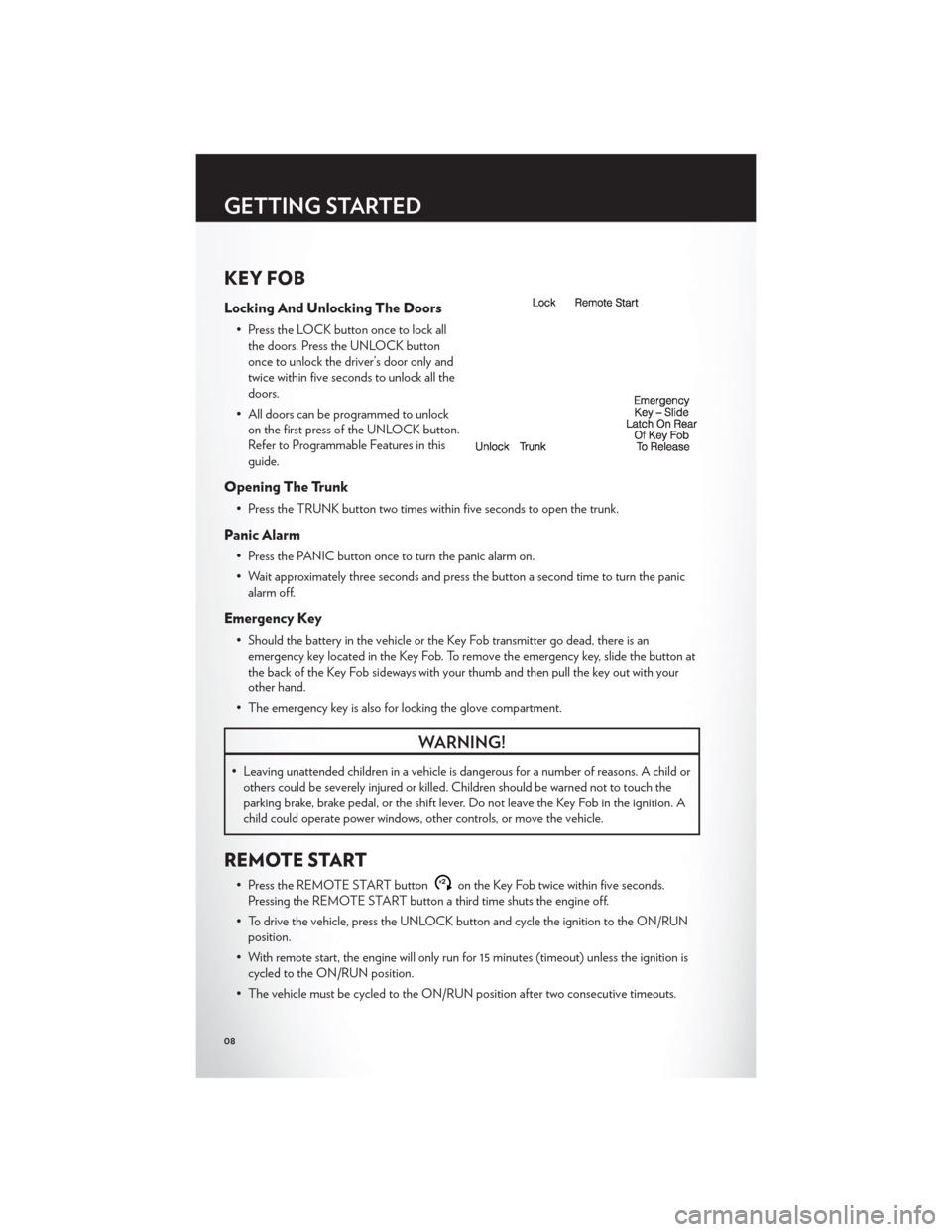
KEY FOB
Locking And Unlocking The Doors
• Press the LOCK button once to lock allthe doors. Press the UNLOCK button
once to unlock the driver’s door only and
twice within five seconds to unlock all the
doors.
• All doors can be programmed to unlock on the first press of the UNLOCK button.
Refer to Programmable Features in this
guide.
Opening The Trunk
• Press the TRUNK button two times within five seconds to open the trunk.
Panic Alarm
• Press the PANIC button once to turn the panic alarm on.
• Wait approximately three seconds and press the button a second time to turn the panicalarm off.
Emergency Key
• Should the battery in the vehicle or the Key Fob transmitter go dead, there is anemergency key located in the Key Fob. To remove the emergency key, slide the button at
the back of the Key Fob sideways with your thumb and then pull the key out with your
other hand.
• The emergency key is also for locking the glove compartment.
WARNING!
• Leaving unattended children in a vehicle is dangerous for a number of reasons. A child or others could be severely injured or killed. Children should be warned not to touch the
parking brake, brake pedal, or the shift lever. Do not leave the Key Fob in the ignition. A
child could operate power windows, other controls, or move the vehicle.
REMOTE START
• Press the REMOTE START buttonx2on the Key Fob twice within five seconds.
Pressing the REMOTE START button a third time shuts the engine off.
• To drive the vehicle, press the UNLOCK button and cycle the ignition to the ON/RUN position.
• With remote start, the engine will only run for 15 minutes (timeout) unless the ignition is cycled to the ON/RUN position.
• The vehicle must be cycled to the ON/RUN position after two consecutive timeouts.
GETTING STARTED
08
Page 12 of 124
NOTE:
• If “Unlock All Doors 1st Press” is programmed all doors will unlock when you grab hold ofthe front driver's door handle. To select between “Unlock Driver Door 1st Press” and
“Unlock All Doors 1st Press”, refer to the Uconnect Touch™ Settings in your vehicle's
Owner's Manual on the DVD or Programmable Features in this guide for further
information.
• If “Unlock All Doors 1st Press” is programmed all doors and trunk will unlock when you press the trunk button. If “Unlock Driver Door 1st Press” is programmed only the trunk will unlock
when you press the trunk button. To select between “Unlock Driver Door 1st Press” and
“Unlock All Doors 1st Press”, refer to the Uconnect Touch™ Settings in your vehicle's
Owner's Manual on the DVD or Programmable Features in this guide for further
information.
• If a Key Fob is detected in the vehicle when locking the vehicle using the power door lock switch, the doors and trunk will unlock and the horn will chirp three times. On the third
attempt, your Key Fob can be locked inside the vehicle.
• After pressing the Keyless Enter-N-Go™ LOCK button, you must wait 2 seconds before you can lock or unlock the vehicle using the door handle. This is done to allow you to check if
the vehicle is locked by pulling the door handle, without the vehicle reacting and unlocking.
• If a Keyless Enter-N-Go™ door handle has not been used for 72 hours, the Keyless Enter-N-Go™ feature for that handle may time out. Pulling the deactivated front door
handle will reactivate the door handle's Keyless Enter-N-Go™ feature.
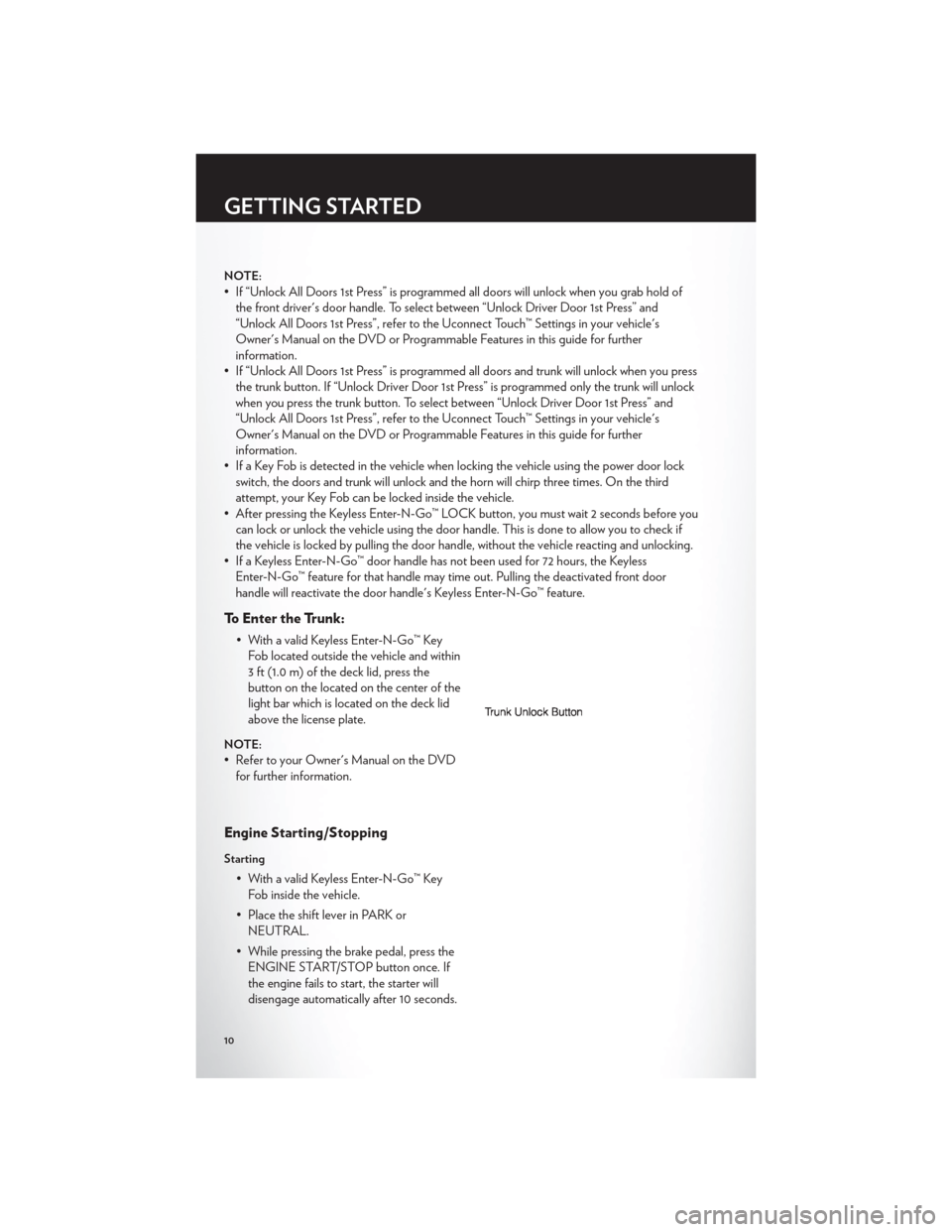
To Enter the Trunk:
• With a valid Keyless Enter-N-Go™ KeyFob located outside the vehicle and within
3 ft (1.0 m) of the deck lid, press the
button on the located on the center of the
light bar which is located on the deck lid
above the license plate.
NOTE:
• Refer to your Owner's Manual on the DVDfor further information.
Engine Starting/Stopping
Starting
• With a valid Keyless Enter-N-Go™ KeyFob inside the vehicle.
• Place the shift lever in PARK or NEUTRAL.
• While pressing the brake pedal, press the ENGINE START/STOP button once. If
the engine fails to start, the starter will
disengage automatically after 10 seconds.
GETTING STARTED
10
Page 13 of 124
• To stop the cranking of the engine prior to the engine starting, press the button again.
NOTE:
• In case the ignition switch does not change with the push of a button, the RKE transmitter(Key Fob) may have a low or dead battery. In this situation a back up method can be used to
operate the ignition switch. Put the nose side of the Key Fob against the ENGINE
START/STOP button and push to operate the ignition switch.
Stopping
• Place the shift lever in PARK.
• Press the ENGINE START/STOP button once. The ignition switch will return to theOFF position.
• If the shift lever is not in PARK, the ENGINE START/STOP button must be held for
two seconds and vehicle speed must be above 5 mph (8 km/h) before the engine will
shut off.
Accessory Positions with Engine Off
NOTE:
• The following functions are with the driver’s foot OFF the Brake Pedal (Transmission in PARK or NEUTRAL Position).
Starting With The Ignition Switch In The OFF Position:
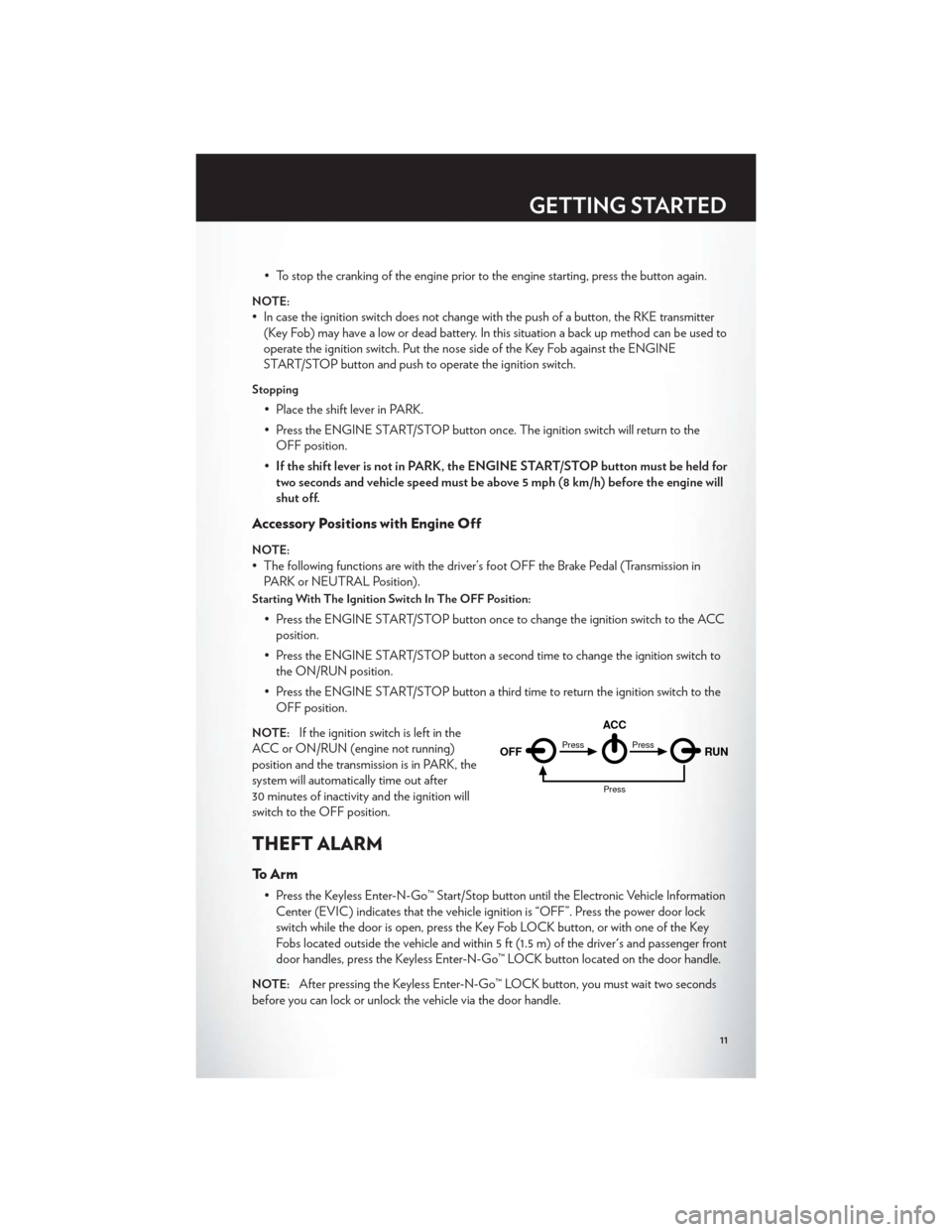
• Press the ENGINE START/STOP button once to change the ignition switch to the ACCposition.
• Press the ENGINE START/STOP button a second time to change the ignition switch to the ON/RUN position.
• Press the ENGINE START/STOP button a third time to return the ignition switch to the OFF position.
NOTE:If the ignition switch is left in the
ACC or ON/RUN (engine not running)
position and the transmission is in PARK, the
system will automatically time out after
30 minutes of inactivity and the ignition will
switch to the OFF position.
THEFT ALARM
To Arm
• Press the Keyless Enter-N-Go™ Start/Stop button until the Electronic Vehicle Information Center (EVIC) indicates that the vehicle ignition is “OFF”. Press the power door lock
switch while the door is open, press the Key Fob LOCK button, or with one of the Key
Fobs located outside the vehicle and within 5 ft (1.5 m) of the driver's and passenger front
door handles, press the Keyless Enter-N-Go™ LOCK button located on the door handle.
NOTE:After pressing the Keyless Enter-N-Go™ LOCK button, you must wait two seconds
before you can lock or unlock the vehicle via the door handle.
OFF RUN
ACCPress
Press
Press
GETTING STARTED
11
Page 18 of 124
FRONT SEATS
Power Seats
• The power seat switches are located onthe outboard side of the front seat
cushions.
• The seat switch controls, forward/ backward, up/down or to recline the seat.
The passenger’s seat will move up or
down, forward or rearward.
• The recline switch controls the angle of the seatback. Press the switch forward or
rearward and the seatback will move in
either direction.
Power Lumbar
• Push the switch forward to increase thelumbar support. Push the switch rearward
to decrease the lumbar support.
• Pushing upward or downward on the switch will raise and lower the position of
the support.
Memory Seat
• The memory seat feature allows you tosave two different driver seating positions,
driver's outside mirror, adjustable brake
and accelerator pedals, power tilt and
telescopic steering column and radio
station preset settings. The memory seat
buttons are located on the driver's door
panel.
• Adjust all memory profile settings, press the SET (S) button then press 1 or 2 within
five seconds.
• Your Key Fob can be programmed to recall one of two pre-programmed memory profiles by pressing the UNLOCK button on the Key Fob.
• To program your Key Fobs, perform the following: • Change the ignition to OFF.
GETTING STARTED
16
Page 27 of 124
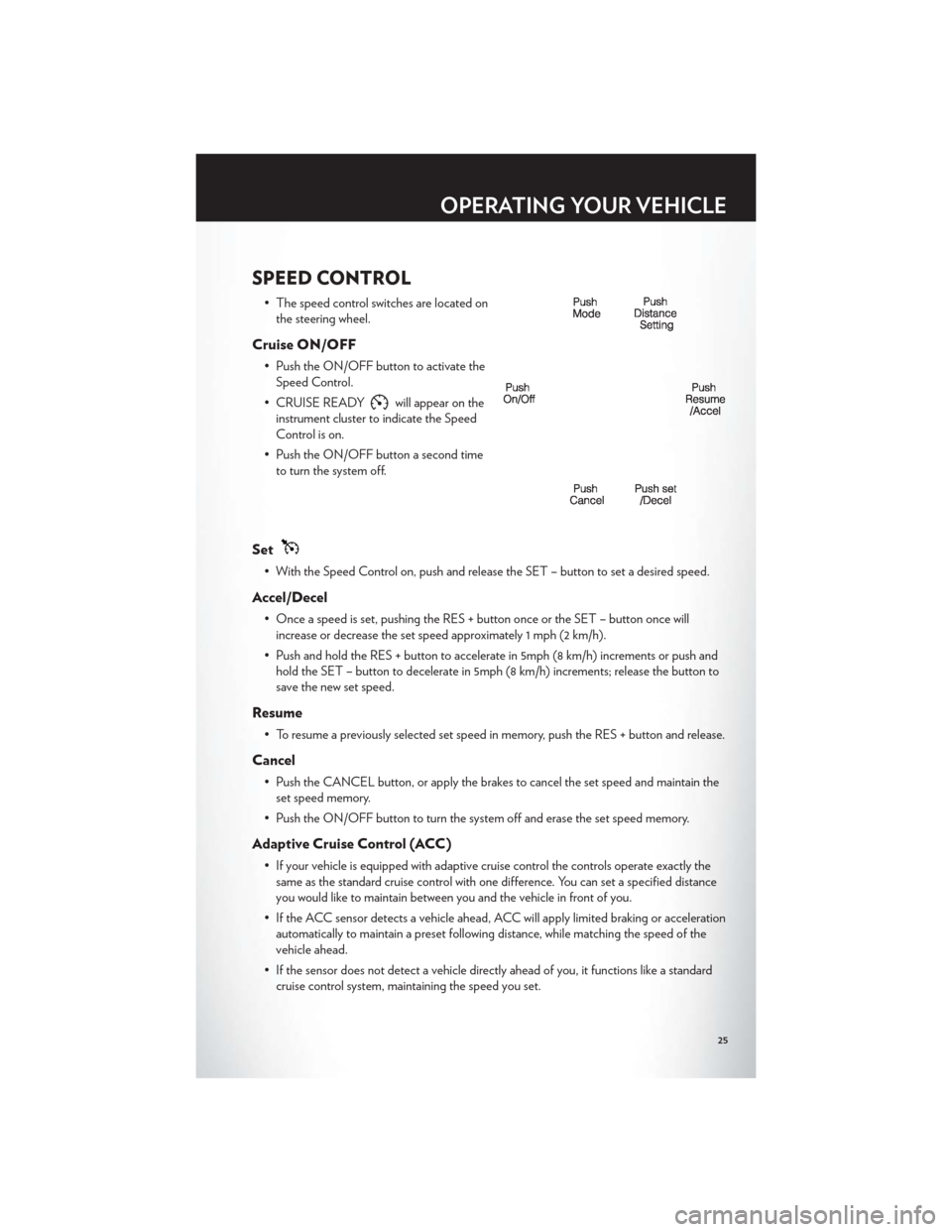
SPEED CONTROL
• The speed control switches are located onthe steering wheel.
Cruise ON/OFF
• Push the ON/OFF button to activate theSpeed Control.
• CRUISE READY
will appear on the
instrument cluster to indicate the Speed
Control is on.
• Push the ON/OFF button a second time to turn the system off.
Set
• With the Speed Control on, push and release the SET – button to set a desired speed.
Accel/Decel
• Once a speed is set, pushing the RES + button once or the SET – button once willincrease or decrease the set speed approximately 1 mph (2 km/h).
• Push and hold the RES + button to accelerate in 5mph (8 km/h) increments or push and hold the SET – button to decelerate in 5mph (8 km/h) increments; release the button to
save the new set speed.
Resume
• To resume a previously selected set speed in memory, push the RES + button and release.
Cancel
• Push the CANCEL button, or apply the brakes to cancel the set speed and maintain theset speed memory.
• Push the ON/OFF button to turn the system off and erase the set speed memory.
Adaptive Cruise Control (ACC)
• If your vehicle is equipped with adaptive cruise control the controls operate exactly the same as the standard cruise control with one difference. You can set a specified distance
you would like to maintain between you and the vehicle in front of you.
• If the ACC sensor detects a vehicle ahead, ACC will apply limited braking or acceleration automatically to maintain a preset following distance, while matching the speed of the
vehicle ahead.
• If the sensor does not detect a vehicle directly ahead of you, it functions like a standard cruise control system, maintaining the speed you set.
OPERATING YOUR VEHICLE
25
Page 29 of 124

NOTE:This setting gives you the most reaction time.
Near
• Changing the FCW status to the “Near” setting, allows the system to warn you of apotential frontal collision when you are much closer.
• This setting provides less reaction time than the “Far” setting, which allows for a more dynamic driving experience.
• More dynamic or aggressive drivers that want to avoid frequent warnings may prefer this setting.
Off
• Changing the FCW status to “Off ” prevents the system from warning you of a potentialfrontal collision.
NOTE:
• If FCW is set to “Off ”, “FCW OFF” will be displayed in the EVIC.
Refer to the Owner's Manual on the DVD for further details.
WARNING!
• Leaving the Electronic or Adaptive Speed Control system on when not in use isdangerous. You could accidentally set the system or cause it to go faster than you want.
You could lose control and have a collision. Alway s leave the Electronic or Adaptive
Speed Control system off when you are not using it.
• Electronic Speed Control can be dangerous where the system cannot maintain a constant speed. Your vehicle could go too fast for the conditions, and you could lose
control. A collision could be the result. Do not use Electronic Speed Control in heavy
traffic or on roads that are winding, icy, snow-covered or slippery.
• Adaptive Cruise Control (ACC) is a convenience system. It is not a substitute for active driving involvement. Pay attention to road, traffic, and weather conditions, vehicle speed,
distance to the vehicle ahead; and, brake operation to ensure safe operation of the
vehicle under all road conditions. Your attention is always required while driving to
maintain safe control of your vehicle. Failure to follow these warnings can result in a
collision or serious personal injury.
The ACC system:
• Does not react to pedestrians, oncoming vehicles, and stationary objects (i.e., a stopped vehicle in a traffic jam or a disabled vehicle).
• Cannot take street, traffic, and weather conditions into account, and may be limited upon adverse sight distance conditions.
• Does not predict the lane curvature or the movement of preceding vehicles and will not compensate for such changes.
• Does not always fully recognize complex driving conditions, which can result in wrong or missing distance warnings.
(Continued)
OPERATING YOUR VEHICLE
27