reset CHRYSLER 300 2013 2.G Owner's Manual
[x] Cancel search | Manufacturer: CHRYSLER, Model Year: 2013, Model line: 300, Model: CHRYSLER 300 2013 2.GPages: 592, PDF Size: 4.48 MB
Page 342 of 592
•Perform Compass Calibration
Touch the Calibration soft-key to change this setting. This
compass is self-calibrating, which eliminates the need to
manually reset the compass. When the vehicle is new, the
compass may appear erratic and the EVIC will display
CAL until the compass is calibrated. You may also
calibrate the compass by pressing the ON soft-key and
completing one or more 360-degree turns (in an area free
from large metal or metallic objects) until the CAL
indicator displayed in the EVIC turns off. The compass
will now function normally.
Audio
After pressing the Audio soft-key the following settings
will be available.
• Balance/Fade
When in this display you may adjust the Balance and
Fade settings. •
Equalizer
When in this display you may adjust the Bass, Mid and
Treble settings. Adjust the settings with the + and –
setting soft-keys or by selecting any point on the scale
between the + and – soft-keys. Then touch the arrow back
soft-key.
NOTE: Bass/Mid/Treble allow you to simply slide your
finger up or down to change the setting as well as touch
directly on the desired setting.
• Speed Adjusted Volume
This feature increases or decreases volume relative to
vehicle speed. To change the Speed Adjusted Volume
touch the Off, 1, 2 or 3 soft-key. Then touch the arrow
back soft-key.
340 UNDERSTANDING YOUR INSTRUMENT PANEL
Page 347 of 592
Pressing the center button will make the radio switch
between the various modes available (AM/FM/SAT/
CD/HDD/AUX/VES, etc.).
The left-hand control is a rocker-type switch with a
pushbutton in the center. The function of the left-hand
control is different depending on which mode you are in.
The following describes the left-hand control operation in
each mode.
Radio Operation
Pressing the top of the switch will “Seek” up for the next
listenable station and pressing the bottom of the switch
will “Seek” down for the next listenable station.
The button located in the center of the left-hand control
will tune to the next preset station that you have pro-
grammed in the radio preset pushbutton.
CD Player
Pressing the top of the switch once will go to the next
track on the CD. Pressing the bottom of the switch once
will go to the beginning of the current track, or to the
beginning of the previous track if it is within one second
after the current track begins to play.
If you press the switch up or down twice, it plays the
second track; three times, it will play the third, etc.
The center button on the left side rocker switch has no
function for a single-disc CD player. However, when a
multiple-disc CD player is equipped on the vehicle, the
center button will select the next available CD in the
player.
4
UNDERSTANDING YOUR INSTRUMENT PANEL 345
Page 381 of 592
SPORT – If Equipped
This mode alters the transmission’s automatic shift
schedule for sportier driving. Upshift speeds are in-
creased to make full use of available engine power. To
switch between DRIVE and SPORT modes, tap the shift
lever rearward. SPORT mode is only accessible from
DRIVE.
LOW – If Equipped
Use this range for engine braking when descending very
steep grades. In this range, the transmission will down-
shift for increased engine braking. LOW mode is only
accessible from DRIVE.
Transmission Limp Home Mode
Transmission function is monitored electronically for
abnormal conditions. If a condition is detected that could
result in transmission damage, Transmission Limp Home
Mode is activated. In this mode, the transmission mayoperate only in certain gears, or may not shift at all.
Vehicle performance may be severely degraded and the
engine may stall. In some situations, the transmission
may not re-engage if the engine is turned off and
restarted. The Malfunction Indicator Light (MIL) may be
illuminated. A message in the instrument cluster will
inform the driver of the more serious conditions, and
indicate what actions may be necessary.
In the event of a momentary problem, the transmission
can be reset to regain all forward gears by performing the
following steps.
NOTE:
In cases where the instrument cluster message
indicates the transmission may not re-engage after en-
gine shutdown, perform this procedure only in a desired
location (preferably, at your authorized dealer).
1. Stop the vehicle.
2. Shift the transmission into PARK, if possible.
5
STARTING AND OPERATING 379
Page 382 of 592
3. Turn the engine OFF.
4. Wait approximately 30 seconds.
5. Restart the engine.
6. Shift into the desired gear range. If the problem is nolonger detected, the transmission will return to normal
operation.
NOTE: Even if the transmission can be reset, we recom-
mend that you visit your authorized dealer at your
earliest possible convenience. Your authorized dealer has
diagnostic equipment to determine if the problem could
recur.
If the transmission cannot be reset, authorized dealer
service is required.Five-Speed Automatic Transmission – If
Equipped
The shift lever position display (located in the instrument
cluster) indicates the transmission gear range. You must
press the brake pedal to move the shift lever out of PARK
(refer to “Brake/Transmission Shift Interlock System” in
this section). To drive, move the shift lever from PARK or
NEUTRAL to the DRIVE position.
The electronically-controlled transmission provides a
precise shift schedule. The transmission electronics are
self-calibrating; therefore, the first few shifts on a new
vehicle may be somewhat abrupt. This is a normal
condition, and precision shifts will develop within a few
hundred miles (kilometers).
Only shift from DRIVE to PARK or REVERSE when the
accelerator pedal is released and the vehicle is stopped.
Be sure to keep your foot on the brake pedal when
shifting between these gears.
380 STARTING AND OPERATING
Page 388 of 592
toggle between DRIVE and SPORT modes, touch the
SPORT button (on the Controls screen in the center touch
panel).
Transmission Limp Home Mode
Transmission function is monitored electronically for
abnormal conditions. If a condition is detected that could
result in transmission damage, Transmission Limp Home
Mode is activated. In this mode, the transmission remains
in the current gear until the vehicle is brought to a stop.
After the vehicle has stopped, the transmission will
remain in second gear regardless of which forward gear
is selected. PARK, REVERSE, and NEUTRAL will con-
tinue to operate. Limp Home Mode allows the vehicle to
be driven to an authorized dealer for service without
damaging the transmission.In the event of a momentary problem, the transmission
can be reset to regain all forward gears by performing the
following steps:
1. Stop the vehicle.
2. Shift the transmission into PARK.
3. Turn the engine OFF.
4. Wait approximately 10 seconds.
5. Restart the engine.
6. Shift into the desired gear range. If the problem is no
longer detected, the transmission will return to normal
operation.
NOTE: Even if the transmission can be reset, we recom-
mend that you visit your authorized dealer at your
earliest possible convenience. Your authorized dealer has
diagnostic equipment to determine if the problem could
recur.
386 STARTING AND OPERATING
Page 389 of 592
If the transmission cannot be reset, authorized dealer
service is required.
Overdrive Operation
The automatic transmission includes an electronically
controlled Overdrive (fifth gear). The transmission will
automatically shift into Overdrive if the following con-
ditions are present:
•the shift lever is in the DRIVE position,
• vehicle speed is sufficiently high, and
• the driver is not heavily pressing the accelerator.
AUTOSTICK®
AutoStick® is a driver-interactive transmission feature
providing manual shift control, giving you more control
of the vehicle. AutoStick® allows you to maximize en-
gine braking, eliminate undesirable upshifts and down-
shifts, and improve overall vehicle performance. This system can also provide you with more control
during passing, city driving, cold slippery conditions,
mountain driving, trailer towing, and many other situa-
tions.
Operation – Eight-Speed Transmission – If
Equipped
When the transmission is in DRIVE or SPORT mode, it
will operate automatically, shifting between the eight
available gears. To engage AutoStick®, simply tap one of
the steering wheel-mounted shift paddles (+/-) while in
DRIVE or SPORT mode. Tapping (-) to enter AutoStick®
mode will downshift the transmission to the next lower
gear, while using (+) to enter AutoStick® mode will
retain the current gear. When AutoStick® is active, the
current transmission gear is displayed in the instrument
cluster. In AutoStick® mode, the transmission will only
shift up or down when (+/-) is manually selected by the
driver, unless an engine lugging or overspeed condition
5
STARTING AND OPERATING 387
Page 445 of 592
CAUTION!
DO NOT use gasoline containing Methanol or gaso-
line containing more than 10% Ethanol. Use of these
blends may result in starting and driveability prob-
lems, damage critical fuel system components, cause
emissions to exceed the applicable standard, and/or
cause the “Malfunction Indicator Light” to illumi-
nate. Pump labels should clearly communicate if a
fuel contains greater than 10% Ethanol.
Problems that result from using gasoline containing
Methanol or gasoline containing more than 10% Ethanol
are not the responsibility of the manufacturer and may
not be covered under warranty.
E-85 Usage In Non-Flex Fuel Vehicles
Non-FFV vehicles are compatible with gasoline contain-
ing 10% ethanol (E10). Gasoline with higher ethanol
content may void the vehicle’s warranty. If a Non-FFV vehicle is inadvertently fueled with E-85
fuel, the engine will have some or all of these symptoms:
•
operate in a lean mode
• OBD II “Malfunction Indicator Light” on
• poor engine performance
• poor cold start and cold drivability
• increased risk for fuel system component corrosion
To fix a Non-FFV vehicle inadvertently fueled once with
E-85 perform the following:
• drain the fuel tank (see your authorized dealer)
• change the engine oil and oil filter
• disconnect and reconnect the battery to reset the
engine controller memory
More extensive repairs will be required for prolonged
exposure to E-85 fuel.
5
STARTING AND OPERATING 443
Page 492 of 592
To Reset The Manual Park Release:
1. Push the latch (at the base of the lever, on the rear side)rearward (away from the lever) to unlatch the lever.
2. Rotate the Manual Park Release lever forward and down, to its original position, until the locking tab
snaps into place to secure the lever. 3. Pull up gently on the tether strap to confirm that the
lever is locked in its stowed position.
4. Tuck the tether strap into the base of the console. Reinstall the console storage bin.
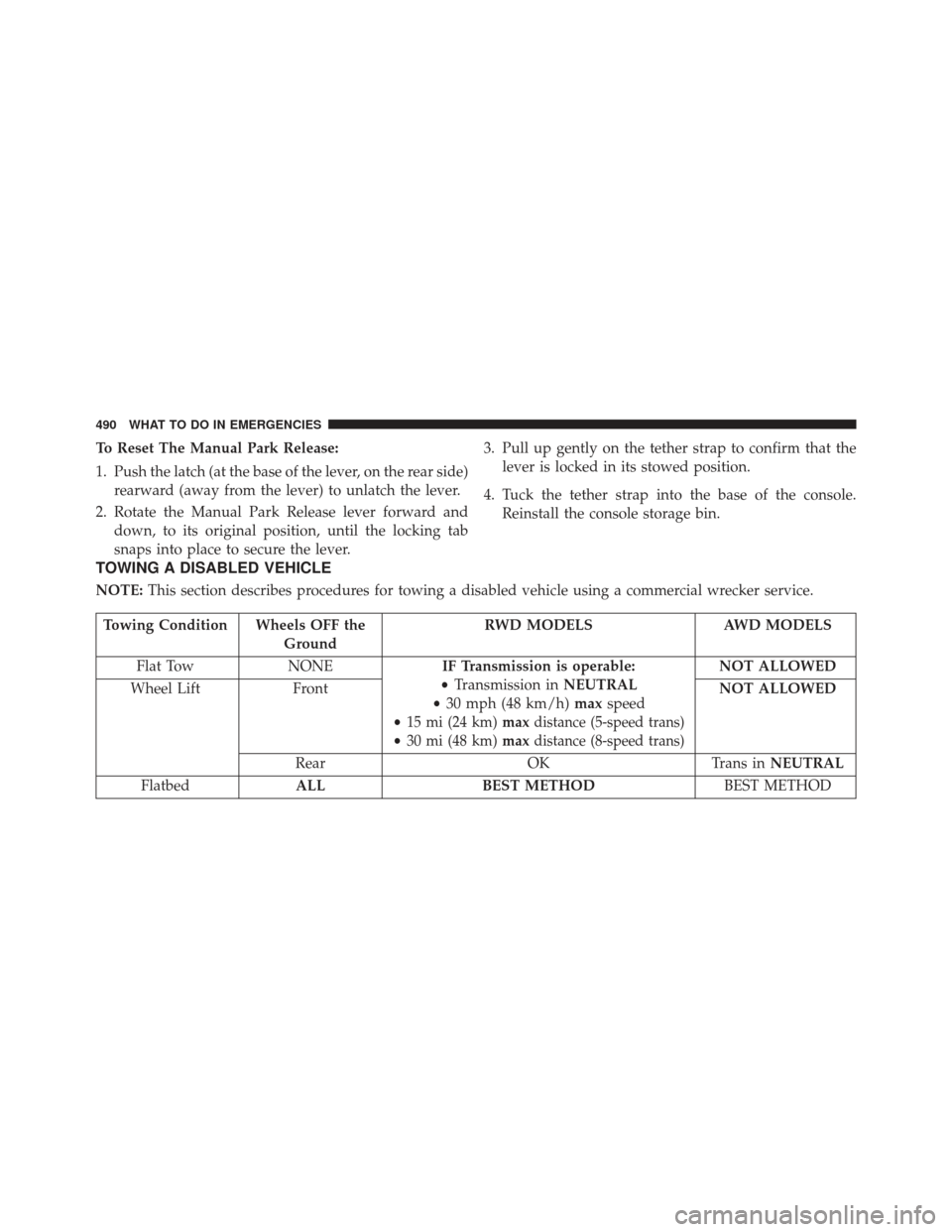
TOWING A DISABLED VEHICLE
NOTE: This section describes procedures for towing a disabled vehicle using a commercial wrecker service.
Towing Condition Wheels OFF the
Ground RWD MODELS
AWD MODELS
Flat Tow NONE IF Transmission is operable:
• Transmission in NEUTRAL
• 30 mph (48 km/h) maxspeed
•
15 mi (24 km) maxdistance (5-speed trans)
•30 mi (48 km)maxdistance (8-speed trans)
NOT ALLOWED
Wheel Lift Front NOT ALLOWED
Rear OKTrans inNEUTRAL
Flatbed ALL BEST METHOD BEST METHOD
490 WHAT TO DO IN EMERGENCIES
Page 525 of 592
CAUTION!
Do not use chemical flushes in your transmission as
the chemicals can damage your transmission compo-
nents. Such damage is not covered by the New
Vehicle Limited Warranty.
Fluid Level Check
The fluid level is preset at the factory and does not
require adjustment under normal operating conditions.
Routine fluid level checks are not required, therefore the
transmission has no dipstick. Your authorized dealer can
check your transmission fluid level using special service
tools.
If you notice fluid leakage or transmission malfunction,
visit your authorized dealer immediately to have the
transmission fluid level checked. Operating the vehiclewith an improper fluid level can cause severe transmis-
sion damage.
CAUTION!
•
If a transmission fluid leak occurs, visit your au-
thorized dealer immediately. Severe transmission
damage may occur. Your authorized dealer has the
proper tools to adjust the fluid level accurately.
Fluid And Filter Changes
Refer to the “Maintenance Schedule” for the proper
maintenance intervals.
In addition, change the fluid and filter if the transmission
is disassembled for any reason.
7
MAINTAINING YOUR VEHICLE 523
Page 554 of 592
MAINTENANCE SCHEDULE
Your vehicle is equipped with an automatic oil change
indicator system. The oil change indicator system will
remind you that it is time to take your vehicle in for
scheduled maintenance.
Based on engine operation conditions, the oil change
indicator message will illuminate. This means that ser-
vice is required for your vehicle. Operating conditions
such as frequent short-trips, trailer tow, extremely hot or
cold ambient temperatures, and E85 fuel usage will
influence when the “Change Oil” or “Oil Change Re-
quired” message is displayed. Severe Operating Condi-
tions can cause the change oil message to illuminate as
early as 3,500 miles (5,600 km) since last reset. Have your
vehicle serviced as soon as possible, within the next 500
miles (805 km).On Electronic Vehicle Information Center (EVIC)
equipped vehicles, “Oil Change Required” will be dis-
played in the EVIC and a single chime will sound,
indicating that an oil change is necessary.
On Non-EVIC equipped vehicles, “Change Oil” will flash
in the instrument cluster odometer and a single chime
will sound, indicating that an oil change is necessary.
Your authorized dealer will reset the oil change indicator
message after completing the scheduled oil change. If a
scheduled oil change is performed by someone other
than your authorized dealer, the message can be reset by
referring to the steps described under “Electronic Vehicle
Information Center (EVIC)/Oil Change Required” in
“Understanding Your Instrument Panel” or under “In-
strument Cluster Description/Odometer/Trip Odom-
eter” in “Understanding Your Instrument Panel” for
further information.
8
M
A I
N T
E
N
A
N
C E
S
C
H E
D
U L
E
S552 MAINTENANCE SCHEDULES