clock CHRYSLER 300 2015 2.G User Guide
[x] Cancel search | Manufacturer: CHRYSLER, Model Year: 2015, Model line: 300, Model: CHRYSLER 300 2015 2.GPages: 574, PDF Size: 14.59 MB
Page 309 of 574
8. Passenger Temperature Control Down Button
Provides the passenger with independent temperature
control. Push the button on the faceplate for cooler
temperature settings or on the touchscreen, press and
slide the temperature bar button towards the blue arrow
for cooler temperature settings.
NOTE:Pressing this button while in Sync mode will
automatically exit Sync.
9. SYNC
Press the Sync button on the touchscreen to toggle the
Sync feature On/Off. The Sync indicator is illuminated
when this feature is enabled. Sync is used to synchronize
the passenger temperature setting with the driver tem-
perature setting. Changing the passenger temperature
setting while in Sync will automatically exit this feature.
10. Blower Control
Blower control is used to regulate the amount of air
forced through the climate system. There are seven
blower speeds available. Adjusting the blower will cause
automatic mode to switch to manual operation. The
speeds can be selected using either the blower control
knob on the faceplate or the buttons on the touchscreen
as follows:
Blower Control Knob On The Faceplate
The blower speed increases as you turn the blower
control knob clockwise from the lowest blower setting.
The blower speed decreases as you turn the blower
control knob counterclockwise.
4
UNDERSTANDING YOUR INSTRUMENT PANEL 307
Page 353 of 574
access SPORT mode, push down on the gear selector and
rotate it fully clockwise, or press the SPORT button in the
center stack.
LOW (L) — If Equipped
Use this range for engine braking when descending very
steep grades. In this range, the transmission will down-
shift for increased engine braking. To access the LOW
position, push down on the gear selector and rotate it
fully clockwise.
Sport Mode — If Equipped
Your vehicle is equipped with a Sport Mode feature. This
mode is a configuration set up for typical enthusiast
driving. The engine, transmission and steering systems
are all set to their SPORT settings. Sport Mode will
provide improved throttle response and modified shift-
ing for an enhanced driving experience, as well the
greatest amount of steering feel. This mode may be
activated and deactivated by pushing the Sport button on
the instrument panel switch bank.
Transmission Limp Home Mode
Transmission function is monitored electronically for
abnormal conditions. If a condition is detected that could
result in transmission damage, Transmission Limp Home
Mode is activated. In this mode, the transmission may
operate only in certain gears, or may not shift at all.
Vehicle performance may be severely degraded and the
engine may stall. In some situations, the transmission
may not re-engage if the engine is turned off and
restarted. The Malfunction Indicator Light (MIL) may be
illuminated. A message in the instrument cluster will
inform the driver of the more serious conditions, and
indicate what actions may be necessary.
5
STARTING AND OPERATING 351
Page 452 of 574
CAUTION!
Do not attempt to raise the vehicle by jacking on
locations other than those indicated in the Jacking
Instructions for this vehicle.
1. Remove the spare tire, jack, and lug wrench.
2. If equipped with aluminum wheels where the center
cap covers the lug nuts, use the lug wrench to pry the
center cap off carefully before raising the vehicle.
3. Before raising the vehicle, use the lug wrench to
loosen, but not remove, the lug nuts on the wheel with
the flat tire. Turn the lug nuts counterclockwise one
turn while the wheel is still on the ground.
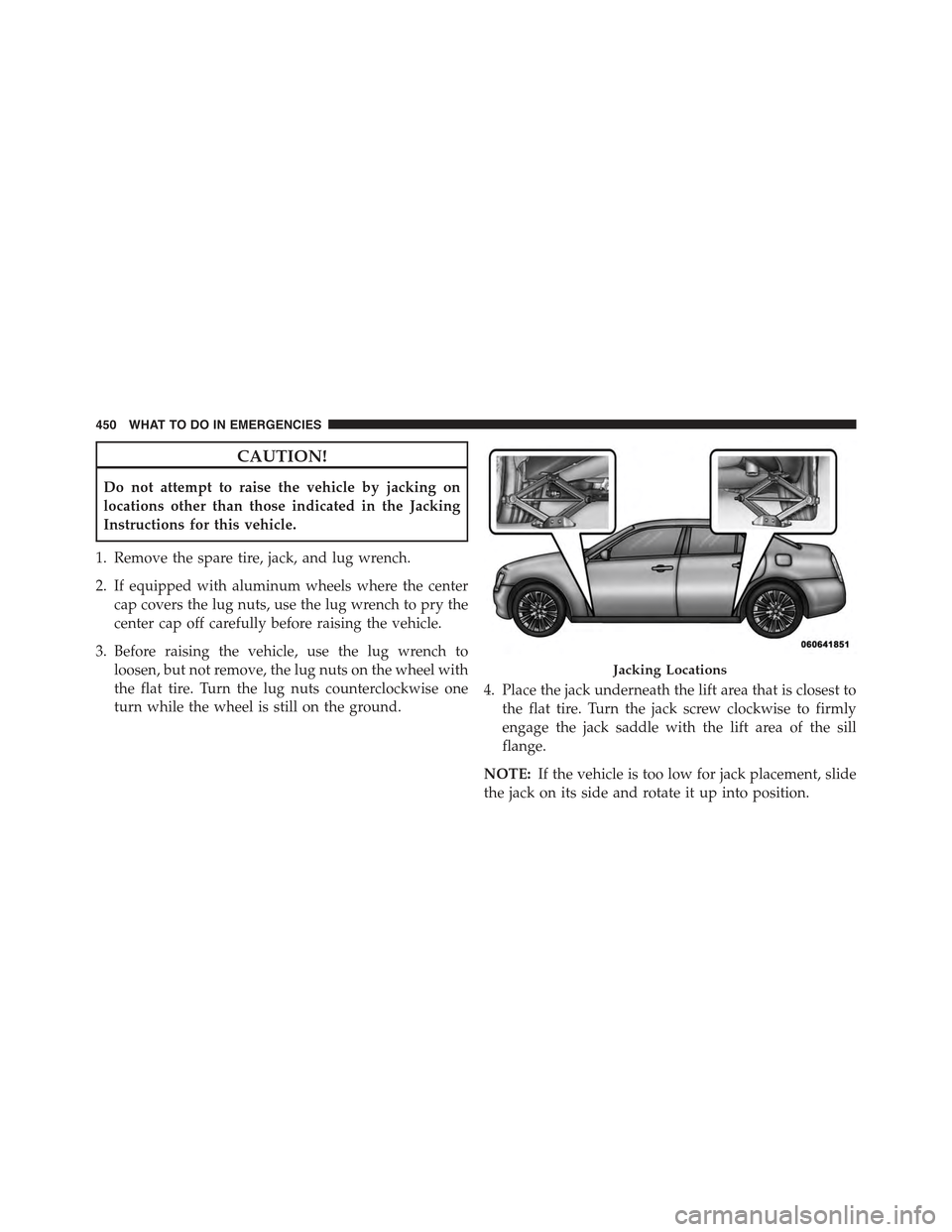
4. Place the jack underneath the lift area that is closest to
the flat tire. Turn the jack screw clockwise to firmly
engage the jack saddle with the lift area of the sill
flange.
NOTE:If the vehicle is too low for jack placement, slide
the jack on its side and rotate it up into position.
Jacking Locations
450 WHAT TO DO IN EMERGENCIES
Page 455 of 574
NOTE:
•For vehicles so equipped, do not attempt to install a
center cap or wheel cover on the compact spare.
•Refer to “Compact Spare Tire” and to “Limited-Use
Spare” under “Tires—General Information” in
“Starting and Operating” for additional warnings,
cautions, and information about the spare tire, its
use, and operation.
8. Install the lug nuts with the cone shaped end of the lug
nut toward the wheel. Lightly tighten the lug nuts.
WARNING!
To avoid the risk of forcing the vehicle off the jack,
do not tighten the lug nuts fully until the vehicle has
been lowered. Failure to follow this warning may
result in personal injury.
9. Lower the vehicle to the ground by turning the jack
handle counterclockwise.
10. Finish tightening the lug nuts. Push down on the
wrench while at the end of the handle for increased
leverage. Tighten the lug nuts in a star pattern until
each nut has been tightened twice. For the correct lug
nut torque refer to Torque Specifications in this
section. If in doubt about the correct tightness, have
them checked with a torque wrench by your autho-
rized dealer or at a service station.
11. Stow the jack, tools and flat tire. Make sure the base
of the jack faces the front of the vehicle before
tightening down the fastener.
6
WHAT TO DO IN EMERGENCIES 453
Page 456 of 574
WARNING!
A loose tire or jack thrown forward in a collision or
hard stop could endanger the occupants of the ve-
hicle. Always stow the jack parts and the spare tire in
the places provided. Have the deflated (flat) tire
repaired or replaced immediately.
Road Tire Installation
1. Mount the road tire on the axle.
2. Install the remaining lug nuts with the cone shaped
end of the nut toward the wheel. Lightly tighten the
lug nuts.
WARNING!
To avoid the risk of forcing the vehicle off the jack,
do not tighten the lug nuts fully until the vehicle has
been lowered. Failure to follow this warning may
result in personal injury.
3. Lower the vehicle to the ground by turning the jack
handle counterclockwise.
4. Refer to Torque Table for proper lug nut torque.
5. After 25 miles (40 km) check the lug nut torque with a
torque wrench to ensure that all lug nuts are properly
seated against the wheel.
454 WHAT TO DO IN EMERGENCIES
Page 519 of 574
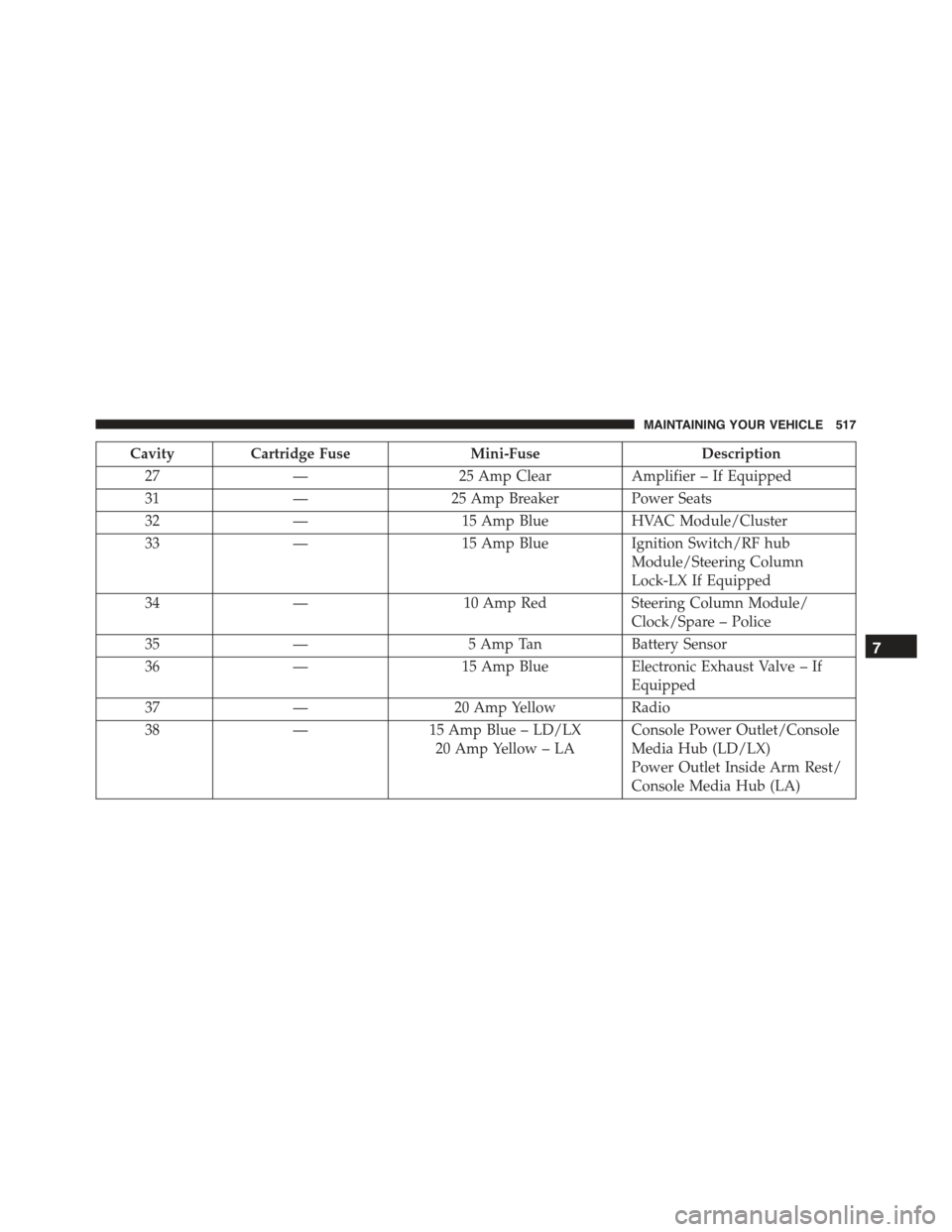
CavityCartridge FuseMini-FuseDescription
27—25 Amp ClearAmplifier – If Equipped
31—25 Amp Breaker Power Seats
32—15 Amp BlueHVAC Module/Cluster
33—15 Amp BlueIgnition Switch/RF hub
Module/Steering Column
Lock-LX If Equipped
34—10 Amp RedSteering Column Module/
Clock/Spare – Police
35—5 Amp TanBattery Sensor
36—15 Amp BlueElectronic Exhaust Valve – If
Equipped
37—20 Amp YellowRadio
38—15 Amp Blue – LD/LX
20 Amp Yellow – LA
Console Power Outlet/Console
Media Hub (LD/LX)
Power Outlet Inside Arm Rest/
Console Media Hub (LA)
7
MAINTAINING YOUR VEHICLE 517
Page 526 of 574
NOTE:On vehicles equipped with HID headlamps,
when the headlamps are turned on, there is a blue hue to
the lights. This diminishes and becomes more white after
approximately 10 seconds, as the system charges.
Standard Low Beam And High Beam Headlamp
1. Open the hood.
NOTE:Removal of the air cleaner filter housing may be
necessary prior to replacing bulbs in the headlamp
assembly on the driver side of the vehicle.
2. Reach behind the headlamp housing to access the
headlamp (outboard) bulb cap.
3. Firmly grasp the cap and rotate it counterclockwise to
unlock it.
4. Twist the headlamp bulb assembly counterclockwise,
and then pull it out of the headlamp assembly.
5. Disconnect the bulb from the wiring assembly and
install the replacement bulb.
6. Reinstall the bulb and wiring assembly into the head-
lamp assembly, and then turn it clockwise.
7. Install the headlamp bulb cap in the headlamp hous-
ing and rotate it clockwise to lock it.
CAUTION!
Do not touch the new bulb with your fingers. Oil
contamination will severely shorten bulb life. If the
bulb comes in contact with an oily surface, clean the
bulb with rubbing alcohol.
524 MAINTAINING YOUR VEHICLE
Page 527 of 574
Front Turn Signal Lamps
1. Open the hood.
NOTE:Removal of the air cleaner filter housing may be
necessary prior to replacing bulbs in the headlamp
assembly on the driver side of the vehicle.
2. Reach behind the headlamp housing to access the turn
signal (inboard) bulb cap.
3. Firmly grasp the cap and rotate it counterclockwise to
unlock it.
4. Squeeze the two tabs on the side of the bulb socket and
pull straight out from the lamp assembly.
5. Disconnect the bulb from the wiring connector and
install the replacement bulb.
6. Install the bulb and connector assembly straight into
the lamp until it locks in place.
7. Install the turn signal bulb cap in the headlamp
housing and rotate clockwise to lock in place.
Front Fog Lamp
The Front Fog Lamps use LED sources that are not
serviceable separately. The Front Fog Lamp must be
replaced as an assembly, see your authorized dealer.7
MAINTAINING YOUR VEHICLE 525
Page 555 of 574
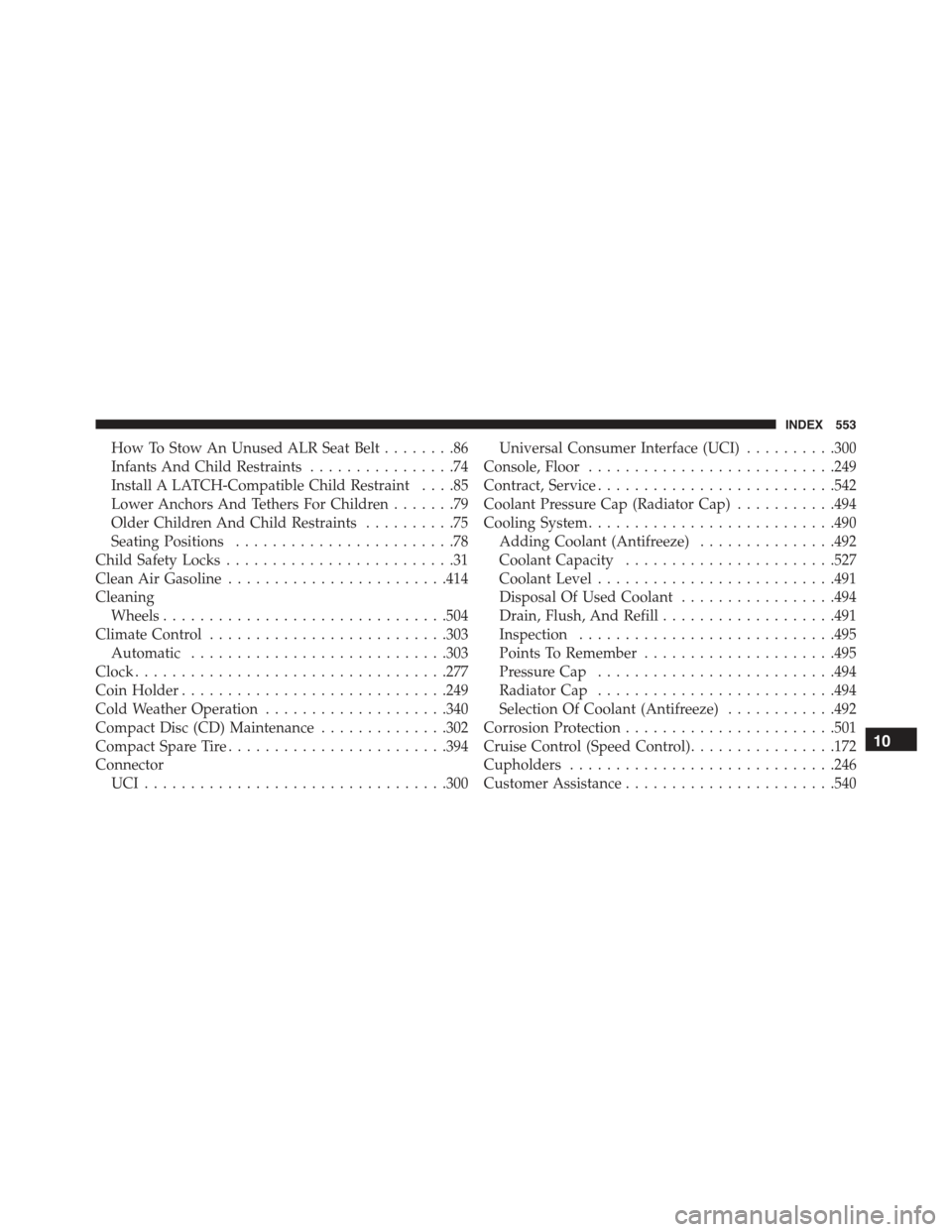
How To Stow An Unused ALR Seat Belt........86
Infants And Child Restraints................74
Install A LATCH-Compatible Child Restraint....85
Lower Anchors And Tethers For Children.......79
Older Children And Child Restraints..........75
Seating Positions........................78
Child Safety Locks.........................31
Clean Air Gasoline........................414
Cleaning
Wheels...............................504
Climate Control..........................303
Automatic............................303
Clock..................................277
Coin Holder.............................249
Cold Weather Operation....................340
Compact Disc (CD) Maintenance..............302
Compact Spare Tire........................394
Connector
UCI . . . . . . . . . . . . . . . . . . . . . . . . . . . . . . . ..300
Universal Consumer Interface (UCI)..........300
Console, Floor...........................249
Contract, Service..........................542
Coolant Pressure Cap (Radiator Cap)...........494
Cooling System...........................490
Adding Coolant (Antifreeze)...............492
Coolant Capacity.......................527
Coolant Level..........................491
Disposal Of Used Coolant.................494
Drain, Flush, And Refill...................491
Inspection............................495
Points To Remember.....................495
Pressure Cap..........................494
Radiator Cap..........................494
Selection Of Coolant (Antifreeze)............492
Corrosion Protection.......................501
Cruise Control (Speed Control)................172
Cupholders.............................246
Customer Assistance.......................540
10
INDEX 553
Page 568 of 574
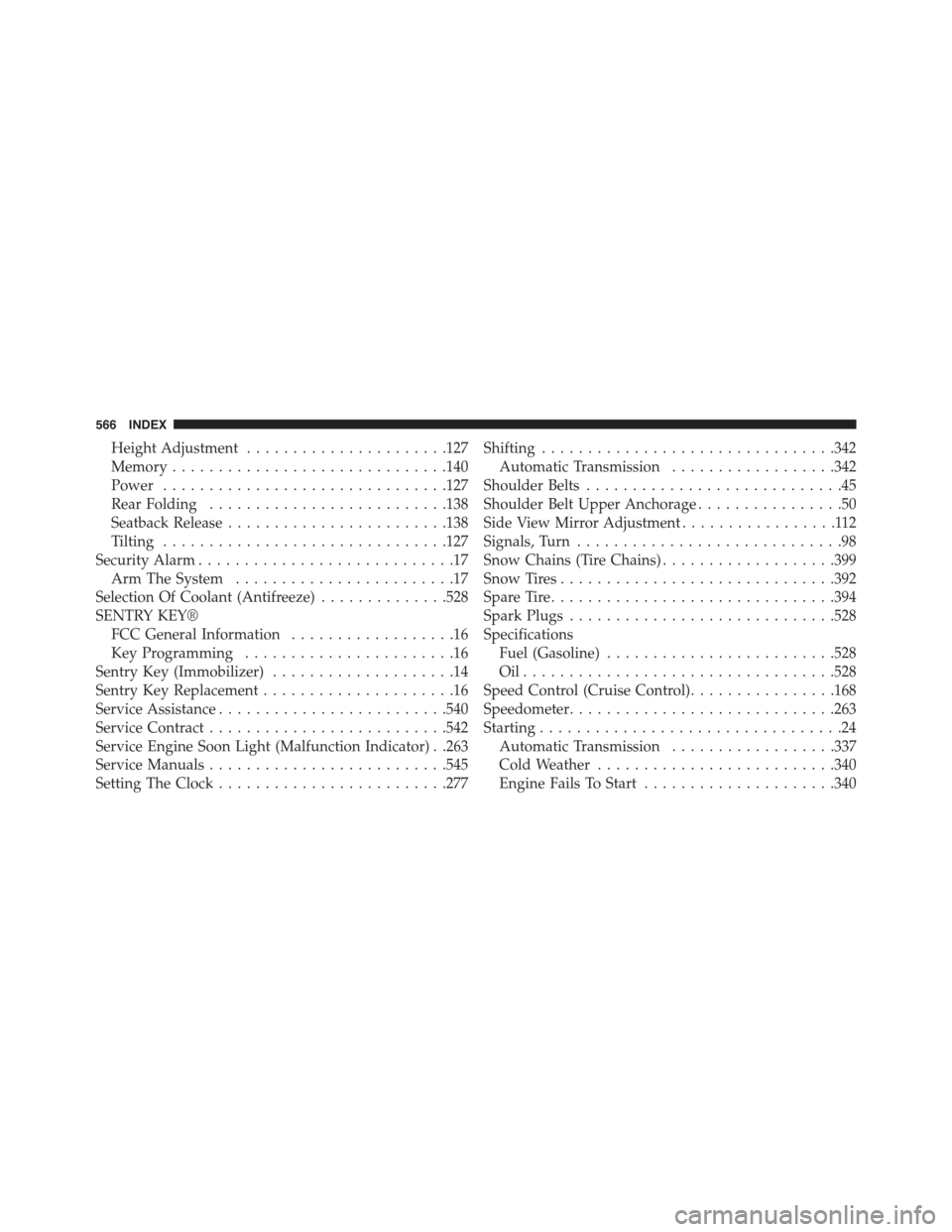
Height Adjustment......................127
Memory..............................140
Power...............................127
Rear Folding..........................138
Seatback Release........................138
Tilting...............................127
Security Alarm............................17
Arm The System........................17
Selection Of Coolant (Antifreeze)..............528
SENTRY KEY®
FCC General Information..................16
Key Programming.......................16
Sentry Key (Immobilizer)....................14
Sentry Key Replacement.....................16
Service Assistance.........................540
Service Contract..........................542
Service Engine Soon Light (Malfunction Indicator) . .263
Service Manuals..........................545
Setting The Clock.........................277
Shifting................................342
Automatic Transmission..................342
Shoulder Belts............................45
Shoulder Belt Upper Anchorage................50
Side View Mirror Adjustment.................112
Signals, Turn.............................98
Snow Chains (Tire Chains)...................399
Snow Tires..............................392
Spare Tire...............................394
Spark Plugs.............................528
Specifications
Fuel (Gasoline).........................528
Oil . . . . . . . . . . . . . . . . . . . . . . . . . . . . . . . . ..528
Speed Control (Cruise Control)................168
Speedometer.............................263
Starting.................................24
Automatic Transmission..................337
Cold Weather..........................340
Engine Fails To Start.....................340
566 INDEX