keyless entry CHRYSLER 300 2015 2.G User Guide
[x] Cancel search | Manufacturer: CHRYSLER, Model Year: 2015, Model line: 300, Model: CHRYSLER 300 2015 2.GPages: 574, PDF Size: 14.59 MB
Page 23 of 574
Flash Lights With Lock
This feature will cause the turn signal lights to flash when
the doors are locked with the RKE transmitter. This
feature can be turned on or turned off. To change the
current setting, refer to “Uconnect® Settings” in “Under-
standing Your Instrument Panel” for further information.
Headlight Illumination On Approach
This feature activates the headlights for up to 90 seconds
when the doors are unlocked with the RKE transmitter.
The time for this feature is programmable on vehicles
equipped through Uconnect®. To change the current
setting, refer to “Uconnect® Settings” in “Understanding
Your Instrument Panel” for further information.
To Lock The Doors
Push and release the LOCK button on the RKE transmit-
ter to lock all doors. The turn signal lights will flash, and
the horn will chirp to acknowledge the signal.
If the vehicle is equipped with Passive Entry, refer to
“Keyless Enter-N-Go™” under “Things To Know Before
Starting Your Vehicle” for further information.
Sound Horn With Lock
This feature will cause the horn to chirp when the doors
are locked with the RKE transmitter. This feature can be
turned on or turned off. To change the current setting,
refer to “Uconnect® Settings” in “Understanding Your
Instrument Panel” for further information.
To Unlatch The Trunk
Push the TRUNK button on the RKE transmitter two
times within five seconds to unlatch the trunk.
If the vehicle is equipped with Passive Entry, refer to
“Keyless Enter-N-Go™” under “Things To Know Before
Starting Your Vehicle” for further information.
2
THINGS TO KNOW BEFORE STARTING YOUR VEHICLE 21
Page 26 of 574
on the battery to the + sign on the inside of the battery
clip, located on the back cover. Avoid touching the
new battery with your fingers. Skin oils may cause
battery deterioration. If you touch a battery, clean it
with rubbing alcohol.
4. To assemble the RKE transmitter case, snap the two
halves together.
General Information
This device complies with Part 15 of the FCC rules and
RSS 210 of Industry Canada. Operation is subject to the
following conditions:
•This device may not cause harmful interference.
•This device must accept any interference received,
including interference that may cause undesired op-
eration.
NOTE:Changes or modifications not expressly approved
by the party responsible for compliance could void the
user’s authority to operate the equipment.
If your RKE transmitter fails to operate from a normal
distance, check for these two conditions:
1. A weak battery in the transmitter. The expected life of
the battery is a minimum of three years.
2. Closeness to a radio transmitter such as a radio station
tower, airport transmitter, and some mobile or CB
radios.
REMOTE STARTING SYSTEM — IF EQUIPPED
This system uses the Remote Keyless Entry
(RKE) transmitter to start the engine conve-
niently from outside the vehicle while still
maintaining security. The system has a range of
approximately 300 ft (91 m).
24 THINGS TO KNOW BEFORE STARTING YOUR VEHICLE
Page 27 of 574
NOTE:
•The vehicle must be equipped with an automatic
transmission to be equipped with Remote Start.
•Obstructions between the vehicle and RKE transmitter
may reduce this range.
How To Use Remote Start
All of the following conditions must be met before the
engine will remote start:
•Vehicle in PARK
•Doors closed
•Hood closed
•Trunk closed
•Hazard switch off
•Brake switch inactive (brake pedal not pushed)
•Battery at an acceptable charge level
•RKE panic button not pushed
•System not disabled from previous remote start event
•Vehicle security alarm not active
•Ignition in OFF position
WARNING!
•Do not start or run an engine in a closed garage or
confined area. Exhaust gas contains Carbon Mon-
oxide (CO) which is odorless and colorless. Carbon
Monoxide is poisonous and can cause serious in-
jury or death when inhaled.
•Keep Remote Keyless Entry (RKE) transmitters
away from children. Operation of the Remote Start
System, windows, door locks or other controls
could cause serious injury or death.
2
THINGS TO KNOW BEFORE STARTING YOUR VEHICLE 25
Page 31 of 574
WARNING!(Continued)
•Do not leave the Key Fob in or near the vehicle, or
in a location accessible to children, and do not
leave the ignition of a vehicle equipped with
Keyless Enter-N-Go™ in the ACC or ON/RUN
mode. A child could operate power windows, other
controls, or move the vehicle.
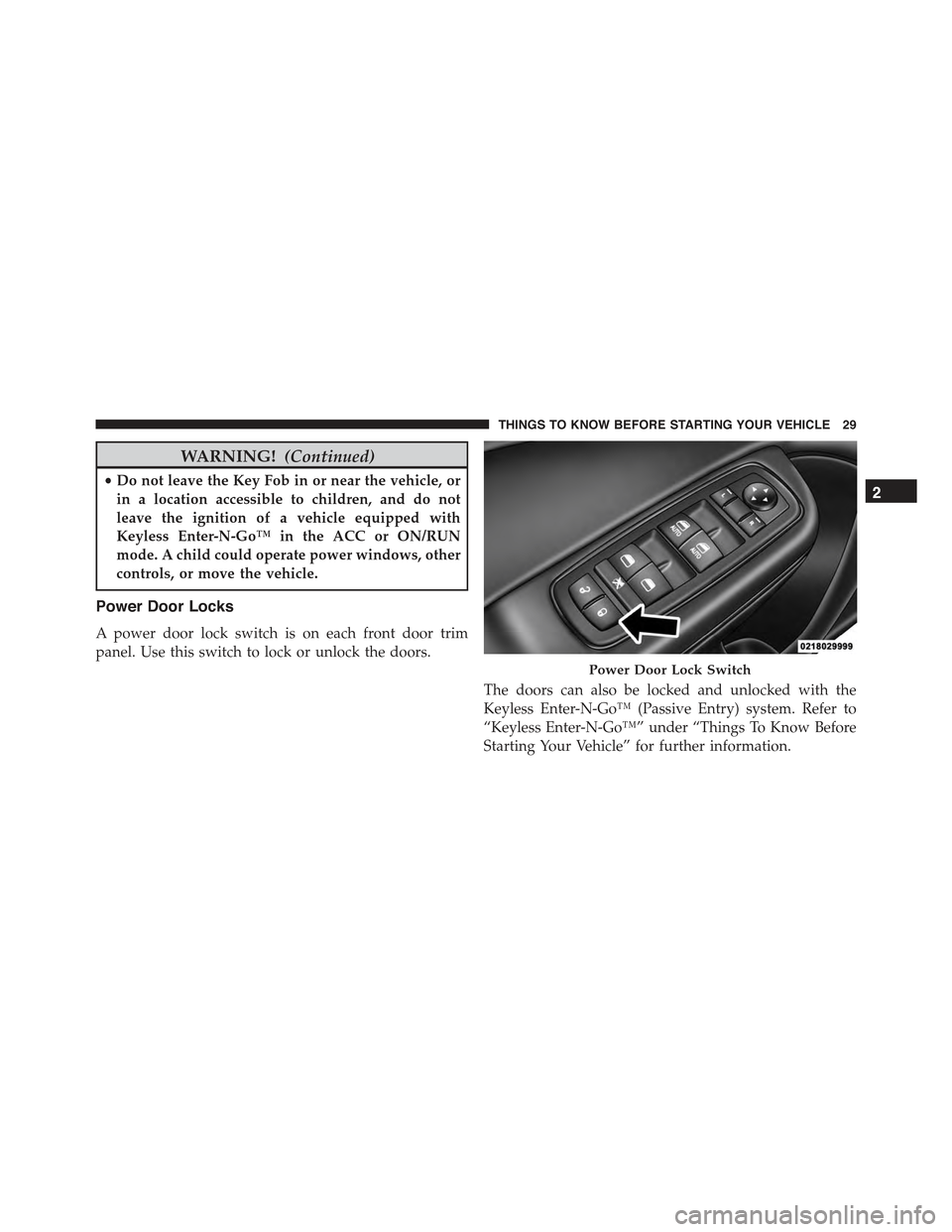
Power Door Locks
A power door lock switch is on each front door trim
panel. Use this switch to lock or unlock the doors.
The doors can also be locked and unlocked with the
Keyless Enter-N-Go™ (Passive Entry) system. Refer to
“Keyless Enter-N-Go™” under “Things To Know Before
Starting Your Vehicle” for further information.
Power Door Lock Switch
2
THINGS TO KNOW BEFORE STARTING YOUR VEHICLE 29
Page 34 of 574
NOTE:For emergency exit from the rear seats when the
Child-Protection Door Lock System is engaged, manually
raise the door lock knob to the unlocked position, roll
down the window, and open the door using the outside
door handle.
KEYLESS ENTER-N-GO™
The Passive Entry system is an enhancement to the
vehicle’s Remote Keyless Entry (RKE) system and a
feature of Keyless Enter-N-Go™. This feature allows you
to lock and unlock the vehicle’s door(s) without having to
push the RKE transmitter lock or unlock buttons.
NOTE:
•Passive Entry may be programmed ON/OFF. Refer to
“Uconnect® Settings” in “Understanding Your Instru-
ment Panel” for further information.
•If wearing gloves on your hands, or if it has been
raining on the Passive Entry door handle, the unlock
sensitivity can be affected, resulting in a slower re-
sponse time.
•If the vehicle is unlocked by the Passive Entry Door
Handle and no door goes ajar within 60 seconds, the
vehicle will re-lock and if equipped will arm the
security alarm.
To Unlock From The Driver’s Side
With a valid Passive Entry RKE transmitter within 5 ft
(1.5 m) of the driver’s door handle, grab the front driver
door handle to unlock the driver’s door automatically.
The interior door panel lock knob will raise when the
door is unlocked.
32 THINGS TO KNOW BEFORE STARTING YOUR VEHICLE
Page 43 of 574
NOTE:The transmission must be in PARK before the
button will operate.
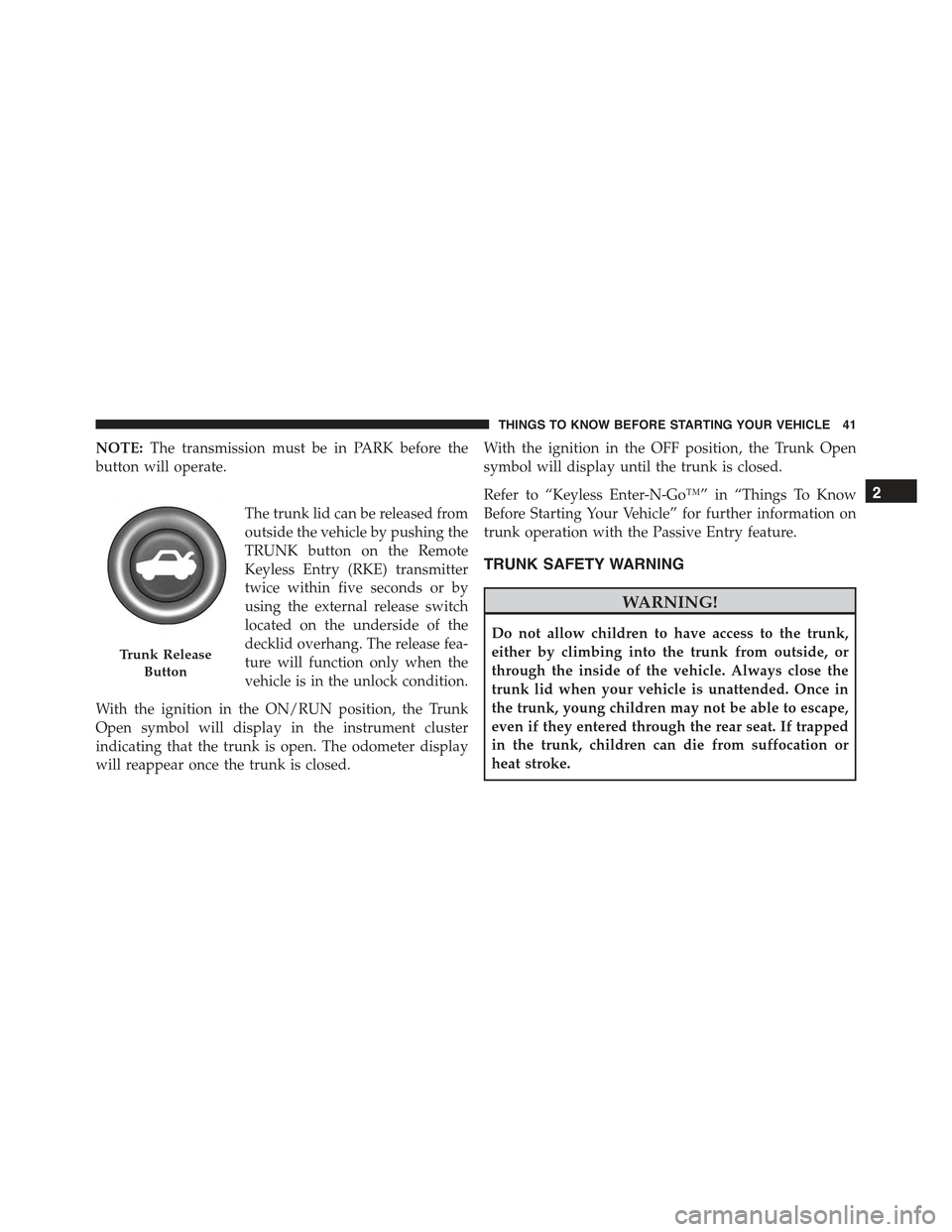
The trunk lid can be released from
outside the vehicle by pushing the
TRUNK button on the Remote
Keyless Entry (RKE) transmitter
twice within five seconds or by
using the external release switch
located on the underside of the
decklid overhang. The release fea-
ture will function only when the
vehicle is in the unlock condition.
With the ignition in the ON/RUN position, the Trunk
Open symbol will display in the instrument cluster
indicating that the trunk is open. The odometer display
will reappear once the trunk is closed.
With the ignition in the OFF position, the Trunk Open
symbol will display until the trunk is closed.
Refer to “Keyless Enter-N-Go™” in “Things To Know
Before Starting Your Vehicle” for further information on
trunk operation with the Passive Entry feature.
TRUNK SAFETY WARNING
WARNING!
Do not allow children to have access to the trunk,
either by climbing into the trunk from outside, or
through the inside of the vehicle. Always close the
trunk lid when your vehicle is unattended. Once in
the trunk, young children may not be able to escape,
even if they entered through the rear seat. If trapped
in the trunk, children can die from suffocation or
heat stroke.
Trunk Release
Button
2
THINGS TO KNOW BEFORE STARTING YOUR VEHICLE 41
Page 102 of 574
!SEATS . . . . . . . . . . . . . . . . . . . . . . . . . . . . ..127
▫Power Seats.........................127
▫Power Lumbar — If Equipped............130
▫Heated Seats — If Equipped.............131
▫Front Ventilated Seats — If Equipped.......134
▫Head Restraints......................134
▫Folding Rear Seat.....................138
!DRIVER MEMORY SEAT — IF EQUIPPED . . . .140
▫Programming The Memory Feature.........141
▫Linking And Unlinking The Remote Keyless Entry
Transmitter To Memory.................141
▫Memory Position Recall.................142
▫Easy Entry/Exit Seat...................143
!TO OPEN AND CLOSE THE HOOD.........144
!LIGHTS.............................145
▫Headlight Switch.....................145
▫Automatic Headlights — If Equipped.......146
▫Headlights On With Wipers (Available With
Automatic Headlights Only).............146
▫Headlight Time Delay..................147
▫Automatic High Beam Headlamp Control — If
Equipped...........................148
▫Adaptive Bi-Xenon High Intensity Discharge
Headlights — If Equipped...............149
▫Daytime Running Lights (DRL)............149
▫Lights-On Reminder...................150
▫Fog Lights — If Equipped...............150
100 UNDERSTANDING THE FEATURES OF YOUR VEHICLE
Page 115 of 574
Driver’s Automatic Dimming Mirror — If Equipped
This feature is controlled by the inside automatic dim-
ming mirror and will automatically adjust for headlight
glare when the inside mirror adjusts.
NOTE:This feature is also available on the passenger’s
side when equipped with turn signal and approach
lighting.
Outside Mirrors With Turn Signal And Approach
Lighting — If Equipped
Driver and passenger outside mirrors with turn signal
and approach lighting contain four LEDs, which are
located in the upper outer corner of each mirror.
Three of the LEDs are turn signal indicators, which flash
with the corresponding turn signal lights in the front and
rear of the vehicle. Turning on the Hazard Warning
flashers will also activate these LEDs.
The fourth LED supplies illuminated entry lighting,
which turns on in both mirrors when you use the Remote
Keyless Entry (RKE) transmitter or open any door. This
LED shines outward to illuminate the front and rear door
handles. It also shines downward to illuminate the area
in front of the doors.
The Illuminated Entry lighting fades to off after about 30
seconds or it will fade to off immediately once the
ignition is placed into the RUN position.
NOTE:The approach lighting will not function when the
gear selector is moved out of the PARK position.
Tilt Mirrors In Reverse — If Equipped
Tilt Mirrors in Reverse provides automatic outside mirror
positioning which will aid the driver ’s view of the
ground rearward of the front doors. The outside mirrors
will move slightly downward from the present position
when the vehicle is shifted into REVERSE. The outside
mirrors will then return to the original position when the
3
UNDERSTANDING THE FEATURES OF YOUR VEHICLE 113
Page 142 of 574
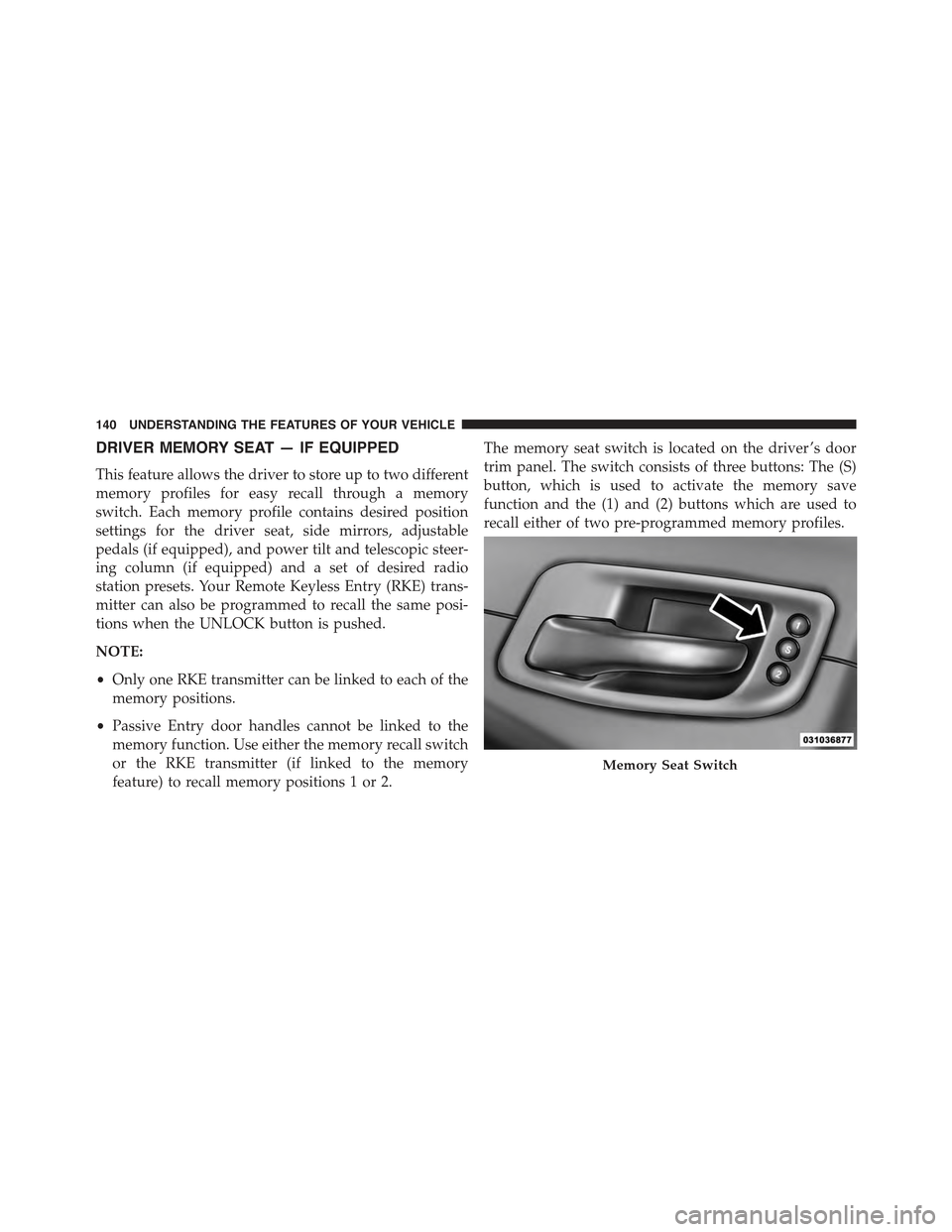
DRIVER MEMORY SEAT — IF EQUIPPED
This feature allows the driver to store up to two different
memory profiles for easy recall through a memory
switch. Each memory profile contains desired position
settings for the driver seat, side mirrors, adjustable
pedals (if equipped), and power tilt and telescopic steer-
ing column (if equipped) and a set of desired radio
station presets. Your Remote Keyless Entry (RKE) trans-
mitter can also be programmed to recall the same posi-
tions when the UNLOCK button is pushed.
NOTE:
•Only one RKE transmitter can be linked to each of the
memory positions.
•Passive Entry door handles cannot be linked to the
memory function. Use either the memory recall switch
or the RKE transmitter (if linked to the memory
feature) to recall memory positions 1 or 2.
The memory seat switch is located on the driver ’s door
trim panel. The switch consists of three buttons: The (S)
button, which is used to activate the memory save
function and the (1) and (2) buttons which are used to
recall either of two pre-programmed memory profiles.
Memory Seat Switch
140 UNDERSTANDING THE FEATURES OF YOUR VEHICLE
Page 143 of 574
Programming The Memory Feature
To create a new memory profile, perform the following:
1. Place the ignition into the RUN position.
2. Adjust all memory profile settings to desired prefer-
ences (i.e., seat, side mirror, adjustable pedals [if
equipped], power tilt and telescopic steering column
[if equipped], and radio station presets).
3. Push and release the S (Set) button on the memory
switch.
4. Within five seconds, push and release either of the
memory buttons (1) or (2). The Driver Information
Display (DID) will display which memory position
has been set.
NOTE:Memory profiles can be set without the vehicle
in PARK, but the vehicle must be in PARK to recall a
memory profile.
Linking And Unlinking The Remote Keyless Entry
Transmitter To Memory
Your RKE transmitters can be programmed to recall one
of two pre-programmed memory profiles by pushing the
UNLOCK button on the RKE transmitter.
NOTE:Before programming your RKE transmitters you
must select the “Memory To FOB” feature through the
Uconnect® system screen. Refer to “Uconnect® Settings”
in “Understanding Your Instrument Panel” for further
information.
To program your RKE transmitters, perform the follow-
ing:
1. Cycle the vehicles ignition to the Off position.
2. Select desired memory profile (1) or (2). The system
will recall any stored settings for this profile. Wait for
the system to complete the memory recall before
continuing to Step 3.
3
UNDERSTANDING THE FEATURES OF YOUR VEHICLE 141