mirror CHRYSLER 300 2017 2.G Owner's Manual
[x] Cancel search | Manufacturer: CHRYSLER, Model Year: 2017, Model line: 300, Model: CHRYSLER 300 2017 2.GPages: 488, PDF Size: 4.3 MB
Page 240 of 488
depletion to the point where the vehicle may stall due to
lack of electrical supply, or will not restart after the current
drive cycle.
When load reduction is activated, the message “Battery
Saver On” or “Battery Saver Mode” will appear in the
instrument cluster.
These messages indicate the vehicle battery has a low state
of charge and continues to lose electrical charge at a rate
that the charging system cannot sustain.
NOTE:
•The charging system is independent from load reduc-
tion. The charging system performs a diagnostic on the
charging system continuously.
• If the Battery Charge Warning Light is on it may indicate
a problem with the charging system. Refer to “Battery
Charge Warning Light” in “Understanding Your Instru-
ment Panel” for further information.
The electrical loads that may be switched off (if equipped),
and vehicle functions which can be affected by load
reduction:
• Heated Seat/Vented Seats/Heated Wheel
• Heated/Cooled Cup Holders — If Equipped •
Rear Defroster And Heated Mirrors
• HVAC System
• 115V AC Power Inverter System
• Audio and Telematics System
Loss of the battery charge may indicate one or more of the
following conditions:
• The charging system cannot deliver enough electrical
power to the vehicle system because the electrical loads
are larger than the capability of charging system. The
charging system is still functioning properly.
• Turning on all possible vehicle electrical loads (e.g.
HVAC to max settings, exterior and interior lights,
overloaded power outlets +12V, 115V AC, USB ports)
during certain driving conditions (city driving, towing,
frequent stopping).
• Installing options like additional lights, upfitter electri-
cal accessories, audio systems, alarms and similar de-
vices.
• Unusual driving cycles (short trips separated by long
parking periods).
• The vehicle was parked for an extended period of time
(weeks, months).
238 UNDERSTANDING YOUR INSTRUMENT PANEL
Page 253 of 488
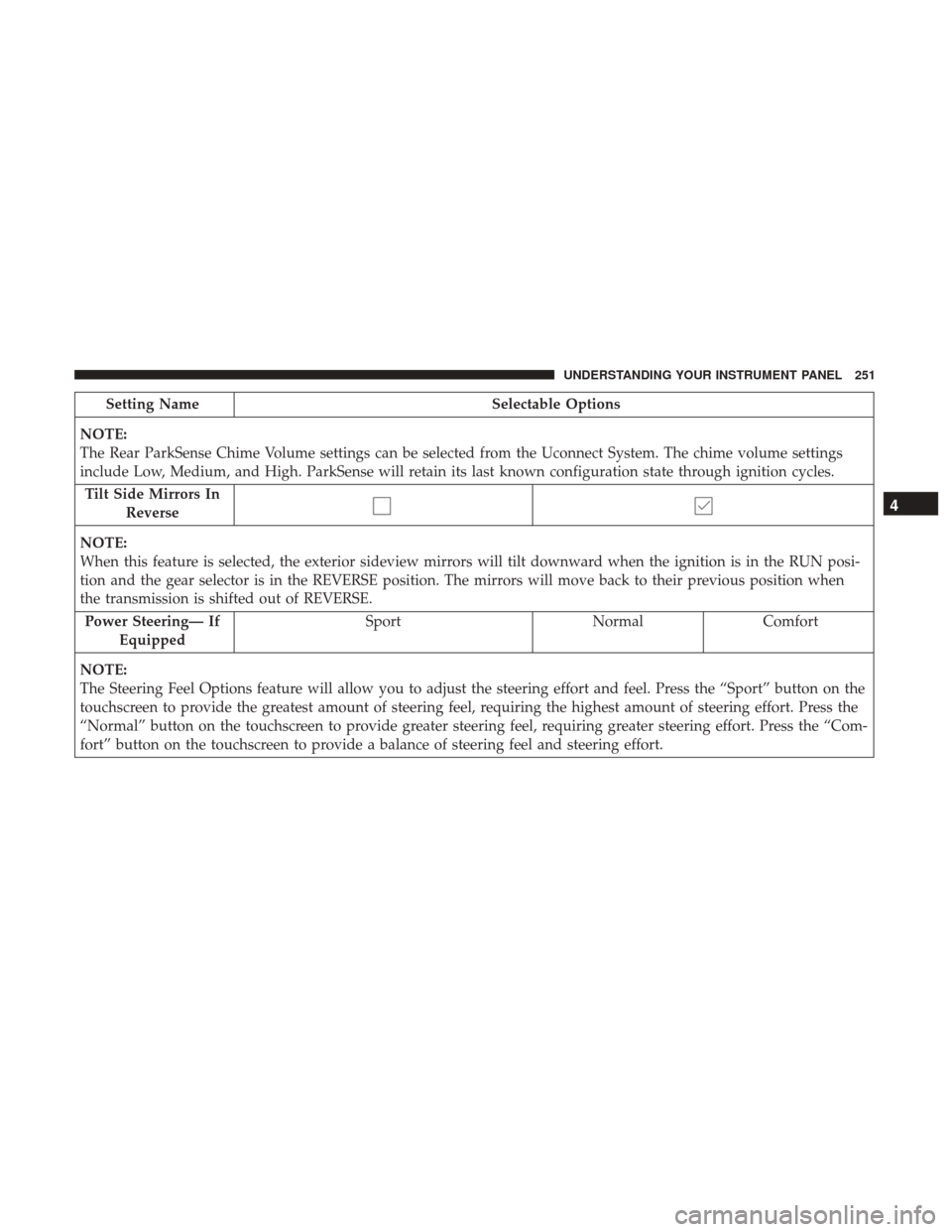
Setting NameSelectable Options
NOTE:
The Rear ParkSense Chime Volume settings can be selected from the Uconnect System. The chime volume settings
include Low, Medium, and High. ParkSense will retain its last known configuration state through ignition cycles. Tilt Side Mirrors In Reverse
NOTE:
When this feature is selected, the exterior sideview mirrors will tilt downward when the ignition is in the RUN posi-
tion and the gear selector is in the REVERSE position. The mirrors will move back to their previous position when
the transmission is shifted out of REVERSE. Power Steering— If Equipped Sport
NormalComfort
NOTE:
The Steering Feel Options feature will allow you to adjust the steering effort and feel. Press the “Sport” button on the
touchscreen to provide the greatest amount of steering feel, requiring the highest amount of steering effort. Press the
“Normal” button on the touchscreen to provide greater steering feel, requiring greater steering effort. Press the “Com-
fort” button on the touchscreen to provide a balance of steering feel and steering effort.
4
UNDERSTANDING YOUR INSTRUMENT PANEL 251
Page 254 of 488
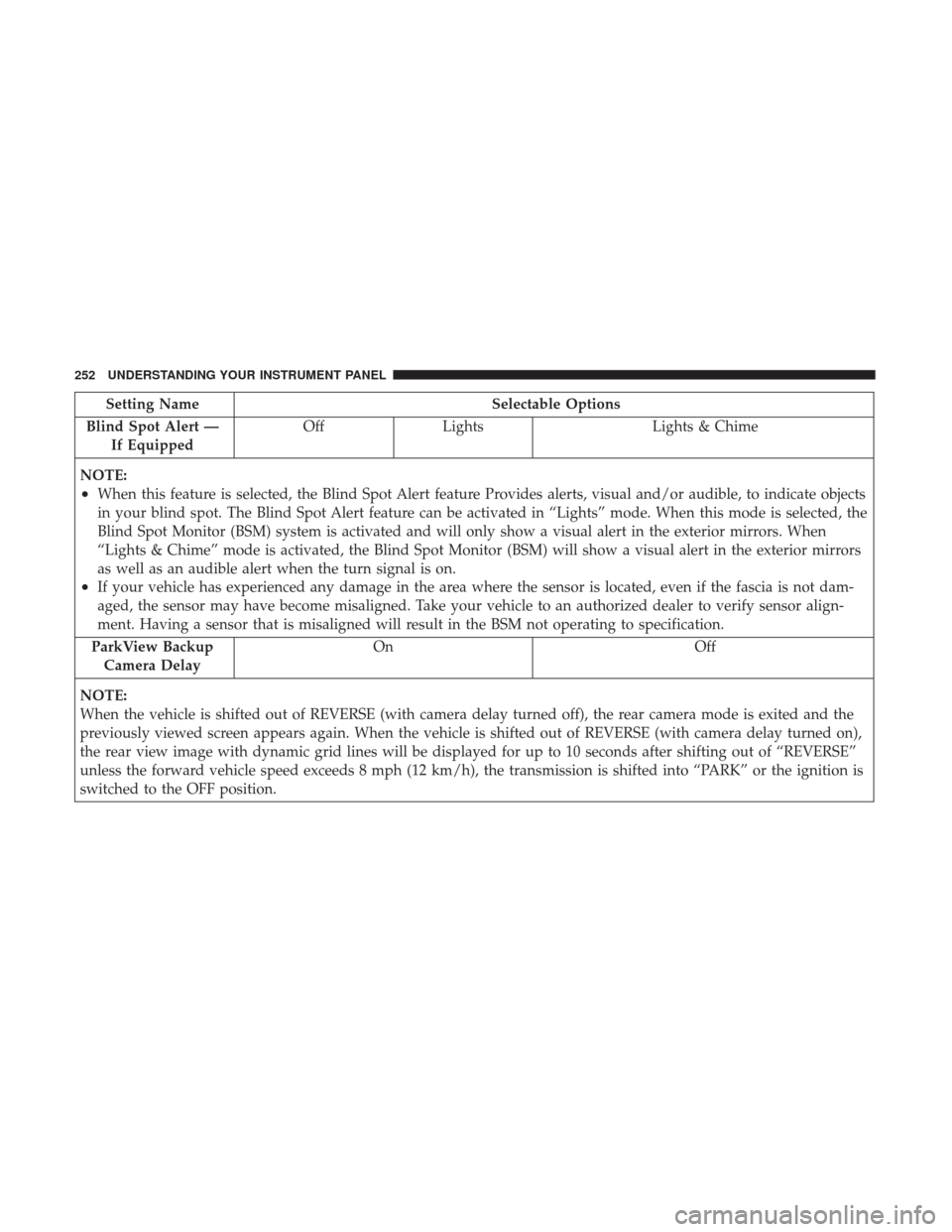
Setting NameSelectable Options
Blind Spot Alert — If Equipped Off
Lights Lights & Chime
NOTE:
•When this feature is selected, the Blind Spot Alert feature Provides alerts, visual and/or audible, to indicate objects
in your blind spot. The Blind Spot Alert feature can be activated in “Lights” mode. When this mode is selected, the
Blind Spot Monitor (BSM) system is activated and will only show a visual alert in the exterior mirrors. When
“Lights & Chime” mode is activated, the Blind Spot Monitor (BSM) will show a visual alert in the exterior mirrors
as well as an audible alert when the turn signal is on.
•If your vehicle has experienced any damage in the area where the sensor is located, even if the fascia is not dam-
aged, the sensor may have become misaligned. Take your vehicle to an authorized dealer to verify sensor align-
ment. Having a sensor that is misaligned will result in the BSM not operating to specification.
ParkView Backup Camera Delay On Off
NOTE:
When the vehicle is shifted out of REVERSE (with camera delay turned off), the rear camera mode is exited and the
previously viewed screen appears again. When the vehicle is shifted out of REVERSE (with camera delay turned on),
the rear view image with dynamic grid lines will be displayed for up to 10 seconds after shifting out of “REVERSE”
unless the forward vehicle speed exceeds 8 mph (12 km/h), the transmission is shifted into “PARK” or the ignition is
switched to the OFF position.
252 UNDERSTANDING YOUR INSTRUMENT PANEL
Page 259 of 488
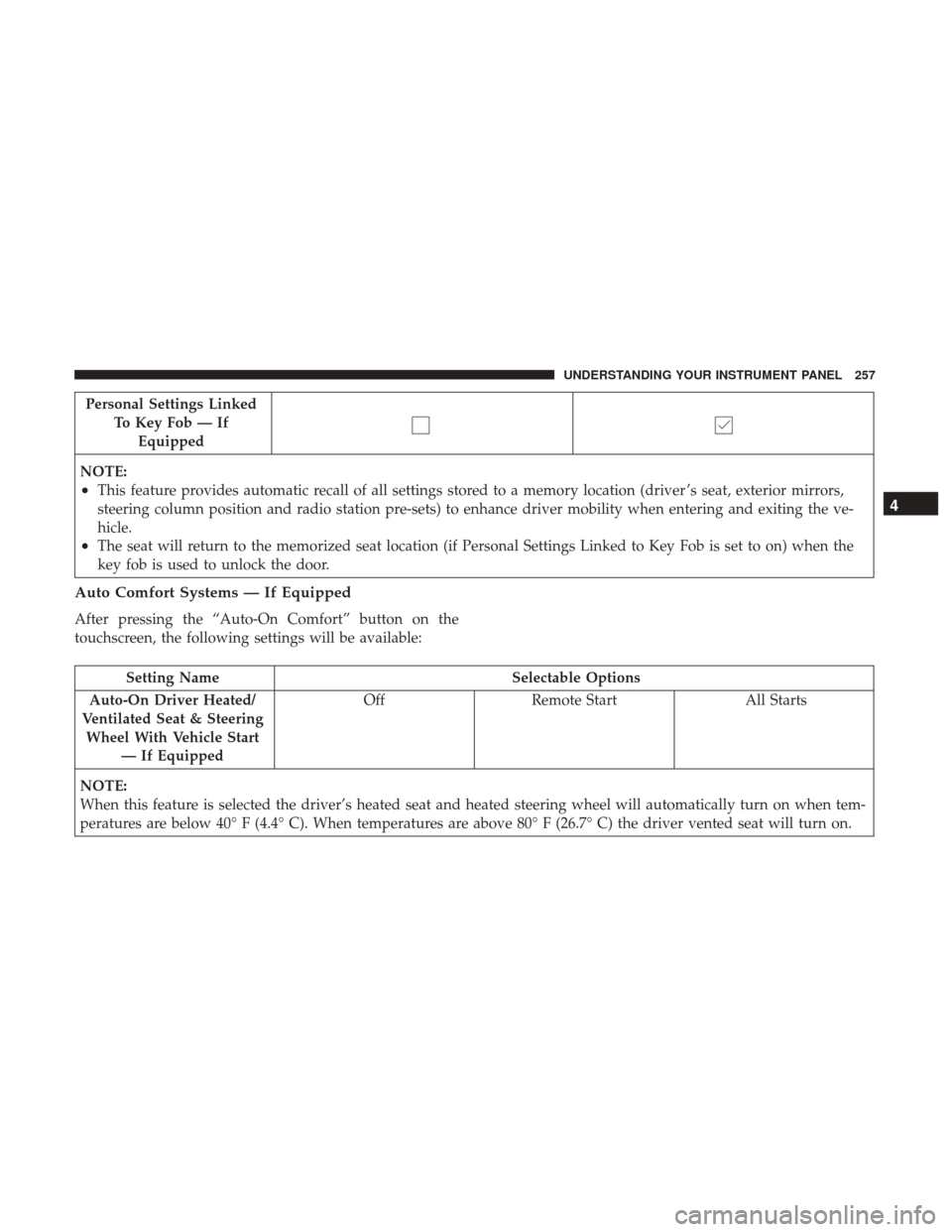
Personal Settings LinkedTo Key Fob — IfEquipped
NOTE:
•This feature provides automatic recall of all settings stored to a memory location (driver ’s seat, exterior mirrors,
steering column position and radio station pre-sets) to enhance driver mobility when entering and exiting the ve-
hicle.
•The seat will return to the memorized seat location (if Personal Settings Linked to Key Fob is set to on) when the
key fob is used to unlock the door.
Auto Comfort Systems — If Equipped
After pressing the “Auto-On Comfort” button on the
touchscreen, the following settings will be available:
Setting Name Selectable Options
Auto-On Driver Heated/
Ventilated Seat & Steering Wheel With Vehicle Start — If Equipped Off
Remote Start All Starts
NOTE:
When this feature is selected the driver’s heated seat and heated steering wheel will automatically turn on when tem-
peratures are below 40° F (4.4° C). When temperatures are above 80° F (26.7° C) the driver vented seat will turn on.
4
UNDERSTANDING YOUR INSTRUMENT PANEL 257
Page 273 of 488
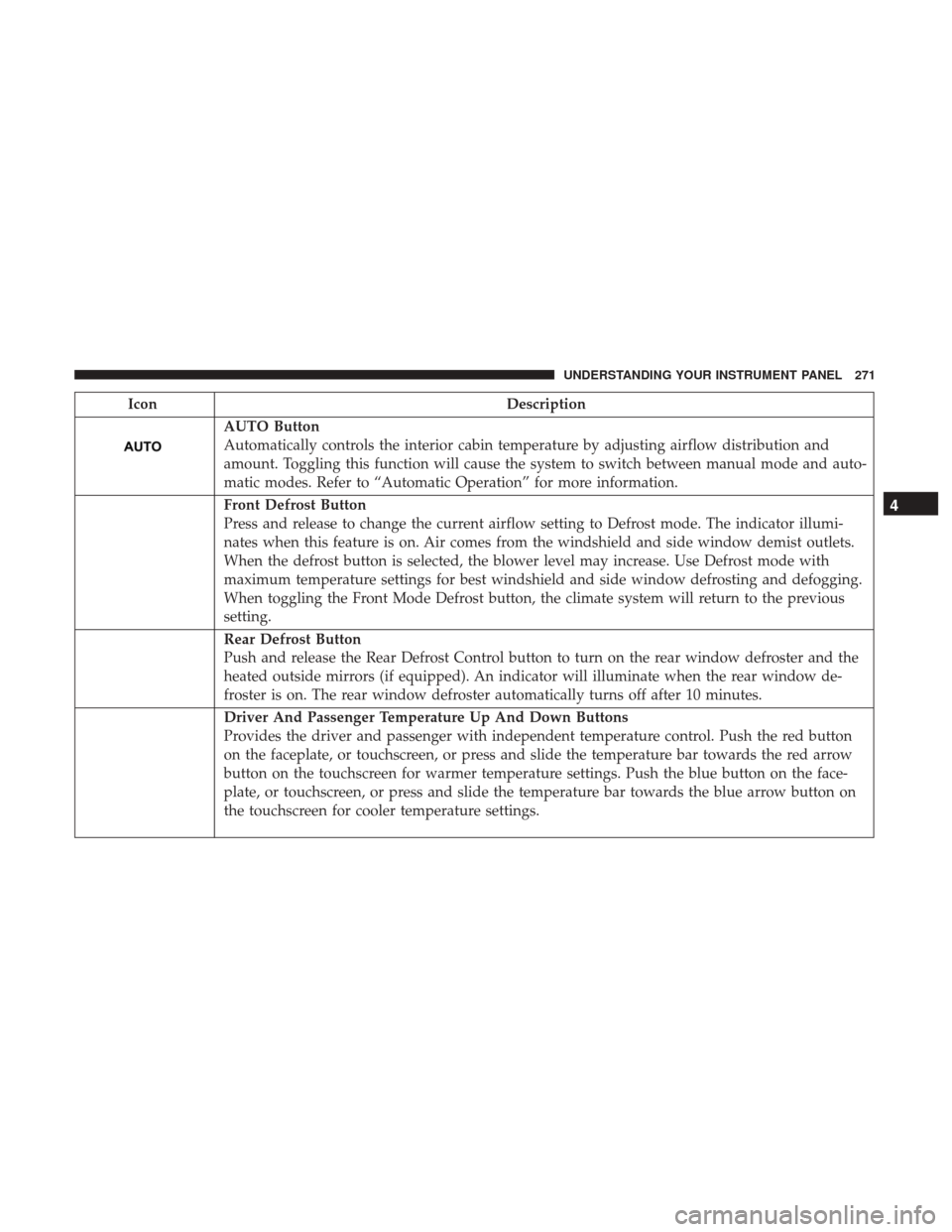
IconDescription
AUTO Button
Automatically controls the interior cabin temperature by adjusting airflow distribution and
amount. Toggling this function will cause the system to switch between manual mode and auto-
matic modes. Refer to “Automatic Operation” for more information.
Front Defrost Button
Press and release to change the current airflow setting to Defrost mode. The indicator illumi-
nates when this feature is on. Air comes from the windshield and side window demist outlets.
When the defrost button is selected, the blower level may increase. Use Defrost mode with
maximum temperature settings for best windshield and side window defrosting and defogging.
When toggling the Front Mode Defrost button, the climate system will return to the previous
setting.
Rear Defrost Button
Push and release the Rear Defrost Control button to turn on the rear window defroster and the
heated outside mirrors (if equipped). An indicator will illuminate when the rear window de-
froster is on. The rear window defroster automatically turns off after 10 minutes.
Driver And Passenger Temperature Up And Down Buttons
Provides the driver and passenger with independent temperature control. Push the red button
on the faceplate, or touchscreen, or press and slide the temperature bar towards the red arrow
button on the touchscreen for warmer temperature settings. Push the blue button on the face-
plate, or touchscreen, or press and slide the temperature bar towards the blue arrow button on
the touchscreen for cooler temperature settings.
4
UNDERSTANDING YOUR INSTRUMENT PANEL 271
Page 299 of 488
STARTING PROCEDURES
Before starting your vehicle, adjust your seat, adjust the
inside and outside mirrors, fasten your seat belt, and if
present, instruct all other occupants to buckle their seat
belts.
WARNING!
•When leaving the vehicle, always make sure the
keyless ignition node is in “OFF” mode, remove the
key fob from the vehicle and lock the vehicle.
• Never leave children alone in a vehicle, or with
access to an unlocked vehicle. Leaving children in a
vehicle unattended is dangerous for a number of
reasons. A child or others could be seriously or
fatally injured. Children should be warned not to
touch the parking brake, brake pedal or the trans-
mission gear selector.
• Do not leave the key fob in or near the vehicle (or in
a location accessible to children), and do not leave
the ignition (of a vehicle equipped with Keyless
Enter-N-Go) in the ACC or ON/RUN mode. A child
could operate power windows, other controls, or
move the vehicle.
(Continued)
WARNING! (Continued)
•Do not leave children or animals inside parked
vehicles in hot weather. Interior heat build-up may
cause serious injury or death.
Automatic Transmission
The gear selector must be in the PARK position before you
can start the engine. Apply the brakes before shifting into
any driving gear.
CAUTION!
Damage to the transmission may occur if the following
precautions are not observed:
•Do not shift from REVERSE, PARK, or NEUTRAL
into any forward gear when the engine is above idle
speed.
• Shift into PARK only after the vehicle has come to a
complete stop.
•
Shift into or out of REVERSE only after the vehicle has
come to a complete stop and the engine is at idle speed.
• Before shifting into any gear, make sure your foot is
firmly on the brake pedal.
5
STARTING AND OPERATING 297
Page 433 of 488
CAUTION!
•Direct contact of air fresheners, insect repellents,
suntan lotions, or hand sanitizers to the plastic,
painted, or decorated surfaces of the interior may
cause permanent damage. Wipe away immediately.
• Damage caused by these type of products may not be
covered by your New Vehicle Limited Warranty.
• Do not use Alcohol and Alcohol-based and/or Keton
based cleaning products to clean leather seats, as
damage to the seat may result.
Cleaning Headlights
Your vehicle is equipped with plastic headlights and fog
lights that are lighter and less susceptible to stone breakage
than glass headlights.
Plastic is not as scratch resistant as glass and therefore
different lens cleaning procedures must be followed.
To minimize the possibility of scratching the lenses and
reducing light output, avoid wiping with a dry cloth. To
remove road dirt, wash with a mild soap solution followed
by rinsing.
Do not use abrasive cleaning components, solvents, steel
wool or other aggressive material to clean the lenses.
Glass Surfaces
All glass surfaces should be cleaned on a regular basis with
Mopar Glass Cleaner, or any commercial household-type
glass cleaner. Never use an abrasive type cleaner. Use
caution when cleaning the inside rear window equipped
with electric defrosters or windows equipped with radio
antennas. Do not use scrapers or other sharp instrument
that may scratch the elements.
When cleaning the rear view mirror, spray cleaner on the
towel or cloth that you are using. Do not spray cleaner
directly on the mirror.
Cleaning Plastic Instrument Cluster Lenses
The lenses in front of the instruments in this vehicle are
molded in clear plastic. When cleaning the lenses, care
must be taken to avoid scratching the plastic.
1. Clean with a wet soft cloth. A mild soap solution may be
used, but do not use high alcohol content or abrasive
cleaners. If soap is used, wipe clean with a clean damp
cloth.
2. Dry with a soft cloth.
7
MAINTAINING YOUR VEHICLE 431
Page 442 of 488

CavityCartridge Fuse Mini-FuseDescription
34 –10 Amp Red Steering Column Module/
Clock (300)
35 –5 Amp Tan Battery Sensor
36 –15 Amp Blue Electronic Exhaust Valve –
If Equipped
37 –20 Amp Yellow Radio
38 –20 Amp Yellow Power Outlet Inside Arm
Rest/Console Media Hub
40 ––Fuse – Spare
41 ––Fuse – Spare
42 30 Amp Pink –Rear Defrost
43 –20 Amp Yellow (Heated Steering
Wheel/RR Heated Seats)
44 –10 Amp Red Park Assist / Blind Spot /
Rear View Camera
45 –15 Amp Blue Cluster / Rearview Mirror
/ Lane Departure
46 ––Fuse – Spare
47 –10 Amp Red Adaptive Front Lighting /
Day Time Running Lamps
– If Equipped
440 MAINTAINING YOUR VEHICLE
Page 444 of 488

CavityCartridge Fuse Mini-FuseDescription
63 ––Fuse – Spare
64 –25 Amp Breaker Rear Windows (Charger/
300)
65 –10 Amp Red Airbag Module
66 ––Fuse – Spare
67 –10 Amp Red Rain and Light Sensor /
Sunroof / Inside RR View
Mirror / Police Run Acc
Relay
68 –10 Amp Red Dual USB Power Outlet –
R/A Sense (Charger/300)
Rear Sunshade (Charger/
300) RR USB Timer
69 ––Fuse – Spare
70 ––Fuse – Spare
VEHICLE STORAGE
If you are leaving your vehicle dormant for more than 21
days, you may want to take these steps to protect your
battery.
•Disconnect the negative cable from the battery. •
Anytime you store your vehicle, or keep it out of service
(e.g., vacation) for two weeks or more, run the air
conditioning system at idle for about five minutes in the
fresh air and high blower setting. This will ensure
adequate system lubrication to minimize the possibility
of compressor damage when the system is started again.
442 MAINTAINING YOUR VEHICLE
Page 471 of 488
Inspection............................. .422
Points To Remember ..................... .422
Pressure Cap ............................421
Radiator Cap .......................... .421
Selection Of Coolant (Antifreeze) .419, 447, 449, 450, 451
Corrosion Protection ........................427
Cruise Control (Speed Control) .................135
Cruise Light ........................226, 227, 228
Cupholders .......................... .191, 432
Customer Assistance ........................460
Customer Programmable Features ...............242
Daytime Brightness, Interior Lights ..............125
Daytime Running Lights .....................120
Dealer Service ............................ .407
Deck Lid, Emergency Release ...................36
Deck Lid, Power Release ......................35
Defroster, Rear Window ..................... .198
Defroster, Windshield ........................77
Delay (Intermittent) Wipers ...................126
Diagnostic System, Onboard ...................405
Dimmer Switch, Headlight ....................121
Dipsticks Oil (Engine) ........................ .408, 409
Disabled Vehicle Towing .....................396 Disposal
Antifreeze (Engine Coolant) .................422
Door Ajar ............................... .214
Door Ajar Light ............................214
Door Locks Child-Protection Door Lock — Rear Doors .......27
Door Locks .......................... .20, 25
KeyFob................................25
Key Fob Emergency Key ....................21
Remote ................................25
Remote Keyless Entry ......................25
Door Locks, Automatic .......................27
Driving Through Flowing, Rising, Or Shallow Standing
Water .................................313
E-85 Fuel ............................... .361
Electrical Power Outlets ..................... .188
Electric Rear Window Defrost ..................198
Electric Remote
Mirrors .......................93
Electronic Brake Control System ................318
Anti-Lock Brake System ....................319
Electronic Roll Mitigation ...................327
Traction Control System ....................323
Electronic Power Distribution Center (Fuses) .......433
10
INDEX 469