USB CHRYSLER 300 2018 User Guide
[x] Cancel search | Manufacturer: CHRYSLER, Model Year: 2018, Model line: 300, Model: CHRYSLER 300 2018Pages: 492, PDF Size: 6.67 MB
Page 449 of 492
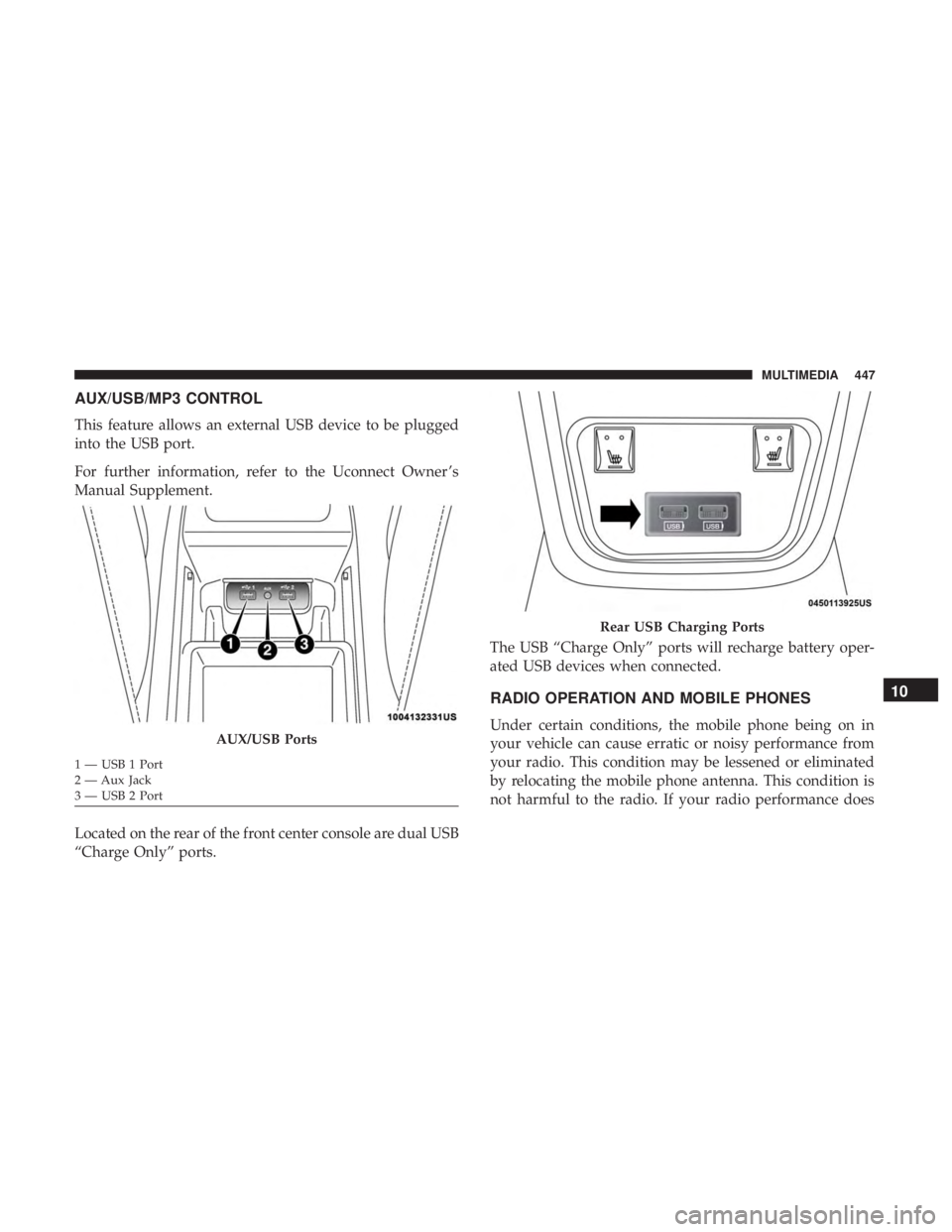
AUX/USB/MP3 CONTROL
This feature allows an external USB device to be plugged
into the USB port.
For further information, refer to the Uconnect Owner ’s
Manual Supplement.
Located on the rear of the front center console are dual USB
“Charge Only” ports.The USB “Charge Only” ports will recharge battery oper-
ated USB devices when connected.
RADIO OPERATION AND MOBILE PHONES
Under certain conditions, the mobile phone being on in
your vehicle can cause erratic or noisy performance from
your radio. This condition may be lessened or eliminated
by relocating the mobile phone antenna. This condition is
not harmful to the radio. If your radio performance doesAUX/USB Ports
1 — USB 1 Port
2 — Aux Jack
3 — USB 2 Port
Rear USB Charging Ports
10
MULTIMEDIA 447
Page 454 of 492
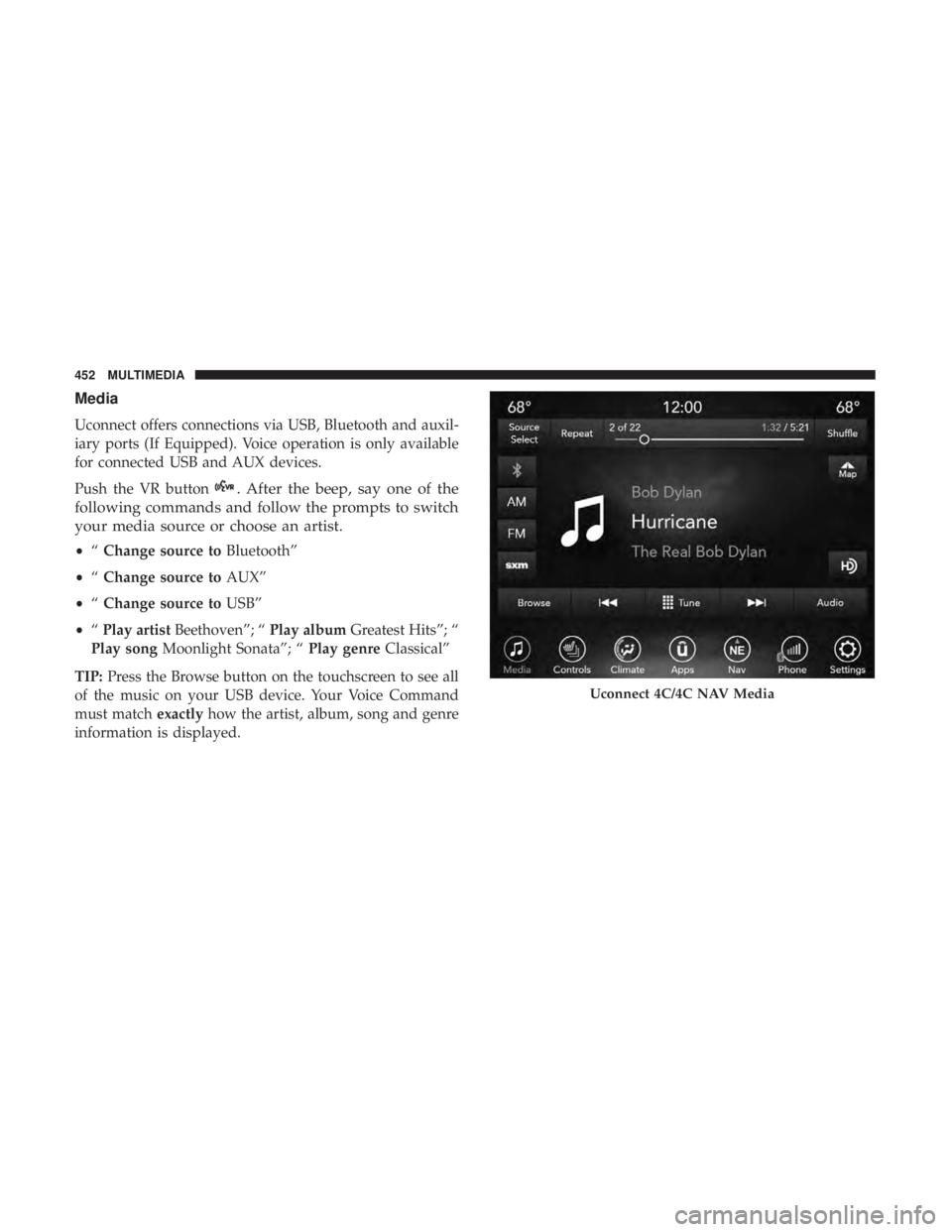
Media
Uconnect offers connections via USB, Bluetooth and auxil-
iary ports (If Equipped). Voice operation is only available
for connected USB and AUX devices.
Push the VR button
. After the beep, say one of the
following commands and follow the prompts to switch
your media source or choose an artist.
• “Change source to Bluetooth”
• “Change source to AUX”
• “Change source to USB”
• “Play artist Beethoven”; “ Play albumGreatest Hits”; “
Play song Moonlight Sonata”; “ Play genreClassical”
TIP: Press the Browse button on the touchscreen to see all
of the music on your USB device. Your Voice Command
must match exactlyhow the artist, album, song and genre
information is displayed.
Uconnect 4C/4C NAV Media
452 MULTIMEDIA
Page 463 of 492
NOTE:
•Reply with text message is not compatible with iPhones.
• Auto reply with text message is only available on
phones that support Bluetooth MAP.
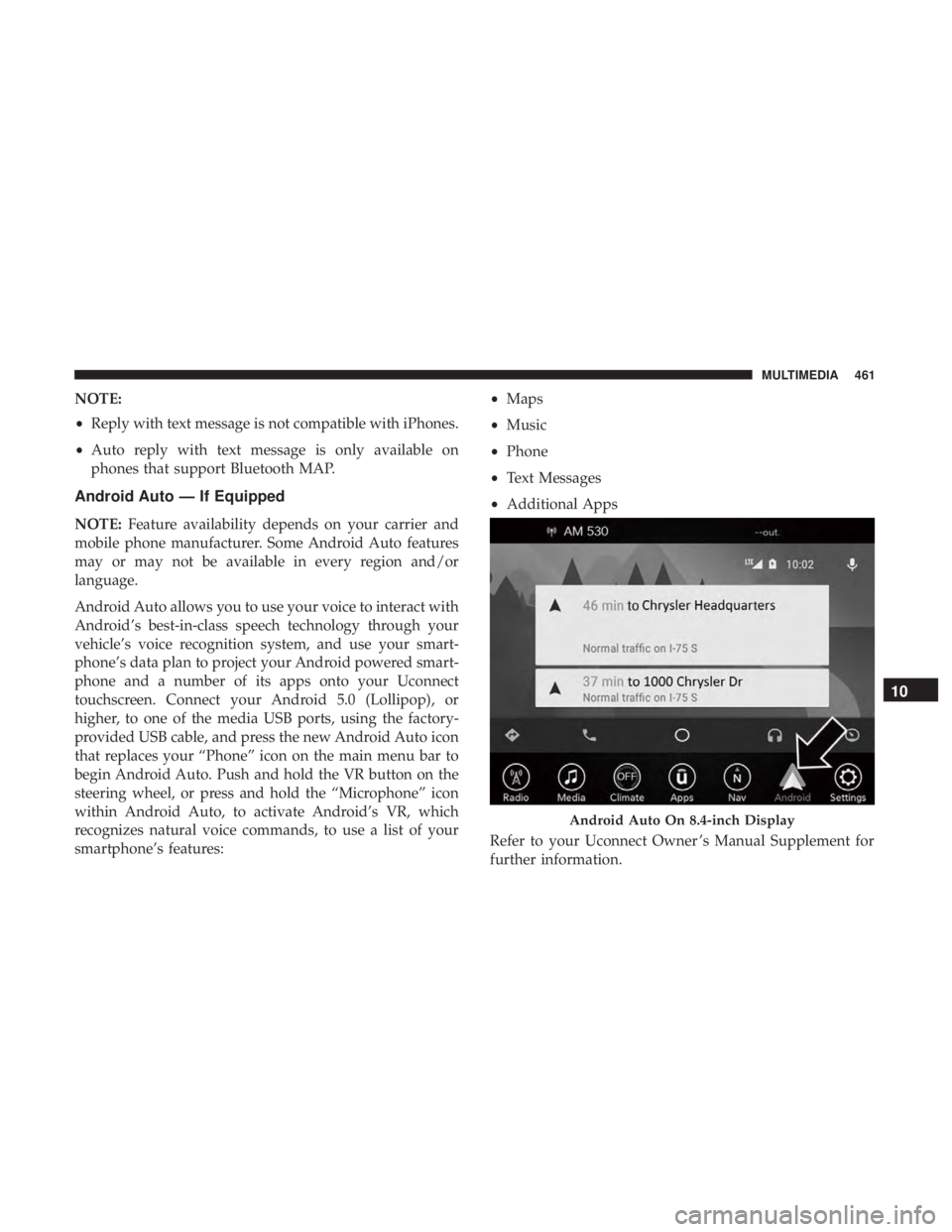
Android Auto — If Equipped
NOTE: Feature availability depends on your carrier and
mobile phone manufacturer. Some Android Auto features
may or may not be available in every region and/or
language.
Android Auto allows you to use your voice to interact with
Android’s best-in-class speech technology through your
vehicle’s voice recognition system, and use your smart-
phone’s data plan to project your Android powered smart-
phone and a number of its apps onto your Uconnect
touchscreen. Connect your Android 5.0 (Lollipop), or
higher, to one of the media USB ports, using the factory-
provided USB cable, and press the new Android Auto icon
that replaces your “Phone” icon on the main menu bar to
begin Android Auto. Push and hold the VR button on the
steering wheel, or press and hold the “Microphone” icon
within Android Auto, to activate Android’s VR, which
recognizes natural voice commands, to use a list of your
smartphone’s features: •
Maps
• Music
• Phone
• Text Messages
• Additional Apps
Refer to your Uconnect Owner ’s Manual Supplement for
further information.
Android Auto On 8.4-inch Display
10
MULTIMEDIA 461
Page 464 of 492
NOTE:Requires compatible smartphone running
Android™ 5.0 Lollipop or higher and download app on
Google Play. Android, Android Auto, and Google Play are
trademarks of Google Inc.
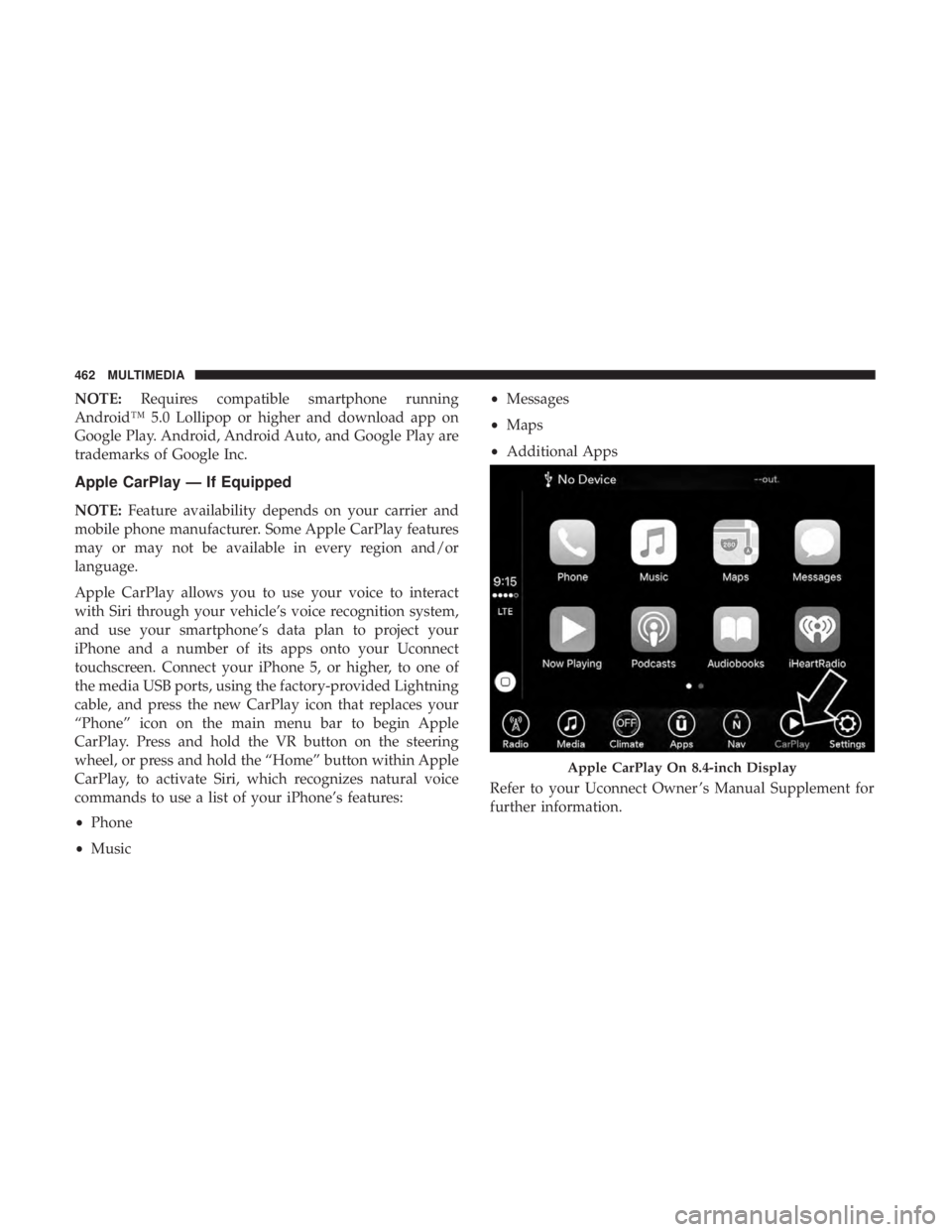
Apple CarPlay — If Equipped
NOTE: Feature availability depends on your carrier and
mobile phone manufacturer. Some Apple CarPlay features
may or may not be available in every region and/or
language.
Apple CarPlay allows you to use your voice to interact
with Siri through your vehicle’s voice recognition system,
and use your smartphone’s data plan to project your
iPhone and a number of its apps onto your Uconnect
touchscreen. Connect your iPhone 5, or higher, to one of
the media USB ports, using the factory-provided Lightning
cable, and press the new CarPlay icon that replaces your
“Phone” icon on the main menu bar to begin Apple
CarPlay. Press and hold the VR button on the steering
wheel, or press and hold the “Home” button within Apple
CarPlay, to activate Siri, which recognizes natural voice
commands to use a list of your iPhone’s features:
• Phone
• Music •
Messages
• Maps
• Additional Apps
Refer to your Uconnect Owner ’s Manual Supplement for
further information.
Apple CarPlay On 8.4-inch Display
462 MULTIMEDIA
Page 488 of 492
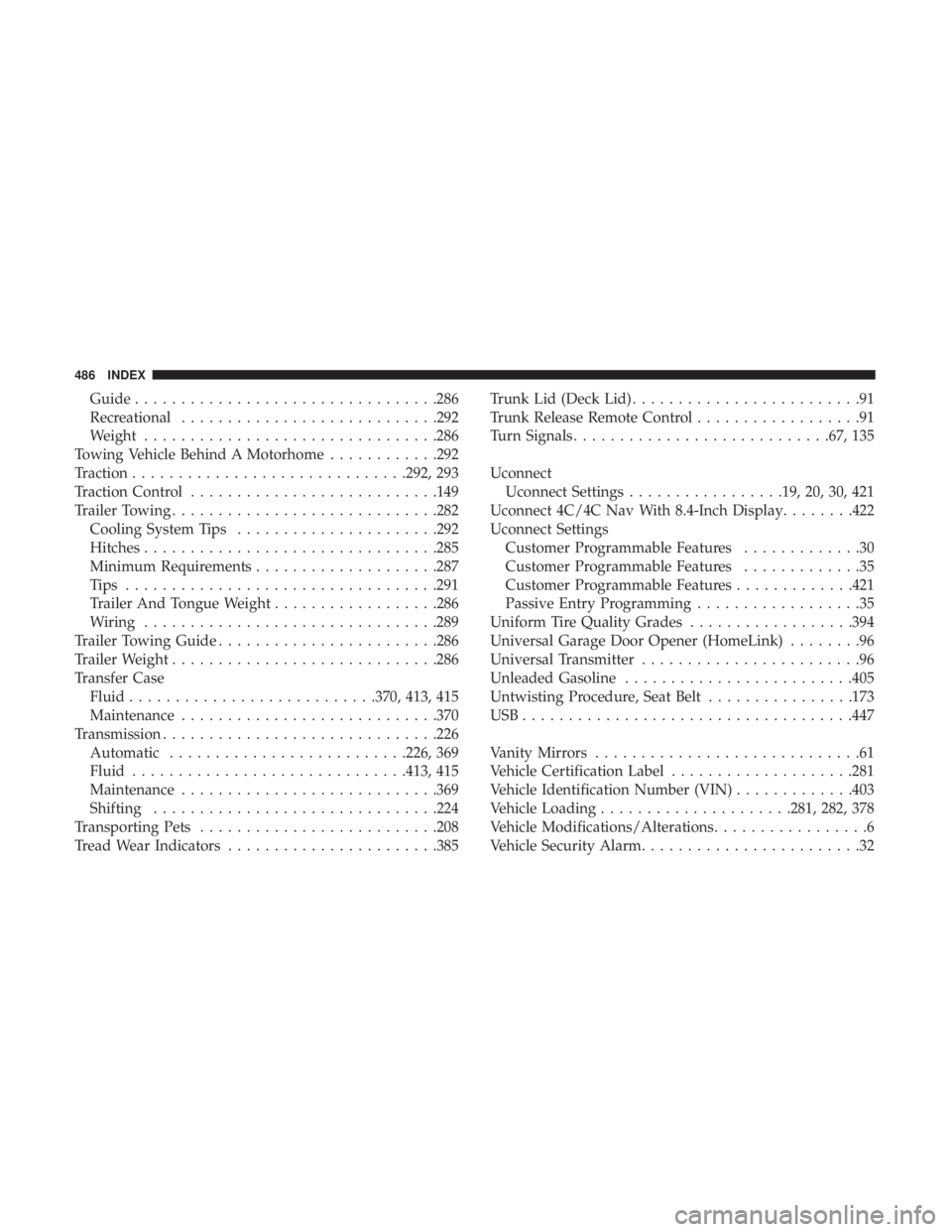
Guide................................ .286
Recreational ........................... .292
Weight ............................... .286
Towing Vehicle Behind A Motorhome ............292
Traction ............................. .292, 293
Traction Control .......................... .149
Trailer Towing ............................ .282
Cooling System Tips ..................... .292
Hitches ............................... .285
Minimum Requirements ....................287
Tips ................................. .291
Trailer And Tongue Weight ..................286
Wiring ............................... .289
Trailer Towing Guide ....................... .286
Trailer Weight ............................ .286
Transfer Case Fluid .......................... .370, 413, 415
Maintenance ........................... .370
Transmission ............................. .226
Automatic ......................... .226, 369
Fluid ............................. .413, 415
Maintenance ........................... .369
Shifting .............................. .224
Transporting Pets ......................... .208
Tread Wear Indicators ...................... .385Trunk Lid (Deck Lid)
.........................91
Trunk Release Remote Control ..................91
Turn Signals ........................... .67, 135
Uconnect Uconnect Settings .................19, 20, 30, 421
Uconnect 4C/4C Nav With 8.4-Inch Display ........422
Uconnect Settings Customer Programmable Features .............30
Customer Programmable Features .............35
Customer Programmable Features .............421
Passive Entry Programming ..................35
Uniform Tire Quality Grades ..................394
Universal Garage Door Opener (HomeLink) ........96
Universal Transmitter ........................
96
Unleaded Gasoline ........................ .405
Untwisting Procedure, Seat Belt ................173
USB................................... .447
Vanity Mirrors .............................61
Vehicle Certification Label ....................281
Vehicle Identification Number (VIN) .............403
Vehicle Loading .....................281, 282, 378
Vehicle Modifications/Alterations .................6
Vehicle Security Alarm ........................32
486 INDEX