power steering CHRYSLER 300 2019 Owner's Manual
[x] Cancel search | Manufacturer: CHRYSLER, Model Year: 2019, Model line: 300, Model: CHRYSLER 300 2019Pages: 492, PDF Size: 4.85 MB
Page 321 of 492
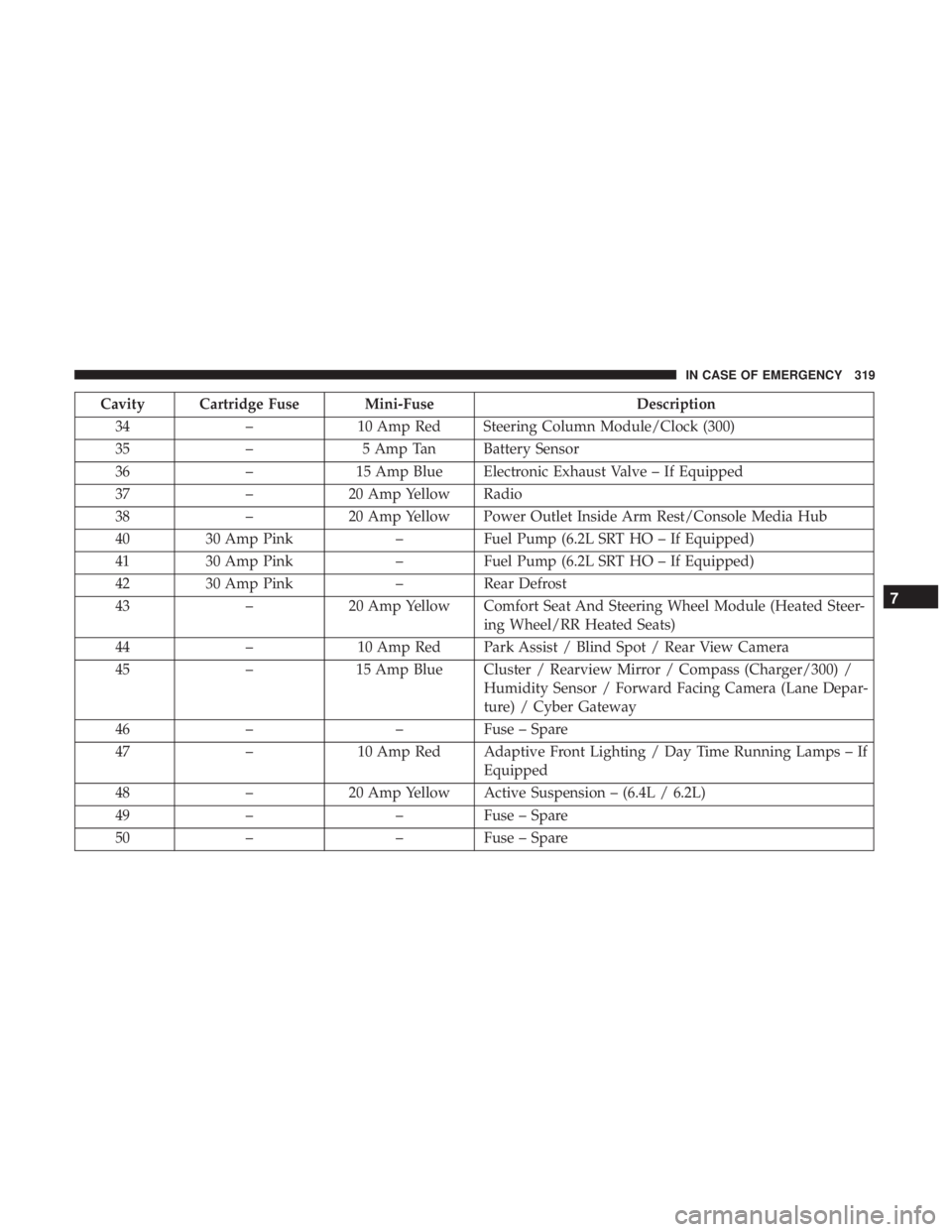
Cavity Cartridge Fuse Mini-FuseDescription
34 –10 Amp Red Steering Column Module/Clock (300)
35 –5 Amp Tan Battery Sensor
36 –15 Amp Blue Electronic Exhaust Valve – If Equipped
37 –20 Amp Yellow Radio
38 –20 Amp Yellow Power Outlet Inside Arm Rest/Console Media Hub
40 30 Amp Pink –Fuel Pump (6.2L SRT HO – If Equipped)
41 30 Amp Pink –Fuel Pump (6.2L SRT HO – If Equipped)
42 30 Amp Pink –Rear Defrost
43 –20 Amp Yellow Comfort Seat And Steering Wheel Module (Heated Steer-
ing Wheel/RR Heated Seats)
44 –10 Amp Red Park Assist / Blind Spot / Rear View Camera
45 –15 Amp Blue Cluster / Rearview Mirror / Compass (Charger/300) /
Humidity Sensor / Forward Facing Camera (Lane Depar-
ture) / Cyber Gateway
46 – –Fuse – Spare
47 –10 Amp Red Adaptive Front Lighting / Day Time Running Lamps – If
Equipped
48 –20 Amp Yellow Active Suspension – (6.4L / 6.2L)
49 – –Fuse – Spare
50 – –Fuse – Spare
7
IN CASE OF EMERGENCY 319
Page 345 of 492
SCHEDULED SERVICING
Your vehicle is equipped with an automatic oil change
indicator system. The oil change indicator system will
remind you that it is time to take your vehicle in for
scheduled maintenance.
Based on engine operation conditions, the oil change
indicator message will illuminate. This means that service
is required for your vehicle. Operating conditions such as
frequent short-trips, trailer tow, extremely hot or cold
ambient temperatures, and E85 fuel usage will influence
when the “Change Oil” or “Oil Change Required” message
is displayed. Severe Operating Conditions can cause the
change oil message to illuminate as early as 3,500 miles
(5,600 km) since last reset. Have your vehicle serviced as
soon as possible, within the next 500 miles (805 km).
The “Oil Change Required” message will be displayed in
the instrument cluster and a single chime will sound,
indicating that an oil change is necessary.
Your authorized dealer will reset the oil change indicator
message after completing the scheduled oil change. If a
scheduled oil change is performed by someone other than
your authorized dealer, the message can be reset by
referring to “Instrument Cluster Display” in “Getting To
Know Your Instrument Panel” for further information.NOTE:
Under no circumstances should oil change inter-
vals exceed 10,000 miles (16,000 km), 12 months or 350
hours of engine run time, whichever comes first. The 350
hours of engine run or idle time is generally only a concern
for fleet customers.
Severe Duty All Models
Change Engine Oil at 4,000 miles (6,500 km) or 350 hours of
engine run time if the vehicle is operated in a dusty and
off-road environment, or is operated predominantly at idle
or only very low engine RPM’s. This type of vehicle use is
considered Severe Duty.
Once A Month Or Before A Long Trip:
• Check engine oil level.
• Check windshield washer fluid level.
• Check tire pressure and look for unusual wear or
damage. Rotate tires at the first sign of irregular wear,
even if it occurs before your next scheduled service.
• Check the fluid levels of the coolant reservoir, brake
master cylinder, and power steering (if equipped) and
fill as needed.
• Check function of all interior and exterior lights.
8
SERVICING AND MAINTENANCE 343
Page 433 of 492
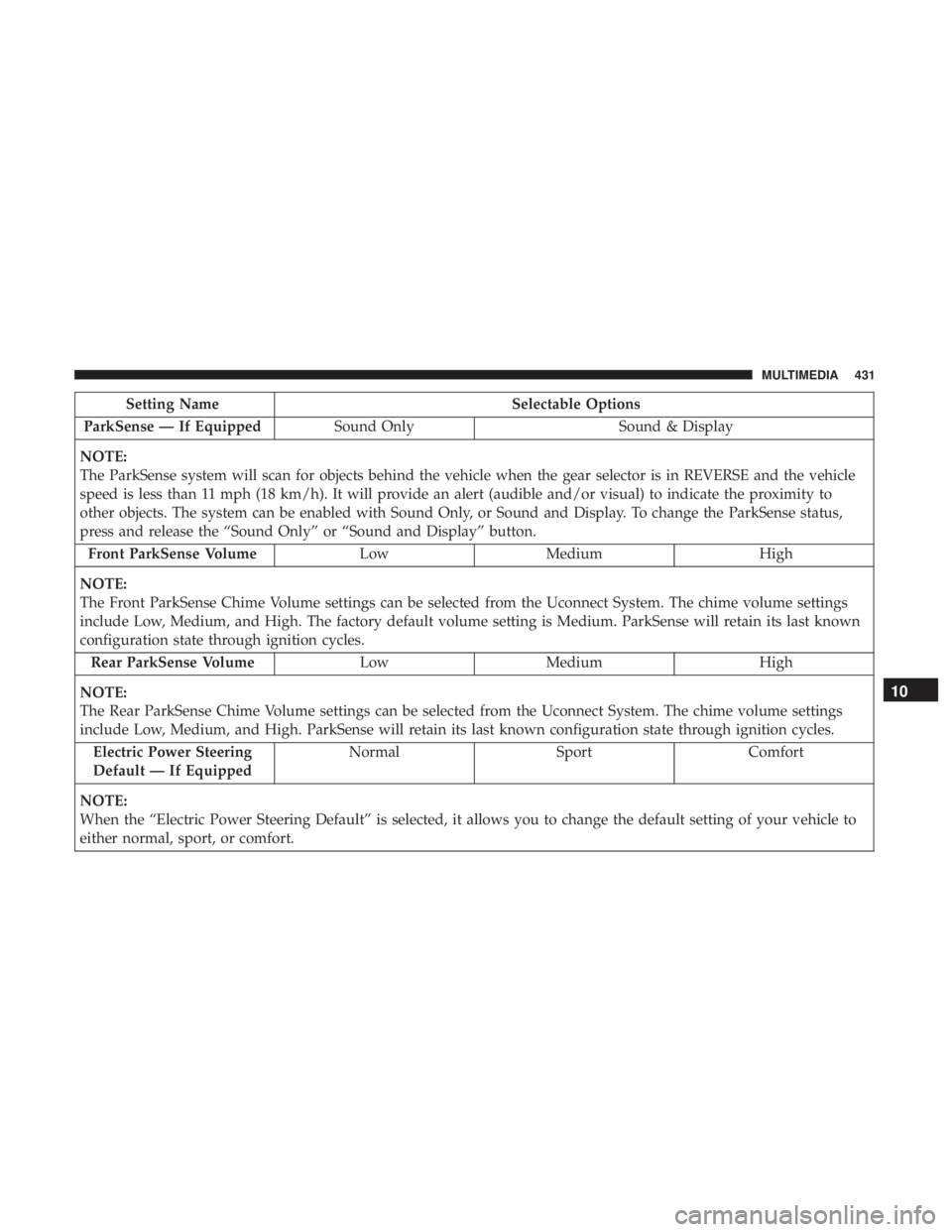
Setting NameSelectable Options
ParkSense — If Equipped Sound Only Sound & Display
NOTE:
The ParkSense system will scan for objects behind the vehicle when the gear selector is in REVERSE and the vehicle
speed is less than 11 mph (18 km/h). It will provide an alert (audible and/or visual) to indicate the proximity to
other objects. The system can be enabled with Sound Only, or Sound and Display. To change the ParkSense status,
press and release the “Sound Only” or “Sound and Display” button. Front ParkSense Volume LowMedium High
NOTE:
The Front ParkSense Chime Volume settings can be selected from the Uconnect System. The chime volume settings
include Low, Medium, and High. The factory default volume setting is Medium. ParkSense will retain its last known
configuration state through ignition cycles. Rear ParkSense Volume LowMedium High
NOTE:
The Rear ParkSense Chime Volume settings can be selected from the Uconnect System. The chime volume settings
include Low, Medium, and High. ParkSense will retain its last known configuration state through ignition cycles. Electric Power Steering
Default — If Equipped Normal
SportComfort
NOTE:
When the “Electric Power Steering Default” is selected, it allows you to change the default setting of your vehicle to
either normal, sport, or comfort.
10
MULTIMEDIA 431
Page 463 of 492
Do Not Disturb can automatically reply with a text mes-
sage, a call or both, when declining an incoming call and
send it to voicemail.
Automatic reply messages can be:
•“I am driving right now, I will get back to you shortly.”
• Create a custom auto reply message up to 160 characters.
NOTE: Only the first 25 characters can be seen on the
touchscreen while typing a custom message.
While in Do Not Disturb, Conference Call can be selected
so you can still place a second call without being inter-
rupted by incoming calls.
NOTE:
• Reply with text message is not compatible with iPhones.
• Auto reply with text message is only available on
phones that support Bluetooth MAP.
Android Auto — If Equipped
NOTE: Feature availability depends on your carrier and
mobile phone manufacturer. Some Android Auto features
may or may not be available in every region and/or
language. Android Auto allows you to use your voice to interact with
Android’s best-in-class speech technology through your
vehicle’s voice recognition system, and use your smart-
phone’s data plan to project your Android powered smart-
phone and a number of its apps onto your Uconnect
touchscreen. Connect your Android 5.0 (Lollipop), or
higher, to one of the media USB ports, using the factory-
provided USB cable, and press the new Android Auto icon
that replaces your “Phone” icon on the main menu bar to
begin Android Auto. Push and hold the VR button on the
steering wheel, or press and hold the “Microphone” icon
within Android Auto, to activate Android’s VR, which
recognizes natural voice commands, to use a list of your
smartphone’s features:
•
Maps
• Music
• Phone
• Text Messages
• Additional Apps
10
MULTIMEDIA 461
Page 483 of 492
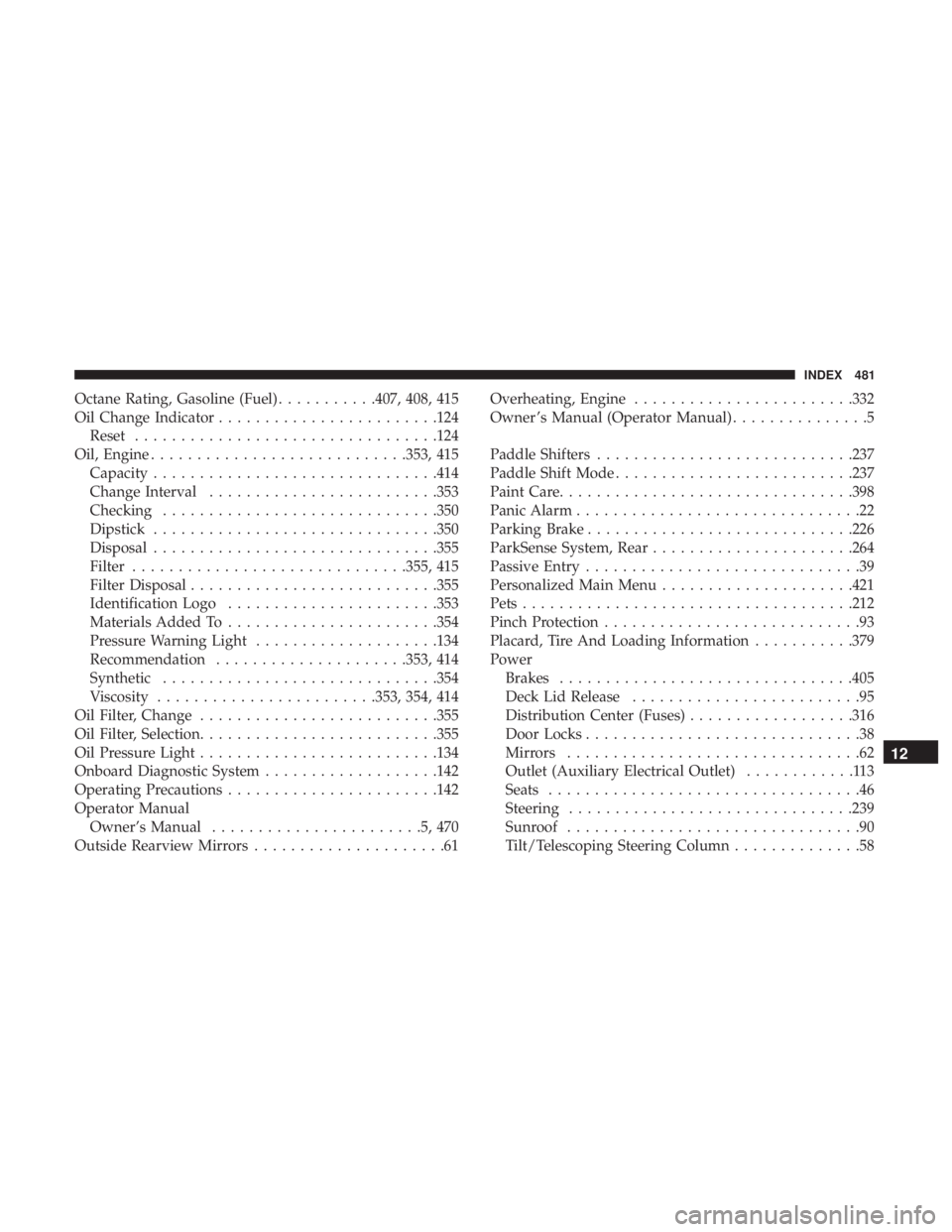
Octane Rating, Gasoline (Fuel)...........407, 408, 415
Oil Change Indicator ....................... .124
Reset ................................ .124
Oil, Engine ........................... .353, 415
Capacity .............................. .414
Change Interval ........................ .353
Checking ............................. .350
Dipstick .............................. .350
Disposal .............................. .355
Filter ............................. .355, 415
Filter Disposal .......................... .355
Identification Logo ...................... .353
Materials Added To ...................... .354
Pressure Warning Light ....................134
Recommendation .....................353, 414
Synthetic ............................. .354
Viscosity ....................... .353, 354, 414
Oil Filter, Change ......................... .355
Oil Filter, Selection ......................... .355
Oil Pressure Light ......................... .134
Onboard Diagnostic System ...................142
Operating Precautions ...................... .142
Operator Manual Owner’s Manual .......................5,470
Outside Rearview Mirrors .....................61 Overheating, Engine
....................... .332
Owner ’s Manual (Operator Manual) ...............5
Paddle Shifters ........................... .237
Paddle Shift Mode ......................... .237
Paint Care ............................... .398
Panic Alarm ...............................22
Parking Brake ............................ .226
ParkSense System, Rear ..................... .264
Passive Entry ..............................39
Personalized Main Menu .....................421
Pets ................................... .212
Pinch Protection ............................
93
Placard, Tire And Loading Information ...........379
Power Brakes ............................... .405
Deck Lid Release .........................95
Distribution Center (Fuses) ..................316
Door Locks ..............................38
Mirrors ................................62
Outlet (Auxiliary Electrical Outlet) ............113
Seats ..................................46
Steering .............................. .239
Sunroof ................................90
Tilt/Telescoping Steering Column ..............58
12
INDEX 481
Page 484 of 492
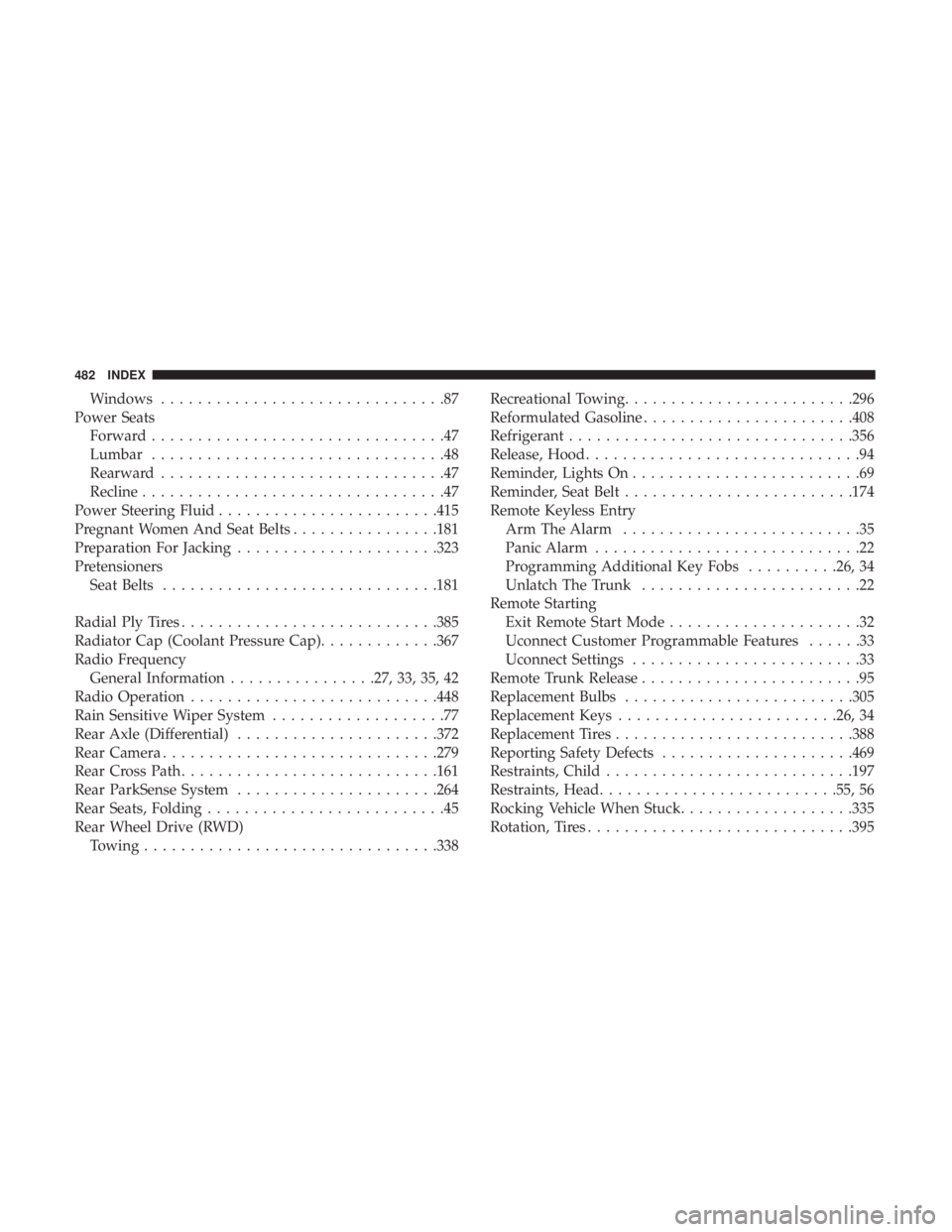
Windows...............................87
Power Seats Forward ................................47
Lumbar ................................48
Rearward ...............................47
Recline .................................47
Power Steering Fluid ....................... .415
Pregnant Women And Seat Belts ................181
Preparation For Jacking ..................... .323
Pretensioners Seat Belts ............................. .181
Radial Ply Tires ........................... .385
Radiator Cap (Coolant Pressure Cap) .............367
Radio Frequency General Information ................27, 33, 35, 42
Radio Operation .......................... .448
Rain Sensitive Wiper System ...................77
Rear Axle (Differential) ..................... .372
Rear Camera ............................. .279
Rear Cross Path ........................... .161
Rear ParkSense System ..................... .264
Rear Seats, Folding ..........................45
Rear Wheel Drive (RWD) Towing ............................... .338Recreational Towing
........................ .296
Reformulated Gasoline ...................... .408
Refrigerant .............................. .356
Release, Hood ..............................94
Reminder, Lights On .........................69
Reminder, Seat Belt ........................ .174
Remote Keyless Entry Arm The Alarm ..........................35
Panic Alarm .............................22
Programming Additional Key Fobs ..........26, 34
Unlatch The Trunk ........................22
Remote Starting Exit Remote Start Mode .....................32
Uconnect Customer Programmable Features ......33
Uconnect Settings .........................33
Remote Trunk Release ........................95
Replacement Bulbs ........................ .305
Replacement Keys ....................... .26, 34
Replacement Tires ......................... .388
Reporting Safety Defects .....................469
Restraints,
Child.......................... .197
Restraints, Head ......................... .55, 56
Rocking Vehicle When Stuck ...................335
Rotation, Tires ............................ .395
482 INDEX
Page 486 of 492
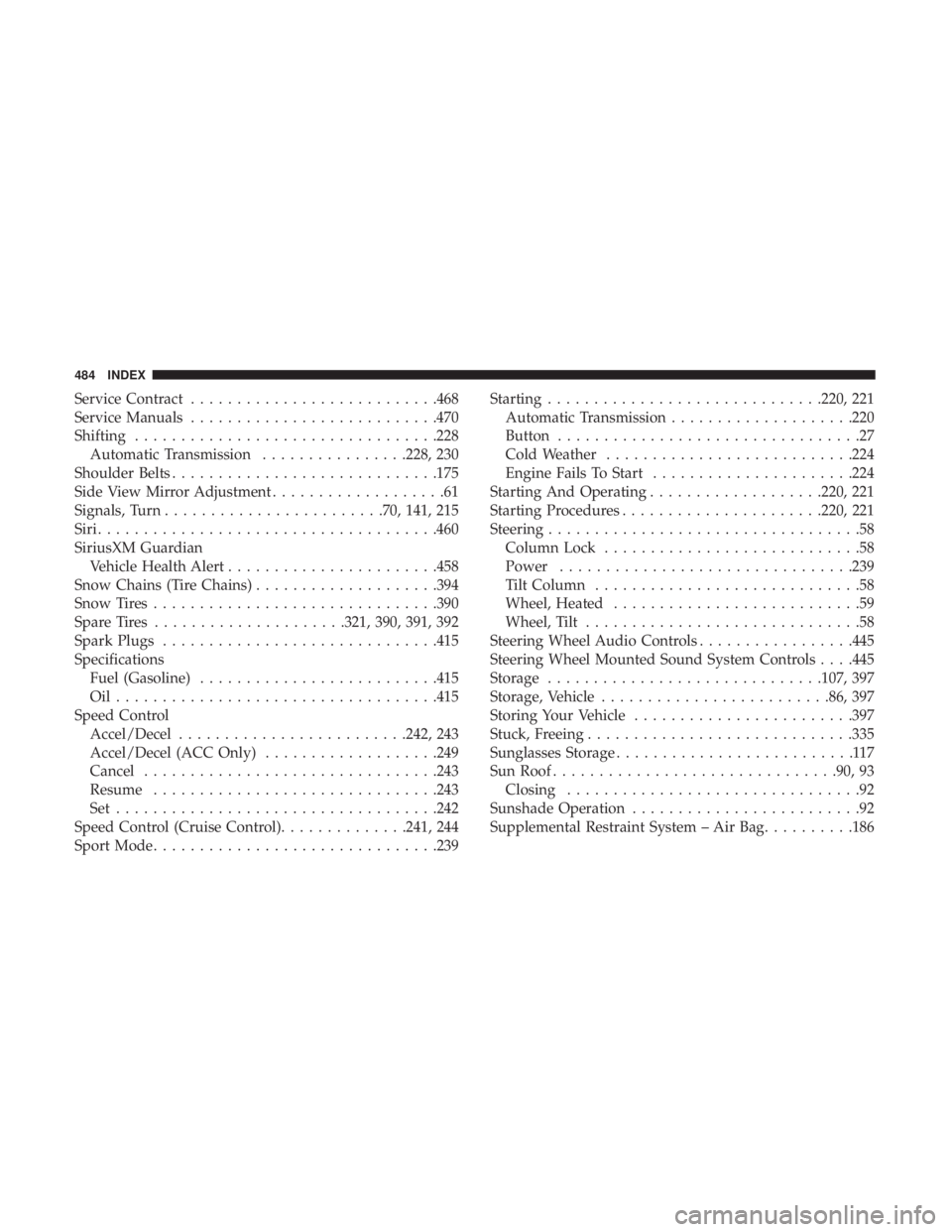
Service Contract.......................... .468
Service Manuals .......................... .470
Shifting ................................ .228
Automatic Transmission ................228, 230
Shoulder Belts ............................ .175
Side View Mirror Adjustment ...................61
Signals, Turn ....................... .70, 141, 215
Siri .................................... .460
SiriusXM Guardian Vehicle Health Alert ...................... .458
Snow Chains (Tire Chains) ....................394
Snow Tires .............................. .390
Spare Tires .....................321, 390, 391, 392
Spark Plugs ............................. .415
Specifications Fuel (Gasoline) ......................... .415
Oil.................................. .415
Speed Control Accel/Decel ........................ .242, 243
Accel/Decel (ACC Only) ...................249
Cancel ............................... .243
Resume .............................. .243
Set .................................. .242
Speed Control (Cruise Control) ..............241, 244
Sport Mode .............................. .239Starting
............................. .220, 221
Automatic Transmission ....................220
Button .................................27
Cold Weather .......................... .224
Engine Fails To Start ..................... .224
Starting And Operating ...................220, 221
Starting Procedures ..................... .220, 221
Steering ..................................58
Column Lock ............................58
Power ............................... .239
Tilt Column .............................58
Wheel, Heated ...........................59
Wheel, Tilt ..............................58
Steering Wheel Audio Controls .................445
Steering
Wheel Mounted Sound System Controls . . . .445
Storage ............................. .107, 397
Storage, Vehicle ........................ .86, 397
Storing Your Vehicle ....................... .397
Stuck, Freeing ............................ .335
Sunglasses Storage ..........................117
Sun Roof .............................. .90, 93
Closing ................................92
Sunshade Operation .........................92
Supplemental Restraint System – Air Bag ..........186
484 INDEX