change time CHRYSLER 300 2019 Service Manual
[x] Cancel search | Manufacturer: CHRYSLER, Model Year: 2019, Model line: 300, Model: CHRYSLER 300 2019Pages: 492, PDF Size: 4.85 MB
Page 442 of 492
Audio
After pressing the “Audio” button on the touchscreen, the following settings will be available:
Setting NameSelectable Options
Balance/Fade “Speaker” Icon Arrow Buttons
NOTE:
The “Balance/Fade” feature allows you to adjust the Balance and Fade settings. Press and drag the speaker icon, use
the arrows to adjust, or tap the “Speaker” icon to readjust to the center. Equalizer +–
NOTE:
•The “Equalizer” feature allows you to adjust the Bass, Mid, and Treble settings. Adjust the settings with the “+”
and “–” setting buttons on the touchscreen or by selecting any point on the scale between the “+” and “–” buttons
on the touchscreen.
•Bass/Mid/Treble allows you to simply slide your finger up or down to change the setting as well as press directly
on the desired setting.
Speed Adjusted Vol- ume Off
12 3
NOTE:
The “Speed Adjusted Volume” feature increases or decreases volume relative to vehicle speed. To change the Speed
Adjusted Volume press the “Off,” “1,” “2” or “3” button on the touchscreen.
440 MULTIMEDIA
Page 450 of 492
RADIO OPERATION AND MOBILE PHONES
Under certain conditions, the mobile phone being on in
your vehicle can cause erratic or noisy performance from
your radio. This condition may be lessened or eliminated
by relocating the mobile phone antenna. This condition is
not harmful to the radio. If your radio performance does
not satisfactorily “clear” by the repositioning of the an-
tenna, it is recommended that the radio volume be turned
down or off during mobile phone operation when not
using Uconnect (if equipped).
Regulatory And Safety Information
USA/CANADA
Exposure to Radio Frequency Radiation
The radiated output power of the internal wireless radio is
far below the FCC and IC radio frequency exposure limits.
Nevertheless, the wireless radio will be used in such a
manner that the radio is 8 in (20 cm) or further from the
human body.
The internal wireless radio operates within guidelines
found in radio frequency safety standards and recommen-
dations, which reflect the consensus of the scientific com-
munity.The radio manufacturer believes the internal wireless radio
is safe for use by consumers. The level of energy emitted is
far less than the electromagnetic energy emitted by wire-
less devices such as mobile phones. However, the use of
wireless radios may be restricted in some situations or
environments, such as aboard airplanes. If you are unsure
of restrictions, you are encouraged to ask for authorization
before turning on the wireless radio.
The following regulatory statement applies to all Radio
Frequency (RF) devices equipped in this vehicle:
This device complies with Part 15 of the FCC Rules and
with Industry Canada license-exempt RSS standard(s).
Operation is subject to the following two conditions:
1. This device may not cause harmful interference, and
2. This device must accept any interference received, in-
cluding interference that may cause undesired opera-
tion.
NOTE: Changes or modifications not expressly approved
by the party responsible for compliance could void the
user ’s authority to operate the equipment.
448 MULTIMEDIA
Page 454 of 492
Media
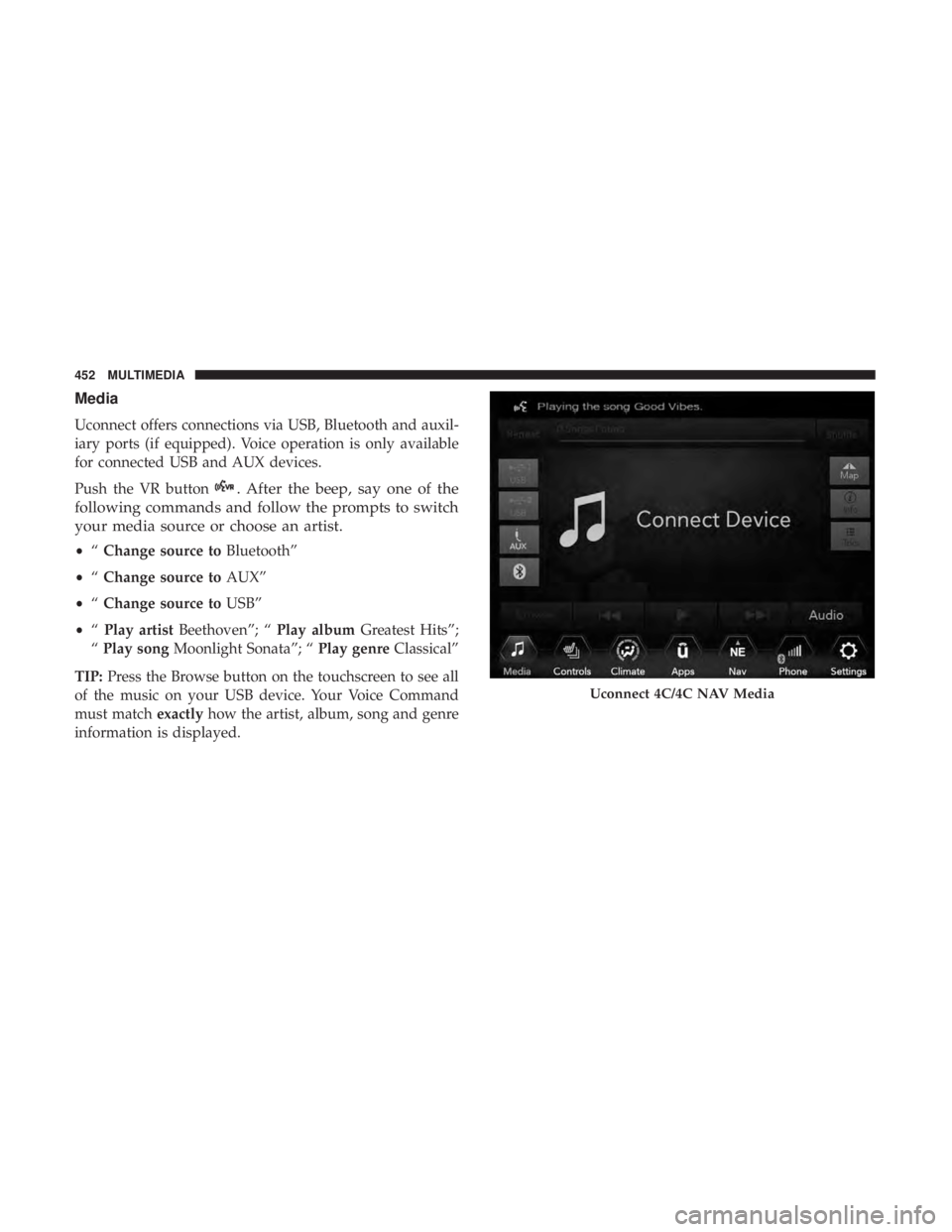
Uconnect offers connections via USB, Bluetooth and auxil-
iary ports (if equipped). Voice operation is only available
for connected USB and AUX devices.
Push the VR button
. After the beep, say one of the
following commands and follow the prompts to switch
your media source or choose an artist.
• “Change source to Bluetooth”
• “Change source to AUX”
• “Change source to USB”
• “Play artist Beethoven”; “ Play albumGreatest Hits”;
“ Play song Moonlight Sonata”; “ Play genreClassical”
TIP: Press the Browse button on the touchscreen to see all
of the music on your USB device. Your Voice Command
must match exactlyhow the artist, album, song and genre
information is displayed.
Uconnect 4C/4C NAV Media
452 MULTIMEDIA
Page 465 of 492
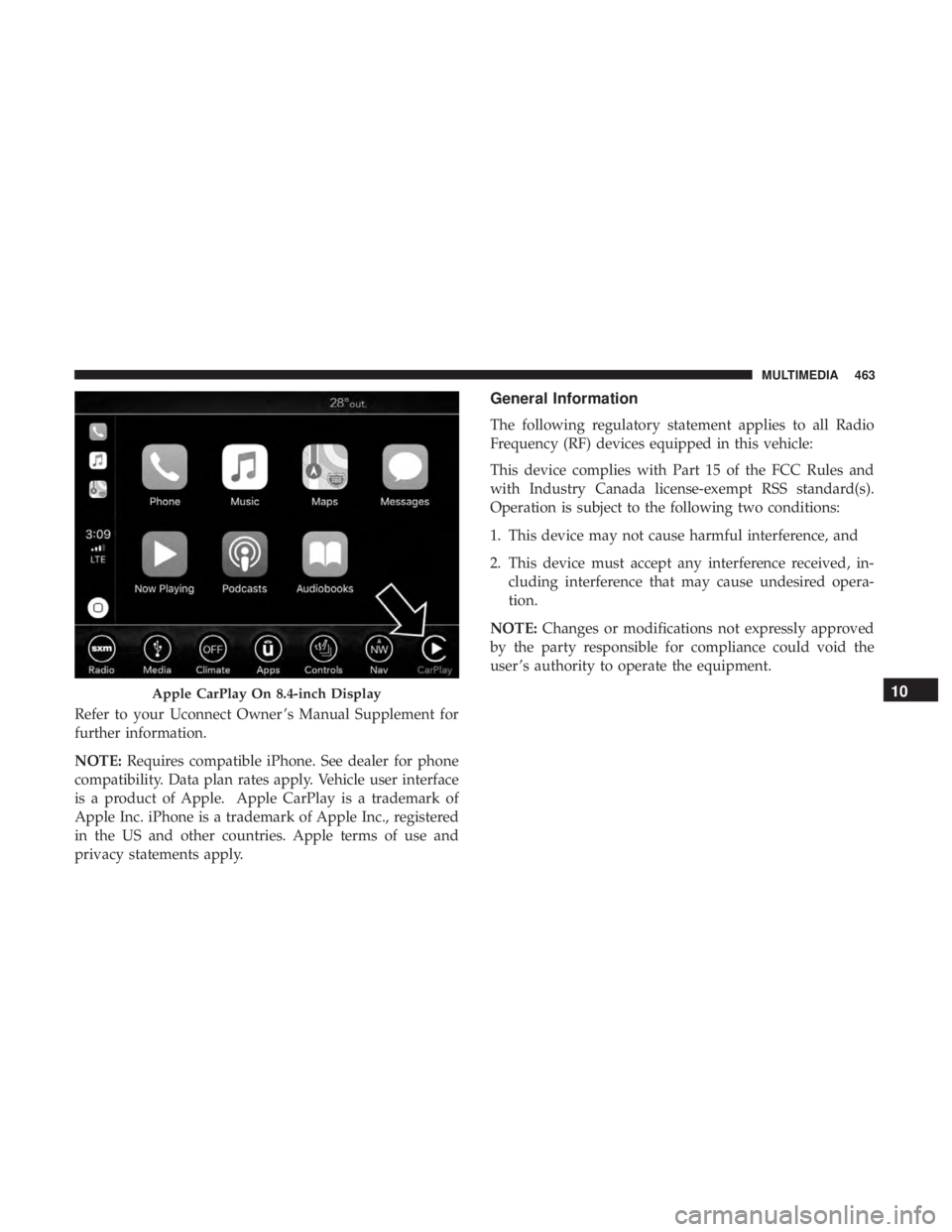
Refer to your Uconnect Owner ’s Manual Supplement for
further information.
NOTE:Requires compatible iPhone. See dealer for phone
compatibility. Data plan rates apply. Vehicle user interface
is a product of Apple. Apple CarPlay is a trademark of
Apple Inc. iPhone is a trademark of Apple Inc., registered
in the US and other countries. Apple terms of use and
privacy statements apply.
General Information
The following regulatory statement applies to all Radio
Frequency (RF) devices equipped in this vehicle:
This device complies with Part 15 of the FCC Rules and
with Industry Canada license-exempt RSS standard(s).
Operation is subject to the following two conditions:
1. This device may not cause harmful interference, and
2. This device must accept any interference received, in- cluding interference that may cause undesired opera-
tion.
NOTE: Changes or modifications not expressly approved
by the party responsible for compliance could void the
user ’s authority to operate the equipment.
Apple CarPlay On 8.4-inch Display10
MULTIMEDIA 463
Page 481 of 492
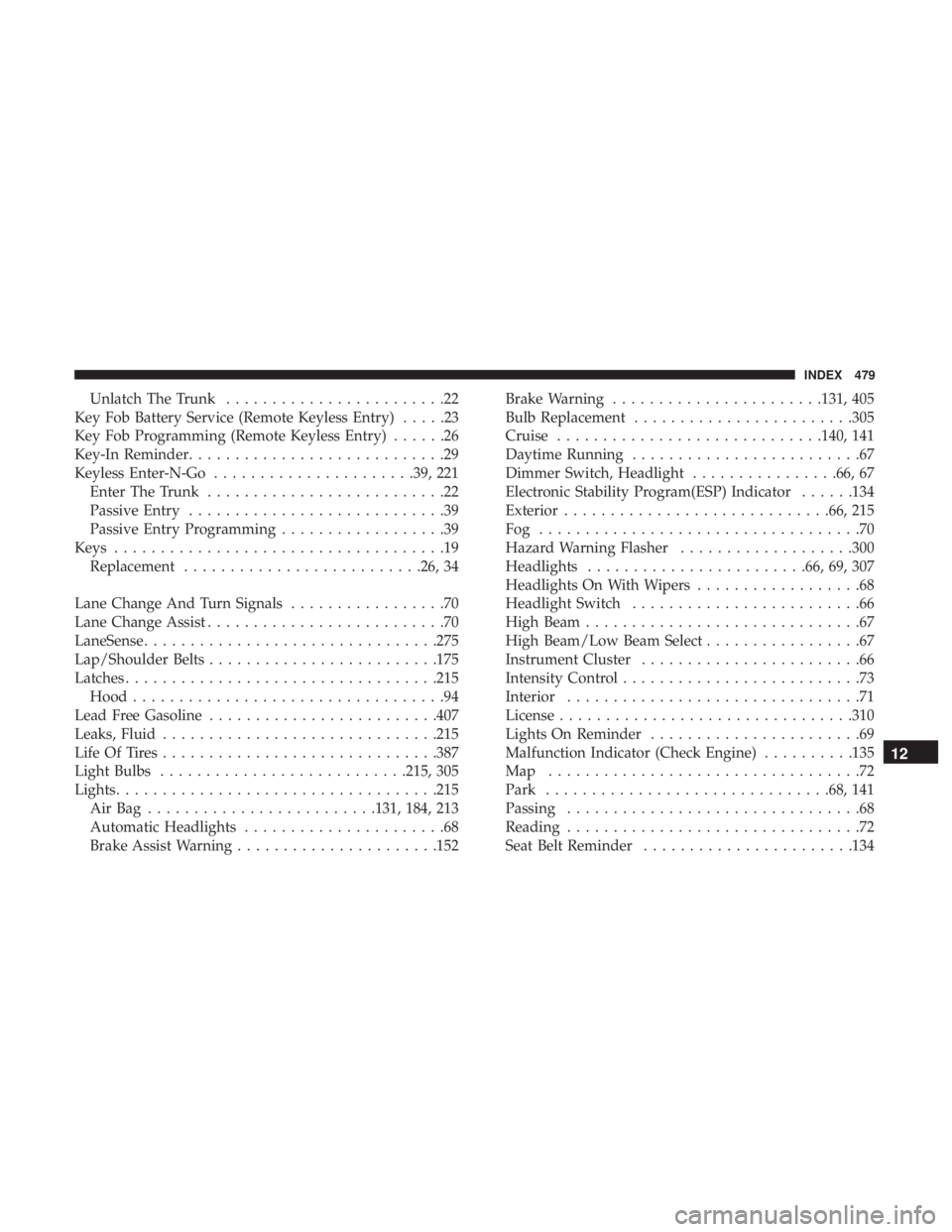
Unlatch The Trunk........................22
Key Fob Battery Service (Remote Keyless Entry) .....23
Key Fob Programming (Remote Keyless Entry) ......26
Key-In Reminder ............................29
Keyless Enter-N-Go ..................... .39, 221
Enter The Trunk ..........................22
Passive Entry ............................39
Passive Entry Programming ..................39
Keys ....................................19
Replacement ......................... .26, 34
Lane Change And Turn Signals .................70
Lane Change Assist ..........................70
LaneSense ............................... .275
Lap/Shoulder Belts ........................ .175
Latches ................................. .215
Hood ..................................94
Lead Free Gasoline ........................ .407
Leaks, Fluid ............................. .215
Life Of Tires ............................. .387
Light Bulbs .......................... .215, 305
Lights .................................. .215
AirBag .........................131, 184, 213
Automatic Headlights ......................68
Brake Assist Warning ..................... .152Brake Warning
...................... .131, 405
Bulb Replacement ....................... .305
Cruise ............................ .140, 141
Daytime Running .........................67
Dimmer Switch, Headlight ................66, 67
Electronic Stability Program(ESP) Indicator ......134
Exterior ............................ .66, 215
Fog ...................................70
Hazard Warning Flasher ...................300
Headlights ....................... .66, 69, 307
Headlights On With Wipers ..................68
Headlight Switch .........................66
High Beam ..............................67
High Beam/Low Beam Select .................67
Instrument Cluster ........................66
Intensity Control ..........................73
Interior ................................71
License ............................... .310
Lights
On Reminder .......................69
Malfunction Indicator (Check Engine) ..........135
Map ..................................72
Park .............................. .68, 141
Passing ................................68
Reading ................................72
Seat Belt Reminder ...................... .134
12
INDEX 479