seats CHRYSLER 300 C 2008 1.G User Guide
[x] Cancel search | Manufacturer: CHRYSLER, Model Year: 2008, Model line: 300 C, Model: CHRYSLER 300 C 2008 1.GPages: 520, PDF Size: 5.43 MB
Page 118 of 520
General Information
This device complies with part 15 of the FCC rules and
RSS 210 of Industry Canada. Operation is subject to the
following conditions:
•This device may not cause harmful interference.
•This device must accept any interference received,
including interference that may cause undesired op-
eration.
SEATS
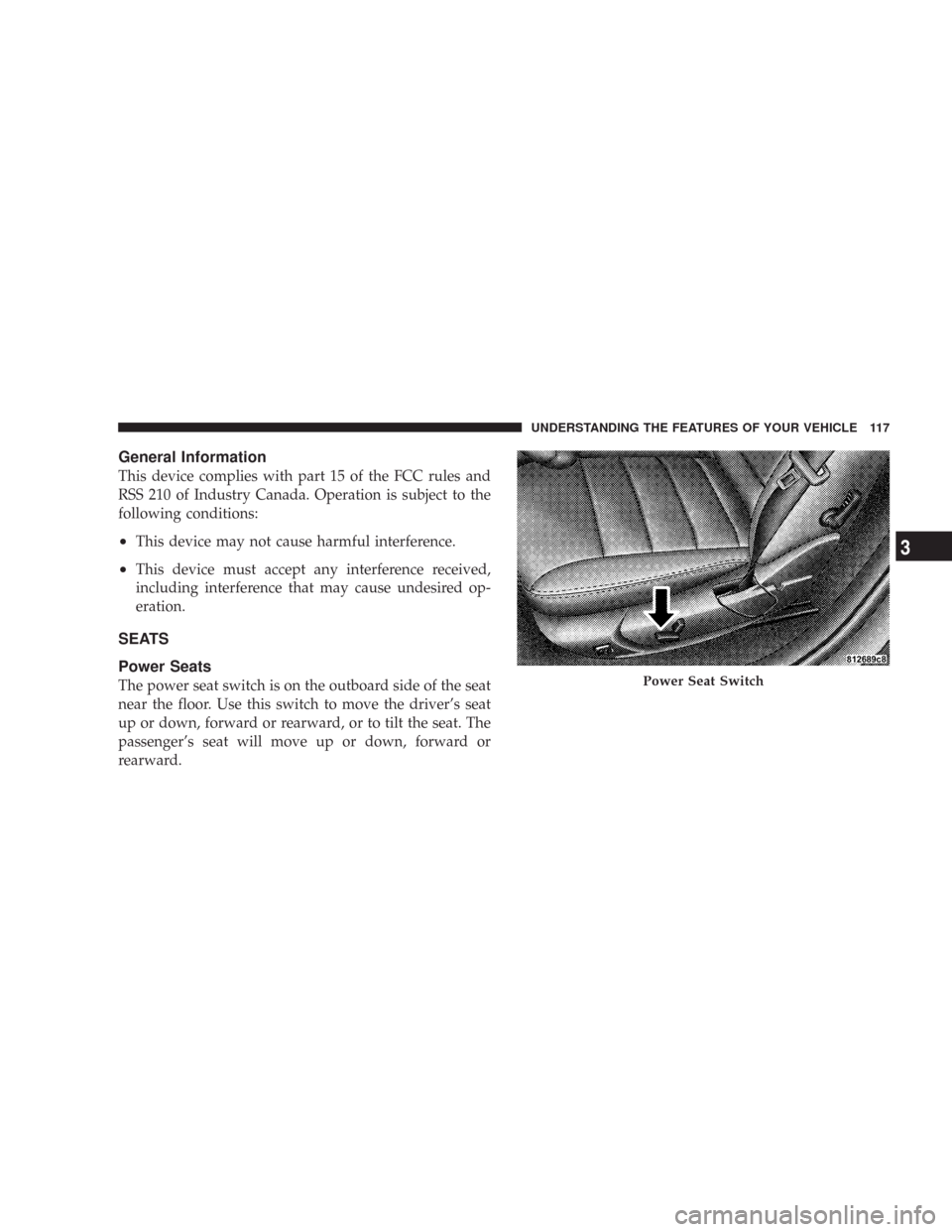
Power Seats
The power seat switch is on the outboard side of the seat
near the floor. Use this switch to move the driver’s seat
up or down, forward or rearward, or to tilt the seat. The
passenger’s seat will move up or down, forward or
rearward.Power Seat Switch
UNDERSTANDING THE FEATURES OF YOUR VEHICLE 117
3
Page 119 of 520

WARNING!
Adjusting a seat while the vehicle is moving is
dangerous. The sudden movement of the seat could
cause you to lose control. The seat belt might not be
properly adjusted and you could be injured. Adjust
the seat only while the vehicle is parked.
CAUTION!
Do not place any article under a power seat as it may
cause damage to the seat controls.
Power Reclining Seats
The recliner control is located on the outboard side of the
seat.
Power Seat Recline Switch
118 UNDERSTANDING THE FEATURES OF YOUR VEHICLE
Page 121 of 520

Head Restraints
Head restraints can reduce the risk of whiplash injury in
the event of impact from the rear. Adjust the restraint so
that the upper edge is as high as practical. To raise it, pull
upward on the head restraint. To lower it, depress the
button on the post guide and push downward on the
head restraint.
Heated Seats — If Equipped
Heated seats, which are available only with leather
upholstery, provide comfort and warmth on cold days
and can help soothe sore muscles and backs. The heaters
provide the same heat level for both cushion and back.
Adjustable Head Restraint
120 UNDERSTANDING THE FEATURES OF YOUR VEHICLE
Page 122 of 520

The controls for the driver and front passenger heated
seats are located near the bottom center of the instrument
panel.
On vehicles equipped with rear heated seats, the seats
closest to the doors are heated. The controls for these
seats are located on the rear of the center console.After turning on the ignition, you and your passenger(s)
can choose from High, Off, or Low heat settings. Amber
LEDs in the switch indicate the level of heat in use. Two
LEDs will illuminate for high, one for low, and none for
off.
Front Heated Seat Switch
Rear Heated Seat Switch
UNDERSTANDING THE FEATURES OF YOUR VEHICLE 121
3
Page 124 of 520

Folding Rear Seat
The rear seatbacks can be folded forward to provide an
additional storage area. Pull on the loops shown in the
illustration to fold down either or both seatbacks. These
loops can be tucked away when not in use.When the seatback is folded to the upright position, make
sure it is latched by strongly pulling on the top of the
seatback above the seat strap.
WARNING!
•Be certain that the seatback is securely locked into
position. If the seatback in not securely locked
into position the seat will not provide the proper
stability for child seats and/or passengers. An
improperly latched seat could cause serious injury.
•The cargo area in the rear of the vehicle (with the
rear seatbacks in the locked-up or folded down
position) should not be used as a play area by
children when the vehicle is in motion. They could
be seriously injured in an accident. Children
should be seated and using the proper restraint
system.
Folding Rear Seats
UNDERSTANDING THE FEATURES OF YOUR VEHICLE 123
3
Page 190 of 520
CUP HOLDERS
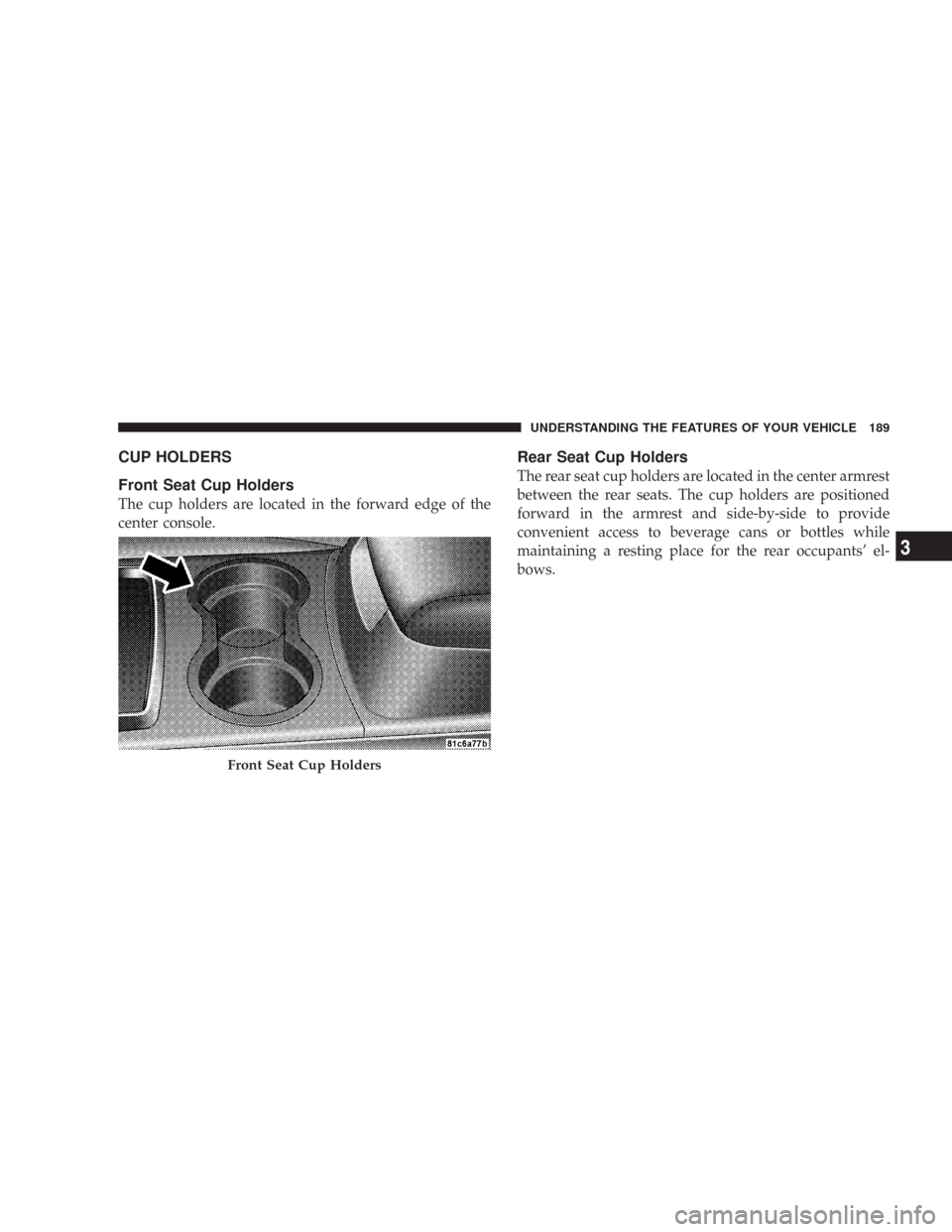
Front Seat Cup Holders
The cup holders are located in the forward edge of the
center console.
Rear Seat Cup Holders
The rear seat cup holders are located in the center armrest
between the rear seats. The cup holders are positioned
forward in the armrest and side-by-side to provide
convenient access to beverage cans or bottles while
maintaining a resting place for the rear occupants’ el-
bows.
Front Seat Cup Holders
UNDERSTANDING THE FEATURES OF YOUR VEHICLE 189
3
Page 193 of 520

front-opening lid allows for easy access to the storage
compartment for the both the driver and the front
passenger.
Cargo Area
The 60/40 split-folding rear seat provides cargo-carrying
versatility. The seatbacks fold down easily by pulling
nylon tabs between the seatbacks and the bolsters. When
the seats are folded down, they provide a continuous,
nearly flat extension of the load floor.
When the seatback is folded to the upright position, make
sure it is latched by strongly pulling on the top of the
seatback above the seat strap.
WARNING!
•Be certain that the seatback is securely locked into
position. If the seatback in not securely locked into
position, the seat will not provide the proper
stability for child seats and/or passengers. An
improperly latched seat could cause serious injury.
•The cargo area in the rear of the vehicle (with the
rear seatbacks in the locked-up or folded down
position) should not be used as a play area by
children when the vehicle is in motion. They could
be seriously injured in an accident. Children
should be seated and using the proper restraint
system.
•To help protect against personal injury, passengers
should not be seated in the rear cargo area. The
rear cargo space is intended for load carrying
purposes only, not for passengers, who should sit
in seats and use seat belts.
192 UNDERSTANDING THE FEATURES OF YOUR VEHICLE
Page 218 of 520

•ACC Blinded — If the Adaptive Cruise Control (ACC)
system deactivates due to performance limiting con-
ditions. Refer to “Adaptive Cruise Control (ACC)” in
Section 3 of this manual for detailed information (if so
equipped).
•ACC Unavailable — If the Adaptive Cruise Control
(ACC) system turns off due to a temporary malfunc-
tion that limits functionality. Refer to “Adaptive
Cruise Control (ACC)” in Section 3 of this manual for
detailed information (if so equipped).
•Service ACC — If the Adaptive Cruise Control (ACC)
system turns off due to an internal system fault that
requires service from an authorized dealer. Refer to
“Adaptive Cruise Control (ACC)” in Section 3 of this
manual for detailed information (if so equipped).
•Adjustable Pedals Disabled – Cruise Engaged (with a
single chime) — only available on vehicles equipped
with memory seats.
•Adjustable Pedals Disabled – Vehicle In Reverse (with
a single chime) — only available on vehicles equipped
with memory seats.
•Channel # Transmit
•Channel # Training
•Channel # Trained
•Clearing Channels
•Channels Cleared
•Did Not Train
•Left Front Low Pressure (with a single chime). Refer to
information on “Tire Pressure” and “Tire Pressure
Monitor” in the “Starting And Operating” section of
this manual.
UNDERSTANDING YOUR INSTRUMENT PANEL 217
4
Page 284 of 520

Mode Control
The rotary knob on the right controls
airflow distribution. Dots between
each of the mode selections identify
intermediate modes that allow the op-
erator to fine-tune airflow distribu-
tion. The mode settings are as follows:
•Defrost
Air is directed to the windshield through the
outlets at the base of the windshield. Air is also
directed to the front door windows through the side
window demister grilles.
NOTE:To improve fuel economy, leave in defrost only
when necessary.
•Defrost/Floor
Air flows through the front and rear floor outlets
and the outlets at the base of the windshield. Airis also directed to the front door windows through the
side window demister grilles.
•Floor
Air flows through the floor outlets located under
the instrument panel and into the rear seating
area through vents under the front seats.
•Bi-Level
Air flows through the outlets located in the
instrument panel and through the outlets located
on the floor. Air flows through the registers in the back
of the center console to the rear seat passengers. These
registers can be closed to partially block airflow.
•Panel
Air flows through the outlets located in the in-
strument panel. Air flows through the registers in
the back of the center console to the rear seat passen-
gers. These registers can be closed to block airflow.
UNDERSTANDING YOUR INSTRUMENT PANEL 283
4
Page 290 of 520

The operator can override the AUTO mode setting to
change airflow distribution by rotating the Mode Control
knob (on the right) to one of the following positions.
•Defrost
Air is directed to the windshield through the
outlets at the base of the windshield. Air is also
directed to the front door windows through the side
window demister grilles.
•Defrost/Floor
Air flows through the front and rear floor outlets
and the outlets at the base of the windshield. Air
is also directed to the front door windows
through the side window demister grilles.
•Floor
Air flows through the floor outlets located under
the instrument panel and into the rear seating
area through vents under the front seats.
•Bi-Level
Air flows through the outlets located in the
instrument panel and through the outlets located
on the floor. Air flows through the registers in the back
of the center console to the rear seat passengers. These
registers can be closed to block airflow.
•Panel
Air flows through the outlets located in the in-
strument panel. Air flows through the registers in
the back of the center console to the rear seat passen-
gers. These registers can be closed to block airflow.
•Air Conditioning Control
Press this button to turn on the air conditioning
during manual operation only. When the air
conditioning is turned on, cool dehumidified
air will flow through the outlets selected with the
Mode control dial. Press this button a second time to
UNDERSTANDING YOUR INSTRUMENT PANEL 289
4