warning CHRYSLER 300 C 2008 1.G Service Manual
[x] Cancel search | Manufacturer: CHRYSLER, Model Year: 2008, Model line: 300 C, Model: CHRYSLER 300 C 2008 1.GPages: 520, PDF Size: 5.43 MB
Page 124 of 520

Folding Rear Seat
The rear seatbacks can be folded forward to provide an
additional storage area. Pull on the loops shown in the
illustration to fold down either or both seatbacks. These
loops can be tucked away when not in use.When the seatback is folded to the upright position, make
sure it is latched by strongly pulling on the top of the
seatback above the seat strap.
WARNING!
•Be certain that the seatback is securely locked into
position. If the seatback in not securely locked
into position the seat will not provide the proper
stability for child seats and/or passengers. An
improperly latched seat could cause serious injury.
•The cargo area in the rear of the vehicle (with the
rear seatbacks in the locked-up or folded down
position) should not be used as a play area by
children when the vehicle is in motion. They could
be seriously injured in an accident. Children
should be seated and using the proper restraint
system.
Folding Rear Seats
UNDERSTANDING THE FEATURES OF YOUR VEHICLE 123
3
Page 130 of 520

Use the hood prop rod (if equipped) to secure the hood in
the open position.To prevent possible damage, do not slam the hood to
close it. Lower the hood, until it is open approximately 6
inches (15 cm), and then drop it. This should secure both
latches. Never drive your vehicle unless the hood is fully
closed, with both latches engaged.
WARNING!
If the hood is not fully latched, it could fly up when
the vehicle is moving and block your forward vision.
You could have a collision. Be sure all hood latches
are fully latched before driving.
Hood Safety Catch
UNDERSTANDING THE FEATURES OF YOUR VEHICLE 129
3
Page 140 of 520
the wipe interval from a minimum of one cycle every
second to a maximum of approximately 30 seconds
between cycles.
WARNING!
Sudden loss of visibility through the windshield
could lead to an accident. You might not see other
vehicles or other obstacles. To avoid sudden icing of
the windshield during freezing weather, warm the
windshield with defroster before and during wind-
shield washer use.
Mist Feature
Push the multi-function lever inward (toward the steer-
ing column) to the first detent to activate a single wipe
cycle to clear off road mist or spray from a passing
vehicle. The wipers will continue to operate until you
release the lever.
Windshield Washers
To use the washer, push the multi-function lever inward
(toward the steering column) to the second detent and
hold it for as long as washer spray is desired.
If you activate the washer while the windshield wiper
control is in the delay range, the wipers will operate for
three wipe cycles after releasing the lever and then
resume the intermittent interval previously selected.
If you activate the washer while the windshield wiper is
turned OFF, the wipers will operate for two wipe cycles
and then turn OFF.
Headlights On with Wipers (Available with Auto
Headlights Only)
When this feature is active, the headlights will turn on
approximately 10 seconds after the wipers are turned on
if the headlight switch is placed in the AUTO position. In
addition, the headlights will turn off when the wipers are
turned off if they were turned on by this feature.
UNDERSTANDING THE FEATURES OF YOUR VEHICLE 139
3
Page 143 of 520
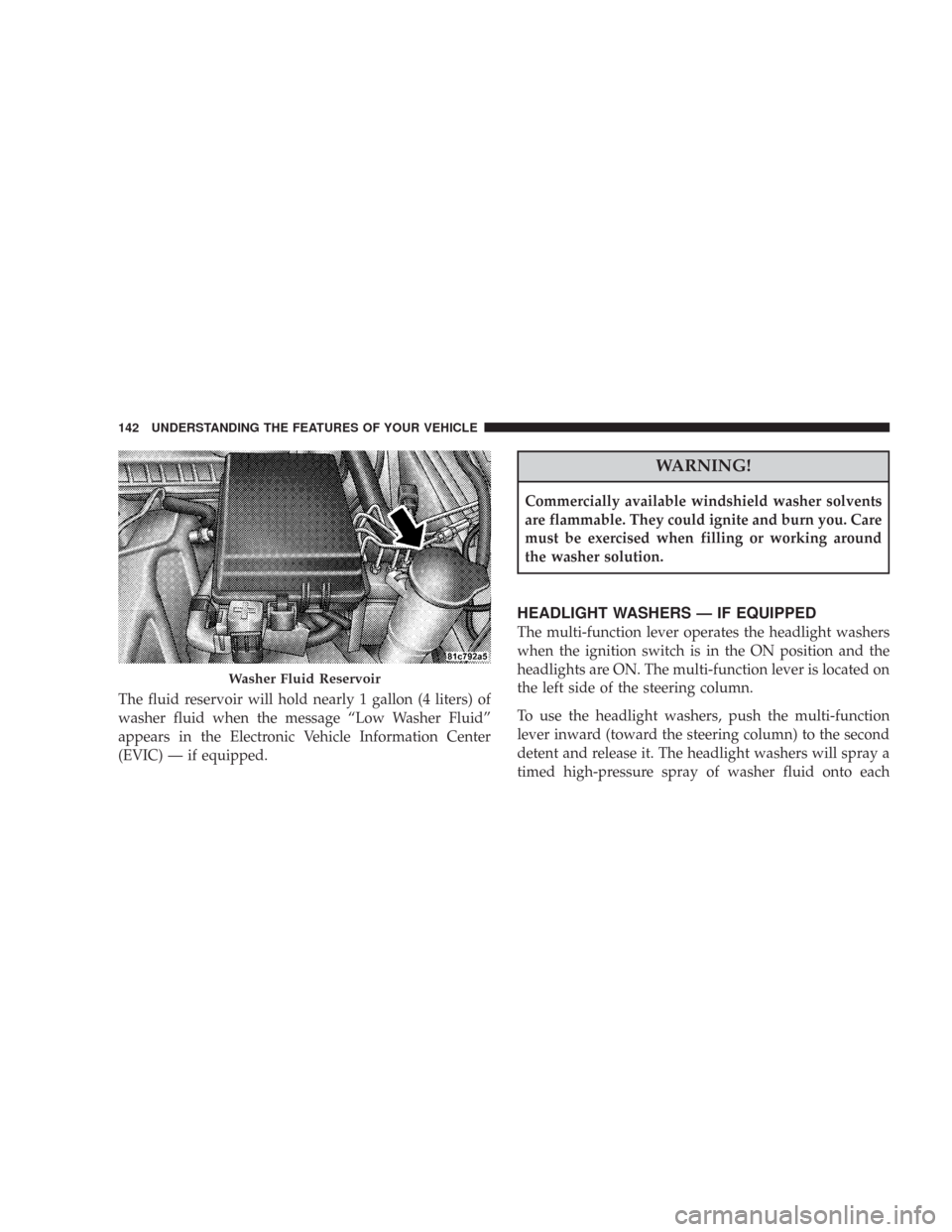
The fluid reservoir will hold nearly 1 gallon (4 liters) of
washer fluid when the message “Low Washer Fluid”
appears in the Electronic Vehicle Information Center
(EVIC) — if equipped.
WARNING!
Commercially available windshield washer solvents
are flammable. They could ignite and burn you. Care
must be exercised when filling or working around
the washer solution.
HEADLIGHT WASHERS — IF EQUIPPED
The multi-function lever operates the headlight washers
when the ignition switch is in the ON position and the
headlights are ON. The multi-function lever is located on
the left side of the steering column.
To use the headlight washers, push the multi-function
lever inward (toward the steering column) to the second
detent and release it. The headlight washers will spray a
timed high-pressure spray of washer fluid onto each
Washer Fluid Reservoir
142 UNDERSTANDING THE FEATURES OF YOUR VEHICLE
Page 145 of 520
WARNING!
Commercially available windshield washer solvents
are flammable. They could ignite and burn you. Care
must be exercised when filling or working around
the washer solution.
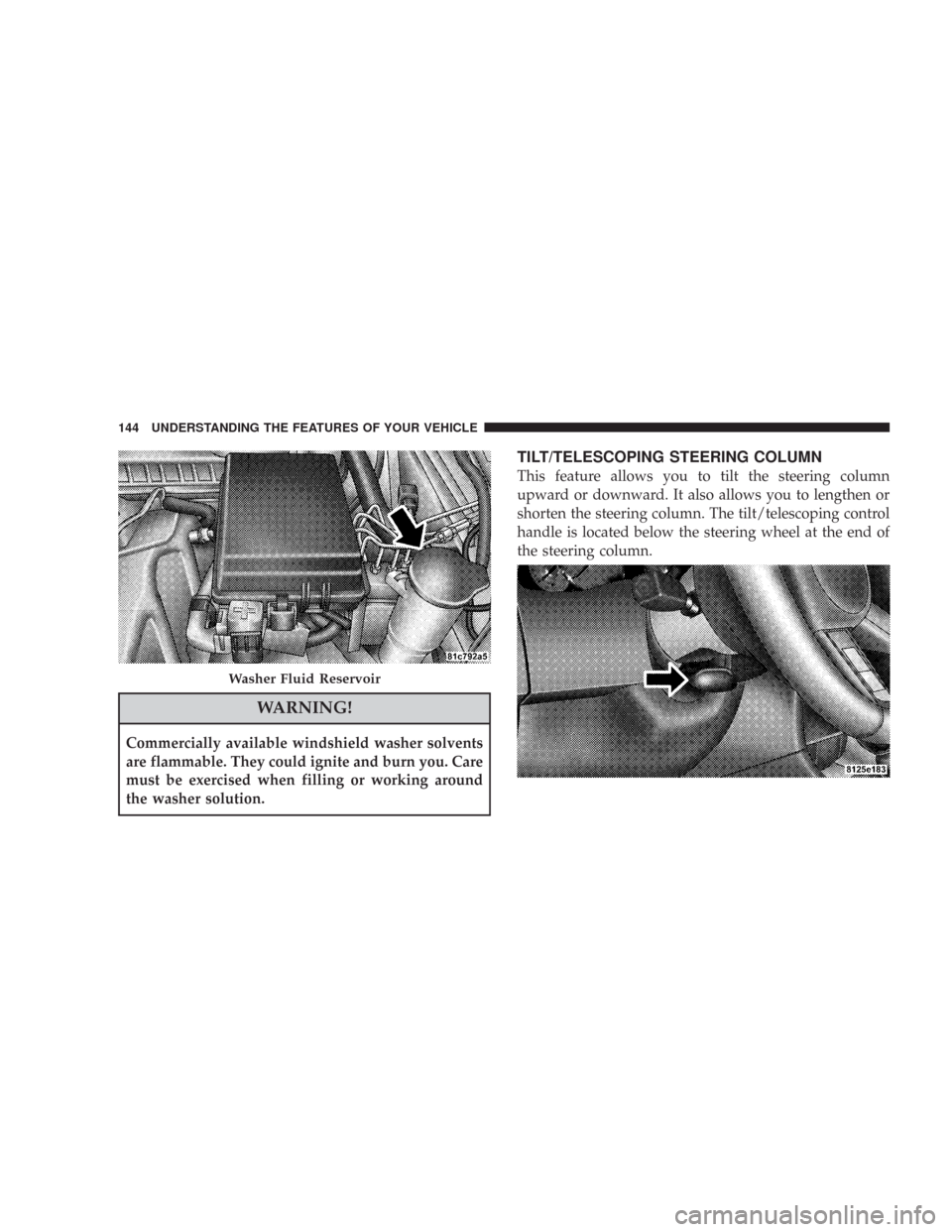
TILT/TELESCOPING STEERING COLUMN
This feature allows you to tilt the steering column
upward or downward. It also allows you to lengthen or
shorten the steering column. The tilt/telescoping control
handle is located below the steering wheel at the end of
the steering column.
Washer Fluid Reservoir
144 UNDERSTANDING THE FEATURES OF YOUR VEHICLE
Page 146 of 520
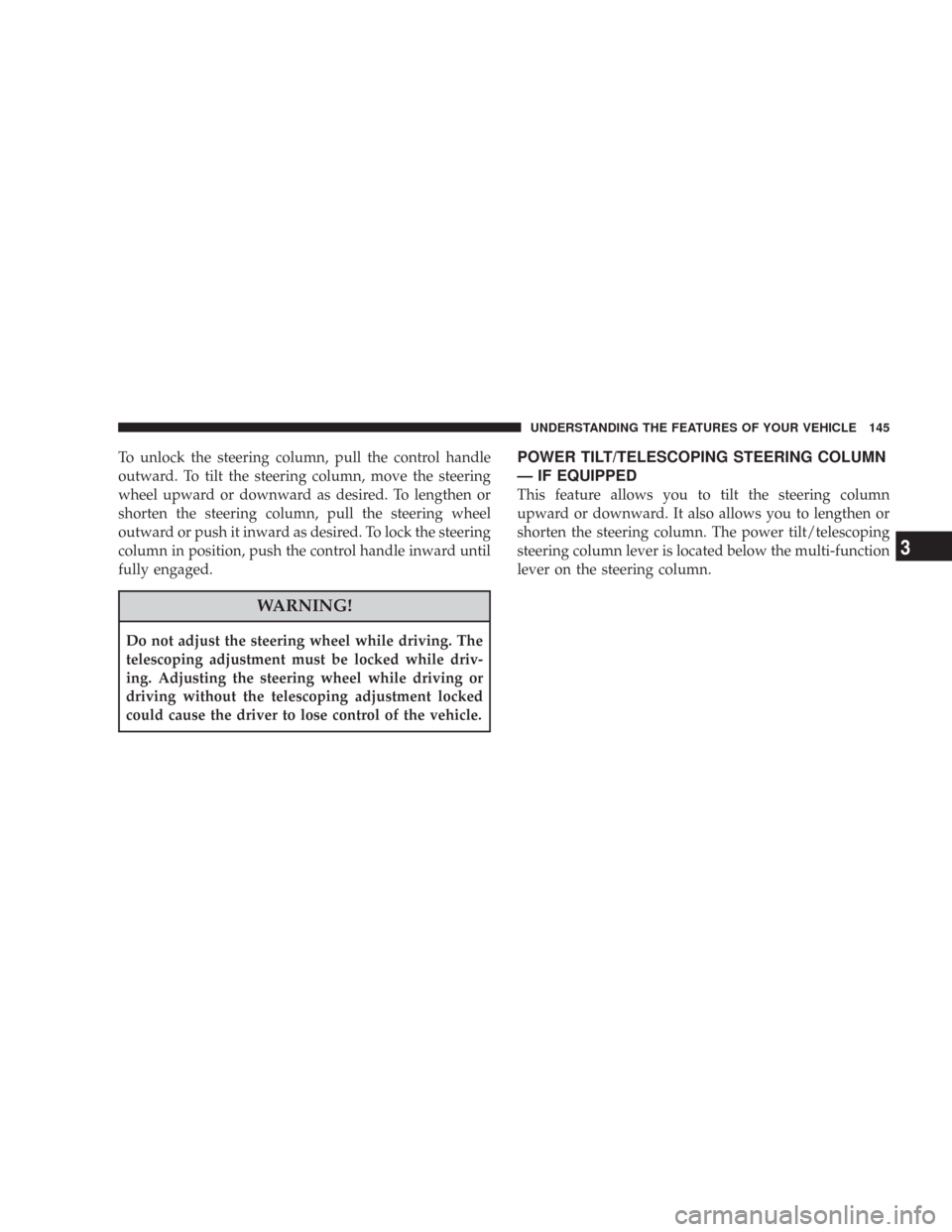
To unlock the steering column, pull the control handle
outward. To tilt the steering column, move the steering
wheel upward or downward as desired. To lengthen or
shorten the steering column, pull the steering wheel
outward or push it inward as desired. To lock the steering
column in position, push the control handle inward until
fully engaged.
WARNING!
Do not adjust the steering wheel while driving. The
telescoping adjustment must be locked while driv-
ing. Adjusting the steering wheel while driving or
driving without the telescoping adjustment locked
could cause the driver to lose control of the vehicle.
POWER TILT/TELESCOPING STEERING COLUMN
— IF EQUIPPED
This feature allows you to tilt the steering column
upward or downward. It also allows you to lengthen or
shorten the steering column. The power tilt/telescoping
steering column lever is located below the multi-function
lever on the steering column.
UNDERSTANDING THE FEATURES OF YOUR VEHICLE 145
3
Page 147 of 520
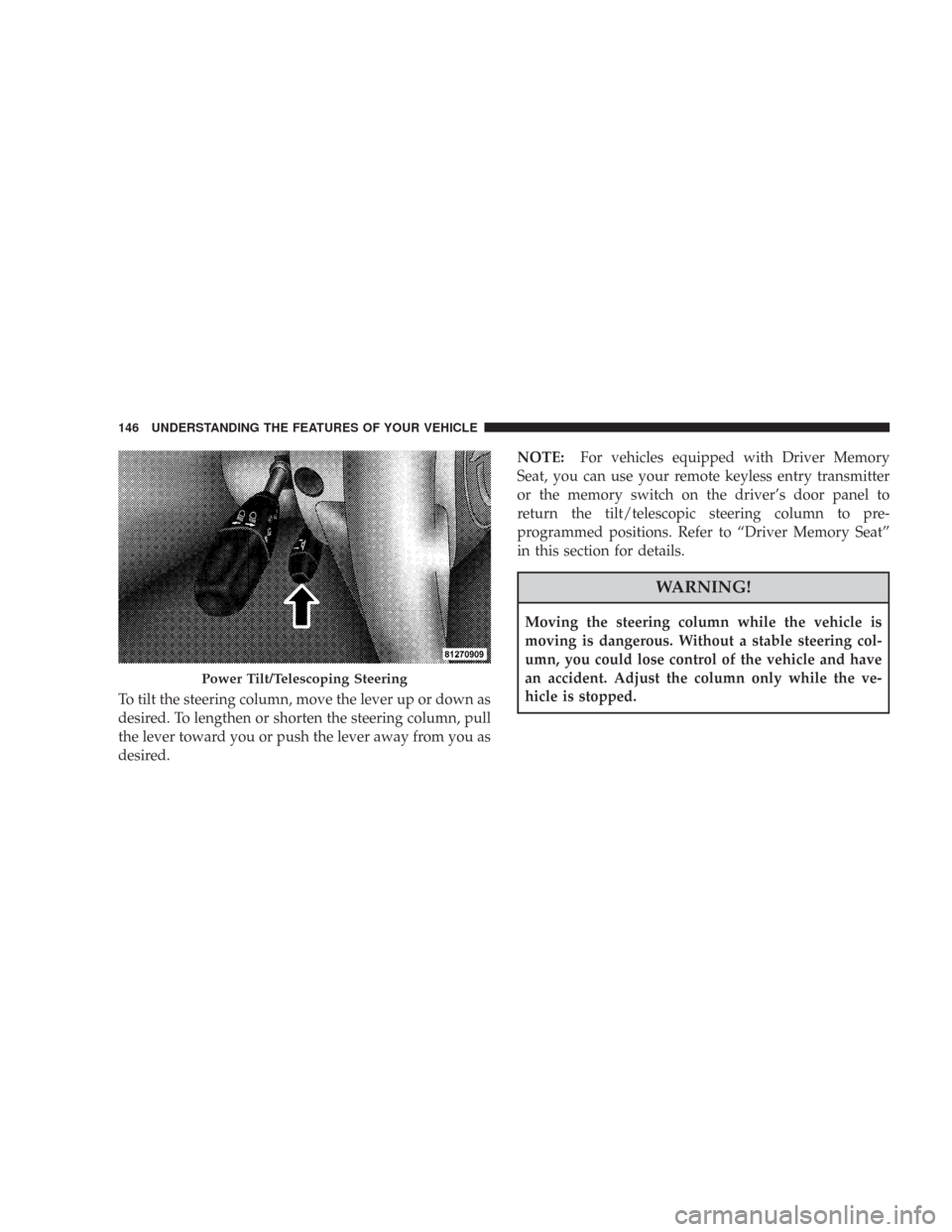
To tilt the steering column, move the lever up or down as
desired. To lengthen or shorten the steering column, pull
the lever toward you or push the lever away from you as
desired.NOTE:For vehicles equipped with Driver Memory
Seat, you can use your remote keyless entry transmitter
or the memory switch on the driver’s door panel to
return the tilt/telescopic steering column to pre-
programmed positions. Refer to “Driver Memory Seat”
in this section for details.
WARNING!
Moving the steering column while the vehicle is
moving is dangerous. Without a stable steering col-
umn, you could lose control of the vehicle and have
an accident. Adjust the column only while the ve-
hicle is stopped.
Power Tilt/Telescoping Steering
146 UNDERSTANDING THE FEATURES OF YOUR VEHICLE
Page 150 of 520
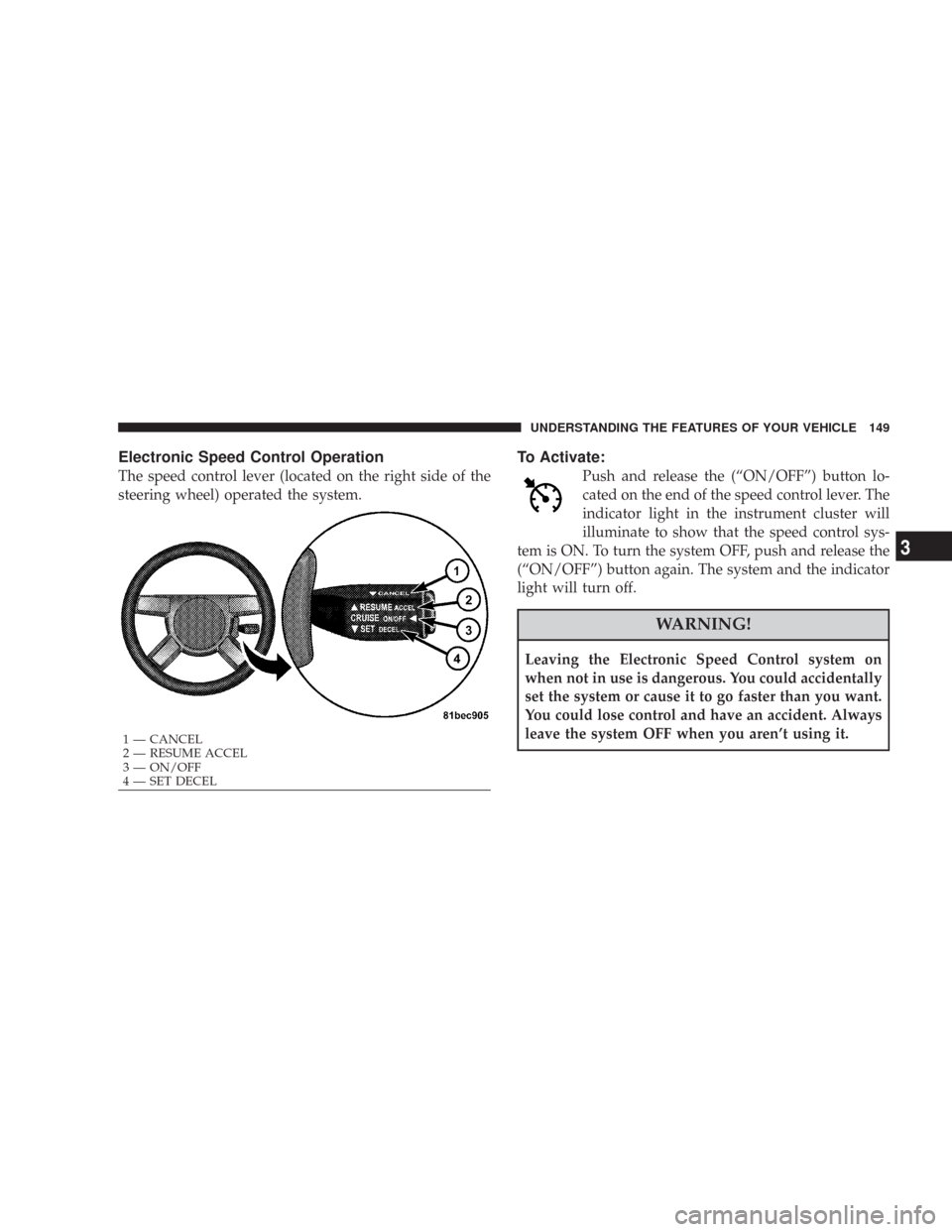
Electronic Speed Control Operation
The speed control lever (located on the right side of the
steering wheel) operated the system.
To Activate:
Push and release the (“ON/OFF”) button lo-
cated on the end of the speed control lever. The
indicator light in the instrument cluster will
illuminate to show that the speed control sys-
tem is ON. To turn the system OFF, push and release the
(“ON/OFF”) button again. The system and the indicator
light will turn off.
WARNING!
Leaving the Electronic Speed Control system on
when not in use is dangerous. You could accidentally
set the system or cause it to go faster than you want.
You could lose control and have an accident. Always
leave the system OFF when you aren’t using it.
1 — CANCEL
2 — RESUME ACCEL
3 — ON/OFF
4 — SET DECEL
UNDERSTANDING THE FEATURES OF YOUR VEHICLE 149
3
Page 152 of 520

Tapping (“RESUME ACCEL”) once will result ina1mph
(1.6 km/h) speed increase. Each time the lever is tapped,
speed increases so that tapping the lever three times will
increase speed by 3 mph (4.8 km/h), etc.
To decrease speed while speed control is set, push down
and hold the lever (“SET DECEL”). Release the lever
when the desired speed is reached, and a new set speed
will be established.
Tapping (“SET DECEL”) once will result in a 1 mph (1.6
km/h) speed decrease. Each time the lever is tapped,
speed decreases.
To Accelerate For Passing:
Depress the accelerator as you would normally. When the
pedal is released, the vehicle will return to the set speed.
Using Speed Control On Hills
NOTE:The speed control system maintains speed up
and down hills. A slight speed change on moderate hills
is normal.
The automatic transmission will downshift while climb-
ing uphill or descending downhill. This downshift is
necessary to maintain vehicle set speed.
On steep hills, a greater speed loss or gain may occur so
it may be preferable to drive without speed control.
WARNING!
Speed Control can be dangerous where the system can’t
maintain a constant speed. Your vehicle could go too fast
for the conditions, and you could lose control. An
accident could be the result. Don’t use Speed Control in
heavy traffic or on roads that are winding, icy, snow-
covered, or slippery.
UNDERSTANDING THE FEATURES OF YOUR VEHICLE 151
3
Page 154 of 520

WARNING!
•Adaptive Cruise Control (ACC) is a convenience system. It is not a
substitute for active driving involvement. It is always the driver ’s
responsibility to be attentive of road, traffic, and weather conditions,
vehicle speed, distance to the vehicle ahead, and most importantly
brake operation to ensure safe operation of the vehicle under all road
conditions. Your complete attention is always required while driving
to maintain safe control of your vehicle. Failure to follow these
warnings can result in an accident or serious personal injury.
•The ACC system:
\25 Does not react to pedestrians, oncoming vehicles, and stationary
objects (i.e. a stopped vehicle in a traffic jam or a disabled vehicle).
\25 Does not predict the lane curvature or the movement of preceding
vehicles and will not compensate for such changes.
\25 Cannot take street, traffic, and weather conditions into account, and
may be limited upon adverse sight distance conditions.
\25 Does not always fully recognize complex driving conditions, which
can result in wrong or missing distance warnings.
\25 May not detect a vehicle ahead when strong light (for example,
sunrise or sunset) is directly shining on the front of the vehicle.
\25 Can only apply a maximum of 25% of the vehicle’s braking capability,
and will not bring the vehicle to a complete stop.
WARNING!
You should switch off the ACC system:
•When driving in fog; heavy rain; heavy snow;
sleet; heavy traffic; and complex driving situations
(i.e. in highway construction zones).
•When entering a turn lane or highway off ramp;
when driving on roads that are winding, icy,
snow-covered, slippery, or have steep uphill or
downhill slopes; and when towing a trailer.
•When circumstances do not allow safe driving at a
constant speed.
Failure to follow these warnings can result in an
accident or serious personal injury.
UNDERSTANDING THE FEATURES OF YOUR VEHICLE 153
3