cruise control CHRYSLER 300 C 2008 1.G Owners Manual
[x] Cancel search | Manufacturer: CHRYSLER, Model Year: 2008, Model line: 300 C, Model: CHRYSLER 300 C 2008 1.GPages: 520, PDF Size: 5.43 MB
Page 68 of 520
•Cruise control status
•Traction/stability control status
•Tire pressure monitoring system status (if equipped)
Child Restraint
Everyone in your vehicle needs to be buckled up all the
time — babies and children, too. Every state in the United
States and all Canadian provinces require that small
children ride in proper restraint systems. This is the law,
and you can be prosecuted for ignoring it.
Children 12 years and under should ride properly buck-
led up in a rear seat, if available. According to crash
statistics, children are safer when properly restrained in
the rear seats rather than in the front.
WARNING!
In a collision, an unrestrained child, even a tiny baby,
can become a missile inside the vehicle. The force
required to hold even an infant on your lap could
become so great that you could not hold the child, no
matter how strong you are. The child and others
could be badly injured. Any child riding in your
vehicle should be in a proper restraint for the child’s
size.
THINGS TO KNOW BEFORE STARTING YOUR VEHICLE 67
2
Page 85 of 520

\3To Accelerate For Passing...............151
\1Adaptive Cruise Control (ACC) —
If Equipped...........................152
\3Adaptive Cruise Control (ACC) Operation . . . 154
\3Activating Adaptive Cruise Control (ACC) . . . 154
\3To Activate..........................155
\3To Set a Desired Speed.................156
\3To Cancel...........................157
\3ToTurnOff .........................157
\3To Resume Speed.....................158
\3To Vary The Speed Setting...............158
\3Setting The Following Distance In ACC......159
\3Adaptive Cruise Control (ACC) Menu......162\3Display Warnings & Maintenance..........165
\3Precautions While Driving With ACC.......168
\3General Information...................172
\1Rear Park Assist System — If Equipped.......172
\1Overhead Console......................176
\3Courtesy/Reading Lights................176
\3Sunglasses Storage....................177
\1Garage Door Opener — If Equipped.........177
\3Programming HomeLink\2...............178
\3Gate Operator/Canadian Programming.....181
\3Using HomeLink\2.....................182
\3Reprogramming a Single HomeLink\2Button . . 182
\3Security............................182
84 UNDERSTANDING THE FEATURES OF YOUR VEHICLE
Page 149 of 520
•The pedals can be adjusted while driving.
•The pedalscannotbe adjusted when the vehicle is in R
(Reverse) or when the Speed Control is ON. One of the
following messages will display in the Electronic Ve-
hicle Information Center (EVIC) — if equipped if a
pedal adjustment is attempted when the system is
locked out: “Adjustable Pedal Disabled — Cruise
Control Engaged” or “Adjustable Pedal Disabled —
Vehicle In Reverse.”
NOTE:For vehicles equipped with Driver Memory
Seat, you can use your remote keyless entry transmitter
or the memory switch on the driver’s door panel to
return the adjustable pedals to pre-programmed posi-
tions. Refer to “Driver Memory Seat” in this section for
details.
CAUTION!
Do not place any article under the adjustable pedals
or impede its ability to move as it may cause damage
to the pedal controls. Pedal travel may become lim-
ited if movement is stopped by an obstruction in the
adjustable pedal’s path.
ELECTRONIC SPEED CONTROL
When engaged, this device takes over the accelerator
operation at speeds greater than 25 mph (40 km/h).
148 UNDERSTANDING THE FEATURES OF YOUR VEHICLE
Page 153 of 520

ADAPTIVE CRUISE CONTROL (ACC) — IF
EQUIPPED
Adaptive Cruise Control (ACC) increases the driving
convenience provided by cruise control while traveling
on highways and major roadways. However, it is not a
safety system and not designed to prevent collisions.
ACC will allow you to keep cruise control engaged in
light to moderate traffic conditions without the constant
need to reset your cruise control. ACC utilizes an infrared
sensor designed to detect a vehicle directly ahead in your
path.NOTE:
•If the sensor does not detect a vehicle directly ahead of
you, ACC will function in the same way as a standard
cruise control system. For additional information, refer
to “Electronic Speed Control” in this section.
•If the ACC sensor detects a vehicle ahead, ACC will
apply limited braking or acceleration automatically so
that your vehicle maintains a preset following dis-
tance.
152 UNDERSTANDING THE FEATURES OF YOUR VEHICLE
Page 154 of 520

WARNING!
•Adaptive Cruise Control (ACC) is a convenience system. It is not a
substitute for active driving involvement. It is always the driver ’s
responsibility to be attentive of road, traffic, and weather conditions,
vehicle speed, distance to the vehicle ahead, and most importantly
brake operation to ensure safe operation of the vehicle under all road
conditions. Your complete attention is always required while driving
to maintain safe control of your vehicle. Failure to follow these
warnings can result in an accident or serious personal injury.
•The ACC system:
\25 Does not react to pedestrians, oncoming vehicles, and stationary
objects (i.e. a stopped vehicle in a traffic jam or a disabled vehicle).
\25 Does not predict the lane curvature or the movement of preceding
vehicles and will not compensate for such changes.
\25 Cannot take street, traffic, and weather conditions into account, and
may be limited upon adverse sight distance conditions.
\25 Does not always fully recognize complex driving conditions, which
can result in wrong or missing distance warnings.
\25 May not detect a vehicle ahead when strong light (for example,
sunrise or sunset) is directly shining on the front of the vehicle.
\25 Can only apply a maximum of 25% of the vehicle’s braking capability,
and will not bring the vehicle to a complete stop.
WARNING!
You should switch off the ACC system:
•When driving in fog; heavy rain; heavy snow;
sleet; heavy traffic; and complex driving situations
(i.e. in highway construction zones).
•When entering a turn lane or highway off ramp;
when driving on roads that are winding, icy,
snow-covered, slippery, or have steep uphill or
downhill slopes; and when towing a trailer.
•When circumstances do not allow safe driving at a
constant speed.
Failure to follow these warnings can result in an
accident or serious personal injury.
UNDERSTANDING THE FEATURES OF YOUR VEHICLE 153
3
Page 155 of 520
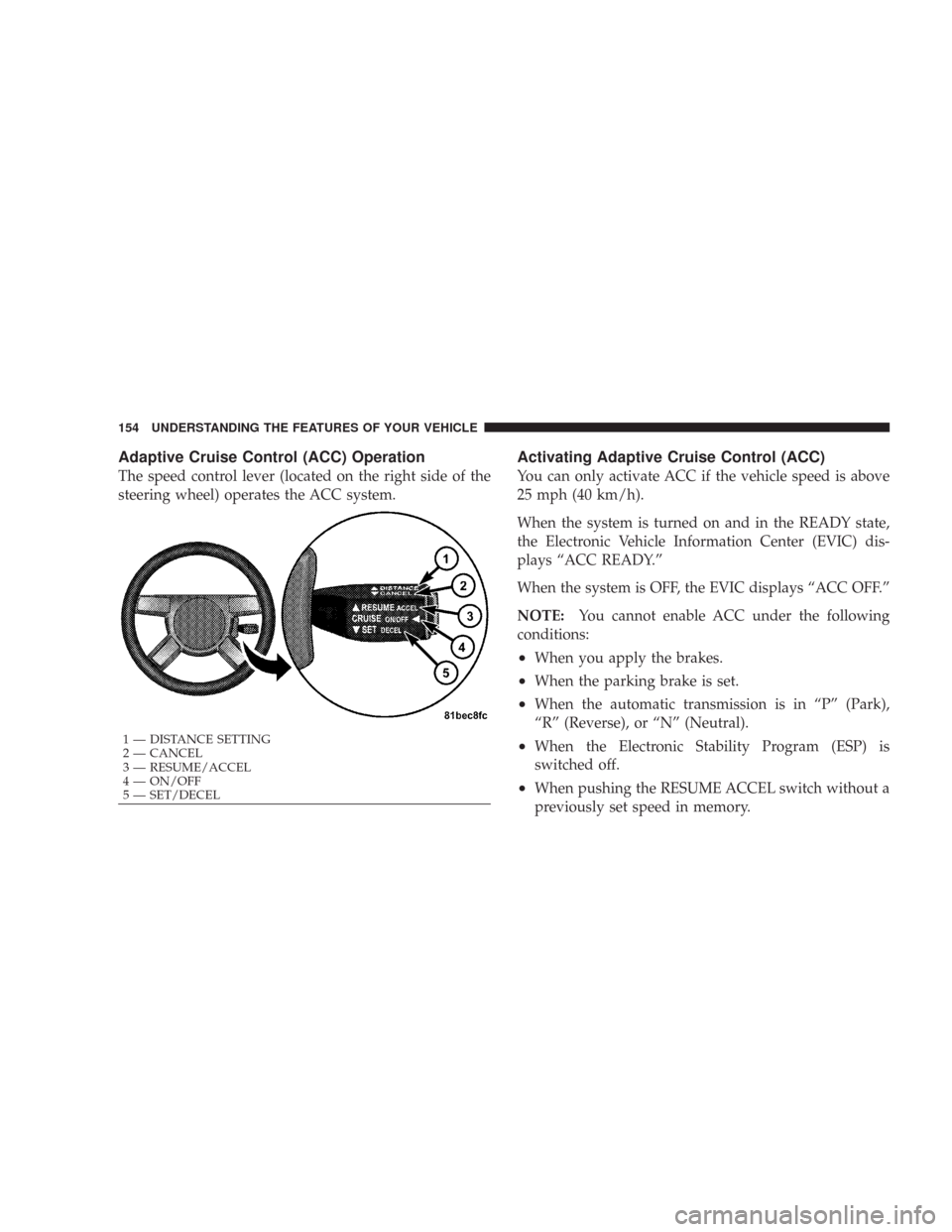
Adaptive Cruise Control (ACC) Operation
The speed control lever (located on the right side of the
steering wheel) operates the ACC system.
Activating Adaptive Cruise Control (ACC)
You can only activate ACC if the vehicle speed is above
25 mph (40 km/h).
When the system is turned on and in the READY state,
the Electronic Vehicle Information Center (EVIC) dis-
plays “ACC READY.”
When the system is OFF, the EVIC displays “ACC OFF.”
NOTE:You cannot enable ACC under the following
conditions:
•When you apply the brakes.
•When the parking brake is set.
•When the automatic transmission is in “P” (Park),
“R” (Reverse), or “N” (Neutral).
•When the Electronic Stability Program (ESP) is
switched off.
•When pushing the RESUME ACCEL switch without a
previously set speed in memory.
1 — DISTANCE SETTING
2 — CANCEL
3 — RESUME/ACCEL
4 — ON/OFF
5 — SET/DECEL 154 UNDERSTANDING THE FEATURES OF YOUR VEHICLE
Page 156 of 520

To Activate:
Push and release the (“ON/OFF”) button located on the
end of the speed control lever. The ACC menu in the
EVIC displays “ACC READY.”To turn the system OFF, push and release the (“ON/
OFF”) button again. At this time, the system will turn off
and the EVIC will display “ACC OFF.”
WARNING!
Leaving the Adaptive Cruise Control (ACC) system
on when not in use is dangerous. You could acciden-
tally set the system or cause it to go faster than you
want. You could lose control and have an accident.
Always leave the system OFF when you aren’t using
it.
UNDERSTANDING THE FEATURES OF YOUR VEHICLE 155
3
Page 163 of 520

Adaptive Cruise Control (ACC) Menu
The EVIC displays the current ACC system settings. The
EVIC is located in the upper part of the instrument
cluster between the speedometer and the tachometer. The
information it displays depends on ACC system status.
Press the Menu button (located on the steering
wheel) repeatedly until one of the following
displays in the EVIC:ACC OFF\25When ACC is deactivated, the display will read “ACC
OFF.”
Menu
Button
162 UNDERSTANDING THE FEATURES OF YOUR VEHICLE
Page 203 of 520
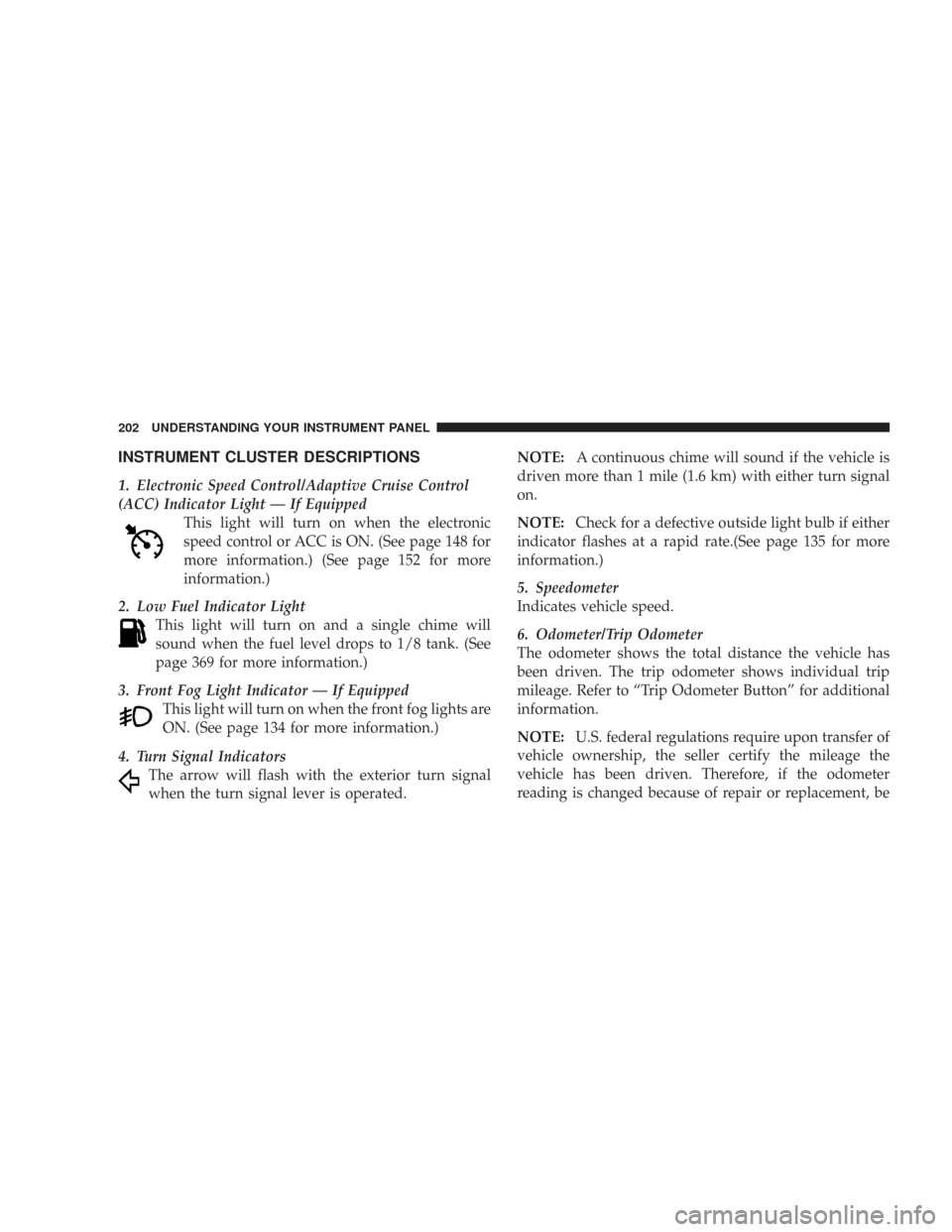
INSTRUMENT CLUSTER DESCRIPTIONS
1. Electronic Speed Control/Adaptive Cruise Control
(ACC) Indicator Light — If Equipped
This light will turn on when the electronic
speed control or ACC is ON. (See page 148 for
more information.) (See page 152 for more
information.)
2. Low Fuel Indicator Light
This light will turn on and a single chime will
sound when the fuel level drops to 1/8 tank. (See
page 369 for more information.)
3. Front Fog Light Indicator — If Equipped
This light will turn on when the front fog lights are
ON. (See page 134 for more information.)
4. Turn Signal Indicators
The arrow will flash with the exterior turn signal
when the turn signal lever is operated.NOTE:A continuous chime will sound if the vehicle is
driven more than 1 mile (1.6 km) with either turn signal
on.
NOTE:Check for a defective outside light bulb if either
indicator flashes at a rapid rate.(See page 135 for more
information.)
5. Speedometer
Indicates vehicle speed.
6. Odometer/Trip Odometer
The odometer shows the total distance the vehicle has
been driven. The trip odometer shows individual trip
mileage. Refer to “Trip Odometer Button” for additional
information.
NOTE:U.S. federal regulations require upon transfer of
vehicle ownership, the seller certify the mileage the
vehicle has been driven. Therefore, if the odometer
reading is changed because of repair or replacement, be
202 UNDERSTANDING YOUR INSTRUMENT PANEL
Page 217 of 520
•ACC Off — When the Adaptive Cruise Control (ACC)
system is turned off. Refer to “Adaptive Cruise Con-
trol (ACC)” in Section 3 of this manual for detailed
information (if so equipped).
•ACC Ready — When the Adaptive Cruise Control
(ACC) system is activated. Refer to “Adaptive Cruise
Control (ACC)” in Section 3 of this manual for detailed
information (if so equipped).
•ACC Set — After setting the desired speed in the
Adaptive Cruise Control (ACC) system. Refer to
“Adaptive Cruise Control (ACC)” in Section 3 of this
manual for detailed information (if so equipped).
•Driver Override — If you apply the accelerator after
setting the desired speed in the Adaptive Cruise
Control (ACC) system. Refer to “Adaptive Cruise
Control (ACC)” in Section 3 of this manual for detailed
information (if so equipped).
•Distance Set — After changing the desired following
distance in the Adaptive Cruise Control (ACC) system,
this message will display momentarily. Refer to
“Adaptive Cruise Control (ACC)” in Section 3 of this
manual for detailed information (if so equipped).
•Attention — If the Adaptive Cruise Control (ACC)
system predicts that its maximum braking level is not
sufficient to maintain the set distance, this message
will flash and a chime will sound while ACC continues
to apply its maximum braking capacity. When this
occurs, you should immediately apply the brakes as
needed to maintain a safe distance from the vehicle
ahead. Refer to “Adaptive Cruise Control (ACC)” in
Section 3 of this manual for detailed information (if so
equipped).
216 UNDERSTANDING YOUR INSTRUMENT PANEL