seats CHRYSLER 300 LX 2005 User Guide
[x] Cancel search | Manufacturer: CHRYSLER, Model Year: 2005, Model line: 300 LX, Model: CHRYSLER 300 LX 2005Pages: 374, PDF Size: 7.09 MB
Page 67 of 374
WARNING!
Vehicles and other objects seen in the right side
convex mirror will look smaller and farther away
than they really are. Relying too much on your right
side mirror could cause you to collide with another
vehicle or other object.
Use your inside mirror when judging the size or
distance of a vehicle seen in this convex mirror.
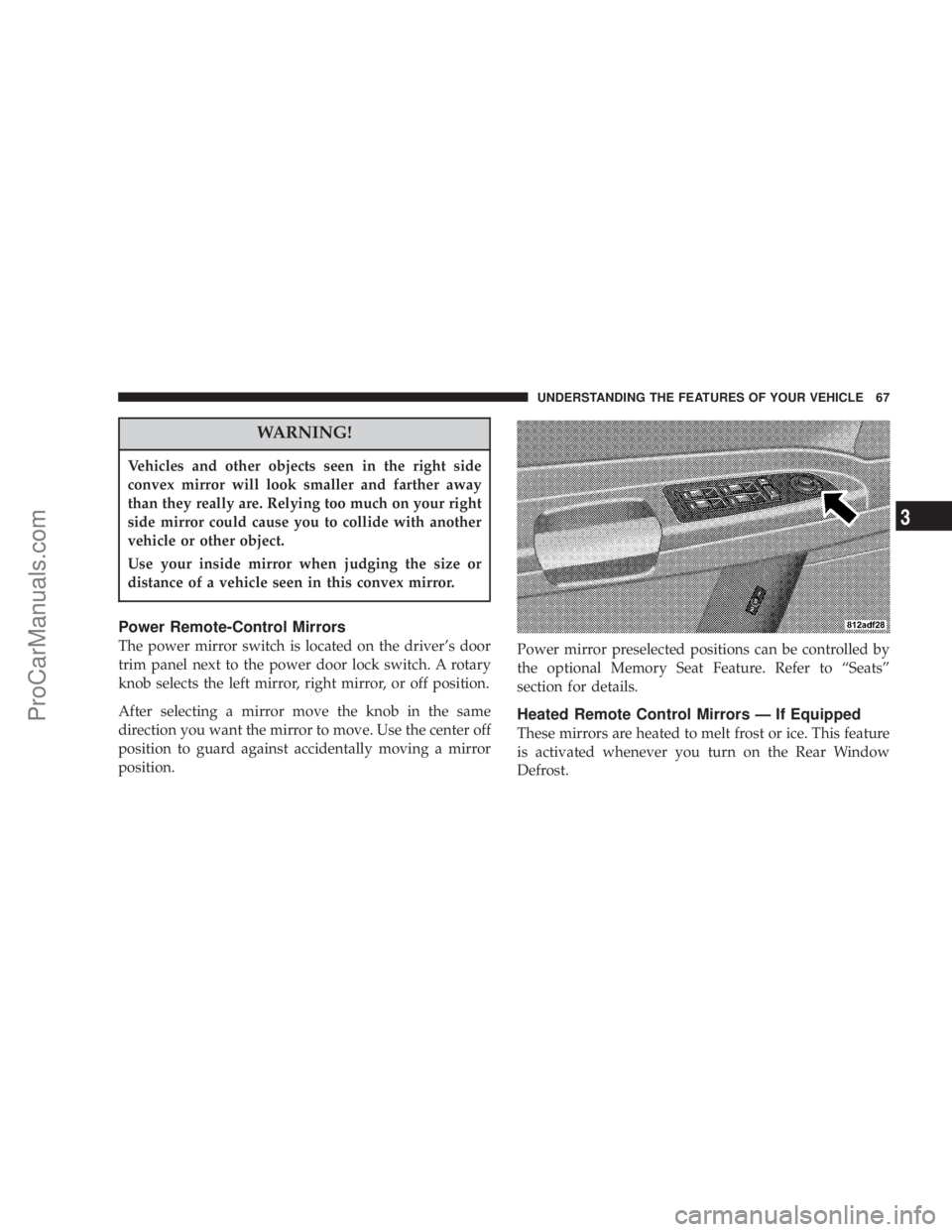
Power Remote-Control Mirrors
The power mirror switch is located on the driver's door
trim panel next to the power door lock switch. A rotary
knob selects the left mirror, right mirror, or off position.
After selecting a mirror move the knob in the same
direction you want the mirror to move. Use the center off
position to guard against accidentally moving a mirror
position.Power mirror preselected positions can be controlled by
the optional Memory Seat Feature. Refer to ªSeatsº
section for details.
Heated Remote Control Mirrors Ð If Equipped
These mirrors are heated to melt frost or ice. This feature
is activated whenever you turn on the Rear Window
Defrost.
UNDERSTANDING THE FEATURES OF YOUR VEHICLE 67
3
ProCarManuals.com
Page 89 of 374
NOTE:The Rear Park Assist System displays the outer
most yellow LED's at a slightly dimmer level to indicate
that the system is ON.
NOTE:When an audio tone is indicated by the Rear
Park Assist display the system will MUTE the radio if it
is turned on.
The system can be turned on or off through the Electronic
Vehicle Information Center (EVIC) when the vehicle is in
PARK. Refer to ªPersonal Settingsº in the Electronic
Vehicle Information Center section of this manual for
details.
NOTE:
²
Ensure that the rear bumper is free of dirt and debris
to keep the system operating properly.
²Jackhammers, large trucks, and other vibrations could
affect the performance of the system.
If ªService Park Assist Systemº appears in the EVIC after
making sure the rear bumper is clean please see your
authorized dealer.
SEATS
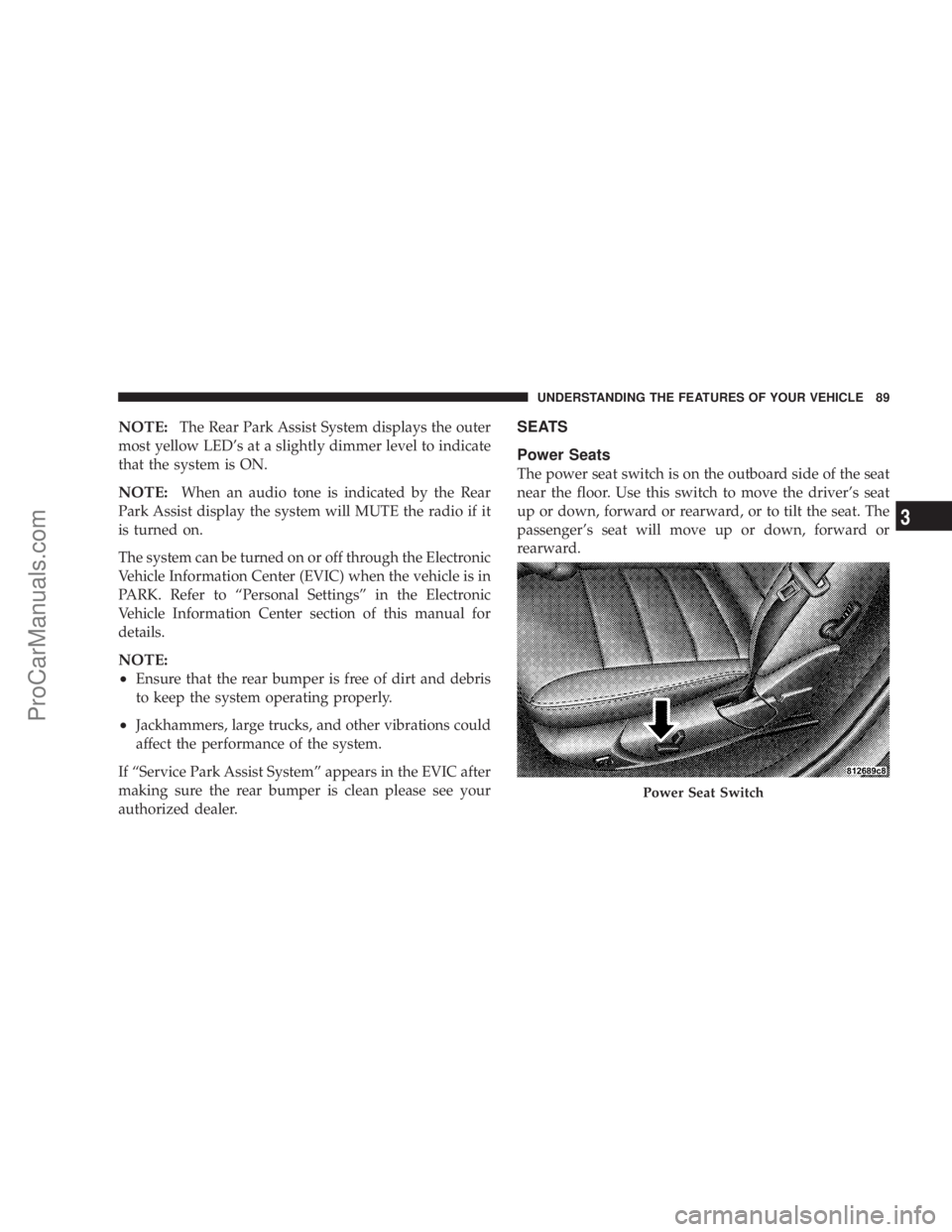
Power Seats
The power seat switch is on the outboard side of the seat
near the floor. Use this switch to move the driver's seat
up or down, forward or rearward, or to tilt the seat. The
passenger's seat will move up or down, forward or
rearward.
Power Seat Switch
UNDERSTANDING THE FEATURES OF YOUR VEHICLE 89
3
ProCarManuals.com
Page 90 of 374
WARNING!
Adjusting a seat while the vehicle is moving is
dangerous. The sudden movement of the seat could
cause you to lose control. The seat belt might not be
properly adjusted and you could be injured. Adjust
the seat only while the vehicle is parked.
CAUTION!
Do not place any article under a power seat as it may
cause damage to the seat controls.
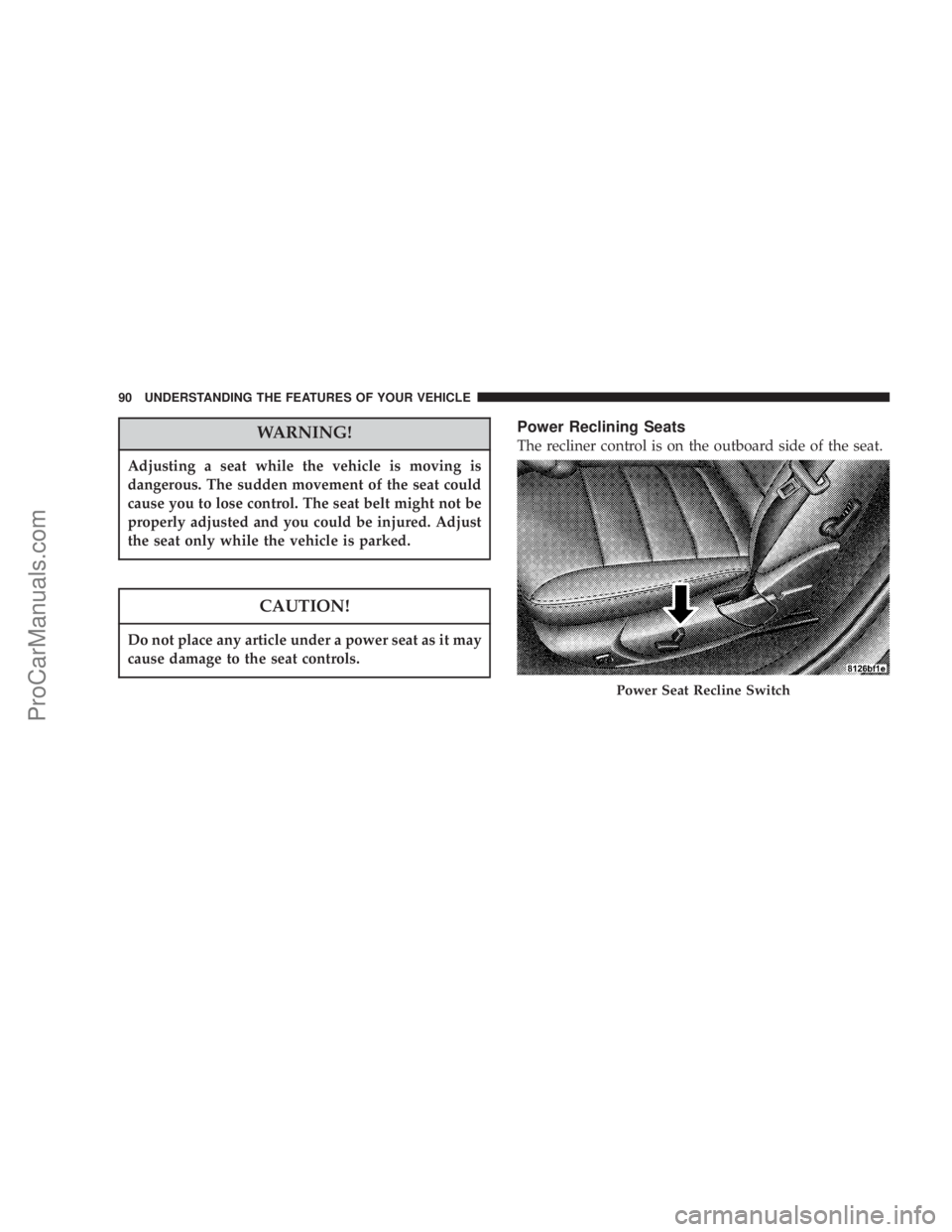
Power Reclining Seats
The recliner control is on the outboard side of the seat.
Power Seat Recline Switch
90 UNDERSTANDING THE FEATURES OF YOUR VEHICLE
ProCarManuals.com
Page 92 of 374
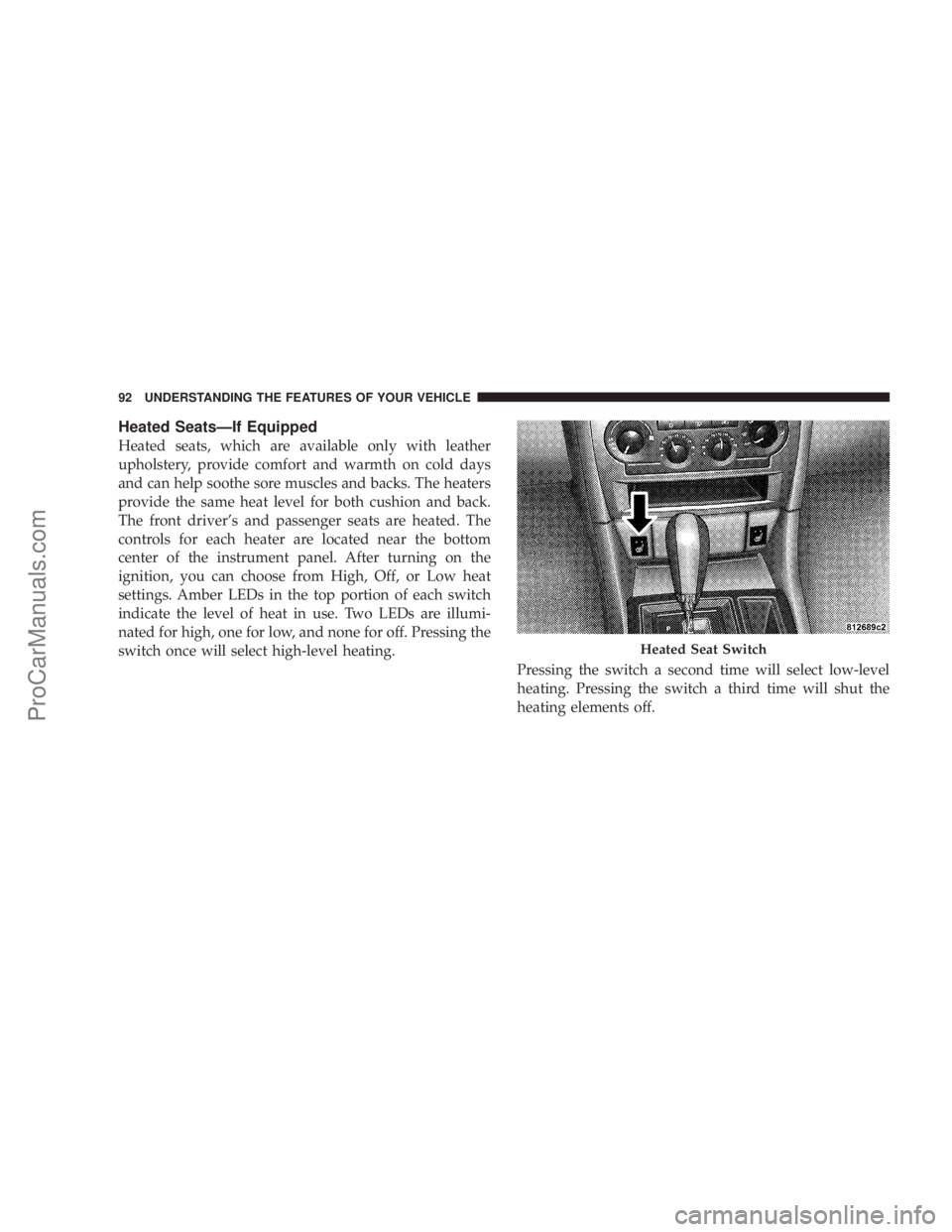
Heated SeatsÐIf Equipped
Heated seats, which are available only with leather
upholstery, provide comfort and warmth on cold days
and can help soothe sore muscles and backs. The heaters
provide the same heat level for both cushion and back.
The front driver's and passenger seats are heated. The
controls for each heater are located near the bottom
center of the instrument panel. After turning on the
ignition, you can choose from High, Off, or Low heat
settings. Amber LEDs in the top portion of each switch
indicate the level of heat in use. Two LEDs are illumi-
nated for high, one for low, and none for off. Pressing the
switch once will select high-level heating.
Pressing the switch a second time will select low-level
heating. Pressing the switch a third time will shut the
heating elements off.
Heated Seat Switch
92 UNDERSTANDING THE FEATURES OF YOUR VEHICLE
ProCarManuals.com
Page 98 of 374
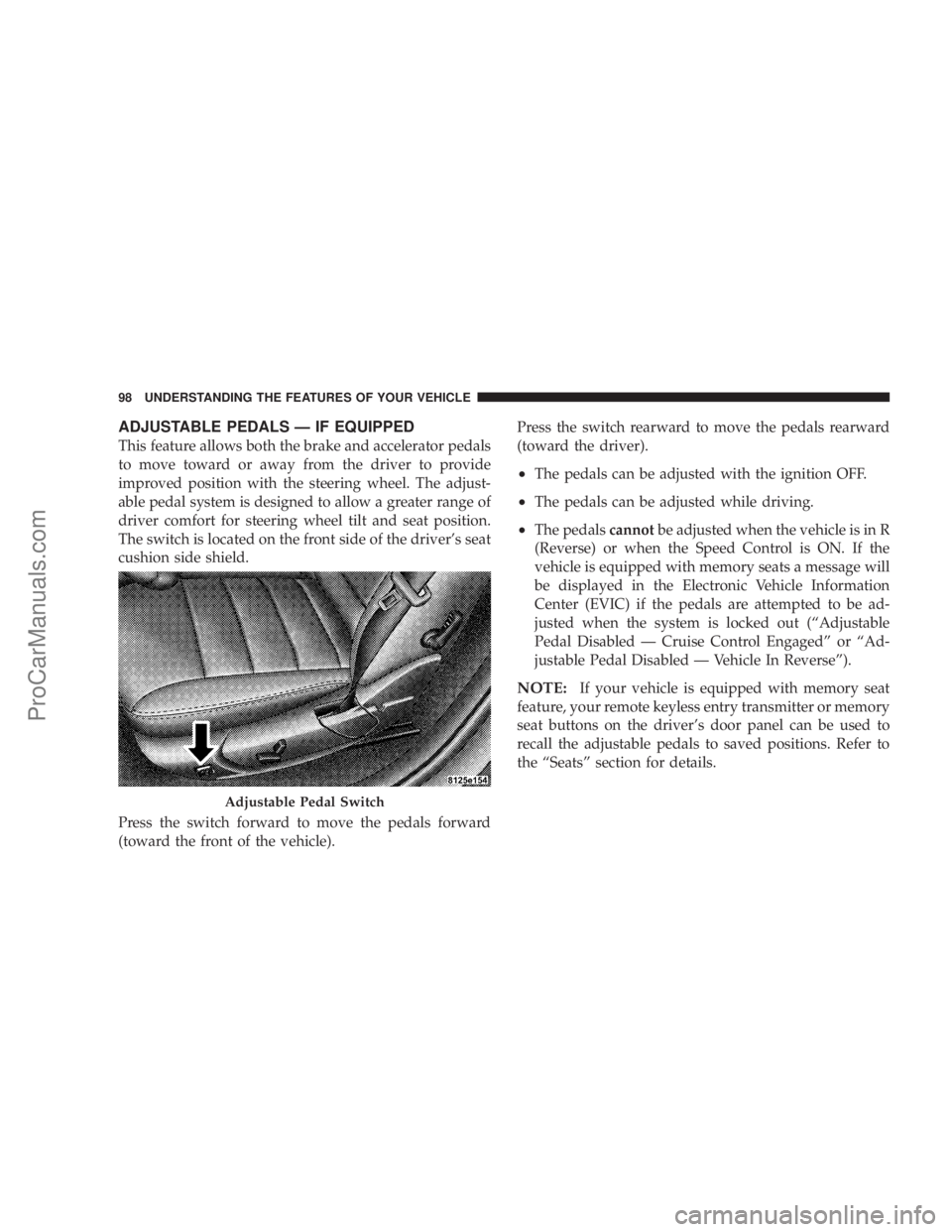
ADJUSTABLE PEDALS Ð IF EQUIPPED
This feature allows both the brake and accelerator pedals
to move toward or away from the driver to provide
improved position with the steering wheel. The adjust-
able pedal system is designed to allow a greater range of
driver comfort for steering wheel tilt and seat position.
The switch is located on the front side of the driver's seat
cushion side shield.
Press the switch forward to move the pedals forward
(toward the front of the vehicle).Press the switch rearward to move the pedals rearward
(toward the driver).
²The pedals can be adjusted with the ignition OFF.
²The pedals can be adjusted while driving.
²The pedalscannotbe adjusted when the vehicle is in R
(Reverse) or when the Speed Control is ON. If the
vehicle is equipped with memory seats a message will
be displayed in the Electronic Vehicle Information
Center (EVIC) if the pedals are attempted to be ad-
justed when the system is locked out (ªAdjustable
Pedal Disabled Ð Cruise Control Engagedº or ªAd-
justable Pedal Disabled Ð Vehicle In Reverseº).
NOTE:If your vehicle is equipped with memory seat
feature, your remote keyless entry transmitter or memory
seat buttons on the driver's door panel can be used to
recall the adjustable pedals to saved positions. Refer to
the ªSeatsº section for details.
Adjustable Pedal Switch
98 UNDERSTANDING THE FEATURES OF YOUR VEHICLE
ProCarManuals.com
Page 110 of 374

NOTE:Note: If your vehicle is equipped with the
memory seat feature your remote keyless entry transmit-
ter or memory buttons on the driver's door panel can be
used to recall the steering column tilt and telescopic
positions. Refer to the ªSeatsºsection for details.WARNING!
Moving the steering column while the vehicle is
moving is dangerous. Without a stable steering col-
umn you could lose control of the vehicle and have
an accident. Adjust the column only while the ve-
hicle is stopped.
TRACTION CONTROL SYSTEM (TCS) Ð IF
EQUIPPED
WARNING!
TCS cannot prevent the natural laws of physics from
acting on the vehicle, nor can it increase the traction
afforded. The TCS cannot prevent accidents, includ-
ing those resulting from excessive speed in turns, or
hydroplaning. Only a safe, attentive, and skillful
driver can prevent accidents. The capabilities of a
TCS-equipped vehicle must never be exploited in a
reckless or dangerous manner which could jeopar-
dize the user's safety or the safety of others.
Power Tilt/Telescoping Steering
110 UNDERSTANDING THE FEATURES OF YOUR VEHICLE
ProCarManuals.com
Page 130 of 374

Rear Seat Cupholders
The rear seat cupholders are located in the center armrest
between the rear seats. The cup holders are positioned
forward in the armrest and side-by-side to provide
convenient access to beverage cans or bottles while
maintaining a resting place for the rear occupants' el-
bows.
STORAGE
Console Features
The center console includes a large internal storage bin.
The storage bin has a rubber mat for noise control. The
bin is also large enough to hold a portable AC/DC
converter to power lap tops, games, or other electrical
equipment. Two slots at the top right side of the bin
provide clearance for power cords to pass conveniently
out of the bin with the lid closed. This feature is ideal for
games, laptops, cell phones or other electrical equipment.
A four-slot coin holder can hold US dollar coins or
Canadian one and two-dollar coins, as well as quarters,
dimes and nickels. The bin has a Front-opening lid for
easy access inside by either the driver or front passenger.
There are also two shift bezel cubby bins with rubber
mats for holding small items. For vehicles not equipped
with the navigation radio, an extra storage bin is pro-
vided below the climate controls that holds up to four CD
jewel cases. The inside portion of the arm rest lid contains
a pen holder, a tissue holder, and a tire gauge holder.
130 UNDERSTANDING THE FEATURES OF YOUR VEHICLE
ProCarManuals.com
Page 131 of 374
Cargo Tie-Down Hooks
The tie-downs located on cargo area floor and on the rear
trim panels should be used to safely secure loads when
vehicle is moving.
WARNING!
²Cargo tie-down hooks are not safe anchors for a
child seat tether strap. In a sudden stop or colli-
sion a hook could pull loose and allow the child
seat to come loose. A child could be badly injured.
Use only the anchors provided for child seat
tethers.
²The weight and position of cargo and passengers
can change the vehicle center of gravity and
vehicle handling. To avoid loss of control result-
ing in personal injury, follow these guidelines for
loading your vehicle:
²Always place cargo evenly on the cargo floor. Put
heavier objects as low and as far forward as possible.
²Place as much cargo as possible in front of the rear
axle. Too much weight or improperly placed weight
over or behind the rear axle can cause the rear of the
vehicle to sway.
²Do not pile luggage or cargo higher than the top of the
seatback. This could impair visibility or become a
dangerous projectile in a sudden stop or collision.
WARNING!
To help protect against personal injury, passengers
should not be seated in the rear cargo area. The rear
cargo space is intended for load carrying purposes
only, not for passengers, who should sit in seats and
use seat belts.
UNDERSTANDING THE FEATURES OF YOUR VEHICLE 131
3
ProCarManuals.com
Page 149 of 374
²Left/Right Rear Door Ajar (one or more, with a single
chime if speed is above 1 mph)
²Door (S) Ajar (with a single chime if vehicle is in
motion)
²Trunk Ajar (with a single chime)
²Low Washer Fluid (with a single chime)
²Adjustable Pedals Disabled ± Cruise Engaged (with a
single chime) Ð only available on vehicles equipped
with memory seats.
²Adjustable Pedals Disabled ± Vehicle In Reverse (with
a single chime) Ð only available on vehicles equipped
with memory seats.
²Channel 1, 2, OR 3 Transmit
²Channel 1, 2, OR 3 Training
²Channel 1, 2, OR 3 Trained
²Clearing Channels
²Channels Cleared
²Channels Defaulted
²Did Not Train
²Left Front Low Pressure (with a single chime). Refer to
ªStarting And Operating, Tire Sectionº
²Left Rear Low Pressure (with a single chime). Refer to
ªStarting And Operating, Tire Sectionº
²Right Front Low Pressure (with a single chime). Refer
to ªStarting And Operating, Tire Sectionº
²Right Rear Low Pressure (with a single chime). Refer
to ªStarting And Operating, Tire Sectionº
²Check TPM System (with a single chime). Refer to
ªStarting And Operating, Tire Sectionº
²Service Park Assist System (with a single chime)
Trip Functions
Press and release the MENU button until one of the Trip
Functions is displayed in the EVIC.
Use the SCROLL buttons to cycle through all the Trip
Computer functions.
UNDERSTANDING YOUR INSTRUMENT PANEL 149
4
ProCarManuals.com
Page 196 of 374
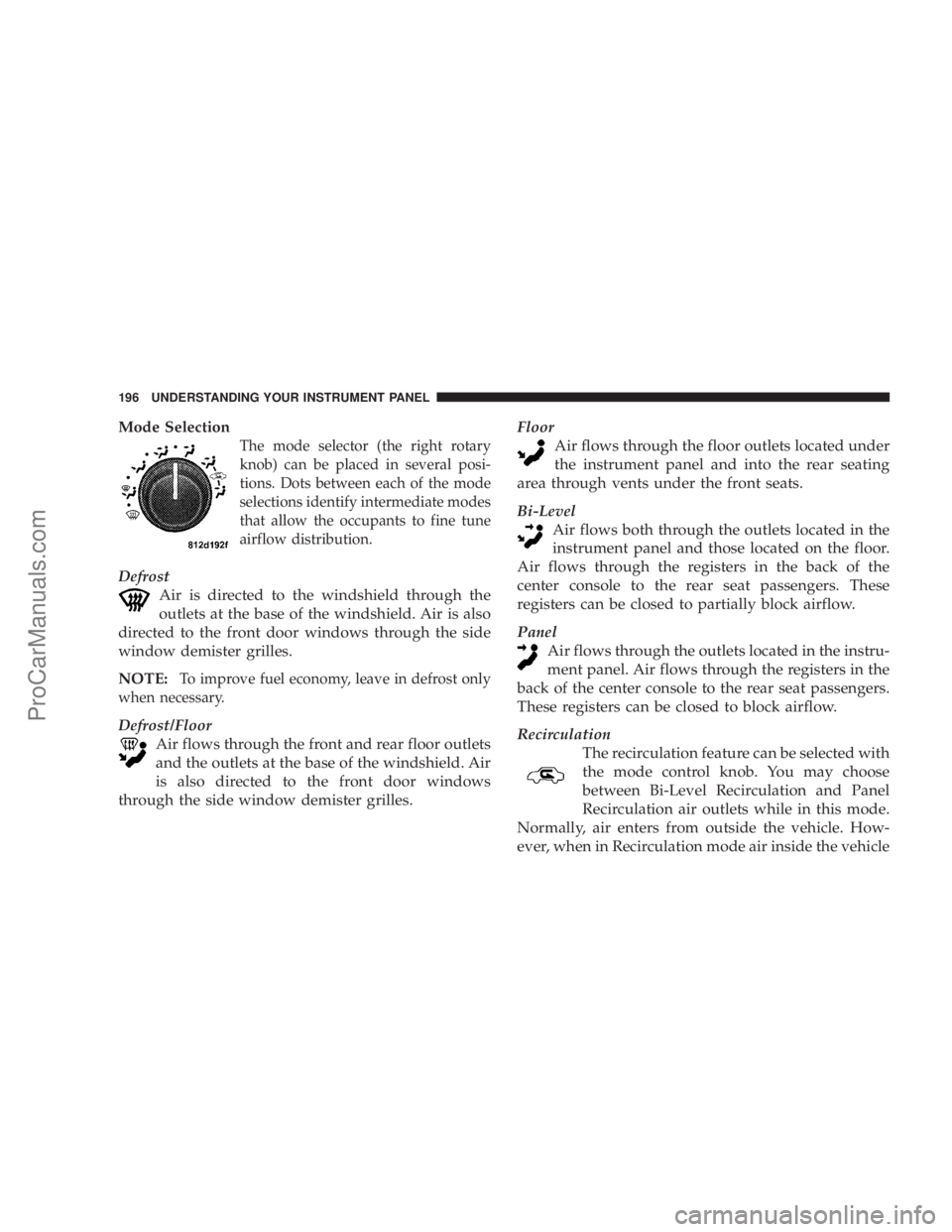
Mode Selection
The mode selector (the right rotary
knob) can be placed in several posi-
tions. Dots between each of the mode
selections identify intermediate modes
that allow the occupants to fine tune
airflow distribution.
Defrost
Air is directed to the windshield through the
outlets at the base of the windshield. Air is also
directed to the front door windows through the side
window demister grilles.
NOTE:
To improve fuel economy, leave in defrost only
when necessary.
Defrost/Floor
Air flows through the front and rear floor outlets
and the outlets at the base of the windshield. Air
is also directed to the front door windows
through the side window demister grilles.Floor
Air flows through the floor outlets located under
the instrument panel and into the rear seating
area through vents under the front seats.
Bi-Level
Air flows both through the outlets located in the
instrument panel and those located on the floor.
Air flows through the registers in the back of the
center console to the rear seat passengers. These
registers can be closed to partially block airflow.
Panel
Air flows through the outlets located in the instru-
ment panel. Air flows through the registers in the
back of the center console to the rear seat passengers.
These registers can be closed to block airflow.
Recirculation
The recirculation feature can be selected with
the mode control knob. You may choose
between Bi-Level Recirculation and Panel
Recirculation air outlets while in this mode.
Normally, air enters from outside the vehicle. How-
ever, when in Recirculation mode air inside the vehicle
196 UNDERSTANDING YOUR INSTRUMENT PANEL
ProCarManuals.com