navigation CHRYSLER 300 S 2012 Owners Manual
[x] Cancel search | Manufacturer: CHRYSLER, Model Year: 2012, Model line: 300 S, Model: CHRYSLER 300 S 2012Pages: 116, PDF Size: 3.21 MB
Page 2 of 116
The driver’s primary responsibility is the safe operation of the vehicle. Driving while distracted can result in loss of vehicle control, resulting in a collision and personal injury. Chrysler
g
roup LLC strongly recommends that the driver use extreme caution
when using any device or feature that may take their attention off the road.
use
of
any electrical devices such as cell phones, computers, portable radios, vehicle
navigation or other devices by the driver while the vehicle is moving is dangerous and
could lead to a serious collision. Texting while driving is also dangerous and should never be done while the vehicle is moving. If you find yourself unable to devote your
full attention to vehicle operation, pull off the road to a safe location and stop your
vehicle. Some States or Provinces prohibit the use of cellular telephones or texting while driving. It is always the driver’s responsibility to comply with all local laws.
IMP
o RTANT: This
user g
uide is intended to familiarize you with the
important features of your vehicle. The DVD enclosed contains your Owner’s Manual,
Navigation/Media Center Manuals, Warranty Booklets, Tire Warranty and 24-
Hour Towing Assistance (new vehicles purchased in the
u.S
.) or
ro
adside Assistance
(new vehicles purchased in Canada) in electronic format. We hope you find it useful.
replacement
DVD kits may be purchased by visiting www.techauthority.com.
Copyright 2011 Chrysler
g roup LLC
This guide has been prepared to help you get quickly acquainted with your new
Chrysler and to provide a convenient reference source for common questions. However, it is not a substitute for your Owner’s Manual. For complete operational instructions, maintenance procedures and important safety messages, please
consult your Owner’s Manual, Navigation /
Media Center Manuals, Multimedia
us
er Manual and other Warning Labels in your vehicle. Not all features shown
in this guide may apply to your vehicle. For additional information on accessories
to help personalize your vehicle, visit mopar.com or your local Chrysler dealer.
D
RI v IN g AND Alcohol: Drunken driving is one of the most
frequent causes of collisions. Your driving ability can be seriously impaired with blood
alcohol levels far below the legal minimum. If you are drinking, don’t drive.
r
ide with
a designated non-drinking driver, call a cab, a friend, or use public transportation.
WARNINg
907347_12b_300_User_Guide_US_092311.indd 29/23/11 11:29 AMProCarManuals.com
If you are the rst registered retail owner of your vehicle,
you may obtain a complimentary printed copy of the
Owner’s Manual, Navigation/Media Center Manuals or
Warranty Booklet by calling 1-800-247-9753 (U.S.)
or 1-800-387-1143 (Canada) or by contacting your dealer.
Driving after drinking can lead to a collision. Your perceptions are less sharp, your
reexes are slower, and your judgment is impaired when you have been drinking.
Never drink and then drive.
Page 3 of 116
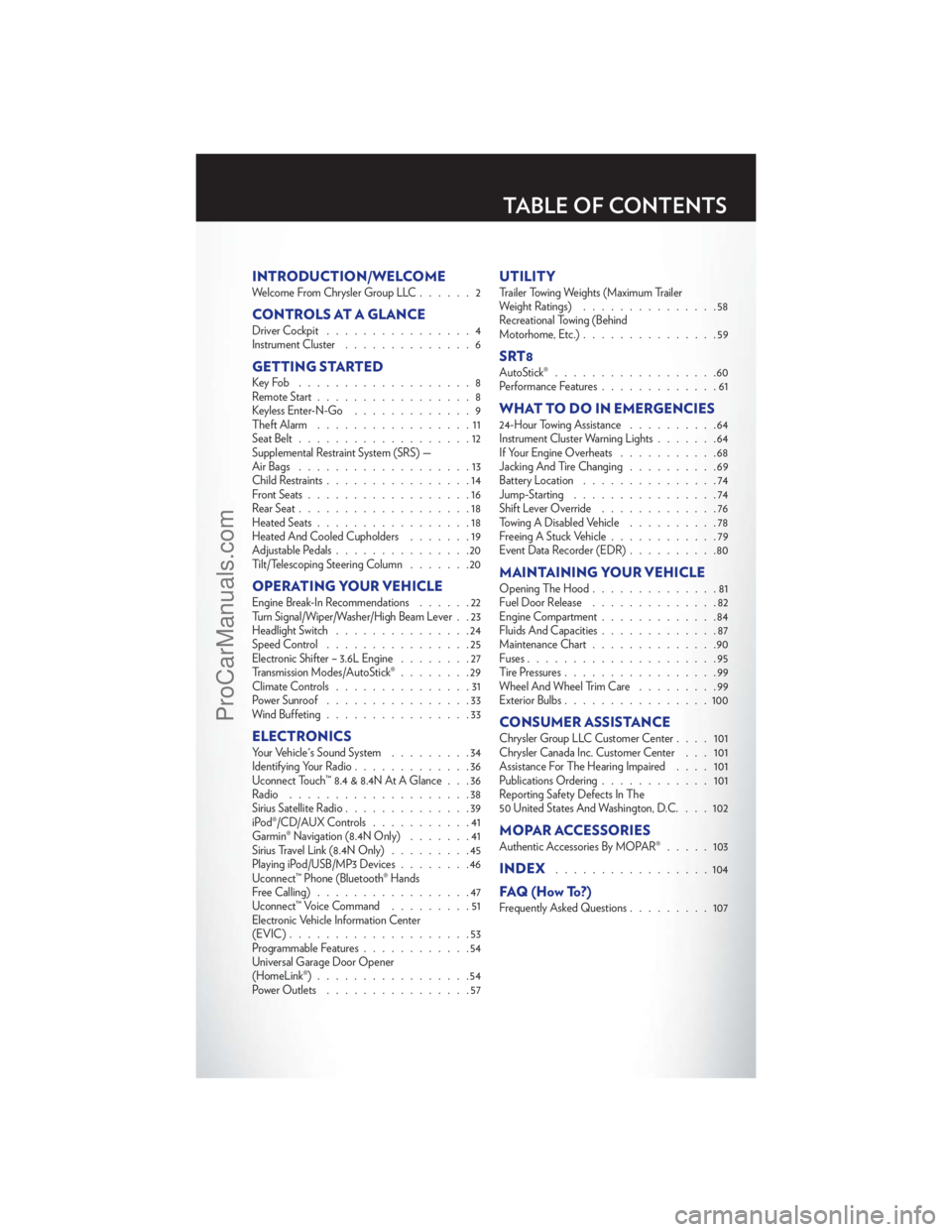
INTRODUCTION/WELCOMEWelcome From Chrysler Group LLC......2
CONTROLS AT A GLANCEDriver Cockpit................4
Instrument Cluster ..............6
GETTING STARTEDKeyFob ...................8
Remote Start.................8
Keyless Enter-N-Go .............9
Theft Alarm .................11
Seat Belt ...................12
Supplemental Restraint System (SRS) —
Air Bags ...................13
Child Restraints ................14
Front Seats ..................16
Rear Seat ...................18
Heated Seats .................18
Heated And Cooled Cupholders .......19
Adjustable Pedals ...............20
Tilt/Telescoping Steering Column .......20
OPERATING YOUR VEHICLEEngine Break-In Recommendations ......22
Turn Signal/Wiper/Washer/High Beam Lever . . 23
Headlight Switch ...............24
Speed Control ................25
Electronic Shifter – 3.6L Engine ........27
Transmission Modes/AutoStick® ........29
Climate Controls ...............31
Power Sunroof ................33
Wind Buffeting ................33
ELECTRONICSYour Vehicle's Sound System .........34
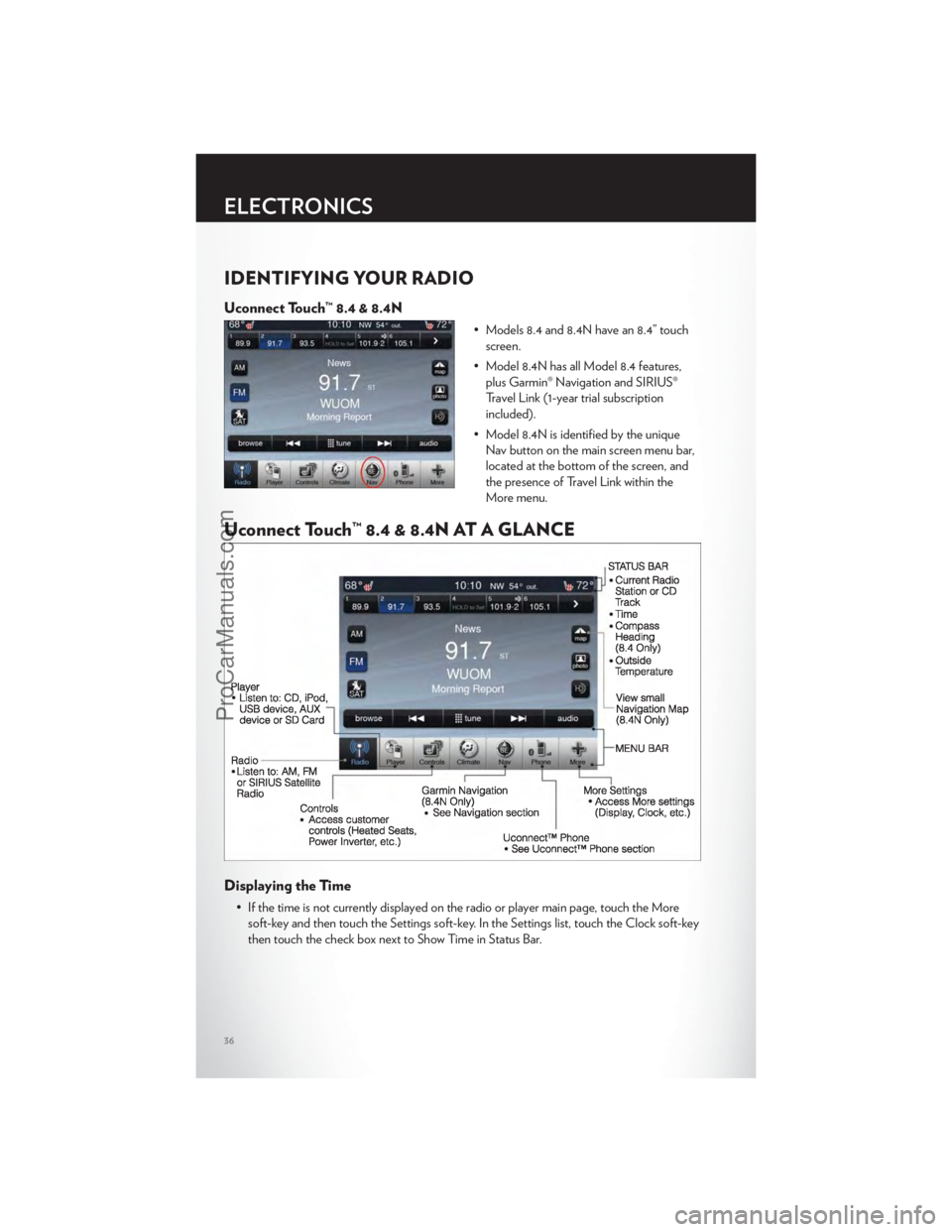
Identifying Your Radio .............36
Uconnect Touch™ 8.4 & 8.4N At A Glance . . . 36
Radio ....................38
Sirius Satellite Radio ..............39
iPod®/CD/AUX Controls ...........41
Garmin® Navigation (8.4N Only) .......41
Sirius Travel Link (8.4N Only) .........45
Playing iPod/USB/MP3 Devices ........46
Uconnect™ Phone (Bluetooth® Hands
Free Calling) .................47
Uconnect™ Voice Command .........51
Electronic Vehicle Information Center
(EVIC) ....................53
Programmable Features ............54
Universal Garage Door Opener
(HomeLink®) .................54
Power Outlets ................57
UTILITYTrailer Towing Weights (Maximum Trailer
Weight Ratings) ...............58
Recreational Towing (Behind
Motorhome, Etc.) ...............59
SRT8AutoStick®..................60
Performance Features .............61
WHAT TO DO IN EMERGENCIES24-Hour Towing Assistance ..........64
Instrument Cluster Warning Lights .......64
If Your Engine Overheats ...........68
Jacking And Tire Changing ..........69
Battery Location ...............74
Jump-Starting ................74
Shift Lever Override .............76
Towing A Disabled Vehicle ..........78
Freeing A Stuck Vehicle ............79
Event Data Recorder (EDR) ..........80
MAINTAINING YOUR VEHICLEOpening The Hood..............81
Fuel Door Release ..............82
Engine Compartment .............84
Fluids And Capacities .............87
Maintenance Chart ..............90
Fuses .....................95
Tire Pressures .................99
Wheel And Wheel Trim Care .........99
Exterior Bulbs ................100
CONSUMER ASSISTANCEChrysler Group LLC Customer Center ....101
Chrysler Canada Inc. Customer Center . . . 101
Assistance For The Hearing Impaired ....101
Publications Ordering ............101
Reporting Safety Defects In The
50 United States And Washington, D.C. . . . 102
MOPAR ACCESSORIESAuthentic Accessories By MOPAR® .....103
INDEX.................104
FAQ(HowTo?)Frequently Asked Questions.........107
TABLE OF CONTENTS
ProCarManuals.com
Page 38 of 116
IDENTIFYING YOUR RADIO
Uconnect Touch™ 8.4 & 8.4N
• Models 8.4 and 8.4N have an 8.4” touchscreen.
• Model 8.4N has all Model 8.4 features, plus Garmin® Navigation and SIRIUS®
Travel Link (1-year trial subscription
included).
• Model 8.4N is identified by the unique Nav button on the main screen menu bar,
located at the bottom of the screen, and
the presence of Travel Link within the
More menu.
Uconnect Touch™ 8.4 & 8.4N AT A GLANCE
Displaying the Time
• If the time is not currently displayed on the radio or player main page, touch the Moresoft-key and then touch the Settings soft-key. In the Settings list, touch the Clock soft-key
then touch the check box next to Show Time in Status Bar.
ELECTRONICS
36
ProCarManuals.com
Page 43 of 116
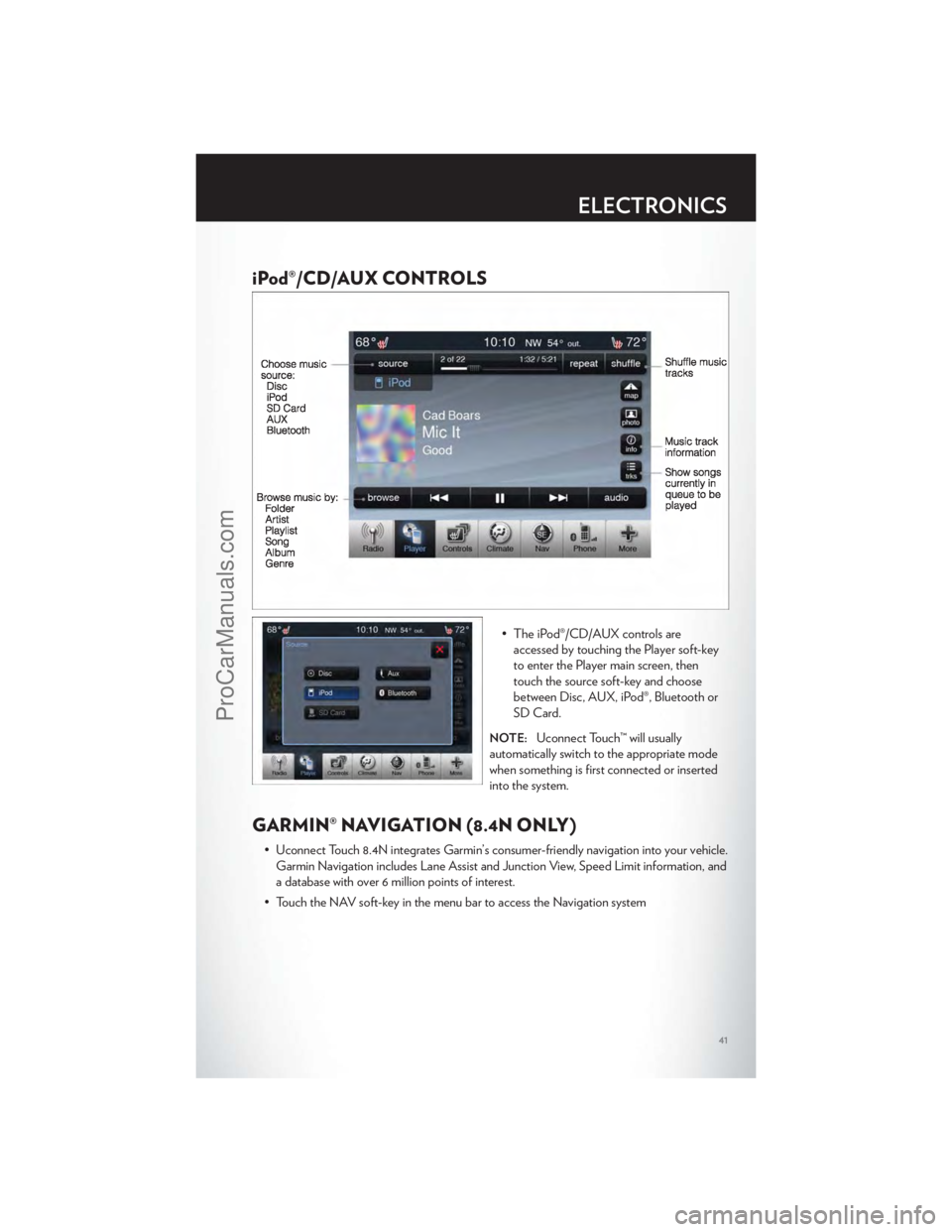
iPod®/CD/AUX CONTROLS
• The iPod®/CD/AUX controls areaccessed by touching the Player soft-key
to enter the Player main screen, then
touch the source soft-key and choose
between Disc, AUX, iPod®, Bluetooth or
SD Card.
NOTE:Uconnect Touch™ will usually
automatically switch to the appropriate mode
when something is first connected or inserted
into the system.
GARMIN® NAVIGATION (8.4N ONLY)
• Uconnect Touch 8.4N integrates Garmin’s consumer-friendly navigation into your vehicle. Garmin Navigation includes Lane Assist and Junction View, Speed Limit information, and
a database with over 6 million points of interest.
• Touch the NAV soft-key in the menu bar to access the Navigation system
ELECTRONICS
41
ProCarManuals.com
Page 44 of 116
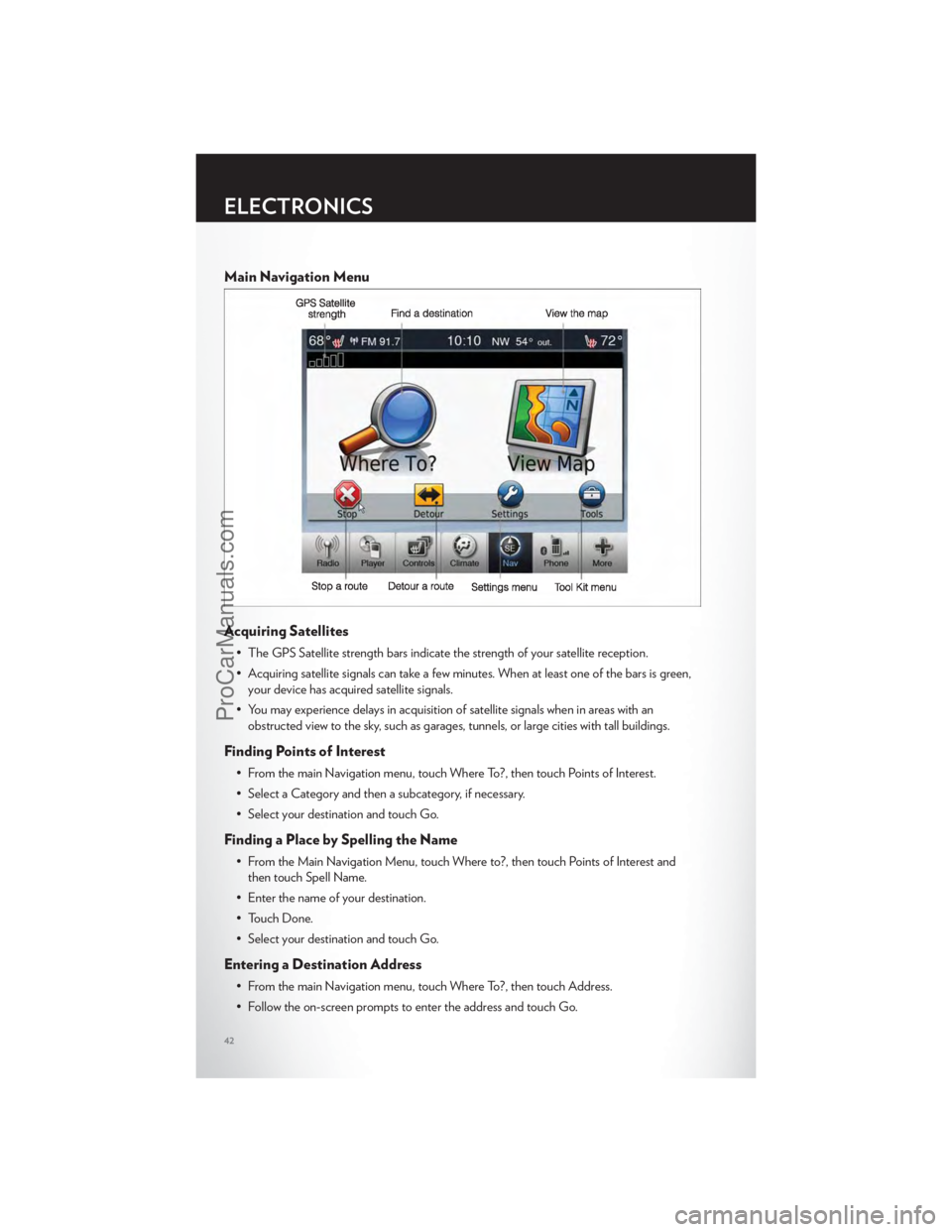
Main Navigation Menu
Acquiring Satellites
• The GPS Satellite strength bars indicate the strength of your satellite reception.
• Acquiring satellite signals can take a few minutes. When at least one of the bars is green,your device has acquired satellite signals.
• You may experience delays in acquisition of satellite signals when in areas with an obstructed view to the sky, such as garages, tunnels, or large cities with tall buildings.
Finding Points of Interest
• From the main Navigation menu, touch Where To?, then touch Points of Interest.
• Select a Category and then a subcategory, if necessary.
• Select your destination and touch Go.
Finding a Place by Spelling the Name
• From the Main Navigation Menu, touch Where to?, then touch Points of Interest andthen touch Spell Name.
• Enter the name of your destination.
• Touch Done.
• Select your destination and touch Go.
Entering a Destination Address
• From the main Navigation menu, touch Where To?, then touch Address.
• Follow the on-screen prompts to enter the address and touch Go.
ELECTRONICS
42
ProCarManuals.com
Page 45 of 116
Searching Near Another Location
• From the main Navigation menu, touch Where To?, then touch a destination and thentouch Near.
• Select an option from the available choices.
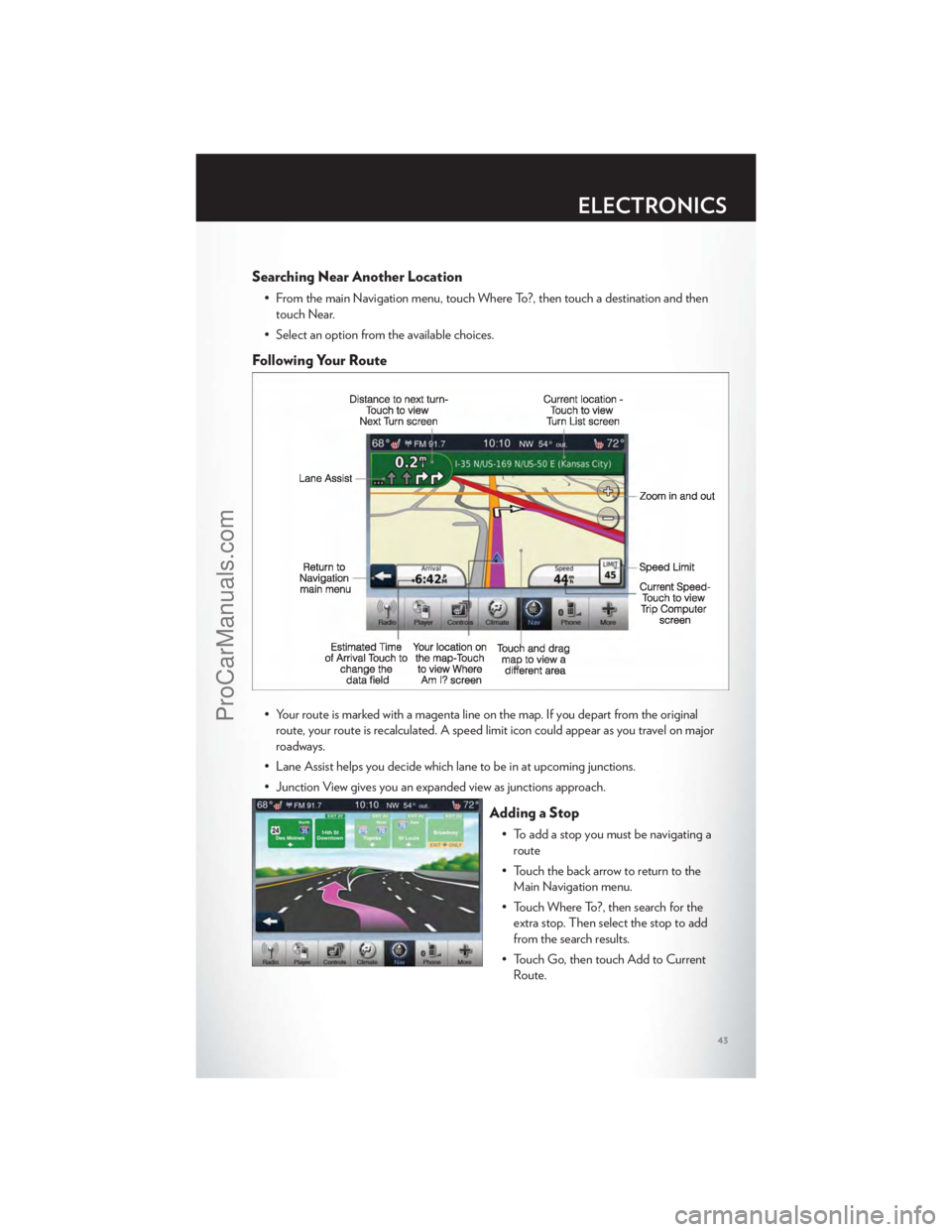
Following Your Route
• Your route is marked with a magenta line on the map. If you depart from the original route, your route is recalculated. A speed limit icon could appear as you travel on major
roadways.
• Lane Assist helps you decide which lane to be in at upcoming junctions.
• Junction View gives you an expanded view as junctions approach.
Adding a Stop
• To add a stop you must be navigating a route
• Touch the back arrow to return to the Main Navigation menu.
• Touch Where To?, then search for the extra stop. Then select the stop to add
from the search results.
• Touch Go, then touch Add to Current Route.
ELECTRONICS
43
ProCarManuals.com
Page 46 of 116
Taking a Detour
• To take a detour you must be navigating a route
• Touch Detour
NOTE:If the route you are currently taking is the only reasonable option, the device might
not calculate a detour.
Setting or Changing Your Home Location
• Touch the NAV soft-key in the menu bar to access the Navigation system and the Main Navigation menu.
• Touch Where To?, then touch Go Home.
• You may enter your address directly, use your current location as your home address, or choose from recently found locations.
• To edit your Home location (or other saved locations), touch Where To? from the Main Navigation menu, then touch Favorites, and touch the location you want to edit. After
selecting a location to edit, touch Press for More, then Edit.
Go Home
• A Home location must be saved in the system. From the Main Navigation menu, touchWhere To?, then touch Go Home.
ELECTRONICS
44
ProCarManuals.com
Page 54 of 116
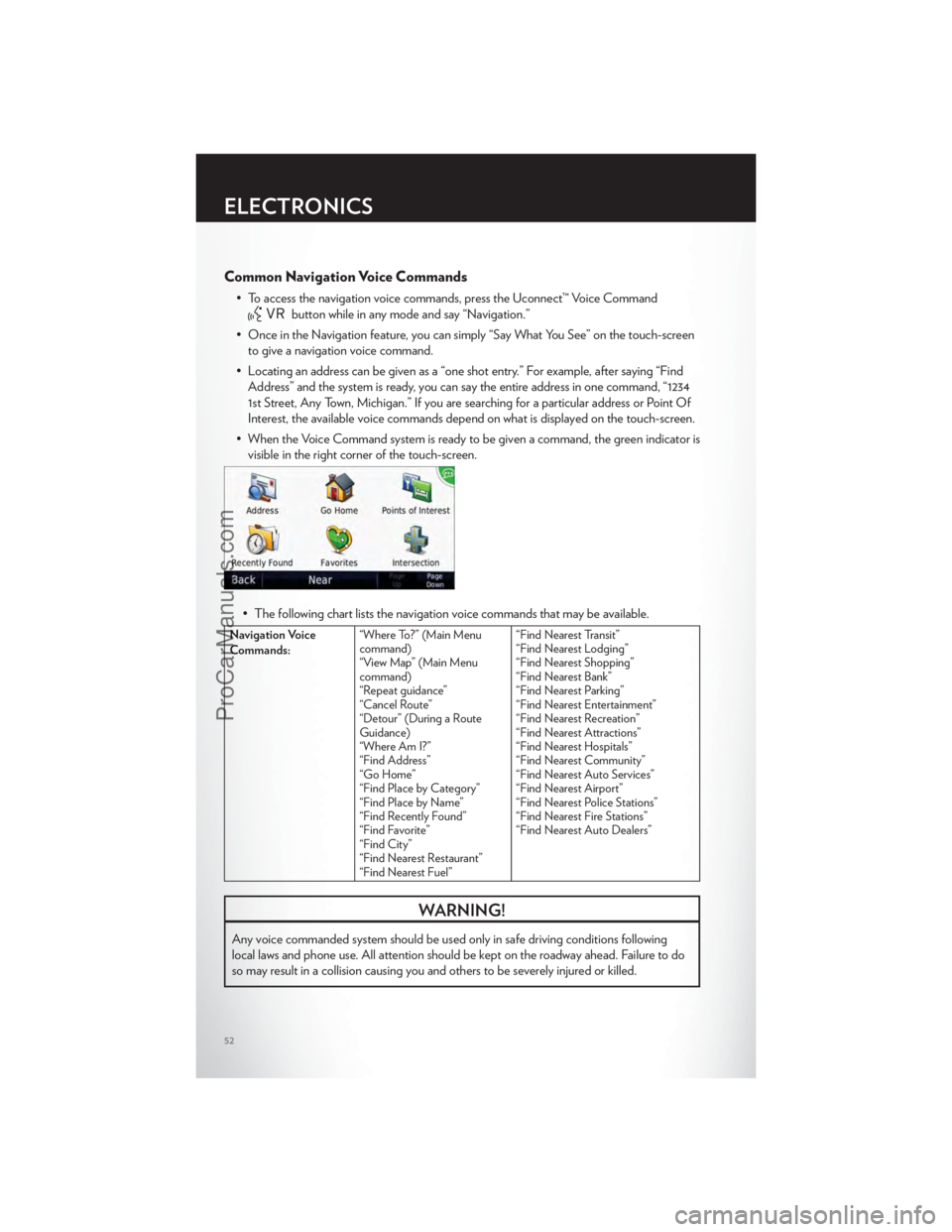
Common Navigation Voice Commands
• To access the navigation voice commands, press the Uconnect™ Voice Command
button while in any mode and say “Navigation.”
• Once in the Navigation feature, you can simply “Say What You See” on the touch-screen to give a navigation voice command.
• Locating an address can be given as a “one shot entry.” For example, after saying “Find Address” and the system is ready, you can say the entire address in one command, “1234
1st Street, Any Town, Michigan.” If you are searching for a particular address or Point Of
Interest, the available voice commands depend on what is displayed on the touch-screen.
• When the Voice Command system is ready to be given a command, the green indicator is visible in the right corner of the touch-screen.
• The following chart lists the navigation voice commands that may be available.
Navigation Voice
Commands: “Where To?” (Main Menu
command)
“View Map” (Main Menu
command)
“Repeat guidance”
“Cancel Route”
“Detour” (During a Route
Guidance)
“Where Am I?”
“Find Address”
“Go Home”
“Find Place by Category”
“Find Place by Name”
“Find Recently Found”
“Find Favorite”
“Find City”
“Find Nearest Restaurant”
“Find Nearest Fuel” “Find Nearest Transit”
“Find Nearest Lodging”
“Find Nearest Shopping”
“Find Nearest Bank”
“Find Nearest Parking”
“Find Nearest Entertainment”
“Find Nearest Recreation”
“Find Nearest Attractions”
“Find Nearest Hospitals”
“Find Nearest Community”
“Find Nearest Auto Services”
“Find Nearest Airport”
“Find Nearest Police Stations”
“Find Nearest Fire Stations”
“Find Nearest Auto Dealers”
WARNING!
Any voice commanded system should be used only in safe driving conditions following
local laws and phone use. All attention should be kept on the roadway ahead. Failure to do
so may result in a collision causing you and others to be severely injured or killed.
ELECTRONICS
52
ProCarManuals.com
Page 105 of 116
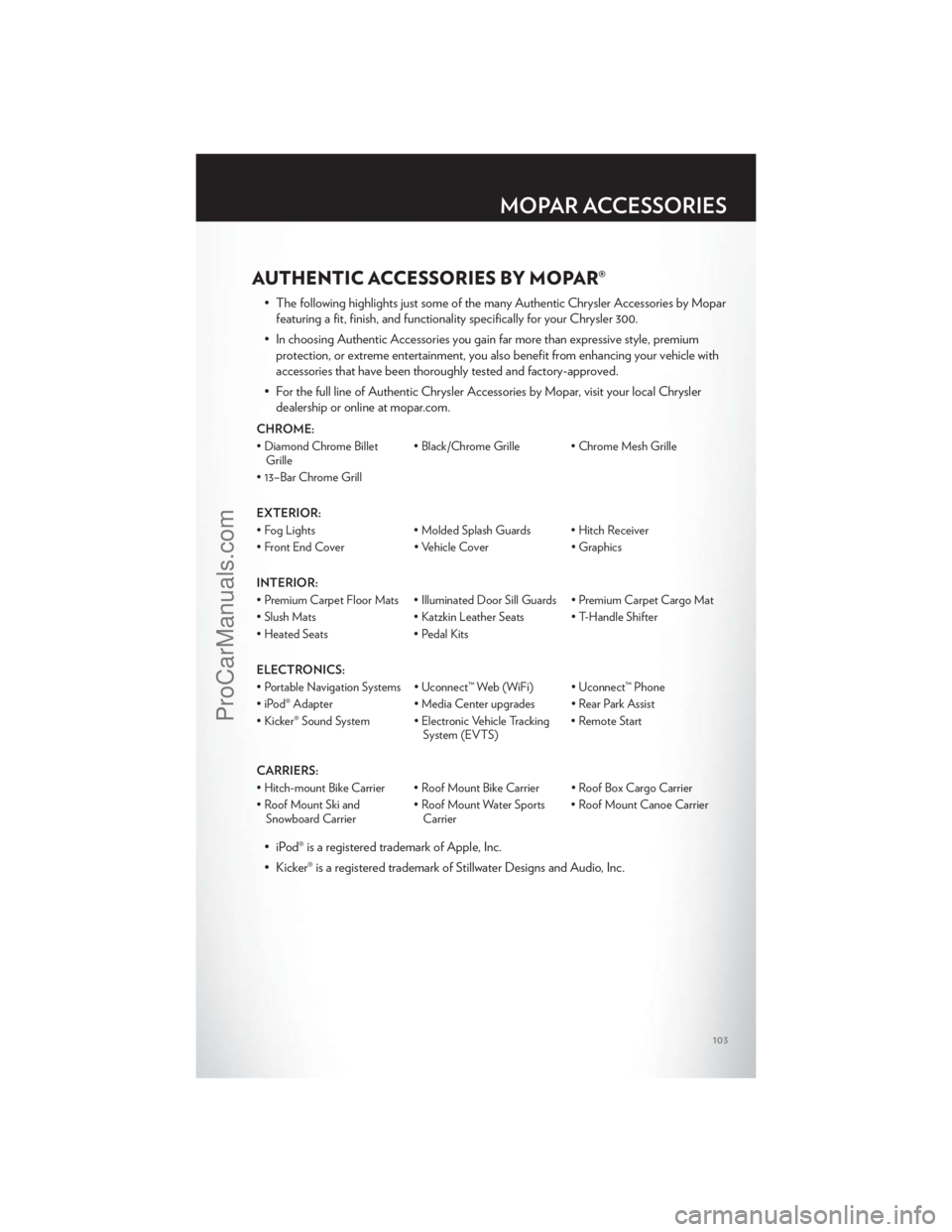
AUTHENTIC ACCESSORIES BY MOPAR®
• The following highlights just some of the many Authentic Chrysler Accessories by Moparfeaturing a fit, finish, and functionality specifically for your Chrysler 300.
• In choosing Authentic Accessories you gain far more than expressive style, premium protection, or extreme entertainment, you also benefit from enhancing your vehicle with
accessories that have been thoroughly tested and factory-approved.
• For the full line of Authentic Chrysler Accessories by Mopar, visit your local Chrysler dealership or online at mopar.com.
CHROME:
• Diamond Chrome BilletGrille • Black/Chrome Grille • Chrome Mesh Grille
• 13–Bar Chrome Grill
EXTERIOR:
• Fog Lights • Molded Splash Guards • Hitch Receiver
• Front End Cover • Vehicle Cover • Graphics
INTERIOR:
• Premium Carpet Floor Mats • Illuminated Door Sill Guards • Premium Carpet Cargo Mat
• Slush Mats • Katzkin Leather Seats • T-Handle Shifter
• Heated Seats • Pedal Kits
ELECTRONICS:
• Portable Navigation Systems • Uconnect™ Web (WiFi) • Uconnect™ Phone
• iPod® Adapter • Media Center upgrades • Rear Park Assist
• Kicker® Sound System • Electronic Vehicle Tracking System (EVTS)• Remote Start
CARRIERS:
• Hitch-mount Bike Carrier • Roof Mount Bike Carrier • Roof Box Cargo Carrier
• Roof Mount Ski and Snowboard Carrier • Roof Mount Water Sports
Carrier • Roof Mount Canoe Carrier
• iPod® is a registered trademark of Apple, Inc.
• Kicker® is a registered trademark of Stillwater Designs and Audio, Inc.
MOPAR ACCESSORIES
103
ProCarManuals.com
Page 107 of 116
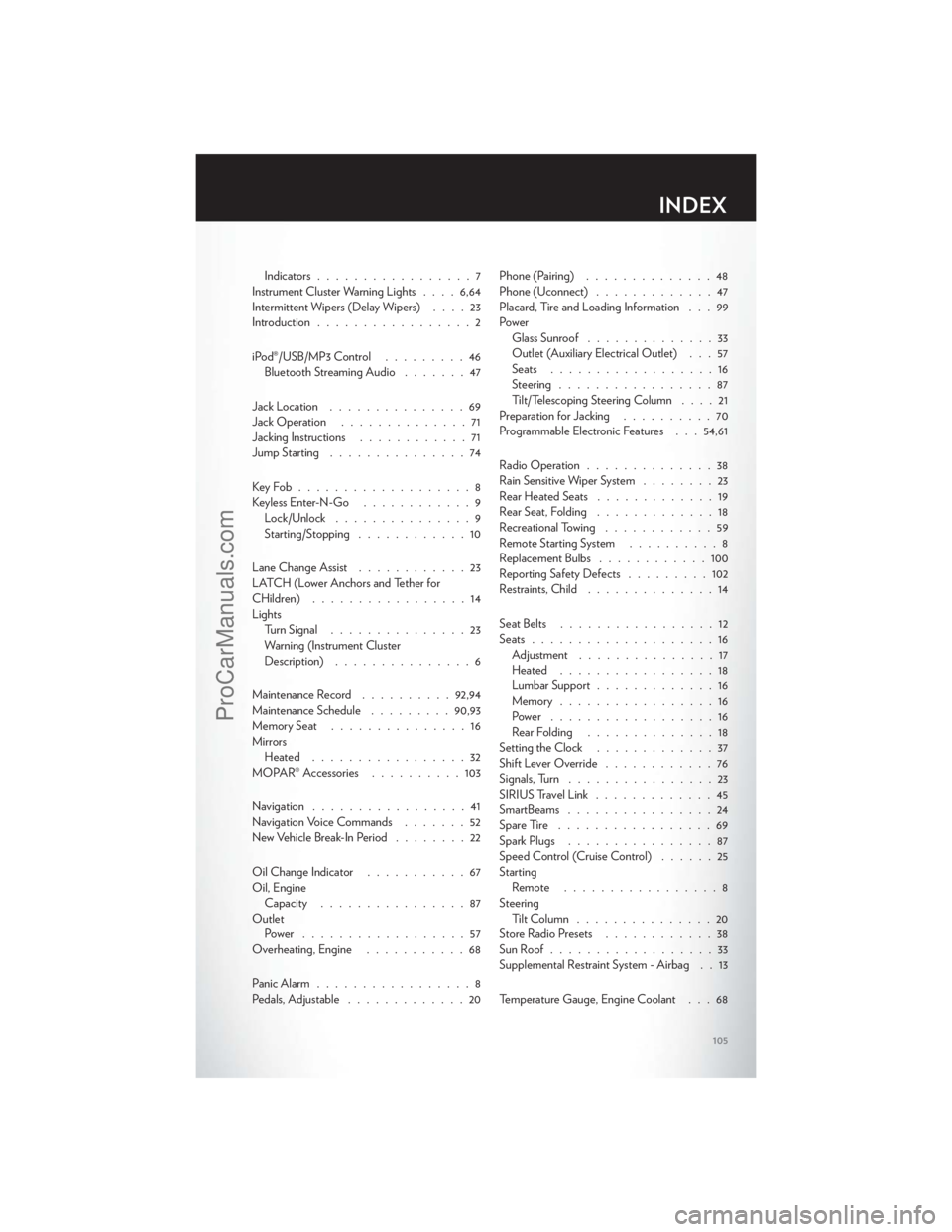
Indicators.................7
Instrument Cluster Warning Lights ....6,64
Intermittent Wipers (Delay Wipers) ....23
Introduction .................2
iPod®/USB/MP3 Control .........46
Bluetooth Streaming Audio .......47
Jack Location ...............69
Jack Operation ..............71
Jacking Instructions ............71
Jump Starting ...............74
KeyFob...................8
Keyless Enter-N-Go ............9
Lock/Unlock ...............9
Starting/Stopping ............10
Lane Change Assist ............23
LATCH (Lower Anchors and Tether for
CHildren) .................14
Lights TurnSignal ...............23
Warning (Instrument Cluster
Description) ...............6
Maintenance Record ..........92,94
Maintenance Schedule .........90,93
Memory Seat ...............16
Mirrors Heated .................32
MOPAR® Accessories ..........103
Navigation .................41
Navigation Voice Commands .......52
New Vehicle Break-In Period ........22
Oil Change Indicator ...........67
Oil, Engine Capacity ................87
Outlet Power ..................57
Overheating, Engine ...........68
Panic Alarm .................8
Pedals, Adjustable .............20 Phone (Pairing)
..............48
Phone (Uconnect) .............47
Placard, Tire and Loading Information . . . 99
Power Glass Sunroof ..............33
Outlet (Auxiliary Electrical Outlet) . . . 57
Seats ..................16
Steering .................87
Tilt/Telescoping Steering Column ....21
Preparation for Jacking ..........70
Programmable Electronic Features . . . 54,61
Radio Operation ..............38
Rain Sensitive Wiper System ........23
Rear Heated Seats .............19
Rear Seat, Folding .............18
Recreational Towing ............59
Remote Starting System ..........8
Replacement Bulbs ............100
Reporting Safety Defects .........102
Restraints, Child ..............14
Seat Belts .................12
Seats ....................16
Ad
justment ...............17
Heated .................18
Lumbar Support .............16
Memory.................16
Power ..................16
Rear Folding ..............18
Setting the Clock .............37
Shift Lever Override ............76
Signals, Turn ................23
SIRIUSTravelLink .............45
SmartBeams ................24
SpareTire .................69
Spark Plugs ................87
Speed Control (Cruise Control) ......25
Starting Remote .................8
Steering Tilt Column ...............20
Store Radio Presets ............38
SunRoof..................33
Supplemental Restraint System - Airbag . . 13
Temperature Gauge, Engine Coolant . . . 68
INDEX
105
ProCarManuals.com