ESP CHRYSLER 300 SRT 2008 1.G User Guide
[x] Cancel search | Manufacturer: CHRYSLER, Model Year: 2008, Model line: 300 SRT, Model: CHRYSLER 300 SRT 2008 1.GPages: 482, PDF Size: 6.28 MB
Page 115 of 482
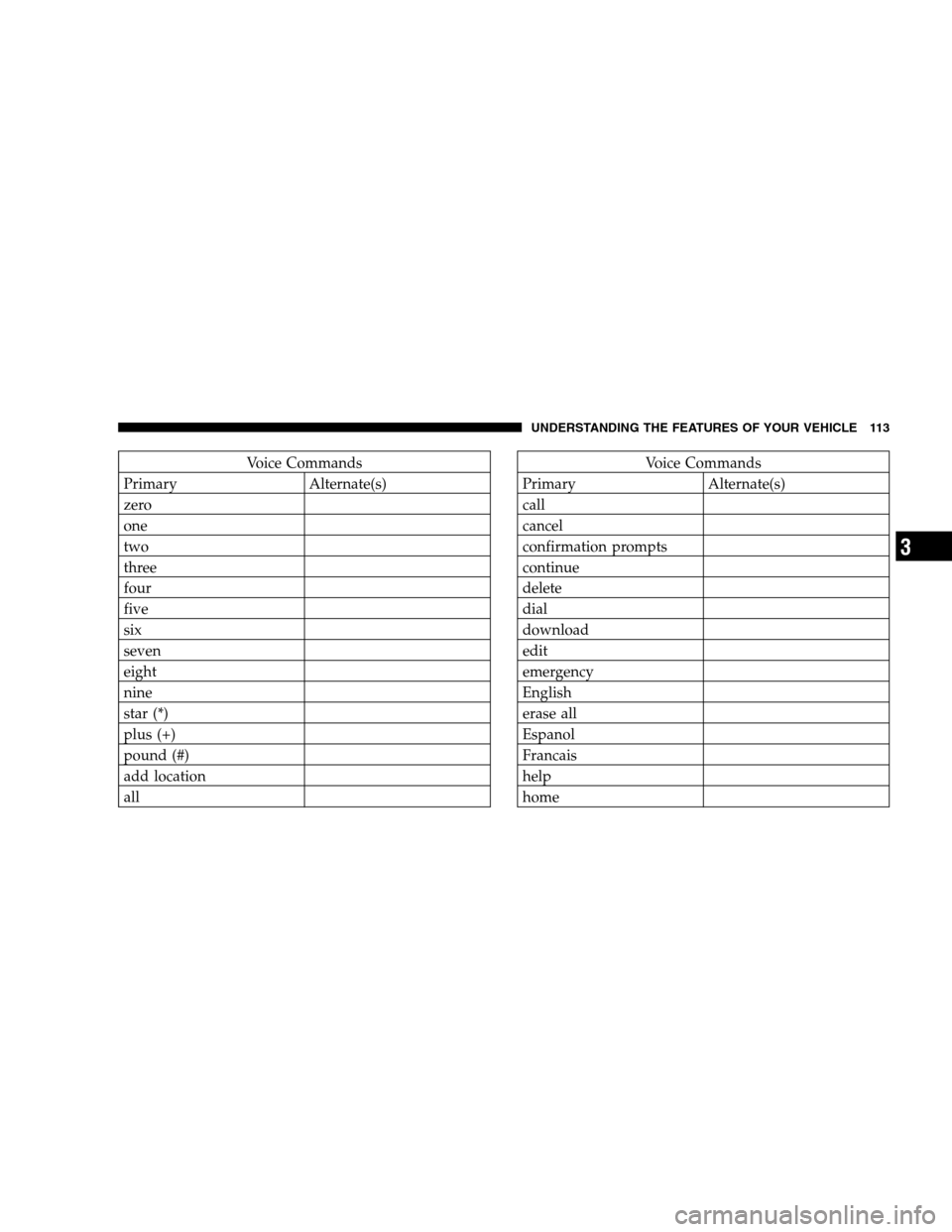
Voice Commands
Primary Alternate(s)
zero
one
two
three
four
five
six
seven
eight
nine
star (*)
plus (+)
pound (#)
add location
allVoice Commands
Primary Alternate(s)
call
cancel
confirmation prompts
continue
delete
dial
download
edit
emergency
English
erase all
Espanol
Francais
help
home
UNDERSTANDING THE FEATURES OF YOUR VEHICLE 113
3
Page 127 of 482
LEDs changes from two to one, indicating the change.
Operation on the low setting also turns off automatically
after 30 minutes.
NOTE:Once a heat setting is selected, heat will be felt
within two to five minutes.
WARNING!
Persons who are unable to feel pain to the skin
because of advanced age, chronic illness, diabetes,
spinal cord injury, medication, alcohol use, exhaus-
tion, or other physical conditions must exercise care
when using the seat heater. It may cause burns even
at low temperatures, especially if used for long
periods.
Do not place anything on the seat that insulates
against heat, such as a blanket or cushion. This may
cause the seat heater to overheat.
Folding Rear Seat
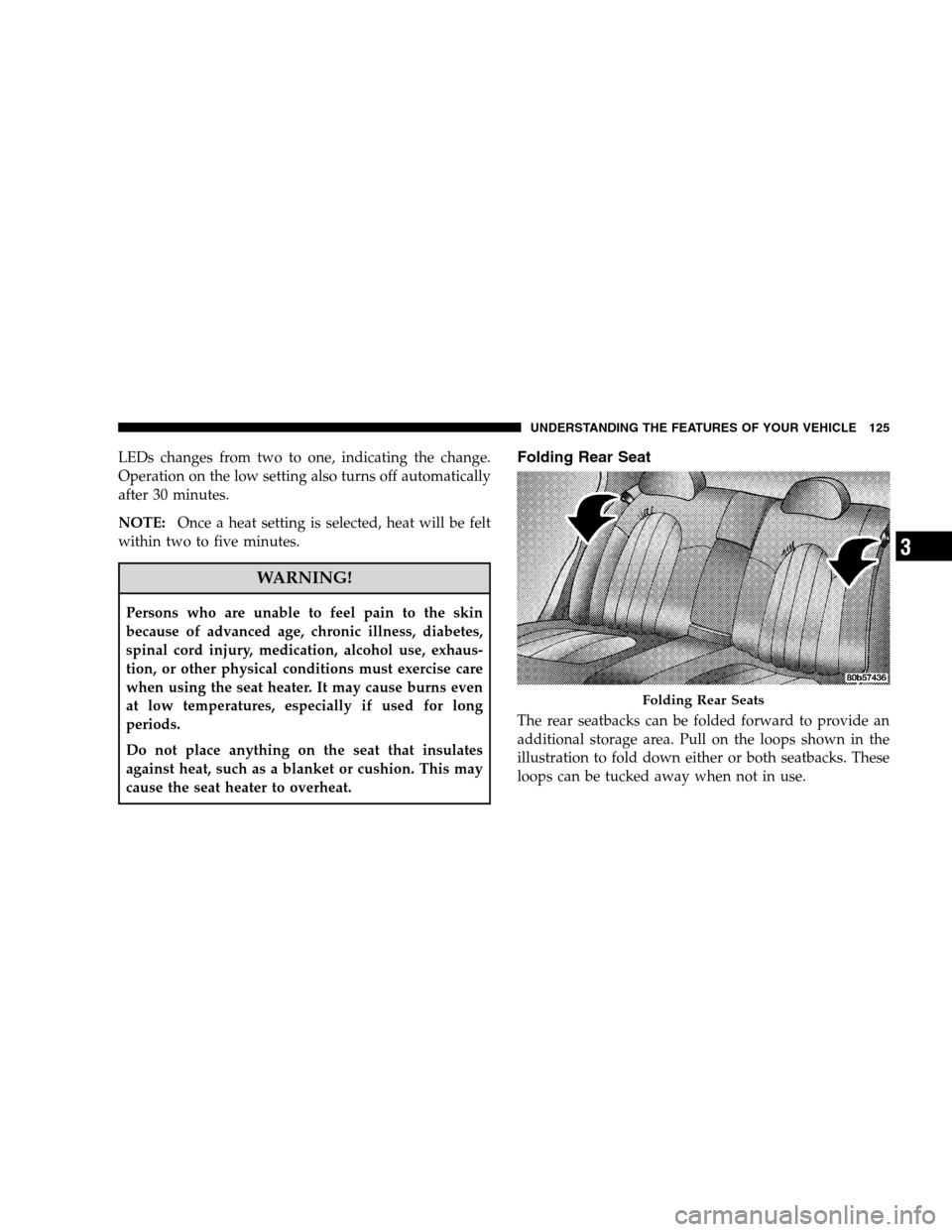
The rear seatbacks can be folded forward to provide an
additional storage area. Pull on the loops shown in the
illustration to fold down either or both seatbacks. These
loops can be tucked away when not in use.
Folding Rear Seats
UNDERSTANDING THE FEATURES OF YOUR VEHICLE 125
3
Page 140 of 482
Turn Signals
Move the multifunction lever up or down and the
corresponding turn signal indicator in the instrument
cluster flashes to show proper operation of the front and
rear turn signal lights. You can also signal a lane change
by moving the lever partially up or down without
moving beyond the detent. Releasing the lever at the
detent will provide three flashes.
If either indicator has a very fast flash rate, check for a
defective outside light bulb. If an indicator fails to light
when the lever is moved, see your authorized dealer for
service.
NOTE:A “Turn Signal On” message will appear in the
EVIC and a continuous chime will sound if the vehicle is
driven more than 1 mi (1.6 km) with either turn signal on.
Highbeam/Lowbeam Select Switch
Push the multifunction lever away from you to switch
the headlights to HIGH beam. Pull the lever toward you
to switch the headlights back to LOW beam.
Flash to Pass
You can signal another vehicle with your headlights by
lightly pulling the multifunction lever toward you. This
will cause the headlights to turn on at high beam and
remain on until the lever is released.
Overhead Console Map/Reading Lights
These lights are mounted between the sun visors on the
overhead console. Each light is turned ON by pressing
the lens. Press the lens a second time to turn OFF the
light. These lights also turn on when a door is opened, or
when the UNLOCK button on the Remote Keyless Entry
(RKE) transmitter is pressed, or when the dimmer control
is turned fully upward, past the second detent.
138 UNDERSTANDING THE FEATURES OF YOUR VEHICLE
Page 144 of 482
Windshield Washers
To use the washer, push the multifunction lever inward
(toward the steering column) to the second detent and
hold it for as long as washer spray is desired.
If you activate the washer while the windshield wiper
control is in the delay range, the wipers will operate for
two wipe cycles after releasing the lever and then resume
the intermittent interval previously selected.
If you activate the washer while the windshield wiper is
turned OFF, the wipers will operate for three wipe cycles
and then turn OFF.
Headlights On with Wipers
When this feature is active, the headlights will turn on
approximately 10 seconds after the wipers are turned ON
if the HEADLIGHT switch is placed in the AUTO posi-
tion. In addition, the headlights will turn off when the
wipers are turned OFF if they were turned ON by this
feature.The Headlights On with Wipers feature can be enabled or
disabled. Refer to ”Headlights On with Wipers,” under
“Personal Settings (Customer Programmable Features),”
under “Electronic Vehicle Information Center” in Section
4.
Rain Sensing Wipers
This feature senses moisture on the windshield and
automatically activates the wipers for the driver. This
feature is especially useful for road splash or over spray
from the windshield washers of the vehicle ahead. Rotate
the end of the multifunction lever to one of the six
intermittent wiper settings to activate this feature.
The sensitivity of the system is adjustable from the
multifunction lever. Wiper delay position 1 is the least
sensitive and wiper delay position 6 is the most sensitive.
Choose setting 3 or 4 for normal rain conditions. Choose
setting 2 or 1 if you desire less wiper sensitivity. Choose
142 UNDERSTANDING THE FEATURES OF YOUR VEHICLE
Page 156 of 482
ACC will allow you to keep cruise control engaged in
light to moderate traffic conditions without the constant
need to reset your cruise control. ACC utilizes an infrared
sensor designed to detect a vehicle directly ahead in your
path.
NOTE:
•If the sensor does not detect a vehicle directly ahead of
you, ACC will function in the same way as a standard
cruise control system. For additional information, refer
to “Electronic Speed Control” in this section.
•If the ACC sensor detects a vehicle ahead, ACC will
apply limited braking or acceleration automatically so
that your vehicle maintains a preset following dis-
tance.
WARNING!
•Adaptive Cruise Control (ACC) is a convenience system. It is not
a substitute for active driving involvement. It is always the
driver ’s responsibility to be attentive of road, traffic, and weather
conditions, vehicle speed, distance to the vehicle ahead; and, most
importantly, brake operation to ensure safe operation of the
vehicle under all road conditions. Your complete attention is
always required while driving to maintain safe control of your
vehicle. Failure to follow these warnings can result in an accident
or serious personal injury.
•The ACC system:
Does not react to pedestrians, oncoming vehicles, and stationary
objects (i.e., a stopped vehicle in a traffic jam or a disabled
vehicle).
Does not predict the lane curvature or the movement of preceding
vehicles and will not compensate for such changes.
Cannot take street, traffic, and weather conditions into account,
and may be limited upon adverse sight distance conditions.
Does not always fully recognize complex driving conditions,
which can result in wrong or missing distance warnings.
May not detect a vehicle ahead when strong light (for example,
sunrise or sunset) is directly shining on the front of the vehicle.
Can only apply a maximum of 25% of the vehicle’s braking
capability, and will not bring the vehicle to a complete stop.
154 UNDERSTANDING THE FEATURES OF YOUR VEHICLE
Page 158 of 482
Activating Adaptive Cruise Control (ACC)
You can only activate ACC if the vehicle speed is above
25 mph (40 km/h).
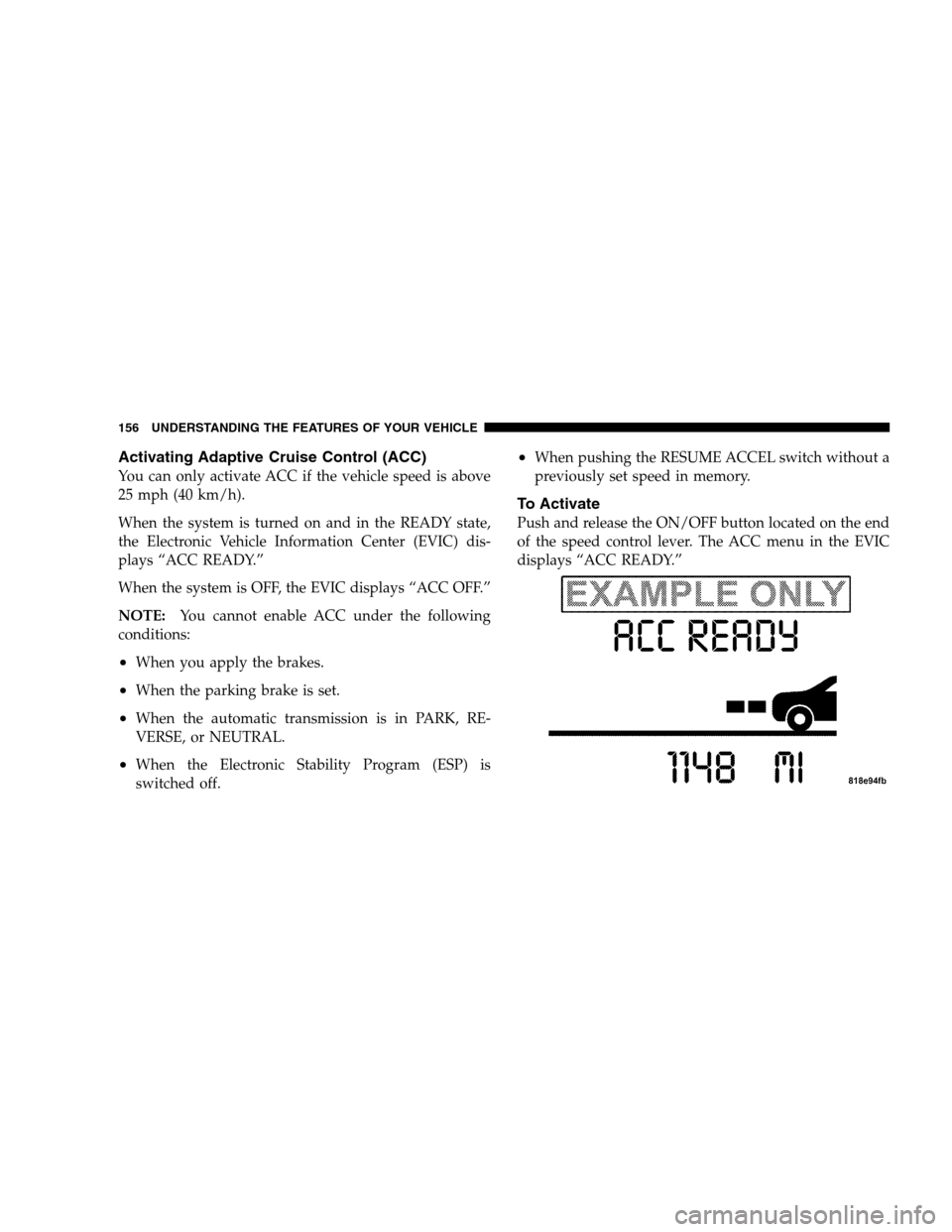
When the system is turned on and in the READY state,
the Electronic Vehicle Information Center (EVIC) dis-
plays “ACC READY.”
When the system is OFF, the EVIC displays “ACC OFF.”
NOTE:You cannot enable ACC under the following
conditions:
•When you apply the brakes.
•When the parking brake is set.
•When the automatic transmission is in PARK, RE-
VERSE, or NEUTRAL.
•When the Electronic Stability Program (ESP) is
switched off.
•When pushing the RESUME ACCEL switch without a
previously set speed in memory.
To Activate
Push and release the ON/OFF button located on the end
of the speed control lever. The ACC menu in the EVIC
displays “ACC READY.”
156 UNDERSTANDING THE FEATURES OF YOUR VEHICLE
Page 160 of 482
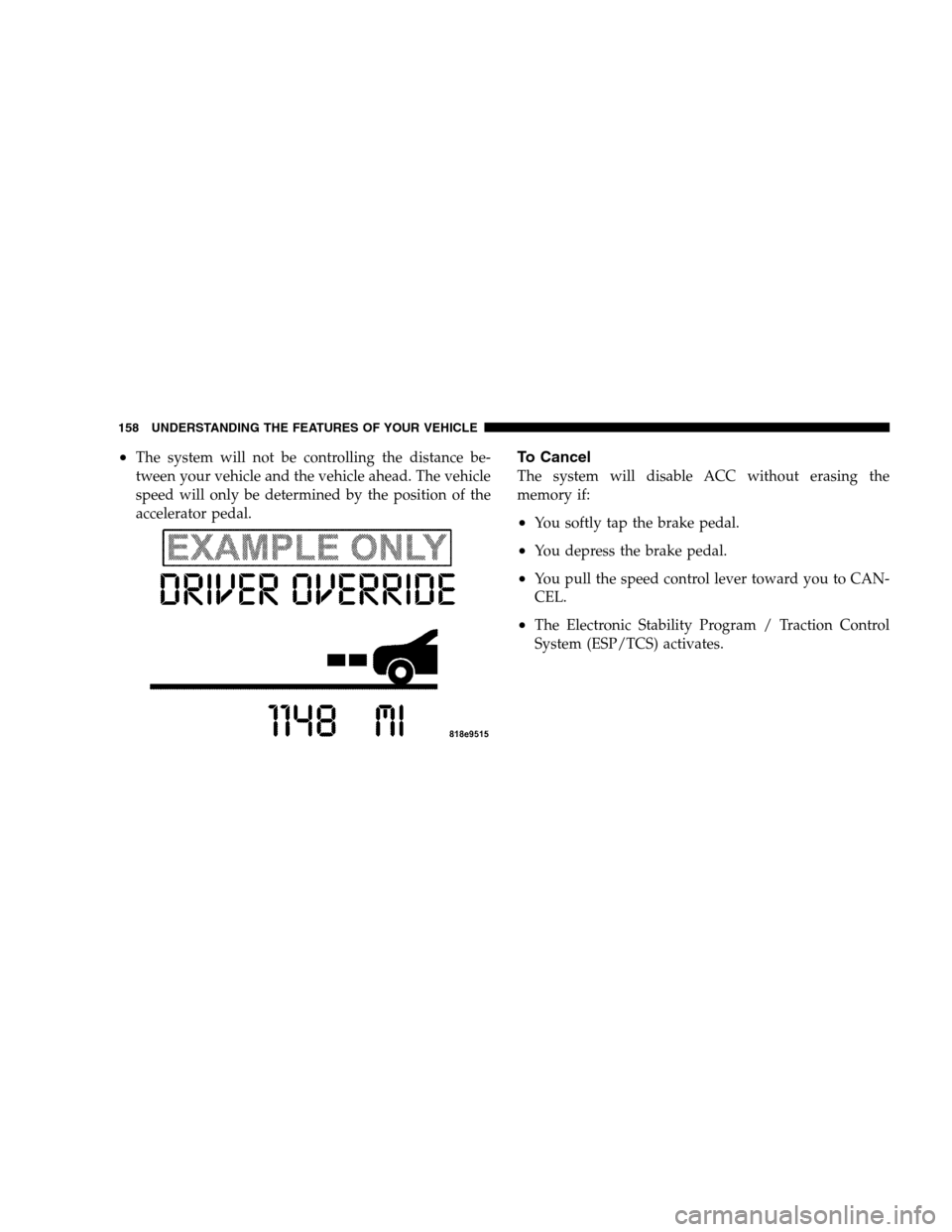
•The system will not be controlling the distance be-
tween your vehicle and the vehicle ahead. The vehicle
speed will only be determined by the position of the
accelerator pedal.To Cancel
The system will disable ACC without erasing the
memory if:
•You softly tap the brake pedal.
•You depress the brake pedal.
•You pull the speed control lever toward you to CAN-
CEL.
•The Electronic Stability Program / Traction Control
System (ESP/TCS) activates.
158 UNDERSTANDING THE FEATURES OF YOUR VEHICLE
Page 161 of 482
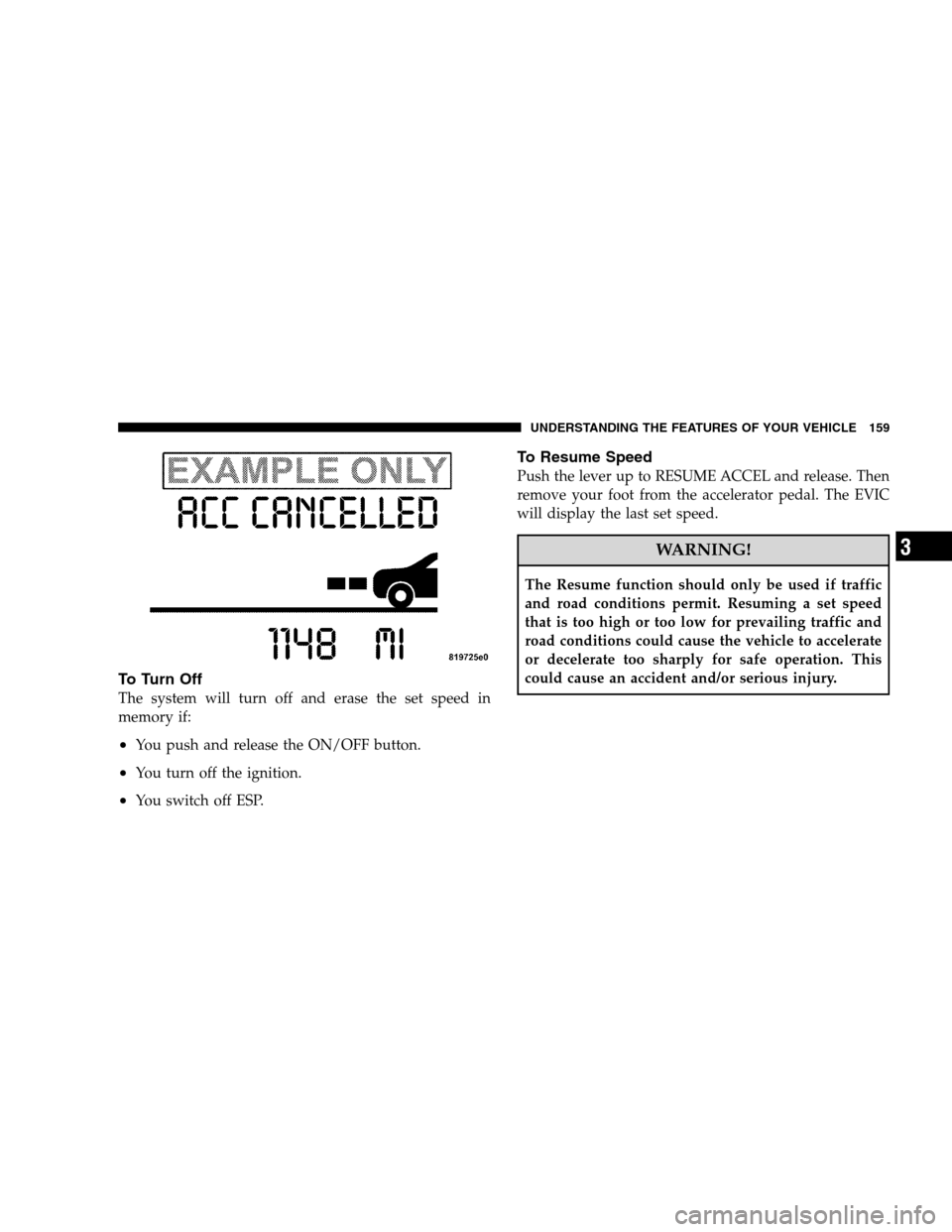
To Tu r n O f f
The system will turn off and erase the set speed in
memory if:
•You push and release the ON/OFF button.
•You turn off the ignition.
•You switch off ESP.
To Resume Speed
Push the lever up to RESUME ACCEL and release. Then
remove your foot from the accelerator pedal. The EVIC
will display the last set speed.
WARNING!
The Resume function should only be used if traffic
and road conditions permit. Resuming a set speed
that is too high or too low for prevailing traffic and
road conditions could cause the vehicle to accelerate
or decelerate too sharply for safe operation. This
could cause an accident and/or serious injury.
UNDERSTANDING THE FEATURES OF YOUR VEHICLE 159
3
Page 171 of 482
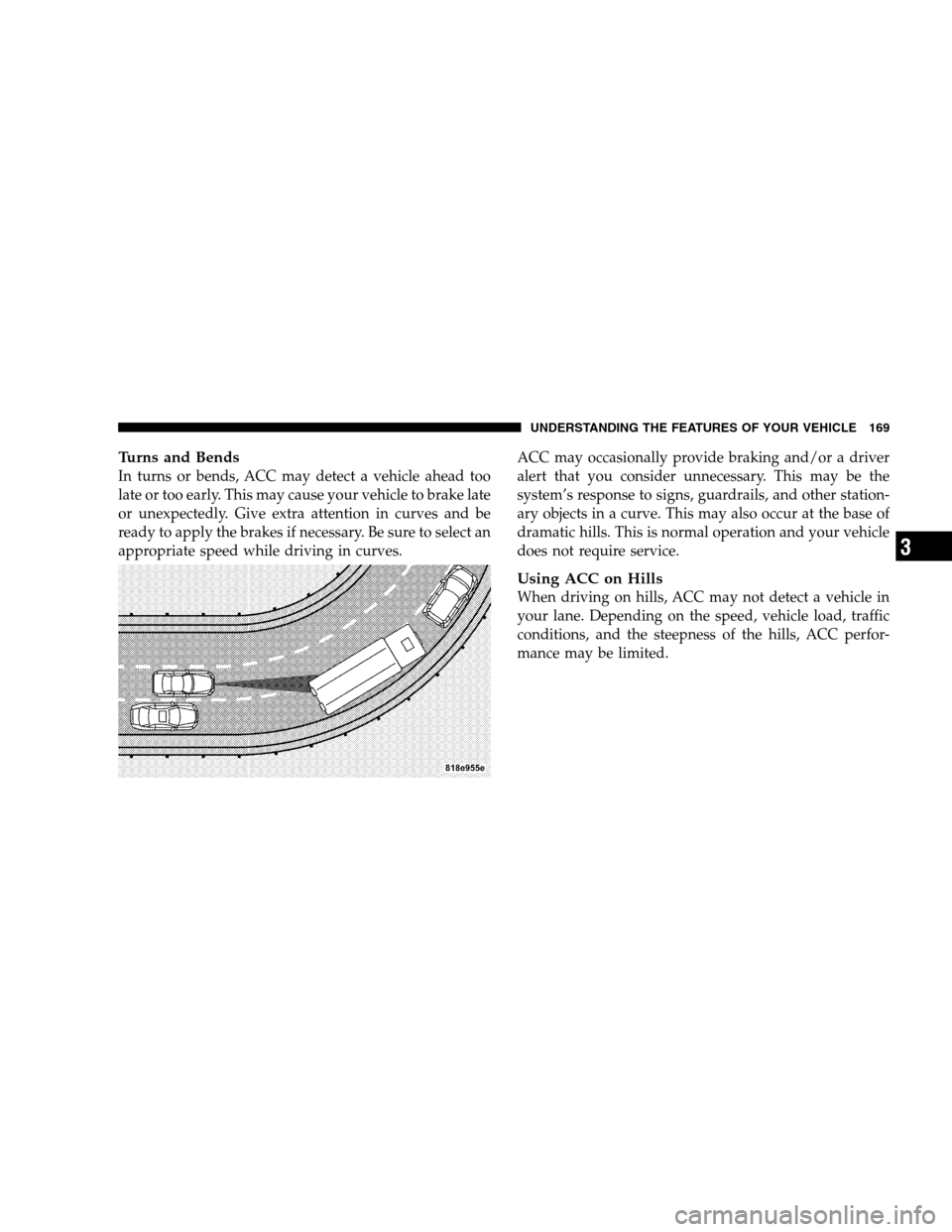
Turns and Bends
In turns or bends, ACC may detect a vehicle ahead too
late or too early. This may cause your vehicle to brake late
or unexpectedly. Give extra attention in curves and be
ready to apply the brakes if necessary. Be sure to select an
appropriate speed while driving in curves.ACC may occasionally provide braking and/or a driver
alert that you consider unnecessary. This may be the
system’s response to signs, guardrails, and other station-
ary objects in a curve. This may also occur at the base of
dramatic hills. This is normal operation and your vehicle
does not require service.
Using ACC on Hills
When driving on hills, ACC may not detect a vehicle in
your lane. Depending on the speed, vehicle load, traffic
conditions, and the steepness of the hills, ACC perfor-
mance may be limited.
UNDERSTANDING THE FEATURES OF YOUR VEHICLE 169
3
Page 177 of 482
WARNING!
•Drivers must be careful when backing up even
when using the Rear Park Assist System. Always
check carefully behind your vehicle, look behind
you, and be sure to check for pedestrians, animals,
other vehicles, obstructions, and blind spots before
backing up. You are responsible for safety and must
continue to pay attention to your surroundings.
Failure to do so can result in serious injury or death.
•Before using the Rear Park Assist System, it is
strongly recommended that the ball mount and
hitch ball assembly is disconnected from the ve-
hicle when the vehicle is not used for towing.
Failure to do so can result in injury or damage to
vehicles or obstacles because the hitch ball will be
much closer to the obstacle than the rear fascia
when the warning display turns the red LEDs ON.
Also, the sensors could detect the ball mount and
hitch ball assembly, depending on its size and
shape, giving a false indication that an obstacle is
behind the vehicle.
CAUTION!
•The Rear Park Assist System is only a parking aid
and it is unable to recognize every obstacle, in-
cluding small obstacles. Parking curbs might be
temporarily detected or not detected at all. Ob-
stacles located above or below the sensors will not
be detected when they are in close proximity.
•The vehicle must be driven slowly when using the
Rear Park Assist System to be able to stop in time
when the obstacle is detected. It is recommended
that the driver looks over his/her shoulder when
using the Rear Park Assist System.
UNDERSTANDING THE FEATURES OF YOUR VEHICLE 175
3