tow CHRYSLER 300 SRT 2008 1.G User Guide
[x] Cancel search | Manufacturer: CHRYSLER, Model Year: 2008, Model line: 300 SRT, Model: CHRYSLER 300 SRT 2008 1.GPages: 482, PDF Size: 6.28 MB
Page 143 of 482
Rotate the end of the multifunction lever to the first
detent past the intermittent settings for low speed wiper
operation, or to the second detent past the intermittent
settings for high speed wiper operation.
CAUTION!
Turn the windshield wipers off when driving
through an automatic car wash. Damage to the wind-
shield wipers may result if the WIPER switch is left
in any position other than OFF.
Intermittent Wiper System
Use the intermittent wiper when weather conditions
make a single wiping cycle with a variable pause be-
tween cycles desirable. Rotate the end of the multifunc-
tion lever to the first detent position, and then turn the
end of the lever to select the desired delay interval. There
are six delay settings, which allow you to regulate thewipe interval from a minimum of one cycle every second
to a maximum of approximately 23 seconds between
cycles.
WARNING!
Sudden loss of visibility through the windshield
could lead to an accident. You might not see other
vehicles or other obstacles. To avoid sudden icing of
the windshield during freezing weather, warm the
windshield with the defroster before and during
windshield washer use.
Mist Feature
Push the multifunction lever inward (toward the steering
column) to the first detent to activate a single wipe cycle
to clear off road mist or spray from a passing vehicle. The
wipers will continue to operate until you release the
lever.
UNDERSTANDING THE FEATURES OF YOUR VEHICLE 141
3
Page 144 of 482
Windshield Washers
To use the washer, push the multifunction lever inward
(toward the steering column) to the second detent and
hold it for as long as washer spray is desired.
If you activate the washer while the windshield wiper
control is in the delay range, the wipers will operate for
two wipe cycles after releasing the lever and then resume
the intermittent interval previously selected.
If you activate the washer while the windshield wiper is
turned OFF, the wipers will operate for three wipe cycles
and then turn OFF.
Headlights On with Wipers
When this feature is active, the headlights will turn on
approximately 10 seconds after the wipers are turned ON
if the HEADLIGHT switch is placed in the AUTO posi-
tion. In addition, the headlights will turn off when the
wipers are turned OFF if they were turned ON by this
feature.The Headlights On with Wipers feature can be enabled or
disabled. Refer to ”Headlights On with Wipers,” under
“Personal Settings (Customer Programmable Features),”
under “Electronic Vehicle Information Center” in Section
4.
Rain Sensing Wipers
This feature senses moisture on the windshield and
automatically activates the wipers for the driver. This
feature is especially useful for road splash or over spray
from the windshield washers of the vehicle ahead. Rotate
the end of the multifunction lever to one of the six
intermittent wiper settings to activate this feature.
The sensitivity of the system is adjustable from the
multifunction lever. Wiper delay position 1 is the least
sensitive and wiper delay position 6 is the most sensitive.
Choose setting 3 or 4 for normal rain conditions. Choose
setting 2 or 1 if you desire less wiper sensitivity. Choose
142 UNDERSTANDING THE FEATURES OF YOUR VEHICLE
Page 147 of 482
WARNING!
Commercially available windshield washer solvents
are flammable. They could ignite and burn you. Care
must be exercised when filling or working around
the washer solution.
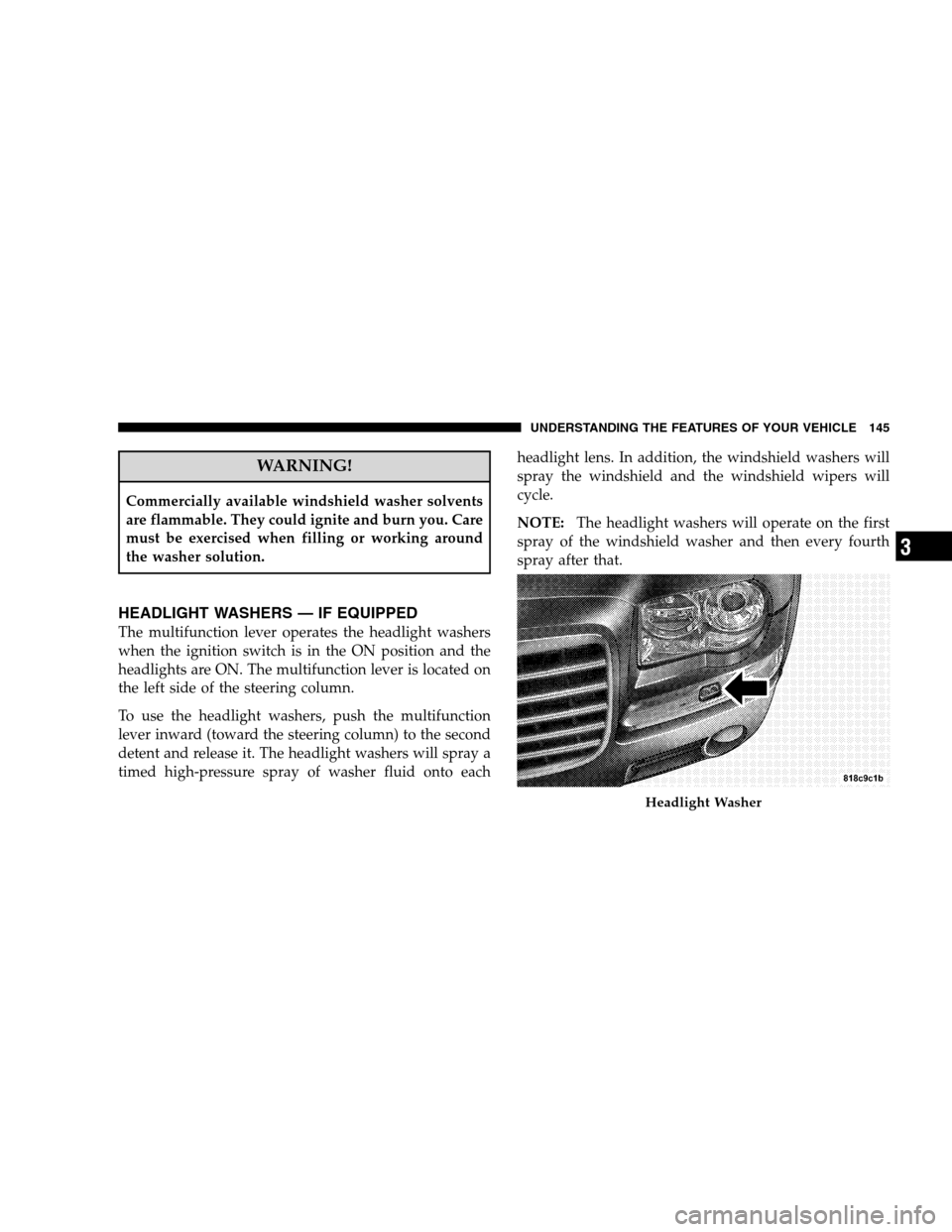
HEADLIGHT WASHERS — IF EQUIPPED
The multifunction lever operates the headlight washers
when the ignition switch is in the ON position and the
headlights are ON. The multifunction lever is located on
the left side of the steering column.
To use the headlight washers, push the multifunction
lever inward (toward the steering column) to the second
detent and release it. The headlight washers will spray a
timed high-pressure spray of washer fluid onto eachheadlight lens. In addition, the windshield washers will
spray the windshield and the windshield wipers will
cycle.
NOTE:The headlight washers will operate on the first
spray of the windshield washer and then every fourth
spray after that.
Headlight Washer
UNDERSTANDING THE FEATURES OF YOUR VEHICLE 145
3
Page 149 of 482
WARNING!
Commercially available windshield washer solvents
are flammable. They could ignite and burn you. Care
must be exercised when filling or working around
the washer solution.
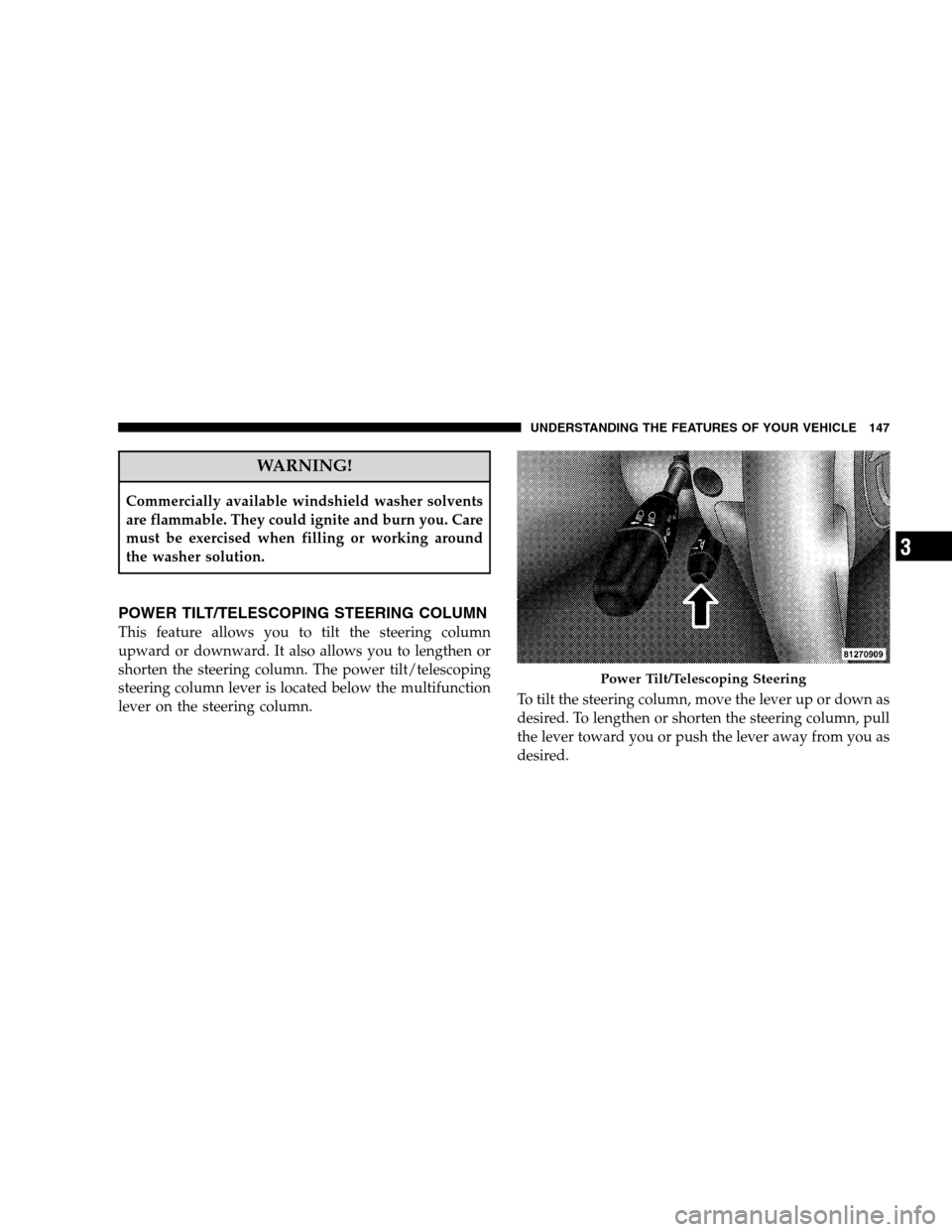
POWER TILT/TELESCOPING STEERING COLUMN
This feature allows you to tilt the steering column
upward or downward. It also allows you to lengthen or
shorten the steering column. The power tilt/telescoping
steering column lever is located below the multifunction
lever on the steering column.To tilt the steering column, move the lever up or down as
desired. To lengthen or shorten the steering column, pull
the lever toward you or push the lever away from you as
desired.
Power Tilt/Telescoping Steering
UNDERSTANDING THE FEATURES OF YOUR VEHICLE 147
3
Page 150 of 482
NOTE:For vehicles equipped with Driver Memory
Seat, you can use your Remote Keyless Entry (RKE)
transmitter or the MEMORY switch on the driver’s door
trim panel to return the tilt/telescopic steering column to
pre-programmed positions. Refer to “Driver Memory
Seat” in this section.
WARNING!
Moving the steering column while the vehicle is
moving is dangerous. Without a stable steering col-
umn, you could lose control of the vehicle and have
an accident. Adjust the column only while the ve-
hicle is stopped.
ADJUSTABLE PEDALS
The adjustable pedals system is designed to allow a
greater range of driver comfort for steering wheel tilt and
seat position. This feature allows both the brake and
accelerator pedal to move toward or away from the
driver to provide improved position with the steering
wheel. The switch is located on the front side of the
driver’s seat cushion side shield.
148 UNDERSTANDING THE FEATURES OF YOUR VEHICLE
Page 151 of 482
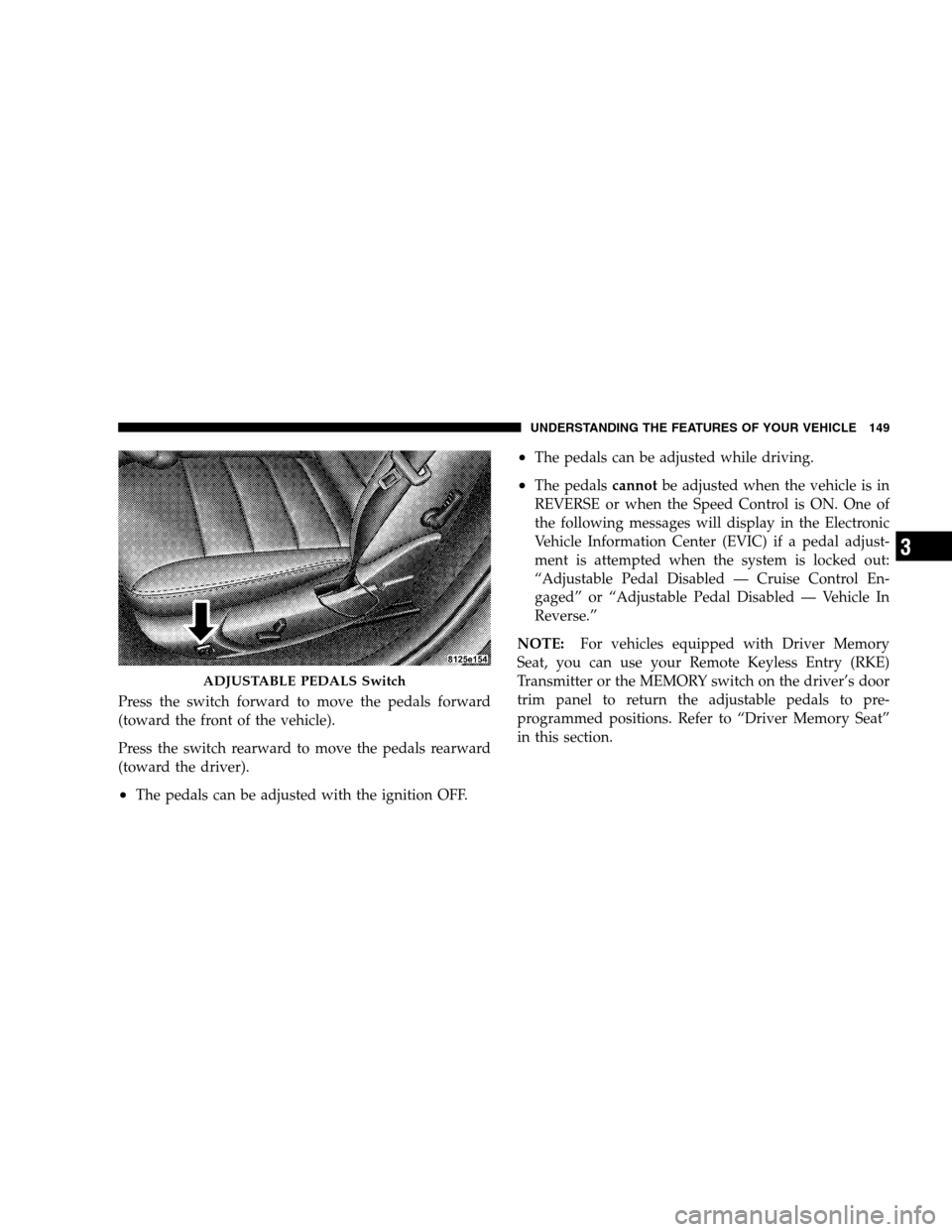
Press the switch forward to move the pedals forward
(toward the front of the vehicle).
Press the switch rearward to move the pedals rearward
(toward the driver).
•The pedals can be adjusted with the ignition OFF.
•The pedals can be adjusted while driving.
•The pedalscannotbe adjusted when the vehicle is in
REVERSE or when the Speed Control is ON. One of
the following messages will display in the Electronic
Vehicle Information Center (EVIC) if a pedal adjust-
ment is attempted when the system is locked out:
“Adjustable Pedal Disabled — Cruise Control En-
gaged” or “Adjustable Pedal Disabled — Vehicle In
Reverse.”
NOTE:For vehicles equipped with Driver Memory
Seat, you can use your Remote Keyless Entry (RKE)
Transmitter or the MEMORY switch on the driver’s door
trim panel to return the adjustable pedals to pre-
programmed positions. Refer to “Driver Memory Seat”
in this section.
ADJUSTABLE PEDALS Switch
UNDERSTANDING THE FEATURES OF YOUR VEHICLE 149
3
Page 154 of 482
To Deactivate
The system will disable electronic speed control without
erasing the memory if you:
•Softly tap the brake pedal,
•Depress the brake pedal, or
•Pull the speed control lever toward you to CANCEL.
Pushing and releasing the ON/OFF button or turning off
the ignition erases the set speed from memory.
To Resume Speed
If you deactivated the speed control without erasing the
set speed from memory and your vehicle speed is above
20 mph (32 km/h) you can resume the previous set
speed. To do so, push the lever upward to RESUME
ACCEL and release. Then remove your foot from the
accelerator pedal.
To Vary the Speed Setting
When the speed control is set, you can increase speed by
pushing upward and holding the lever in RESUME
ACCEL. When the lever is released, a new set speed will
be established.
Tapping the lever to RESUME ACCEL once will result in
a 1 mph (1.6 km/h) speed increase. Each time the lever is
tapped speed increases, so tapping the lever three times
will increase speed by 3 mph (4.8 km/h), etc.
To decrease speed while speed control is set, push
downward and hold the lever in SET DECEL. Release the
lever when the desired speed is reached, and a new set
speed will be established.
Tapping the lever to SET DECEL once will result in a 1
mph (1.6 km/h) speed decrease. Each time the lever is
tapped, speed decreases.
152 UNDERSTANDING THE FEATURES OF YOUR VEHICLE
Page 157 of 482
WARNING!
You should switch off the ACC system:
•When driving in fog; heavy rain; heavy snow;
sleet; heavy traffic; and complex driving situations
(i.e., in highway construction zones).
•When entering a turn lane or highway off ramp;
when driving on roads that are winding, icy,
snow-covered, slippery, or have steep uphill or
downhill slopes; and when towing a trailer.
•When circumstances do not allow safe driving at a
constant speed.
Failure to follow these warnings can result in an
accident or serious personal injury.
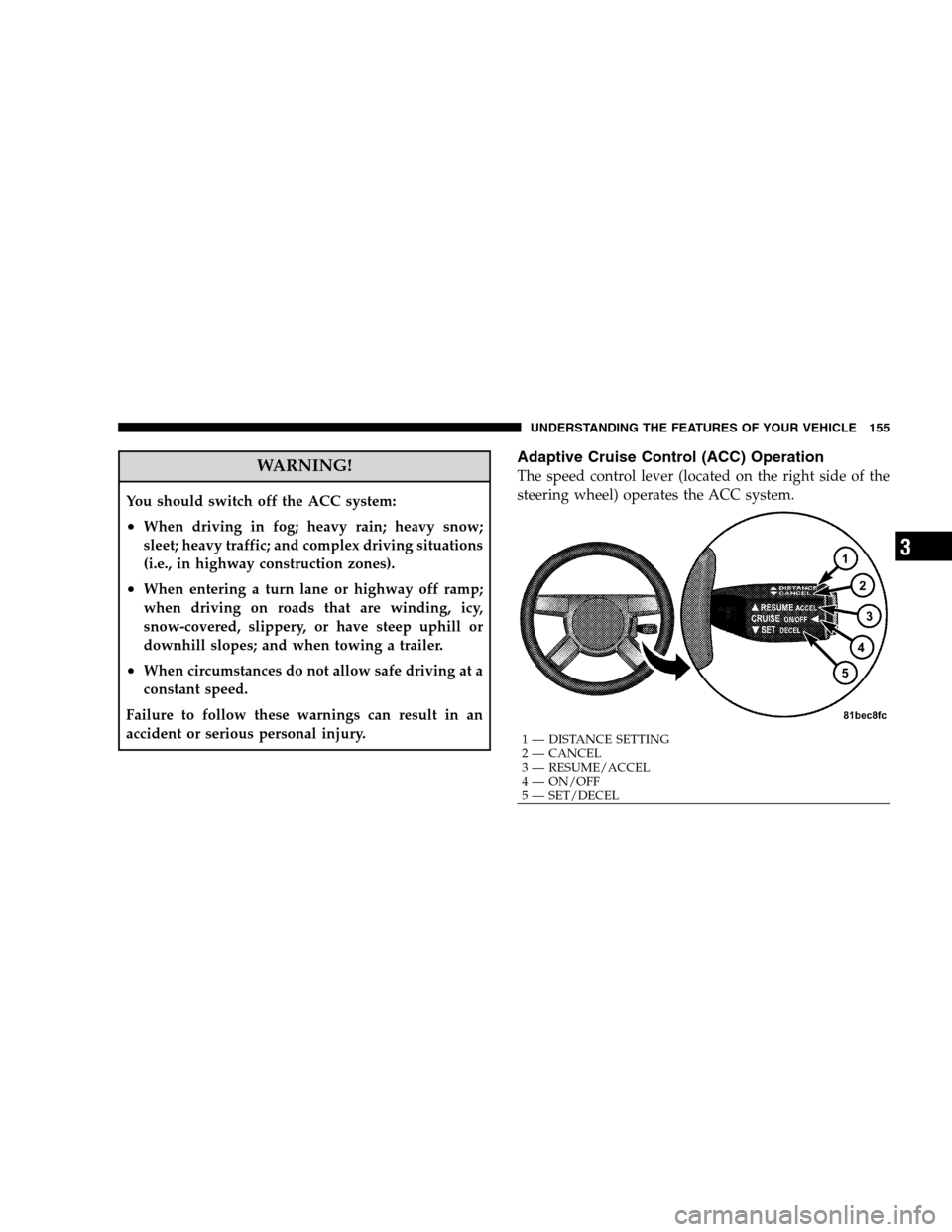
Adaptive Cruise Control (ACC) Operation
The speed control lever (located on the right side of the
steering wheel) operates the ACC system.
1 — DISTANCE SETTING
2 — CANCEL
3 — RESUME/ACCEL
4 — ON/OFF
5 — SET/DECELUNDERSTANDING THE FEATURES OF YOUR VEHICLE 155
3
Page 160 of 482
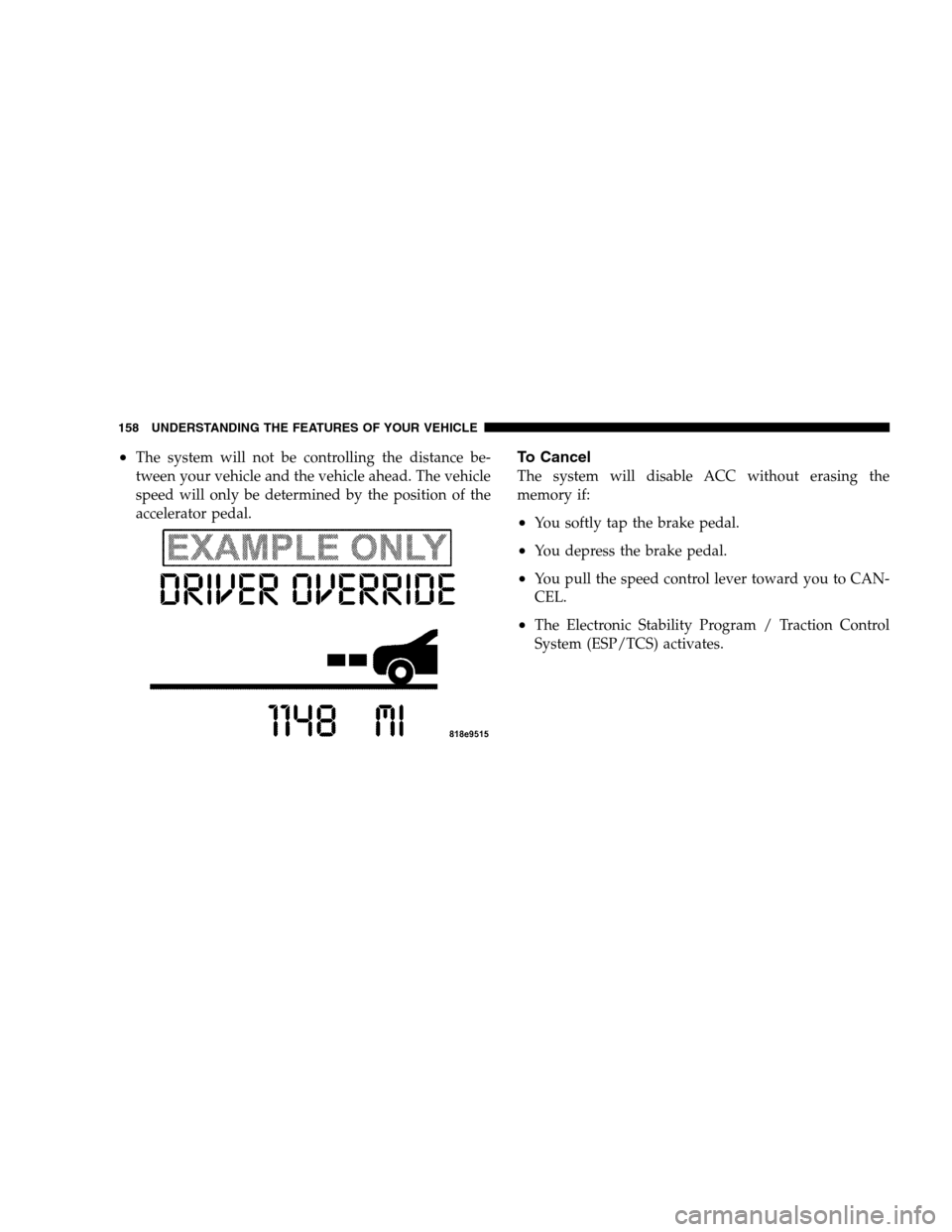
•The system will not be controlling the distance be-
tween your vehicle and the vehicle ahead. The vehicle
speed will only be determined by the position of the
accelerator pedal.To Cancel
The system will disable ACC without erasing the
memory if:
•You softly tap the brake pedal.
•You depress the brake pedal.
•You pull the speed control lever toward you to CAN-
CEL.
•The Electronic Stability Program / Traction Control
System (ESP/TCS) activates.
158 UNDERSTANDING THE FEATURES OF YOUR VEHICLE
Page 177 of 482
WARNING!
•Drivers must be careful when backing up even
when using the Rear Park Assist System. Always
check carefully behind your vehicle, look behind
you, and be sure to check for pedestrians, animals,
other vehicles, obstructions, and blind spots before
backing up. You are responsible for safety and must
continue to pay attention to your surroundings.
Failure to do so can result in serious injury or death.
•Before using the Rear Park Assist System, it is
strongly recommended that the ball mount and
hitch ball assembly is disconnected from the ve-
hicle when the vehicle is not used for towing.
Failure to do so can result in injury or damage to
vehicles or obstacles because the hitch ball will be
much closer to the obstacle than the rear fascia
when the warning display turns the red LEDs ON.
Also, the sensors could detect the ball mount and
hitch ball assembly, depending on its size and
shape, giving a false indication that an obstacle is
behind the vehicle.
CAUTION!
•The Rear Park Assist System is only a parking aid
and it is unable to recognize every obstacle, in-
cluding small obstacles. Parking curbs might be
temporarily detected or not detected at all. Ob-
stacles located above or below the sensors will not
be detected when they are in close proximity.
•The vehicle must be driven slowly when using the
Rear Park Assist System to be able to stop in time
when the obstacle is detected. It is recommended
that the driver looks over his/her shoulder when
using the Rear Park Assist System.
UNDERSTANDING THE FEATURES OF YOUR VEHICLE 175
3