center console CHRYSLER ASPEN 2008 2.G User Guide
[x] Cancel search | Manufacturer: CHRYSLER, Model Year: 2008, Model line: ASPEN, Model: CHRYSLER ASPEN 2008 2.GPages: 479, PDF Size: 4.3 MB
Page 161 of 479
REAR PARK ASSIST SYSTEM Ð IF EQUIPPED
NOTE:The manufacturer suggests disabling the Rear
Park Assist System when towing a trailer. Refer to
ªPersonal Settings (Customer Programmable Features)º
under ªOverhead Console with Electronic Vehicle Infor-
mation Center (EVIC) ± If Equippedº in Section 3.
This system is used to help drivers determine if an
obstacle is in the way of the vehicle while it is backing up
in addition to the use of inside rearview and outside
mirrors.
When the driver selects REVERSE, the system scans for
objects behind the vehicle using four sensors located in
the rear bumper. Objects can be detected from up to 78.7
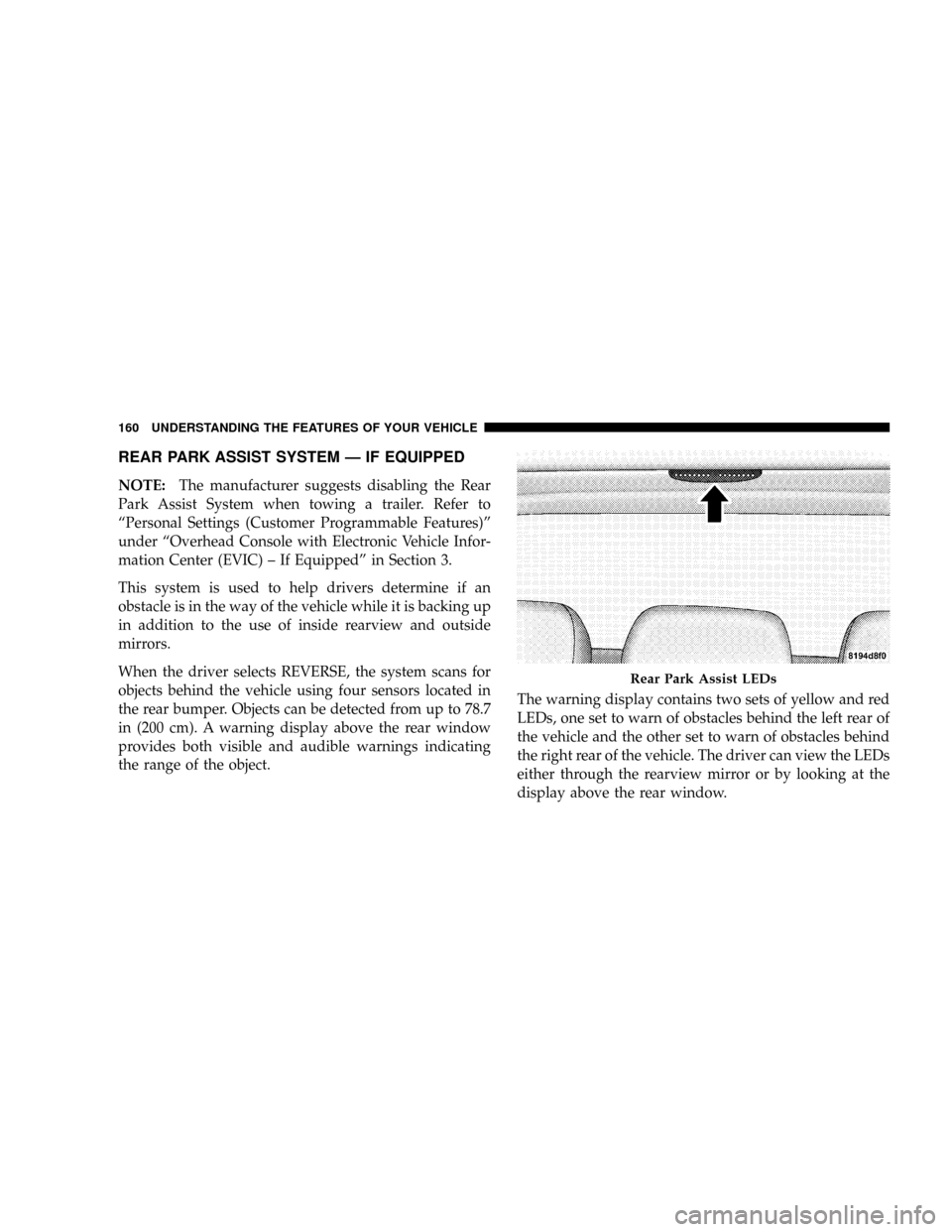
in (200 cm). A warning display above the rear window
provides both visible and audible warnings indicating
the range of the object.The warning display contains two sets of yellow and red
LEDs, one set to warn of obstacles behind the left rear of
the vehicle and the other set to warn of obstacles behind
the right rear of the vehicle. The driver can view the LEDs
either through the rearview mirror or by looking at the
display above the rear window.
Rear Park Assist LEDs
160 UNDERSTANDING THE FEATURES OF YOUR VEHICLE
Page 164 of 479
NOTE:
²Ensure that the rear bumper is free of dirt and debris
to keep the system operating properly.
²Jackhammers, large trucks, and other vibrations could
affect the performance of the system.
If ªService Park Assist Systemº appears in the Electronic
Vehicle Information Center (EVIC) after making sure the
rear bumper is clean, please see your authorized dealer.
To turn on/off the rear park assist system, refer to
ªPersonal Settings (Customer Programmable Features)º
under ªOverhead Console with Electronic Vehicle Infor-
mation Center (EVIC) ± If Equippedº in Section 3.
REAR CAMERA Ð IF EQUIPPED
Your vehicle may be equipped with a Rear Camera
system that allows you to see an on-screen image (located
in the screen of your Radio) of the rear of your vehicle
whenever it is put into REVERSE. The camera is located
in the light bar over the rear license plate.
NOTE:Refer to ªSetting Display Propertiesº under
ªSystem Settingsº in the Navigation User's Manual for
instructions regarding navigation screen brightness ad-
justments.
Use the following steps to access the Rear Backup Cam-
era feature:
1. Start the engine.
2. Depress the brake pedal and place the shift lever in
REVERSE.
3. Wait one to two seconds, and the camera view will
display on the Radio screen.
UNDERSTANDING THE FEATURES OF YOUR VEHICLE 163
3
Page 167 of 479

²Electronic Vehicle Information Center (EVIC) Ð If
Equipped
Courtesy/Reading Lights
Near the front of the console is one courtesy and two
reading lights.
All lights illuminate as courtesy lights when a door is
opened, when the dimmer control is rotated to the
courtesy light position (fully upward position), or when
the UNLOCK button is pressed on the Remote Keyless
Entry (RKE) Transmitter, if so equipped. The two round
lamps are also operated individually as reading lights by
pressing the center of each lens.
NOTE:The courtesy/reading lights will remain on until
the switch is pressed a second time, so be sure they have
been turned off before leaving the vehicle. If the interior
lights are left on after the vehicle is turned OFF, they will
turn off after 15 minutes.
OVERHEAD CONSOLE WITH ELECTRONIC
VEHICLE INFORMATION CENTER (EVIC) Ð IF
EQUIPPED
The overhead console contains dome/reading lights, and
an Electronic Vehicle Information Center (EVIC).
Dome/Reading Lights
Located in the overhead console are two dome/reading
lights.
The dome/reading lights illuminate when a door is
opened or when the interior lights are turned on by
rotating the dimmer control located on the headlight
switch.
The reading lights are activated by pressing the center of
each lens.
NOTE:The dome/reading lights will remain on until
the switch is pressed a second time, so be sure they have
been turned off before leaving the vehicle.
166 UNDERSTANDING THE FEATURES OF YOUR VEHICLE
Page 186 of 479
ELECTRICAL POWER OUTLETS
This vehicle has three auxiliary power outlets that can
provide up to 20 Amps of current for accessories de-
signed for use with the standard power outlet adapters.
The outlet located in the lower portion of the instrument
panel has a snap on plastic cap so that it can be covered
when not in use. As a safety precaution, the outlet in the
instrument panel only operates with the ignition switch
ON. When the optional Cigar Lighter heating element is
used, it heats when pushed in and pops out automati-
cally when ready for use.To preserve the heating
element, do not hold the lighter in the heating position.
There are two additional 12 V/(20 total Amps for both
outlets) power outlets, one located in the storage bin of
the center console and another located in the right rear
cargo area. These outlets can be reconfigured by the
customer to operate only when the ignition is ON(switched battery fed) or with the ignition ON or OFF
(battery fed) to allow for cellular telephone charging and
or operation while the ignition is off.
NOTE:All accessories connected to these outlets should
be removed or turned OFF when the vehicle is not in use
to protect the battery against discharge (unless the cus-
tomer has reconfigured the fuse block to switched battery
feed). (See page 187 for more information.)
115V Inverter Outlet ± If Equipped
This vehicle may also be equipped with a 115 Volt (150
Watts Maximum) outlet on the rear of the front center
console. These outlets can power cell phones, electronics
and other low power devices. This plug is controlled by
a switch located in left lower instrument panel.
Press the switch to turn the power on to the outlet. Press
the switch a second to turn the power off.
UNDERSTANDING THE FEATURES OF YOUR VEHICLE 185
3
Page 190 of 479
FLOOR CONSOLE
Front Floor Console Features
The floor console between the driver's and front passen-
ger's seat, has the following features:
²Miscellaneous storage compartments
²Portable phone storage bin
²Portable phone cord routing on the sides of the console
lid and the base.
²12 Volt reconfigurable power outlet inside storage
compartment
²Side open armrest lid
²Tissue holder and pen holder
²Coin slots
²Removable CD bin
²115 V Inverter Plug
²RCA Jacks
The coin slots are located under the instrument panel
center stack.
Cupholders
Your vehicle has eight cupholders. Four are located in the
center console, two are located in the second row armrest
or rear floor console (if equipped), and two are located in
the left-hand quarter panel for third row occupants. The
cupholders and storage bin located in the front of the
center console can be accessed by pressing on the access
doors.
UNDERSTANDING THE FEATURES OF YOUR VEHICLE 189
3
Page 191 of 479
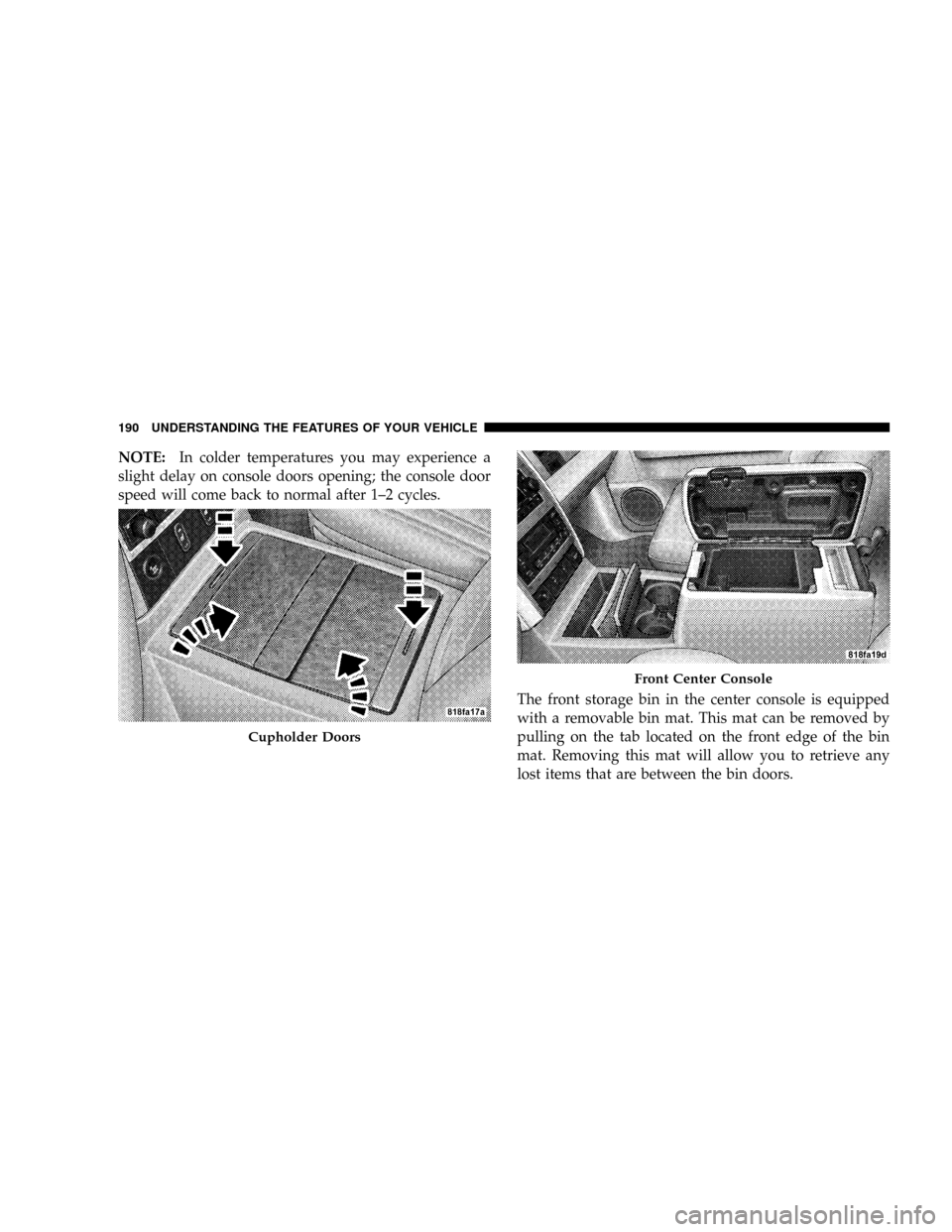
NOTE:In colder temperatures you may experience a
slight delay on console doors opening; the console door
speed will come back to normal after 1±2 cycles.
The front storage bin in the center console is equipped
with a removable bin mat. This mat can be removed by
pulling on the tab located on the front edge of the bin
mat. Removing this mat will allow you to retrieve any
lost items that are between the bin doors.
Cupholder Doors
Front Center Console
190 UNDERSTANDING THE FEATURES OF YOUR VEHICLE
Page 254 of 479

Rear Temperature Control Ð If Equipped
Rotating this knob left to the
REAR CONTROL position al-
lows the passengers in the
second and third row seats to
control the blower speed and
temperature by means of the
rear control located in the rear
of the center floor console as
described under ªRear Zone
Control.º Rotating this knob
to the OFF position turns off the rear climate controls.
Rotating this knob to the right of the OFF position allows
the driver and front passenger to control the rear blower
speed, and the rear temperature using the front tempera-
ture slide. The mode, front or rear, is always controlled by
the front mode control. For example: Panel mode on thefront control will give you air from the outlets in the
headliner in the rear. Floor mode in the front will give
you air from the floor outlets in the rear.
Rear Window Defrosting and Rear Window
Washer/Wiper
See the ªRear Window Featuresº section of this book.
INSTRUMENT PANEL AND CONTROLS 253
4
Page 259 of 479

Rear Temperature Control (ATC)
The REAR button cycles through the following modes:
Rear Control From Front
This allows the driver or passenger to control the rear
blower speeds rotating the Power/Fan knob and the rear
temperature using the PASS/REAR Temp +/- rocker
switch. While in this mode, pressing the POWER/FAN
knob will turn the rear system off. Pressing the Power/
Fan knob will turn the rear system back on.
NOTE:The display will show a9REAR9fan speed graph
and a9REAR9digital temp setting.
CONTROL IN REAR
This allows the passengers in the second row seats to
control the blower speed and temperature by means of
the rear control located in the rear of the center floor
console as described under the9Rear Zone Climate
Control.9NOTE:The front display will show ªCONTROL IN
REAR.º
REAR OFF
This turns the rear system off. The control will return to
the front system display after approximately five seconds
if no buttons are pushed while in one of the rear system
displays. You may also return to the front system display
sooner by pushing any button except the Power/Fan
knob, the REAR button, or the driver/passenger Temp
rocker buttons.
NOTE:The display will show ªREAR OFF.º
REAR AUTO
This mode places the rear system in automatic tempera-
ture control. Rear temperature can be set as desired (72ÉF
[22ÉC] recommended for average person) and will be
displayed digitally on the front control when in rear
mode.
258 INSTRUMENT PANEL AND CONTROLS
Page 430 of 479

REPLACEMENT LIGHT BULBS
LIGHT BULBS Ð Interior Bulb No.
Dome Light.................... NotServiceable
Liftgate Lamp........................... 567
Overhead Console Lights........... NotServiceable
Reading Light................... NotServiceable
Visor Vanity Lights............... NotServiceable
LIGHT BULBS Ð Exterior Bulb No.
Headlight............................. H13
Front Park/Turn......................3457AK
Backup...............................3057
Center High-Mounted Stop Light............. 921
Front Side Marker........................ 168
Fog Lamp.............................9145
License Plate Light....................... 168
Rear Tail, Stop, Turn Signal and Side Marker....3057
BULB REPLACEMENT
Headlights/Parking/Turn Signal
1. Remove the two bolts attaching the headlight to the
upper fender reinforcement (hood must be opened to
access bolts).
MAINTAINING YOUR VEHICLE 429
7
Page 461 of 479
Caps, Filler
Fuel................................ 336
Oil (Engine).......................... 392
Power Steering........................ 398
Radiator (Coolant Pressure)............... 405
Car Washes............................ 415
Carbon Monoxide Warning...............75,335
Cargo Management System................. 194
Cargo Organizer....................... 194
Cargo Organizer........................ 194
Cargo (Vehicle Loading)................... 342
Catalytic Converter...................... 395
CD (Compact Disc) Player...............217,220
Cellular Phone..................88,220,221,248
Center High Mounted Stop Light............ 434
Certification Label....................... 342
Charging.............................. 376
Chart, Tire Sizing........................ 305
Child Restraint......................64,65,66Child Restraint Tether Anchors.............68,73
Child Seat.............................. 69
Circuit Breakers......................... 419
Cleaning
Wheels............................. 416
Climate Control......................... 249
Climate Control, Rear Zone..............253,259
Clock.....................214,215,218,221,226
Compact Disc (CD) Maintenance............. 247
Compact Spare Tire...................... 316
Compass Calibration..................... 174
Compass Variance....................... 174
Connector
UCI ................................ 241
Universal Consumer Interface (UCI)......... 241
Console, Floor.......................189,191
Console, Overhead....................165,166
Contract, Service........................ 451
Coolant Pressure Cap (Radiator Cap)....384,385,405
460 INDEX