instrument cluster CHRYSLER ASPEN 2008 2.G Owners Manual
[x] Cancel search | Manufacturer: CHRYSLER, Model Year: 2008, Model line: ASPEN, Model: CHRYSLER ASPEN 2008 2.GPages: 479, PDF Size: 4.3 MB
Page 19 of 479
WARNING!
The key cannot be turned to LOCK until the shift
lever is in the PARK position. Do not attempt to pull
the shift lever out of PARK after the key is in the
LOCK position.
NOTE:The steering wheel will lock when the key is
removed, and when the steering wheel is turned around
115 degrees clockwise or 65 degrees counterclockwise
from the center position.
Ignition Accessory Delay Feature
The power window switches, radio, hands±free system
(if equipped), and power outlets will remain active for 10
minutes after the ignition switch is turned off. Opening
either front door will cancel this feature.For vehicles equipped with the Electronic Vehicle Infor-
mation Center (EVIC), the time for this feature is pro-
grammable. For details, refer to ªPersonal Settings
(Customer-Programmable Features)º/ªKEY OFF
POWER DELAY > OFFº under ªElectronic Vehicle Infor-
mation Center (EVIC)º in Section 3 of this manual.
SECURITY ALARM SYSTEM Ð IF EQUIPPED
This system monitors the vehicle doors, liftgate, and
ignition for unauthorized operation. When the Security
Alarm System is activated, the system provides both
audible and visual signals. The horn will sound repeat-
edly for three minutes and the headlights and Security
light in the instrument cluster will flash for an additional
15 minutes. The engine will not run until the system is
disarmed.
18 THINGS TO KNOW BEFORE STARTING YOUR VEHICLE
Page 20 of 479
To Set the Alarm:
The Security Alarm System will set when you use the
power door locks or use the Remote Keyless Entry
Transmitter to lock the doors. After all the doors are
closed and locked, the security light in the instrument
cluster will flash rapidly to signal that the system is
arming. The Security light in the instrument panel cluster
will flash rapidly for about 15 seconds to indicate that the
alarm is being set. After the alarm is set, the Security light
will flash at a slower rate to indicate that the system is
armed.
NOTE:If the Security light stays on continuously dur-
ing vehicle operation, have the system checked by your
authorized dealer.
To Disarm the System:
Use the Remote Keyless Entry Transmitter to unlock the
doors. If something has triggered the system in your
absence, the horn will sound three times when you
unlock the doors. Check the vehicle for tampering.
The Security Alarm System will also disarm if the vehicle
is started with a programmed Sentry Keyt. If an unpro-
grammed Sentry Keytis used to start a vehicle, the
engine will start and run for two seconds and then shut
down. After six unsuccessul attempts at starting the
engine, the system will shut down until the correct key is
used. To exit alarming mode, press the RKE UNLOCK
button or start the vehicle with a programmed Sentry
Keyt.
The Security Alarm System is designed to protect your
vehicle; however, you can create conditions where the
system will arm unexpectedly. If you remain in the
THINGS TO KNOW BEFORE STARTING YOUR VEHICLE 19
2
Page 59 of 479
Also, the ORC turns on the AIRBAG warning
light in the instrument cluster for six to eight
seconds for a self-check when the ignition is
first turned on. After the self-check, the AIR-
BAG warning light will turn off. If the ORC detects a
malfunction in any part of the system, it turns on the
AIRBAG warning light either momentarily or continu-
ously. A single chime will sound if the light comes on
again after initial start up.
WARNING!
Ignoring the AIRBAG warning light in your instru-
ment panel could mean you won't have the airbags to
protect you in a collision. If the light does not come
on, stays on after you start the vehicle, or if it comes
on as you drive, have the airbag system checked right
away.
²TheDriver and Passenger Airbag/Inflator Unitsare
located in the center of the steering wheel and the right
side of the instrument panel. When the ORC detects a
collision requiring the airbags, it signals the inflator
units. A large quantity of nontoxic gas is generated to
inflate the front airbags. Different airbag inflation rates
may be possible based on collision severity. The steer-
ing wheel hub trim cover and the upper right side of
the instrument panel separate and fold out of the way
as the airbags inflate to their full size. The airbags fully
inflate in about 50 - 70 milliseconds. This is about half
of the time it takes to blink your eyes. The airbags then
quickly deflate while helping to restrain the driver and
front passenger. The driver's front airbag gas is vented
through vent holes in the sides of the airbag. The
passenger's front airbag gas is vented through vent
holes in the sides of the airbag. In this way the airbags
do not interfere with your control of the vehicle.
58 THINGS TO KNOW BEFORE STARTING YOUR VEHICLE
Page 104 of 479
NOTE:
²You may not hear all of the tones due to cellular phone
network configurations; this is normal.
²Some paging and voice mail systems have system time
out settings that are too short and may not allow the
use of this feature.
Barge In - Overriding Prompts
The ªVoice Recognitionº button can be used when you
wish to skip part of a prompt and issue your voice
recognition command immediately. For example, if a
prompt is asking9Would you like to pair a phone, clear
a{,9you could press the ªVoice Recognitionº button and
say,9Pair a Phone9to select that option without having to
listen to the rest of the voice prompt.
Turning Confirmation Prompts On/Off
Turning confirmation prompts off will stop the system
from confirming your choices (e.g., the UConnecttsys-
tem will not repeat a phone number before you dial it).
²Press the PHONE button to begin.
²After the9Ready9prompt and the following beep, say
9Setup Confirmations.9The UConnecttsystem will
play the current confirmation prompt status and you
will be given the choice to change it.
Phone and Network Status Indicators
If available on the radio and/or on a premium display
such as the instrument panel cluster, and supported by
your cell phone, the UConnecttsystem will provide
notification to inform you of your phone and network
status when you are attempting to make a phone call
using UConnectt. The status is given for roaming, net-
work signal strength, phone battery strength, etc.
Dialing Using the Cellular Phone Keypad
You can dial a phone number with your cellular phone
keypad and still use the UConnecttsystem (while dial-
ing via the cell phone keypad, the user must exercise
caution and take precautionary safety measures). By
UNDERSTANDING THE FEATURES OF YOUR VEHICLE 103
3
Page 150 of 479

light located in the instrument cluster will illuminate
when the fog lights are on. The fog lights will turn off
when the switch is pressed in, when the headlight switch
is rotated to the OFF position, or the high beam is
selected.
Multifunction Control Lever
The multifunction control lever is located on the left side
of the steering column.
Turn Signals
Move the lever up or down to signal a right-hand or
left-hand turn.The arrow on either side of the instrument cluster flashes
to indicate the direction of the turn, and proper operation
of the front and rear turn signal lights. If an indicator fails
to light when the lever is moved, it would suggest that
the switch or indicator lamp is defective.
If a defective bulb or wiring circuit is detected for the
turn signal system, the arrow indicators will flash at a
faster rate.
You can signal a lane change by moving the lever
partially up or down.
UNDERSTANDING THE FEATURES OF YOUR VEHICLE 149
3
Page 158 of 479
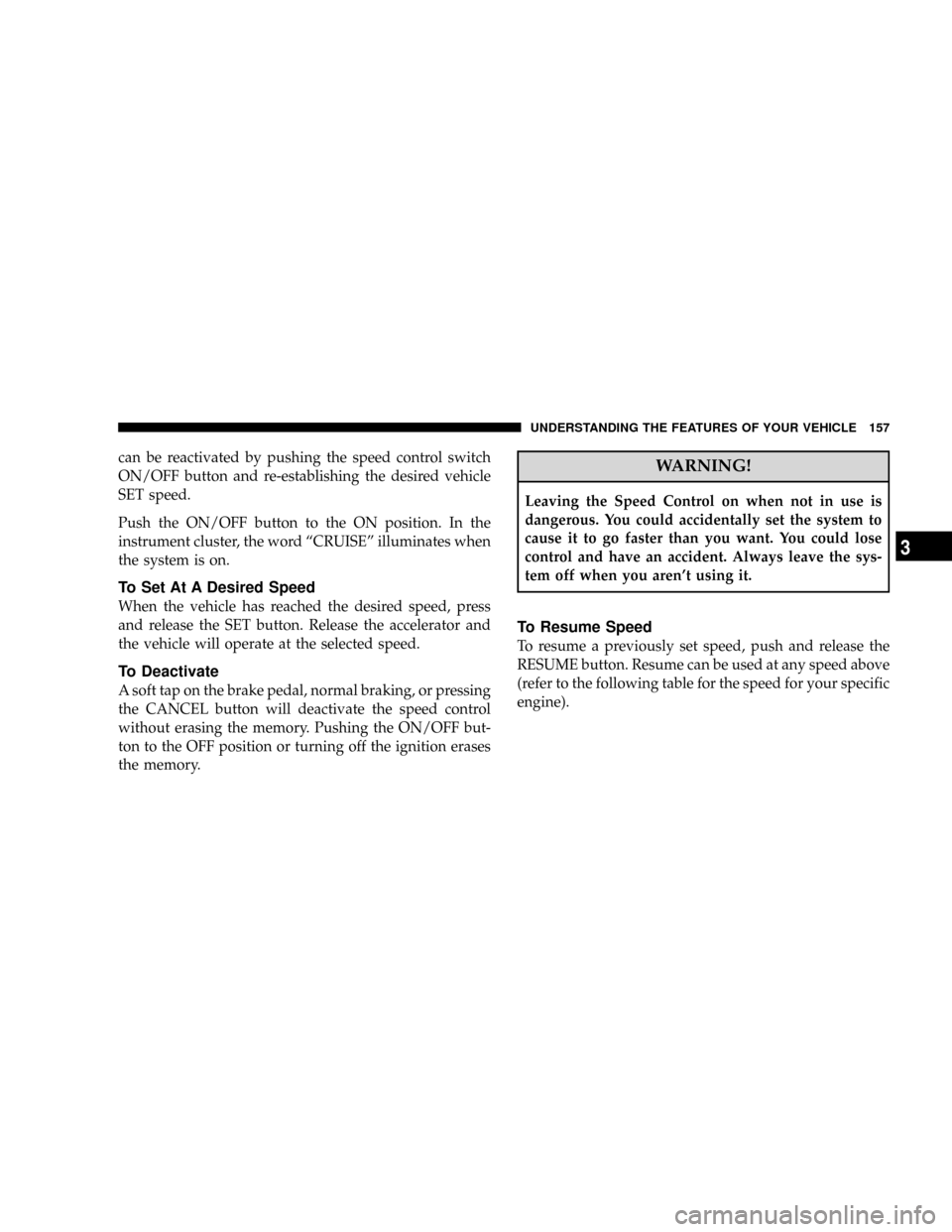
can be reactivated by pushing the speed control switch
ON/OFF button and re-establishing the desired vehicle
SET speed.
Push the ON/OFF button to the ON position. In the
instrument cluster, the word ªCRUISEº illuminates when
the system is on.
To Set At A Desired Speed
When the vehicle has reached the desired speed, press
and release the SET button. Release the accelerator and
the vehicle will operate at the selected speed.
To Deactivate
A soft tap on the brake pedal, normal braking, or pressing
the CANCEL button will deactivate the speed control
without erasing the memory. Pushing the ON/OFF but-
ton to the OFF position or turning off the ignition erases
the memory.
WARNING!
Leaving the Speed Control on when not in use is
dangerous. You could accidentally set the system to
cause it to go faster than you want. You could lose
control and have an accident. Always leave the sys-
tem off when you aren't using it.
To Resume Speed
To resume a previously set speed, push and release the
RESUME button. Resume can be used at any speed above
(refer to the following table for the speed for your specific
engine).
UNDERSTANDING THE FEATURES OF YOUR VEHICLE 157
3
Page 198 of 479
INSTRUMENT PANEL AND CONTROLS
CONTENTS
mInstruments And Controls.................201
mInstrument Cluster......................202
mInstrument Cluster Description.............203
mElectronic Digital Clock..................214
NClock Setting Procedure.................215
mSetting The Analog Clock.................215
mRadio General Information................216
NRadio Broadcast Signals.................216
NTwo Types Of Signals..................216NElectrical Disturbances..................216
NAM Reception.......................216
NFM Reception........................216
mSales Code REN Ð Multimedia System Ð If
Equipped............................217
NOperating Instructions Ð Satellite Radio (If
Equipped)..........................218
NOperating Instructions Ð Voice Recognition
System (VR) (If Equipped)...............2184
Page 203 of 479
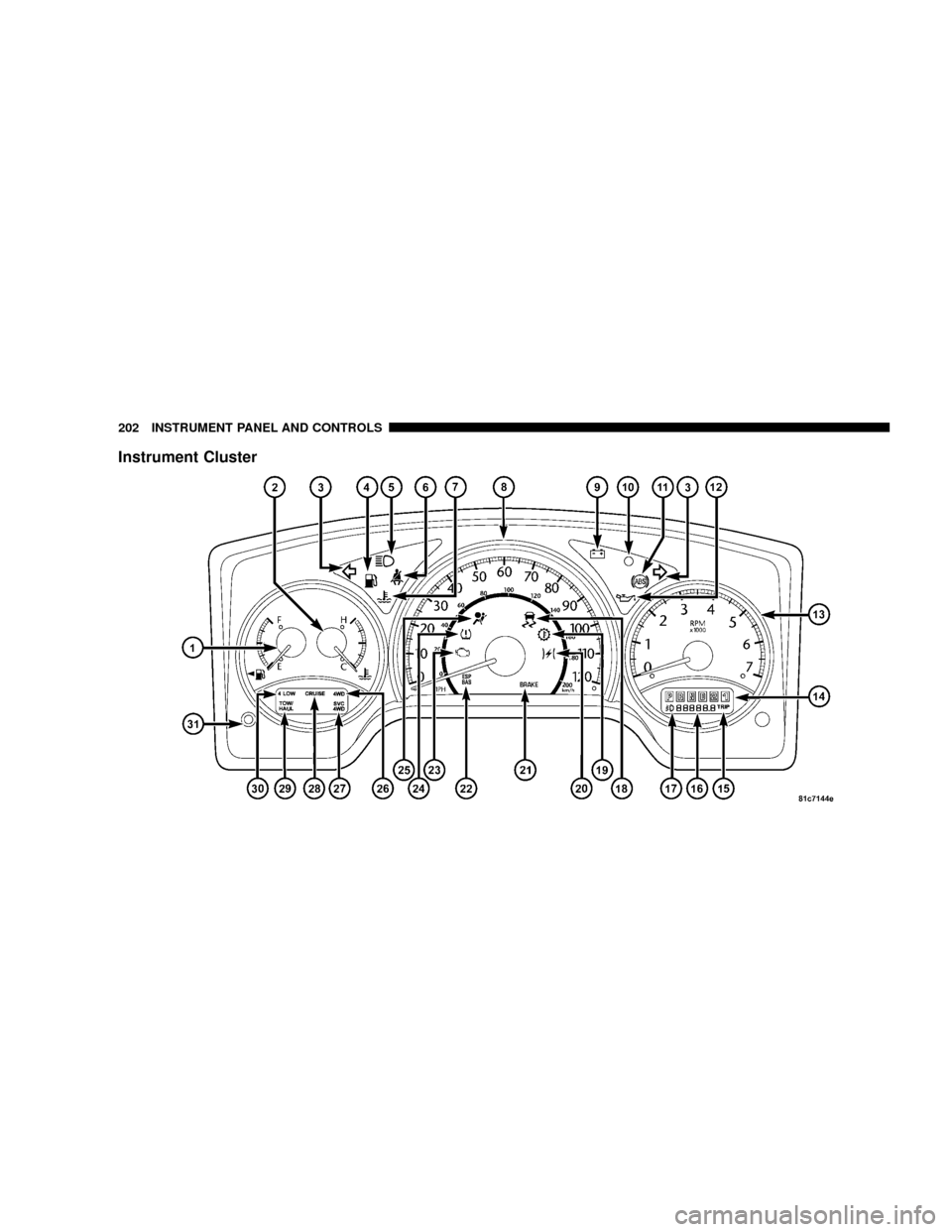
Instrument Cluster
202 INSTRUMENT PANEL AND CONTROLS
Page 204 of 479
INSTRUMENT CLUSTER DESCRIPTION
1. Fuel Gage
The fuel gage shows level of fuel in the tank when
ignition switch is in the ON position.
2. Temperature Gage
The temperature gage indicates engine coolant
temperature. Any reading within the normal
range indicates that the cooling system is operat-
ing satisfactorily. The gage needle in V6 and V8 engines
will likely indicate a high temperature when driving in
hot weather, up mountain grades, in heavy traffic, or
when towing a trailer. If the needle rises to the ªHº mark,
stop the vehicle, shift into NEUTRAL and increase engine
speed for two to three minutes. If the temperature
reading does not return to normal, see your authorized
dealer for service immediately..
CAUTION!
Do not leave your vehicle unattended with the en-
gine running as you would not be able to react to the
temperature indicator if the engine overheats.
The gage pointer will remain near its last reading when
the engine is turned off. It will return to a true reading
when the engine is restarted.
3. Turn Signal Indicators
When a turn signal is activated, a right-pointing or
left-pointing arrow lights up and flashes to indicate the
direction of the turn. These indicators also indicate
proper operation of the front and rear turn signal lights.
If either indicator flashes at a faster rate than normal,
check for a defective bulb. If either indicator fails to light
up when the lever is moved, check for a defective fuse or
turn signal LED. A single chime is activated when the
INSTRUMENT PANEL AND CONTROLS 203
4
Page 207 of 479

charging voltage falls below 10 volts, the malfunction
indicator light illuminates and the ABS is switched off.
When the voltage is above this value again, the malfunc-
tion indicator light should go out and the ABS is opera-
tional. If the malfunction indicator light stays illumi-
nated, have the system checked at your authorized dealer
as soon as possible.
12. Engine Oil Pressure Indicator Light
This light indicates that the engine oil pressure has
become too low. For a bulb check, this light will
come on momentarily when the ignition is turned ON. If
the light turns on while driving, stop the vehicle and shut
off the engine as soon as possible. See your authorized
dealer for service immediately.
13. Tachometer
This gage measures engine Revolutions-Per-Minute
(RPM x 1000).14. Gear Selector
The electronic gear selector display is self-contained
within the instrument cluster. It displays the position of
the automatic transmission shift lever, and the relation of
each position to all other positions. For a good signal the
display will place a box around the selected transmission
range (PRND21). If the PRNDL displays only the char-
acters PRND21 (no boxes), have the system checked by
an authorized dealer.
15. Odometer/Trip Odometer
The odometer shows the total distance the vehicle has
been driven. U.S. federal regulations require that upon
transfer of vehicle ownership, the seller certify to the
purchaser the correct mileage that the vehicle has been
driven. Therefore, if the odometer reading is changed
during repair or replacement, be sure to keep a record of
the reading before and after the service so that the correct
mileage can be determined.
206 INSTRUMENT PANEL AND CONTROLS