instrument panel CHRYSLER PACIFICA 2005 1.G Workshop Manual
[x] Cancel search | Manufacturer: CHRYSLER, Model Year: 2005, Model line: PACIFICA, Model: CHRYSLER PACIFICA 2005 1.GPages: 376, PDF Size: 10.32 MB
Page 174 of 376

Disc Up/Program Button 1
Press the DISC (button 1) button to play the next avail-
able disc.
Random Play — RND/Program Button 4
Press the RND (button 4) button while the CD is playing
to activate Random Play. This feature plays the selections
on the currently playing compact disc in random order to
provide an interesting change of pace.
Press the top of the SEEK button to move to the next
randomly selected track.
Press the RND (button 4) button a second time to stop
Random Play.
FF/RW — TUNE
Press and hold the FF button for fast forward. Press and
hold the RW button for fast reverse. The audio output can
be heard when fast forward and fast reverse are acti-
vated.
Disc Down/Program Button 5
Press the DISC (button 5) button to play the previous
disc.
Seek
Press the top of the SEEK button for the next selection on
the CD. Press the bottom of the button to return to the
beginning of the current selection, or return to the
beginning of the previous selection if the CD is within the
first second of the current selection.
Time
Press the TIME button to switch between time of day and
CD track time.
Scan
Press the SCAN button to play 10 seconds of each track.
Press the SCAN button a second time to cancel the
feature.
174 UNDERSTANDING YOUR INSTRUMENT PANEL
Page 175 of 376
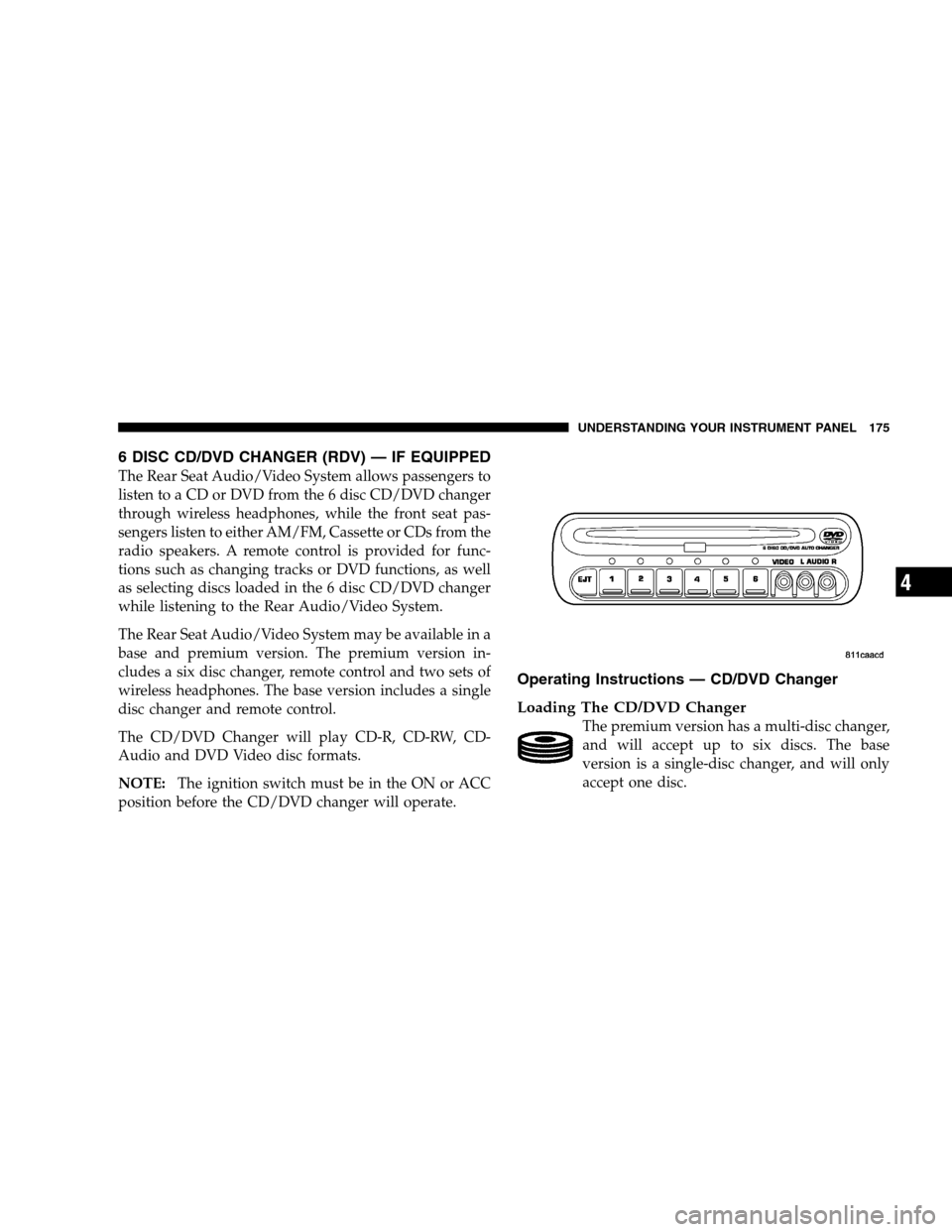
6 DISC CD/DVD CHANGER (RDV) — IF EQUIPPED
The Rear Seat Audio/Video System allows passengers to
listen to a CD or DVD from the 6 disc CD/DVD changer
through wireless headphones, while the front seat pas-
sengers listen to either AM/FM, Cassette or CDs from the
radio speakers. A remote control is provided for func-
tions such as changing tracks or DVD functions, as well
as selecting discs loaded in the 6 disc CD/DVD changer
while listening to the Rear Audio/Video System.
The Rear Seat Audio/Video System may be available in a
base and premium version. The premium version in-
cludes a six disc changer, remote control and two sets of
wireless headphones. The base version includes a single
disc changer and remote control.
The CD/DVD Changer will play CD-R, CD-RW, CD-
Audio and DVD Video disc formats.
NOTE:The ignition switch must be in the ON or ACC
position before the CD/DVD changer will operate.
Operating Instructions — CD/DVD Changer
Loading The CD/DVD Changer
The premium version has a multi-disc changer,
and will accept up to six discs. The base
version is a single-disc changer, and will only
accept one disc.
UNDERSTANDING YOUR INSTRUMENT PANEL 175
4
Page 176 of 376

To insert disc(s) into the changer, follow the instructions
shown:
1. On vehicles equipped with the premium version,
select and press any numbered button without an illumi-
nated light above it.
2. Gently insert the disc with the label facing up while
the light below the loading slot is illuminated. On
vehicles equipped with the premium version the light
above the chosen button will also be flashing, indicating
which numbered position the disc will be loaded into.
The disc will automatically be pulled into the CD/DVD
changer.
3. Upon insertion, the disc will begin to play, and the
light below the loading slot will turn off. On vehicles
equipped with the premium version the light above the
chosen button will remain illuminated.4. Repeat the process for loading any additional CD/
DVDs into the premium version multi-disc changer. The
CD/DVD changer will stop while additional CD/DVDs
are loaded.
If the radio volume control is ON, the unit will switch
from radio to CD/DVD mode. If the DVD supports the
autoplay feature, play will begin automatically in ap-
proximately 10 seconds, after the DVD disc menu is
displayed. If the DVD does not play automatically, press
the ENTER button on the remote control or on the side of
the video screen to select play from the menu options.
The radio display will show the chapter number and
index time in hours and minutes of the DVD, or the track
number, minutes and second of the CD.
NOTE:
•You may eject a disc with the radio OFF.
176 UNDERSTANDING YOUR INSTRUMENT PANEL
Page 177 of 376
•If you insert a disc with the ignition ON and the radio
OFF, the DVD will automatically be pulled into the
DVD changer and the display will show the time of
day.
•It is recommended to label home made burned discs
with a permanent marker instead of adhesive labels.
These types of labels may become loose and cause the
disc to be stuck in the DVD player. This may cause
permanent damage to the DVD mechanism.
EJECT (EJT) Button
If there is a disc in the changer, press the EJT button and
the disc will eject. If you do not remove the disc within 10
seconds, it will be reloaded and the display will show
PAUSE. The radio mode will continue to operate.
To eject additional discs from the premium version
multi-disc changer, first select the numbered button
where the disc is located and then press the EJT button.
The disc can be ejected with the radio OFF.
UNDERSTANDING YOUR INSTRUMENT PANEL 177
4
Page 178 of 376

Operating Instructions — Remote Control
NOTE:Aim the remote control at the DVD changer
located on the center of the instrument panel and press
the desired button. Direct sunlight or objects blocking the
line of sight may affect the function of the remote control.
178 UNDERSTANDING YOUR INSTRUMENT PANEL
Page 179 of 376
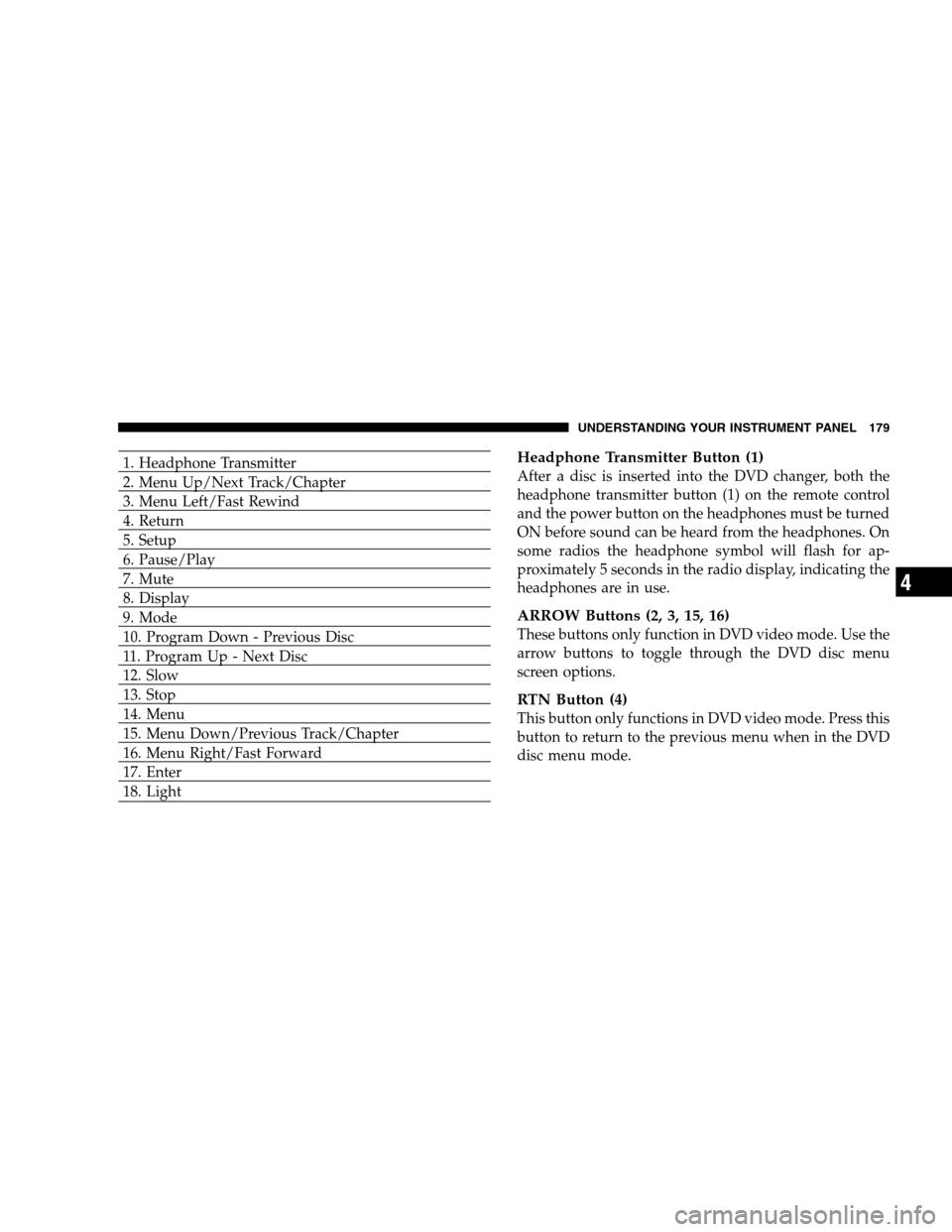
1. Headphone Transmitter
2. Menu Up/Next Track/Chapter
3. Menu Left/Fast Rewind
4. Return
5. Setup
6. Pause/Play
7. Mute
8. Display
9. Mode
10. Program Down - Previous Disc
11. Program Up - Next Disc
12. Slow
13. Stop
14. Menu
15. Menu Down/Previous Track/Chapter
16. Menu Right/Fast Forward
17. Enter
18. LightHeadphone Transmitter Button (1)
After a disc is inserted into the DVD changer, both the
headphone transmitter button (1) on the remote control
and the power button on the headphones must be turned
ON before sound can be heard from the headphones. On
some radios the headphone symbol will flash for ap-
proximately 5 seconds in the radio display, indicating the
headphones are in use.
ARROW Buttons (2, 3, 15, 16)
These buttons only function in DVD video mode. Use the
arrow buttons to toggle through the DVD disc menu
screen options.
RTN Button (4)
This button only functions in DVD video mode. Press this
button to return to the previous menu when in the DVD
disc menu mode.
UNDERSTANDING YOUR INSTRUMENT PANEL 179
4
Page 180 of 376

SETUP Button (5)
This button only functions in DVD video mode. Press the
button after pressing the STOP button to access the DVD
changer set up menu. Use the right and left arrows to
move between tabs for language, rating, mark, audio and
aspect. Use the up and down arrows to move between
options within each tab.
To change an item highlighted in blue, press ENTER. This
should cause the highlight to turn yellow. Again, using
the up and down arrows will cause the arrow to move up
or down. Once the arrow is on the desired selection, press
ENTER. When finished, press setup or play to return to
playing the DVD or Menu to return to the DVD disc
menu.
PAUSE/PLAY Button (6)
This button only functions in DVD video mode. Press this
button once to pause the video, press a second time to
play the video.
MUTE Button (7)
No function.
DISP Button (8)
This button only functions in DVD video mode. When a
DVD video is playing, press this button to display the
play menu options.
MODE Button (9)
No Function
PROG UP/DOWN Buttons (10, 11)
PROG UP selects the next disc loaded in the changer.
PROG DOWN selects the previous disc loaded in the
changer.
SLOW Button (12)
This button only functions in DVD video mode. Press this
button to advance the video. If the DVD is paused,
pressing this button will advance the video frame by
frame.
180 UNDERSTANDING YOUR INSTRUMENT PANEL
Page 181 of 376
STOP Button (13)
This button only functions in DVD video mode. Press this
button to stop the DVD.
MENU Button (14)
This button only functions in DVD video mode. Press this
button to select the DVD disc menu.
NEXT/PREV Buttons (2, 15)
Press the up arrow or the NEXT button for the next
chapter or track on the disc. Press the down arrow or
PREV button to return to the beginning of the current
chapter or track. Press the down arrow or PREV button
twice within two seconds to return to the previous
chapter or track. Each press of the NEXT/PREV button
up or down will toggle through the chapters or tracks.
FF/RW Buttons (3, 16)
Press and hold FF (Fast Forward) once and the CD/DVD
changer will begin to fast forward until the FF button is
released. The RW (Reverse) button works in a similar
manner.
ENTER Button (17)
This button only functions in DVD video mode. Use the
ENTER button to enter selections from the menu screens.
Use the arrow buttons to toggle through the menu screen
options.
Light Button (18)
Pressing this button illuminates the buttons on the re-
mote control.
Remote Control Battery Service
•
To replace the batteries for the remote control slide the
cover rearward.
The replacement batteries for the remote control are two
AAA batteries.
UNDERSTANDING YOUR INSTRUMENT PANEL 181
4
Page 182 of 376

Operating Instructions — Video Screen
Push up on the release button to lower the video screen.
1. Screen Width Button
Changes the width of the screen picture.
2. Enter Button
This button will enter the selection from the
on-screen menu.
182 UNDERSTANDING YOUR INSTRUMENT PANEL
Page 183 of 376
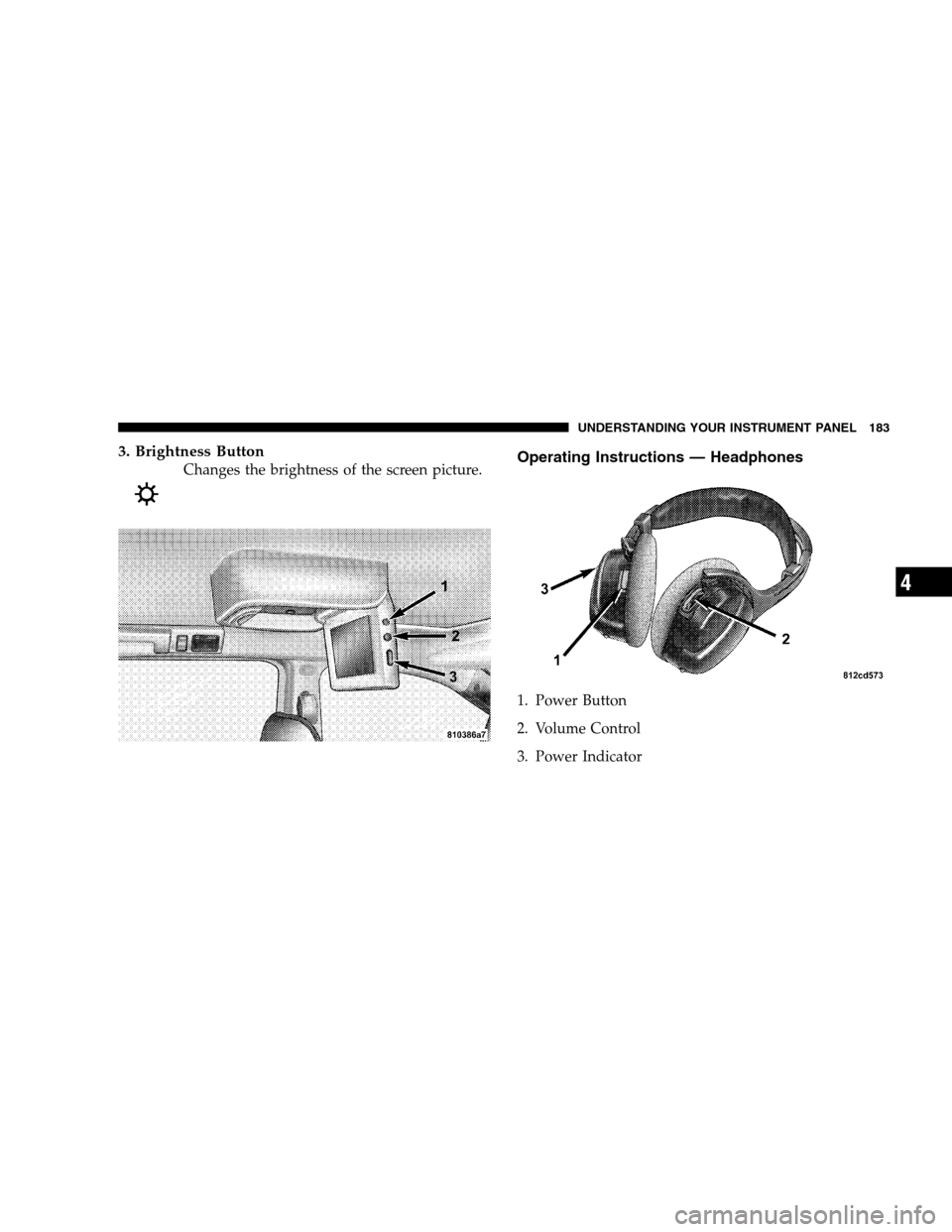
3. Brightness Button
Changes the brightness of the screen picture.Operating Instructions — Headphones
1. Power Button
2. Volume Control
3. Power Indicator
UNDERSTANDING YOUR INSTRUMENT PANEL 183
4