engine CHRYSLER PACIFICA 2017 2.G Owners Manual
[x] Cancel search | Manufacturer: CHRYSLER, Model Year: 2017, Model line: PACIFICA, Model: CHRYSLER PACIFICA 2017 2.GPages: 828, PDF Size: 7.58 MB
Page 711 of 828
•Daytime Running Lights
When this feature is selected, the headlights will turn on
while the engine is running. To make your selection,
press the “Daytime Running Lights” button on the touch-
screen, then choose “Yes” or “No.” The button will
highlight indicating that the setting has been selected.
• Flash Lights With Lock — If Equipped
When this feature is selected, the exterior lights will flash
when the doors are locked or unlocked with the Remote
Keyless Entry (RKE) transmitter. This feature may be
selected with or without the Sound Horn on Lock feature
selected. To make your selection, press the “Flash Lights
w/Lock” button on the touchscreen, then choose “On” or
“Off.”
Doors & Locks
After pressing the “Doors & Locks” button on the touch-
screen the following settings will be available. •
Auto Door Locks
When this feature is selected, all doors will lock auto-
matically when the vehicle reaches a speed of 12 mph
(20 km/h). To make your selection, press the “Auto Door
Locks” button on the touchscreen and select from “On”
or “Off.”
• Personal Settings Linked to Key Fob — If Equipped
This feature provides automatic recall of all settings
stored to a memory location (driver ’s seat, exterior
mirrors, steering column position and radio station pre-
sets) to enhance driver mobility when entering and
exiting the vehicle. To make your selection, press the
“Personal Settings Linked to Key Fob” button on the
touchscreen and select from “On” or “Off.”
10
MULTIMEDIA 709
Page 714 of 828
Key Fob UNLOCK button twice to unlock the passen-
ger’s doors. When “All” is selected, all of the doors will
unlock on the first press of the RKE Key Fob UNLOCK
button.
NOTE:If “All” is programmed, all doors will unlock no
matter which Passive Entry equipped door handle is
grasped. If “Driver” is programmed, only the driver ’s
door will unlock when the driver ’s door is grasped.
Touching the handle more than once will only result in
the driver ’s door opening once. If the driver door is
opened, the interior door lock/unlock switch can be used
to unlock all doors (or use RKE Key Fob).
Auto Comfort Systems — If Equipped
After pressing the “Auto-On Comfort & Remote Start”
button on the touchscreen the following settings will be
available: •
Auto-On Driver Heated/Ventilated Seat & Steering
Wheel With Vehicle Start — If Equipped
When this feature is selected the driver ’s heated seat and
heated steering wheel will automatically turn ON when
temperatures are below 40° F (4.4° C). When tempera-
tures are above 80° F (26.7° C) the driver vented seat will
turn ON. To make your selection, press the “Auto-On
Driver Heated/Ventilated Seat & Steering Wheel With
Vehicle Start” button to select from “Off,” “Remote Start”
or “All Starts” until a check-mark appears next to setting,
showing that setting has been selected.
Engine Off Options
After pressing the “Engine Off Options” button on the
touchscreen the following settings will be available.
• Engine Off Power Delay — If Equipped
When this feature is selected, the power window
switches, radio, Uconnect phone system (if equipped),
712 MULTIMEDIA
Page 715 of 828
DVD video system (if equipped), power sunroof (if
equipped), and power outlets will remain active for up to
10 minutes after the ignition is cycled to OFF. Opening
either front door will cancel this feature. To change the
Engine Off Power Delay status press the “0 seconds,” “45
seconds,” “5 minutes” or “10 minutes” button on the
touchscreen.
•Headlight Off Delay
When this feature is selected, the driver can choose to
have the headlights remain on for 0, 30, 60, or 90 seconds
when exiting the vehicle. To change the Headlight Off
Delay status press the “+” or “–” button on the touch-
screen to select your desired time interval.
• Easy Exit Seat — If Equipped
This feature provides automatic driver seat positioning to
enhance driver mobility when entering and exiting the
vehicle. To make your selection, press the “Easy Exit Seat” button on the touchscreen until a check-mark
appears next to setting, showing that setting has been
selected.
Compass Settings — If Equipped
After pressing the “Compass Settings” button on the
touchscreen the following settings will be available:
NOTE:
Before compass calibration is performed, the
compass variance zone should be set for best results.
• Compass Variance
Press “Compass Variance” on the touchscreen to change
this setting. You will then be able to select a compass
variance of 1 through 15 per the compass variance zone
map figure.
Compass Variance is the difference between Magnetic
North and Geographic North. To compensate for the
differences the variance should be set for the zone where
the vehicle is being driven, illustrated in the zone map.
10
MULTIMEDIA 713
Page 734 of 828
•Hill Start Assist — If Equipped
When this feature is selected, the Hill Start Assist (HSA)
system is active. To make your selection, press the “Hill
Start Assist” button on the touchscreen, until a check-
mark appears next to setting, indicating that the setting
had been selected.
• Brake Service
This feature provides a means for a technician or vehicle
owner to utilize a vehicle integrated, menu driven sys-
tem, to command the electric park brake retraction, to
service the rear foundation brakes (brake pads, calipers,
rotors, etc.).
Lights
After pressing the “Lights” button on the touchscreen the
following settings will be available. •
Headlight Off Delay
When this feature is selected, it allows adjustment of the
amount of time the headlights remain on after the engine
is shut off. To change the Headlights Off Delay setting,
press the “+” or “-” button on the touchscreen to select
your desired time interval, and choose either 0, 30, 60 or
90 seconds.
• Headlight Illumination On Approach
When this feature is selected, the headlights will activate
and remain on for 0, 30, 60 or 90 seconds when the doors
are unlocked with the Remote Keyless Entry (RKE)
transmitter. To change the Illuminated Approach status,
press the “+” or “-” button on the touchscreen to select
your desired time interval.
732 MULTIMEDIA
Page 735 of 828
•Headlights With Wipers — If Equipped
When this feature is selected, and the headlight switch is
in the AUTO position, the headlights will turn on ap-
proximately 10 seconds after the wipers are turned on.
The headlights will also turn off when the wipers are
turned off if they were turned on by this feature. To make
your selection, press the “Headlights With Wipers” but-
ton on the touchscreen, until a check-mark appears next
to setting, showing that the setting has been selected.
• Auto Dim High Beams — If Equipped
When this feature is selected, the high beam headlights
will activate/deactivate automatically under certain con-
ditions. To make your selection, press the “Auto High
Beams” button on the touchscreen, until a check-mark
appears next to setting, showing that the setting has been
selected. •
Daytime Running Lights — If Equipped
When this feature is selected, the headlights will turn on
whenever the engine is running. To make your selection,
press the “Daytime Running Lights” button on the touch-
screen, until a check-mark appears next to setting, show-
ing that the setting has been selected.
• Flash Lights With Lock
When this feature is selected, the hazard lights will flash
when the doors are locked or unlocked with the Remote
Keyless Entry (RKE) transmitter, or when using the
passive entry feature. This feature may be selected with
or without the “Sound Horn on Lock” feature selected. To
make your selection, press the “Flash Lights with Lock”
button on the touchscreen, until a check-mark appears
next to setting, showing that the setting has been se-
lected.
10
MULTIMEDIA 733
Page 740 of 828
Engine Off Options
After pressing the “Engine Off Options” button on the
touchscreen the following settings will be available:
•Easy Exit Seat — If Equipped
When this feature is selected, the Driver ’s seat will
automatically move rearward once the engine is shut off.
To make your selection, press the “Easy Exit Seat” button
on the touchscreen, until a check-mark appears next to
setting, showing that setting has been selected.
• Engine Off Power Delay
When this feature is selected, the power window
switches, radio, Uconnect Phone system (if equipped),
DVD video system (if equipped), power sunroof (if
equipped), and power outlets will remain active for up to
10 minutes after the ignition is cycled to OFF. Opening
either front door will cancel this feature. To change the
Engine Off Power Delay setting, press the “+” or “-” button on the touchscreen to select your desired time
interval, and choose from “0 seconds,” “45 seconds,” “5
minutes” or “10 minutes.”
•
Headlight Off Delay
When this feature is selected, the driver can choose to
have the headlights remain on for 0, 30, 60, or 90 seconds
when exiting the vehicle. To change the Headlight Off
Delay status press the “+” or “–” button on the touch-
screen to select your desired time interval.
Audio
After pressing the “Audio” button on the touchscreen the
following settings will be available.
• Balance/Fade
This feature allows you to adjust the Balance and Fade
settings. Press and drag the speaker icon, use the arrows
to adjust, or tap the ‘C’ icon to readjust to the center.
738 MULTIMEDIA
Page 803 of 828
Warranty expires. The manufacturer stands behind only
the manufacturer’s service contracts. If you purchased a
manufacturer’s service contract, you will receive Plan
Provisions and an Owner Identification Card in the mail
within three weeks of the vehicle delivery date. If you
have any questions about the service contract, call the
manufacturer’s Service Contract National Customer
Hotline at 1-800-521-9922 (Canadian residents, call (800)
465-2001 English / (800) 387-9983 French).
The manufacturer will not stand behind any service
contract that is not the manufacturer’s service contract. It
is not responsible for any service contract other than the
manufacturer’s service contract. If you purchased a ser-
vice contract that is not a manufacturer’s service contract,
and you require service after the manufacturer’s New
Vehicle Limited Warranty expires, please refer to the
contract documents, and contact the person listed in
those documents.We appreciate that you have made a major investment
when you purchased the vehicle. An authorized dealer
has also made a major investment in facilities, tools, and
training to assure that you are absolutely delighted with
the ownership experience. You will be pleased with their
sincere efforts to resolve any warranty issues or related
concerns.
WARNING!
Engine exhaust (internal combustion engines only),
some of its constituents, and certain vehicle compo-
nents contain, or emit, chemicals known to the State
of California to cause cancer and birth defects, or
other reproductive harm. In addition, certain fluids
contained in vehicles and certain products of compo-
nent wear contain, or emit, chemicals known to the
State of California to cause cancer and birth defects,
or other reproductive harm.
11
CUSTOMER ASSISTANCE 801
Page 806 of 828

Owner’s Manuals
These Owner’s Manuals have been prepared with the
assistance of service and engineering specialists to ac-
quaint you with specific FCA US LLC vehicles. Included
are starting, operating, emergency and maintenance pro-
cedures as well as specifications, capabilities and safety
tips.Call toll free at:
•
1-800-890-4038 (U.S.)
• 1-800-387-1143 (Canada)
Or
Visit us on the Worldwide Web at:
• www.techauthority.com
804 CUSTOMER ASSISTANCE
Page 808 of 828
Adaptive Cruise Control (ACC) (Cruise Control) . . .409
Adding Engine Coolant (Antifreeze)............632
Additives, Fuel .......................... .678
Adjust Forward ..............................85
Rearward ..............................85
AirBag ............................... .322
Advance Front Air Bag ...................323
Air Bag Operation ...................... .324
Air Bag Warning Light ................325, 342
Driver Knee Air Bag .....................334
Enhanced Accident Response ............341, 608
Event Data Recorder (EDR) .............345, 609
FrontAirBag ......................... .325
If A Deployment Occurs ..................340
Knee Impact Bolsters .....................334
Maintaining Your Air Bag System ............344
Redundant Air Bag Warning Light ...........343
Side Air Bags ......................... .335Transporting Pets
...................... .373
Air Bag Light .....................231, 342, 375
Air Bag Maintenance ...................... .344
Air Cleaner, Engine (Engine Air Cleaner Filter) . . . .625
Air Conditioner Maintenance .................625
Air Conditioning ......................... .124
Air Conditioning Controls ...................124
Air Conditioning Filter .....................147
Air Conditioning, Operating Tips ..............146
Air Conditioning, Rear Zone ..............130, 143
Air Conditioning Refrigerant ..............625, 626
Air Conditioning System .............124, 132, 625
Air Filter .............................. .625
Air Pressure, Tires ........................ .650
Alarm Arm The System ........................38
Disarm The System .......................39
Alarm (Security Alarm) ..................240, 261
Alterations/Modifications, Vehicle ...............6
806 INDEX
Page 809 of 828
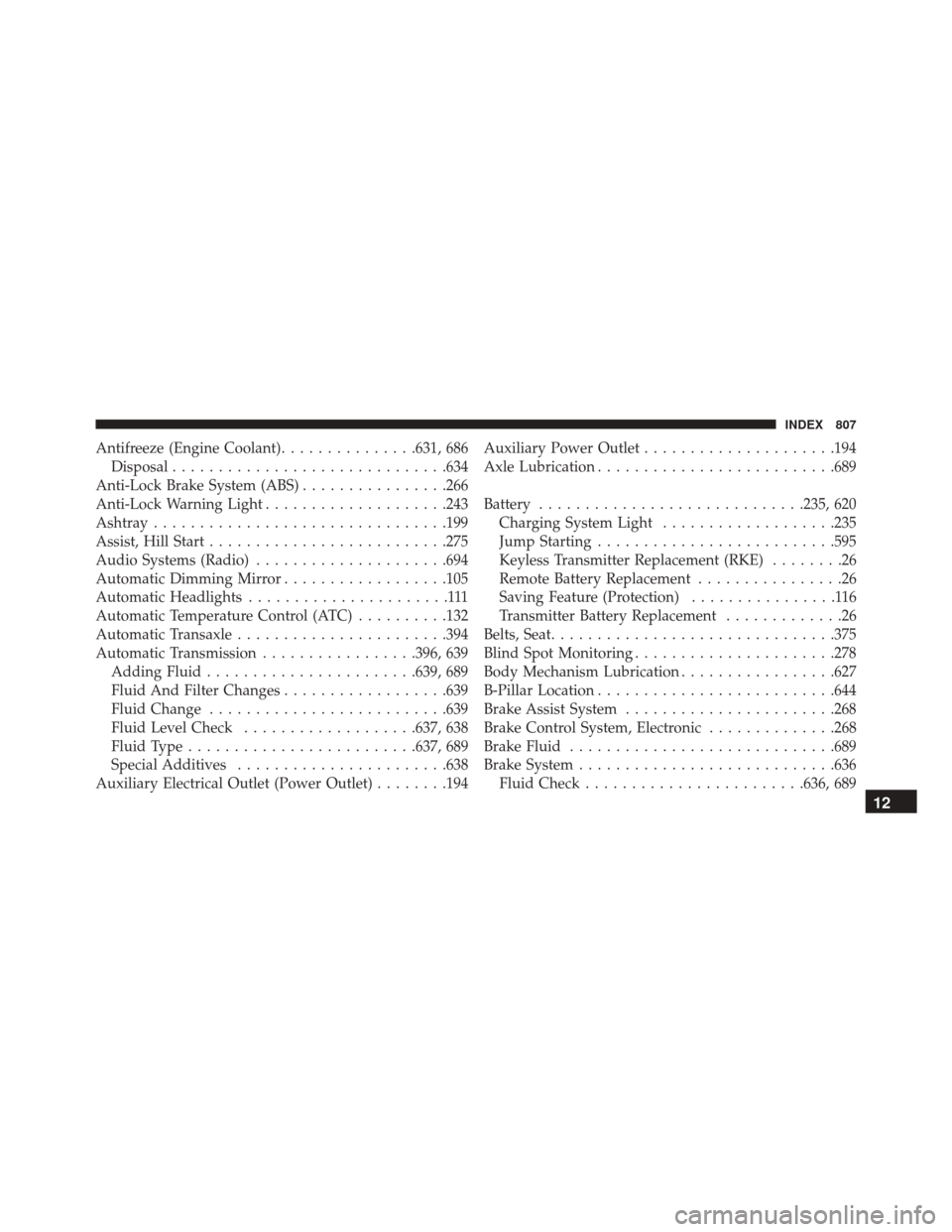
Antifreeze (Engine Coolant)...............631, 686
Disposal ............................. .634
Anti-Lock Brake System (ABS) ................266
Anti-Lock Warning Light ....................243
Ashtray ............................... .199
Assist, Hill Start ......................... .275
Audio Systems (Radio) .....................694
Automatic Dimming Mirror ..................105
Automatic Headlights ......................111
Automatic Temperature Control (ATC) ..........132
Automatic Transaxle ...................... .394
Automatic Transmission .................396, 639
Adding Fluid ...................... .639, 689
Fluid And Filter Changes ..................639
Fluid Change ......................... .639
Fluid Level Check ...................637, 638
Fluid Type ........................ .637, 689
Special Additives ...................... .638
Auxiliary Electrical Outlet (Power Outlet) ........194Auxiliary Power Outlet
.....................194
Axle Lubrication ......................... .689
Battery ............................ .235, 620
Charging System Light ...................235
Jump Starting ......................... .595
Keyless Transmitter Replacement (RKE) ........26
Remote Battery Replacement ................26
Saving Feature (Protection) ................116
Transmitter Battery Replacement .............26
Belts, Seat .............................. .375
Blind Spot Monitoring ..................... .278
Body Mechanism Lubrication .................627
B-Pillar Location ......................... .644
Brake Assist System ...................... .268
Brake Control System, Electronic ..............268
Brake Fluid ............................ .689
Brake System ........................... .636
Fluid
Check ....................... .636, 689
12
INDEX 807