mirror CHRYSLER PACIFICA 2017 2.G User Guide
[x] Cancel search | Manufacturer: CHRYSLER, Model Year: 2017, Model line: PACIFICA, Model: CHRYSLER PACIFICA 2017 2.GPages: 828, PDF Size: 7.58 MB
Page 110 of 828
ground rearward of the front doors. The driver’s outside
mirror will move slightly downward from the present
position when the vehicle is shifted into REVERSE. The
driver’s outside mirror will then return to the original
position when the vehicle is shifted out of REVERSE
position. Each stored memory setting will have an asso-
ciated Tilt Mirrors in Reverse position.
NOTE:The Tilt Mirrors in Reverse feature is not enabled
when delivered from the factory. The Tilt Mirrors in
Reverse feature can be enabled or disabled in the Elec-
tronic Vehicle Information Center (EVIC) or Driver ’s
Information Display (DID). Refer to “Uconnect Settings”
in “Multimedia” for further information.
Power Folding Mirrors — If Equipped
The switch for the power folding mirrors is located
between the power mirror switches L (left) and R (right). Push the switch once and the mirrors will fold in,
pushing the switch a second time will return the mirrors
to the normal driving position.
NOTE:
If the vehicle speed is greater than 10 mph
(16 km/h) the folding feature will be disabled.Power Folding Mirror Switch
108 GETTING TO KNOW YOUR VEHICLE
Page 111 of 828
If the mirrors are in the folded position, and vehicle
speed is equal or greater than 10 mph (16 km/h), they
will automatically unfold.
Resetting The Power Folding Outside Mirrors
You may need to reset the power folding mirrors if the
following occurs:
•The mirrors are accidentally blocked while folding.
• The mirrors are accidentally manually folded/
unfolded.
• The mirrors come out of the unfolded position.
• The mirrors shake and vibrate at normal driving
speeds.
To reset the power folding mirrors: Fold and unfold them
by pushing the button. (this may require multiple button
pushes). This resets them to their normal position.Illuminated Vanity Mirrors — If Equipped
An illuminated vanity mirror is located on the sun visor.
To use the mirror, rotate the sun visor down and swing
the mirror cover upward. The lights turn on automati-
cally. Closing the mirror cover turns off the lights.
Illuminated Mirror
3
GETTING TO KNOW YOUR VEHICLE 109
Page 112 of 828
Conversation Mirror
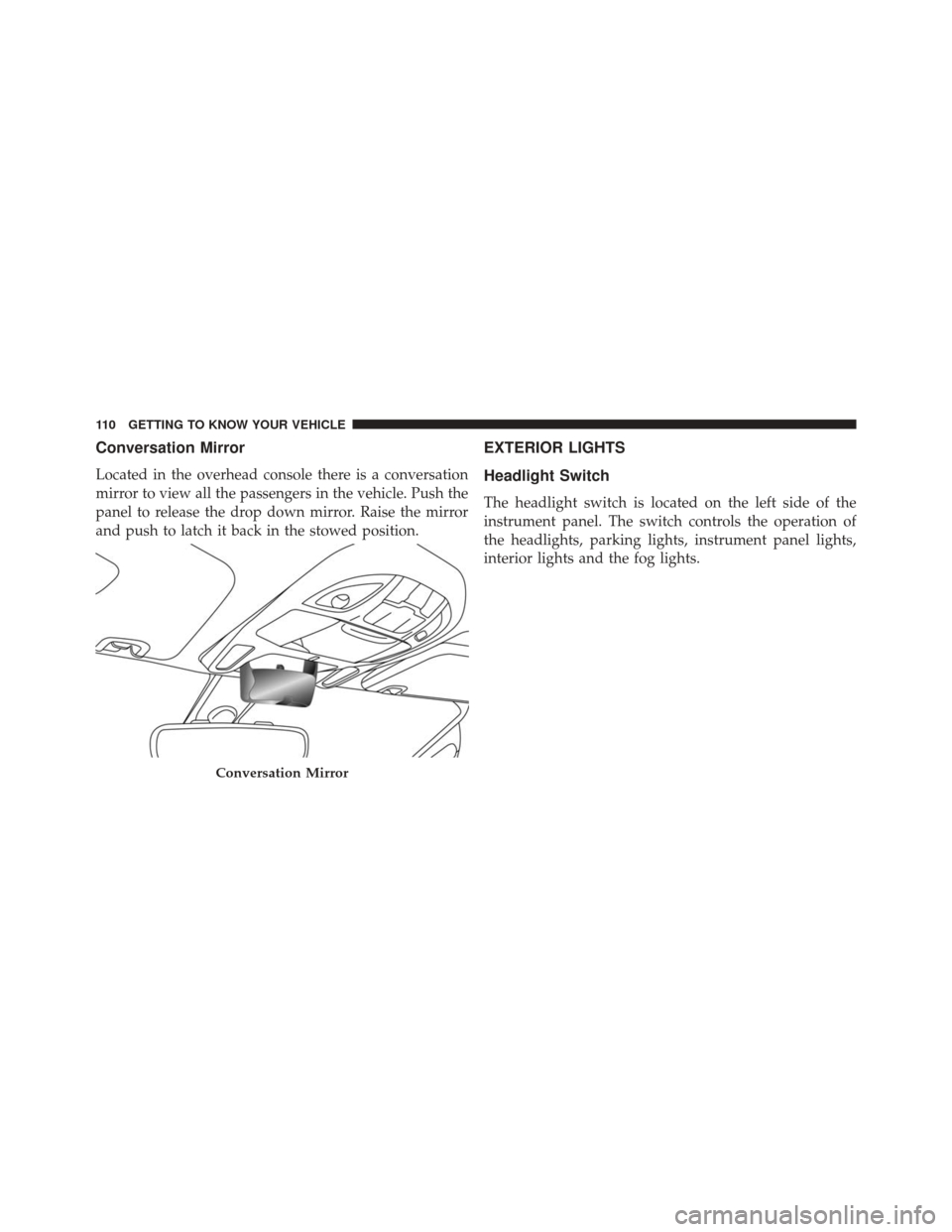
Located in the overhead console there is a conversation
mirror to view all the passengers in the vehicle. Push the
panel to release the drop down mirror. Raise the mirror
and push to latch it back in the stowed position.
EXTERIOR LIGHTS
Headlight Switch
The headlight switch is located on the left side of the
instrument panel. The switch controls the operation of
the headlights, parking lights, instrument panel lights,
interior lights and the fog lights.
Conversation Mirror
110 GETTING TO KNOW YOUR VEHICLE
Page 128 of 828
NOTE:•Continuous use of the Recirculation mode may make
the inside air stuffy and window fogging may occur.
Extended use of this mode is not recommended.
• The use of the Recirculation mode in cold or damp
weather could cause windows to fog on the inside,
because of moisture buildup inside the vehicle. Se-
lect the outside air position for maximum defogging.
• Recirculation can be used in all modes except for
Defrost.
• The A/C can be deselected manually without dis-
turbing the mode control selection.
4. Front Defrost Button
Press and release to change the current airflow setting to
Defrost mode. The indicator illuminates when this fea-
ture is ON. Air comes from the windshield and side window demist outlets. When the defrost button is
selected, the blower level will increase. Use Defrost mode
with maximum temperature settings for best windshield
and side window defrosting and defogging. Performing
this function will cause the ATC to switch into manual
mode. If the front defrost mode is turned off the climate
system will return the previous setting.
5. Rear Defrost Button
Push and release the Rear Defrost Control button to turn
ON the rear window defroster and the heated outside
mirrors (if equipped). An indicator will illuminate when
the rear window defroster is ON. The rear window
defroster automatically turns OFF after 10 minutes.
126 GETTING TO KNOW YOUR VEHICLE
Page 137 of 828
with maximum temperature settings for best windshield
and side window defrosting and defogging. Performing
this function will cause the Automatic Temperature Con-
trol (ATC) to switch into manual mode. If the front
defrost mode is turned off the climate system will return
the previous setting.
6. Rear Defrost Button
Press and release this button to turn on the rear window
defroster and the heated outside mirrors (if equipped).
An indicator will illuminate when the rear window
defroster is on. The rear window defroster automatically
turns off after 10 minutes.CAUTION!
Failure to follow these cautions can cause damage to
the heating elements:
•Use care when washing the inside of the rear
window. Do not use abrasive window cleaners on
the interior surface of the window. Use a soft cloth
and a mild washing solution, wiping parallel to the
heating elements. Labels can be peeled off after
soaking with warm water.
• Do not use scrapers, sharp instruments, or abrasive
window cleaners on the interior surface of the
window.
• Keep all objects a safe distance from the window.
7. Rear Climate Control Button
Press and release this button to access the rear climate
controls. The indicator will illuminate when the rear
climate controls are ON.
3
GETTING TO KNOW YOUR VEHICLE 135
Page 194 of 828
Coat Hooks
Coat hooks are located along the headliner for the second
and third row seating positions. The coat hook load limit
is 10 lbs (4.5 kg). Exceeding the recommended load limit
can cause the coat hooks to break or disengage from the
vehicle.
Illuminated Vanity Mirrors — If Equipped
An illuminated vanity mirror is located on the sun visor.
To use the mirror, rotate the sun visor down and swing
the mirror cover upward. The lights turn on automati-
cally. Closing the mirror cover turns off the lights.
Coat Hook
Illuminated Mirror
192 GETTING TO KNOW YOUR VEHICLE
Page 229 of 828
NOTE:
•The charging system is independent from load reduc-
tion. The charging system performs a diagnostic on the
charging system continuously.
• If the Battery Charge Warning Light is on it may
indicate a problem with the charging system. Refer to
“Battery Charge Warning Light” in ”Warning/
Indicator Lights And Messages” located in ”Under-
standing Your Instrument Panel” for further informa-
tion.
The electrical loads that may be switched off (if
equipped), and vehicle functions which can be effected
by load reduction:
• Heated Seat/Vented Seats/Heated Wheel
• Heated/Cooled Cup Holders — If Equipped
• Rear Defroster And Heated Mirrors •
HVAC System
• 115V AC Power Inverter System
• Audio and Telematics System
Loss of the battery charge may indicate one or more of
the following conditions:
• The charging system cannot deliver enough electrical
power to the vehicle system because the electrical
loads are larger than the capability of charging system.
The charging system is still functioning properly.
• Turning on all possible vehicle electrical loads (e.g.
HVAC to max settings, exterior and interior lights,
overloaded power outlets +12V, 115V AC, USB ports)
during certain driving conditions (city driving, tow-
ing, frequent stopping).
4
GETTING TO KNOW YOUR INSTRUMENT PANEL 227
Page 281 of 828
When the vehicle is started, the BSM warning light will
momentarily illuminate in both outside rear view mirrors
to let the driver know that the system is operational. The
BSM system sensors operate when the vehicle is in any
forward gear or REVERSE and enters stand-by mode
when the vehicle is in PARK.The BSM detection zone covers approximately one lane
width on both sides of the vehicle 12 ft (3.8 m). The zone
length starts at the outside rear view mirror and extends
approximately 10 ft (3 m) beyond the rear bumper of the
vehicle. The BSM system monitors the detection zones on
both sides of the vehicle when the vehicle speed reaches
approximately 6 mph (10 km/h) or higher and will alert
the driver of vehicles in these areas.
NOTE:
•
The BSM system DOES NOT alert the driver about
rapidly approaching vehicles that are outside the de-
tection zones.
• The BSM system detection zone DOES NOT change if
your vehicle is towing a trailer. Therefore, visually
verify the adjacent lane is clear for both your vehicle
and trailer before making a lane change. If the trailer or
other object (i.e., bicycle, sports equipment) extends
beyond the side of your vehicle, this may result in false
Rear Detection Zones
5
SAFETY 279
Page 282 of 828
detections. The BSM warning light may even remain
illuminated the entire time the vehicle is in a forward
gear.
The area on the rear fascia where the radar sensors are
located must remain free of snow, ice, and dirt/road
contamination so that the BSM system can function
properly. Do not block the area of the rear fascia where
the radar sensors are located with foreign objects (bum-
per stickers, bicycle racks, etc.).
If the system detects degraded performance due to
contamination or foreign objects, a message will warn
you of a blocked sensor and the warning indicators in
side view mirrors will be on. The warning indicators will
remain illuminated until blockage clearing conditions are
met. First clear the fascia area around the sensors of the
Sensor Location
280 SAFETY
Page 283 of 828
blockage. After removing the blockage, the following
procedure can be used to reset the system:
•Cycle the ignition from on to off and then back on.
• Ensure that the system detects a blind spot target on
each side while driving above 6 mph (10 km/h).
If the blockage message is still present after cycling the
ignition and driving in traffic, check again for a blockage.
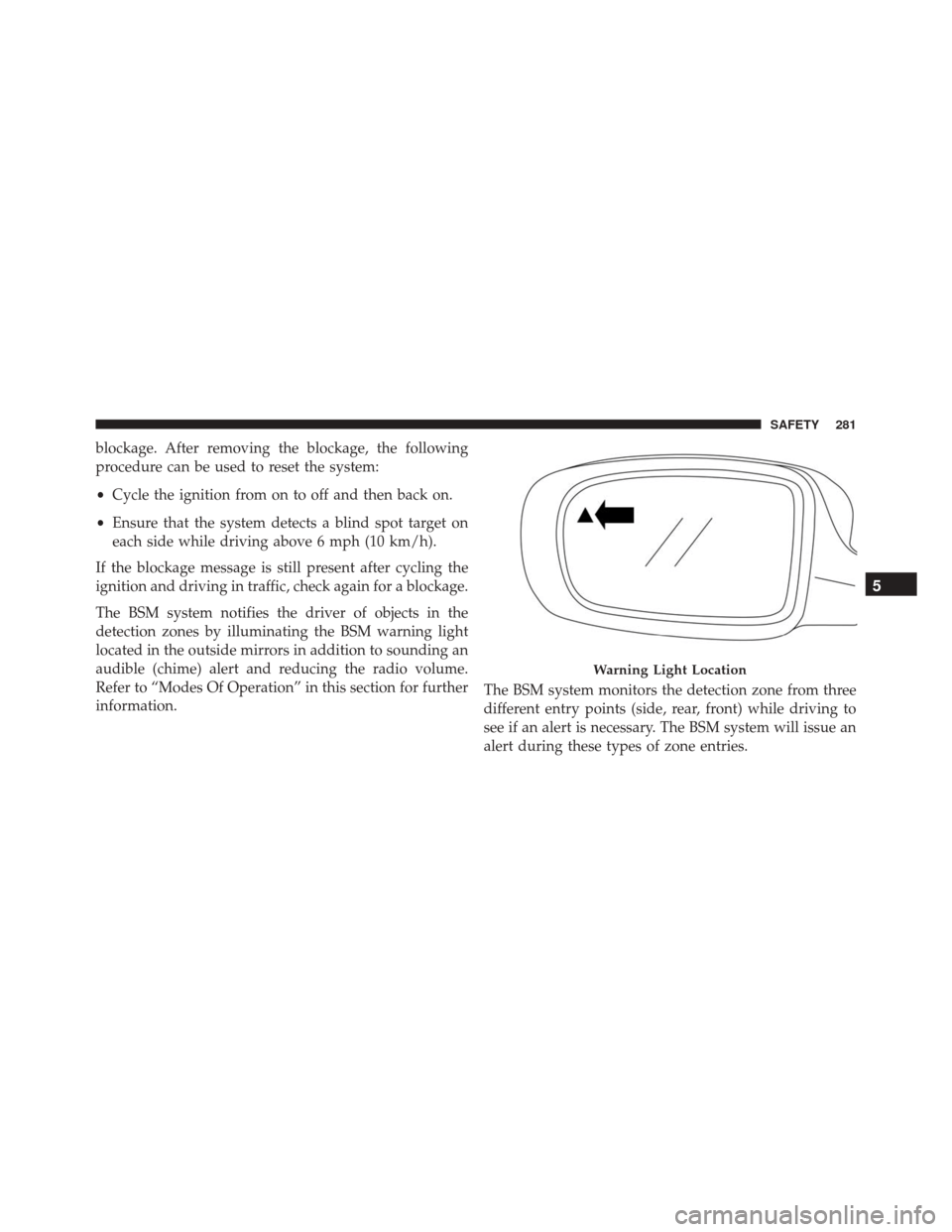
The BSM system notifies the driver of objects in the
detection zones by illuminating the BSM warning light
located in the outside mirrors in addition to sounding an
audible (chime) alert and reducing the radio volume.
Refer to “Modes Of Operation” in this section for further
information. The BSM system monitors the detection zone from three
different entry points (side, rear, front) while driving to
see if an alert is necessary. The BSM system will issue an
alert during these types of zone entries.
Warning Light Location
5
SAFETY 281