ad blue CHRYSLER PACIFICA 2017 2.G Owner's Manual
[x] Cancel search | Manufacturer: CHRYSLER, Model Year: 2017, Model line: PACIFICA, Model: CHRYSLER PACIFICA 2017 2.GPages: 828, PDF Size: 7.58 MB
Page 761 of 828
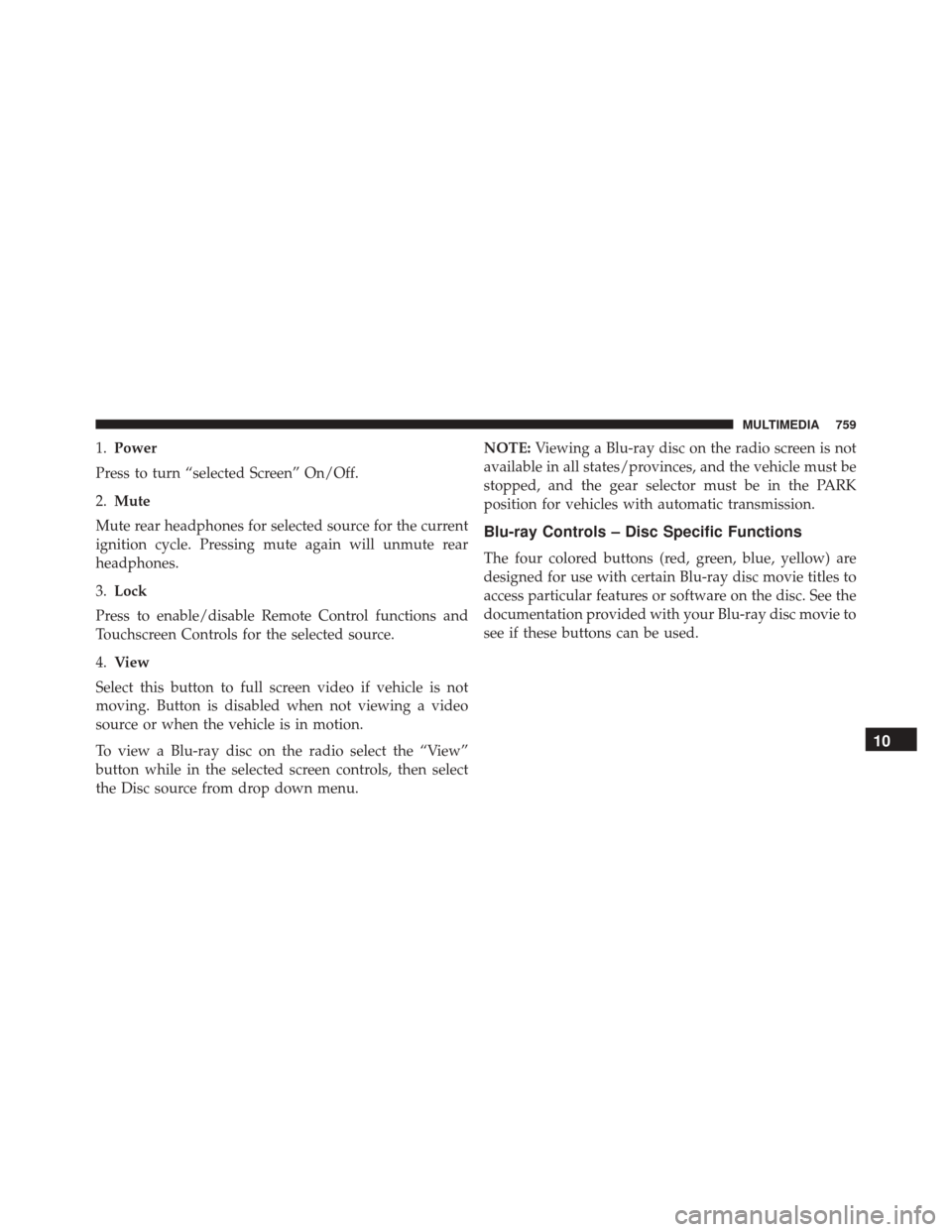
1.Power
Press to turn “selected Screen” On/Off.
2. Mute
Mute rear headphones for selected source for the current
ignition cycle. Pressing mute again will unmute rear
headphones.
3. Lock
Press to enable/disable Remote Control functions and
Touchscreen Controls for the selected source.
4. View
Select this button to full screen video if vehicle is not
moving. Button is disabled when not viewing a video
source or when the vehicle is in motion.
To view a Blu-ray disc on the radio select the “View”
button while in the selected screen controls, then select
the Disc source from drop down menu. NOTE:
Viewing a Blu-ray disc on the radio screen is not
available in all states/provinces, and the vehicle must be
stopped, and the gear selector must be in the PARK
position for vehicles with automatic transmission.
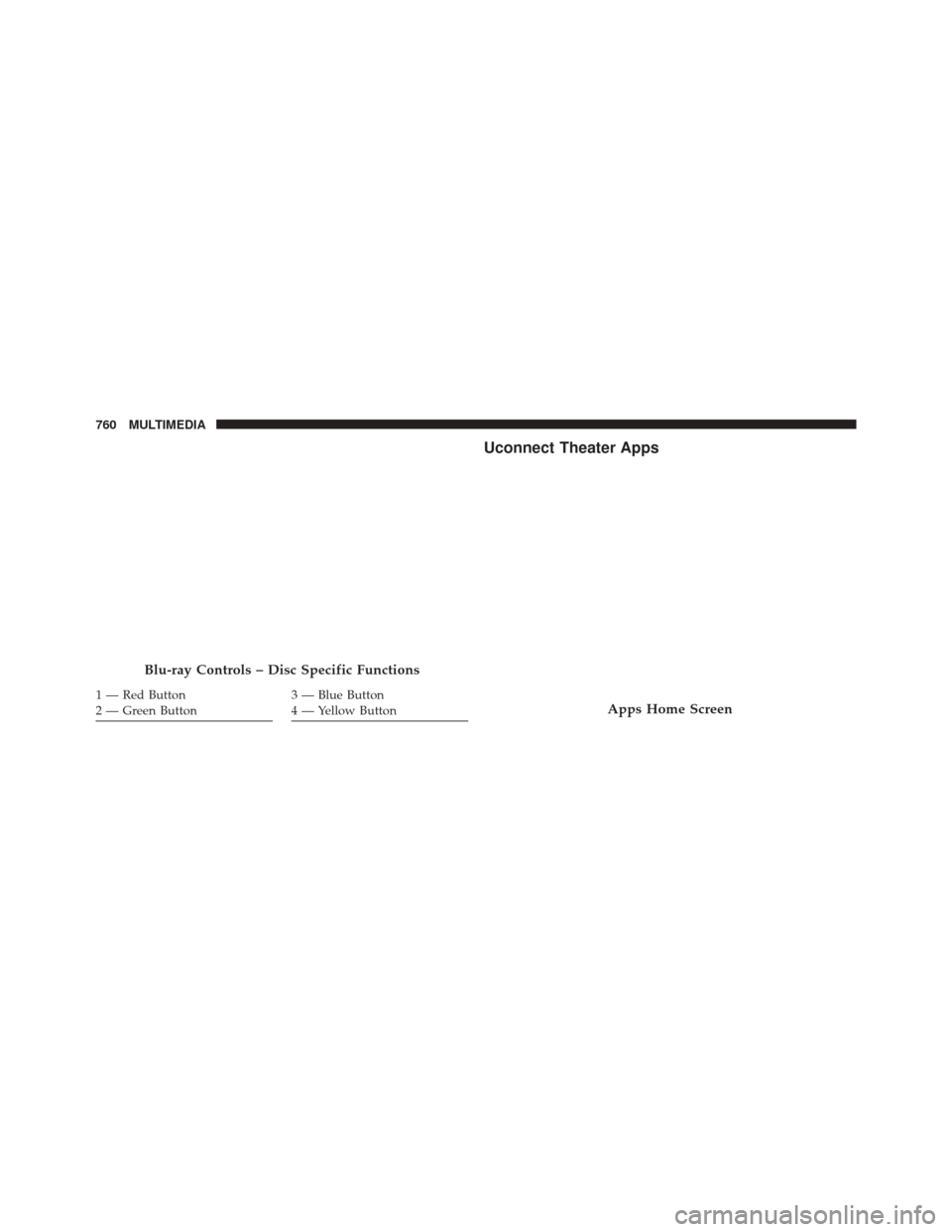
Blu-ray Controls – Disc Specific Functions
The four colored buttons (red, green, blue, yellow) are
designed for use with certain Blu-ray disc movie titles to
access particular features or software on the disc. See the
documentation provided with your Blu-ray disc movie to
see if these buttons can be used.
10
MULTIMEDIA 759
Page 762 of 828
Uconnect Theater Apps
Blu-ray Controls – Disc Specific Functions
1 — Red Button
2 — Green Button3 — Blue Button
4 — Yellow ButtonApps Home Screen
760 MULTIMEDIA
Page 780 of 828
Media
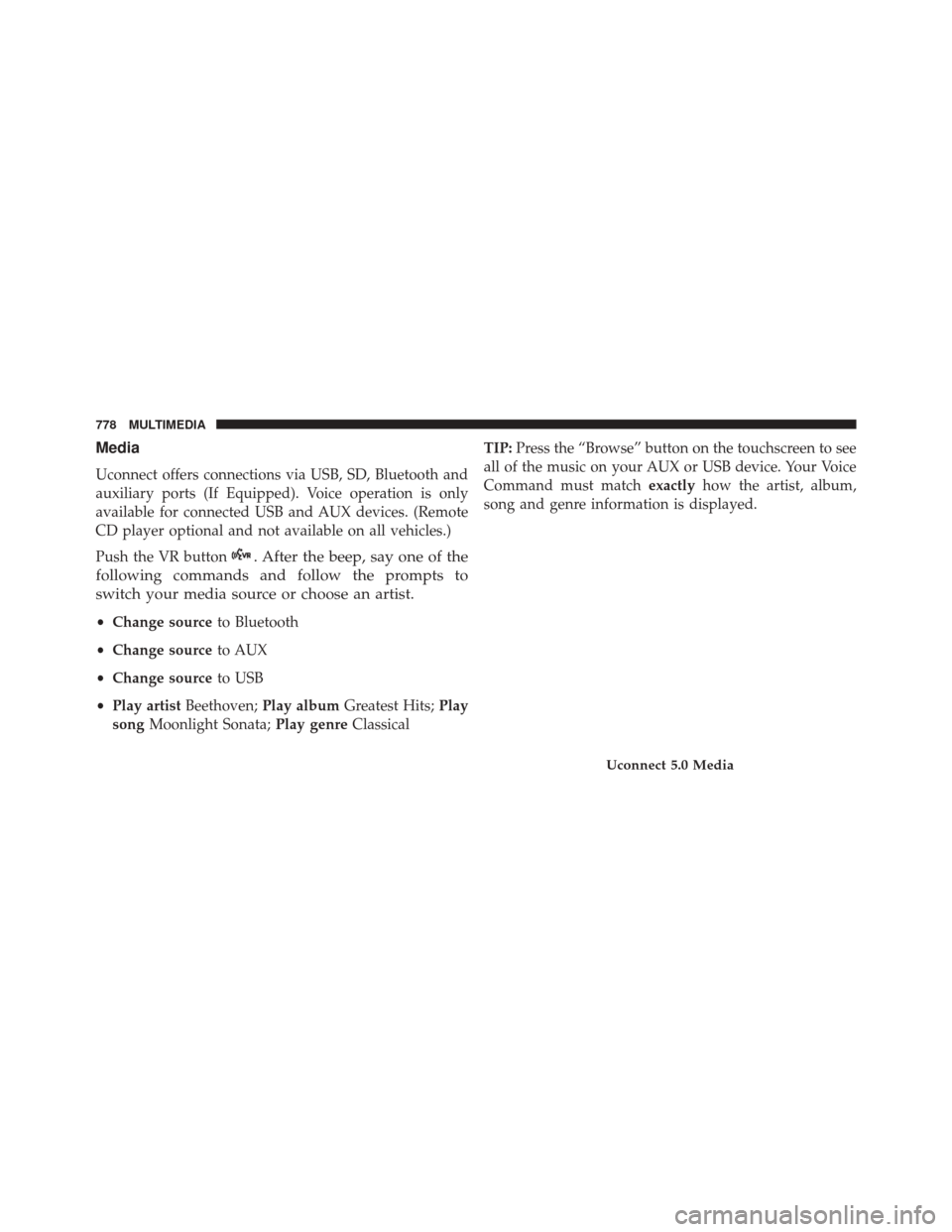
Uconnect offers connections via USB, SD, Bluetooth and
auxiliary ports (If Equipped). Voice operation is only
available for connected USB and AUX devices. (Remote
CD player optional and not available on all vehicles.)
Push the VR button
. After the beep, say one of the
following commands and follow the prompts to
switch your media source or choose an artist.
• Change source to Bluetooth
• Change source to AUX
• Change source to USB
• Play artist Beethoven; Play album Greatest Hits; Play
song Moonlight Sonata; Play genreClassical TIP:
Press the “Browse” button on the touchscreen to see
all of the music on your AUX or USB device. Your Voice
Command must match exactlyhow the artist, album,
song and genre information is displayed.
Uconnect 5.0 Media
778 MULTIMEDIA
Page 784 of 828
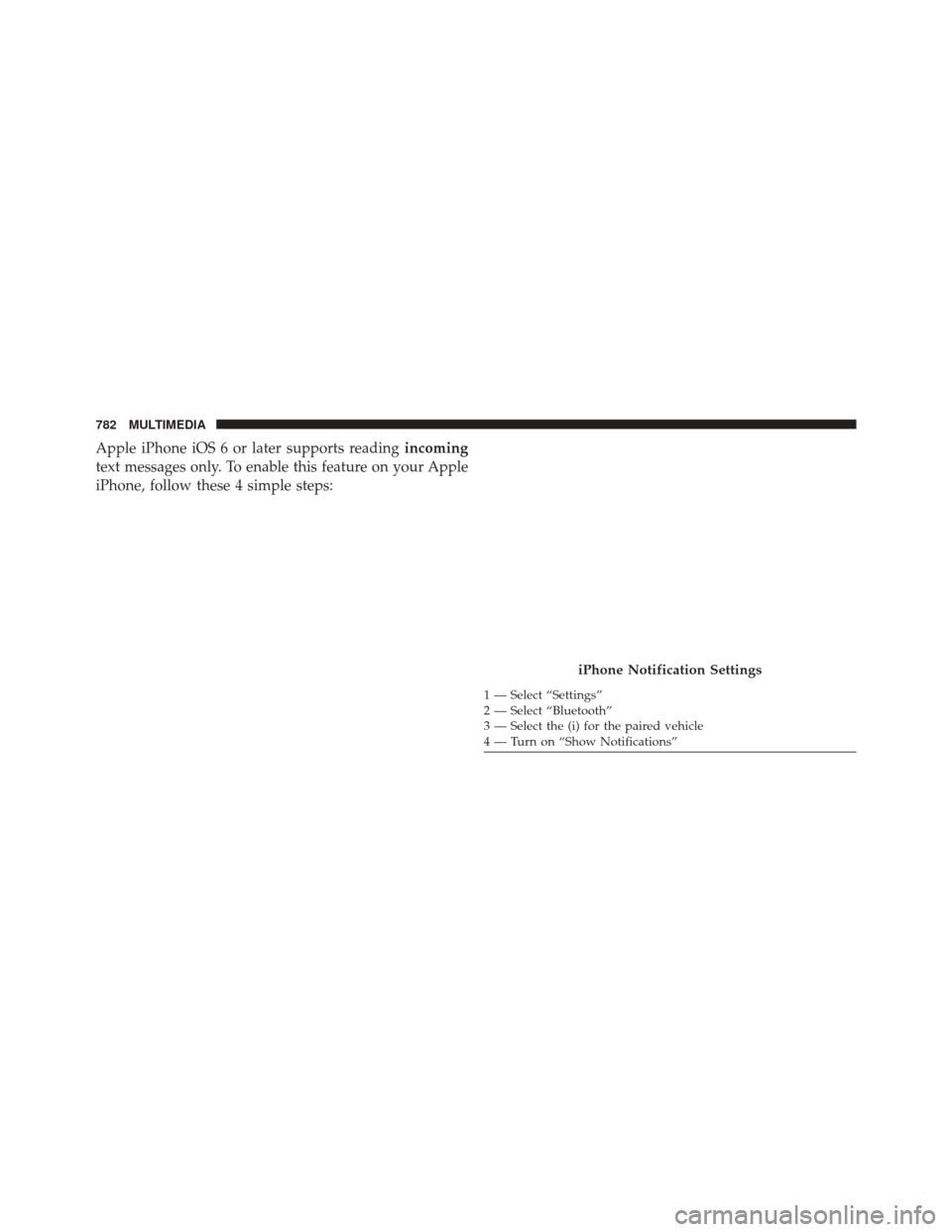
Apple iPhone iOS 6 or later supports readingincoming
text messages only. To enable this feature on your Apple
iPhone, follow these 4 simple steps:
iPhone Notification Settings
1 — Select “Settings”
2 — Select “Bluetooth”
3 — Select the (i) for the paired vehicle
4 — Turn on “Show Notifications”
782 MULTIMEDIA
Page 789 of 828
To link your internet radio accounts:
1. Download the Uconnect Access App to your mobiledevice.
2. Press the Via Mobile icon on the navigation bar at the bottom of the app. 3. Press the app you’d like to connect to your vehicle.
4. Enter your login information for the selected app and
press Link.
5. Next time you’re in your vehicle, enable Bluetooth, pair your phone and select the Via Mobile app you
want to play from the Uconnect touchscreen to stream
your personalized music.
NOTE:
• You can also complete this process on the web. Simply
visit moparownerconnect.com log in and click Set Up
Via Mobile Profile (under Quick Links).
• Once you download the app to your compatible
mobile device, you will also be able to start your
vehicle and lock/unlock its doors from virtually any-
where.
Mobile App
10
MULTIMEDIA 787
Page 791 of 828
TIP:
•Voice Texting is not compatible with iPhone, but if
your vehicle is equipped with Siri Eyes Free, you can
use your voice to send a text message.
• Messages are limited to 140 characters.
• The Messaging button on the touchscreen must be
illuminated to use the feature.
iPhone Notification Settings
1 — Select “Settings”
2 — Select “Bluetooth”
3 — Select the (i) for the paired vehicle
4 — Turn on “Show Notifications”
10
MULTIMEDIA 789
Page 795 of 828
on the road and hands on the wheel. For your conve-
nience there is a counter display to keep track of your
missed calls and text messages while you were using Do
Not Disturb.
Do Not Disturb can automatically reply with a text
message, a call or both, when declining an incoming call
and send it to voicemail.
Automatic reply messages can be:
•“I am driving right now, I will get back to you shortly.”
• Create a custom auto reply message up to 160 charac-
ters.
NOTE: Only the first 25 characters can been seen on the
touchscreen while typing a custom message. While in Do Not Disturb, Conference Call can be selected
so you can still place a second call without being inter-
rupted by incoming calls.
NOTE:
•
Reply with text message is not compatible with iP-
hones.
• Auto reply with text message is only available on
phones that supporting Bluetooth MAP.
10
MULTIMEDIA 793