doors CHRYSLER PACIFICA 2018 Owner's Manual
[x] Cancel search | Manufacturer: CHRYSLER, Model Year: 2018, Model line: PACIFICA, Model: CHRYSLER PACIFICA 2018Pages: 696, PDF Size: 8.48 MB
Page 43 of 696
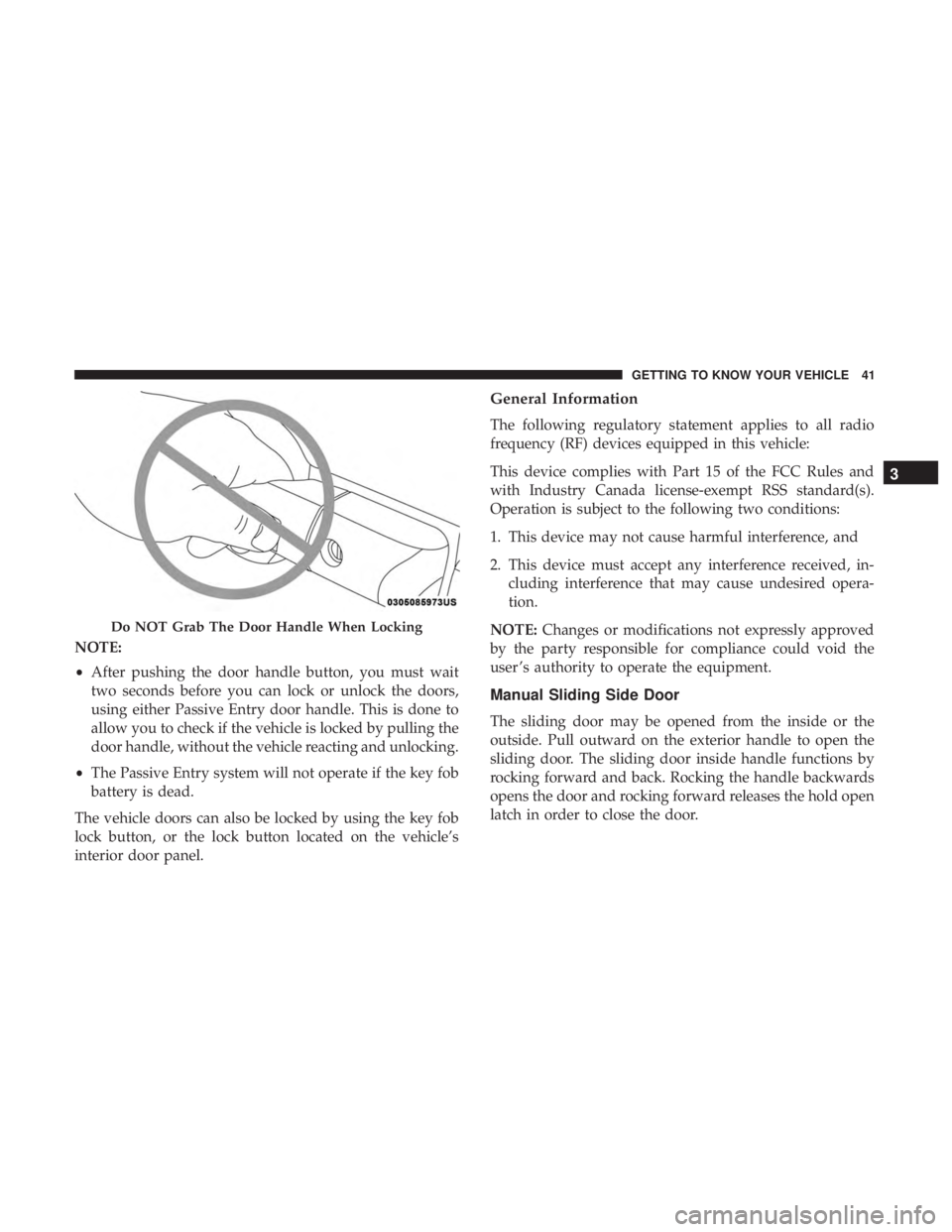
NOTE:
•After pushing the door handle button, you must wait
two seconds before you can lock or unlock the doors,
using either Passive Entry door handle. This is done to
allow you to check if the vehicle is locked by pulling the
door handle, without the vehicle reacting and unlocking.
• The Passive Entry system will not operate if the key fob
battery is dead.
The vehicle doors can also be locked by using the key fob
lock button, or the lock button located on the vehicle’s
interior door panel.
General Information
The following regulatory statement applies to all radio
frequency (RF) devices equipped in this vehicle:
This device complies with Part 15 of the FCC Rules and
with Industry Canada license-exempt RSS standard(s).
Operation is subject to the following two conditions:
1. This device may not cause harmful interference, and
2. This device must accept any interference received, in- cluding interference that may cause undesired opera-
tion.
NOTE: Changes or modifications not expressly approved
by the party responsible for compliance could void the
user ’s authority to operate the equipment.
Manual Sliding Side Door
The sliding door may be opened from the inside or the
outside. Pull outward on the exterior handle to open the
sliding door. The sliding door inside handle functions by
rocking forward and back. Rocking the handle backwards
opens the door and rocking forward releases the hold open
latch in order to close the door.
Do NOT Grab The Door Handle When Locking
3
GETTING TO KNOW YOUR VEHICLE 41
Page 45 of 696
•Buttons located:
– In the overhead console
– Just inside the sliding door
– On the outside handle
Push the button on the key fob twice within five
seconds to open, close, or reverse a power sliding
door.
The key fob and the overhead console button will operate
the door when the door is locked. All other ways require
the sliding door to be unlocked. If the vehicle is equipped
with Passive Entry, pressing the button on the outside
handle or Hands-Free feature (if equipped) will unlock and
open the sliding door, with a valid Passive Entry key fob
within 5 ft (1.5 m) of the door handle.
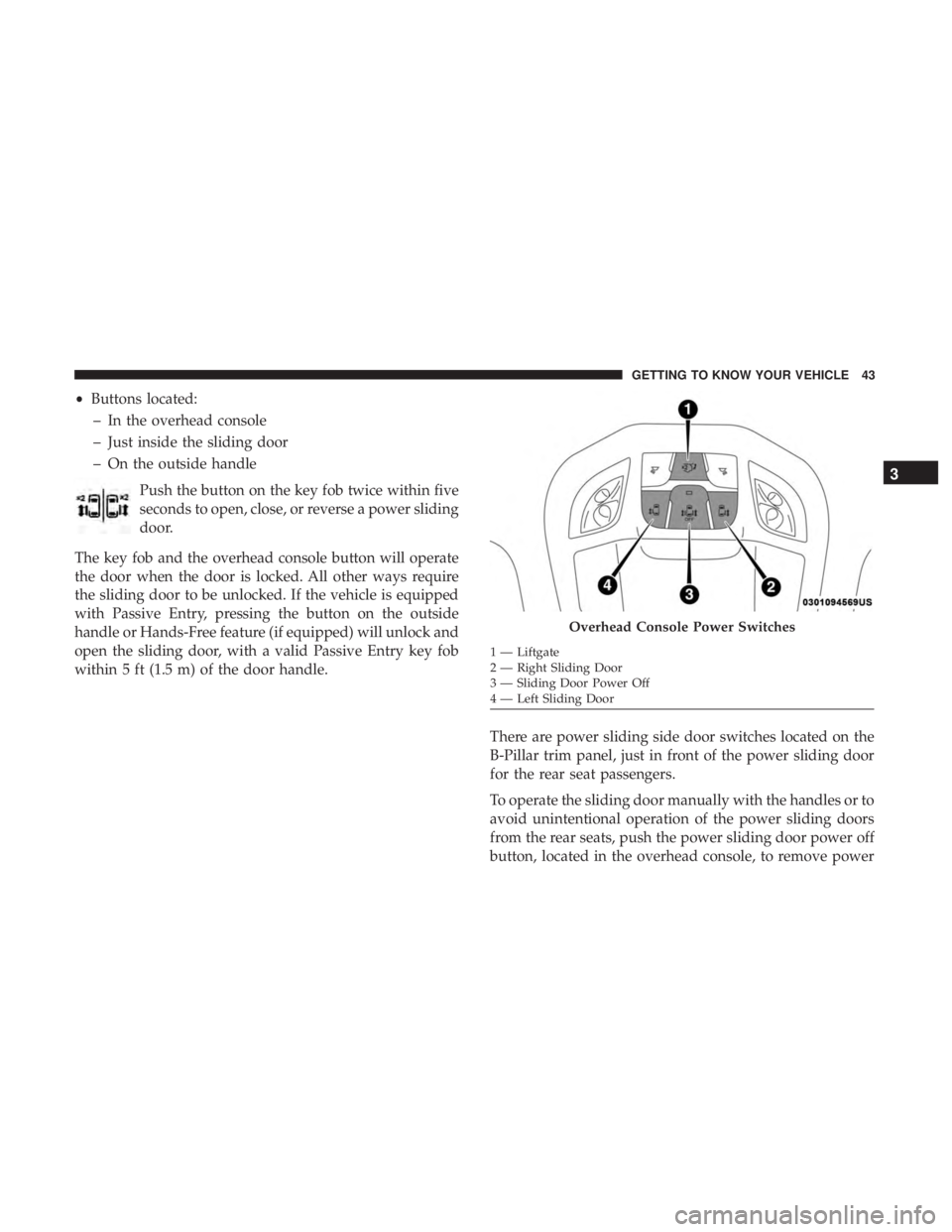
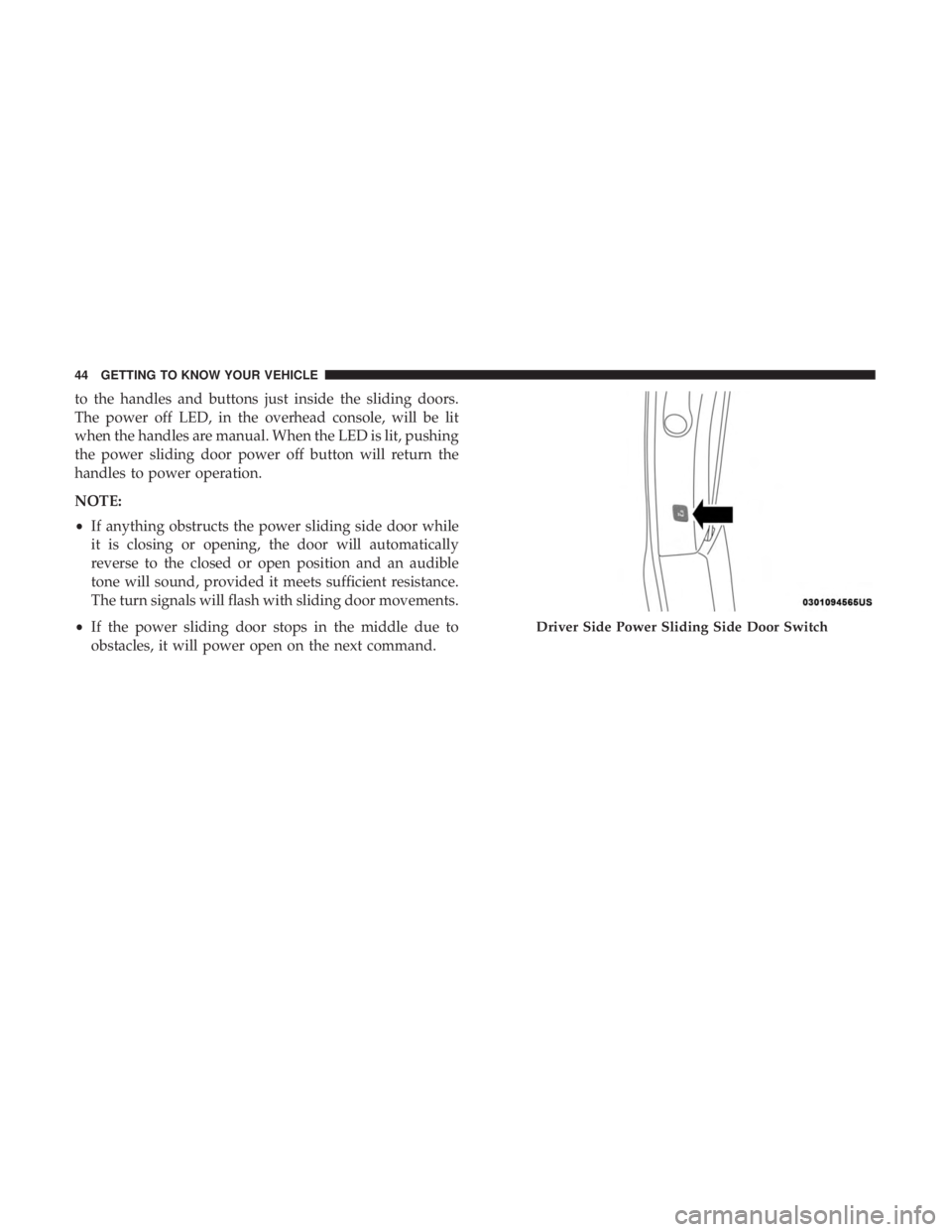
There are power sliding side door switches located on the
B-Pillar trim panel, just in front of the power sliding door
for the rear seat passengers.
To operate the sliding door manually with the handles or to
avoid unintentional operation of the power sliding doors
from the rear seats, push the power sliding door power off
button, located in the overhead console, to remove power
Overhead Console Power Switches
1 — Liftgate
2 — Right Sliding Door
3 — Sliding Door Power Off
4 — Left Sliding Door
3
GETTING TO KNOW YOUR VEHICLE 43
Page 46 of 696
to the handles and buttons just inside the sliding doors.
The power off LED, in the overhead console, will be lit
when the handles are manual. When the LED is lit, pushing
the power sliding door power off button will return the
handles to power operation.
NOTE:
•If anything obstructs the power sliding side door while
it is closing or opening, the door will automatically
reverse to the closed or open position and an audible
tone will sound, provided it meets sufficient resistance.
The turn signals will flash with sliding door movements.
• If the power sliding door stops in the middle due to
obstacles, it will power open on the next command.
Driver Side Power Sliding Side Door Switch
44 GETTING TO KNOW YOUR VEHICLE
Page 47 of 696
WARNING!
Personal injury or cargo damage may occur if caught in
the path of the sliding door. Make sure the door path is
clear before closing the door.
WARNING!
Before driving off, check the instrument cluster for a
sliding door or door open message or warning indica-
tor. Failure to do this could result in unintentionally
leaving the sliding door open while driving.
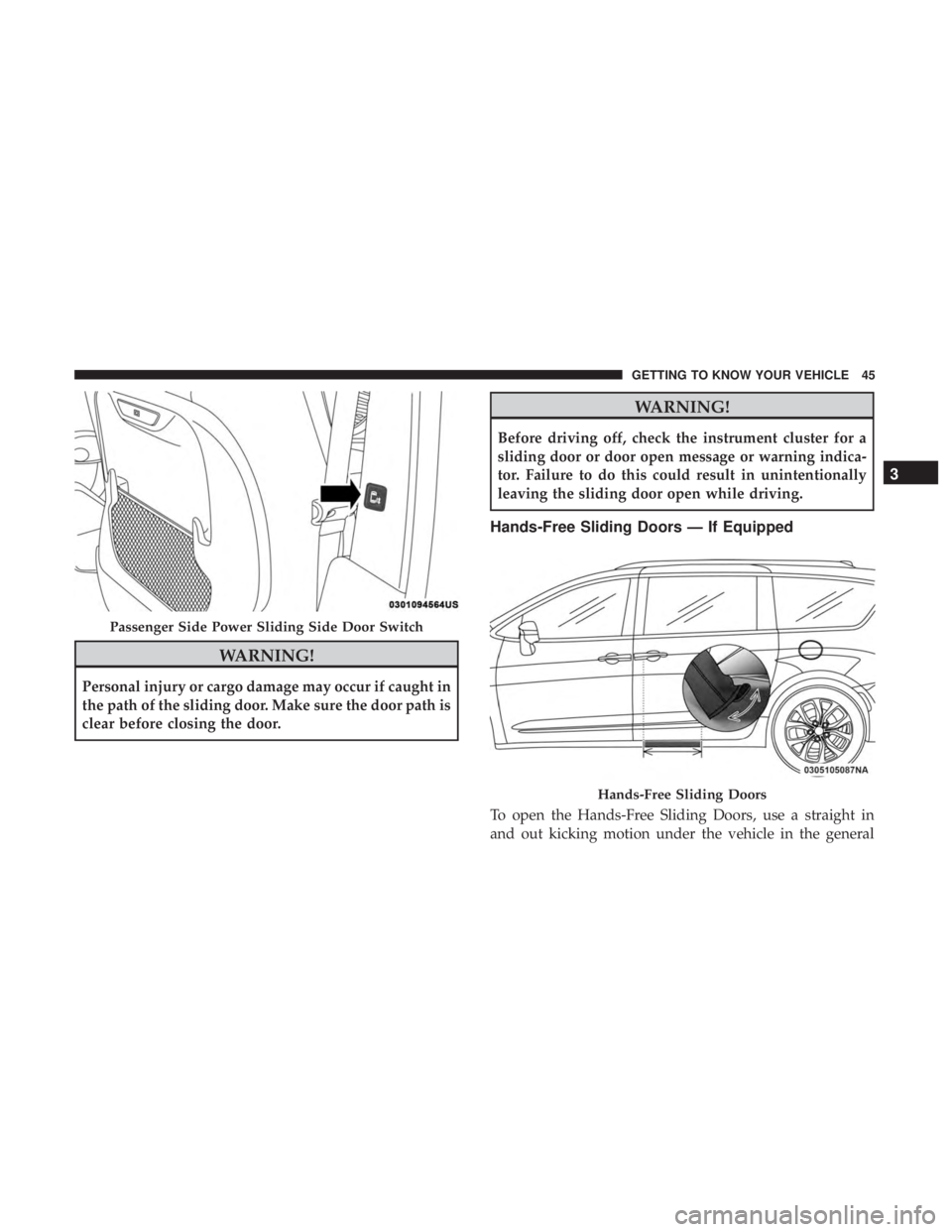
Hands-Free Sliding Doors — If Equipped
To open the Hands-Free Sliding Doors, use a straight in
and out kicking motion under the vehicle in the general
Passenger Side Power Sliding Side Door Switch
Hands-Free Sliding Doors
3
GETTING TO KNOW YOUR VEHICLE 45
Page 48 of 696
location below the door handle(s). Do not move your foot
sideways or in a sweeping motion or the sensors may not
detect the motion.
When a valid kicking motion is completed, the sliding door
will chime, the hazard lights will flash and the sliding door
will open almost instantaneously. This assumes all options
are enabled in the radio settings.
NOTE:
•To open the Hands-Free Sliding Doors requires a valid
Passive Entry key fob within 5 ft (1.5 m) of the door
handle. If a valid Passive Entry key fob is not within 5 ft
(1.5 m), the door will not respond to any kicks.
• The Hands-Free Sliding Door will only operate when the
transmission is in PARK.
• With every movement of the Hands-Free sliding doors,
an audible tone will sound and the turn signals will
flash. Refer to “Uconnect Settings” in “Multimedia” for
further information on turning these alerts on or off.
• If anything obstructs the power sliding side door while
it is closing or opening, the door will automatically
reverse to the closed or open position and an audible
tone will sound, provided it meets sufficient resistance.
The turn signals will flash with sliding door movements. •
If the power sliding doors encounters multiple obstruc-
tions within the same cycle, the system will automati-
cally stop.
The Hands-Free Sliding Doors feature may be turned off
through Uconnect Settings. Refer to “Uconnect Settings” in
“Multimedia” for further information. The Hands-Free
Sliding Doors feature should be turned off during Jacking,
Tire Changing, and Vehicle Service.
Child Locks
To provide a safer environment for small children riding in
the rear seats, the sliding doors are equipped with a Child
Protection Door Lock system.
To Engage The Child Protection Door Lock
1. Open the sliding side door.
2. On the rear of the sliding door, slide the Child Protection Door Lock control inward (toward the vehicle) to en-
gage the Child Protection Door Lock.
46 GETTING TO KNOW YOUR VEHICLE
Page 49 of 696
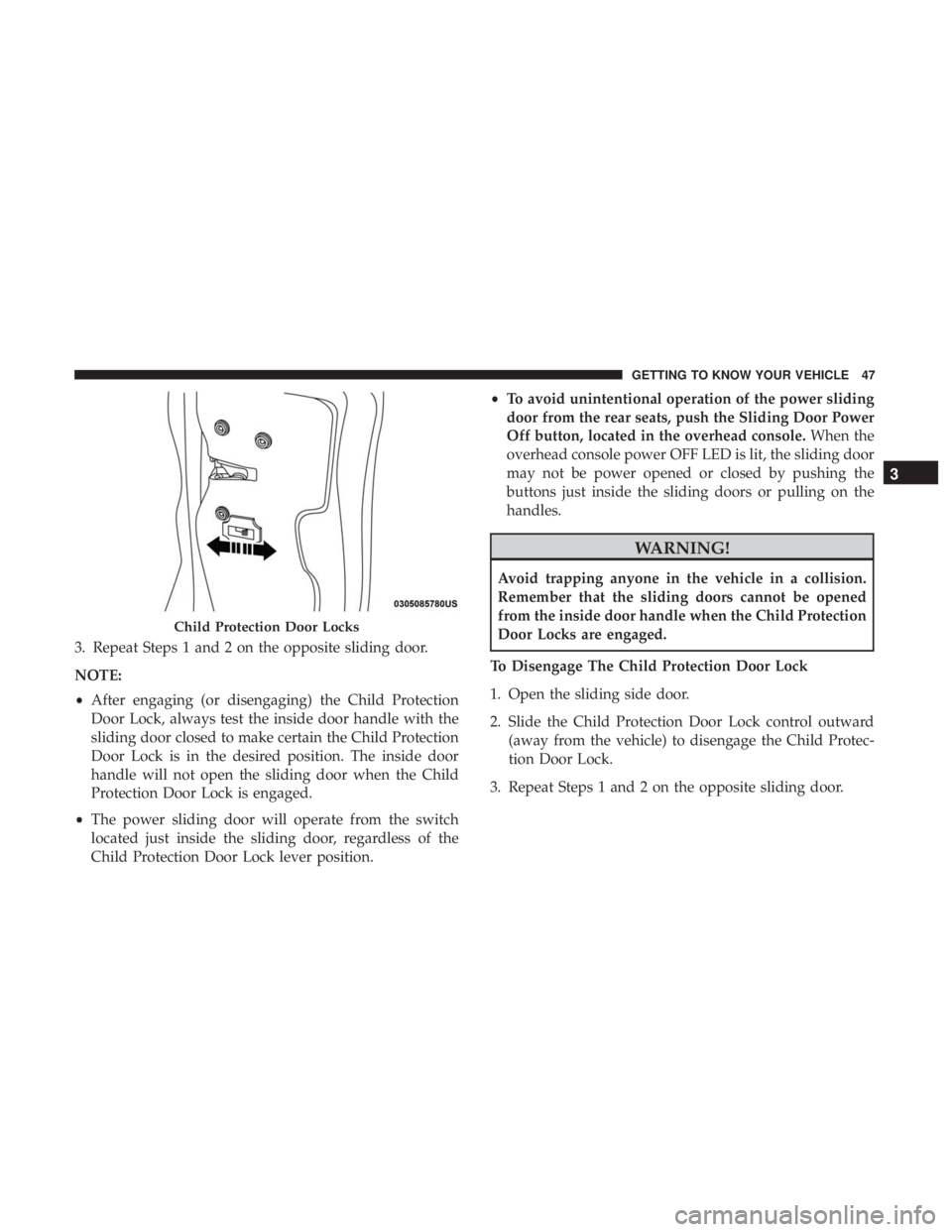
3. Repeat Steps 1 and 2 on the opposite sliding door.
NOTE:
•After engaging (or disengaging) the Child Protection
Door Lock, always test the inside door handle with the
sliding door closed to make certain the Child Protection
Door Lock is in the desired position. The inside door
handle will not open the sliding door when the Child
Protection Door Lock is engaged.
• The power sliding door will operate from the switch
located just inside the sliding door, regardless of the
Child Protection Door Lock lever position. •
To avoid unintentional operation of the power sliding
door from the rear seats, push the Sliding Door Power
Off button, located in the overhead console. When the
overhead console power OFF LED is lit, the sliding door
may not be power opened or closed by pushing the
buttons just inside the sliding doors or pulling on the
handles.
WARNING!
Avoid trapping anyone in the vehicle in a collision.
Remember that the sliding doors cannot be opened
from the inside door handle when the Child Protection
Door Locks are engaged.
To Disengage The Child Protection Door Lock
1. Open the sliding side door.
2. Slide the Child Protection Door Lock control outward (away from the vehicle) to disengage the Child Protec-
tion Door Lock.
3. Repeat Steps 1 and 2 on the opposite sliding door.
Child Protection Door Locks
3
GETTING TO KNOW YOUR VEHICLE 47
Page 94 of 696
Left and Right side power mirror preselected positions can
be controlled by the optional Driver Memory Seat Feature.
Refer to “Driver Memory Seat” in “Seats” for further
information.
Outside Mirrors Folding Feature
All outside mirrors are hinged and may be moved either
forward or rearward to resist damage. The hinges have
three detent positions:
•Full forward position
• Full rearward position
• Normal position
Heated Mirrors — If Equipped
These mirrors are heated to melt frost or ice. This
feature will be activated whenever you turn on the
rear window defroster (if equipped). Refer to “Climate
Controls” in this section for further information.
Tilt Side Mirrors In Reverse (Available With
Memory Seat Only) — If Equipped
Tilt Side Mirrors In Reverse provides automatic outside
mirror positioning which will aid the driver ’s view of the
ground rearward of the front doors. The driver’s outside
mirror will move slightly downward from the present
position when the vehicle is shifted into REVERSE. The
driver’s outside mirror will then return to the original
position when the vehicle is shifted out of the REVERSE
position. Each stored memory setting will have an associ-
ated Tilt Side Mirrors In Reverse position.
NOTE: The Tilt Side Mirrors In Reverse feature is not
enabled when delivered from the factory. The Tilt Side
Mirrors In Reverse feature can be enabled or disabled in
the instrument cluster display. Refer to “Uconnect Set-
tings” in “Multimedia” for further information.
Power Folding Mirrors — If Equipped
The switch for the power folding mirrors is located be-
tween the power mirror switches L (left) and R (right).
Push the switch once and the mirrors will fold in, pushing
the switch a second time will return the mirrors to the
normal driving position.
92 GETTING TO KNOW YOUR VEHICLE
Page 101 of 696
NOTE:
•Before exiting the vehicle, make sure that the interior
lights are turned off. This will prevent the battery from
discharging once the doors are closed.
• If a light is left on, it will automatically be turned off
approximately 10 minutes after the ignition is in the
STOP/OFF position.
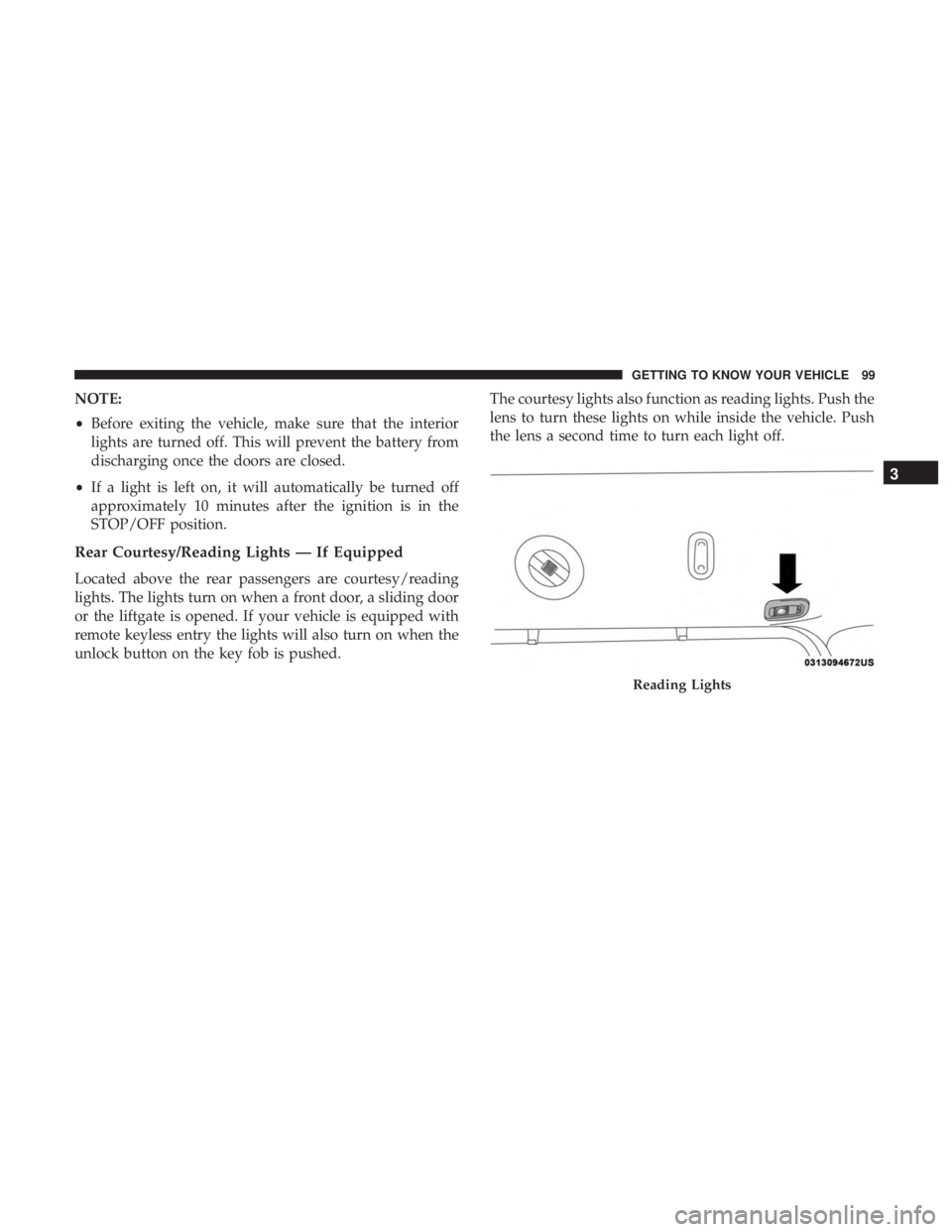
Rear Courtesy/Reading Lights — If Equipped
Located above the rear passengers are courtesy/reading
lights. The lights turn on when a front door, a sliding door
or the liftgate is opened. If your vehicle is equipped with
remote keyless entry the lights will also turn on when the
unlock button on the key fob is pushed. The courtesy lights also function as reading lights. Push the
lens to turn these lights on while inside the vehicle. Push
the lens a second time to turn each light off.
Reading Lights
3
GETTING TO KNOW YOUR VEHICLE 99
Page 102 of 696
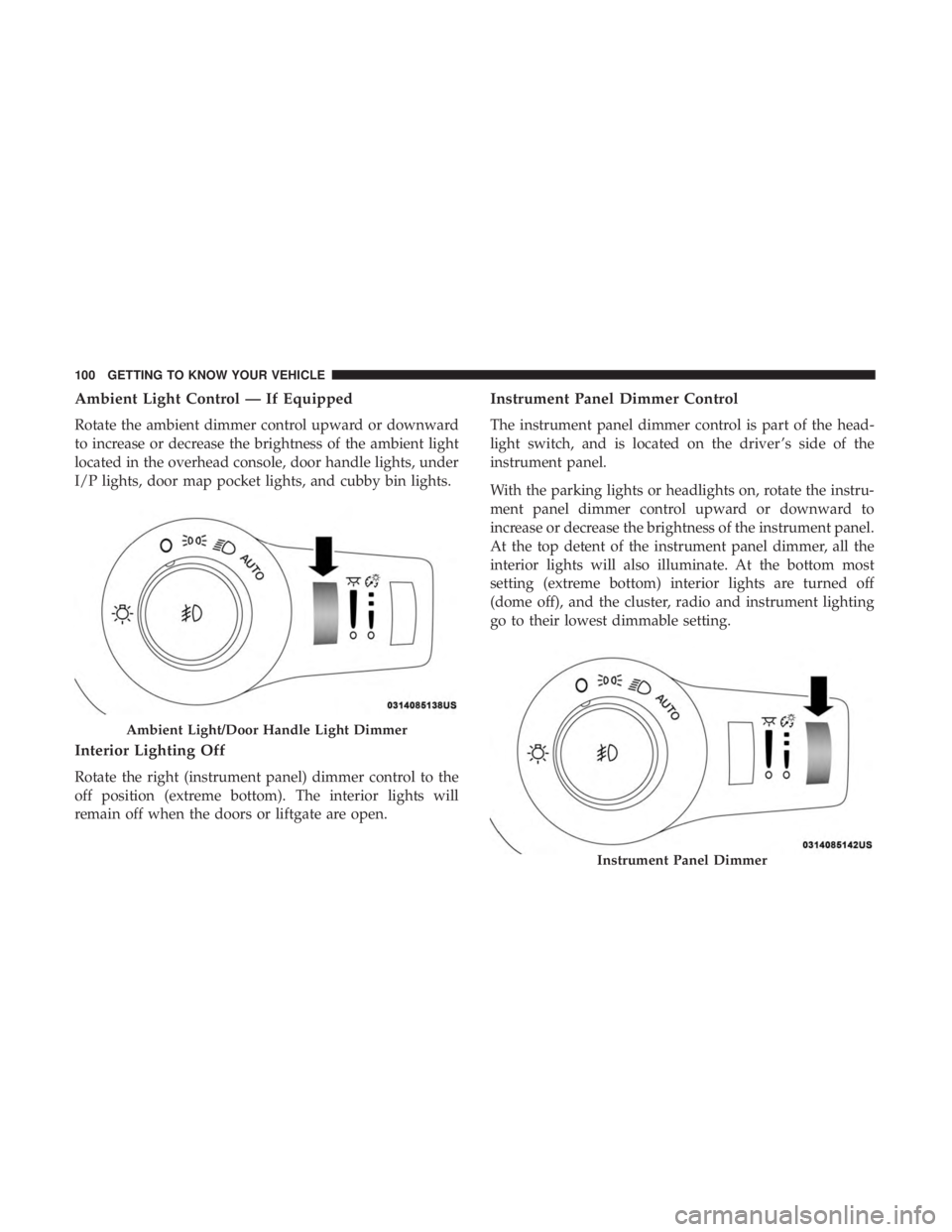
Ambient Light Control — If Equipped
Rotate the ambient dimmer control upward or downward
to increase or decrease the brightness of the ambient light
located in the overhead console, door handle lights, under
I/P lights, door map pocket lights, and cubby bin lights.
Interior Lighting Off
Rotate the right (instrument panel) dimmer control to the
off position (extreme bottom). The interior lights will
remain off when the doors or liftgate are open.
Instrument Panel Dimmer Control
The instrument panel dimmer control is part of the head-
light switch, and is located on the driver ’s side of the
instrument panel.
With the parking lights or headlights on, rotate the instru-
ment panel dimmer control upward or downward to
increase or decrease the brightness of the instrument panel.
At the top detent of the instrument panel dimmer, all the
interior lights will also illuminate. At the bottom most
setting (extreme bottom) interior lights are turned off
(dome off), and the cluster, radio and instrument lighting
go to their lowest dimmable setting.
Ambient Light/Door Handle Light Dimmer
Instrument Panel Dimmer
100 GETTING TO KNOW YOUR VEHICLE
Page 135 of 696
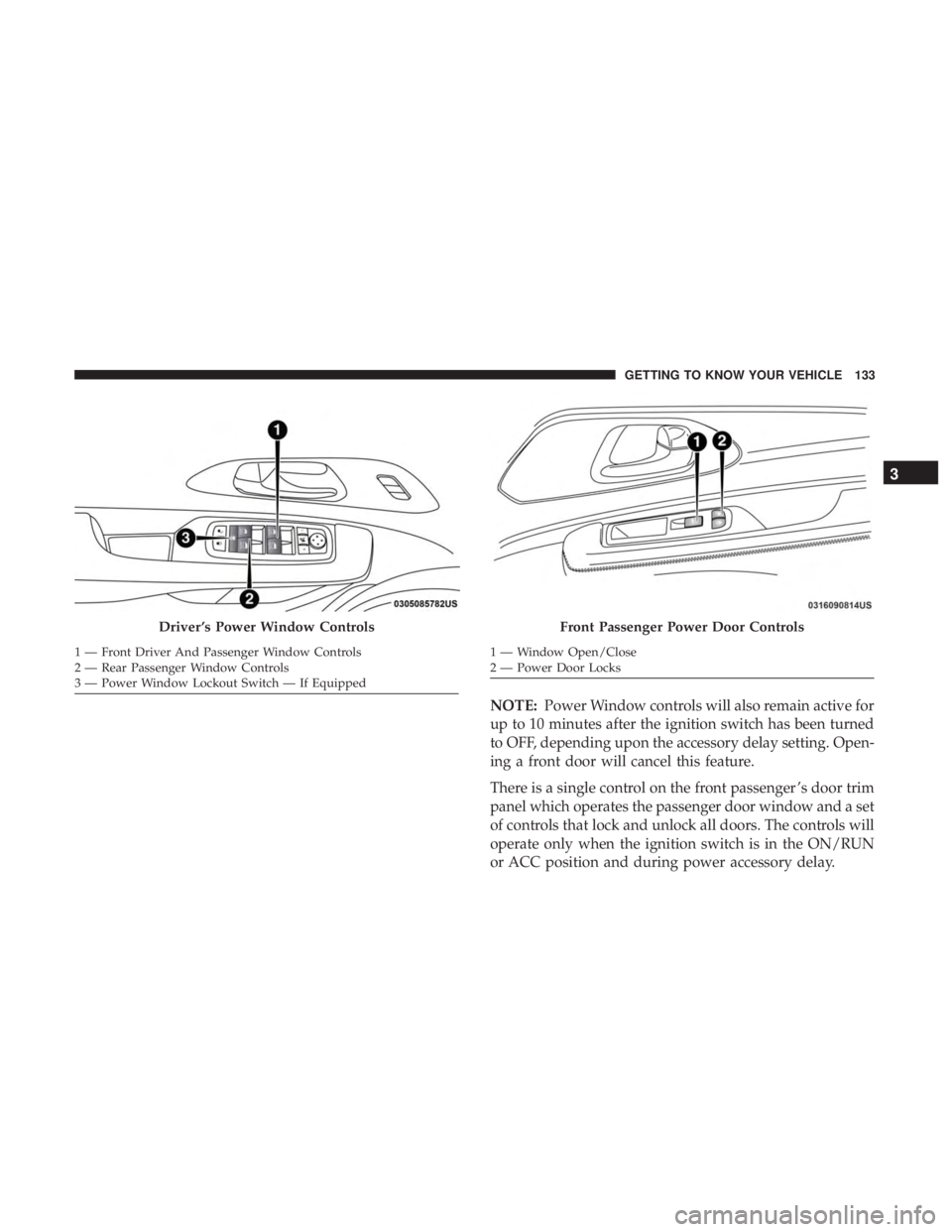
NOTE:Power Window controls will also remain active for
up to 10 minutes after the ignition switch has been turned
to OFF, depending upon the accessory delay setting. Open-
ing a front door will cancel this feature.
There is a single control on the front passenger ’s door trim
panel which operates the passenger door window and a set
of controls that lock and unlock all doors. The controls will
operate only when the ignition switch is in the ON/RUN
or ACC position and during power accessory delay.
Driver ’s Power Window Controls
1 — Front Driver And Passenger Window Controls
2 — Rear Passenger Window Controls
3 — Power Window Lockout Switch — If Equipped
Front Passenger Power Door Controls
1 — Window Open/Close
2 — Power Door Locks
3
GETTING TO KNOW YOUR VEHICLE 133