vin CHRYSLER PACIFICA 2018 Owner's Guide
[x] Cancel search | Manufacturer: CHRYSLER, Model Year: 2018, Model line: PACIFICA, Model: CHRYSLER PACIFICA 2018Pages: 696, PDF Size: 8.48 MB
Page 129 of 696
1. Adjust the rear blower, rear temperature and the rearmodes to suit your comfort needs.
2. ATC is selected by pushing the AUTO button.
Once the desired temperature is displayed, the ATC System
will automatically achieve and maintain that comfort level.
When the system is set up for your comfort level, it is not
necessary to change the settings. You will experience the
greatest efficiency by simply allowing the system to func-
tion automatically. NOTE:
•
It is not necessary to move the temperature settings. The
system automatically adjusts the temperature, mode and
fan speed to provide comfort as quickly as possible.
Icon Description
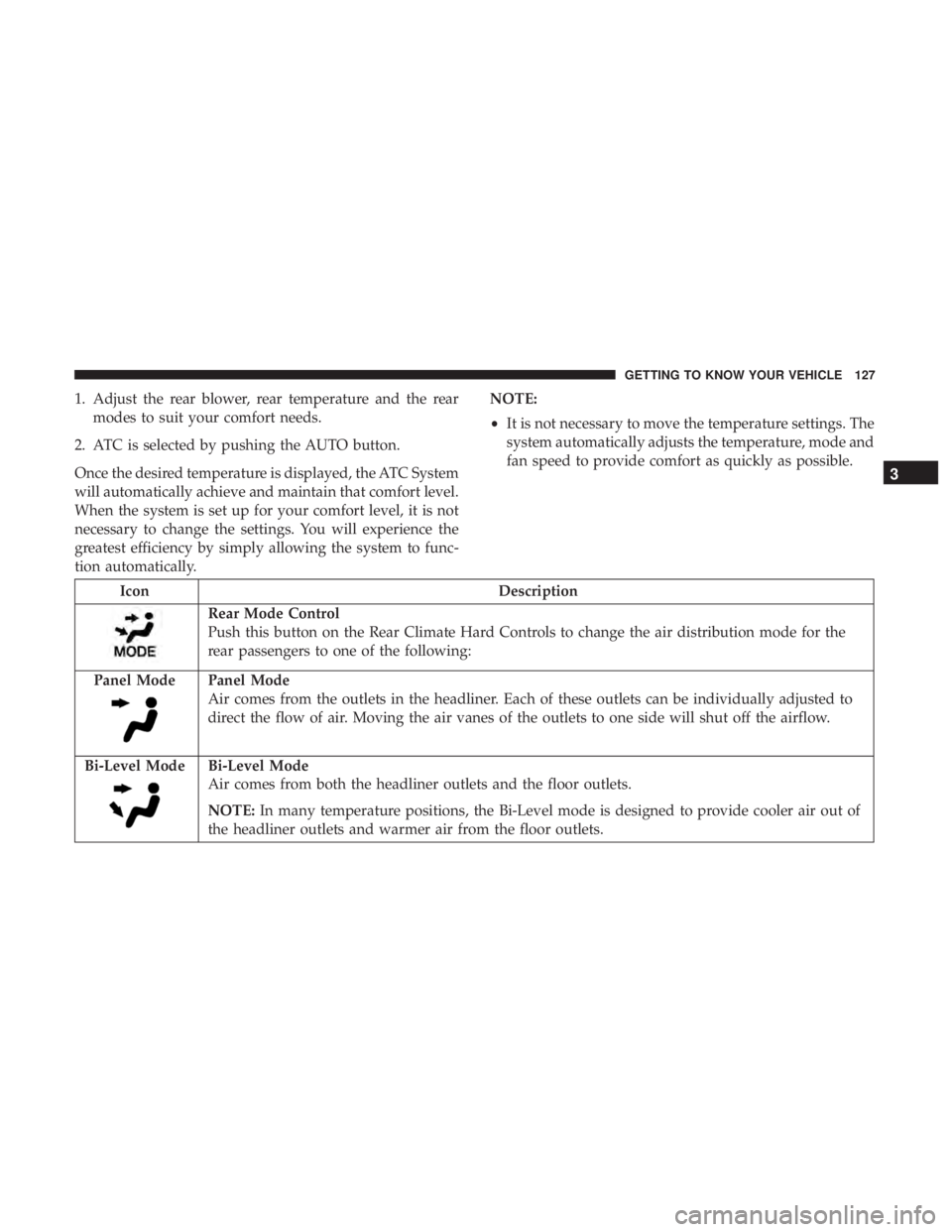
Rear Mode Control
Push this button on the Rear Climate Hard Controls to change the air distribution mode for the
rear passengers to one of the following:
Panel Mode
Panel Mode
Air comes from the outlets in the headliner. Each of these outlets can be individually adjusted to
direct the flow of air. Moving the air vanes of the outlets to one side will shut off the airflow.
Bi-Level Mode
Bi-Level Mode
Air comes from both the headliner outlets and the floor outlets.
NOTE: In many temperature positions, the Bi-Level mode is designed to provide cooler air out of
the headliner outlets and warmer air from the floor outlets.
3
GETTING TO KNOW YOUR VEHICLE 127
Page 142 of 696
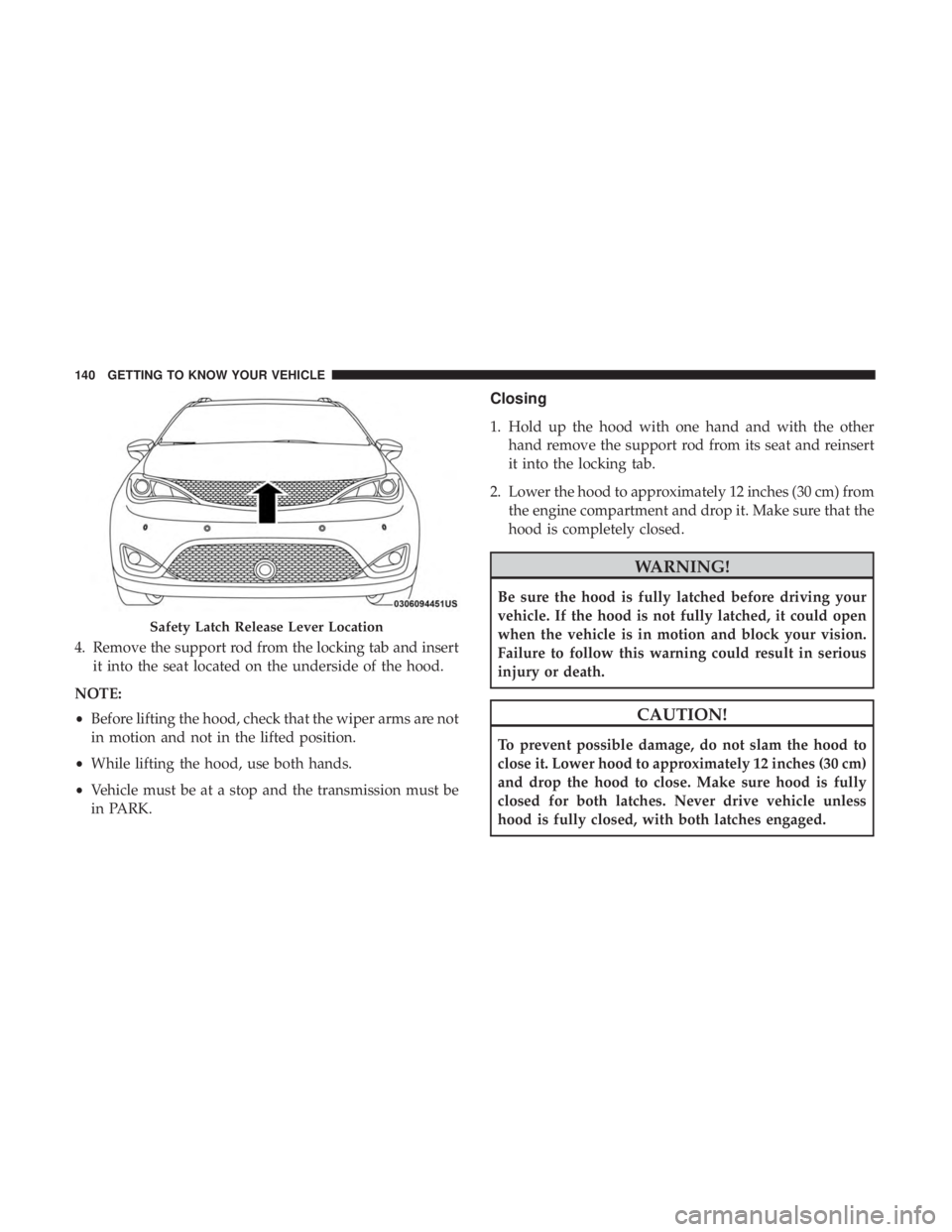
4. Remove the support rod from the locking tab and insertit into the seat located on the underside of the hood.
NOTE:
• Before lifting the hood, check that the wiper arms are not
in motion and not in the lifted position.
• While lifting the hood, use both hands.
• Vehicle must be at a stop and the transmission must be
in PARK.
Closing
1. Hold up the hood with one hand and with the other
hand remove the support rod from its seat and reinsert
it into the locking tab.
2. Lower the hood to approximately 12 inches (30 cm) from the engine compartment and drop it. Make sure that the
hood is completely closed.
WARNING!
Be sure the hood is fully latched before driving your
vehicle. If the hood is not fully latched, it could open
when the vehicle is in motion and block your vision.
Failure to follow this warning could result in serious
injury or death.
CAUTION!
To prevent possible damage, do not slam the hood to
close it. Lower hood to approximately 12 inches (30 cm)
and drop the hood to close. Make sure hood is fully
closed for both latches. Never drive vehicle unless
hood is fully closed, with both latches engaged.
Safety Latch Release Lever Location
140 GETTING TO KNOW YOUR VEHICLE
Page 144 of 696
Settings, the liftgate will only unlock with handle activa-
tion. Refer to “Uconnect Settings” in “Multimedia” for
further information.
Closing
To Close The Liftgate
Grasp the liftgate closing handle and initiate lowering the
liftgate. Release the handle when the liftgate takes over the
closing effort.
To Lock The Vehicle
With a valid Passive Entry key fob within 5 ft (1.5 m) of the
liftgate, pushing the passive entry lock button located to
the right of the outside handle will lock the vehicle.
WARNING!
•Driving with the liftgate open can allow poisonous
exhaust gases into your vehicle. You and your pas-
sengers could be injured by these fumes. Keep the
liftgate closed when you are operating the vehicle.
• If you are required to drive with the liftgate open,
make sure that all windows are closed, and the
climate control blower switch is set at high speed. Do
not use the recirculation mode.
Power Liftgate — If Equipped
The power liftgate may be opened or closed in several
ways:
• Overhead console liftgate button
• Key fob
• Outside handle (opens liftgate only)
• Button just inside the liftgate on the upper left trim
(when liftgate is open)
• Hands-Free Liftgate (opens liftgate only) — If Equipped
Using the above ways:
• When the liftgate is fully closed, the liftgate will open
• When the liftgate is fully open, the liftgate will close
• When the liftgate is moving, the liftgate will reverse
Push the Power Liftgate button on the Overhead Console
to open or close the liftgate.
Push the liftgate button on the key fob twice within five
seconds to open or close the liftgate.
142 GETTING TO KNOW YOUR VEHICLE
Page 148 of 696
•If the power liftgate encounters multiple obstructions
within the same cycle, the system will automatically
stop. If this occurs, the liftgate must be operated manu-
ally.
• The power liftgate will release, but not power open, in
temperatures below 12° F (24° C). Be sure to remove
any buildup of snow or ice from the liftgate before
opening the liftgate.
• If the liftgate is left open for an extended period of time,
the liftgate may need to be closed manually to reset
power liftgate functionality.
WARNING!
•Driving with the liftgate open can allow poisonous
exhaust gases into your vehicle. You and your pas-
sengers could be injured by these fumes. Keep the
liftgate closed when you are operating the vehicle.
• If you are required to drive with the liftgate open,
make sure that all windows are closed, and the
climate control blower switch is set at high speed. Do
not use the recirculation mode. Gas props support the liftgate in the open position. How-
ever, because the gas pressure drops with temperature, it
may be necessary to assist the props when opening the
liftgate in cold weather.
NOTE:
Allow the power system to open the liftgate.
Manually pushing or pulling the liftgate may activate the
liftgate obstacle detection feature and stop the power
operation or reverse its direction.
WARNING!
During power operation, personal injury or cargo
damage may occur. Ensure the liftgate travel path is
clear. Make sure the liftgate is closed and latched
before driving away.
Cargo Area Features
Cargo Area Storage
When the third row seats are not in the stowed position,
there is a large area for cargo storage.
146 GETTING TO KNOW YOUR VEHICLE
Page 150 of 696
WARNING!
To reduce the risk of fire, serious injury or death:
•Do not use vacuum while vehicle is in motion or
while driving.
•Do not vacuum wet surfaces or any liquids.
• Do not use to vacuum up anything outside of the
vehicle.
• Do not vacuum any flammable liquids, such as
gasoline, or use around explosive vapors. Vapors
from flammable liquids may form an explosive mix-
ture with air and can be ignited by heat, sparks, or
flames. Vapors may travel to a source of ignition and
explode.
•Do not vacuum anything that is burning or smoking,
such as cigarettes, matches, or hot ashes/embers.
(Continued)
WARNING! (Continued)
•Do not allow to be used as a toy. Close attention is
necessary when used by or near children.
• Do not leave the vacuum running while unattended.
• Use only as described in this manual. Use only
attachments provided with your vehicle.
• Do not put any object into openings. Do not use with
any opening blocked; keep free of dust, lint, hair,
and anything that may reduce air flow.
• Do not vacuum toxic material such as chlorine
bleach, ammonia, drain cleaner, etc.
• Do not vacuum hard or sharp objects such as glass,
nails, screws, coins, etc.
• Keep hair, loose clothing, fingers, and all parts of
body away from openings and moving parts.
• Only use with filter in place. Periodically check that
the filter is in place and in good condition.
148 GETTING TO KNOW YOUR VEHICLE
Page 153 of 696
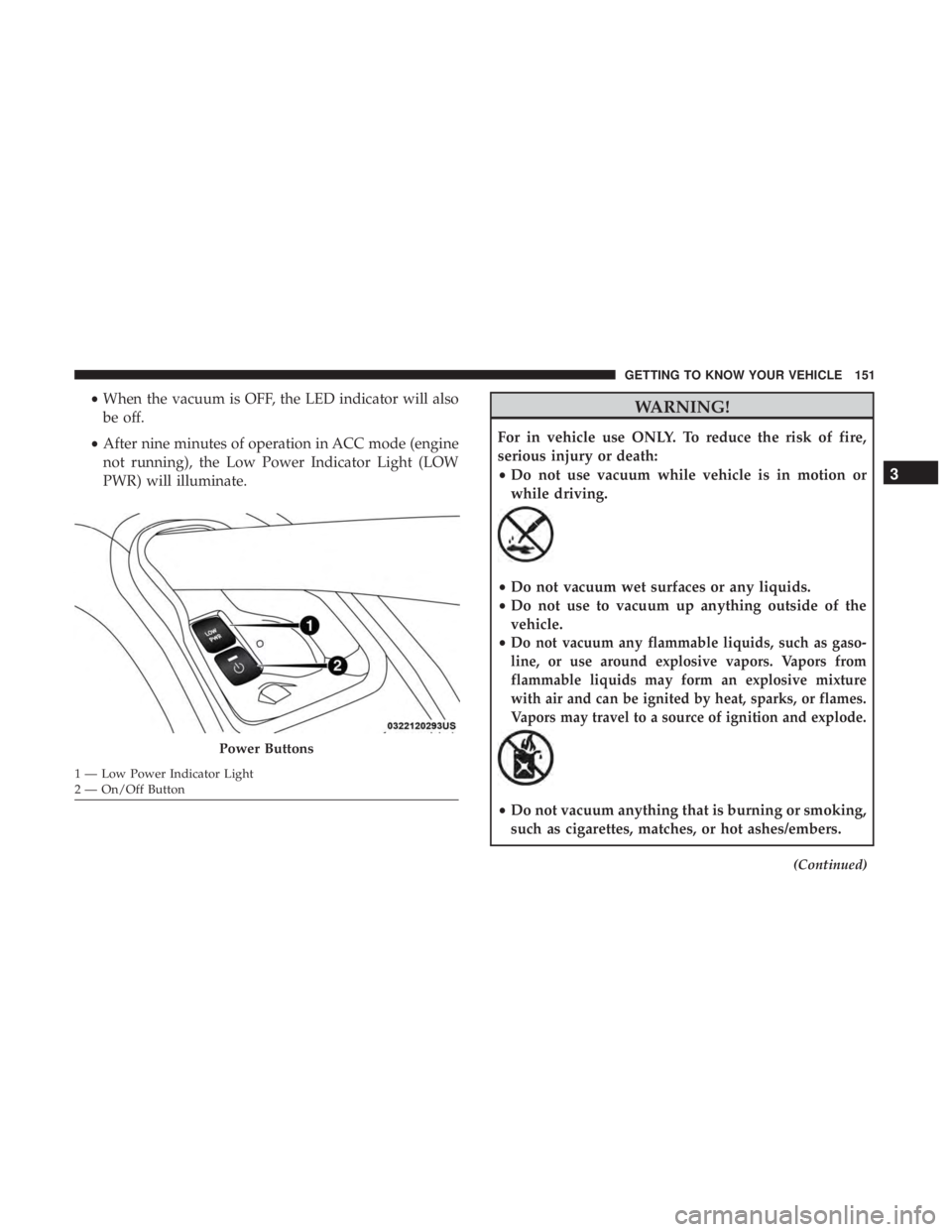
•When the vacuum is OFF, the LED indicator will also
be off.
• After nine minutes of operation in ACC mode (engine
not running), the Low Power Indicator Light (LOW
PWR) will illuminate.WARNING!
For in vehicle use ONLY. To reduce the risk of fire,
serious injury or death:
•Do not use vacuum while vehicle is in motion or
while driving.
•Do not vacuum wet surfaces or any liquids.
• Do not use to vacuum up anything outside of the
vehicle.
•
Do not vacuum any flammable liquids, such as gaso-
line, or use around explosive vapors. Vapors from
flammable liquids may form an explosive mixture
with air and can be ignited by heat, sparks, or flames.
Vapors may travel to a source of ignition and explode.
• Do not vacuum anything that is burning or smoking,
such as cigarettes, matches, or hot ashes/embers.
(Continued)
Power Buttons
1 — Low Power Indicator Light
2 — On/Off Button
3
GETTING TO KNOW YOUR VEHICLE 151
Page 154 of 696
WARNING!(Continued)
•Do not allow to be used as a toy. Close attention is
necessary when used by or near children.
• Do not leave the vacuum running while unattended.
• Use only as described in this manual. Use only
attachments provided with your vehicle.
• Do not put any object into openings. Do not use with
any opening blocked; keep free of dust, lint, hair,
and anything that may reduce air flow.
• Do not vacuum toxic material such as chlorine
bleach, ammonia, drain cleaner, etc.
• Do not vacuum hard or sharp objects such as glass,
nails, screws, coins, etc.
• Keep hair, loose clothing, fingers, and all parts of
body away from openings and moving parts.
• Only use with filter in place. Periodically check that
the filter is in place and in good condition.
WARNING!
This equipment incorporates parts such as switches,
motors, or the like that tend to produce arcs or sparks
that can cause an explosion. When using your vacuum
(Continued)
WARNING! (Continued)
near gasoline-dispensing equipment or service sta-
tions, park vehicle at least 20 ft (6 m) away from the
exterior enclosure of any dispensing pump. The
vacuum is mounted more than 18 inches (45 cm) above
ground level in your vehicle.
5. When finished, push power button to turn vacuum off and store vacuum hose and any attachments.
6. Before exiting the vehicle: •If vehicle is in ACC mode, push ignition button to
place ignition in the OFF mode, remove key fob from
the vehicle, and lock the vehicle.
• If the engine is running, raise all of the windows, push
ignition button to place ignition in the OFF mode,
remove key fob from the vehicle, close all of the doors
and the liftgate and lock the vehicle.
Vacuum Troubleshooting
• DO NOT use with any opening blocked. If an object
becomes lodged in the hose, attempt to fully extend the
hose in a straight line while the vacuum motor is
running. If this does not dislodge the object, turn the
vacuum OFF and remove the hose from the vehicle
152 GETTING TO KNOW YOUR VEHICLE
Page 161 of 696
If you unplugged the garage door opener/device for
programming, plug it back in at this time.
Reprogramming A Single HomeLink Button (Canadian/
Gate Operator)
To reprogram a channel that has been previously trained,
follow these steps:
1. Cycle the ignition to the ON/RUN position.
2. Press and hold the desired HomeLink button until theindicator light begins to flash after 20 seconds. Do not
release the button.
3. Without releasing the button, proceed with “Canadian/ Gate Operator Programming” step 2 and follow all
remaining steps.
Using HomeLink
To operate, push and release the programmed HomeLink
button. Activation will now occur for the programmed
device (i.e. garage door opener, gate operator, security
system, entry door lock, home/office lighting, etc.). The
hand-held transmitter of the device may also be used at
any time.
Security
It is advised to erase all channels before you sell or turn in
your vehicle.
To do this, push and hold the two outside buttons for 20
seconds until the orange indicator flashes. Note that all
channels will be erased. Individual channels cannot be
erased.
The HomeLink Universal Transceiver is disabled when the
Vehicle Security Alarm is active.
Troubleshooting Tips
If you are having trouble programming HomeLink, here
are some of the most common solutions:
•Replace the battery in the Garage Door Opener hand-
held transmitter.
• Push the LEARN button on the Garage Door Opener to
complete the training for a Rolling Code.
• Did you unplug the device for programming and re-
member to plug it back in?
If you have any problems, or require assistance, please call
toll-free 1-800-355-3515 or, on the Internet at
HomeLink.com for information or assistance.
3
GETTING TO KNOW YOUR VEHICLE 159
Page 165 of 696
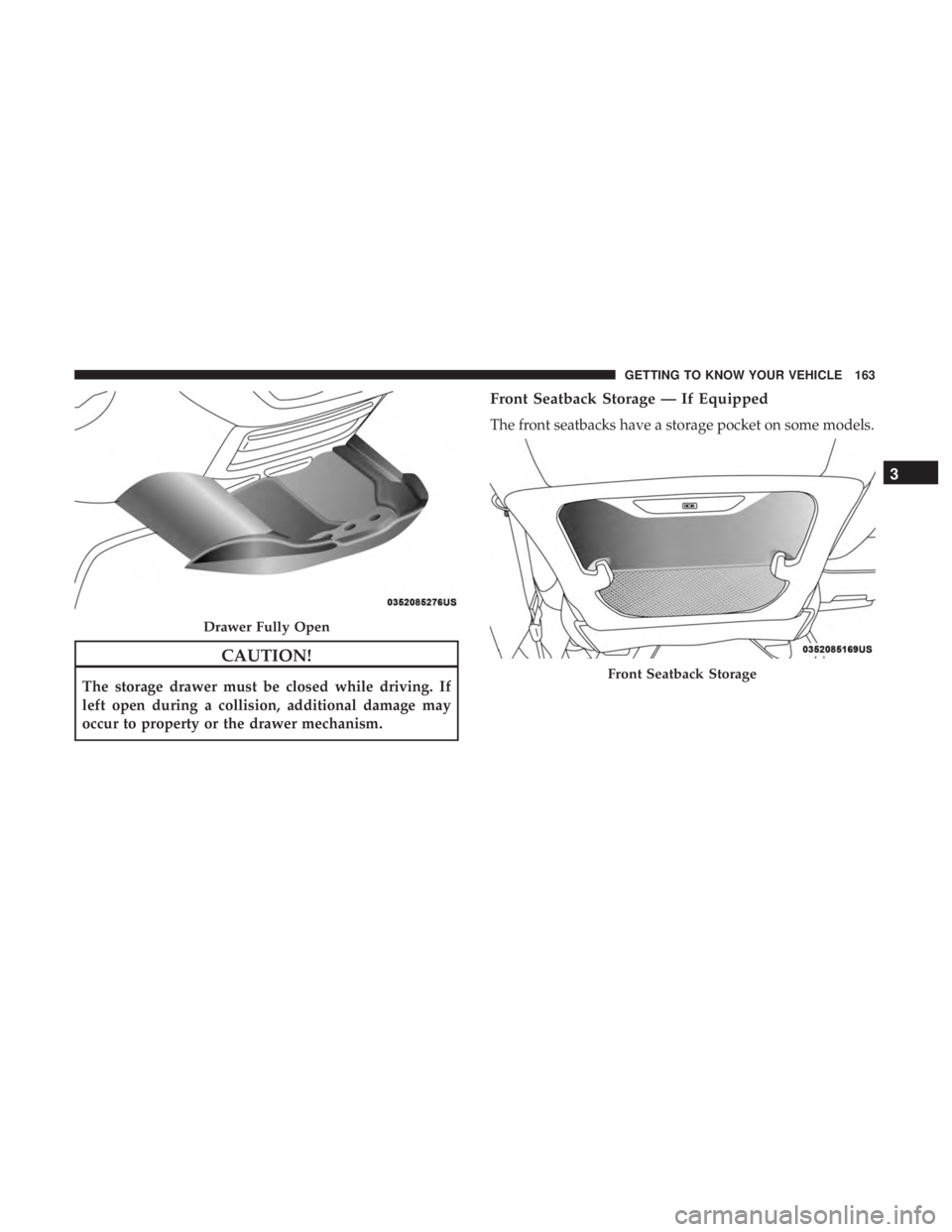
CAUTION!
The storage drawer must be closed while driving. If
left open during a collision, additional damage may
occur to property or the drawer mechanism.
Front Seatback Storage — If Equipped
The front seatbacks have a storage pocket on some models.
Drawer Fully Open
Front Seatback Storage
3
GETTING TO KNOW YOUR VEHICLE 163
Page 173 of 696
WARNING!(Continued)
•Close the lid when not in use and while driving the
vehicle.
• If this outlet is mishandled, it may cause an electric
shock and failure.
CAUTION!
•Many accessories that can be plugged in draw power
from the vehicle’s battery, even when not in use (i.e.,
cellular phones, etc.). Eventually, if plugged in long
enough, the vehicle’s battery will discharge suffi-
ciently to degrade battery life and/or prevent the
engine from starting.
• Accessories that draw higher power (i.e., coolers,
vacuum cleaners, lights, etc.) will degrade the battery
even more quickly. Only use these intermittently and
with greater caution.
• After the use of high power draw accessories, or long
periods of the vehicle not being started (with acces-
sories still plugged in), the vehicle must be driven a
sufficient length of time to allow the generator to
recharge the vehicle’s battery.
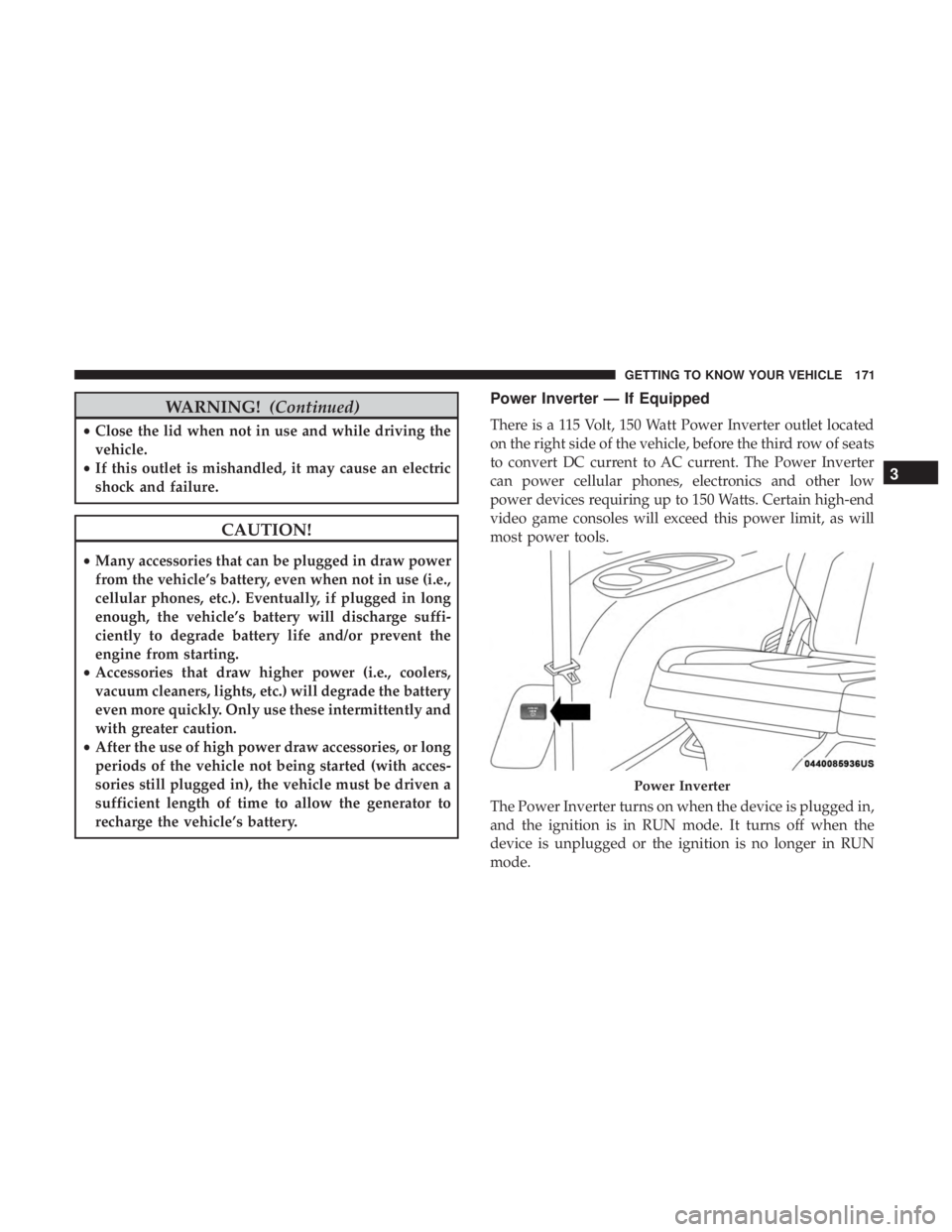
Power Inverter — If Equipped
There is a 115 Volt, 150 Watt Power Inverter outlet located
on the right side of the vehicle, before the third row of seats
to convert DC current to AC current. The Power Inverter
can power cellular phones, electronics and other low
power devices requiring up to 150 Watts. Certain high-end
video game consoles will exceed this power limit, as will
most power tools.
The Power Inverter turns on when the device is plugged in,
and the ignition is in RUN mode. It turns off when the
device is unplugged or the ignition is no longer in RUN
mode.
Power Inverter
3
GETTING TO KNOW YOUR VEHICLE 171