brake CHRYSLER PACIFICA 2018 Repair Manual
[x] Cancel search | Manufacturer: CHRYSLER, Model Year: 2018, Model line: PACIFICA, Model: CHRYSLER PACIFICA 2018Pages: 696, PDF Size: 8.48 MB
Page 350 of 696
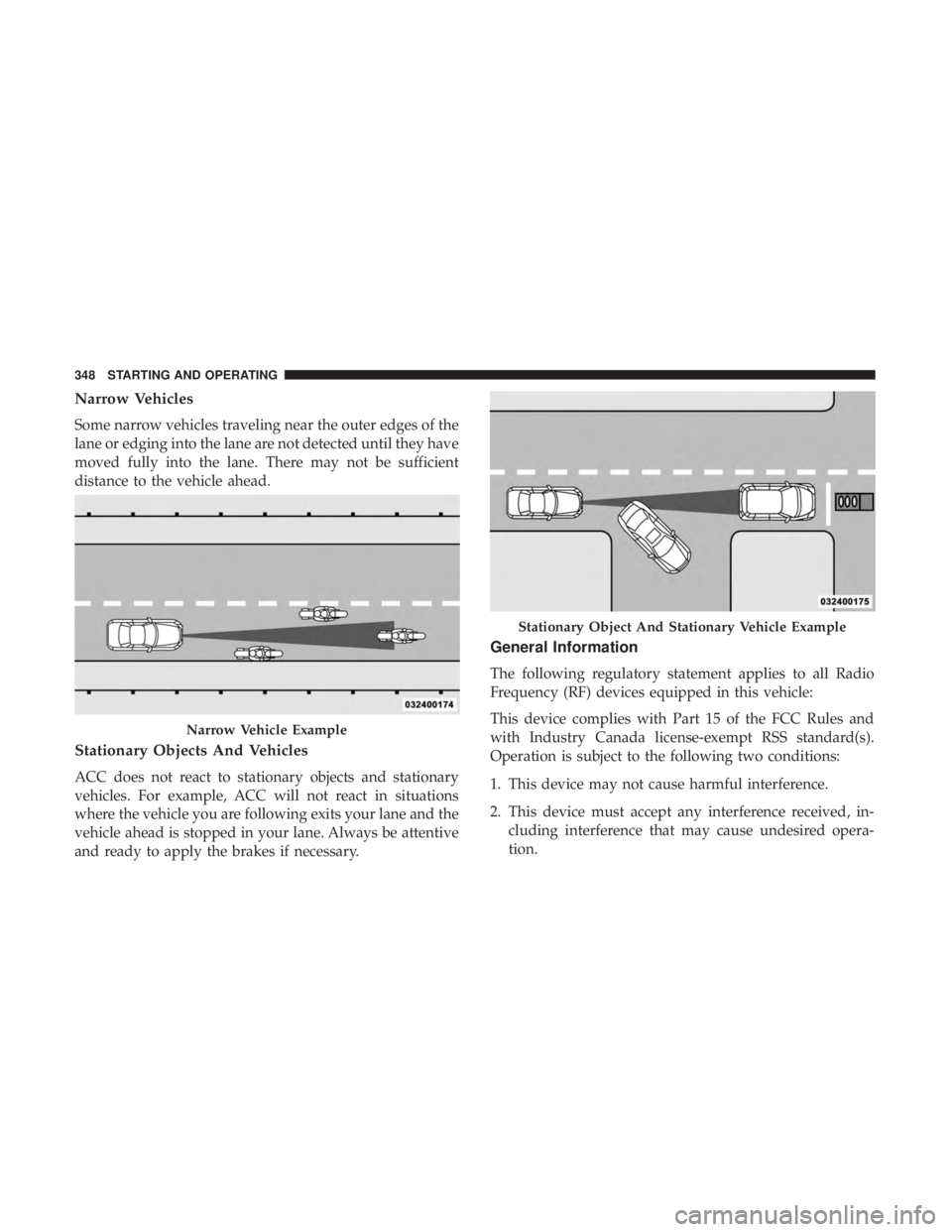
Narrow Vehicles
Some narrow vehicles traveling near the outer edges of the
lane or edging into the lane are not detected until they have
moved fully into the lane. There may not be sufficient
distance to the vehicle ahead.
Stationary Objects And Vehicles
ACC does not react to stationary objects and stationary
vehicles. For example, ACC will not react in situations
where the vehicle you are following exits your lane and the
vehicle ahead is stopped in your lane. Always be attentive
and ready to apply the brakes if necessary.
General Information
The following regulatory statement applies to all Radio
Frequency (RF) devices equipped in this vehicle:
This device complies with Part 15 of the FCC Rules and
with Industry Canada license-exempt RSS standard(s).
Operation is subject to the following two conditions:
1. This device may not cause harmful interference.
2. This device must accept any interference received, in-cluding interference that may cause undesired opera-
tion.
Narrow Vehicle Example
Stationary Object And Stationary Vehicle Example
348 STARTING AND OPERATING
Page 353 of 696
•If the button is continually pushed, the set speed will
continue to decrease in 10 km/h decrements until the
button is released. The decrease in set speed is reflected
in the instrument cluster display.
To Cancel
The following conditions will cancel the Normal (Fixed
Speed) Cruise Control without clearing the memory:
•The brake pedal is applied.
• The CANC (cancel) button is pushed.
• The Electronic Stability Control/Traction Control Sys-
tem (ESC/TCS) activates.
• The vehicle parking brake is applied.
• The braking temperature exceeds normal range (over-
heated).
• The gear selector is removed from the DRIVE position.
To Resume Speed
To resume a previously set speed, push the RES button and
release. Resume can be used at any speed above 20 mph
(32 km/h).
To Turn Off
The system will turn off and erase the set speed in memory
if:
•The Normal (Fixed Speed) Cruise Control on/off button
is pushed.
• The ignition is turned OFF.
• The Adaptive Cruise Control (ACC) on/off button is
pushed.
PARKSENSE REAR PARK ASSIST — IF EQUIPPED
The ParkSense Rear Park Assist system provides visual and
audible indications of the distance between the rear fascia
and a detected obstacle when backing up, e.g. during a
parking maneuver. If your vehicle is equipped with an
Automatic Transmission, the vehicle brakes may be auto-
matically applied and released when performing a reverse
parking maneuver if the system detects a possible collision
with an obstacle.
NOTE:
•The driver can override the automatic braking function
by pressing the gas pedal, turning ParkSense off via
ParkSense switch, or changing the gear while the auto-
matic brakes are being applied.
6
STARTING AND OPERATING 351
Page 354 of 696
•Automatic brakes will not be available if ESC is not
available.
• Automatic brakes will not be available if there is a
faulted condition detected with the ParkSense Park
Assist system or the Braking System Module.
• The automatic braking function may not provide
enough vehicle deceleration to avoid colliding with a
detected obstacle depending on vehicle speed, road
conditions, and brake capability.
• The automatic braking function may not be applied fast
enough for moving obstacles that approach the rear of
the vehicle from the left and / or right sides.
• The automatic braking function can be enabled/
disabled from the Customer-Programmable Features
section of the Uconnect System.
• ParkSense will retain its last known configuration state
for the automatic braking function through ignition
cycles.
The automatic braking function is intended to assist the
driver in avoiding possible collisions with detected ob-
stacles when backing up in REVERSE gear. NOTE:
•
The driver is always responsible for controlling the
vehicle.
• The system is provided to assist the driver and not to
substitute the driver.
• The driver must stay in full control of the vehicle’s
acceleration and braking and is responsible for the
vehicle’s movements.
Refer to “ParkSense System Usage Precautions” for limita-
tions of this system and recommendations.
ParkSense will retain the last system state (enabled or
disabled) from the last ignition cycle when the ignition is
changed to the ON/RUN position.
ParkSense can be active only when the gear selector is in
REVERSE. If ParkSense is enabled at this gear selector
position, the system will remain active until the vehicle
speed is increased to approximately 7 mph (11 km/h) or
above. When in REVERSE and above the system’s operat-
ing speed, a warning will appear within the instrument
cluster display indicating the vehicle speed is too fast. The
system will become active again if the vehicle speed is
decreased to speeds less than approximately 6 mph
(9 km/h).
352 STARTING AND OPERATING
Page 362 of 696
WARNING!
•Drivers must be careful when backing up even when
using ParkSense. Always check carefully behind
your vehicle, look behind you, and be sure to check
for pedestrians, animals, other vehicles, obstructions,
and blind spots before backing up. You are respon-
sible for safety and must continue to pay attention to
your surroundings. Failure to do so can result in
serious injury or death.
• Before using ParkSense, it is strongly recommended
that the ball mount and hitch ball assembly is
disconnected from the vehicle when the vehicle is
not used for towing. Failure to do so can result in
injury or damage to vehicles or obstacles because the
hitch ball will be much closer to the obstacle than the
rear fascia when the loudspeaker sounds the con-
tinuous tone. Also, the sensors could detect the ball
mount and hitch ball assembly, depending on its size
and shape, giving a false indication that an obstacle
is behind the vehicle.
CAUTION!
•ParkSense is only a parking aid and it is unable to
recognize every obstacle, including small obstacles.
Parking curbs might be temporarily detected or not
detected at all. Obstacles located above or below the
sensors will not be detected when they are in close
proximity.
• The vehicle must be driven slowly when using
ParkSense in order to be able to stop in time when an
obstacle is detected. It is recommended that the
driver looks over his/her shoulder when using
ParkSense.
PARKSENSE FRONT AND REAR PARK ASSIST —
IF EQUIPPED
The ParkSense Park Assist system provides visual and
audible indications of the distance between the rear and/or
front fascia and a detected obstacle when backing up or
moving forward, e.g. during a parking maneuver. If your
vehicle is equipped with an Automatic Transmission, the
vehicle brakes may be automatically applied and released
when performing a reverse parking maneuver if the sys-
tem detects a possible collision with an obstacle.
360 STARTING AND OPERATING
Page 363 of 696
NOTE:
•The driver can override the automatic braking function
by pressing the gas pedal, turning ParkSense off via
ParkSense switch, or changing the gear while the auto-
matic brakes are being applied.
• Automatic brakes will not be available if ESC is not
available.
• Automatic brakes will not be available if there is a
faulted condition detected with the ParkSense Park
Assist system or the Braking System Module.
• The automatic braking function may not provide
enough vehicle deceleration to avoid colliding with a
detected obstacle depending on vehicle speed, road
conditions, and brake capability.
• The automatic braking function may not be applied fast
enough for moving obstacles that approach the rear of
the vehicle from the left and / or right sides.
• The automatic braking function can be enabled/
disabled from the Customer-Programmable Features
section of the Uconnect System.
• ParkSense will retain its last known configuration state
for the automatic braking function through ignition
cycles. The automatic braking function is intended to assist the
driver in avoiding possible collisions with detected ob-
stacles when backing up in REVERSE gear.
NOTE:
•
The driver is always responsible for controlling the
vehicle.
• The system is provided to assist the driver and not to
substitute the driver.
• The driver must stay in full control of the vehicle’s
acceleration and braking and is responsible for the
vehicle’s movements.
Refer to “ParkSense System Usage Precautions” for limita-
tions of this system and recommendations.
ParkSense will retain the last system state (enabled or
disabled) from the last ignition cycle when the ignition is
changed to the ON/RUN position.
ParkSense can be active only when the gear selector is in
REVERSE or DRIVE. If ParkSense is enabled at one of these
gear selector positions, the system will remain active until
the vehicle speed is increased to approximately 7 mph
(11 km/h) or above. When in REVERSE and above the
system’s operating speed, a warning will appear in the
6
STARTING AND OPERATING 361
Page 373 of 696
NOTE:ParkSense will reduce the volume of the radio, if
on, when the system is sounding an audio tone.
Front Park Assist Audible Alerts
ParkSense will turn off the Front Park Assist audible alert
(chime) after approximately three seconds when an ob-
stacle has been detected, the vehicle is stationary, and brake
pedal is applied.
Adjustable Chime Volume Settings
Front and Rear chime volume settings can be selected from
the Customer-Programmable Features section of the
Uconnect System, refer to “Uconnect Settings” in “Multi-
media” for further information.
If the Uconnect System is equipped, chime volume settings
will not be accessible from the instrument cluster display.
The chime volume settings include LOW, MEDIUM, and
HIGH. The factory default volume setting is MEDIUM.
ParkSense will retain its last known configuration state
through ignition cycles.Enabling And Disabling ParkSense
ParkSense can be enabled and disabled with the
ParkSense switch, located on the switch panel
below the Uconnect display.
When the ParkSense switch is pushed to disable the
system, the instrument cluster will display the
“PARKSENSE OFF” message for approximately five sec-
onds. Refer to “Instrument Cluster Display” in “Getting To
Know Your Instrument Panel” for further information.
When the gear selector is moved to REVERSE and the
system is disabled, the instrument cluster display will
show the “PARKSENSE OFF” message for as long as the
vehicle is in REVERSE.
The ParkSense switch LED will be on when ParkSense is
disabled or requires service. The ParkSense switch LED
will be off when the system is enabled. If the ParkSense
switch is pushed, and requires service, the ParkSense
switch LED will blink momentarily, and then the LED will
be on.
6
STARTING AND OPERATING 371
Page 376 of 696
WARNING!(Continued)
and blind spots before backing up. You are respon-
sible for safety and must continue to pay attention to
your surroundings. Failure to do so can result in
serious injury or death.
• Before using ParkSense, it is strongly recommended
that the ball mount and hitch ball assembly is
disconnected from the vehicle when the vehicle is
not used for towing. Failure to do so can result in
injury or damage to vehicles or obstacles because the
hitch ball will be much closer to the obstacle than the
rear fascia when the loudspeaker sounds the con-
tinuous tone. Also, the sensors could detect the ball
mount and hitch ball assembly, depending on its size
and shape, giving a false indication that an obstacle
is behind the vehicle.
CAUTION!
•ParkSense is only a parking aid and it is unable to
recognize every obstacle, including small obstacles.
Parking curbs might be temporarily detected or not
detected at all. Obstacles located above or below the
(Continued)
CAUTION! (Continued)
sensors will not be detected when they are in close
proximity.
• The vehicle must be driven slowly when using
ParkSense in order to be able to stop in time when an
obstacle is detected. It is recommended that the
driver looks over his/her shoulder when using
ParkSense.
PARKSENSE ACTIVE PARK ASSIST SYSTEM — IF
EQUIPPED
The ParkSense Active Park Assist system is intended to
assist the driver during parallel and perpendicular parking
maneuvers by identifying a proper parking space, provid-
ing audible/visual instructions, and controlling the steer-
ing wheel. The ParkSense Active Park Assist system is
defined as “semi-automatic” since the driver maintains
control of the accelerator, gear selector and brakes. De-
pending on the driver’s parking maneuver selection, the
ParkSense Active Park Assist system is capable of maneu-
vering a vehicle into a parallel or a perpendicular parking
space on either side (i.e., driver side or passenger side).
374 STARTING AND OPERATING
Page 382 of 696
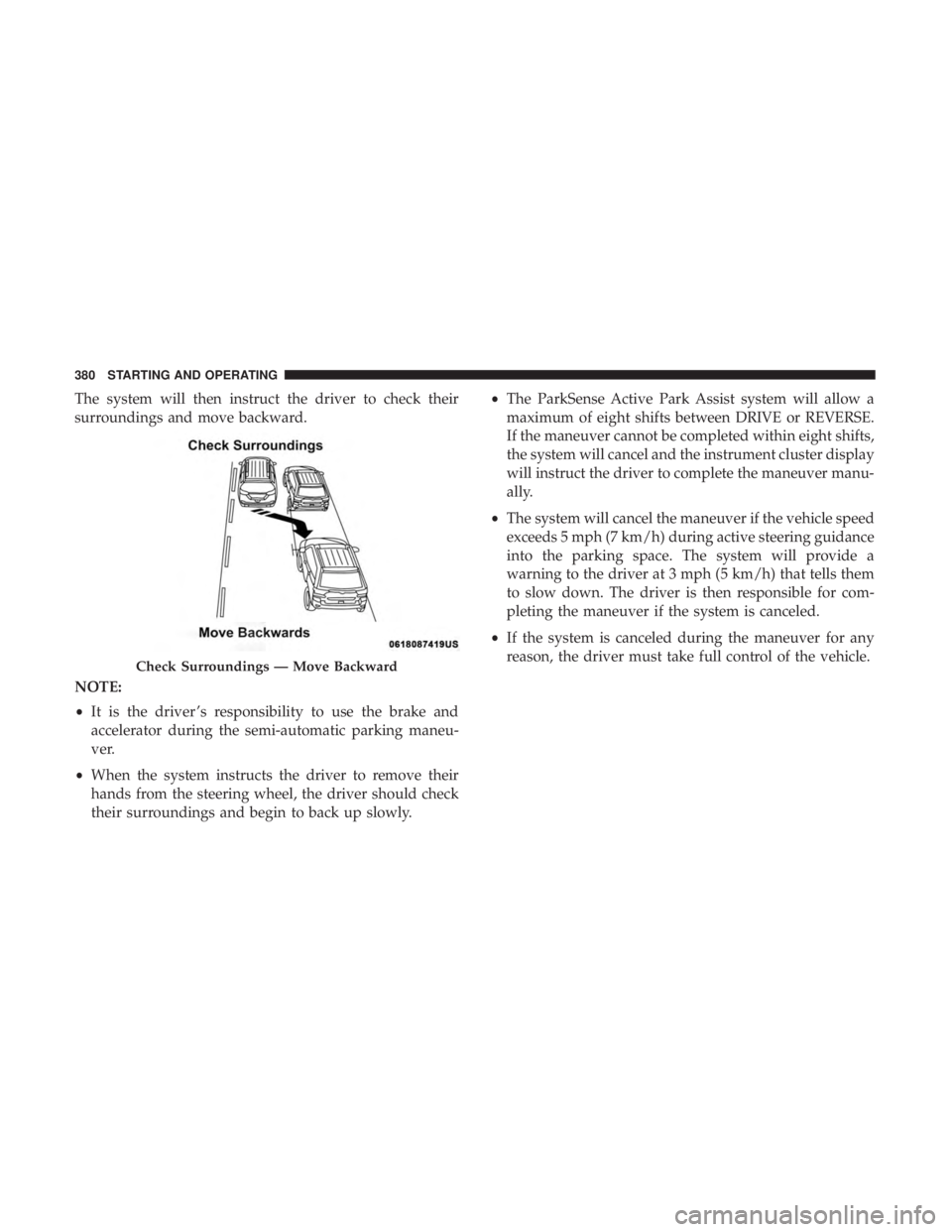
The system will then instruct the driver to check their
surroundings and move backward.
NOTE:
•It is the driver ’s responsibility to use the brake and
accelerator during the semi-automatic parking maneu-
ver.
• When the system instructs the driver to remove their
hands from the steering wheel, the driver should check
their surroundings and begin to back up slowly. •
The ParkSense Active Park Assist system will allow a
maximum of eight shifts between DRIVE or REVERSE.
If the maneuver cannot be completed within eight shifts,
the system will cancel and the instrument cluster display
will instruct the driver to complete the maneuver manu-
ally.
• The system will cancel the maneuver if the vehicle speed
exceeds 5 mph (7 km/h) during active steering guidance
into the parking space. The system will provide a
warning to the driver at 3 mph (5 km/h) that tells them
to slow down. The driver is then responsible for com-
pleting the maneuver if the system is canceled.
• If the system is canceled during the maneuver for any
reason, the driver must take full control of the vehicle.
Check Surroundings — Move Backward
380 STARTING AND OPERATING
Page 383 of 696
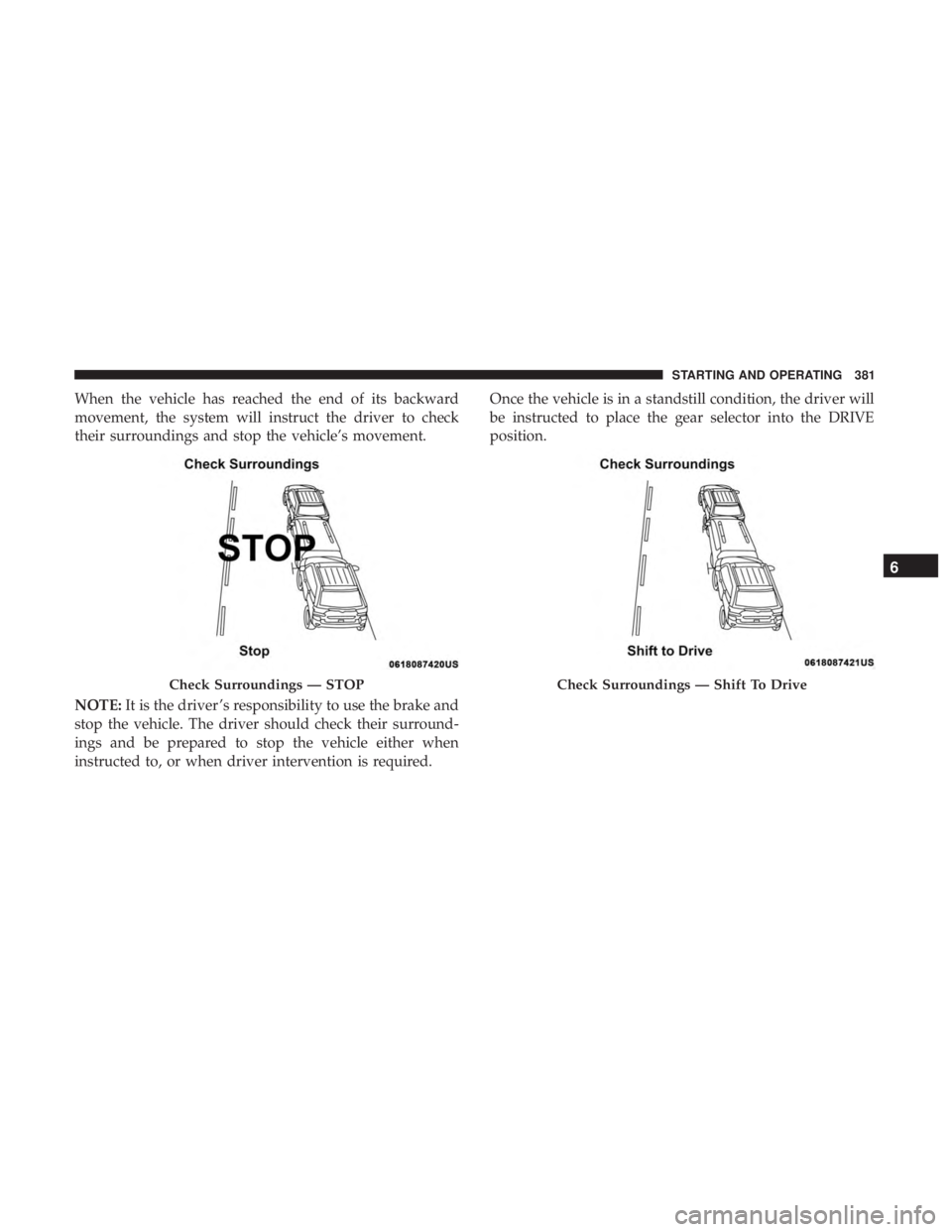
When the vehicle has reached the end of its backward
movement, the system will instruct the driver to check
their surroundings and stop the vehicle’s movement.
NOTE:It is the driver ’s responsibility to use the brake and
stop the vehicle. The driver should check their surround-
ings and be prepared to stop the vehicle either when
instructed to, or when driver intervention is required. Once the vehicle is in a standstill condition, the driver will
be instructed to place the gear selector into the DRIVE
position.
Check Surroundings — STOPCheck Surroundings — Shift To Drive
6
STARTING AND OPERATING 381
Page 385 of 696
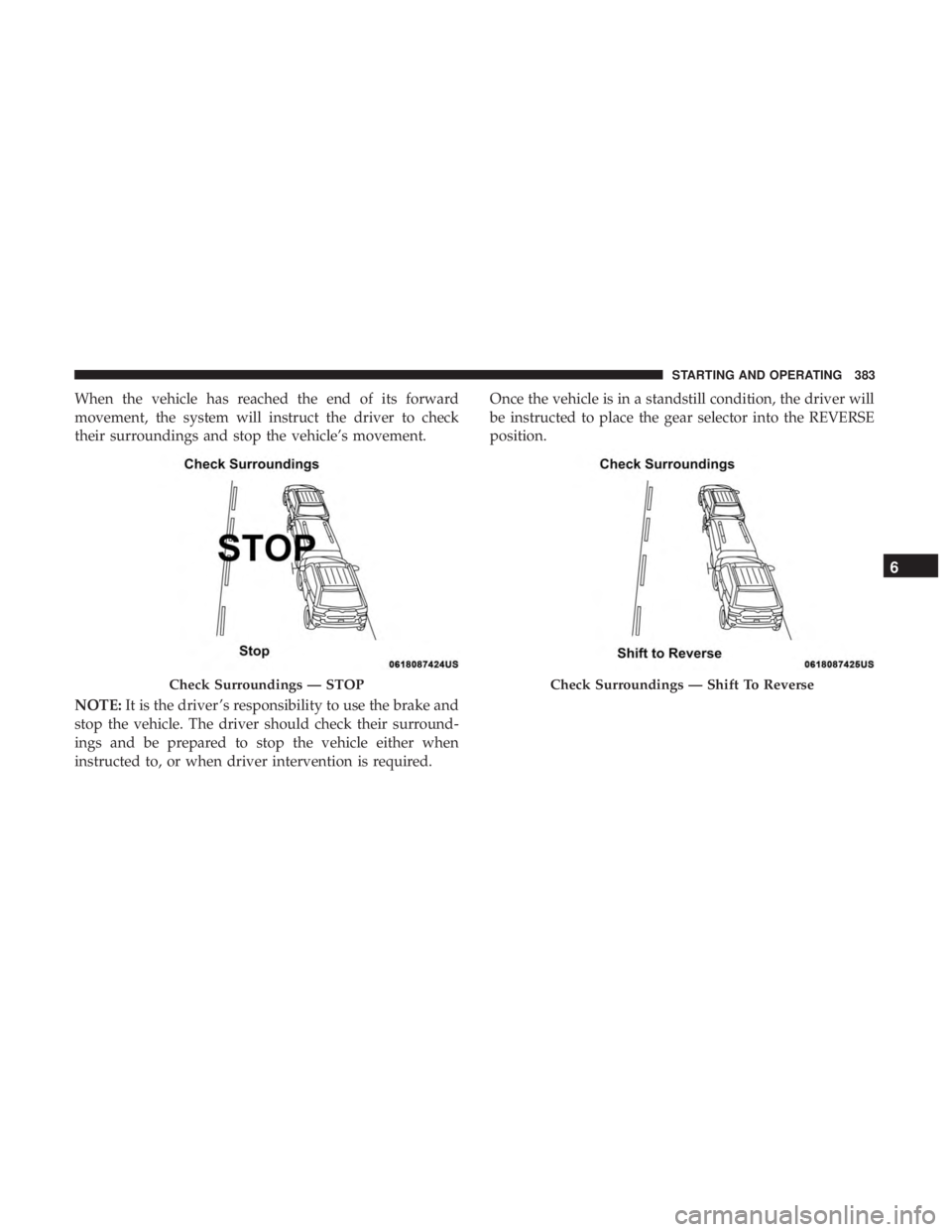
When the vehicle has reached the end of its forward
movement, the system will instruct the driver to check
their surroundings and stop the vehicle’s movement.
NOTE:It is the driver ’s responsibility to use the brake and
stop the vehicle. The driver should check their surround-
ings and be prepared to stop the vehicle either when
instructed to, or when driver intervention is required. Once the vehicle is in a standstill condition, the driver will
be instructed to place the gear selector into the REVERSE
position.
Check Surroundings — STOPCheck Surroundings — Shift To Reverse
6
STARTING AND OPERATING 383