ignition CHRYSLER PACIFICA 2019 Owner's Manual
[x] Cancel search | Manufacturer: CHRYSLER, Model Year: 2019, Model line: PACIFICA, Model: CHRYSLER PACIFICA 2019Pages: 718, PDF Size: 8.6 MB
Page 101 of 718
2. Pull the multifunction lever toward you to switch theheadlights from the high beam to the low beam position.
3. Rotate the headlight switch counterclockwise from the AUTO to the on position.
NOTE: Once active, the Automatic High Beam system will
stop functioning below 12 mph (20 km/h).
Flash-To-Pass
You can signal another vehicle with your headlights by
lightly pulling the multifunction lever toward you. This
will cause the high beam headlights to turn on, and remain
on, until the lever is released.
Automatic Headlights — If Equipped
This system automatically turns your headlights on or off
based on ambient light levels. To turn the system on, turn
the headlight switch to the extreme clockwise position
aligning the indicator with the AUTO on the headlight
switch. When the system is on, the Headlight Time Delay
feature is also on. This means your headlights will stay on
for up to 90 seconds after you turn the ignition switch OFF.
To turn the Automatic System off, turn the headlight switch
counterclockwise to the O (off) position. NOTE:
The engine must be running before the headlights
will come on in the Automatic mode.
Headlights On With Wipers — If Equipped
When your headlights are in the AUTO mode and the
engine is running, the headlights will automatically turn
on when the wiper system is also turned on. Headlights on
when windshield wipers are on may be found on vehicles
equipped with an automatic headlight system.
NOTE: The Headlights with Wipers feature can be turned
on or off through the Uconnect system. Refer to “Uconnect
Settings” in “Multimedia” for further information.
Headlight Delay — If Equipped
This feature provides the safety of headlight illumination
for up to 90 seconds after exiting your vehicle.
To activate the delay feature, turn the ignition OFF while
the headlights are still on. The 90 second delay interval
begins when headlight switch is turned off. If the head-
lights or parking lights are turned back on or the ignition
switch is turned ON, the delay will be cancelled.
3
GETTING TO KNOW YOUR VEHICLE 99
Page 102 of 718
When exiting the vehicle the driver can choose to have the
headlights remain on for 30, 60, or 90 seconds or not remain
on. To change the timer setting, select the proper setting
through the Uconnect System.
Refer to “Uconnect Settings” in “Multimedia” for further
information.
If the headlights are turned off before the ignition, they will
turn off in the normal manner.
NOTE:The headlights must be turned off within 45 sec-
onds of turning the ignition OFF to activate this feature.
Lights-On Reminder
If the headlights or the parking lights are left on after the
ignition switch is turned OFF, a chime will sound when the
driver’s door is opened.
Front Fog Lights — If Equipped
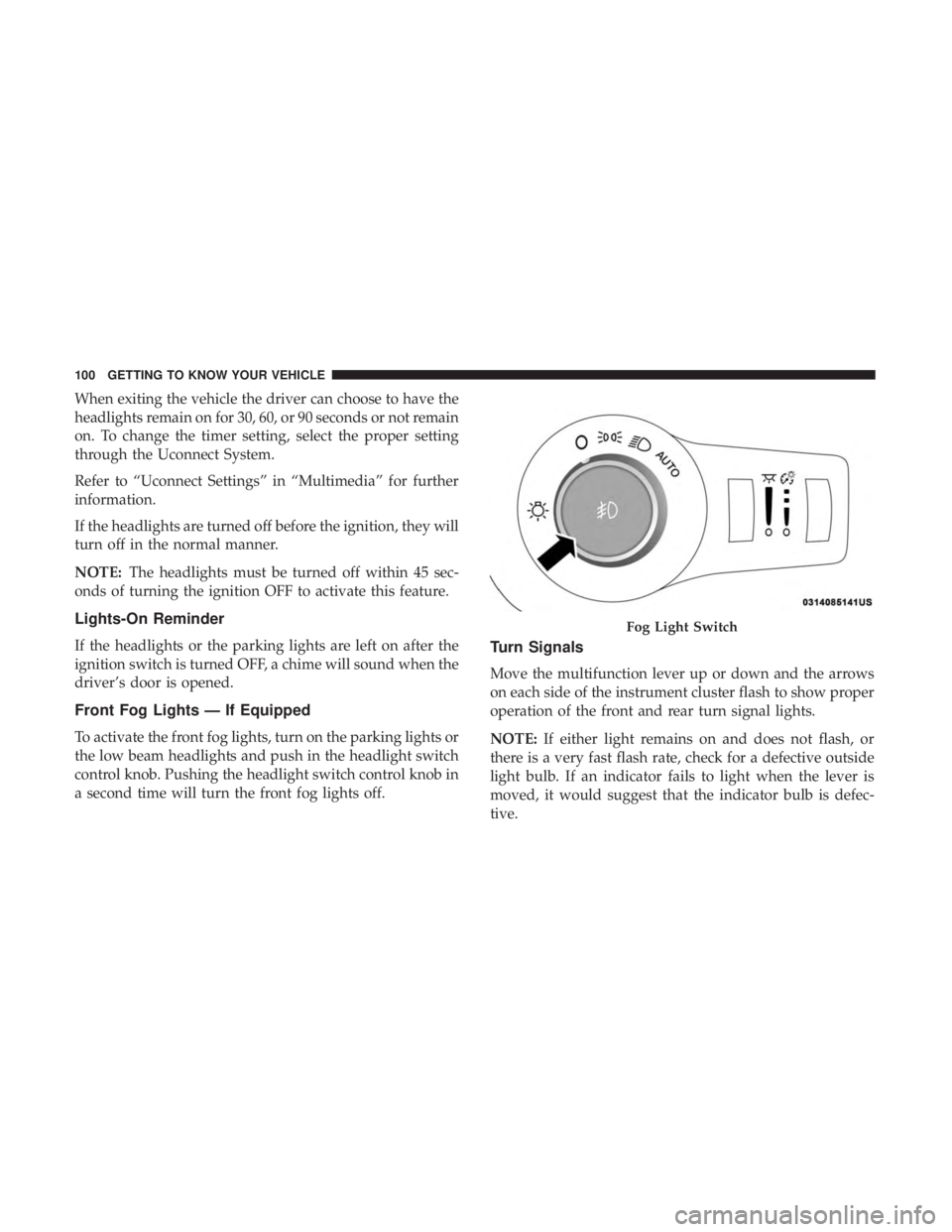
To activate the front fog lights, turn on the parking lights or
the low beam headlights and push in the headlight switch
control knob. Pushing the headlight switch control knob in
a second time will turn the front fog lights off.
Turn Signals
Move the multifunction lever up or down and the arrows
on each side of the instrument cluster flash to show proper
operation of the front and rear turn signal lights.
NOTE: If either light remains on and does not flash, or
there is a very fast flash rate, check for a defective outside
light bulb. If an indicator fails to light when the lever is
moved, it would suggest that the indicator bulb is defec-
tive.
Fog Light Switch
100 GETTING TO KNOW YOUR VEHICLE
Page 103 of 718
Turn Signal Warning
If the vehicle electronics sense that the vehicle has traveled
for about 1 mile (1.6 km) with the turn signals on, a chime
will sound and a message will display in the cluster to alert
the driver.
Lane Change Assist — If Equipped
Tap the multifunction lever up or down once, without
moving beyond the detent, and the turn signal (right or
left) will flash three times then automatically turn off.
Battery Protection
This feature provides battery protection to avoid wearing
down the battery if the headlights or parking lights are left
on for extended periods of time when the ignition is in the
OFF position. After eight minutes of the ignition being in
the OFF position and the headlight switch in any position
other than OFF or AUTO, the lights will turn off automati-
cally until the next cycle of the ignition or headlight switch.
The battery protection feature will be disabled if the
ignition is placed in any position other than OFF during the
eight minute delay.
INTERIOR LIGHTS
Courtesy/Interior Lighting
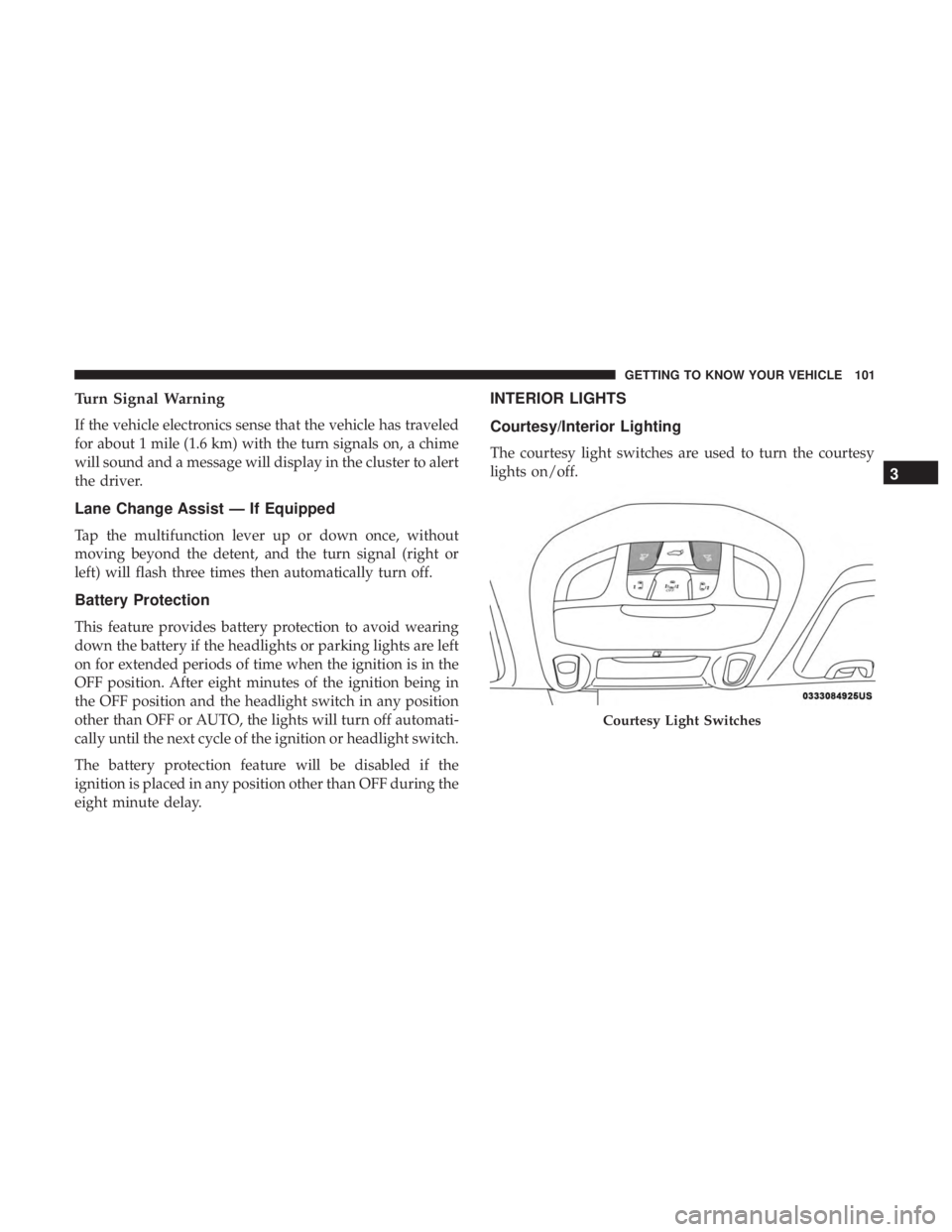
The courtesy light switches are used to turn the courtesy
lights on/off.
Courtesy Light Switches
3
GETTING TO KNOW YOUR VEHICLE 101
Page 104 of 718
To operate the courtesy lights, push either the driver or
passenger light switch.
NOTE:
•Before exiting the vehicle, make sure that the interior
lights are turned off. This will prevent the battery from
discharging once the doors are closed.
• If a light is left on, it will automatically be turned off
approximately 10 minutes after the ignition is in the
STOP/OFF position.
Rear Courtesy/Reading Lights — If Equipped
Located above the rear passengers are courtesy/reading
lights. The lights turn on when a front door, a sliding door
or the liftgate is opened. If your vehicle is equipped with
remote keyless entry the lights will also turn on when the
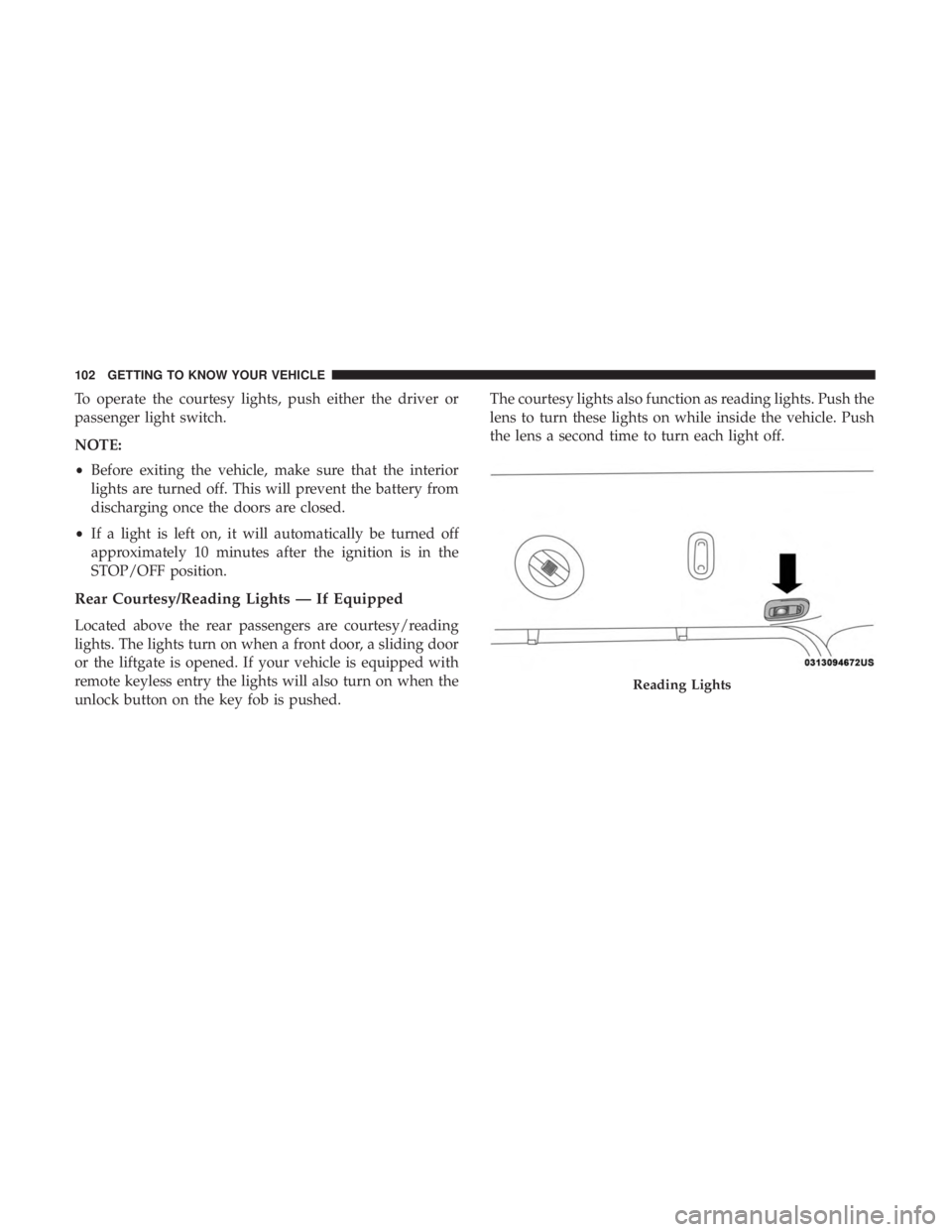
unlock button on the key fob is pushed. The courtesy lights also function as reading lights. Push the
lens to turn these lights on while inside the vehicle. Push
the lens a second time to turn each light off.
Reading Lights
102 GETTING TO KNOW YOUR VEHICLE
Page 108 of 718

Rain Sensing Wipers — If Equipped
This feature senses rain or snowfall on the windshield and
automatically activates the wipers for the driver. This
feature is especially useful for road splash or overspray
from the windshield washers of the vehicle ahead. Rotate
the end of the multifunction lever to one of the four
intermittent wiper sensitivity settings to activate this fea-
ture.
The sensitivity of the system is adjustable from the multi-
function lever. Wiper sensitivity position 3 has been cali-
brated for best overall wiping sensitivity. If the operator
desires more wiping sensitivity, they may select sensitivity
position 4. If the operator desires less wiping sensitivity,
they may select sensitivity positions 2 or 1. Place the
multifunction lever in the OFF position when not using the
system.
NOTE:
•The Rain Sensing feature will not operate when the
wiper speed is in the low or high position.
• The Rain Sensing feature may not function properly
when ice or dried saltwater is present on the windshield. •
Use of Rain-X or products containing wax or silicone
may reduce rain sensor performance.
• The Rain Sensing feature can be turned on and off
through the Uconnect System. Refer to “Uconnect Set-
tings” in “Multimedia” for further information.
The Rain Sensing system has protective features for the
wiper blades and arms. It will not operate under the
following conditions:
• Low Temperature Wipe Inhibit — The Rain Sensing
feature will not operate when the ignition is first
switched ON, when the vehicle is stationary and the
outside temperature is below 32°F (0°C), unless the
wiper control on the multifunction lever is moved, the
vehicle speed becomes greater than 3 mph (5 km/h) or
the outside temperature rises above freezing.
106 GETTING TO KNOW YOUR VEHICLE
Page 109 of 718
•Neutral Wipe Inhibit — The Rain Sensing feature will
not operate when the ignition is ON, when the transmis-
sion gear selector is in the NEUTRAL position and the
vehicle speed is less than 3 mph (5 km/h), unless the
wiper control on the multifunction lever is moved, the
vehicle speed is greater than 3 mph (5 km/h) or the gear
selector is moved out of the NEUTRAL position.
• Remote Start Mode Inhibit — On vehicles equipped
with Remote Starting system, Rain Sensing wipers are
not operational when the vehicle is in the remote start
mode. Once the operator is in the vehicle and has placed
the ignition switch in the RUN position, rain sensing
wiper operation can resume, if it has been selected, and
no other inhibit conditions (mentioned previously) exist.Rear Wiper And Washer
Rear Windshield Wiper Operation
Rotate the windshield wiper lever center ring upwards to
operate one of two modes for the rear window wiper:
• First detent — intermittent mode.
• Second detent — continuous mode.
Rear Windshield Washer Operation
Pushing the windshield wiper lever forward activates the
rear window washer. If the lever is pushed while on the
intermittent setting, the wipers will turn on and operate for
several wipe cycles after the lever is released, and then
resume the intermittent interval previously selected. If the
lever is pushed while the wipers are in the off position, the
wipers will operate several wipe cycles, then turn off.
3
GETTING TO KNOW YOUR VEHICLE 107
Page 140 of 718
WINDOWS
Power Windows
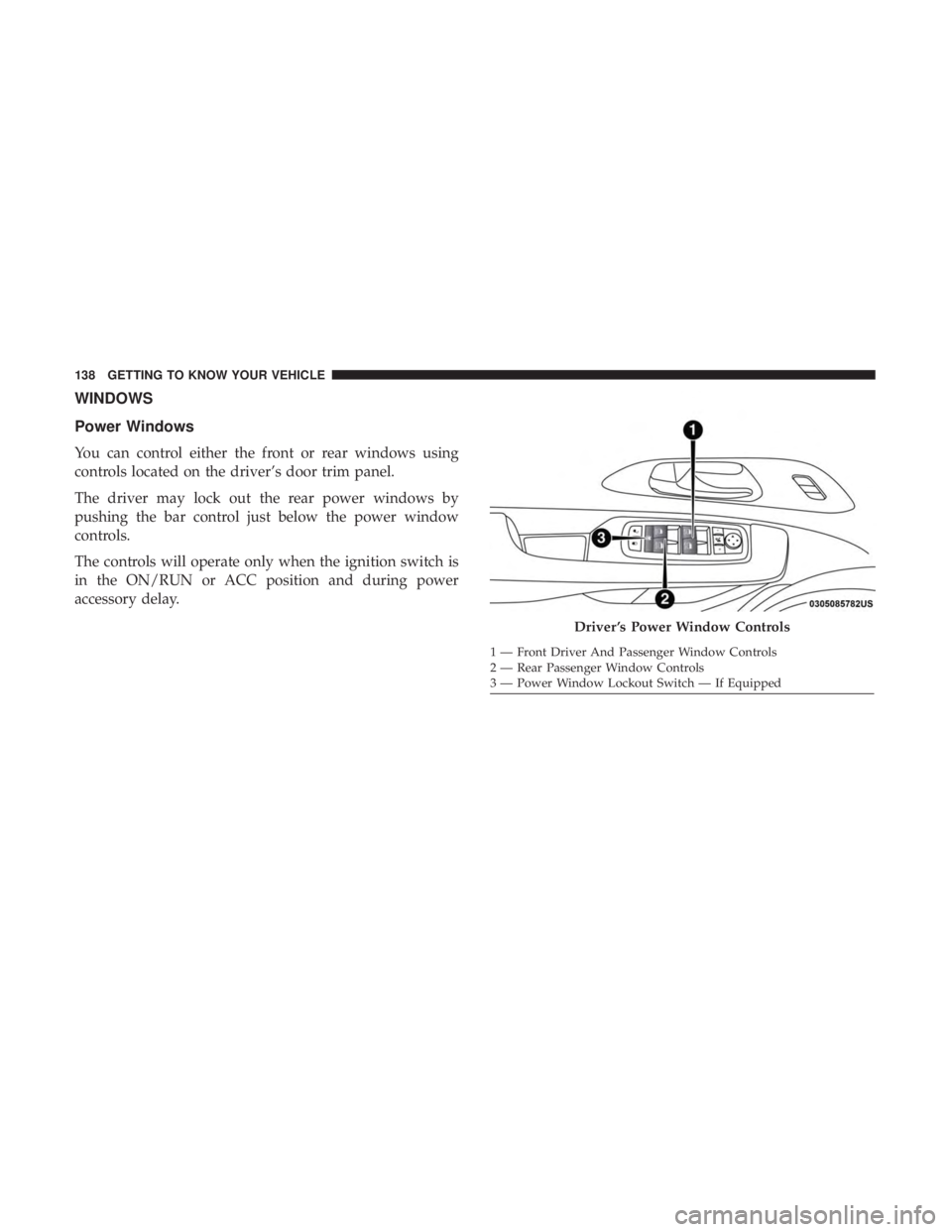
You can control either the front or rear windows using
controls located on the driver’s door trim panel.
The driver may lock out the rear power windows by
pushing the bar control just below the power window
controls.
The controls will operate only when the ignition switch is
in the ON/RUN or ACC position and during power
accessory delay.
Driver ’s Power Window Controls
1 — Front Driver And Passenger Window Controls
2 — Rear Passenger Window Controls
3 — Power Window Lockout Switch — If Equipped
138 GETTING TO KNOW YOUR VEHICLE
Page 141 of 718
NOTE:Power Window controls will also remain active for
up to 10 minutes after the ignition switch has been turned
to OFF, depending upon the accessory delay setting. Open-
ing a front door will cancel this feature.
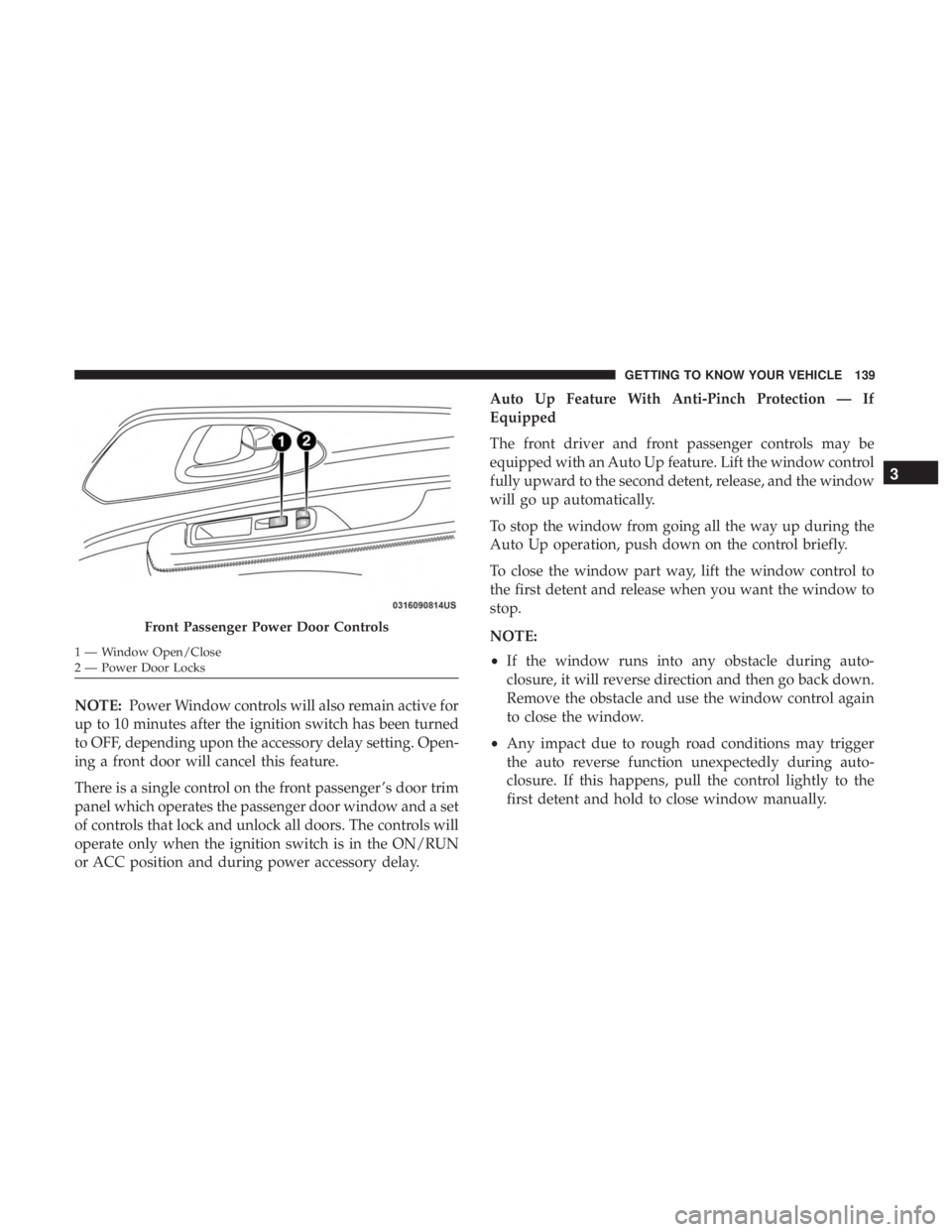
There is a single control on the front passenger ’s door trim
panel which operates the passenger door window and a set
of controls that lock and unlock all doors. The controls will
operate only when the ignition switch is in the ON/RUN
or ACC position and during power accessory delay. Auto Up Feature With Anti-Pinch Protection — If
Equipped
The front driver and front passenger controls may be
equipped with an Auto Up feature. Lift the window control
fully upward to the second detent, release, and the window
will go up automatically.
To stop the window from going all the way up during the
Auto Up operation, push down on the control briefly.
To close the window part way, lift the window control to
the first detent and release when you want the window to
stop.
NOTE:
•
If the window runs into any obstacle during auto-
closure, it will reverse direction and then go back down.
Remove the obstacle and use the window control again
to close the window.
• Any impact due to rough road conditions may trigger
the auto reverse function unexpectedly during auto-
closure. If this happens, pull the control lightly to the
first detent and hold to close window manually.
Front Passenger Power Door Controls
1 — Window Open/Close
2 — Power Door Locks
3
GETTING TO KNOW YOUR VEHICLE 139
Page 142 of 718
WARNING!
There is no anti-pinch protection when the window is
almost closed. To avoid personal injury be sure to clear
your arms, hands, fingers and all objects from the
window path before closing.
Auto Up Reset — If Equipped
To reactivate the Auto Up feature, perform the following
steps after vehicle power is restored:
1. Pull the window control up to close the window com- pletely and continue to hold the control up for an
additional two seconds after the window is closed.
2. Push the window control down firmly to the second detent to open the window completely and continue to
hold the control down for an additional two seconds
after the window is fully open.
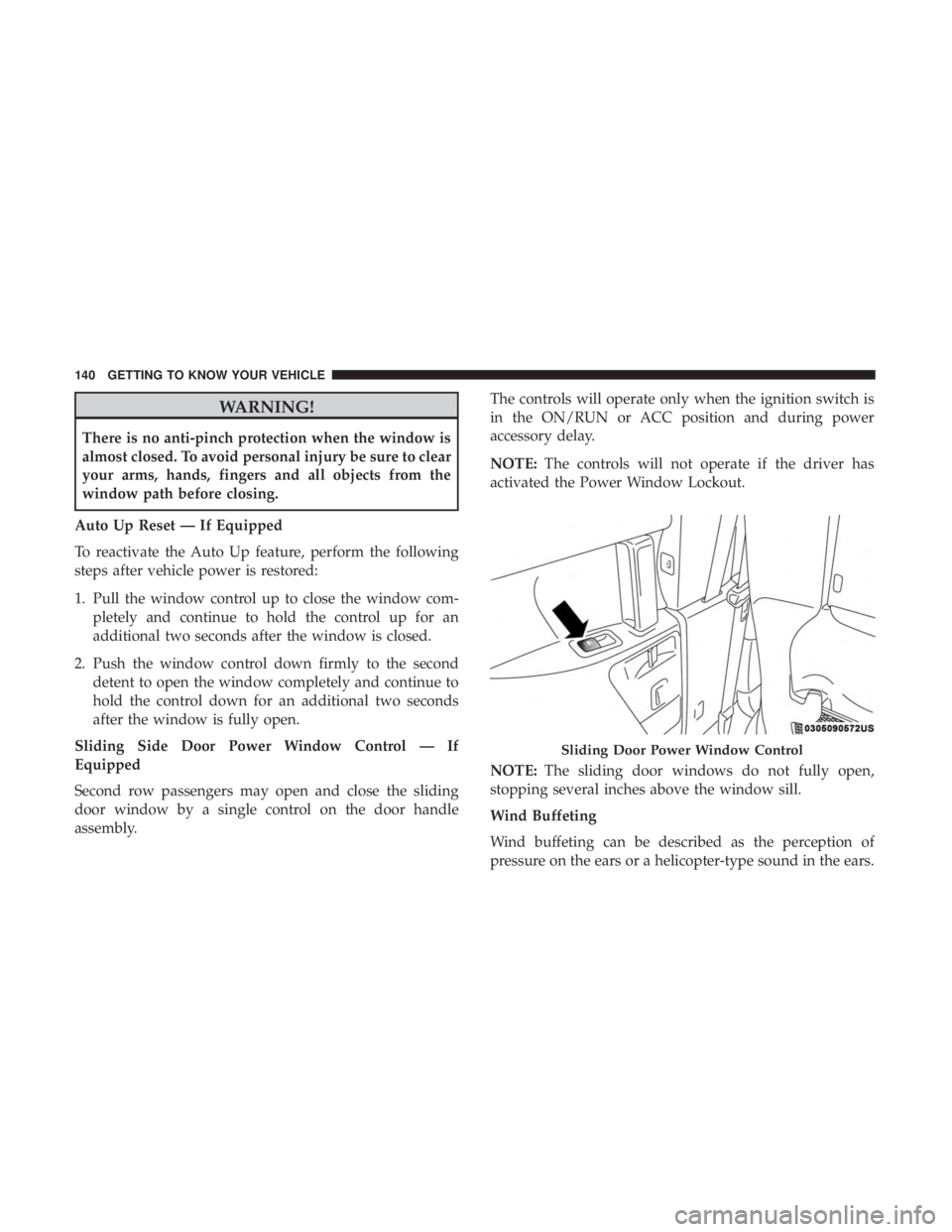
Sliding Side Door Power Window Control — If
Equipped
Second row passengers may open and close the sliding
door window by a single control on the door handle
assembly. The controls will operate only when the ignition switch is
in the ON/RUN or ACC position and during power
accessory delay.
NOTE:
The controls will not operate if the driver has
activated the Power Window Lockout.
NOTE: The sliding door windows do not fully open,
stopping several inches above the window sill.
Wind Buffeting
Wind buffeting can be described as the perception of
pressure on the ears or a helicopter-type sound in the ears.
Sliding Door Power Window Control
140 GETTING TO KNOW YOUR VEHICLE
Page 143 of 718
Your vehicle may exhibit wind buffeting with the windows
down, or the sunroof (if equipped) in certain open or
partially open positions. This is a normal occurrence and
can be minimized. If the rear windows are open and
buffeting occurs, open the front and rear windows together
to minimize the buffeting. If the buffeting occurs with the
sunroof open, adjust the sunroof opening to minimize the
buffeting.
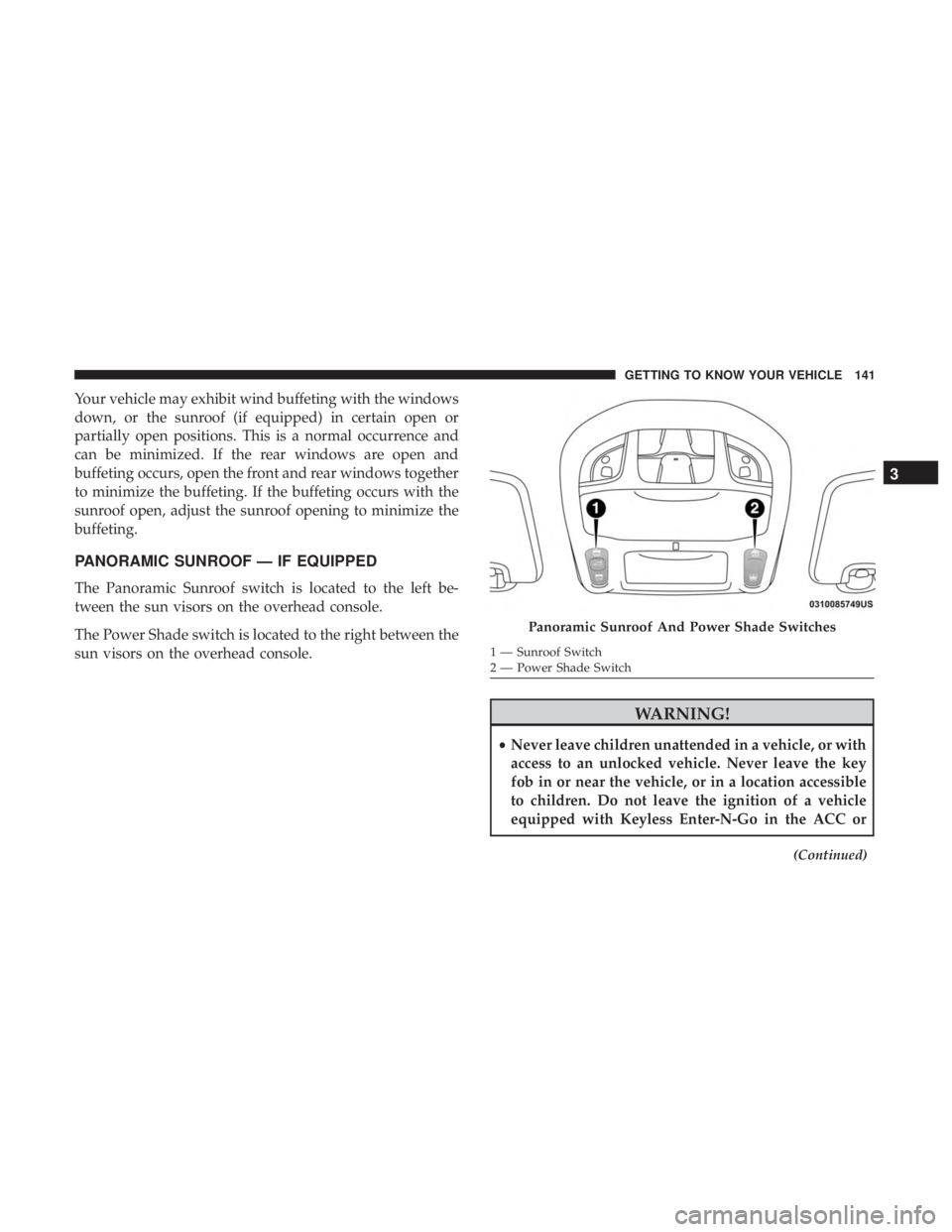
PANORAMIC SUNROOF — IF EQUIPPED
The Panoramic Sunroof switch is located to the left be-
tween the sun visors on the overhead console.
The Power Shade switch is located to the right between the
sun visors on the overhead console.
WARNING!
•Never leave children unattended in a vehicle, or with
access to an unlocked vehicle. Never leave the key
fob in or near the vehicle, or in a location accessible
to children. Do not leave the ignition of a vehicle
equipped with Keyless Enter-N-Go in the ACC or
(Continued)
Panoramic Sunroof And Power Shade Switches
1 — Sunroof Switch
2 — Power Shade Switch
3
GETTING TO KNOW YOUR VEHICLE 141