parking brake CHRYSLER PACIFICA 2019 Owner's Manual
[x] Cancel search | Manufacturer: CHRYSLER, Model Year: 2019, Model line: PACIFICA, Model: CHRYSLER PACIFICA 2019Pages: 718, PDF Size: 8.6 MB
Page 335 of 718
AUTOMATIC TRANSMISSION
WARNING!
•Never use the PARK position as a substitute for the
parking brake. Always apply the parking brake fully
when exiting the vehicle to guard against vehicle
movement and possible injury or damage.
• Your vehicle could move and injure you and others if
it is not in PARK. Check by trying to move the
transmission gear selector out of PARK with the
brake pedal released. Make sure the transmission is
in PARK before exiting the vehicle.
• The transmission may not engage PARK if the ve-
hicle is moving. Always bring the vehicle to a
complete stop before shifting to PARK, and verify
that the transmission gear position indicator solidly
indicates PARK (P) without blinking. Ensure that the
vehicle is completely stopped, and the PARK posi-
tion is properly indicated, before exiting the vehicle.
• It is dangerous to shift out of PARK or NEUTRAL if
the engine speed is higher than idle speed. If your
foot is not firmly pressing the brake pedal, the
(Continued)
WARNING! (Continued)
vehicle could accelerate quickly forward or in re-
verse. You could lose control of the vehicle and hit
someone or something. Only shift into gear when the
engine is idling normally and your foot is firmly
pressing the brake pedal.
• Unintended movement of a vehicle could injure
those in or near the vehicle. As with all vehicles, you
should never exit a vehicle while the engine is
running. Before exiting a vehicle, always come to a
complete stop, then apply the parking brake, shift
the transmission into PARK, and turn the ignition
OFF. When the ignition is in the OFF mode, the
transmission is locked in PARK, securing the vehicle
against unwanted movement.
• When exiting the vehicle, always make sure the
ignition is in the OFF mode, remove the key fob from
the vehicle, and lock the vehicle.
• Never leave children alone in a vehicle, or with
access to an unlocked vehicle. Allowing children to
be in a vehicle unattended is dangerous for a number
of reasons. A child or others could be seriously or
fatally injured. Children should be warned not to
(Continued)
6
STARTING AND OPERATING 333
Page 336 of 718
WARNING!(Continued)
touch the parking brake, brake pedal or the trans-
mission gear selector.
• Do not leave the key fob in or near the vehicle (or in
a location accessible to children), and do not leave
the ignition in the ACC or ON/RUN mode. A child
could operate power windows, other controls, or
move the vehicle.
CAUTION!
Damage to the transmission may occur if the following
precautions are not observed:
• Shift into or out of PARK or REVERSE only after the
vehicle has come to a complete stop.
• Do not shift between PARK, REVERSE, NEUTRAL,
or DRIVE when the engine is above idle speed.
• Before shifting into any gear, make sure your foot is
firmly pressing the brake pedal.
NOTE: You must press and hold the brake pedal while
shifting out of PARK.
Ignition Park Interlock
This vehicle is equipped with an Ignition Park Interlock
which requires the transmission to be in PARK before the
ignition can be turned to the OFF mode. This helps the
driver avoid inadvertently leaving the vehicle without
placing the transmission in PARK. This system also locks
the transmission in PARK whenever the ignition is in the
OFF mode.
NOTE: The transmission is NOT locked in PARK when the
ignition is in the ACC mode (even though the engine will
be off). Ensure that the transmission is in PARK, and the
ignition is OFF(not in ACC mode) before exiting the
vehicle.
Brake/Transmission Shift Interlock System
This vehicle is equipped with a Brake Transmission Shift
Interlock system (BTSI) that holds the transmission gear
selector in PARK unless the brakes are applied. To shift the
transmission out of PARK, the engine must be running and
the brake pedal must be pressed. The brake pedal must
also be pressed to shift from NEUTRAL into DRIVE or
REVERSE when the vehicle is stopped or moving at low
speeds.
334 STARTING AND OPERATING
Page 338 of 718
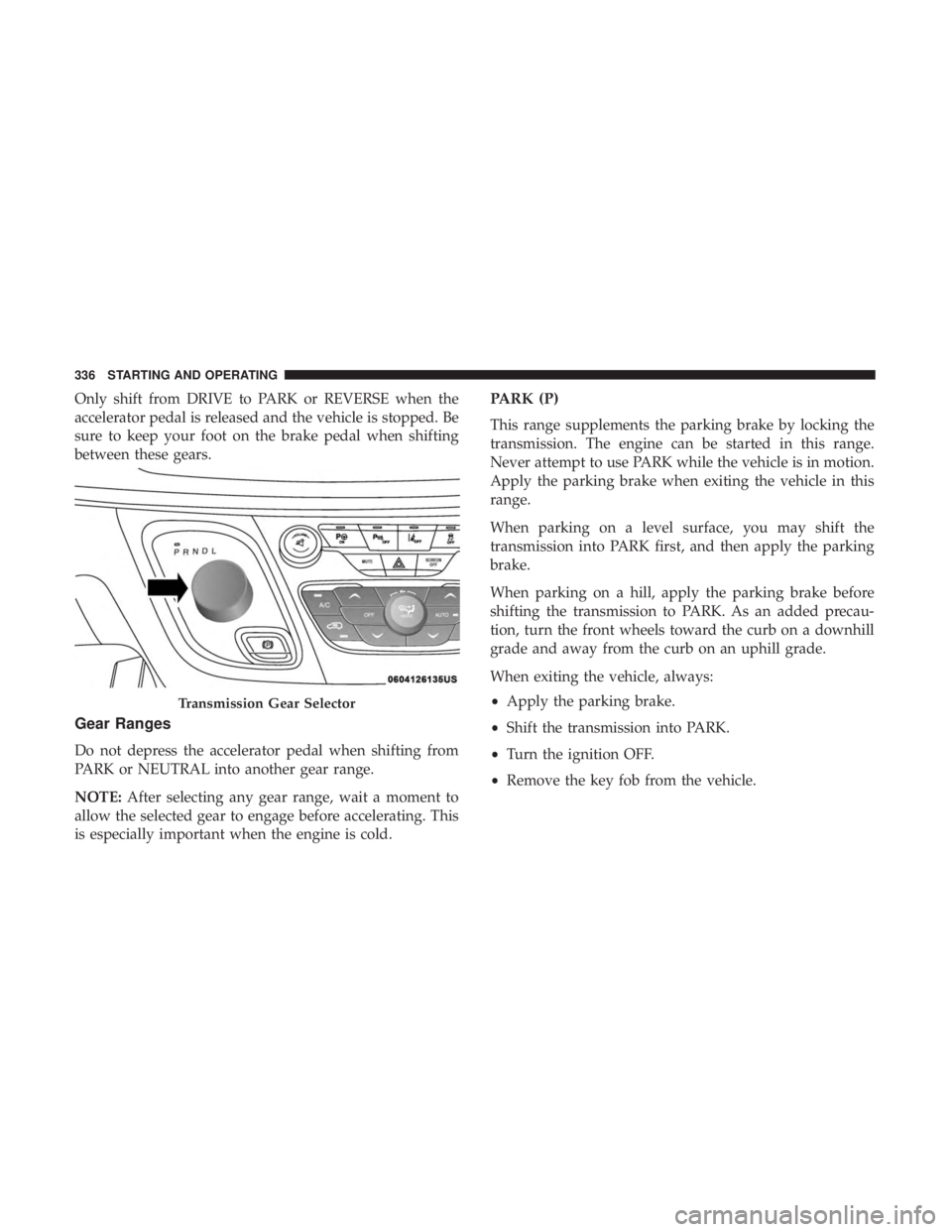
Only shift from DRIVE to PARK or REVERSE when the
accelerator pedal is released and the vehicle is stopped. Be
sure to keep your foot on the brake pedal when shifting
between these gears.
Gear Ranges
Do not depress the accelerator pedal when shifting from
PARK or NEUTRAL into another gear range.
NOTE:After selecting any gear range, wait a moment to
allow the selected gear to engage before accelerating. This
is especially important when the engine is cold.
PARK (P)
This range supplements the parking brake by locking the
transmission. The engine can be started in this range.
Never attempt to use PARK while the vehicle is in motion.
Apply the parking brake when exiting the vehicle in this
range.
When parking on a level surface, you may shift the
transmission into PARK first, and then apply the parking
brake.
When parking on a hill, apply the parking brake before
shifting the transmission to PARK. As an added precau-
tion, turn the front wheels toward the curb on a downhill
grade and away from the curb on an uphill grade.
When exiting the vehicle, always:
• Apply the parking brake.
• Shift the transmission into PARK.
• Turn the ignition OFF.
• Remove the key fob from the vehicle.
Transmission Gear Selector
336 STARTING AND OPERATING
Page 339 of 718
WARNING!
•Never use the PARK position as a substitute for the
parking brake. Always apply the parking brake fully
when exiting the vehicle to guard against vehicle
movement and possible injury or damage.
• Your vehicle could move and injure you and others if
it is not in PARK. Check by trying to move the
transmission gear selector out of PARK with the
brake pedal released. Make sure the transmission is
in PARK before exiting the vehicle.
• The transmission may not engage PARK if the ve-
hicle is moving. Always bring the vehicle to a
complete stop before shifting to PARK, and verify
that the transmission gear position indicator solidly
indicates PARK (P) without blinking. Ensure that the
vehicle is completely stopped, and the PARK posi-
tion is properly indicated, before exiting the vehicle.
• It is dangerous to shift out of PARK or NEUTRAL if
the engine speed is higher than idle speed. If your
foot is not firmly pressing the brake pedal, the
vehicle could accelerate quickly forward or in re-
verse. You could lose control of the vehicle and hit
someone or something. Only shift into gear when the
(Continued)
WARNING! (Continued)
engine is idling normally and your foot is firmly
pressing the brake pedal.
• Unintended movement of a vehicle could injure
those in or near the vehicle. As with all vehicles, you
should never exit a vehicle while the engine is
running. Before exiting a vehicle, always come to a
complete stop, then apply the parking brake, shift
the transmission into PARK, and turn the ignition
OFF. When the ignition is in the OFF mode, the
transmission is locked in PARK, securing the vehicle
against unwanted movement.
• When exiting the vehicle, always make sure the
ignition is in the OFF mode, remove the key fob from
the vehicle, and lock the vehicle.
• Never leave children alone in a vehicle, or with
access to an unlocked vehicle. Allowing children to
be in a vehicle unattended is dangerous for a number
of reasons. A child or others could be seriously or
fatally injured. Children should be warned not to
touch the parking brake, brake pedal or the trans-
mission gear selector.
(Continued)
6
STARTING AND OPERATING 337
Page 344 of 718
NOTE:
•Even if the power steering assistance is no longer
operational, it is still possible to steer the vehicle. Under
these conditions there will be a substantial increase in
steering effort, especially at low speeds and during
parking maneuvers.
• The power steering system is fully electric; it requires no
power steering fluid.
• If the condition persists, see your authorized dealer for
service.
STOP/START SYSTEM — IF EQUIPPED
The Stop/Start function is developed to reduce fuel con-
sumption. The system will stop the engine automatically
during a vehicle stop if the required conditions are met.
Releasing the brake pedal, pressing the accelerator pedal or
shifting out of DRIVE (D) will automatically re-start the
engine.
This vehicle has been upgraded with a heavy duty starter,
enhanced battery, and other upgraded engine parts, to
handle the additional engine starts.
Auto Stop/Start
The Stop/Start feature is enabled after every
normal customer engine start. At that time, the
system will go into STOP/START READY and if
all other conditions are met, can go into a STOP/
START AUTOSTOP ACTIVE.
To Activate Auto STOP/START, The Following Must
Occur:
• The system must be in STOP/START READY state. A
STOP/START READY message will be displayed in the
instrument cluster within the Stop/Start section. Refer to
“Instrument Cluster Display” in “Getting To Know Your
Instrument Panel” for further information.
• The vehicle must be completely stopped.
• The shifter must be in a forward gear and the brake
pedal depressed.
The engine will shut down, the tachometer will move to
the zero position and the Stop/Start telltale will illuminate
indicating you are in Autostop. Customer settings will be
maintained throughout the Auto Stop/Start process.
342 STARTING AND OPERATING
Page 352 of 718
WARNING!(Continued)
•Cannot take street, traffic, and weather conditions
into account, and may be limited upon adverse
sight distance conditions.
• Does not always fully recognize complex driving
conditions, which can result in wrong or missing
distance warnings.
• Will bring the vehicle to a complete stop while
following a target vehicle and hold the vehicle for
approximately 3 minutes in the stop position. If the
target vehicle does not start moving within 3
minutes the parking brake will be activated, and
the ACC system will be cancelled.
You should switch off the ACC system:
• When driving in fog, heavy rain, heavy snow, sleet,
heavy traffic, and complex driving situations (i.e., in
highway construction zones).
• When entering a turn lane or highway off ramp;
when driving on roads that are winding, icy, snow-
covered, slippery, or have steep uphill or downhill
slopes.
• When towing a trailer up or down steep slopes.
• When circumstances do not allow safe driving at a
constant speed.
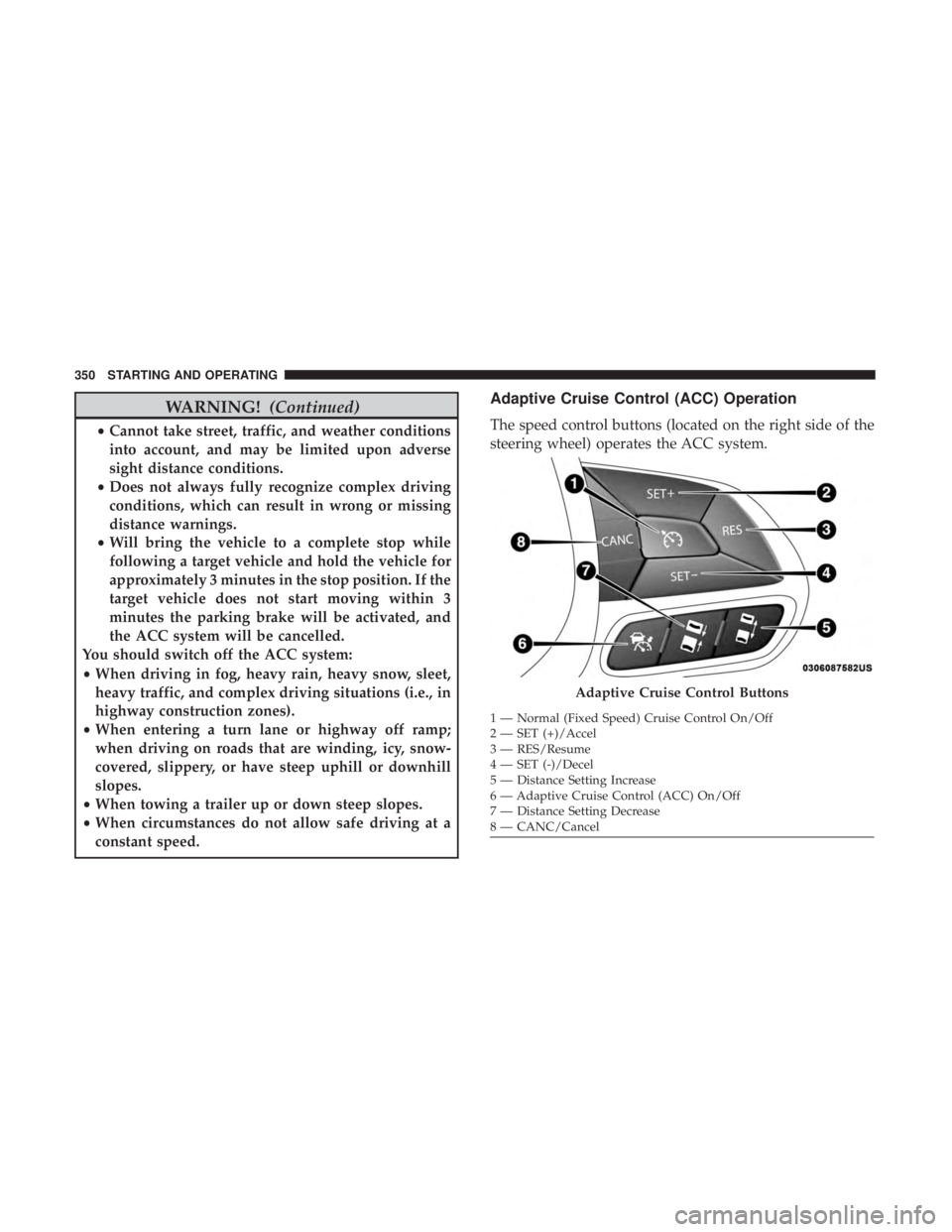
Adaptive Cruise Control (ACC) Operation
The speed control buttons (located on the right side of the
steering wheel) operates the ACC system.
Adaptive Cruise Control Buttons
1 — Normal (Fixed Speed) Cruise Control On/Off
2 — SET (+)/Accel
3 — RES/Resume
4 — SET (-)/Decel
5 — Distance Setting Increase
6 — Adaptive Cruise Control (ACC) On/Off
7 — Distance Setting Decrease
8 — CANC/Cancel
350 STARTING AND OPERATING
Page 353 of 718
NOTE:Any chassis/suspension or tire size modifications
to the vehicle will effect the performance of the Adaptive
Cruise Control and Forward Collision Warning System.
Activating Adaptive Cruise Control (ACC)
You can only engage ACC if the vehicle speed is above
0 mph (0 km/h).
The minimum set speed for the ACC system is 20 mph
(32 km/h).
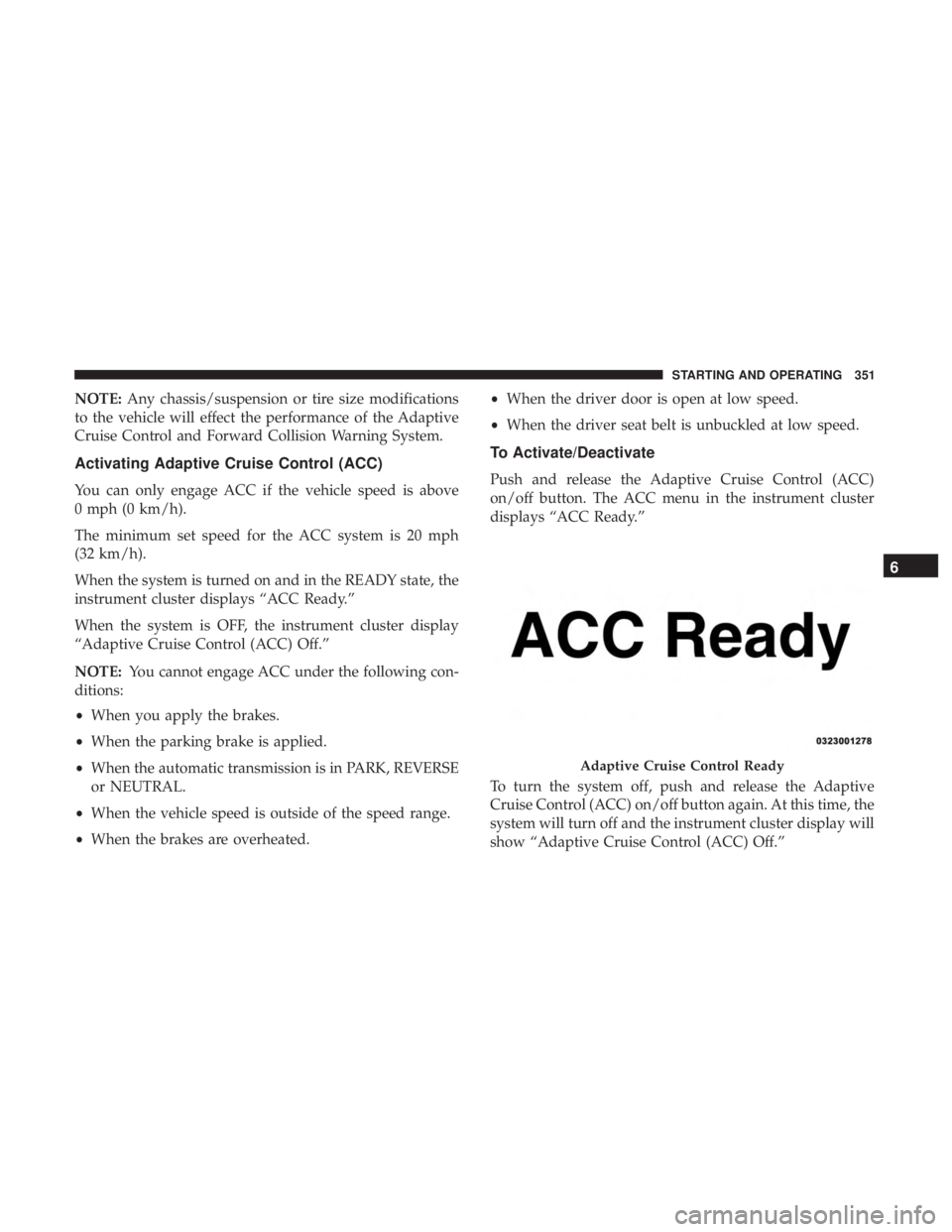
When the system is turned on and in the READY state, the
instrument cluster displays “ACC Ready.”
When the system is OFF, the instrument cluster display
“Adaptive Cruise Control (ACC) Off.”
NOTE: You cannot engage ACC under the following con-
ditions:
• When you apply the brakes.
• When the parking brake is applied.
• When the automatic transmission is in PARK, REVERSE
or NEUTRAL.
• When the vehicle speed is outside of the speed range.
• When the brakes are overheated. •
When the driver door is open at low speed.
• When the driver seat belt is unbuckled at low speed.
To Activate/Deactivate
Push and release the Adaptive Cruise Control (ACC)
on/off button. The ACC menu in the instrument cluster
displays “ACC Ready.”
To turn the system off, push and release the Adaptive
Cruise Control (ACC) on/off button again. At this time, the
system will turn off and the instrument cluster display will
show “Adaptive Cruise Control (ACC) Off.”
Adaptive Cruise Control Ready
6
STARTING AND OPERATING 351
Page 355 of 718
•The gear selector is removed from the DRIVE position.
• The Electronic Stability Control/Traction Control Sys-
tem (ESC/TCS) activates.
• The vehicle parking brake is applied.
• Driver seatbelt is unbuckled at low speeds.
• Driver door is opened at low speeds.
To Turn Off
The system will turn off and clear the set speed in memory
if:
•The Adaptive Cruise Control (ACC) on/off button is
pushed.
• The Normal (Fixed Speed) Cruise Control on/off button
is pushed.
• The ignition is turned OFF.
To Resume
If there is a set speed in memory push the RES (resume)
button and then remove your foot from the accelerator
pedal. The instrument cluster display will display the last
set speed. NOTE:
•
If your vehicle stays at standstill for longer than two
seconds, then the driver will either have to push the RES
(resume) button, or apply the accelerator pedal to reen-
gage the ACC to the existing set speed.
• ACC cannot be resumed if there is a stationary vehicle
in-front of your vehicle in close proximity.
WARNING!
The Resume function should only be used if traffic
and road conditions permit. Resuming a set speed that
is too high or too low for prevailing traffic and road
conditions could cause the vehicle to accelerate or
decelerate too sharply for safe operation. Failure to
follow these warnings can result in a collision and
death or serious personal injury.
To Vary The Speed Setting
To Increase Speed
While ACC is set, you can increase the set speed by
pushing the SET (+)button.
The driver’s preferred units can be selected through the
instrument cluster. Refer to “Instrument Cluster Display”
6
STARTING AND OPERATING 353
Page 360 of 718
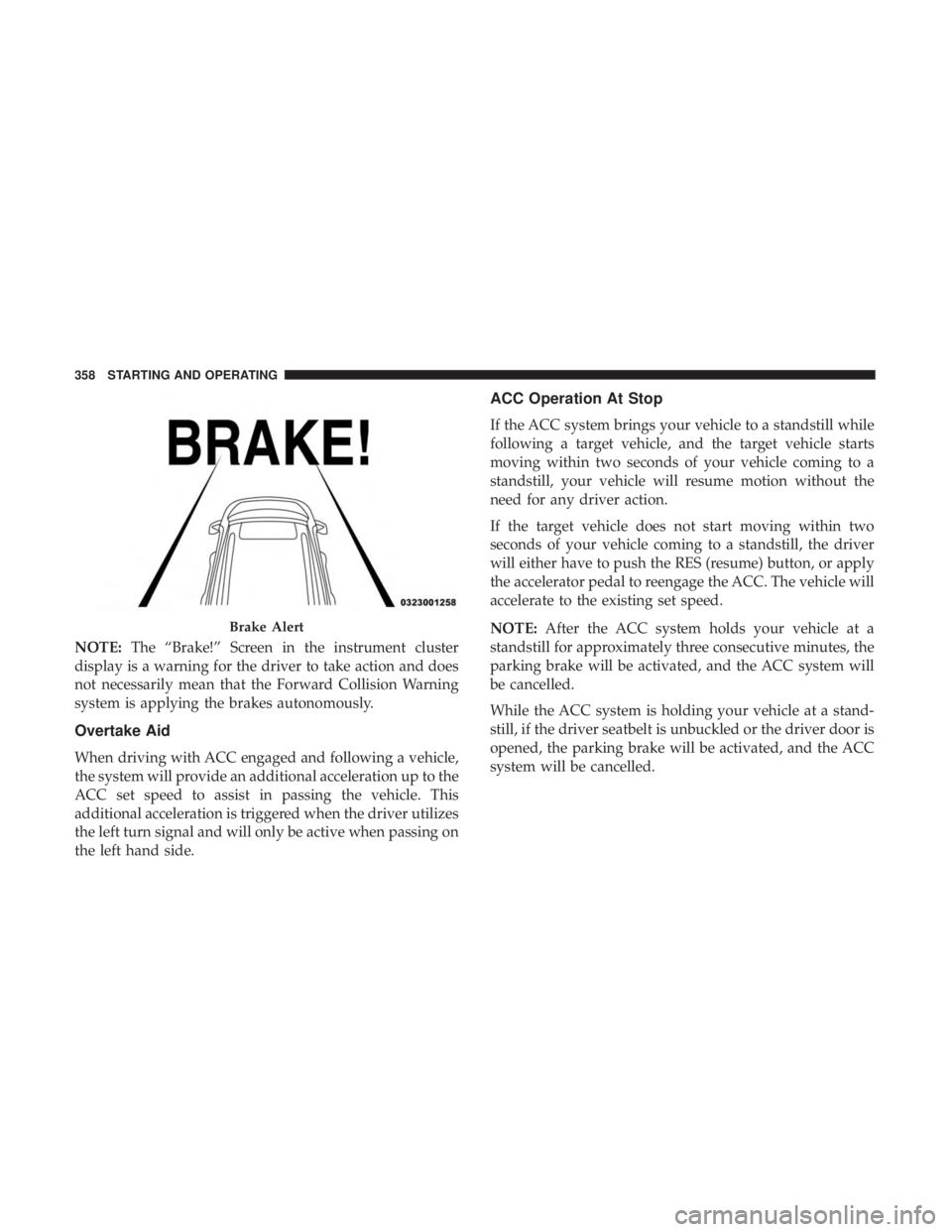
NOTE:The “Brake!” Screen in the instrument cluster
display is a warning for the driver to take action and does
not necessarily mean that the Forward Collision Warning
system is applying the brakes autonomously.
Overtake Aid
When driving with ACC engaged and following a vehicle,
the system will provide an additional acceleration up to the
ACC set speed to assist in passing the vehicle. This
additional acceleration is triggered when the driver utilizes
the left turn signal and will only be active when passing on
the left hand side.
ACC Operation At Stop
If the ACC system brings your vehicle to a standstill while
following a target vehicle, and the target vehicle starts
moving within two seconds of your vehicle coming to a
standstill, your vehicle will resume motion without the
need for any driver action.
If the target vehicle does not start moving within two
seconds of your vehicle coming to a standstill, the driver
will either have to push the RES (resume) button, or apply
the accelerator pedal to reengage the ACC. The vehicle will
accelerate to the existing set speed.
NOTE: After the ACC system holds your vehicle at a
standstill for approximately three consecutive minutes, the
parking brake will be activated, and the ACC system will
be cancelled.
While the ACC system is holding your vehicle at a stand-
still, if the driver seatbelt is unbuckled or the driver door is
opened, the parking brake will be activated, and the ACC
system will be cancelled.
Brake Alert
358 STARTING AND OPERATING
Page 369 of 718
Metric Speed (km/h)
•Pushing the SET (+)button once will result in a 1 km/h
increase in set speed. Each subsequent tap of the button
results in an increase of 1 km/h.
• If the button is continually pushed, the set speed will
continue to increase in 10 km/h increments until the
button is released. The increase in set speed is reflected
in the instrument cluster display.
To Decrease Speed
When the Normal (Fixed Speed) Cruise Control is set, you
can decrease speed by pushing the SET (-)button.
The driver ’s preferred units can be selected through the
instrument cluster. Refer to “Instrument Cluster Display”
in “Getting To Know Your Instrument Panel” for more
information. The speed decrement shown is dependant on
the speed of U.S. (mph) or Metric (km/h) units:
U.S. Speed (mph)
• Pushing the SET (-)button once will result in a 1 mph
decrease in set speed. Each subsequent tap of the button
results in a decrease of 1 mph. •
If the button is continually pushed, the set speed will
continue to decrease in 5 mph decrements until the
button is released. The decrease in set speed is reflected
in the instrument cluster display.
Metric Speed (km/h)
• Pushing the SET (-)button once will result in a 1 km/h
decrease in set speed. Each subsequent tap of the button
results in a decrease of 1 km/h.
• If the button is continually pushed, the set speed will
continue to decrease in 10 km/h decrements until the
button is released. The decrease in set speed is reflected
in the instrument cluster display.
To Cancel
The following conditions will cancel the Normal (Fixed
Speed) Cruise Control without clearing the memory:
• The brake pedal is applied.
• The CANC (cancel) button is pushed.
• The Electronic Stability Control/Traction Control Sys-
tem (ESC/TCS) activates.
• The vehicle parking brake is applied.
6
STARTING AND OPERATING 367