automatic start CHRYSLER PACIFICA 2020 Owners Manual
[x] Cancel search | Manufacturer: CHRYSLER, Model Year: 2020, Model line: PACIFICA, Model: CHRYSLER PACIFICA 2020Pages: 516, PDF Size: 28.69 MB
Page 4 of 516
2
INTRODUCTION
HOW TO USE THIS MANUAL ................................10
Essential Information .................................. 10
Symbols ........................................................ 10
WARNINGS AND CAUTIONS ...............................10
VEHICLE MODIFICATIONS/ALTERATIONS ........11
GETTING TO KNOW YOUR VEHICLE
VEHICLE USER GUIDE — IF EQUIPPED ...............12
KEYS ......................................................................13
Key Fob......................................................... 13
IGNITION SWITCH .................................................18
Keyless Enter-N-Go — Ignition ..................... 18
REMOTE STARTING SYSTEM — IF EQUIPPED ...19
How To Use Remote Start ........................... 20
Remote Start Cancel Message —
If Equipped ................................................... 20 To Enter Remote Start Mode ...................... 21
To Exit Remote Start Mode Without Driving
The Vehicle .................................................. 21 To Exit Remote Start Mode And Drive The
Vehicle .......................................................... 21 Remote Start Comfort Systems —
If Equipped ................................................... 21 General Information .................................... 22 SENTRY KEY.......................................................... 22
Key Programming ....................................... 23
Replacement Keys....................................... 23
General Information .................................... 23
VEHICLE SECURITY ALARM — IF EQUIPPED ..... 24
To Arm The System ..................................... 24
To Disarm The System ................................ 24
Rearming Of The System............................. 25
DOORS ................................................................... 25
Manual Lock ................................................ 25
Central Lock/Unlock — If Equipped ............ 26
Unlock Doors Automatically On Exit — If
Equipped ...................................................... 27 Keyless Enter-N-Go — Passive Entry........... 27
Manual Sliding Side Door............................ 30
Power Sliding Side Door — If Equipped ...... 30
Hands-Free Sliding Doors — If Equipped.... 32
Child Locks ................................................... 32
DRIVER MEMORY SETTINGS — IF EQUIPPED .. 34
Programming The Memory Feature............ 34
Linking And Unlinking The Key Fob To
Memory ........................................................ 34 Memory Position Recall............................... 35 SEATS ....................................................................35
Manual Adjustment (Front Seats) — If
Equipped ...................................................... 35 Manual Adjustment (Rear Seats) ............... 37
Power Adjustment (Front Seats) —
If Equipped ................................................... 48 Power Adjustment (Rear Seats) —
If Equipped ................................................... 50 Heated Seats ............................................... 53
Ventilated Seats — If Equipped................... 54
Adjustable Armrest (Front Seats) —
If Equipped ................................................... 54 Plastic Grocery Bag Retainer Hooks .......... 54
HEAD RESTRAINTS ..............................................55
Head Restraints — Front Seats................... 55
Head Restraints — Second Row
Quad Seats .................................................. 56 Head Restraints — Second Row Bench...... 56
Head Restraints — Third Row ..................... 57
STEERING WHEEL.................................................58
Tilt/Telescoping Steering Column .............. 58
Heated Steering Wheel — If Equipped ....... 58
20_RU_OM_EN_US_t.book Page 2
Page 6 of 516
4
GETTING TO KNOW YOUR INSTRUMENT PANEL
INSTRUMENT CLUSTER..................................... 125
Instrument Cluster Descriptions ...............126
INSTRUMENT CLUSTER DISPLAY ................... 127
Instrument Cluster Display Location And
Controls ......................................................128 Oil Life Reset ..............................................129
Fuel And Oil Refresh Mode .......................129
KeySense Cluster Messages —
If Equipped .................................................130 Instrument Cluster Display Menu Items ..131
Battery Saver On/Battery Saver Mode
Message — Electrical Load Reduction
Actions — If Equipped ................................138 Instrument Cluster Display Programmable
Features Screen Setup.............................. 139
TRIP COMPUTER ............................................... 140
WARNING LIGHTS AND MESSAGES ............... 141
Red Warning Lights....................................141
Yellow Warning Lights ...............................144
Yellow Indicator Lights...............................147
Green Indicator Lights ...............................148
Blue Indicator Lights ..................................149White Indicator Lights................................149
ONBOARD DIAGNOSTIC SYSTEM — OBD II .... 150
Onboard Diagnostic System (OBD II)
Cybersecurity..............................................150
EMISSIONS INSPECTION AND MAINTENANCE
PROGRAMS ........................................................ 151
SAFETY
SAFETY FEATURES .............................................152 Anti-Lock Brake System (ABS) ................. 152
Electronic Brake Control (EBC) System ... 153
AUXILIARY DRIVING SYSTEMS.........................159 Blind Spot Monitoring (BSM) —
If Equipped ................................................. 159 Forward Collision Warning (FCW) With
Mitigation — If Equipped............................ 164 Tire Pressure Monitoring
System (TPMS) .......................................... 167
OCCUPANT RESTRAINT SYSTEMS .................. 171 Occupant Restraint Systems Features .... 171
Important Safety Precautions ................... 172
Seat Belt Systems ..................................... 172
Supplemental Restraint Systems (SRS)... 184
Child Restraints ......................................... 198
Transporting Pets ...................................... 215
SAFETY TIPS ....................................................... 216 Transporting Passengers .......................... 216Exhaust Gas .............................................. 216
Safety Checks You Should Make Inside
The Vehicle ................................................ 217 Periodic Safety Checks You Should Make
Outside The Vehicle ................................... 218
STARTING AND OPERATING
STARTING THE ENGINE .....................................219 Normal Starting.......................................... 219Cold Weather Operation (Below –22°F
Or −30°C) ................................................. 223 After Starting — Warming Up The
Engine ........................................................ 223 If Engine Fails To Start ............................. 223
To Turn Off The Engine Using ENGINE
START/STOP Button .................................. 223
ENGINE BLOCK HEATER — IF EQUIPPED ....... 224
ENGINE BREAK-IN RECOMMENDATIONS ...... 224
PARK BRAKE...................................................... 225 Electric Park Brake (EPB) ......................... 225
AUTOMATIC TRANSMISSION ........................... 228 Ignition Park Interlock ............................... 229Brake/Transmission Shift Interlock
System........................................................ 229 Nine-Speed Automatic Transmission ...... 230
Gear Ranges .............................................. 230
ACTIVE NOISE CANCELLATION ........................ 234
POWER STEERING............................................. 234
STOP/START SYSTEM — IF EQUIPPED ........... 235
Auto Stop/Start.......................................... 235
Possible Reasons The Engine Does Not
Autostop ..................................................... 235 To Start The Engine While In Auto
Stop/Start .................................................. 236 To Manually Turn Off The Stop/Start
System........................................................ 236 To Manually Turn On The Stop/Start
System........................................................ 237 System Malfunction................................... 237
20_RU_OM_EN_US_t.book Page 4
Page 8 of 516
6
IN CASE OF EMERGENCY
HAZARD WARNING FLASHERS ....................... 301
ASSIST AND SOS MIRROR — IF EQUIPPED.... 301
General Information ..................................305
BULB REPLACEMENT ....................................... 306
Replacement Bulbs ...................................306
Replacing Exterior Bulbs ...........................308
FUSES .................................................................. 311
General Information ..................................311Fuse Location.............................................312Underhood Fuses.......................................312
JACKING AND TIRE CHANGING —
IF EQUIPPED ....................................................... 320
Jack And Spare Tire Location....................320
Equipment Removal .................................320
Preparations For Jacking ..........................321
Jacking Instructions ..................................322Road Tire Installation ................................325Portable Air Compressor — If Equipped....327
Tire Service Kit For Inflating Tire —
If Equipped .................................................328 Return Inflatable Spare Tire ......................330
TIRE SERVICE KIT — IF EQUIPPED ................... 330
JUMP STARTING................................................. 337
Preparations For Jump Start .....................337Jump Starting Procedure...........................338
REFUELING IN EMERGENCY ............................ 339
IF YOUR ENGINE OVERHEATS .......................... 339 MANUAL PARK RELEASE ................................. 340
FREEING A STUCK VEHICLE .............................341
TOWING A DISABLED VEHICLE .......................342
ENHANCED ACCIDENT RESPONSE SYSTEM
(EARS) .................................................................344
EVENT DATA RECORDER (EDR) .......................344
SERVICING AND MAINTENANCE
SCHEDULED SERVICING .................................. 345
Maintenance Plan ..................................... 345
ENGINE COMPARTMENT ................................... 349
3.6L Engine ................................................ 349
Checking Oil Level ..................................... 350
Adding Washer Fluid ................................. 350
Maintenance-Free Battery ....................... 350
Pressure Washing...................................... 351
DEALER SERVICE ..............................................351
Engine Oil .................................................. 351
Engine Oil Filter .......................................... 352Engine Air Cleaner ..................................... 353
Accessory Drive Belt Inspection ............... 353
Air Conditioner Maintenance .................... 354
Body Lubrication ........................................ 356
Windshield Wiper Blades .......................... 356Exhaust System ........................................ 359
Cooling System .......................................... 361Brake System ............................................ 364Automatic Transmission ........................... 365 RAISING THE VEHICLE ...................................... 366
TIRES .................................................................. 366
Tire Safety Information.............................. 366
Tires — General Information .................... 374Tire Types ................................................... 378
Spare Tires — If Equipped ......................... 379
Wheel And Wheel Trim Care ..................... 381
Tire Chains (Traction Devices) ................. 382
Tire Rotation Recommendations.............. 382
DEPARTMENT OF TRANSPORTATION UNIFORM
TIRE QUALITY GRADES .................................... 383
Treadwear .................................................. 383
Traction Grades ......................................... 383Temperature Grades ................................. 384
STORING THE VEHICLE ..................................... 384
BODYWORK ........................................................ 385
Protection From Atmospheric Agents....... 385
Body And Underbody Maintenance .......... 385Preserving The Bodywork.......................... 385
INTERIORS ......................................................... 386
Seats And Fabric Parts .............................. 386
Plastic And Coated Parts........................... 387
Leather Parts ............................................. 387
Glass Surfaces .......................................... 387
20_RU_OM_EN_US_t.book Page 6
Page 19 of 516
GETTING TO KNOW YOUR VEHICLE17
Duplication of key fobs may be performed at an
authorized dealer. This procedure consists of
programming a blank key fob to the vehicle
electronics. A blank key fob is one that has
never been programmed.
NOTE:
When having the Sentry Key Immobilizer
System serviced, bring all vehicle keys with you
to an authorized dealer.
KeySense Features — If Equipped
This feature provides the vehicle owner with the
ability to customize vehicle settings that can be
applied to determine the driving experience for
other drivers of the vehicle. The vehicle settings
are protected by a unique 4-digit PIN, which the
vehicle owner creates when accessing the
specific settings for the first time.
KeySense also has additional features that are
always enabled when the specific key is in use
that cannot be set by the vehicle owner. While
this specific key fob is in use, the vehicle will
respond accordingly to the customized vehicle settings and mandatory features. This includes
enhanced driving assistance features,
increased driver alerts, and the locking of
certain optional features.
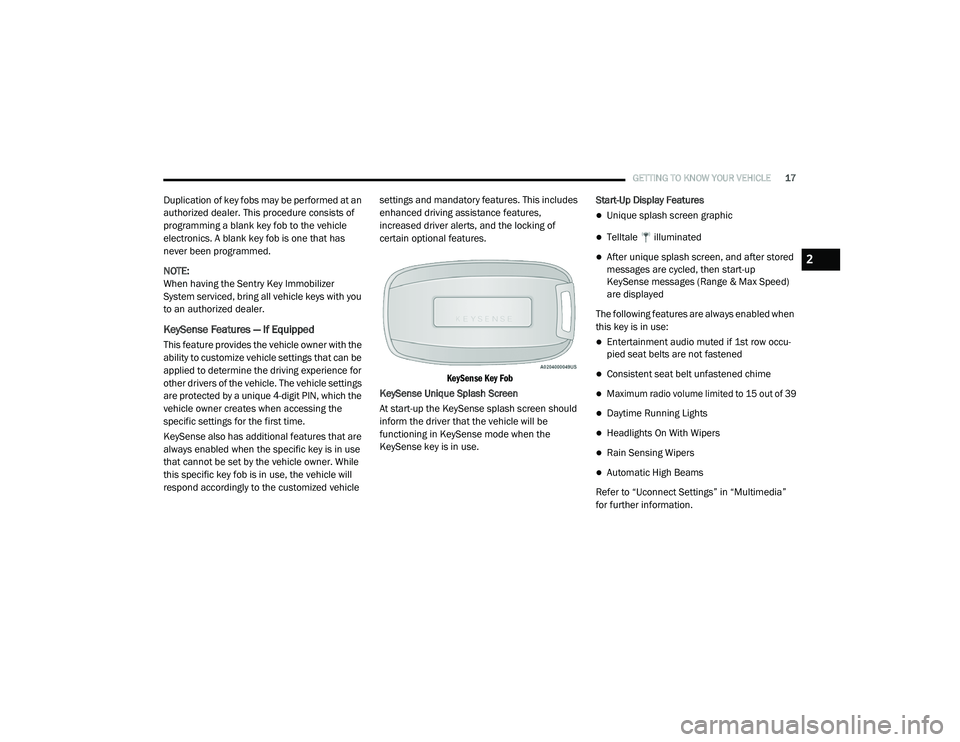
KeySense Key Fob
KeySense Unique Splash Screen
At start-up the KeySense splash screen should
inform the driver that the vehicle will be
functioning in KeySense mode when the
KeySense key is in use. Start-Up Display Features
Unique splash screen graphic
Telltale illuminated
After unique splash screen, and after stored
messages are cycled, then start-up
KeySense messages (Range & Max Speed)
are displayed
The following features are always enabled when
this key is in use:
Entertainment audio muted if 1st row occu -
pied seat belts are not fastened
Consistent seat belt unfastened chime
Maximum radio volume limited to 15 out of 39
Daytime Running Lights
Headlights On With Wipers
Rain Sensing Wipers
Automatic High Beams
Refer to “Uconnect Settings” in “Multimedia”
for further information.
2
20_RU_OM_EN_US_t.book Page 17
Page 24 of 516
22GETTING TO KNOW YOUR VEHICLE
General Information
The following regulatory statement applies to all
Radio Frequency (RF) devices equipped in this
vehicle:
This device complies with Part 15 of the FCC
Rules and with Innovation, Science and
Economic Development Canada license-exempt
RSS standard(s). Operation is subject to the
following two conditions:
1. This device may not cause harmful
interference, and
2. This device must accept any interference received, including interference that may
cause undesired operation.
Le présent appareil est conforme aux CNR
d`Innovation, Science and Economic
Development applicables aux appareils radio
exempts de licence. L'exploitation est autorisée
aux deux conditions suivantes:
1. l'appareil ne doit pas produire de brouillage, et
2. l'utilisateur de l'appareil doit accepter tout brouillage radioélectrique subi, même si le brouillage est susceptible d'en compro
-
mettre le fonctionnement.
La operación de este equipo está sujeta a las
siguientes dos condiciones:
1. es posible que este equipo o dispositivo no cause interferencia perjudicial y
2. este equipo o dispositivo debe aceptar cualquier interferencia, incluyendo la que
pueda causar su operación no deseada.
NOTE:
Changes or modifications not expressly
approved by the party responsible for compli -
ance could void the user’s authority to operate
the equipment.
SENTRY KEY
The Sentry Key Immobilizer system prevents
unauthorized vehicle operation by disabling the
engine. The system does not need to be armed
or activated. Operation is automatic, regardless
of whether the vehicle is locked or unlocked. The system uses a key fob, keyless push button
ignition and a Radio Frequency (RF) receiver to
prevent unauthorized vehicle operation.
Therefore, only key fobs that are programmed
to the vehicle can be used to start and operate
the vehicle. The system cannot reprogram a key
fob obtained from another vehicle.
After placing the ignition switch in the ON/RUN
position, the vehicle security light will turn on for
three seconds for a bulb check. If the light
remains on after the bulb check, it indicates
that there is a problem with the electronics. In
addition, if the light begins to flash after the
bulb check, it indicates that someone
attempted to start the engine with an invalid key
fob. In the event that a valid key fob is used to
start the engine but there is an issue with the
vehicle electronics, the engine will start and
shut off after two seconds.
If the vehicle security light turns on during
normal vehicle operation (vehicle running for
longer than 10 seconds), it indicates that there
is a fault in the electronics. Should this occur,
have the vehicle serviced as soon as possible by
an authorized dealer.
20_RU_OM_EN_US_t.book Page 22
Page 46 of 516
44GETTING TO KNOW YOUR VEHICLE
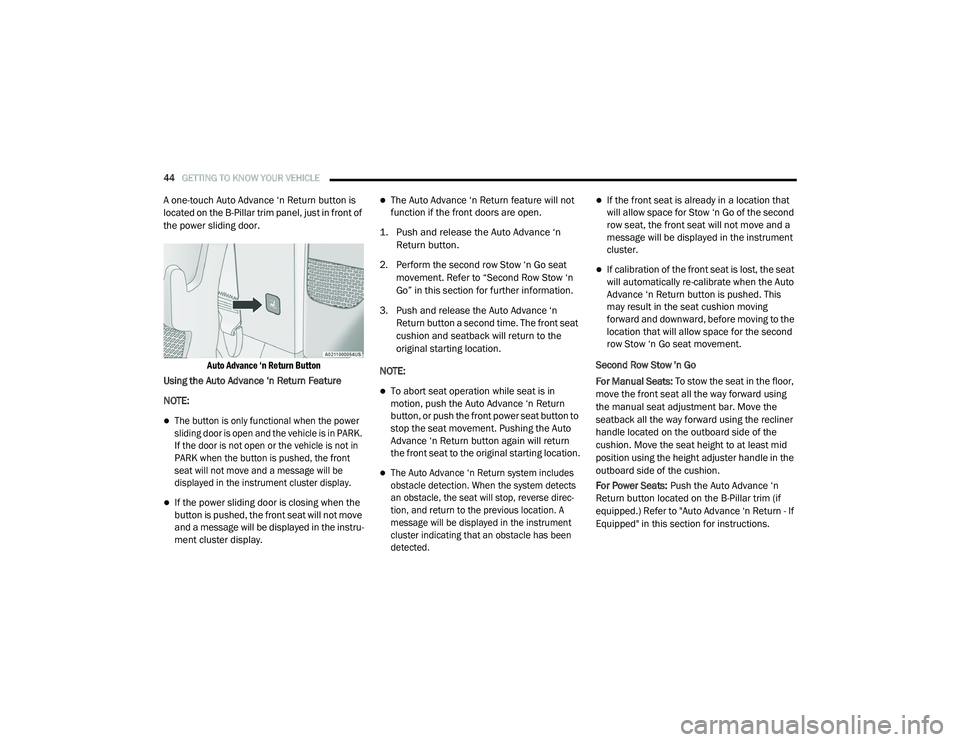
A one-touch Auto Advance ‘n Return button is
located on the B-Pillar trim panel, just in front of
the power sliding door.
Auto Advance ‘n Return Button
Using the Auto Advance ‘n Return Feature
NOTE:
The button is only functional when the power
sliding door is open and the vehicle is in PARK.
If the door is not open or the vehicle is not in
PARK when the button is pushed, the front
seat will not move and a message will be
displayed in the instrument cluster display.
If the power sliding door is closing when the
button is pushed, the front seat will not move
and a message will be displayed in the instru -
ment cluster display.
The Auto Advance ‘n Return feature will not
function if the front doors are open.
1. Push and release the Auto Advance ‘n Return button.
2. Perform the second row Stow ‘n Go seat movement. Refer to “Second Row Stow ‘n
Go” in this section for further information.
3. Push and release the Auto Advance ‘n Return button a second time. The front seat
cushion and seatback will return to the
original starting location.
NOTE:
To abort seat operation while seat is in
motion, push the Auto Advance ‘n Return
button, or push the front power seat button to
stop the seat movement. Pushing the Auto
Advance ‘n Return button again will return
the front seat to the original starting location.
The Auto Advance ‘n Return system includes
obstacle detection. When the system detects
an obstacle, the seat will stop, reverse direc -
tion, and return to the previous location. A
message will be displayed in the instrument
cluster indicating that an obstacle has been
detected.
If the front seat is already in a location that
will allow space for Stow ‘n Go of the second
row seat, the front seat will not move and a
message will be displayed in the instrument
cluster.
If calibration of the front seat is lost, the seat
will automatically re-calibrate when the Auto
Advance ‘n Return button is pushed. This
may result in the seat cushion moving
forward and downward, before moving to the
location that will allow space for the second
row Stow ‘n Go seat movement.
Second Row Stow 'n Go
For Manual Seats: To stow the seat in the floor,
move the front seat all the way forward using
the manual seat adjustment bar. Move the
seatback all the way forward using the recliner
handle located on the outboard side of the
cushion. Move the seat height to at least mid
position using the height adjuster handle in the
outboard side of the cushion.
For Power Seats: Push the Auto Advance ‘n
Return button located on the B-Pillar trim (if
equipped.) Refer to "Auto Advance ‘n Return - If
Equipped" in this section for instructions.
20_RU_OM_EN_US_t.book Page 44
Page 93 of 516
GETTING TO KNOW YOUR VEHICLE91
NOTE:
It is not necessary to move the temperature
settings for cold or hot vehicles. The system
automatically adjusts the temperature,
mode, and blower speed to provide comfort
as quickly as possible.
The temperature can be displayed in U.S. or
Metric units by selecting the U.S./Metric
customer-programmable feature. Refer to
the “Uconnect Settings” in “Multimedia” for
further information.
To provide you with maximum comfort in the
Automatic mode during cold start-ups, the
blower fan will remain on low until the engine
warms up. The blower will increase in speed
and transition into Auto mode.
Manual Operation Override
This system offers a full complement of manual
override features. The AUTO symbol in the front
Automatic Temperature Control (ATC) display
will be turned off when the system is being used
in the manual mode.
Operating Tips
NOTE:
Refer to the chart at the end of this section for
suggested control settings for various weather
conditions.
Summer Operation
The engine cooling system must be protected
with a high-quality antifreeze coolant to provide
proper corrosion protection and to protect
against engine overheating. OAT coolant
(conforming to MS.90032) is recommended.
Refer to “Fluids And Lubricants” in “Technical
Specifications” for proper coolant selection.
Winter Operation
To ensure the best possible heater and
defroster performance, make sure the engine
cooling system is functioning properly and the
proper amount, type, and concentration of
coolant is used. Refer to “Fluids And
Lubricants” in “Technical Specifications” for
proper coolant selection. Use of the air
Recirculation mode during Winter months is not
recommended, because it may cause window
fogging.
Vacation/Storage
Before you store your vehicle, or keep it out of
service (i.e., vacation) for two weeks or more,
run the air conditioning system at idle for about
five minutes, in fresh air with the blower setting
on high. This will ensure adequate system
lubrication to minimize the possibility of
compressor damage when the system is started
again.
Window Fogging
Vehicle windows tend to fog on the inside in
mild, rainy, and/or humid weather. To clear the
windows, select Defrost or Mix mode and
increase the front blower speed. Do not use the
Recirculation mode without A/C (air
conditioning) for long periods, as fogging may
occur.
2
20_RU_OM_EN_US_t.book Page 91
Page 131 of 516
GETTING TO KNOW YOUR INSTRUMENT PANEL129
Oil Life Reset
Your vehicle is equipped with an engine oil
change indicator system. The “Oil Change
Required” message will display for approxi-
mately five seconds after a single chime has
sounded, to indicate it is time to change the
engine oil. The engine oil change indicator
system is duty cycle based, which means the
engine oil change interval may fluctuate,
dependent upon your personal driving style.
Unless reset, this message will continue to
display each time the ignition is cycled to the
ON/RUN position.
To reset the oil change indicator after
performing the scheduled maintenance,
refer to the following procedure.
NOTE:
This procedure should only be performed after
scheduled maintenance is completed. Reset -
ting oil life other than when associated with a
scheduled maintenance may result in damage
due to not properly maintaining the engine oil. Oil Life Reset
1. Without pressing the brake pedal, push the
ENGINE START/STOP button and place the
ignition in the ON/RUN position (do not
start the vehicle.)
2. Push the OK button to enter the instrument
cluster display menu screen.
3. Push and release the down arrow button to
access the ”Vehicle Info” menu screen.
4. Push the left arrow button or right arrow
button to access the “Oil Life” submenu.
5. Hold the OK button to reset the “Oil Life” to
100%.
6. Push the up arrow button to exit the
instrument cluster display menu screen.
Secondary Method For Oil Life Reset Procedure
1. Without pushing the brake pedal, place the ignition in the ON/RUN position (do not
start the engine).
2. Fully press the accelerator pedal, slowly, three times within 10 seconds. 3. Without pushing the brake pedal, place the
ignition in the OFF/LOCK position.
NOTE:
If the indicator message illuminates when you
start the vehicle, the oil change indicator
system did not reset. If necessary, repeat this
procedure.
Fuel And Oil Refresh Mode
Since it is possible to operate this vehicle for
extended periods of time without running the
gas engine, the fuel within the vehicle’s fuel
tank can become stale or the engine oil’s
lubricating properties can be reduced. To
prevent engine and/or fuel system damage due
to stale fuel, as well as, maintaining internal
engine lubrication, this vehicle is equipped with
a “Fuel and Oil Refresh Mode”.
The vehicle will automatically enter into the Fuel and
Oil Refresh Mode to minimize potential for stale
fuel, and to ensure lubrication of internal engine
components. When operating in this mode, the gas
engine will run to provide vehicle propulsion
(electric only operation is inhibited). A message will
be displayed in the instrument cluster whenever
Fuel and Oil Refresh Mode is active.
3
20_RU_OM_EN_US_t.book Page 129
Page 132 of 516
130GETTING TO KNOW YOUR INSTRUMENT PANEL
The vehicle will automatically exit the Fuel and Oil
Refresh Mode when conditions have been
satisfied. If the vehicle enters Fuel and Oil
Refresh Mode, due to fuel which has been in the
fuel tank for a long period of time (becoming stale
fuel), the engine will run whenever the vehicle is
operational (no electric only operation) until the
low fuel level warning is activated. It is also
possible to exit the Fuel and Oil Refresh Mode
sooner by adding a minimum of 4 gallons of new
fuel to the vehicle’s fuel tank.
NOTE:
If the vehicle enters Fuel and Oil Refresh Mode
to maintain engine lubrication, adding fuel will
not exit the mode sooner.
If the vehicle enters Fuel and Oil Refresh Mode
to maintain engine lubrication properties, the
engine may run for a period of up to 20 minutes
when fully warm whenever the vehicle is
operational (no electric only operation). If the
vehicle is shut down before conditions to exit
the refresh mode have been satisfied, the
engine may run for additional time on
subsequent trips.NOTE:
Frequent short trips at low ambient tempera
-
ture conditions are more likely to trigger the
lubrication based mode.
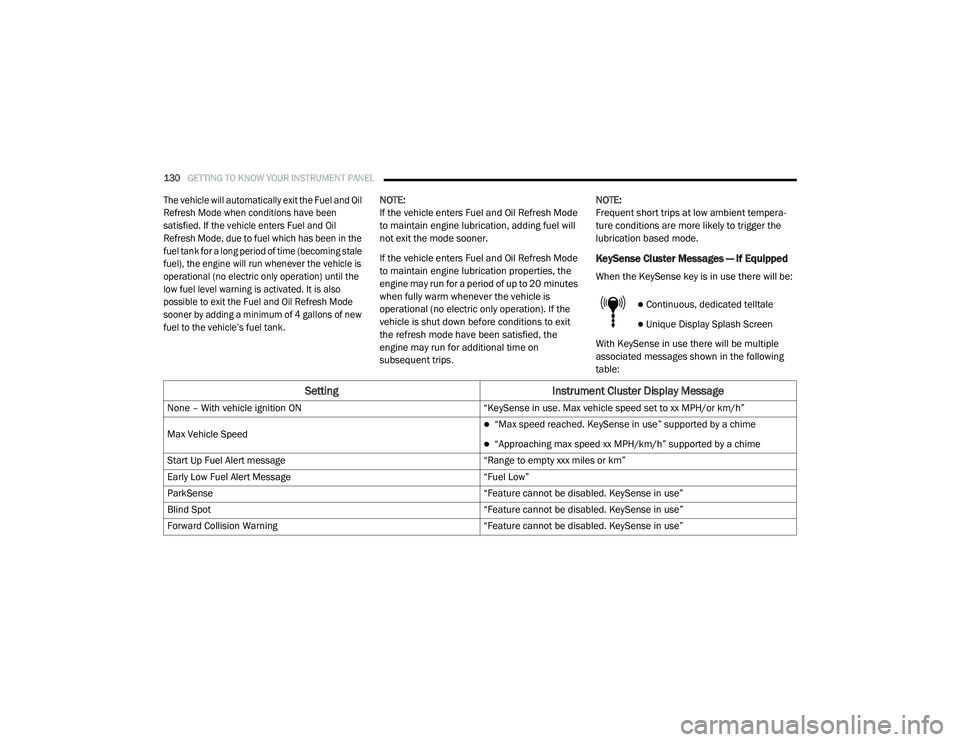
KeySense Cluster Messages — If Equipped
When the KeySense key is in use there will be:
Continuous, dedicated telltale
Unique Display Splash Screen
With KeySense in use there will be multiple
associated messages shown in the following
table:
Setting Instrument Cluster Display Message
None – With vehicle ignition ON “KeySense in use. Max vehicle speed set to xx MPH/or km/h”
Max Vehicle Speed
“Max speed reached. KeySense in use” supported by a chime
“Approaching max speed xx MPH/km/h” supported by a chime
Start Up Fuel Alert message “Range to empty xxx miles or km”
Early Low Fuel Alert Message “Fuel Low”
ParkSense “Feature cannot be disabled. KeySense in use”
Blind Spot “Feature cannot be disabled. KeySense in use”
Forward Collision Warning “Feature cannot be disabled. KeySense in use”
20_RU_OM_EN_US_t.book Page 130
Page 147 of 516
GETTING TO KNOW YOUR INSTRUMENT PANEL145
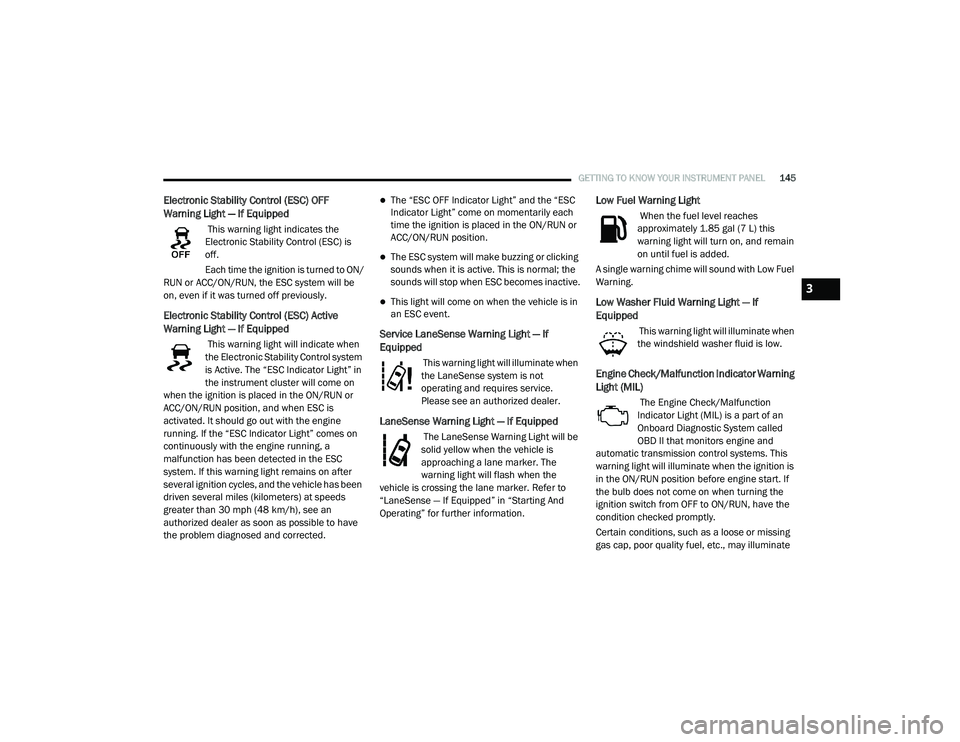
Electronic Stability Control (ESC) OFF
Warning Light — If Equipped
This warning light indicates the
Electronic Stability Control (ESC) is
off.
Each time the ignition is turned to ON/
RUN or ACC/ON/RUN, the ESC system will be
on, even if it was turned off previously.
Electronic Stability Control (ESC) Active
Warning Light — If Equipped
This warning light will indicate when
the Electronic Stability Control system
is Active. The “ESC Indicator Light” in
the instrument cluster will come on
when the ignition is placed in the ON/RUN or
ACC/ON/RUN position, and when ESC is
activated. It should go out with the engine
running. If the “ESC Indicator Light” comes on
continuously with the engine running, a
malfunction has been detected in the ESC
system. If this warning light remains on after
several ignition cycles, and the vehicle has been
driven several miles (kilometers) at speeds
greater than 30 mph (48 km/h), see an
authorized dealer as soon as possible to have
the problem diagnosed and corrected.
The “ESC OFF Indicator Light” and the “ESC
Indicator Light” come on momentarily each
time the ignition is placed in the ON/RUN or
ACC/ON/RUN position.
The ESC system will make buzzing or clicking
sounds when it is active. This is normal; the
sounds will stop when ESC becomes inactive.
This light will come on when the vehicle is in
an ESC event.
Service LaneSense Warning Light — If
Equipped
This warning light will illuminate when
the LaneSense system is not
operating and requires service.
Please see an authorized dealer.
LaneSense Warning Light — If Equipped
The LaneSense Warning Light will be
solid yellow when the vehicle is
approaching a lane marker. The
warning light will flash when the
vehicle is crossing the lane marker. Refer to
“LaneSense — If Equipped” in “Starting And
Operating” for further information.
Low Fuel Warning Light
When the fuel level reaches
approximately 1.85 gal (7 L) this
warning light will turn on, and remain
on until fuel is added.
A single warning chime will sound with Low Fuel
Warning.
Low Washer Fluid Warning Light — If
Equipped
This warning light will illuminate when
the windshield washer fluid is low.
Engine Check/Malfunction Indicator Warning
Light (MIL)
The Engine Check/Malfunction
Indicator Light (MIL) is a part of an
Onboard Diagnostic System called
OBD II that monitors engine and
automatic transmission control systems. This
warning light will illuminate when the ignition is
in the ON/RUN position before engine start. If
the bulb does not come on when turning the
ignition switch from OFF to ON/RUN, have the
condition checked promptly.
Certain conditions, such as a loose or missing
gas cap, poor quality fuel, etc., may illuminate
3
20_RU_OM_EN_US_t.book Page 145