ignition CHRYSLER PACIFICA 2020 Owner's Manual
[x] Cancel search | Manufacturer: CHRYSLER, Model Year: 2020, Model line: PACIFICA, Model: CHRYSLER PACIFICA 2020Pages: 516, PDF Size: 28.69 MB
Page 71 of 516
GETTING TO KNOW YOUR VEHICLE69
Windshield Washers
To use the washer, pull the lever rearward
toward you and hold while spray is desired. If
the lever is pulled while on the intermittent
setting, the wipers will turn on and operate for
several wipe cycles after the lever is released,
and then resume the intermittent interval
previously selected. If the lever is pulled while
the wipers are in the off position, the wipers will
operate several wipe cycles, then turn off.
Mist Feature
Use the Mist feature when weather conditions
make occasional usage of the wipers
necessary. Push the lever upward to the MIST
position and release for a single wiping cycle.
NOTE:
The mist feature does not activate the washer
pump; therefore, no washer fluid will be sprayed
on the windshield. The wash function must be
used in order to spray the windshield with
washer fluid.
Rain Sensing Wipers — If Equipped
This feature senses rain or snowfall on the
windshield and automatically activates the
wipers for the driver. This feature is especially
useful for road splash or overspray from the
windshield washers of the vehicle ahead.
Rotate the end of the windshield wiper lever to
one of the four intermittent wiper sensitivity
settings to activate this feature.
The sensitivity of the system is adjustable from
the windshield wiper lever. Wiper sensitivity
position 3 has been calibrated for best overall
wiping sensitivity. If the operator desires more
wiping sensitivity, they may select sensitivity
position 4. If the operator desires less wiping
sensitivity, they may select sensitivity positions
2 or 1. Place the windshield wiper lever in the
OFF position when not using the system.
NOTE:
The Rain Sensing feature will not operate when
the wiper switch is in the low or high position.
The Rain Sensing feature may not function
properly when ice or dried saltwater is
present on the windshield.
Use of Rain-X or products containing wax or
silicone may reduce rain sensor performance.
The Rain Sensing feature can be turned on
and off through the Uconnect System. Refer
to “Uconnect Settings” in “Multimedia” for
further information.
The Rain Sensing system has protective
features for the wiper blades and arms. It will
not operate under the following conditions:
Low Temperature Wipe Inhibit — The Rain
Sensing feature will not operate when the
ignition is first placed in the ON position,
when the vehicle is stationary and the
outside temperature is below 32°F (0°C),
unless the wiper control on the windshield
wiper lever is moved, the vehicle speed
becomes greater than 3 mph (5 km/h) or the
outside temperature rises above freezing.
2
20_RU_OM_EN_US_t.book Page 69
Page 72 of 516
70GETTING TO KNOW YOUR VEHICLE
Neutral Wipe Inhibit — The Rain Sensing
feature will not operate when the ignition is
ON, when the transmission gear selector is in
the NEUTRAL position and the vehicle speed
is less than 3 mph (5 km/h), unless the wiper
control on the windshield wiper lever is
moved, the vehicle speed is greater than
3 mph (5 km/h) or the gear selector is moved
out of the NEUTRAL position.
Remote Start Mode Inhibit — On vehicles
equipped with Remote Starting system, Rain
Sensing wipers are not operational when the
vehicle is in the remote start mode. Once the
operator is in the vehicle and has placed the
ignition switch in the ON/RUN position, rain
sensing wiper operation can resume, if it has
been selected, and no other inhibit condi -
tions (mentioned previously) exist.
Rear Wiper And Washer
Rear Window Wiper Operation
Rotate the windshield wiper lever center ring
upwards to operate one of two modes for the
rear window wiper:
First detent — intermittent mode.
Second detent — continuous mode.
Rear Window Washer Operation
Pushing the windshield wiper lever forward
activates the rear window washer. If the lever is
pushed while on the intermittent setting, the
wipers will turn on and operate for several wipe
cycles after the lever is released, and then
resume the intermittent interval previously
selected. If the lever is pushed while the wipers
are in the off position, the wipers will operate
several wipe cycles, then turn off.
CLIMATE CONTROLS
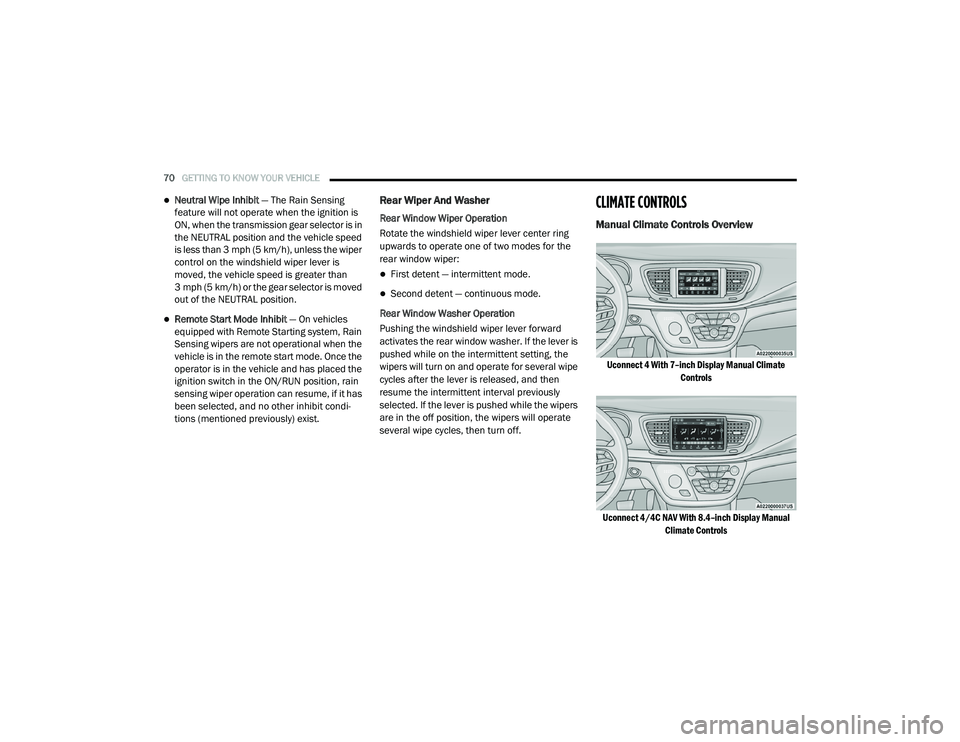
Manual Climate Controls Overview
Uconnect 4 With 7–inch Display Manual Climate Controls
Uconnect 4/4C NAV With 8.4–inch Display Manual Climate Controls
20_RU_OM_EN_US_t.book Page 70
Page 95 of 516
GETTING TO KNOW YOUR VEHICLE93
WINDOWS
Power Windows
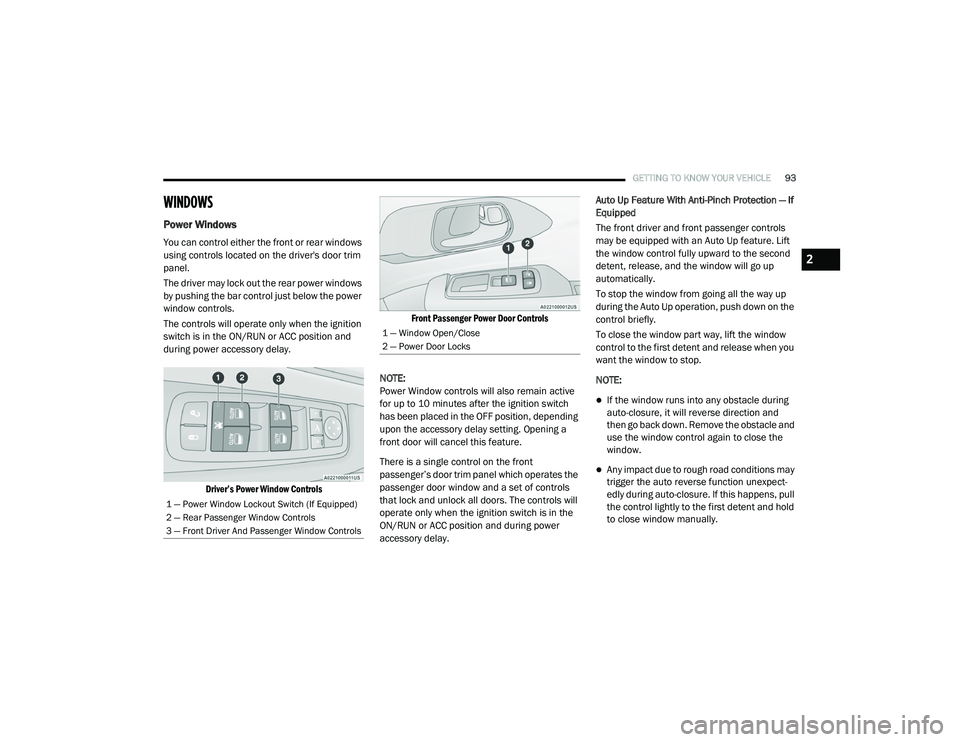
You can control either the front or rear windows
using controls located on the driver's door trim
panel.
The driver may lock out the rear power windows
by pushing the bar control just below the power
window controls.
The controls will operate only when the ignition
switch is in the ON/RUN or ACC position and
during power accessory delay.
Driver’s Power Window Controls Front Passenger Power Door Controls
NOTE:
Power Window controls will also remain active
for up to 10 minutes after the ignition switch
has been placed in the OFF position, depending
upon the accessory delay setting. Opening a
front door will cancel this feature.
There is a single control on the front
passenger’s door trim panel which operates the
passenger door window and a set of controls
that lock and unlock all doors. The controls will
operate only when the ignition switch is in the
ON/RUN or ACC position and during power
accessory delay. Auto Up Feature With Anti-Pinch Protection — If
Equipped
The front driver and front passenger controls
may be equipped with an Auto Up feature. Lift
the window control fully upward to the second
detent, release, and the window will go up
automatically.
To stop the window from going all the way up
during the Auto Up operation, push down on the
control briefly.
To close the window part way, lift the window
control to the first detent and release when you
want the window to stop.
NOTE:
If the window runs into any obstacle during
auto-closure, it will reverse direction and
then go back down. Remove the obstacle and
use the window control again to close the
window.
Any impact due to rough road conditions may
trigger the auto reverse function unexpect
-
edly during auto-closure. If this happens, pull
the control lightly to the first detent and hold
to close window manually.
1 — Power Window Lockout Switch (If Equipped)
2 — Rear Passenger Window Controls
3 — Front Driver And Passenger Window Controls
1 — Window Open/Close
2 — Power Door Locks
2
20_RU_OM_EN_US_t.book Page 93
Page 96 of 516
94GETTING TO KNOW YOUR VEHICLE
Auto Up Reset — If Equipped
To reactivate the Auto Up feature, perform the
following steps after vehicle power is restored:
1. Pull the window control up to close the
window completely and continue to hold
the control up for an additional two
seconds after the window is closed.
2. Push the window control down firmly to the second detent to open the window
completely and continue to hold the control
down for an additional two seconds after
the window is fully open. Sliding Side Door Power Window Control — If
Equipped
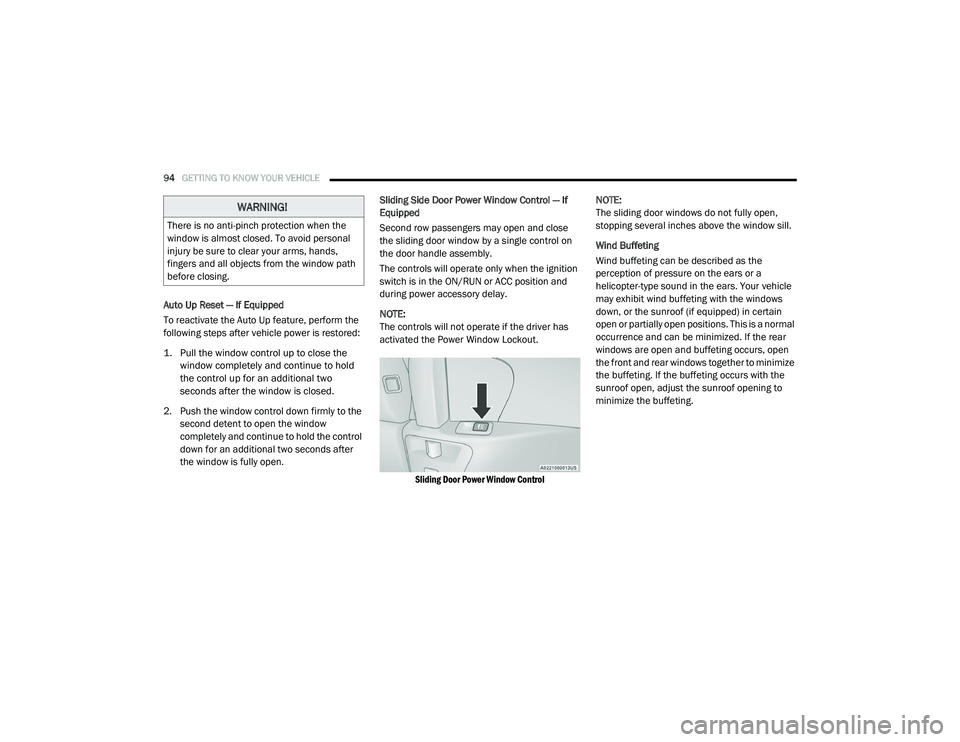
Second row passengers may open and close
the sliding door window by a single control on
the door handle assembly.
The controls will operate only when the ignition
switch is in the ON/RUN or ACC position and
during power accessory delay.
NOTE:
The controls will not operate if the driver has
activated the Power Window Lockout.
Sliding Door Power Window Control
NOTE:
The sliding door windows do not fully open,
stopping several inches above the window sill.
Wind Buffeting
Wind buffeting can be described as the
perception of pressure on the ears or a
helicopter-type sound in the ears. Your vehicle
may exhibit wind buffeting with the windows
down, or the sunroof (if equipped) in certain
open or partially open positions. This is a normal
occurrence and can be minimized. If the rear
windows are open and buffeting occurs, open
the front and rear windows together to minimize
the buffeting. If the buffeting occurs with the
sunroof open, adjust the sunroof opening to
minimize the buffeting.
WARNING!
There is no anti-pinch protection when the
window is almost closed. To avoid personal
injury be sure to clear your arms, hands,
fingers and all objects from the window path
before closing.
20_RU_OM_EN_US_t.book Page 94
Page 97 of 516
GETTING TO KNOW YOUR VEHICLE95
PANORAMIC SUNROOF — IF EQUIPPED
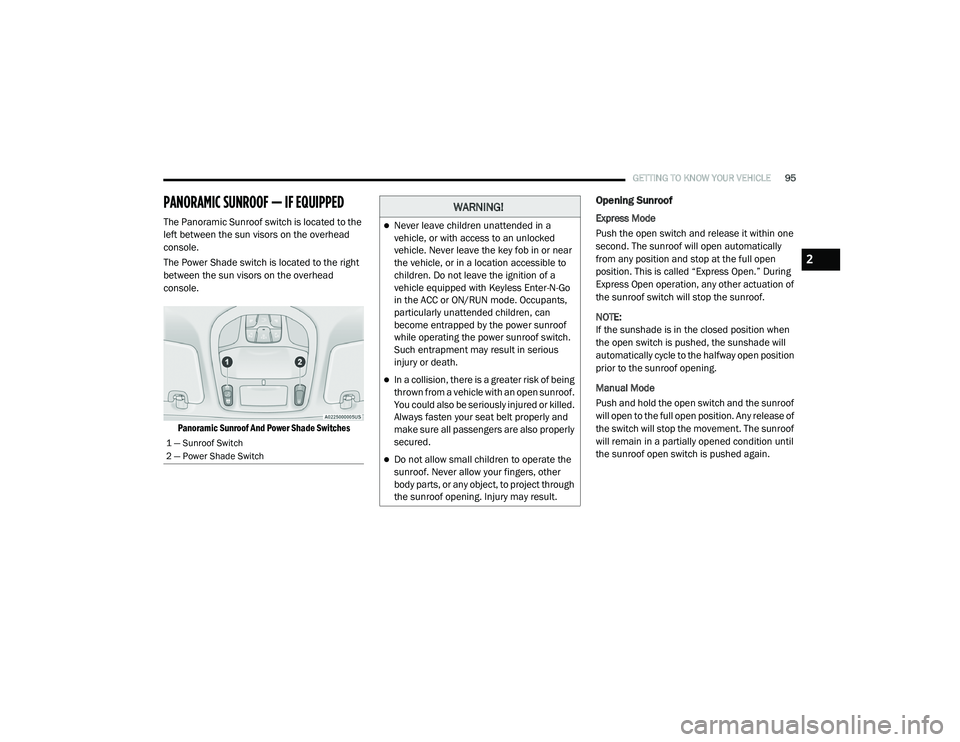
The Panoramic Sunroof switch is located to the
left between the sun visors on the overhead
console.
The Power Shade switch is located to the right
between the sun visors on the overhead
console.
Panoramic Sunroof And Power Shade Switches
Opening Sunroof
Express Mode
Push the open switch and release it within one
second. The sunroof will open automatically
from any position and stop at the full open
position. This is called “Express Open.” During
Express Open operation, any other actuation of
the sunroof switch will stop the sunroof.
NOTE:
If the sunshade is in the closed position when
the open switch is pushed, the sunshade will
automatically cycle to the halfway open position
prior to the sunroof opening.
Manual Mode
Push and hold the open switch and the sunroof
will open to the full open position. Any release of
the switch will stop the movement. The sunroof
will remain in a partially opened condition until
the sunroof open switch is pushed again.
1 — Sunroof Switch
2 — Power Shade Switch
WARNING!
Never leave children unattended in a
vehicle, or with access to an unlocked
vehicle. Never leave the key fob in or near
the vehicle, or in a location accessible to
children. Do not leave the ignition of a
vehicle equipped with Keyless Enter-N-Go
in the ACC or ON/RUN mode. Occupants,
particularly unattended children, can
become entrapped by the power sunroof
while operating the power sunroof switch.
Such entrapment may result in serious
injury or death.
In a collision, there is a greater risk of being
thrown from a vehicle with an open sunroof.
You could also be seriously injured or killed.
Always fasten your seat belt properly and
make sure all passengers are also properly
secured.
Do not allow small children to operate the
sunroof. Never allow your fingers, other
body parts, or any object, to project through
the sunroof opening. Injury may result.
2
20_RU_OM_EN_US_t.book Page 95
Page 99 of 516
GETTING TO KNOW YOUR VEHICLE97
NOTE:
If the sunroof is open, the shade will close to the
half-open position. Pushing the shade close
button again will automatically close both the
sunroof and shade completely.
Closing Power Shade — Manual Mode
To close the shade, push and hold the
sunshade close switch. Any release of the
switch will stop the movement and the shade
will remain in a partially closed condition until
the switch is pushed again.
Pinch Protect Feature
This feature will detect an obstruction in the
closing of the sunroof during the Express Close
operation. If an obstruction in the path of the
sunroof is detected, the sunroof will
automatically retract. Remove the obstruction if
this occurs. NOTE:
If three consecutive sunroof close attempts
result in Pinch Protect reversals, Pinch Protect
will disable and the sunroof must be closed in
Manual Mode.
Sunroof Maintenance
Use only a non-abrasive cleaner and a soft cloth
to clean the glass panel. Periodically check for
and clear out any debris that may have
collected in the tracks.
Ignition Off Operation
The power sunroof switch will remain active for
up to approximately 10 minutes after the
ignition switch is placed in the OFF position.
Opening either front door will cancel this
feature.
NOTE:
Ignition off time is programmable through the
Uconnect System. Refer to “Uconnect Settings”
in “Multimedia” for further information.
HOOD
Opening
If applicable, refer to the “Hybrid Supplement”
for additional information.
The hood release lever (to open the primary
latch) and safety latch (to open the secondary
latch) must be released to open the hood.
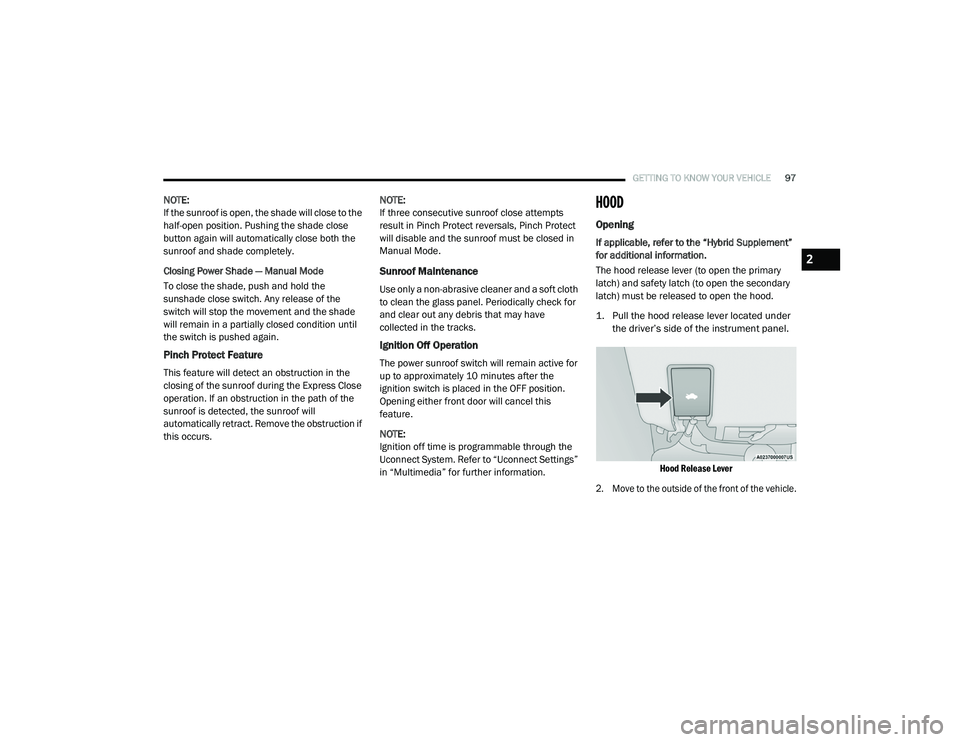
1. Pull the hood release lever located under
the driver’s side of the instrument panel.
Hood Release Lever
2. Move to the outside of the front of the vehicle.
2
20_RU_OM_EN_US_t.book Page 97
Page 105 of 516
GETTING TO KNOW YOUR VEHICLE103
(Continued)
(Continued)
Cargo Area Features
Cargo Area Storage
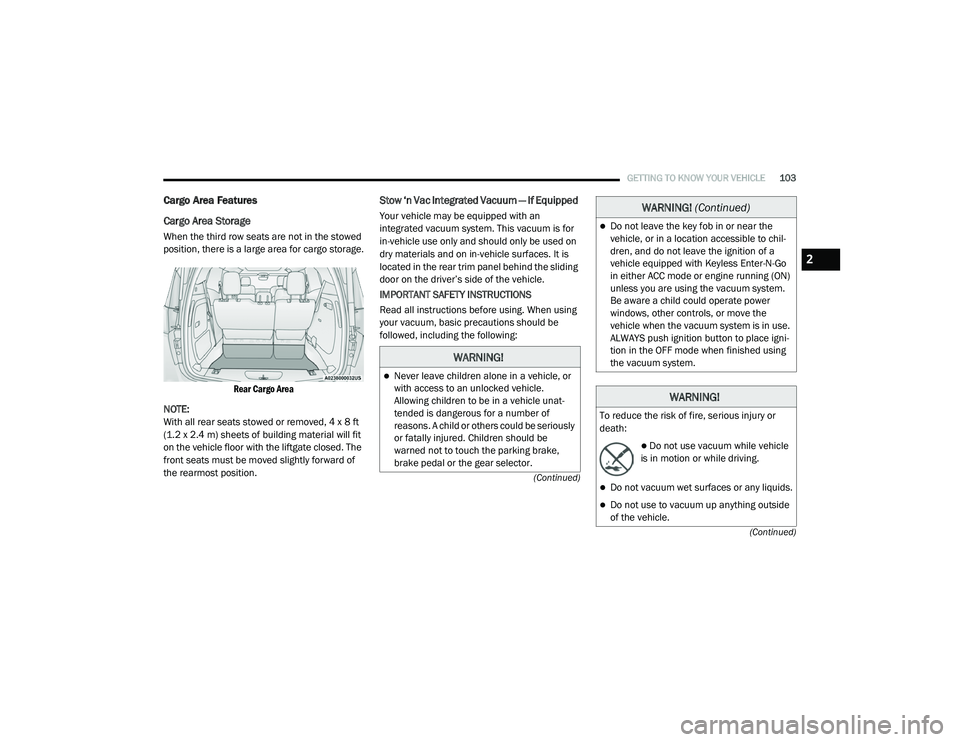
When the third row seats are not in the stowed
position, there is a large area for cargo storage.
Rear Cargo Area
NOTE:
With all rear seats stowed or removed, 4 x 8 ft
(1.2 x 2.4 m) sheets of building material will fit
on the vehicle floor with the liftgate closed. The
front seats must be moved slightly forward of
the rearmost position.
Stow ‘n Vac Integrated Vacuum — If Equipped
Your vehicle may be equipped with an
integrated vacuum system. This vacuum is for
in-vehicle use only and should only be used on
dry materials and on in-vehicle surfaces. It is
located in the rear trim panel behind the sliding
door on the driver’s side of the vehicle.
IMPORTANT SAFETY INSTRUCTIONS
Read all instructions before using. When using
your vacuum, basic precautions should be
followed, including the following:
WARNING!
Never leave children alone in a vehicle, or
with access to an unlocked vehicle.
Allowing children to be in a vehicle unat -
tended is dangerous for a number of
reasons. A child or others could be seriously
or fatally injured. Children should be
warned not to touch the parking brake,
brake pedal or the gear selector.
Do not leave the key fob in or near the
vehicle, or in a location accessible to chil -
dren, and do not leave the ignition of a
vehicle equipped with Keyless Enter-N-Go
in either ACC mode or engine running (ON)
unless you are using the vacuum system.
Be aware a child could operate power
windows, other controls, or move the
vehicle when the vacuum system is in use.
ALWAYS push ignition button to place igni -
tion in the OFF mode when finished using
the vacuum system.
WARNING!
To reduce the risk of fire, serious injury or
death:
Do not use vacuum while vehicle
is in motion or while driving.
Do not vacuum wet surfaces or any liquids.
Do not use to vacuum up anything outside
of the vehicle.
WARNING! (Continued)
2
20_RU_OM_EN_US_t.book Page 103
Page 106 of 516
104GETTING TO KNOW YOUR VEHICLE
(Continued)
1. Before Using Vacuum:
Accessory (ACC) Mode Operation - For up to
10 minutes of operation
Always apply the parking brake, shift the
transmission into PARK, and push ignition
button to place ignition in Accessory (ACC)
mode. The engine will not be running in this
mode. Do not leave the key fob in or near
the vehicle, or in a location accessible to
children.
NOTE:
The vacuum system will run for 10 minutes off
battery power and then the vacuum will shut
down. A low battery indication light (LOW PWR)
located below the vacuum nozzle storage loca -
tion will come on one minute before the vacuum
shuts down.
Engine Running (ON) Operation - For more
than 10 minutes of operation
Position vehicle outdoors and fully open
all side windows.
Always apply the parking brake, shift the
transmission into PARK, and leave
engine running.
Do not vacuum any flammable
liquids, such as gasoline, or use
around explosive vapors. Vapors
from flammable liquids may form an
explosive mixture with air and can be ignited
by heat, sparks, or flames. Vapors may travel
to a source of ignition and explode.
Do not vacuum anything that is burning or
smoking, such as cigarettes, matches, or
hot ashes/embers.
Do not allow to be used as a toy. Close
attention is necessary when used by or
near children.
Do not leave the vacuum running while
unattended.
Use only as described in this manual. Use
only attachments provided with your
vehicle.
Do not put any object into openings. Do not
use with any opening blocked; keep free of
dust, lint, hair, and anything that may
reduce air flow.
Do not vacuum toxic material such as chlo -
rine bleach, ammonia, drain cleaner, etc.
WARNING! (Continued)
Do not vacuum hard or sharp objects such
as glass, nails, screws, coins, etc.
Keep hair, loose clothing, fingers, and all
parts of body away from openings and
moving parts.
Only use with filter in place. Periodically
check that the filter is in place and in good
condition.
WARNING!
This equipment incorporates parts such as
switches, motors, or the like that tend to
produce arcs or sparks that can cause an
explosion. When using your vacuum near
gasoline-dispensing equipment or service
stations, park vehicle at least 20 ft (6 m)
away from the exterior enclosure of any
dispensing pump. The vacuum is mounted
more than 18 inches (45 cm) above ground
level in your vehicle.
WARNING! (Continued)
20_RU_OM_EN_US_t.book Page 104
Page 108 of 516
106GETTING TO KNOW YOUR VEHICLE
(Continued)
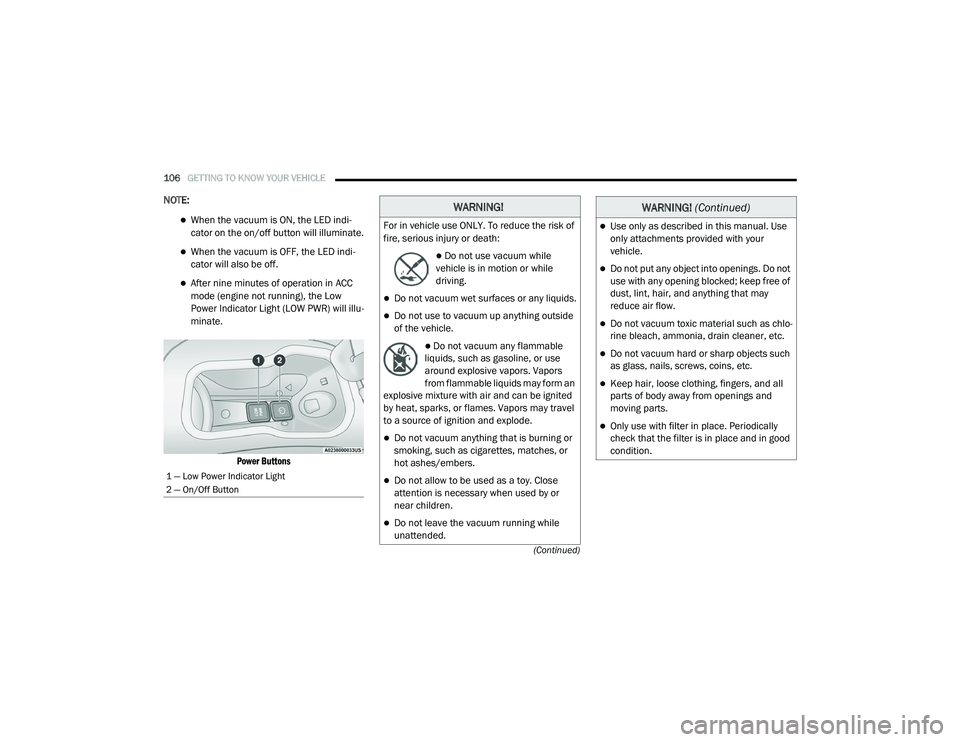
NOTE:
When the vacuum is ON, the LED indi-
cator on the on/off button will illuminate.
When the vacuum is OFF, the LED indi -
cator will also be off.
After nine minutes of operation in ACC
mode (engine not running), the Low
Power Indicator Light (LOW PWR) will illu -
minate.
Power Buttons
1 — Low Power Indicator Light
2 — On/Off Button
WARNING!
For in vehicle use ONLY. To reduce the risk of
fire, serious injury or death:
Do not use vacuum while
vehicle is in motion or while
driving.
Do not vacuum wet surfaces or any liquids.
Do not use to vacuum up anything outside
of the vehicle.
Do not vacuum any flammable
liquids, such as gasoline, or use
around explosive vapors. Vapors
from flammable liquids may form an
explosive mixture with air and can be ignited
by heat, sparks, or flames. Vapors may travel
to a source of ignition and explode.
Do not vacuum anything that is burning or
smoking, such as cigarettes, matches, or
hot ashes/embers.
Do not allow to be used as a toy. Close
attention is necessary when used by or
near children.
Do not leave the vacuum running while
unattended.
Use only as described in this manual. Use
only attachments provided with your
vehicle.
Do not put any object into openings. Do not
use with any opening blocked; keep free of
dust, lint, hair, and anything that may
reduce air flow.
Do not vacuum toxic material such as chlo -
rine bleach, ammonia, drain cleaner, etc.
Do not vacuum hard or sharp objects such
as glass, nails, screws, coins, etc.
Keep hair, loose clothing, fingers, and all
parts of body away from openings and
moving parts.
Only use with filter in place. Periodically
check that the filter is in place and in good
condition.
WARNING! (Continued)
20_RU_OM_EN_US_t.book Page 106
Page 109 of 516
GETTING TO KNOW YOUR VEHICLE107
5. When finished, push power button to turn
vacuum off and store vacuum hose and any
attachments.
6. Before exiting the vehicle:
If the ignition is in the ACC position, push
the START/STOP ignition button to place
ignition in the OFF position, remove key
fob from the vehicle, and lock the vehicle.
If the engine is running, raise all of the
windows, push the START/STOP ignition
button to place ignition in the OFF posi -tion, remove key fob from the vehicle,
close all of the doors and the liftgate and
lock the vehicle.
Vacuum Troubleshooting
DO NOT use with any opening blocked. If an
object becomes lodged in the hose, attempt
to fully extend the hose in a straight line while
the vacuum motor is running. If this does not
dislodge the object, turn the vacuum OFF and
remove the hose from the vehicle following
the removal instructions below. If the filter is
clogged, follow the emptying debris bin
procedure and lightly tap the filter on the
collection bin to remove any collected debris
from the filter. Both the bin and the filter can
be rinsed with water if needed. To avoid mold
and stale odors, allow both to dry completely
before reinstalling in your vehicle. If the filter
has tears, holes or other damage and needs
to be replaced, please contact an authorized
dealer.
If there are any other issues with your
vacuum, contact an authorized dealer. Your
vacuum has no user serviceable parts. Debris Bin
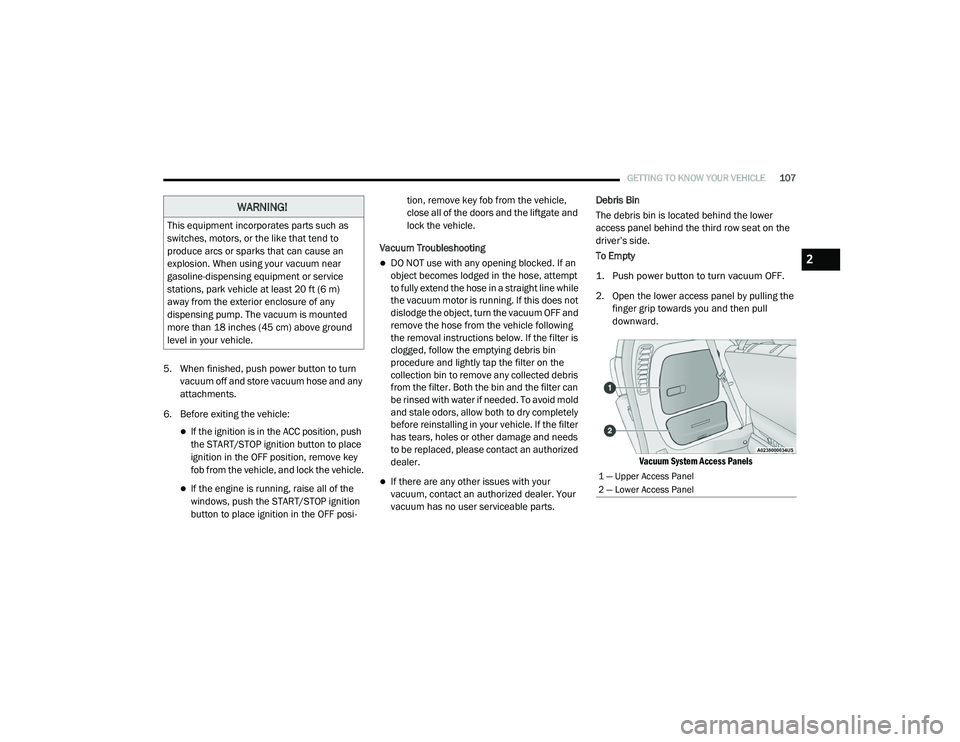
The debris bin is located behind the lower
access panel behind the third row seat on the
driver’s side.
To Empty
1. Push power button to turn vacuum OFF.
2. Open the lower access panel by pulling the
finger grip towards you and then pull
downward.
Vacuum System Access Panels
WARNING!
This equipment incorporates parts such as
switches, motors, or the like that tend to
produce arcs or sparks that can cause an
explosion. When using your vacuum near
gasoline-dispensing equipment or service
stations, park vehicle at least 20 ft (6 m)
away from the exterior enclosure of any
dispensing pump. The vacuum is mounted
more than 18 inches (45 cm) above ground
level in your vehicle.
1 — Upper Access Panel
2 — Lower Access Panel
2
20_RU_OM_EN_US_t.book Page 107