light CHRYSLER PACIFICA 2020 Owner's Manual
[x] Cancel search | Manufacturer: CHRYSLER, Model Year: 2020, Model line: PACIFICA, Model: CHRYSLER PACIFICA 2020Pages: 516, PDF Size: 28.69 MB
Page 66 of 516
64GETTING TO KNOW YOUR VEHICLE
High/Low Beam Switch
When the headlights are turned on, pushing the
multifunction lever toward the instrument panel
will switch from low beams to high beams.
Pulling back to the neutral position returns the
headlights to the low beam operation.
Automatic High Beam — If Equipped
The Automatic High Beam system provides
increased forward lighting at night by
automating high beam control through the use
of a digital camera mounted on the windshield.
This camera detects vehicle specific light and
automatically switches from high beams to low
beams until the approaching vehicle is out of
view.
NOTE:
Broken, muddy, or obstructed headlights and
taillights of vehicles in the field of view will
cause headlights to remain on longer (closer to
the vehicle). Also, dirt, film and other obstruc -
tions on the windshield or camera lens will
cause the system to function improperly.
To Activate
1. Select “Automatic High Beams — ON” through the Uconnect system. Refer to
"Uconnect Settings” in “Multimedia” for
further information.
2. Rotate the headlight switch clockwise to the AUTO position.
3. Push the multifunction lever away from you to switch the headlights to the high beam
position. Refer to “Multifunction Lever” in
this section for further information.
NOTE:
This system will not activate until the vehicle is
at, or above 16 mph (25 km/h).
To Deactivate
Perform either of the following steps to
deactivate the Automatic High Beam system.
1. Select “Automatic High Beams — OFF” through the Uconnect System. Refer to
“Uconnect Settings” in “Multimedia” for
further information.
2. Pull the multifunction lever toward you to switch the headlights from the high beam to
the low beam position. 3. Rotate the headlight switch counter
-
clockwise from the AUTO to the on position.
NOTE:
Once active, the Automatic High Beam system
will stop functioning below 12 mph (20 km/h).
Flash-To-Pass
You can signal another vehicle with your
headlights by lightly pulling the multifunction
lever toward you. This will cause the high beam
headlights to turn on, and remain on, until the
lever is released.
Automatic Headlights — If Equipped
This system automatically turns your headlights
on or off based on ambient light levels. To turn
the system on, turn the headlight switch to the
extreme clockwise position aligning the
indicator with the AUTO on the headlight switch.
When the system is on, the Headlight Time
Delay feature is also on. This means your
headlights will stay on for up to 90 seconds
after the ignition is placed in the OFF position.
To turn the Automatic System off, turn the
headlight switch counterclockwise to the O (off)
position.
20_RU_OM_EN_US_t.book Page 64
Page 67 of 516
GETTING TO KNOW YOUR VEHICLE65
NOTE:
The engine must be running before the head -
lights will come on in the Automatic mode.
Headlights On With Wipers — If Equipped
When your headlights are in the AUTO mode
and the engine is running, the headlights will
automatically turn on when the wiper system is
also turned on. Headlights on when windshield
wipers are on may be found on vehicles
equipped with an automatic headlight system.
NOTE:
The Headlights with Wipers feature can be
turned on or off through the Uconnect system.
Refer to “Uconnect Settings” in “Multimedia”
for further information.
Headlight Delay — If Equipped
This feature provides the safety of headlight
illumination for up to 90 seconds after exiting
your vehicle.
To activate the delay feature, place the ignition
in the OFF position while the headlights are still
on. The 90 second delay interval begins when
headlight switch is turned off. If the headlights or parking lights are turned back on or the
ignition is placed in the ON position, the delay
will be cancelled.
When exiting the vehicle the driver can choose
to have the headlights remain on for 30, 60, or
90 seconds or not remain on. To change the
timer setting, select the proper setting through
the Uconnect System.
Refer to “Uconnect Settings” in “Multimedia”
for further information.
If the headlights are turned off before the
ignition, they will turn off in the normal manner.
NOTE:
The headlights must be turned off within
45 seconds of placing the ignition in the OFF
position to activate this feature.Lights-On Reminder
If the headlights or the parking lights are left on
after the ignition switch is placed in the OFF
position, a chime will sound when the driver's
door is opened.
Front Fog Lights — If Equipped
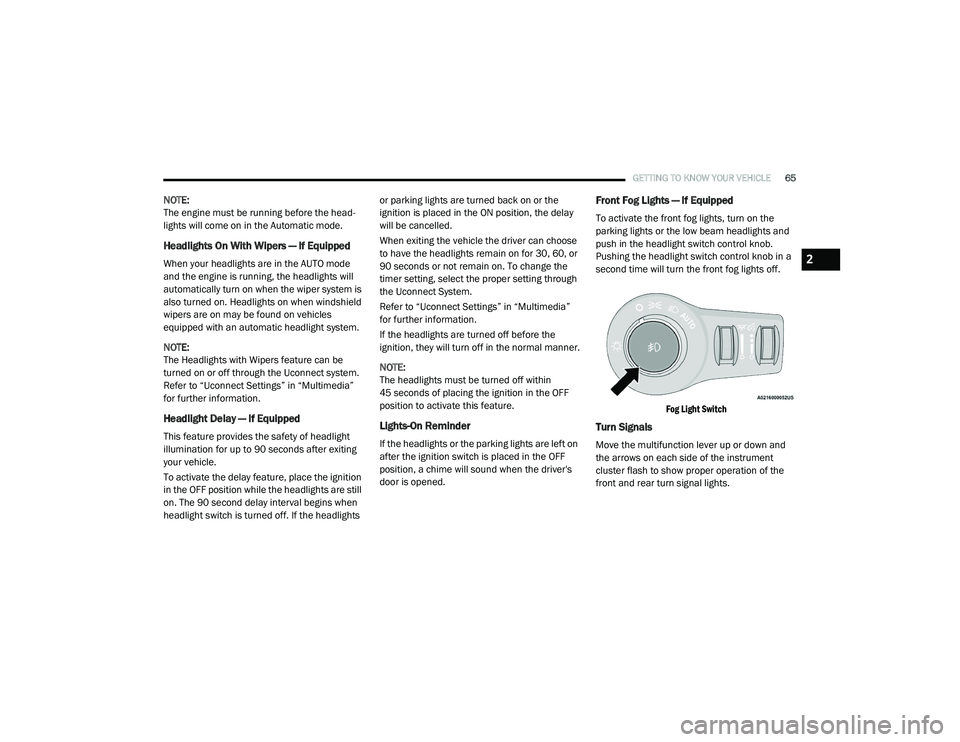
To activate the front fog lights, turn on the
parking lights or the low beam headlights and
push in the headlight switch control knob.
Pushing the headlight switch control knob in a
second time will turn the front fog lights off.
Fog Light Switch
Turn Signals
Move the multifunction lever up or down and
the arrows on each side of the instrument
cluster flash to show proper operation of the
front and rear turn signal lights.
2
20_RU_OM_EN_US_t.book Page 65
Page 68 of 516
66GETTING TO KNOW YOUR VEHICLE
NOTE:
If either light remains on and does not flash, or
there is a very fast flash rate, check for a defec -
tive outside light bulb. If an indicator fails to
light when the lever is moved, it would suggest
that the indicator bulb is defective.
Turn Signal Warning
If the vehicle electronics sense that the vehicle
has traveled for about 1 mile (1.6 km) with the
turn signals on, a chime will sound and a
message will display in the cluster to alert the
driver.
Lane Change Assist — If Equipped
Tap the multifunction lever up or down once,
without moving beyond the detent, and the turn
signal (right or left) will flash three times then
automatically turn off.
Battery Protection
This feature provides battery protection to avoid
wearing down the battery if the headlights or
parking lights are left on for extended periods of
time when the ignition is in the OFF position.
After eight minutes of the ignition being in the OFF position and the headlight switch in any
position other than OFF or AUTO, the lights will
turn off automatically until the next cycle of the
ignition or headlight switch.
The battery protection feature will be disabled if
the ignition is placed in any position other than
OFF during the eight minute delay.
INTERIOR LIGHTS
Courtesy/Interior Lighting
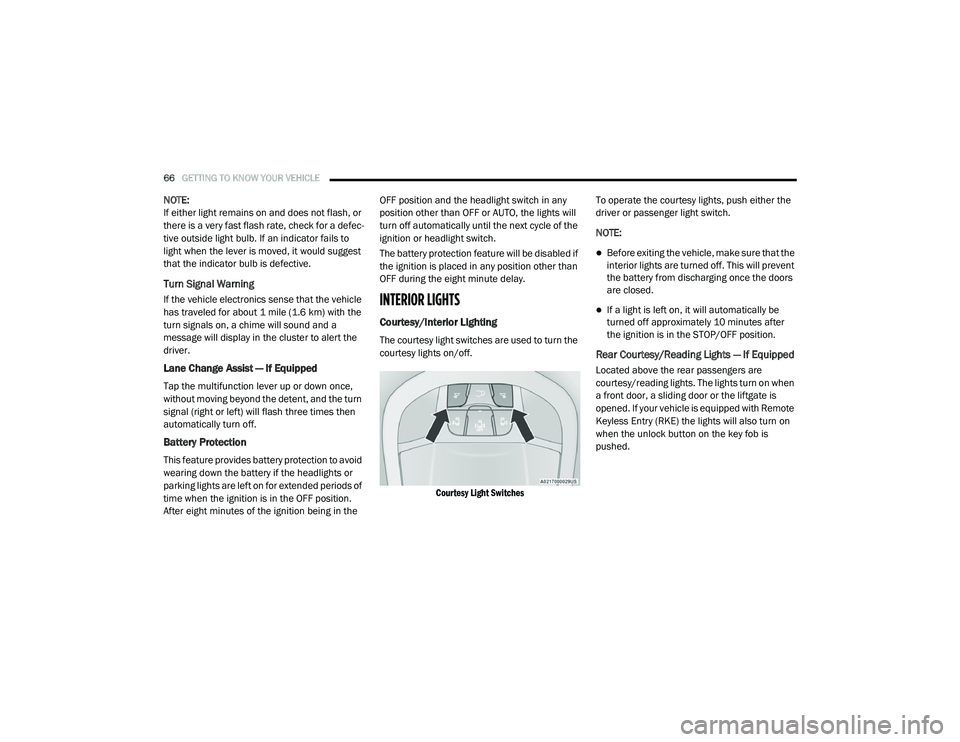
The courtesy light switches are used to turn the
courtesy lights on/off.
Courtesy Light Switches
To operate the courtesy lights, push either the
driver or passenger light switch.
NOTE:
Before exiting the vehicle, make sure that the
interior lights are turned off. This will prevent
the battery from discharging once the doors
are closed.
If a light is left on, it will automatically be
turned off approximately 10 minutes after
the ignition is in the STOP/OFF position.
Rear Courtesy/Reading Lights — If Equipped
Located above the rear passengers are
courtesy/reading lights. The lights turn on when
a front door, a sliding door or the liftgate is
opened. If your vehicle is equipped with Remote
Keyless Entry (RKE) the lights will also turn on
when the unlock button on the key fob is
pushed.
20_RU_OM_EN_US_t.book Page 66
Page 69 of 516
GETTING TO KNOW YOUR VEHICLE67
The courtesy lights also function as reading
lights. Push the lens to turn these lights on while
inside the vehicle. Push the lens a second time
to turn each light off.
Ambient Light Control — If Equipped
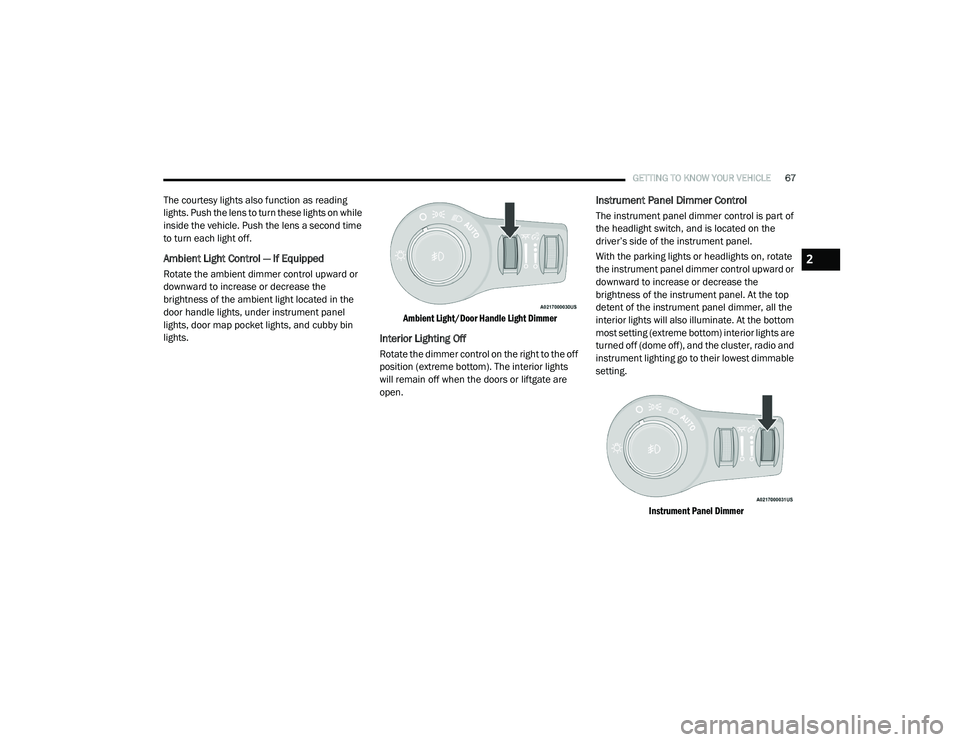
Rotate the ambient dimmer control upward or
downward to increase or decrease the
brightness of the ambient light located in the
door handle lights, under instrument panel
lights, door map pocket lights, and cubby bin
lights.
Ambient Light/Door Handle Light Dimmer
Interior Lighting Off
Rotate the dimmer control on the right to the off
position (extreme bottom). The interior lights
will remain off when the doors or liftgate are
open.
Instrument Panel Dimmer Control
The instrument panel dimmer control is part of
the headlight switch, and is located on the
driver’s side of the instrument panel.
With the parking lights or headlights on, rotate
the instrument panel dimmer control upward or
downward to increase or decrease the
brightness of the instrument panel. At the top
detent of the instrument panel dimmer, all the
interior lights will also illuminate. At the bottom
most setting (extreme bottom) interior lights are
turned off (dome off), and the cluster, radio and
instrument lighting go to their lowest dimmable
setting.
Instrument Panel Dimmer
2
20_RU_OM_EN_US_t.book Page 67
Page 70 of 516
68GETTING TO KNOW YOUR VEHICLE
Parade Mode (Daytime Brightness Feature)
Rotate the instrument panel dimmer control
upward to the first detent. This feature
brightens all text displays such as the
odometer, instrument cluster display, and radio
when the position lights or headlights are on.
WINDSHIELD WIPER AND WASHERS
Windshield Wiper Operation
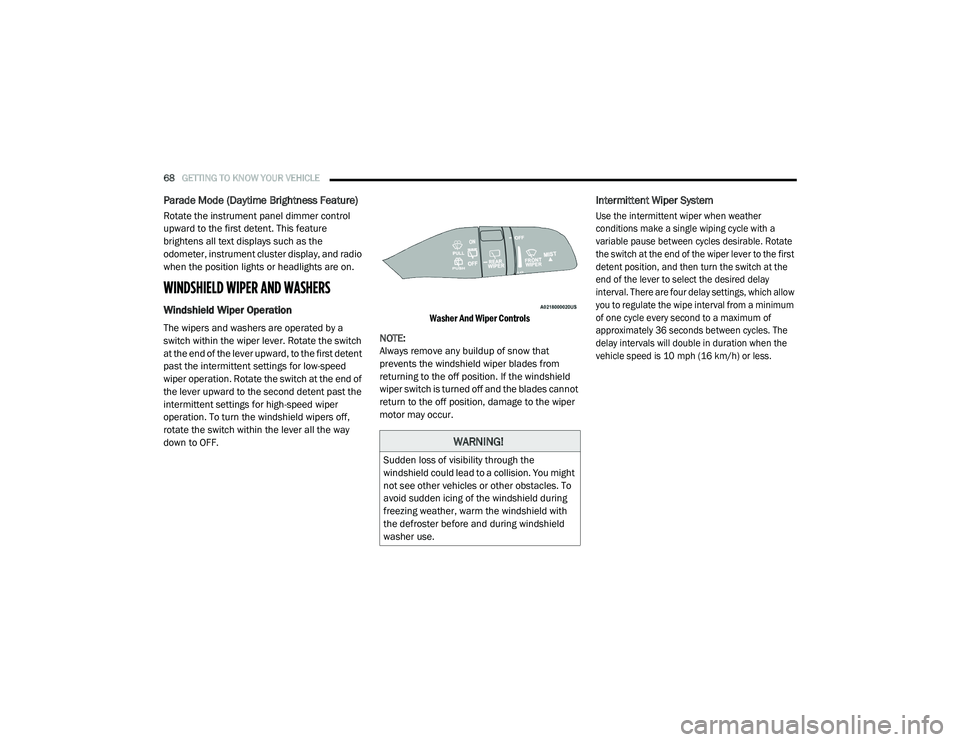
The wipers and washers are operated by a
switch within the wiper lever. Rotate the switch
at the end of the lever upward, to the first detent
past the intermittent settings for low-speed
wiper operation. Rotate the switch at the end of
the lever upward to the second detent past the
intermittent settings for high-speed wiper
operation. To turn the windshield wipers off,
rotate the switch within the lever all the way
down to OFF.
Washer And Wiper Controls
NOTE:
Always remove any buildup of snow that
prevents the windshield wiper blades from
returning to the off position. If the windshield
wiper switch is turned off and the blades cannot
return to the off position, damage to the wiper
motor may occur.
Intermittent Wiper System
Use the intermittent wiper when weather
conditions make a single wiping cycle with a
variable pause between cycles desirable. Rotate
the switch at the end of the wiper lever to the first
detent position, and then turn the switch at the
end of the lever to select the desired delay
interval. There are four delay settings, which allow
you to regulate the wipe interval from a minimum
of one cycle every second to a maximum of
approximately 36 seconds between cycles. The
delay intervals will double in duration when the
vehicle speed is 10 mph (16 km/h) or less.
WARNING!
Sudden loss of visibility through the
windshield could lead to a collision. You might
not see other vehicles or other obstacles. To
avoid sudden icing of the windshield during
freezing weather, warm the windshield with
the defroster before and during windshield
washer use.
20_RU_OM_EN_US_t.book Page 68
Page 76 of 516
74GETTING TO KNOW YOUR VEHICLE
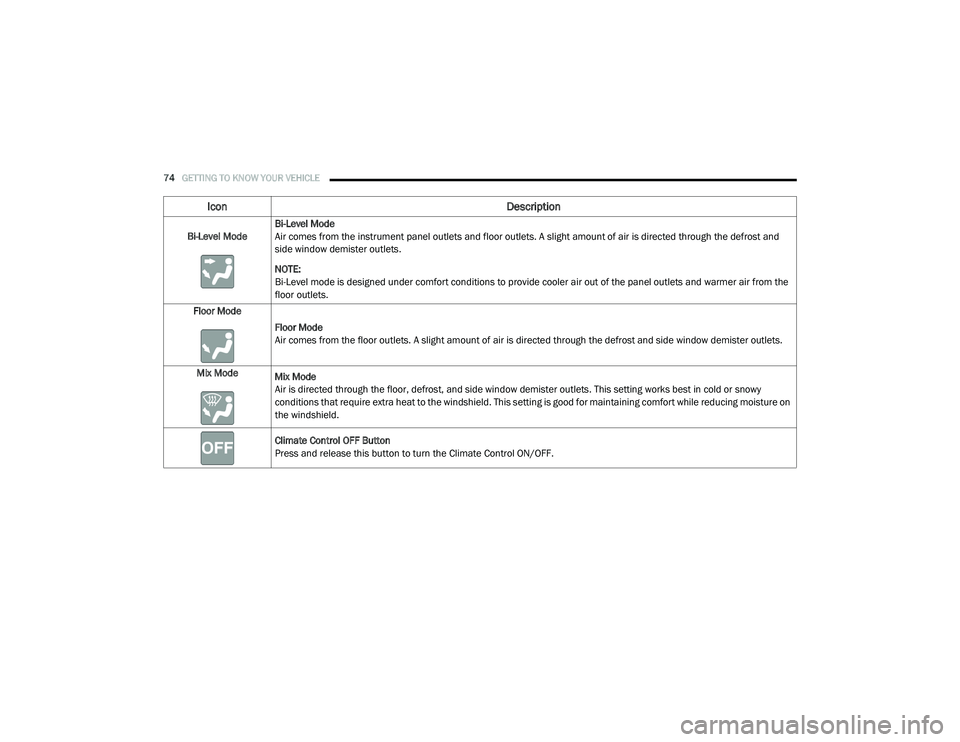
Bi-Level ModeBi-Level Mode
Air comes from the instrument panel outlets and floor outlets. A slight amount of air is directed through the defrost and
side window demister outlets.
NOTE:
Bi-Level mode is designed under comfort conditions to provide cooler air out of the panel outlets and warmer air from the
floor outlets.
Floor Mode
Floor Mode
Air comes from the floor outlets. A slight amount of air is directed through the defrost and side window demister outlets.
Mix Mode Mix Mode
Air is directed through the floor, defrost, and side window demister outlets. This setting works best in cold or snowy
conditions that require extra heat to the windshield. This setting is good for maintaining comfort while reducing moisture on
the windshield.
Climate Control OFF Button
Press and release this button to turn the Climate Control ON/OFF.
Icon Description
20_RU_OM_EN_US_t.book Page 74
Page 79 of 516
GETTING TO KNOW YOUR VEHICLE77
Rear Passenger Climate Control OFF Button
Press and release this button to turn the Rear Climate Controls off.
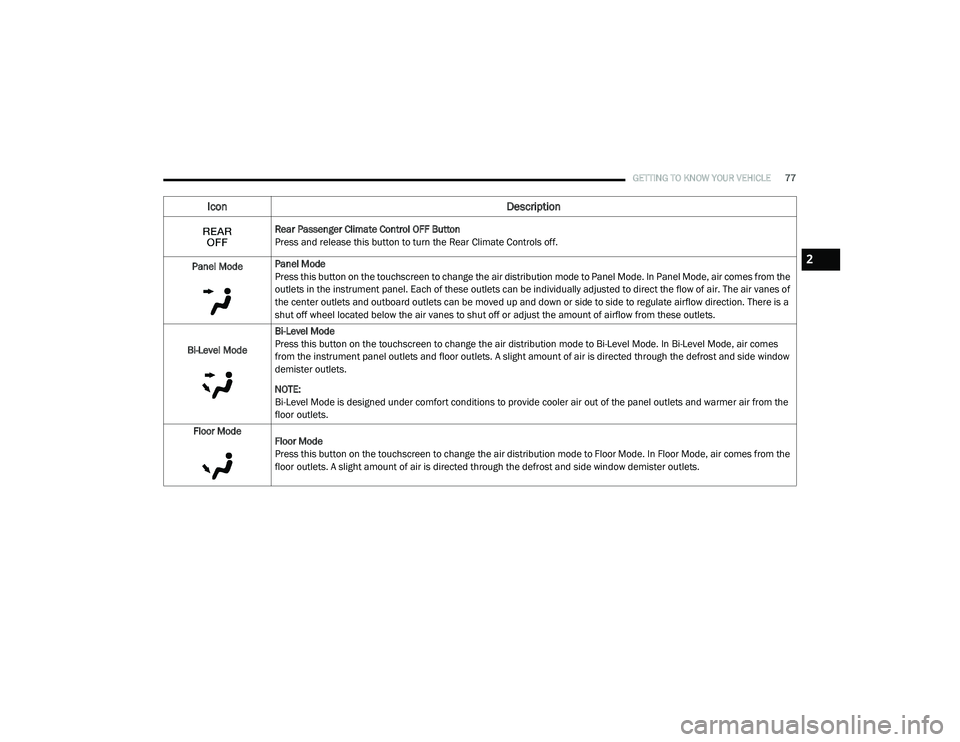
Panel Mode Panel Mode
Press this button on the touchscreen to change the air distribution mode to Panel Mode. In Panel Mode, air comes from the
outlets in the instrument panel. Each of these outlets can be individually adjusted to direct the flow of air. The air vanes of
the center outlets and outboard outlets can be moved up and down or side to side to regulate airflow direction. There is a
shut off wheel located below the air vanes to shut off or adjust the amount of airflow from these outlets.
Bi-Level Mode Bi-Level Mode
Press this button on the touchscreen to change the air distribution mode to Bi-Level Mode. In Bi-Level Mode, air comes
from the instrument panel outlets and floor outlets. A slight amount of air is directed through the defrost and side window
demister outlets.
NOTE:
Bi-Level Mode is designed under comfort conditions to provide cooler air out of the panel outlets and warmer air from the
floor outlets.
Floor Mode Floor Mode
Press this button on the touchscreen to change the air distribution mode to Floor Mode. In Floor Mode, air comes from the
floor outlets. A slight amount of air is directed through the defrost and side window demister outlets.
Icon Description
2
20_RU_OM_EN_US_t.book Page 77
Page 85 of 516
GETTING TO KNOW YOUR VEHICLE83
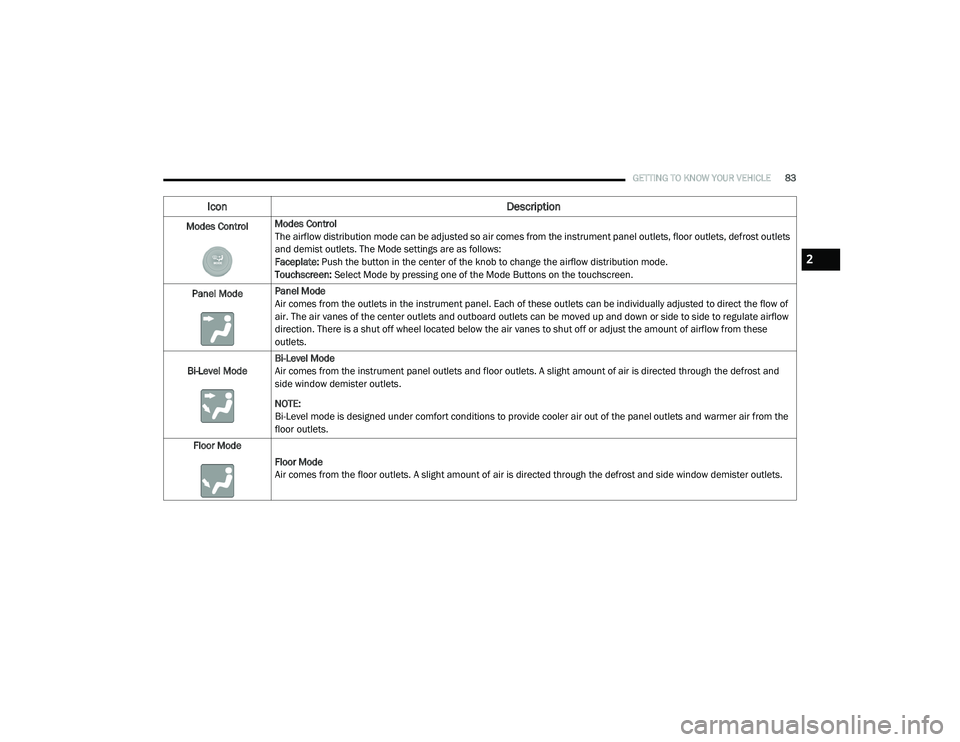
Modes ControlModes Control
The airflow distribution mode can be adjusted so air comes from the instrument panel outlets, floor outlets, defrost outlets
and demist outlets. The Mode settings are as follows:
Faceplate: Push the button in the center of the knob to change the airflow distribution mode.
Touchscreen:
Select Mode by pressing one of the Mode Buttons on the touchscreen.
Panel Mode Panel Mode
Air comes from the outlets in the instrument panel. Each of these outlets can be individually adjusted to direct the flow of
air. The air vanes of the center outlets and outboard outlets can be moved up and down or side to side to regulate airflow
direction. There is a shut off wheel located below the air vanes to shut off or adjust the amount of airflow from these
outlets.
Bi-Level Mode Bi-Level Mode
Air comes from the instrument panel outlets and floor outlets. A slight amount of air is directed through the defrost and
side window demister outlets.
NOTE:
Bi-Level mode is designed under comfort conditions to provide cooler air out of the panel outlets and warmer air from the
floor outlets.
Floor Mode
Floor Mode
Air comes from the floor outlets. A slight amount of air is directed through the defrost and side window demister outlets.
Icon Description
2
20_RU_OM_EN_US_t.book Page 83
Page 95 of 516
GETTING TO KNOW YOUR VEHICLE93
WINDOWS
Power Windows
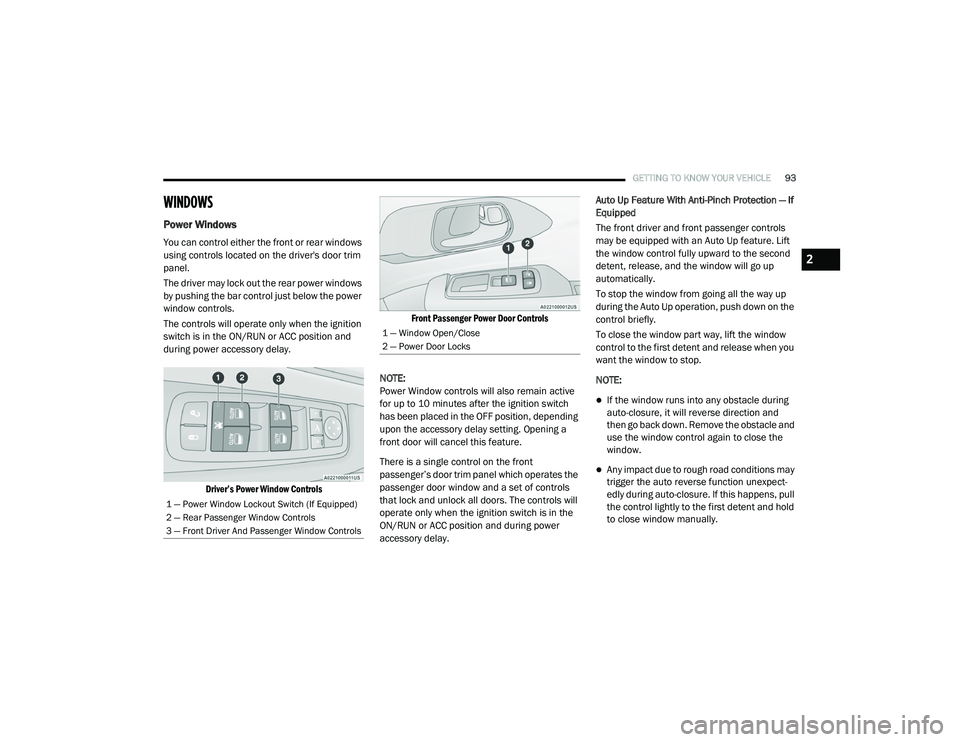
You can control either the front or rear windows
using controls located on the driver's door trim
panel.
The driver may lock out the rear power windows
by pushing the bar control just below the power
window controls.
The controls will operate only when the ignition
switch is in the ON/RUN or ACC position and
during power accessory delay.
Driver’s Power Window Controls Front Passenger Power Door Controls
NOTE:
Power Window controls will also remain active
for up to 10 minutes after the ignition switch
has been placed in the OFF position, depending
upon the accessory delay setting. Opening a
front door will cancel this feature.
There is a single control on the front
passenger’s door trim panel which operates the
passenger door window and a set of controls
that lock and unlock all doors. The controls will
operate only when the ignition switch is in the
ON/RUN or ACC position and during power
accessory delay. Auto Up Feature With Anti-Pinch Protection — If
Equipped
The front driver and front passenger controls
may be equipped with an Auto Up feature. Lift
the window control fully upward to the second
detent, release, and the window will go up
automatically.
To stop the window from going all the way up
during the Auto Up operation, push down on the
control briefly.
To close the window part way, lift the window
control to the first detent and release when you
want the window to stop.
NOTE:
If the window runs into any obstacle during
auto-closure, it will reverse direction and
then go back down. Remove the obstacle and
use the window control again to close the
window.
Any impact due to rough road conditions may
trigger the auto reverse function unexpect
-
edly during auto-closure. If this happens, pull
the control lightly to the first detent and hold
to close window manually.
1 — Power Window Lockout Switch (If Equipped)
2 — Rear Passenger Window Controls
3 — Front Driver And Passenger Window Controls
1 — Window Open/Close
2 — Power Door Locks
2
20_RU_OM_EN_US_t.book Page 93
Page 103 of 516
GETTING TO KNOW YOUR VEHICLE101
To Close The Liftgate
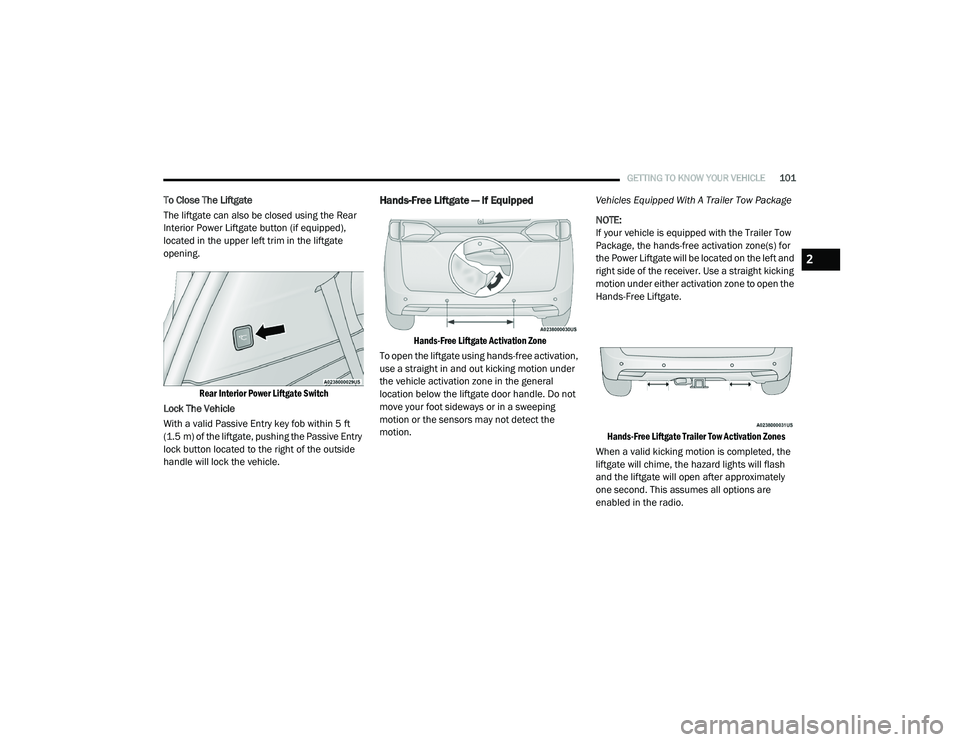
The liftgate can also be closed using the Rear
Interior Power Liftgate button (if equipped),
located in the upper left trim in the liftgate
opening.
Rear Interior Power Liftgate Switch
Lock The Vehicle
With a valid Passive Entry key fob within 5 ft
(1.5 m) of the liftgate, pushing the Passive Entry
lock button located to the right of the outside
handle will lock the vehicle.Hands-Free Liftgate — If Equipped
Hands-Free Liftgate Activation Zone
To open the liftgate using hands-free activation,
use a straight in and out kicking motion under
the vehicle activation zone in the general
location below the liftgate door handle. Do not
move your foot sideways or in a sweeping
motion or the sensors may not detect the
motion. Vehicles Equipped With A Trailer Tow Package
NOTE:
If your vehicle is equipped with the Trailer Tow
Package, the hands-free activation zone(s) for
the Power Liftgate will be located on the left and
right side of the receiver. Use a straight kicking
motion under either activation zone to open the
Hands-Free Liftgate.
Hands-Free Liftgate Trailer Tow Activation Zones
When a valid kicking motion is completed, the
liftgate will chime, the hazard lights will flash
and the liftgate will open after approximately
one second. This assumes all options are
enabled in the radio.
2
20_RU_OM_EN_US_t.book Page 101