seats CHRYSLER PACIFICA 2020 Owner's Guide
[x] Cancel search | Manufacturer: CHRYSLER, Model Year: 2020, Model line: PACIFICA, Model: CHRYSLER PACIFICA 2020Pages: 516, PDF Size: 28.69 MB
Page 60 of 516
58GETTING TO KNOW YOUR VEHICLE
Power Folding Third Row Head Restraints — If
Equipped
For improved visibility, the third row outboard
head restraints can be folded using the
Uconnect System.
Press the “Controls” button located on the
bottom of the Uconnect display.
Press the Head Restraint Fold button to
power fold the third row head restraints.
NOTE:
The head restraints can be folded downward
using the Head Restraint button or using the
manual release strap. The head restraints
must be raised manually when occupying the
third row.
Do not fold if there are passengers seated in
the third row seats.
STEERING WHEEL
Tilt/Telescoping Steering Column
This feature allows you to tilt the steering
column upward or downward. It also allows you
to lengthen or shorten the steering column. The tilt/telescoping lever is located left of the
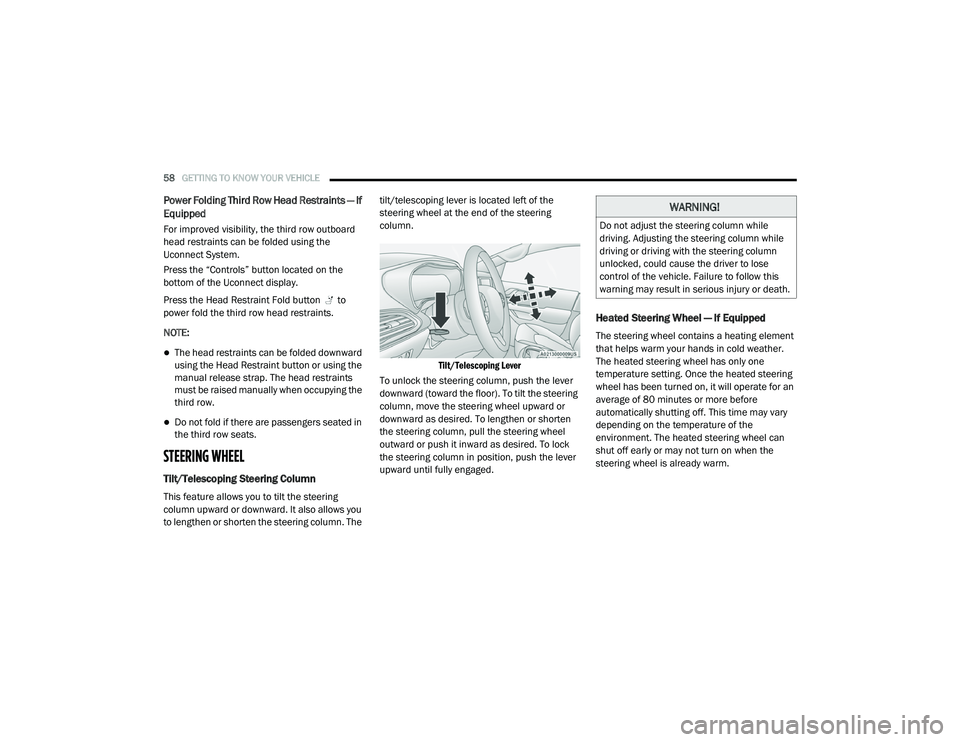
steering wheel at the end of the steering
column.
Tilt/Telescoping Lever
To unlock the steering column, push the lever
downward (toward the floor). To tilt the steering
column, move the steering wheel upward or
downward as desired. To lengthen or shorten
the steering column, pull the steering wheel
outward or push it inward as desired. To lock
the steering column in position, push the lever
upward until fully engaged.
Heated Steering Wheel — If Equipped
The steering wheel contains a heating element
that helps warm your hands in cold weather.
The heated steering wheel has only one
temperature setting. Once the heated steering
wheel has been turned on, it will operate for an
average of 80 minutes or more before
automatically shutting off. This time may vary
depending on the temperature of the
environment. The heated steering wheel can
shut off early or may not turn on when the
steering wheel is already warm.
WARNING!
Do not adjust the steering column while
driving. Adjusting the steering column while
driving or driving with the steering column
unlocked, could cause the driver to lose
control of the vehicle. Failure to follow this
warning may result in serious injury or death.
20_RU_OM_EN_US_t.book Page 58
Page 63 of 516
GETTING TO KNOW YOUR VEHICLE61
Power Mirrors — If Equipped
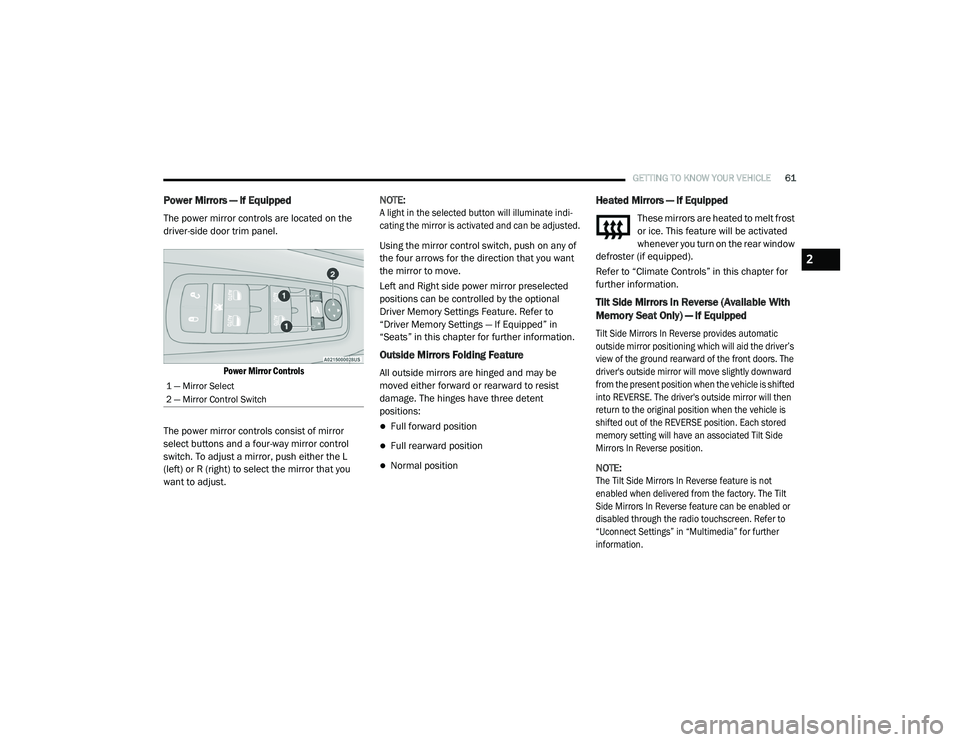
The power mirror controls are located on the
driver-side door trim panel.
Power Mirror Controls
The power mirror controls consist of mirror
select buttons and a four-way mirror control
switch. To adjust a mirror, push either the L
(left) or R (right) to select the mirror that you
want to adjust. NOTE:
A light in the selected button will illuminate indi
-
cating the mirror is activated and can be adjusted.
Using the mirror control switch, push on any of
the four arrows for the direction that you want
the mirror to move.
Left and Right side power mirror preselected
positions can be controlled by the optional
Driver Memory Settings Feature. Refer to
“Driver Memory Settings — If Equipped” in
“Seats” in this chapter for further information.
Outside Mirrors Folding Feature
All outside mirrors are hinged and may be
moved either forward or rearward to resist
damage. The hinges have three detent
positions:
Full forward position
Full rearward position
Normal position
Heated Mirrors — If Equipped
These mirrors are heated to melt frost
or ice. This feature will be activated
whenever you turn on the rear window
defroster (if equipped).
Refer to “Climate Controls” in this chapter for
further information.
Tilt Side Mirrors In Reverse (Available With
Memory Seat Only) — If Equipped
Tilt Side Mirrors In Reverse provides automatic
outside mirror positioning which will aid the driver’s
view of the ground rearward of the front doors. The
driver's outside mirror will move slightly downward
from the present position when the vehicle is shifted
into REVERSE. The driver's outside mirror will then
return to the original position when the vehicle is
shifted out of the REVERSE position. Each stored
memory setting will have an associated Tilt Side
Mirrors In Reverse position.
NOTE:
The Tilt Side Mirrors In Reverse feature is not
enabled when delivered from the factory. The Tilt
Side Mirrors In Reverse feature can be enabled or
disabled through the radio touchscreen. Refer to
“Uconnect Settings” in “Multimedia” for further
information.
1 — Mirror Select
2 — Mirror Control Switch
2
20_RU_OM_EN_US_t.book Page 61
Page 80 of 516
78GETTING TO KNOW YOUR VEHICLE
Rear Manual Temperature Control (MTC)
The rear Manual Temperature Control (MTC)
system has floor air outlets at the rear right side
of the Third Row seats and overhead outlets at
each outboard rear seating position. The
system provides heated air through the floor
outlets or cool, dehumidified air through the
headliner outlets. The rear system temperature control buttons
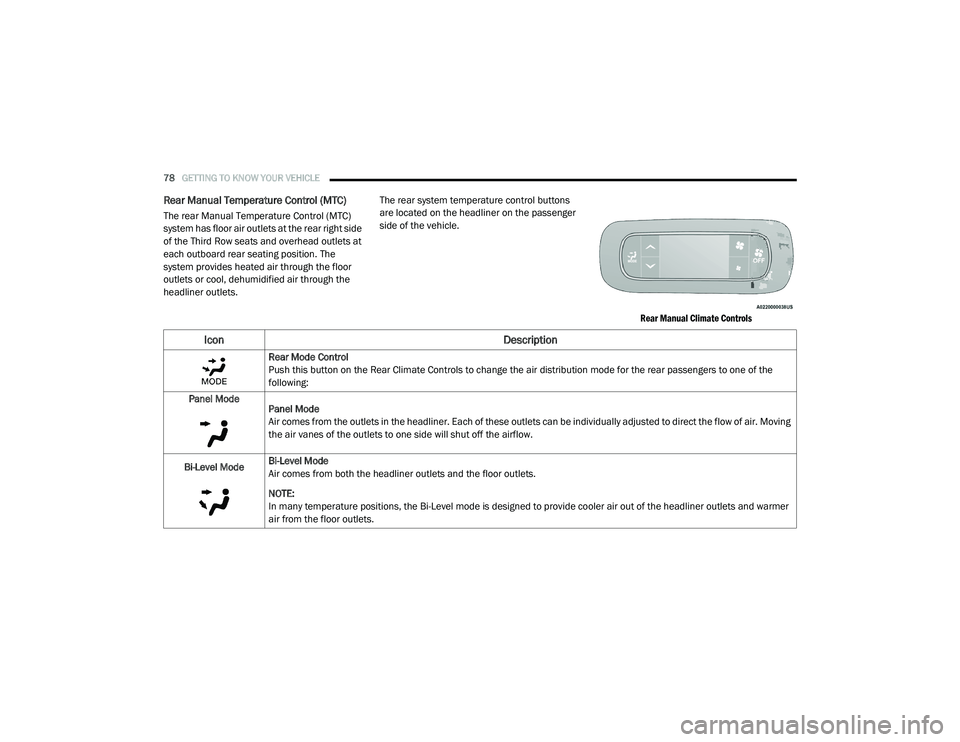
are located on the headliner on the passenger
side of the vehicle.
Rear Manual Climate Controls
Icon Description
Rear Mode Control
Push this button on the Rear Climate Controls to change the air distribution mode for the rear passengers to one of the
following:
Panel Mode Panel Mode
Air comes from the outlets in the headliner. Each of these outlets can be individually adjusted to direct the flow of air. Moving
the air vanes of the outlets to one side will shut off the airflow.
Bi-Level Mode Bi-Level Mode
Air comes from both the headliner outlets and the floor outlets.
NOTE:
In many temperature positions, the Bi-Level mode is designed to provide cooler air out of the headliner outlets and warmer
air from the floor outlets.
20_RU_OM_EN_US_t.book Page 78
Page 82 of 516
80GETTING TO KNOW YOUR VEHICLE
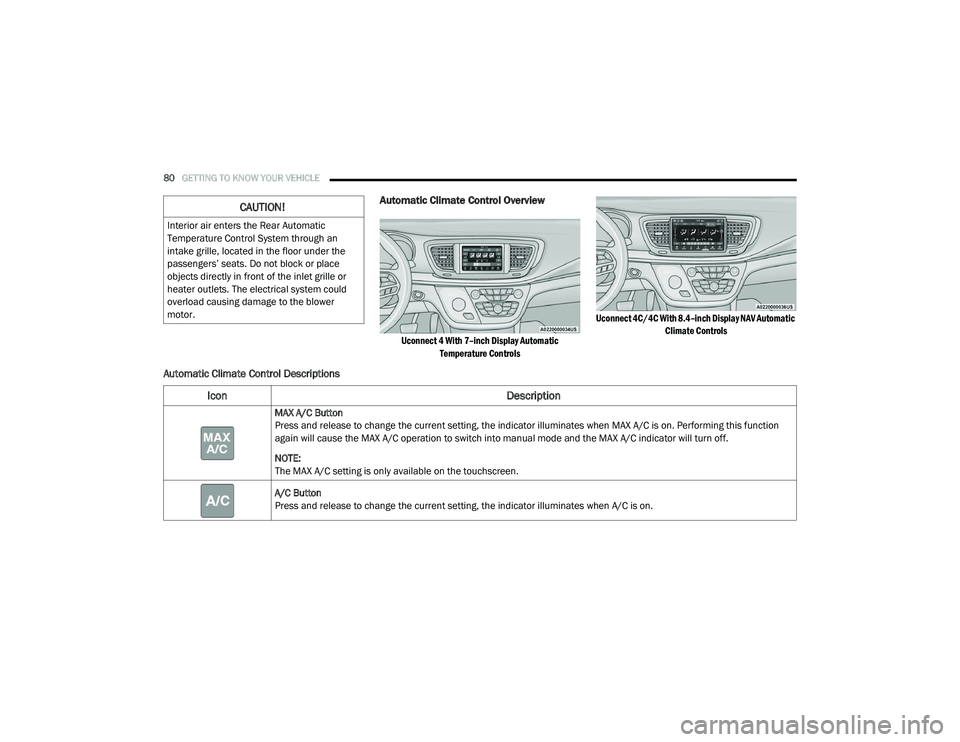
Automatic Climate Control Overview
Uconnect 4 With 7–inch Display Automatic
Temperature Controls Uconnect 4C/4C With 8.4–inch Display NAV Automatic
Climate Controls
Automatic Climate Control Descriptions
CAUTION!
Interior air enters the Rear Automatic
Temperature Control System through an
intake grille, located in the floor under the
passengers’ seats. Do not block or place
objects directly in front of the inlet grille or
heater outlets. The electrical system could
overload causing damage to the blower
motor.
Icon Description
MAX A/C Button
Press and release to change the current setting, the indicator illuminates when MAX A/C is on. Performing this function
again will cause the MAX A/C operation to switch into manual mode and the MAX A/C indicator will turn off.
NOTE:
The MAX A/C setting is only available on the touchscreen.
A/C Button
Press and release to change the current setting, the indicator illuminates when A/C is on.
20_RU_OM_EN_US_t.book Page 80
Page 89 of 516
GETTING TO KNOW YOUR VEHICLE87
Rear Automatic Temperature Control (ATC) —
If Equipped
The rear Automatic Temperature Control (ATC)
system has floor air outlets underneath the
passengers’ seats, and overhead outlets at
each outboard rear seating position. The
system provides heated air through the floor
outlets or cool, dehumidified air through the
headliner outlets.
Rear second row occupants can only adjust the
rear ATC control when the Rear Temperature
Lock button is turned off.
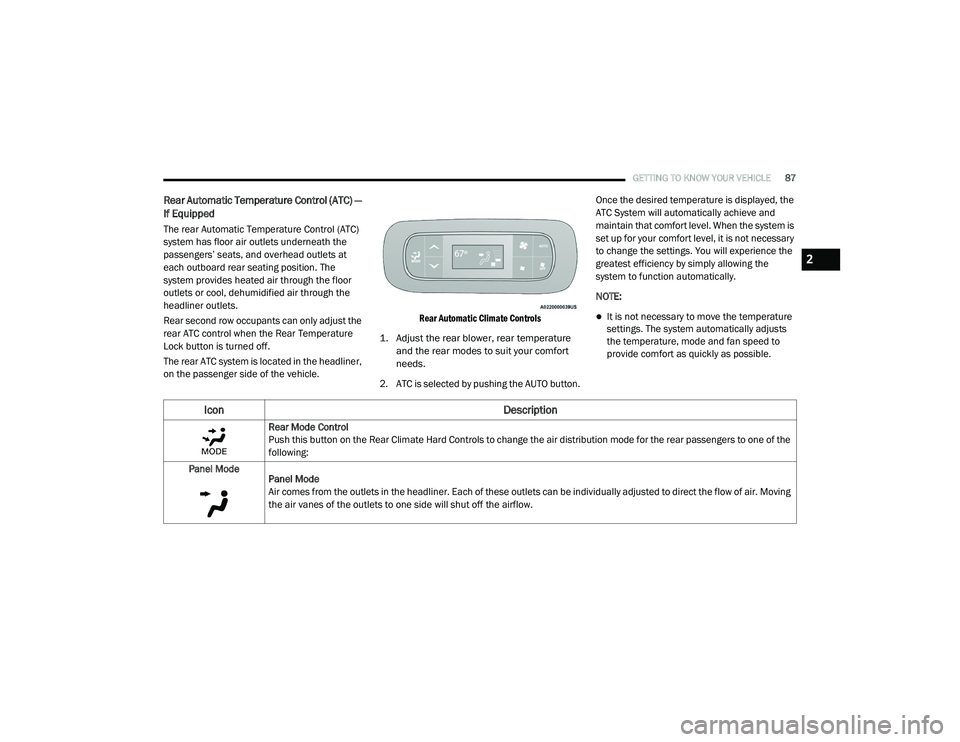
The rear ATC system is located in the headliner,
on the passenger side of the vehicle.
Rear Automatic Climate Controls
1. Adjust the rear blower, rear temperature and the rear modes to suit your comfort
needs.
2. ATC is selected by pushing the AUTO button. Once the desired temperature is displayed, the
ATC System will automatically achieve and
maintain that comfort level. When the system is
set up for your comfort level, it is not necessary
to change the settings. You will experience the
greatest efficiency by simply allowing the
system to function automatically.
NOTE:
It is not necessary to move the temperature
settings. The system automatically adjusts
the temperature, mode and fan speed to
provide comfort as quickly as possible.
Icon
Description
Rear Mode Control
Push this button on the Rear Climate Hard Controls to change the air distribution mode for the rear passengers to one of the
following:
Panel Mode Panel Mode
Air comes from the outlets in the headliner. Each of these outlets can be individually adjusted to direct the flow of air. Moving
the air vanes of the outlets to one side will shut off the airflow.
2
20_RU_OM_EN_US_t.book Page 87
Page 105 of 516
GETTING TO KNOW YOUR VEHICLE103
(Continued)
(Continued)
Cargo Area Features
Cargo Area Storage
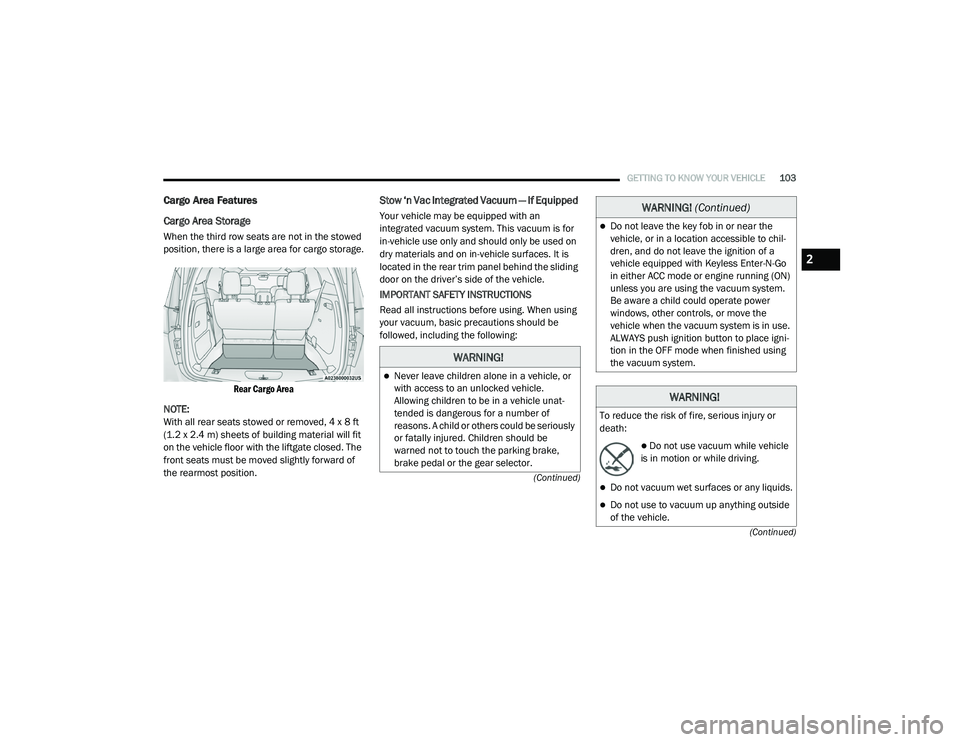
When the third row seats are not in the stowed
position, there is a large area for cargo storage.
Rear Cargo Area
NOTE:
With all rear seats stowed or removed, 4 x 8 ft
(1.2 x 2.4 m) sheets of building material will fit
on the vehicle floor with the liftgate closed. The
front seats must be moved slightly forward of
the rearmost position.
Stow ‘n Vac Integrated Vacuum — If Equipped
Your vehicle may be equipped with an
integrated vacuum system. This vacuum is for
in-vehicle use only and should only be used on
dry materials and on in-vehicle surfaces. It is
located in the rear trim panel behind the sliding
door on the driver’s side of the vehicle.
IMPORTANT SAFETY INSTRUCTIONS
Read all instructions before using. When using
your vacuum, basic precautions should be
followed, including the following:
WARNING!
Never leave children alone in a vehicle, or
with access to an unlocked vehicle.
Allowing children to be in a vehicle unat -
tended is dangerous for a number of
reasons. A child or others could be seriously
or fatally injured. Children should be
warned not to touch the parking brake,
brake pedal or the gear selector.
Do not leave the key fob in or near the
vehicle, or in a location accessible to chil -
dren, and do not leave the ignition of a
vehicle equipped with Keyless Enter-N-Go
in either ACC mode or engine running (ON)
unless you are using the vacuum system.
Be aware a child could operate power
windows, other controls, or move the
vehicle when the vacuum system is in use.
ALWAYS push ignition button to place igni -
tion in the OFF mode when finished using
the vacuum system.
WARNING!
To reduce the risk of fire, serious injury or
death:
Do not use vacuum while vehicle
is in motion or while driving.
Do not vacuum wet surfaces or any liquids.
Do not use to vacuum up anything outside
of the vehicle.
WARNING! (Continued)
2
20_RU_OM_EN_US_t.book Page 103
Page 107 of 516
GETTING TO KNOW YOUR VEHICLE105
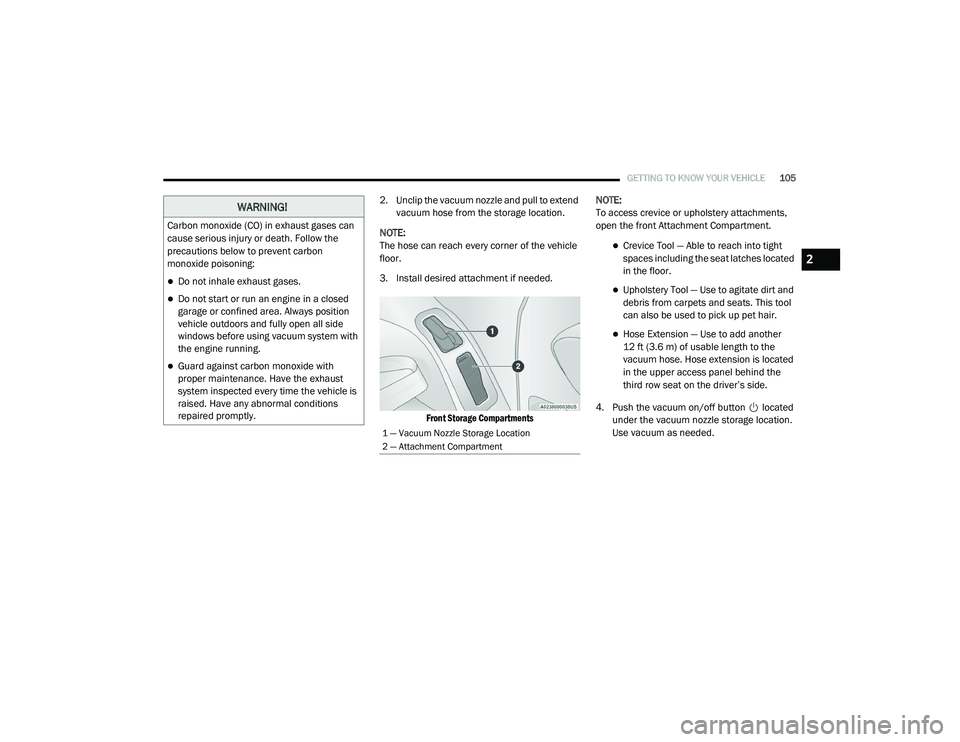
2. Unclip the vacuum nozzle and pull to extend
vacuum hose from the storage location.
NOTE:
The hose can reach every corner of the vehicle
floor.
3. Install desired attachment if needed.
Front Storage Compartments
NOTE:
To access crevice or upholstery attachments,
open the front Attachment Compartment.
Crevice Tool — Able to reach into tight
spaces including the seat latches located
in the floor.
Upholstery Tool — Use to agitate dirt and
debris from carpets and seats. This tool
can also be used to pick up pet hair.
Hose Extension — Use to add another
12 ft (3.6 m) of usable length to the
vacuum hose. Hose extension is located
in the upper access panel behind the
third row seat on the driver’s side.
4. Push the vacuum on/off button located under the vacuum nozzle storage location.
Use vacuum as needed.
WARNING!
Carbon monoxide (CO) in exhaust gases can
cause serious injury or death. Follow the
precautions below to prevent carbon
monoxide poisoning:
Do not inhale exhaust gases.
Do not start or run an engine in a closed
garage or confined area. Always position
vehicle outdoors and fully open all side
windows before using vacuum system with
the engine running.
Guard against carbon monoxide with
proper maintenance. Have the exhaust
system inspected every time the vehicle is
raised. Have any abnormal conditions
repaired promptly.
1 — Vacuum Nozzle Storage Location
2 — Attachment Compartment
2
20_RU_OM_EN_US_t.book Page 105
Page 117 of 516
GETTING TO KNOW YOUR VEHICLE115
Umbrella Holder
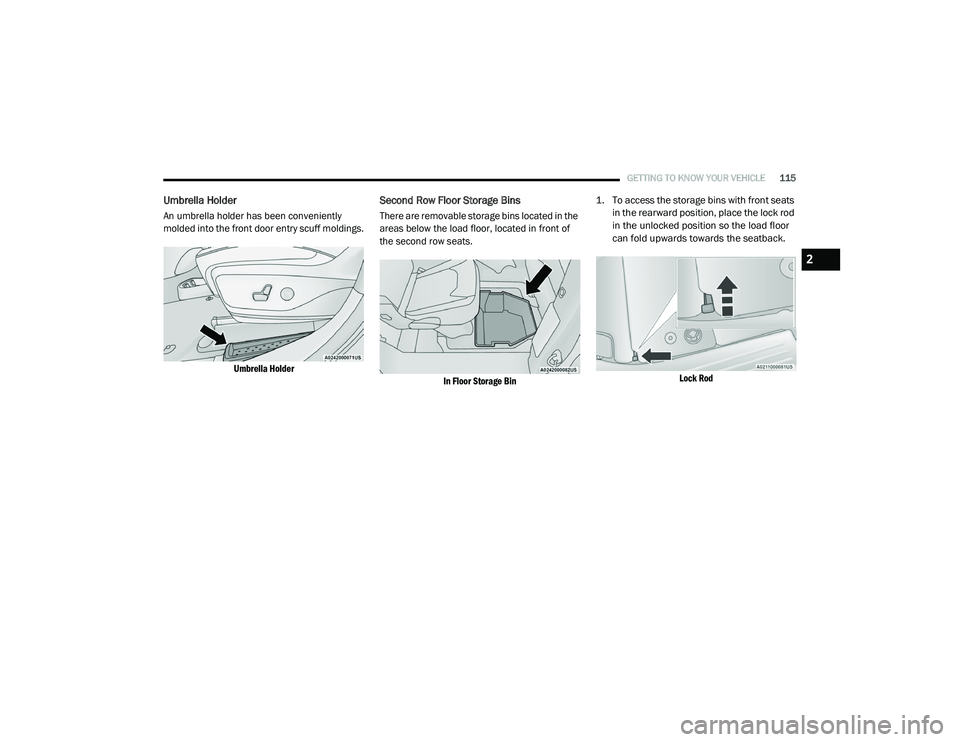
An umbrella holder has been conveniently
molded into the front door entry scuff moldings.
Umbrella Holder
Second Row Floor Storage Bins
There are removable storage bins located in the
areas below the load floor, located in front of
the second row seats.
In Floor Storage Bin
1. To access the storage bins with front seats
in the rearward position, place the lock rod
in the unlocked position so the load floor
can fold upwards towards the seatback.
Lock Rod
2
20_RU_OM_EN_US_t.book Page 115
Page 121 of 516
GETTING TO KNOW YOUR VEHICLE119
(Continued)
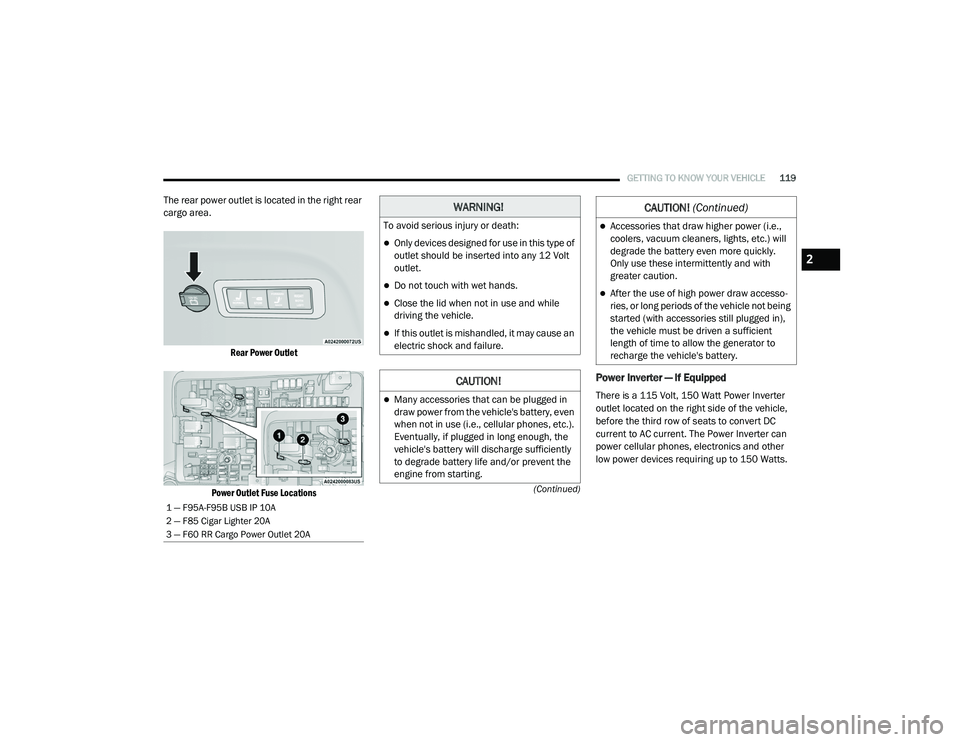
The rear power outlet is located in the right rear
cargo area.
Rear Power Outlet
Power Outlet Fuse Locations
Power Inverter — If Equipped
There is a 115 Volt, 150 Watt Power Inverter
outlet located on the right side of the vehicle,
before the third row of seats to convert DC
current to AC current. The Power Inverter can
power cellular phones, electronics and other
low power devices requiring up to 150 Watts.
1 — F95A-F95B USB IP 10A
2 — F85 Cigar Lighter 20A
3 — F60 RR Cargo Power Outlet 20A
WARNING!
To avoid serious injury or death:
Only devices designed for use in this type of
outlet should be inserted into any 12 Volt
outlet.
Do not touch with wet hands.
Close the lid when not in use and while
driving the vehicle.
If this outlet is mishandled, it may cause an
electric shock and failure.
CAUTION!
Many accessories that can be plugged in
draw power from the vehicle's battery, even
when not in use (i.e., cellular phones, etc.).
Eventually, if plugged in long enough, the
vehicle's battery will discharge sufficiently
to degrade battery life and/or prevent the
engine from starting.
Accessories that draw higher power (i.e.,
coolers, vacuum cleaners, lights, etc.) will
degrade the battery even more quickly.
Only use these intermittently and with
greater caution.
After the use of high power draw accesso -
ries, or long periods of the vehicle not being
started (with accessories still plugged in),
the vehicle must be driven a sufficient
length of time to allow the generator to
recharge the vehicle's battery.
CAUTION! (Continued)
2
20_RU_OM_EN_US_t.book Page 119
Page 140 of 516
138GETTING TO KNOW YOUR INSTRUMENT PANEL
Speed Warning — If Equipped
Push and release the up or down arrow button
until Speed Warning is highlighted in the
instrument cluster display. Push and release the
OK button to enter speed warning. Use the up or
down arrow button to turn the speed warning ON
or OFF, then push and release the OK button to
confirm the selection. If the ON status is selected,
use the up or down arrow button to set the
desired speed, then push the OK button to set
the speed for the speed warning. A speed
warning telltale will illuminate in the instrument
cluster, with a number matching the set speed,
with a pop up message to inform the driver that
the speed warning has been set to the desired
speed. Each time the set speed is exceeded, a
single chime will sound and a pop up warning
message will display. If the set speed is exceeded
more than 2 mph (3 km/h), a continuous chime
will sound for up to 10 seconds, or until the speed
is no longer exceeded. The telltale in the
instrument cluster will also change from white to
yellow, and a pop up warning message will pop up
on the instrument cluster display.
NOTE:
Speed Warning is unavailable while KeySense
is in use.
Battery Saver On/Battery Saver Mode
Message — Electrical Load Reduction
Actions — If Equipped
This vehicle is equipped with an Intelligent
Battery Sensor (IBS) to perform additional
monitoring of the electrical system and status
of the vehicle battery.
In cases when the IBS detects charging system
failure, or the 12 Volt vehicle battery conditions
are deteriorating, electrical load reduction
actions will take place to extend the driving time
and distance of the vehicle. This is done by
reducing power to or turning off non-essential
12 Volt electrical loads. Load reduction will be
functional when the vehicle propulsion system
is active.
The vehicle may not be running depending on
the HV battery SOC or temperature. It will
display a message if there is a risk of battery
depletion to the point where the vehicle may
stall due to lack of electrical supply, or will not
restart after the current drive cycle.
When 12 Volt load reduction is activated, the
message “Battery Saver On” or “Battery Saver
Mode” will appear in the instrument cluster
display. These messages indicate the vehicle battery
has a low state of charge and continues to lose
electrical charge at a rate that the charging
system cannot sustain.
NOTE:
The charging system is independent from
load reduction. The charging system
performs a diagnostic on the charging
system continuously.
If the Battery Charge Warning Light is on it
may indicate a problem with the charging
system. Refer to “Battery Charge Warning
Light” in this chapter for further information.
The electrical loads that may be switched off (if
equipped), and vehicle functions which can be
effected by load reduction:
Heated Seat/Vented Seats/Heated Wheel
Heated/Cooled Cup Holders — If Equipped
Rear Defroster And Heated Mirrors
HVAC System
115 Volts AC Power Inverter System
Audio and Telematics System
20_RU_OM_EN_US_t.book Page 138