charging CHRYSLER PACIFICA 2022 User Guide
[x] Cancel search | Manufacturer: CHRYSLER, Model Year: 2022, Model line: PACIFICA, Model: CHRYSLER PACIFICA 2022Pages: 384, PDF Size: 23.92 MB
Page 146 of 384
144STARTING AND OPERATING
AUTOSTOP MODE
The Stop/Start feature is enabled after every driver
key start. At that time, the system will go into
STOP/START READY and if all other conditions are
met, can go into a STOP/START AUTOSTOP ACTIVE.
To Activate Auto STOP/START, The Following Must
Occur:
The system must be in STOP/START READY
state. A STOP/START READY message will be
displayed in the instrument cluster within the
Stop/Start section Úpage 121.
The vehicle must be completely stopped.
The gear selector must be in a forward gear and
the brake pedal pressed.
The engine will shut down, the tachometer will
move to the zero position and the Stop/Start
telltale will illuminate indicating you are in
Autostop. Customer settings will be maintained
throughout the Auto Stop/Start process.
POSSIBLE REASONS THE ENGINE DOES
N
OT AUTOSTOP
Prior to engine shut down, the system will check
many safety and comfort conditions for Stop/Start
and ensure they are fulfilled. Detailed information
about the operation of the Stop/Start system may
be viewed in the instrument cluster display Stop/
Start screen. Situations when the engine will not
stop include (but not limited to):
If Stop/Start is manually disabled by the Stop/
Start OFF button.
Driver’s seat belt is not buckled.
Driver’s door is not closed.
Battery temperature is too warm or cold.
Battery charge is low. During this time a
message will display “Stop/Start Not Ready
Battery Charging”.
The vehicle is on a steep grade.
Cabin heating or cooling is in process and an
acceptable cabin temperature has not been
achieved.
HVAC is set to full defrost mode at a high blower
speed.
HVAC is set to MAX A/C.
Engine has not reached normal operating
temperature.
The transmission is not in a forward gear.
Hood is open.
Brake pedal is not pressed with sufficient pres -
sure.
Accelerator pedal input.
Engine temp is too high.
5 mph (8 km/h) threshold has not been
achieved from previous Autostop.
Steering angle is beyond threshold.
Vehicle is at too high of an altitude.
Ambient temperature is beyond operating
range.
Stop/Start related system malfunction.
Adaptive Cruise Control (ACC) is on and speed is
set.
It may be possible for the vehicle to be driven
several times without the Stop/Start system going
into a STOP/START READY state under more
extreme conditions of the items listed above.
22_RUP_OM_EN_USC_t.book Page 144
Page 147 of 384

STARTING AND OPERATING145
TO START THE ENGINE WHILE IN
A
UTOSTOP
While in a forward gear, the engine will start when
the brake pedal is released or the throttle pedal is
pressed. The transmission will automatically
re-engage upon engine restart.
Conditions That Will Cause The Engine To Start
Automatically While In Autostop:
The transmission selector is moved out of
DRIVE.
To maintain cabin temperature comfort.
HVAC is set to full defrost mode.
HVAC system temperature or fan speed is
manually adjusted.
Battery voltage drops too low. During this time a
message will display “Stop/Start Not Ready
Battery Charging”.
Stop/Start OFF switch is pushed.
Stop/Start related system malfunction.
Steering wheel is turned beyond threshold.
TO MANUALLY TURN OFF THE STOP/
S
TART SYSTEM
Stop/Start OFF Button
Push the Stop/Start OFF switch (located on the
switch bank). The light on the switch will illuminate.
The “STOP/START OFF” message will appear in the
instrument cluster display and the Autostop mode
will be disabled Ú page 121.
NOTE:The Stop/Start system will reset itself back to the
ON mode every time the ignition is turned OFF and
back ON.
TO MANUALLY TURN ON THE STOP/
S
TART SYSTEM
After turning off the Stop/Start system, push the
Stop/Start OFF switch again (located on the switch
bank). The light on the switch will turn off.
SYSTEM MALFUNCTION
If there is a malfunction in the Stop/Start system,
the system will not shut down the engine. A
“SERVICE STOP/START SYSTEM” message and a
yellow Stop/Start telltale will appear in the
instrument cluster display
If the “SERVICE STOP/START SYSTEM” message
appears in the instrument cluster display, have the
system checked by an authorized dealer.
If a malfunction occurs during an autostop, the
vehicle may not auto start and will need a key start.
4
22_RUP_OM_EN_USC_t.book Page 145
Page 215 of 384
MULTIMEDIA213
REAR SEAT ENTERTAINMENT WITH
AMAZON FIRE TV BUILT-IN — IF EQUIPPED
OVERVIEW
Rear Seat Entertainment with Fire TV built-in is
designed to give your family years of enjoyment.
Fire TV lets passengers enjoy a wide variety of
content from popular apps (subscriptions may be
required). Stream videos, play games, listen to
music, get information, and watch downloaded
programs all while on the road. In addition to
streaming and downloaded content, changing the
input in Fire TV also allows users to:
Play your favorite CDs, DVDs, or Blu-ray™ Discs
Mirror what’s on your phone or tablet to Fire TV
via Miracast capable devices (see support
here):
https://www.amazon.com/gp/help/
customer/display
Plug and play a variety of standard video games
or devices into the HDMI port
Listen to audio over wireless headphones
(not included, customer will have to provide
their own)
Plug and play a variety of devices into the
Video USB port
Plug in standard headphones to listen to audio
NOTE:Vehicle must be in an active and usable cellular
range and properly equipped with a Uconnect
5 NAV system and Rear Seat Entertainment with
Fire TV package. Streaming requires a Wi-Fi
connection and registered Amazon account to run
Fire TV in the vehicle. Streaming service subscrip -
tions are not included. Certain services are subject
to change or withdrawal at any time, may not be
available in all areas and languages, and may
require separate subscriptions.
GETTING STARTED
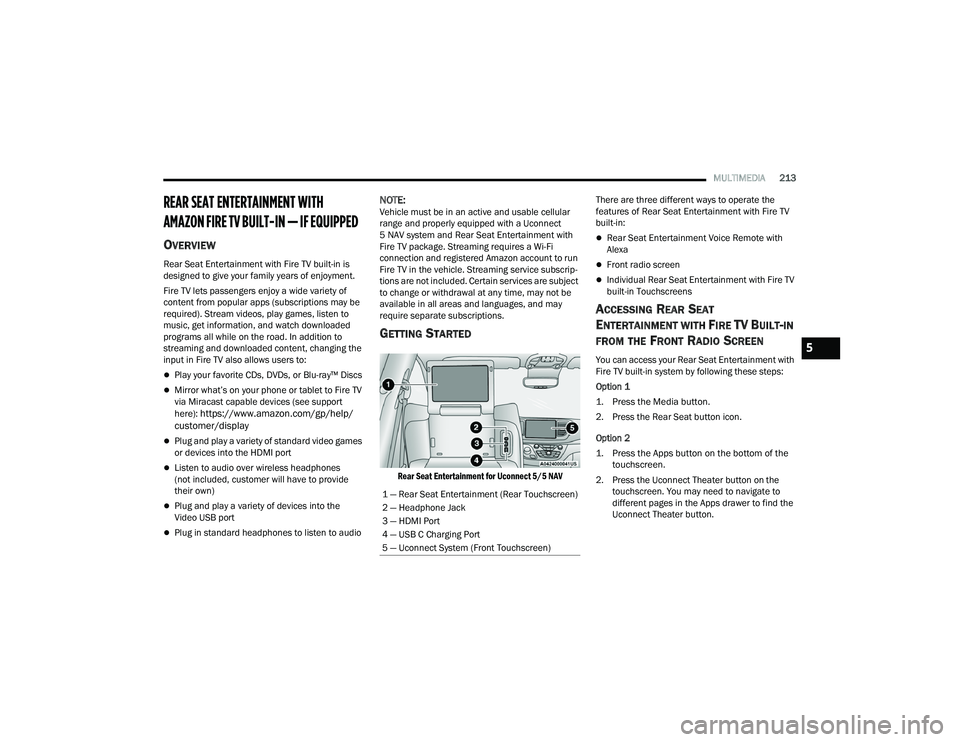
Rear Seat Entertainment for Uconnect 5/5 NAV
There are three different ways to operate the
features of Rear Seat Entertainment with Fire TV
built-in:
Rear Seat Entertainment Voice Remote with
Alexa
Front radio screen
Individual Rear Seat Entertainment with Fire TV
built-in Touchscreens
ACCESSING REAR SEAT
E
NTERTAINMENT WITH FIRE TV BUILT-IN
FROM THE FRONT RADIO SCREEN
You can access your Rear Seat Entertainment with
Fire TV built-in system by following these steps:
Option 1
1. Press the Media button.
2. Press the Rear Seat button icon.
Option 2
1. Press the Apps button on the bottom of the
touchscreen.
2. Press the Uconnect Theater button on the touchscreen. You may need to navigate to
different pages in the Apps drawer to find the
Uconnect Theater button.
1 — Rear Seat Entertainment (Rear Touchscreen)
2 — Headphone Jack
3 — HDMI Port
4 — USB C Charging Port
5 — Uconnect System (Front Touchscreen)5
22_RUP_OM_EN_USC_t.book Page 213
Page 303 of 384
IN CASE OF EMERGENCY301
PREPARATIONS FOR JUMP START
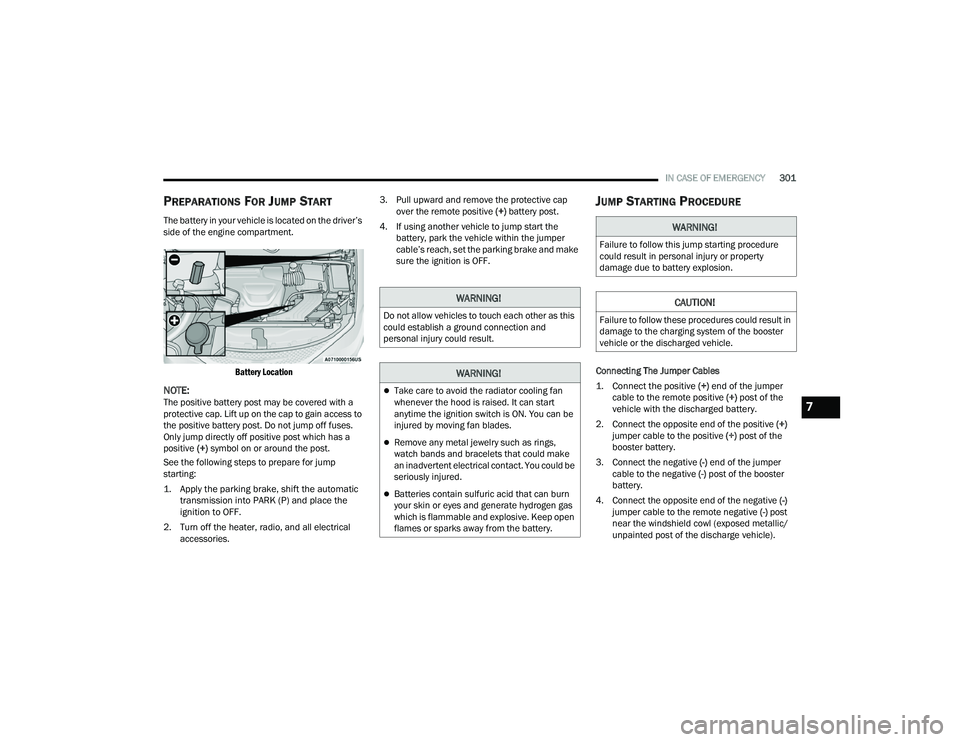
The battery in your vehicle is located on the driver’s
side of the engine compartment.
Battery Location
NOTE:The positive battery post may be covered with a
protective cap. Lift up on the cap to gain access to
the positive battery post. Do not jump off fuses.
Only jump directly off positive post which has a
positive (+) symbol on or around the post.
See the following steps to prepare for jump
starting:
1. Apply the parking brake, shift the automatic transmission into PARK (P) and place the
ignition to OFF.
2. Turn off the heater, radio, and all electrical accessories. 3. Pull upward and remove the protective cap
over the remote positive (+) battery post.
4. If using another vehicle to jump start the battery, park the vehicle within the jumper
cable’s reach, set the parking brake and make
sure the ignition is OFF.
JUMP STARTING PROCEDURE
Connecting The Jumper Cables
1. Connect the positive
(+) end of the jumper
cable to the remote positive (+)
post of the
vehicle with the discharged battery.
2. Connect the opposite end of the positive (+)
jumper cable to the positive (+) post of the
booster battery.
3. Connect the negative (-) end of the jumper
cable to the negative (-) post of the booster
battery.
4. Connect the opposite end of the negative (-)
jumper cable to the remote negative (-) post
near the windshield cowl (exposed metallic/
unpainted post of the discharge vehicle).
WARNING!
Do not allow vehicles to touch each other as this
could establish a ground connection and
personal injury could result.
WARNING!
Take care to avoid the radiator cooling fan
whenever the hood is raised. It can start
anytime the ignition switch is ON. You can be
injured by moving fan blades.
Remove any metal jewelry such as rings,
watch bands and bracelets that could make
an inadvertent electrical contact. You could be
seriously injured.
Batteries contain sulfuric acid that can burn
your skin or eyes and generate hydrogen gas
which is flammable and explosive. Keep open
flames or sparks away from the battery.
WARNING!
Failure to follow this jump starting procedure
could result in personal injury or property
damage due to battery explosion.
CAUTION!
Failure to follow these procedures could result in
damage to the charging system of the booster
vehicle or the discharged vehicle.
7
22_RUP_OM_EN_USC_t.book Page 301
Page 304 of 384
302IN CASE OF EMERGENCY
5. Start the engine in the vehicle that has the booster battery, let the engine idle a few
minutes, and then start the engine in the
vehicle with the discharged battery.
6. Once the engine is started, see the following disconnecting procedure for the next steps.
Disconnecting The Jumper Cables
1. Disconnect the negative
(-)
end of the jumper
cable from the remote negative post of the
vehicle with the discharged battery.
2. Disconnect the opposite end of the negative (-)
jumper cable from the negative (-) post of the
booster battery.
3. Disconnect the positive (+) end of the jumper
cable from the positive (+) post of the booster
battery.
4. Disconnect the opposite end of the positive (+)
jumper cable from the remote positive (+) post
of the vehicle with the discharged battery and
reinstall the protective cap. If frequent jump starting is required to start your
vehicle you should have the battery and charging
system inspected at an authorized dealer.
REFUELING IN EMERGENCY – IF EQUIPPED
The vehicle is equipped with a refueling funnel for
a Cap-Less Fuel System. If refueling is necessary,
while using an approved gas can, insert the
refueling funnel into the filler neck opening. Take
care to open both flappers with the funnel to avoid
spills.
NOTE:In certain cold conditions, ice may prevent the fuel
door from opening. If this occurs, lightly push on
the fuel door to break the ice buildup and
re-release the fuel door by pushing at the rear
center edge to unlatch.
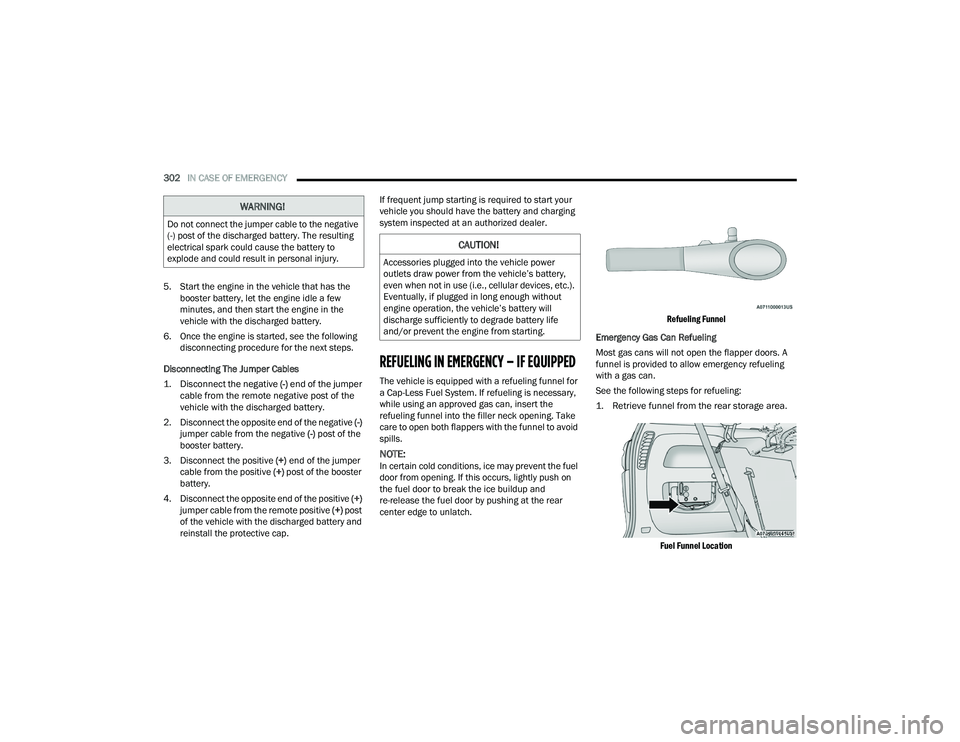
Refueling Funnel
Emergency Gas Can Refueling
Most gas cans will not open the flapper doors. A
funnel is provided to allow emergency refueling
with a gas can.
See the following steps for refueling:
1. Retrieve funnel from the rear storage area.
Fuel Funnel Location
WARNING!
Do not connect the jumper cable to the negative
(-) post of the discharged battery. The resulting
electrical spark could cause the battery to
explode and could result in personal injury.
CAUTION!
Accessories plugged into the vehicle power
outlets draw power from the vehicle’s battery,
even when not in use (i.e., cellular devices, etc.).
Eventually, if plugged in long enough without
engine operation, the vehicle’s battery will
discharge sufficiently to degrade battery life
and/or prevent the engine from starting.
22_RUP_OM_EN_USC_t.book Page 302
Page 336 of 384

334SERVICING AND MAINTENANCE
F68 ––Not Populated
F69 ––Not Populated
F70 ––Not Populated
F71 –20 Amp Yellow Horn
F72 –10 Amp Red Heated Mirror *
F73 30 Amp Pink –Rear Defroster
F74 20 Amp Blue –Trailer Tow Backup Lights*
F75 –5 Amp TanOverhead Console / RR Center Stack
F76 –20 Amp Yellow Uconnect / Center Display /
Telematics
F77 –10 Amp RedRR Entertainment / Media HUB /
USB(S) / Rain Sensor / Sunroof / RR View Mirror/ Overhead DVD Player / INT Monitoring Camera / Wireless Charging Pad
F78 –15 Amp BlueTCM (ZF) / E-Shifter / Cluster
F79 –10 Amp RedICS / HVAC / SCCM/ EPB SW
F80 ––Not Populated
F81 ––Not Populated
F82 ––Not Populated
CavityCartridge Fuse Blade FuseDescription
*If Equipped
22_RUP_OM_EN_USC_t.book Page 334
Page 374 of 384
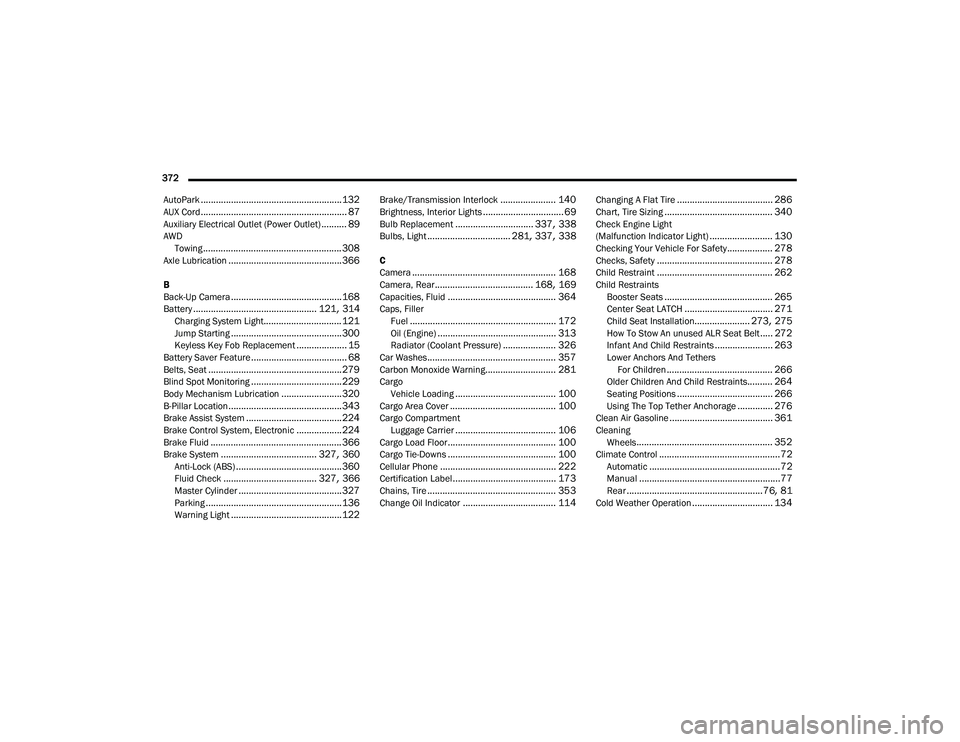
372 AutoPark
........................................................ 132AUX Cord.......................................................... 87Auxiliary Electrical Outlet (Power Outlet).......... 89AWD Towing....................................................... 308Axle Lubrication............................................. 366
B
Back-Up Camera............................................ 168Battery................................................. 121, 314Charging System Light............................... 121Jump Starting............................................ 300Keyless Key Fob Replacement.................... 15Battery Saver Feature...................................... 68Belts, Seat..................................................... 279Blind Spot Monitoring.................................... 229Body Mechanism Lubrication........................ 320B-Pillar Location............................................. 343Brake Assist System...................................... 224Brake Control System, Electronic.................. 224Brake Fluid.................................................... 366Brake System...................................... 327, 360Anti-Lock (ABS).......................................... 360Fluid Check..................................... 327, 366Master Cylinder......................................... 327Parking...................................................... 136Warning Light............................................ 122
Brake/Transmission Interlock...................... 140Brightness, Interior Lights................................ 69Bulb Replacement............................... 337, 338Bulbs, Light................................. 281, 337, 338
C
Camera......................................................... 168Camera, Rear....................................... 168, 169Capacities, Fluid........................................... 364Caps, FillerFuel.......................................................... 172Oil (Engine)............................................... 313Radiator (Coolant Pressure)..................... 326Car Washes................................................... 357Carbon Monoxide Warning............................ 281CargoVehicle Loading........................................ 100Cargo Area Cover.......................................... 100Cargo CompartmentLuggage Carrier........................................ 106Cargo Load Floor........................................... 100Cargo Tie-Downs........................................... 100Cellular Phone.............................................. 222Certification Label......................................... 173Chains, Tire................................................... 353Change Oil Indicator..................................... 114
Changing A Flat Tire...................................... 286Chart, Tire Sizing........................................... 340Check Engine Light
(Malfunction Indicator Light)......................... 130Checking Your Vehicle For Safety.................. 278Checks, Safety.............................................. 278Child Restraint.............................................. 262Child RestraintsBooster Seats........................................... 265Center Seat LATCH................................... 271Child Seat Installation...................... 273, 275How To Stow An unused ALR Seat Belt..... 272Infant And Child Restraints....................... 263Lower Anchors And Tethers For Children.......................................... 266Older Children And Child Restraints.......... 264Seating Positions...................................... 266Using The Top Tether Anchorage.............. 276Clean Air Gasoline......................................... 361CleaningWheels...................................................... 352Climate Control................................................72Automatic....................................................72Manual........................................................77Rear......................................................76, 81Cold Weather Operation................................ 134
22_RUP_OM_EN_USC_t.book Page 372
Page 382 of 384
380
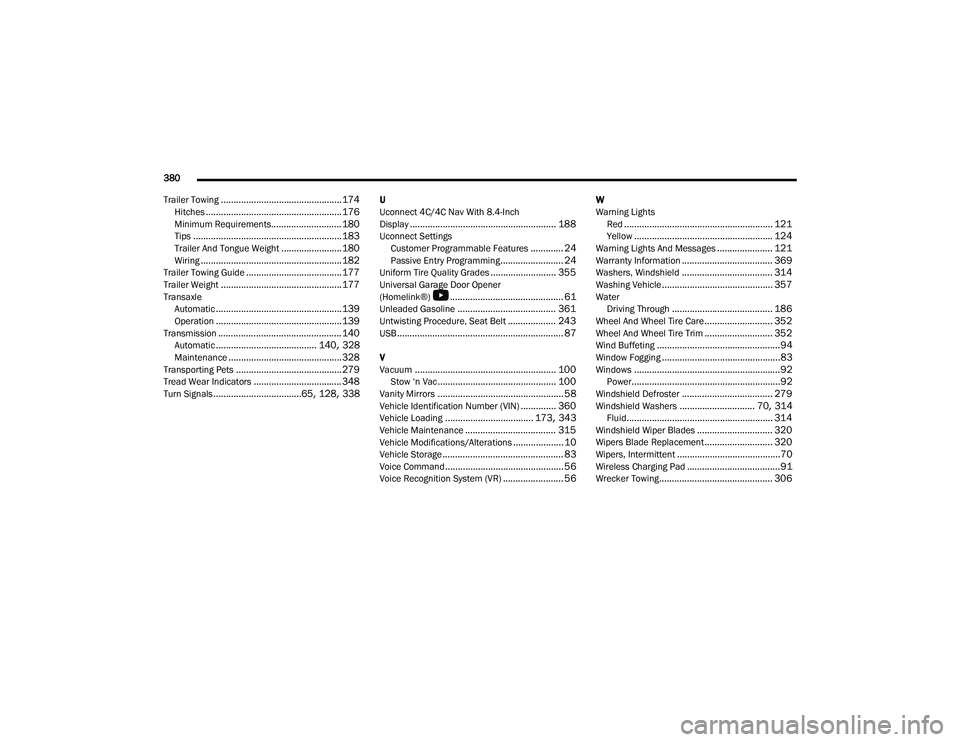
Trailer Towing
................................................ 174Hitches...................................................... 176Minimum Requirements............................ 180Tips........................................................... 183Trailer And Tongue Weight........................ 180Wiring........................................................ 182Trailer Towing Guide...................................... 177Trailer Weight................................................ 177Transaxle Automatic.................................................. 139Operation.................................................. 139Transmission................................................. 140Automatic........................................ 140, 328Maintenance............................................. 328Transporting Pets.......................................... 279Tread Wear Indicators................................... 348Turn Signals...................................65, 128, 338
U
Uconnect 4C/4C Nav With 8.4-Inch
Display
.......................................................... 188Uconnect SettingsCustomer Programmable Features............. 24Passive Entry Programming......................... 24Uniform Tire Quality Grades.......................... 355Universal Garage Door Opener
(Homelink®)
b
............................................. 61Unleaded Gasoline....................................... 361Untwisting Procedure, Seat Belt................... 243USB.................................................................. 87
V
Vacuum........................................................ 100Stow ‘n Vac............................................... 100Vanity Mirrors.................................................. 58Vehicle Identification Number (VIN).............. 360Vehicle Loading................................... 173, 343Vehicle Maintenance.................................... 315Vehicle Modifications/Alterations.................... 10Vehicle Storage................................................ 83Voice Command............................................... 56Voice Recognition System (VR)........................ 56
W
Warning LightsRed
........................................................... 121Yellow....................................................... 124Warning Lights And Messages...................... 121Warranty Information.................................... 369Washers, Windshield.................................... 314Washing Vehicle............................................ 357WaterDriving Through........................................ 186Wheel And Wheel Tire Care........................... 352Wheel And Wheel Tire Trim........................... 352Wind Buffeting.................................................94Window Fogging...............................................83Windows..........................................................92Power...........................................................92Windshield Defroster.................................... 279Windshield Washers.............................. 70, 314Fluid.......................................................... 314Windshield Wiper Blades.............................. 320Wipers Blade Replacement........................... 320Wipers, Intermittent.........................................70Wireless Charging Pad.....................................91Wrecker Towing............................................. 306
22_RUP_OM_EN_USC_t.book Page 380