ECU CHRYSLER PACIFICA 2023 Owners Manual
[x] Cancel search | Manufacturer: CHRYSLER, Model Year: 2023, Model line: PACIFICA, Model: CHRYSLER PACIFICA 2023Pages: 328, PDF Size: 16.37 MB
Page 4 of 328
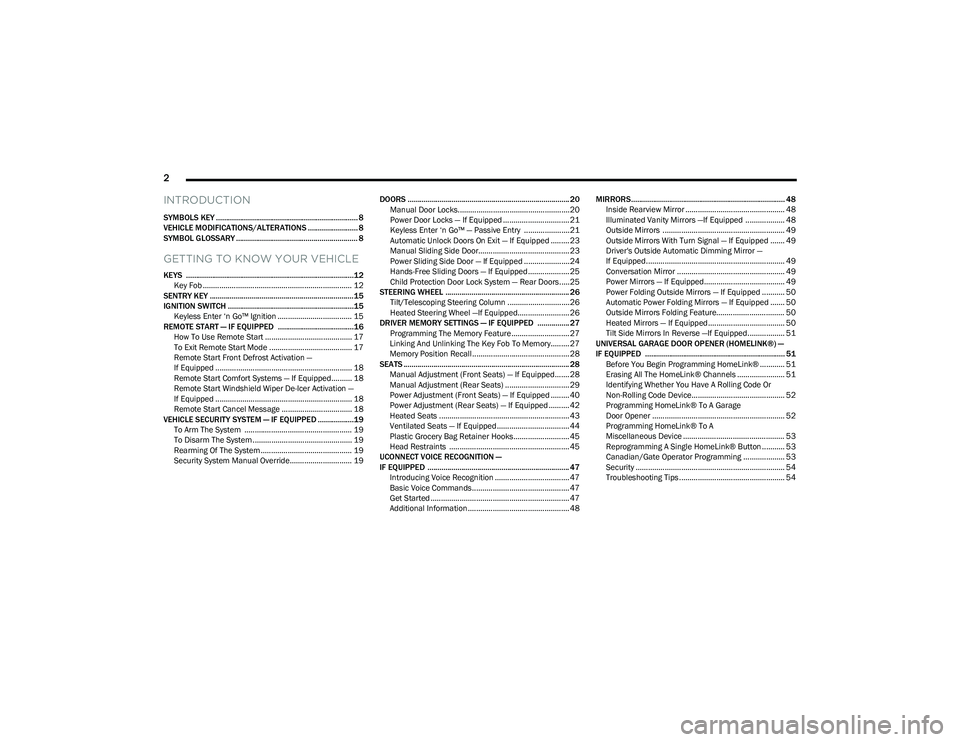
2
INTRODUCTION
SYMBOLS KEY ....................................................................... 8
VEHICLE MODIFICATIONS/ALTERATIONS ......................... 8
SYMBOL GLOSSARY ............................................................. 8
GETTING TO KNOW YOUR VEHICLE
KEYS ....................................................................................12
Key Fob ........................................................................ 12
SENTRY KEY ........................................................................15
IGNITION SWITCH ...............................................................15 Keyless Enter ‘n Go™ Ignition .................................... 15
REMOTE START — IF EQUIPPED ......................................16 How To Use Remote Start .......................................... 17
To Exit Remote Start Mode ........................................ 17
Remote Start Front Defrost Activation —
If Equipped .................................................................. 18
Remote Start Comfort Systems — If Equipped.......... 18
Remote Start Windshield Wiper De-Icer Activation —
If Equipped .................................................................. 18
Remote Start Cancel Message .................................. 18
VEHICLE SECURITY SYSTEM — IF EQUIPPED ..................19 To Arm The System .................................................... 19
To Disarm The System ................................................ 19
Rearming Of The System ............................................ 19
Security System Manual Override.............................. 19 DOORS ................................................................................. 20
Manual Door Locks......................................................20
Power Door Locks — If Equipped ................................ 21
Keyless Enter ‘n Go™ — Passive Entry ...................... 21
Automatic Unlock Doors On Exit — If Equipped ......... 23
Manual Sliding Side Door............................................ 23
Power Sliding Side Door — If Equipped ...................... 24
Hands-Free Sliding Doors — If Equipped.................... 25
Child Protection Door Lock System — Rear Doors.....25
STEERING WHEEL .............................................................. 26 Tilt/Telescoping Steering Column ..............................26
Heated Steering Wheel —If Equipped......................... 26
DRIVER MEMORY SETTINGS — IF EQUIPPED ................ 27 Programming The Memory Feature............................ 27
Linking And Unlinking The Key Fob To Memory......... 27
Memory Position Recall............................................... 28
SEATS ................................................................................... 28 Manual Adjustment (Front Seats) — If Equipped....... 28
Manual Adjustment (Rear Seats) ............................... 29
Power Adjustment (Front Seats) — If Equipped ......... 40
Power Adjustment (Rear Seats) — If Equipped .......... 42
Heated Seats ...............................................................43
Ventilated Seats — If Equipped................................... 44
Plastic Grocery Bag Retainer Hooks........................... 45
Head Restraints .......................................................... 45
UCONNECT VOICE RECOGNITION —
IF EQUIPPED ....................................................................... 47 Introducing Voice Recognition .................................... 47
Basic Voice Commands............................................... 47
Get Started ................................................................... 47
Additional Information................................................. 48 MIRRORS............................................................................. 48
Inside Rearview Mirror ................................................ 48
Illuminated Vanity Mirrors —If Equipped ................... 48
Outside Mirrors ........................................................... 49
Outside Mirrors With Turn Signal — If Equipped ....... 49
Driver's Outside Automatic Dimming Mirror —
If Equipped................................................................... 49
Conversation Mirror .................................................... 49
Power Mirrors — If Equipped....................................... 49
Power Folding Outside Mirrors — If Equipped ........... 50
Automatic Power Folding Mirrors — If Equipped ....... 50
Outside Mirrors Folding Feature................................. 50
Heated Mirrors — If Equipped ..................................... 50
Tilt Side Mirrors In Reverse —If Equipped.................. 51
UNIVERSAL GARAGE DOOR OPENER (HOMELINK®) —
IF EQUIPPED ...................................................................... 51 Before You Begin Programming HomeLink® ............ 51
Erasing All The HomeLink® Channels ....................... 51
Identifying Whether You Have A Rolling Code Or
Non-Rolling Code Device............................................. 52
Programming HomeLink® To A Garage
Door Opener ................................................................ 52
Programming HomeLink® To A
Miscellaneous Device ................................................. 53
Reprogramming A Single HomeLink® Button ........... 53
Canadian/Gate Operator Programming .................... 53
Security ........................................................................ 54
Troubleshooting Tips ................................................... 54
23_RUP_OM_EN_USC_t.book Page 2
Page 5 of 328
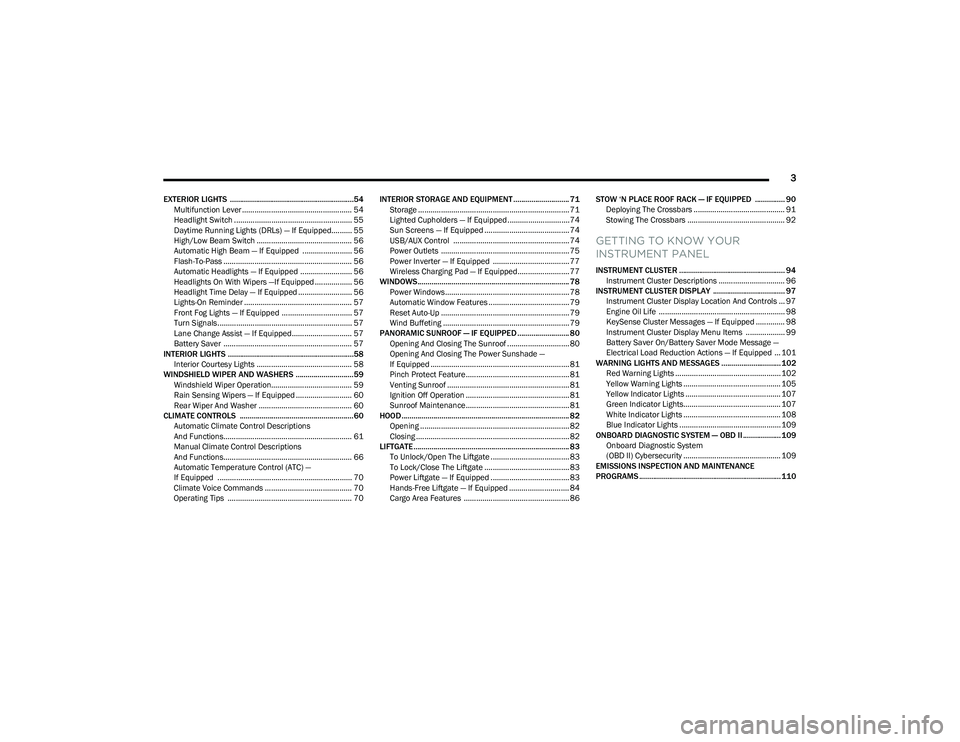
3
EXTERIOR LIGHTS ..............................................................54Multifunction Lever ..................................................... 54
Headlight Switch ......................................................... 55
Daytime Running Lights (DRLs) — If Equipped.......... 55
High/Low Beam Switch .............................................. 56
Automatic High Beam — If Equipped ........................ 56
Flash-To-Pass .............................................................. 56
Automatic Headlights — If Equipped ......................... 56
Headlights On With Wipers —If Equipped .................. 56
Headlight Time Delay — If Equipped .......................... 56
Lights-On Reminder .................................................... 57
Front Fog Lights — If Equipped .................................. 57
Turn Signals................................................................. 57
Lane Change Assist — If Equipped............................. 57
Battery Saver .............................................................. 57
INTERIOR LIGHTS ...............................................................58 Interior Courtesy Lights .............................................. 58
WINDSHIELD WIPER AND WASHERS .............................59 Windshield Wiper Operation....................................... 59
Rain Sensing Wipers — If Equipped ........................... 60
Rear Wiper And Washer ............................................. 60
CLIMATE CONTROLS .........................................................60 Automatic Climate Control Descriptions
And Functions.............................................................. 61
Manual Climate Control Descriptions
And Functions.............................................................. 66
Automatic Temperature Control (ATC) —
If Equipped ................................................................. 70
Climate Voice Commands .......................................... 70
Operating Tips ............................................................ 70 INTERIOR STORAGE AND EQUIPMENT ............................ 71
Storage ......................................................................... 71
Lighted Cupholders — If Equipped..............................74
Sun Screens — If Equipped ......................................... 74
USB/AUX Control ........................................................ 74
Power Outlets .............................................................. 75
Power Inverter — If Equipped ..................................... 77
Wireless Charging Pad — If Equipped......................... 77
WINDOWS............................................................................ 78 Power Windows............................................................ 78
Automatic Window Features ....................................... 79
Reset Auto-Up .............................................................. 79
Wind Buffeting ............................................................. 79
PANORAMIC SUNROOF — IF EQUIPPED .......................... 80 Opening And Closing The Sunroof ..............................80
Opening And Closing The Power Sunshade —
If Equipped ................................................................... 81
Pinch Protect Feature.................................................. 81
Venting Sunroof ........................................................... 81
Ignition Off Operation .................................................. 81
Sunroof Maintenance.................................................. 81
HOOD.................................................................................... 82 Opening ........................................................................ 82
Closing .......................................................................... 82
LIFTGATE .............................................................................. 83 To Unlock/Open The Liftgate ......................................83
To Lock/Close The Liftgate ......................................... 83
Power Liftgate — If Equipped ......................................83
Hands-Free Liftgate — If Equipped ............................. 84
Cargo Area Features ................................................... 86 STOW ‘N PLACE ROOF RACK — IF EQUIPPED ............... 90
Deploying The Crossbars ............................................ 91
Stowing The Crossbars ............................................... 92
GETTING TO KNOW YOUR
INSTRUMENT PANEL
INSTRUMENT CLUSTER ..................................................... 94 Instrument Cluster Descriptions ................................ 96
INSTRUMENT CLUSTER DISPLAY .................................... 97 Instrument Cluster Display Location And Controls ... 97
Engine Oil Life ............................................................. 98
KeySense Cluster Messages — If Equipped .............. 98
Instrument Cluster Display Menu Items ................... 99
Battery Saver On/Battery Saver Mode Message —
Electrical Load Reduction Actions — If Equipped ... 101
WARNING LIGHTS AND MESSAGES ..............................102 Red Warning Lights ................................................... 102
Yellow Warning Lights ............................................... 105Yellow Indicator Lights .............................................. 107Green Indicator Lights............................................... 107White Indicator Lights ............................................... 108Blue Indicator Lights ................................................. 109
ONBOARD DIAGNOSTIC SYSTEM — OBD II ................... 109 Onboard Diagnostic System
(OBD II) Cybersecurity ............................................... 109
EMISSIONS INSPECTION AND MAINTENANCE
PROGRAMS ....................................................................... 110
23_RUP_OM_EN_USC_t.book Page 3
Page 7 of 328
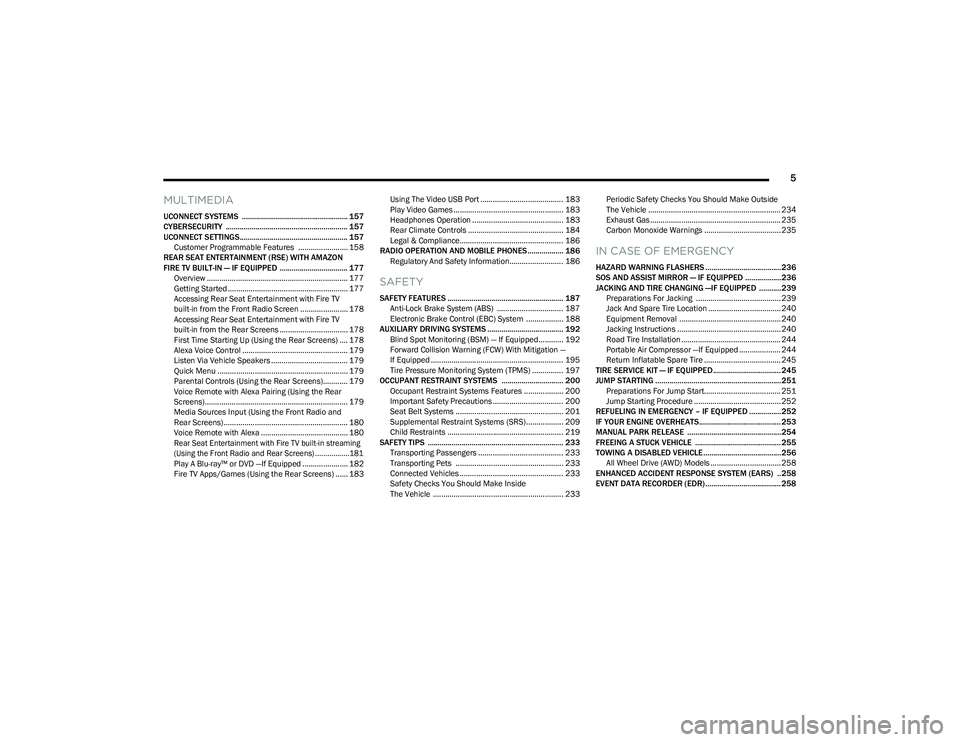
5
MULTIMEDIA
UCONNECT SYSTEMS ..................................................... 157
CYBERSECURITY ............................................................. 157
UCONNECT SETTINGS...................................................... 157Customer Programmable Features ........................ 158
REAR SEAT ENTERTAINMENT (RSE) WITH AMAZON
FIRE TV BUILT-IN — IF EQUIPPED .................................. 177 Overview .................................................................... 177Getting Started .......................................................... 177
Accessing Rear Seat Entertainment with Fire TV
built-in from the Front Radio Screen ....................... 178
Accessing Rear Seat Entertainment with Fire TV
built-in from the Rear Screens ................................. 178First Time Starting Up (Using the Rear Screens) .... 178Alexa Voice Control ................................................... 179
Listen Via Vehicle Speakers ..................................... 179
Quick Menu ............................................................... 179
Parental Controls (Using the Rear Screens)............ 179Voice Remote with Alexa Pairing (Using the Rear
Screens)..................................................................... 179Media Sources Input (Using the Front Radio and
Rear Screens)............................................................ 180
Voice Remote with Alexa .......................................... 180
Rear Seat Entertainment with Fire TV built-in streaming
(Using the Front Radio and Rear Screens) .................181
Play A Blu-ray™ or DVD —If Equipped ...................... 182
Fire TV Apps/Games (Using the Rear Screens) ...... 183 Using The Video USB Port ........................................ 183
Play Video Games ..................................................... 183
Headphones Operation ............................................ 183
Rear Climate Controls .............................................. 184
Legal & Compliance.................................................. 186
RADIO OPERATION AND MOBILE PHONES.................. 186 Regulatory And Safety Information.......................... 186
SAFETY
SAFETY FEATURES .......................................................... 187Anti-Lock Brake System (ABS) ................................ 187
Electronic Brake Control (EBC) System .................. 188
AUXILIARY DRIVING SYSTEMS ...................................... 192 Blind Spot Monitoring (BSM) — If Equipped............ 192
Forward Collision Warning (FCW) With Mitigation —
If Equipped ................................................................ 195Tire Pressure Monitoring System (TPMS) ............... 197
OCCUPANT RESTRAINT SYSTEMS ............................... 200 Occupant Restraint Systems Features ................... 200
Important Safety Precautions .................................. 200
Seat Belt Systems .................................................... 201
Supplemental Restraint Systems (SRS).................. 209
Child Restraints ........................................................ 219
SAFETY TIPS .................................................................... 233 Transporting Passengers ......................................... 233
Transporting Pets .................................................... 233
Connected Vehicles .................................................. 233Safety Checks You Should Make Inside
The Vehicle ............................................................... 233 Periodic Safety Checks You Should Make Outside
The Vehicle ................................................................ 234
Exhaust Gas ............................................................... 235
Carbon Monoxide Warnings ..................................... 235
IN CASE OF EMERGENCY
HAZARD WARNING FLASHERS ......................................236
SOS AND ASSIST MIRROR — IF EQUIPPED ..................236
JACKING AND TIRE CHANGING —IF EQUIPPED ...........239
Preparations For Jacking ......................................... 239
Jack And Spare Tire Location ................................... 240
Equipment Removal ................................................. 240
Jacking Instructions .................................................. 240
Road Tire Installation ................................................ 244
Portable Air Compressor —If Equipped .................... 244
Return Inflatable Spare Tire ..................................... 245
TIRE SERVICE KIT — IF EQUIPPED.................................. 245
JUMP STARTING ...............................................................251 Preparations For Jump Start..................................... 251
Jump Starting Procedure .......................................... 252
REFUELING IN EMERGENCY – IF EQUIPPED ................252
IF YOUR ENGINE OVERHEATS......................................... 253
MANUAL PARK RELEASE ...............................................254
FREEING A STUCK VEHICLE ........................................... 255
TOWING A DISABLED VEHICLE.......................................256 All Wheel Drive (AWD) Models .................................. 258
ENHANCED ACCIDENT RESPONSE SYSTEM (EARS) ..258
EVENT DATA RECORDER (EDR)......................................258
23_RUP_OM_EN_USC_t.book Page 5
Page 11 of 328
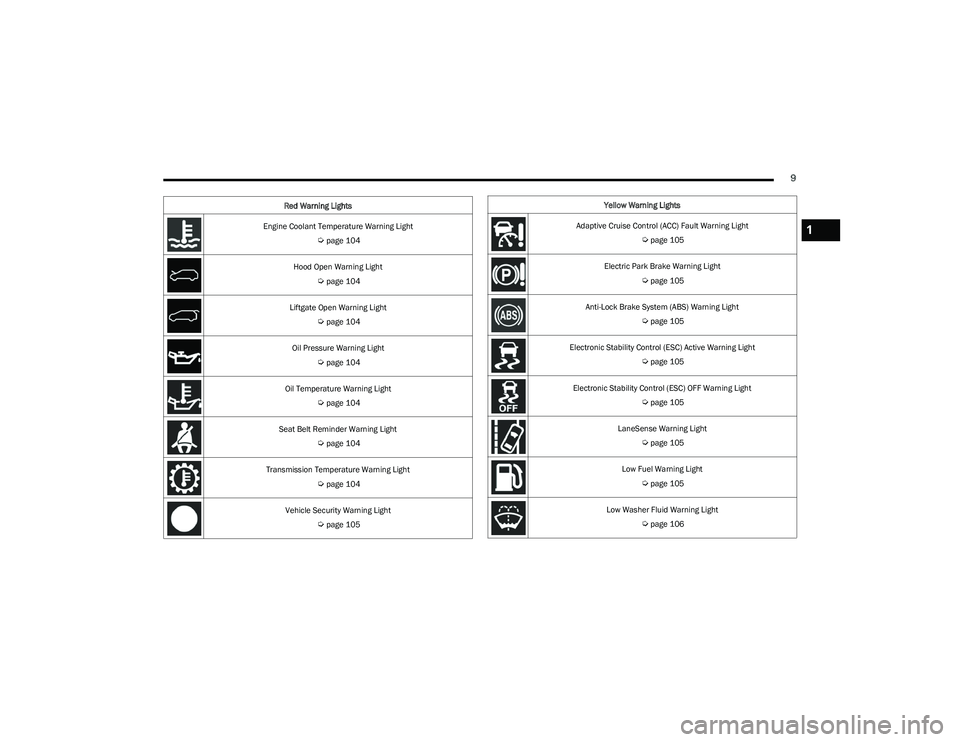
9
Engine Coolant Temperature Warning Light
Úpage 104
Hood Open Warning Light
Úpage 104
Liftgate Open Warning Light
Úpage 104
Oil Pressure Warning Light
Úpage 104
Oil Temperature Warning Light
Úpage 104
Seat Belt Reminder Warning Light
Úpage 104
Transmission Temperature Warning Light
Úpage 104
Vehicle Security Warning Light
Úpage 105
Red Warning Lights
Yellow Warning Lights
Adaptive Cruise Control (ACC) Fault Warning Light
Úpage 105
Electric Park Brake Warning Light
Úpage 105
Anti-Lock Brake System (ABS) Warning Light
Úpage 105
Electronic Stability Control (ESC) Active Warning Light
Úpage 105
Electronic Stability Control (ESC) OFF Warning Light
Úpage 105
LaneSense Warning Light
Úpage 105
Low Fuel Warning Light
Úpage 105
Low Washer Fluid Warning Light
Úpage 106
1
23_RUP_OM_EN_USC_t.book Page 9
Page 15 of 328
GETTING TO KNOW YOUR VEHICLE13
When the doors are unlocked, the turn signals will flash
and the illuminated entry system will be activated. When
the doors are locked, the turn signals will flash and the
horn will chirp. Settings in the Uconnect system can
change to lights only, chirp only, or both.
Vehicles Equipped With Keyless Enter ‘n Go™ — Passive
Entry
If one or more doors are open, or the liftgate is open, the
doors can be locked. The doors will unlock again only if the
key fob is inside the passenger compartment.
All doors can be programmed to unlock on the first push
of the unlock button within Uconnect Settings
Úpage 157.
Key Left Vehicle Feature
If a valid key fob is no longer detected inside the vehicle
while the vehicle’s ignition system is in the ON/RUN or
START position, the message “Key Fob Has Left The
Vehicle” will be shown in the instrument cluster display
along with an interior chime. An exterior audible and visual
alert will also be activated to warn the driver.
The vehicle’s horn will rapidly chirp three times along with
a single flash of the vehicle’s exterior lights.
NOTE:
The doors have to be open and then closed in order for
the vehicle to check for the presence of a key fob; the
Key Left Vehicle feature will not activate until all of the
doors are closed.
These alerts will not be activated in situations where
the vehicle’s engine is left running with the key fob
inside.
Replacing The Battery In The Key Fob
The recommended replacement battery is one CR2032
battery.
NOTE:
Customers are recommended to use a battery
obtained from Mopar®. Aftermarket coin battery
dimensions may not meet the original OEM coin battery
dimensions.
Batteries contain harmful chemicals. Dispose old
batteries by placing them in correct containers
according to the law or by taking them to a dealership,
where they will be handled appropriately.
Perchlorate Material — special handling may apply. See
www.dtsc.ca.gov/hazardouswaste/perchlorate for
further information.
Do not touch the battery terminals that are on the back
housing or the printed circuit board.
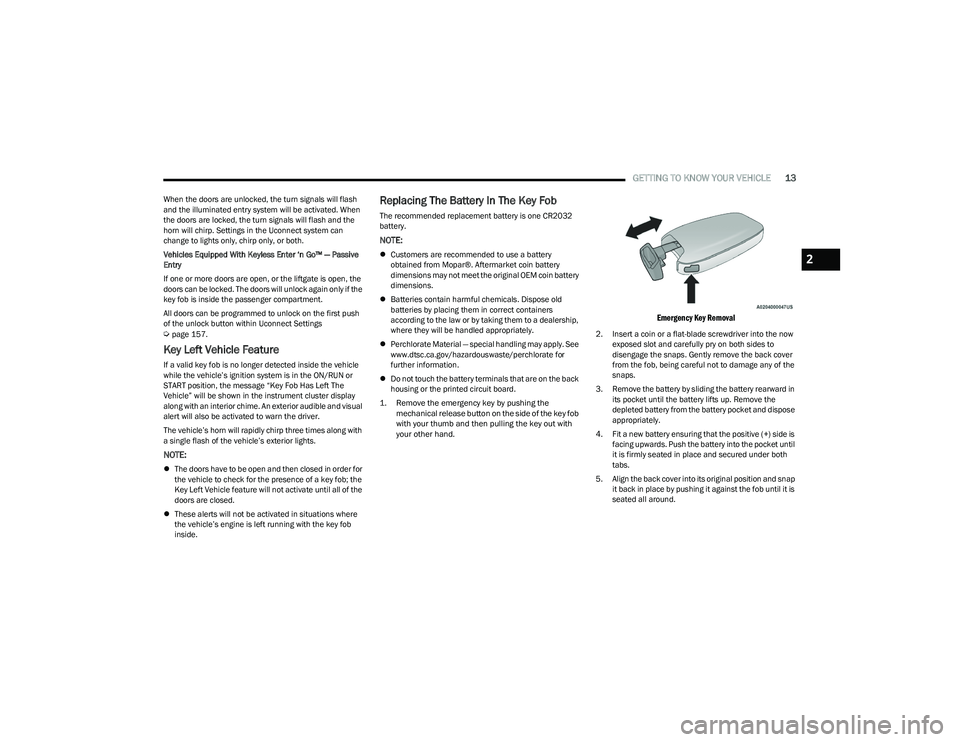
1. Remove the emergency key by pushing the mechanical release button on the side of the key fob
with your thumb and then pulling the key out with
your other hand.
Emergency Key Removal
2. Insert a coin or a flat-blade screwdriver into the now exposed slot and carefully pry on both sides to
disengage the snaps. Gently remove the back cover
from the fob, being careful not to damage any of the
snaps.
3. Remove the battery by sliding the battery rearward in its pocket until the battery lifts up. Remove the
depleted battery from the battery pocket and dispose
appropriately.
4. Fit a new battery ensuring that the positive (+) side is facing upwards. Push the battery into the pocket until
it is firmly seated in place and secured under both
tabs.
5. Align the back cover into its original position and snap it back in place by pushing it against the fob until it is
seated all around.
2
23_RUP_OM_EN_USC_t.book Page 13
Page 16 of 328
14GETTING TO KNOW YOUR VEHICLE
Programming And Requesting Additional
Key Fobs
Programming the key fob may be performed by an
authorized dealer.
NOTE:
Once a key fob is programmed to a vehicle, it cannot be
repurposed and reprogrammed to another vehicle.
Only key fobs that are programmed to the vehicle elec -
tronics can be used to start and operate the vehicle.
Once a key fob is programmed to a vehicle, it cannot be
programmed to any other vehicle. Duplication of key fobs may be performed at an authorized
dealer. This procedure consists of programming a blank
key fob to the vehicle electronics. A blank key fob is one
that has never been programmed.
NOTE:
When having the Sentry Key Immobilizer system
serviced, bring all vehicle keys with you to an autho -
rized dealer.
Keys must be ordered to the correct key cut to match
the vehicle locks.
KeySense Features — If Equipped
This feature provides the vehicle owner with the ability to
customize vehicle settings that can be applied to
determine the driving experience for other drivers of the
vehicle. The vehicle settings are protected by a unique
4-digit PIN, which the vehicle owner creates when
accessing the specific settings for the first time.
KeySense also has additional features that are always
enabled when the specific key fob is in use that cannot be
set by the vehicle owner. While this specific key fob is in
use, the vehicle will respond accordingly to the customized
vehicle settings and mandatory features. This includes enhanced driving assistance features, increased driver
alerts, and the locking of certain optional features. These
settings can be selected within the Uconnect system
Úpage 157.
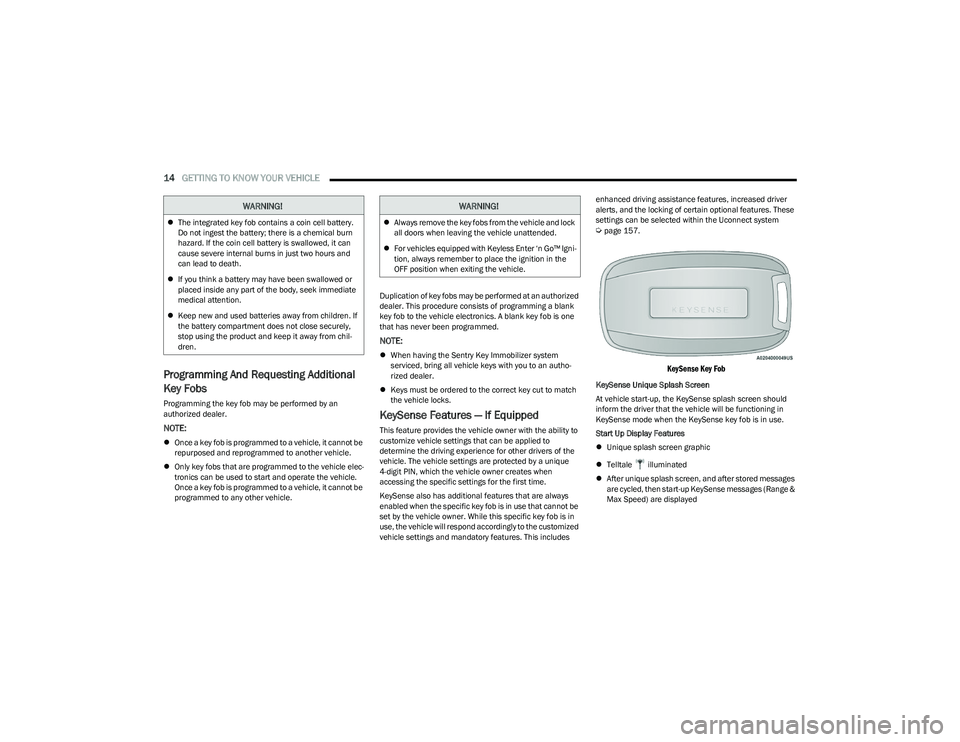
KeySense Key Fob
KeySense Unique Splash Screen
At vehicle start-up, the KeySense splash screen should
inform the driver that the vehicle will be functioning in
KeySense mode when the KeySense key fob is in use.
Start Up Display Features
Unique splash screen graphic
Telltale illuminated
After unique splash screen, and after stored messages
are cycled, then start-up KeySense messages (Range &
Max Speed) are displayed
WARNING!
The integrated key fob contains a coin cell battery.
Do not ingest the battery; there is a chemical burn
hazard. If the coin cell battery is swallowed, it can
cause severe internal burns in just two hours and
can lead to death.
If you think a battery may have been swallowed or
placed inside any part of the body, seek immediate
medical attention.
Keep new and used batteries away from children. If
the battery compartment does not close securely,
stop using the product and keep it away from chil -
dren.
WARNING!
Always remove the key fobs from the vehicle and lock
all doors when leaving the vehicle unattended.
For vehicles equipped with Keyless Enter ‘n Go™ Igni -
tion, always remember to place the ignition in the
OFF position when exiting the vehicle.
23_RUP_OM_EN_USC_t.book Page 14
Page 17 of 328
GETTING TO KNOW YOUR VEHICLE15
The following features are always enabled when this key
fob is in use:
Entertainment audio muted if front occupied seat belts
are not fastened
Consistent seat belt unfastened chime
Maximum radio volume limited to 15 out of 39
Daytime Running Lights
Headlights On With Wipers
Rain Sensing Wipers
Automatic High Beams
SENTRY KEY
The Sentry Key Immobilizer system prevents unauthorized
vehicle operation by disabling the engine. The system
does not need to be armed or activated. Operation is
automatic, regardless of whether the vehicle is locked or
unlocked.
The system uses a key fob, keyless push button ignition
and a Radio Frequency (RF) receiver to prevent
unauthorized vehicle operation. Therefore, only key fobs
that are programmed to the vehicle can be used to start
and operate the vehicle. The system cannot reprogram a
key fob obtained from another vehicle. After placing the ignition in the ON/RUN position, the
Vehicle Security Light will turn on for three seconds for a
bulb check. If the light remains on after the bulb check, it
indicates that there is a problem with the electronics. In
addition, if the light begins to flash after the bulb check, it
indicates that someone attempted to start the engine with
an invalid key fob. In the event that a valid key fob is used
to start the engine but there is an issue with the vehicle
electronics, the engine will start and shut off after two
seconds.
If the Vehicle Security Light turns on during normal vehicle
operation (vehicle running for longer than 10 seconds), it
indicates that there is a fault in the electronics. Should
this occur, have the vehicle serviced as soon as possible
by an authorized dealer.
All of the key fobs provided with your new vehicle have
been programmed to the vehicle electronics
Úpage 312.
NOTE:A key fob that has not been programmed is also
considered an invalid key.
IGNITION SWITCH
KEYLESS ENTER ‘N GO™ IGNITION
If applicable, refer to the “Hybrid Supplement” for
additional information.
This feature allows the driver to operate the ignition switch
with the push of a button as long as the key fob is in the
passenger compartment.
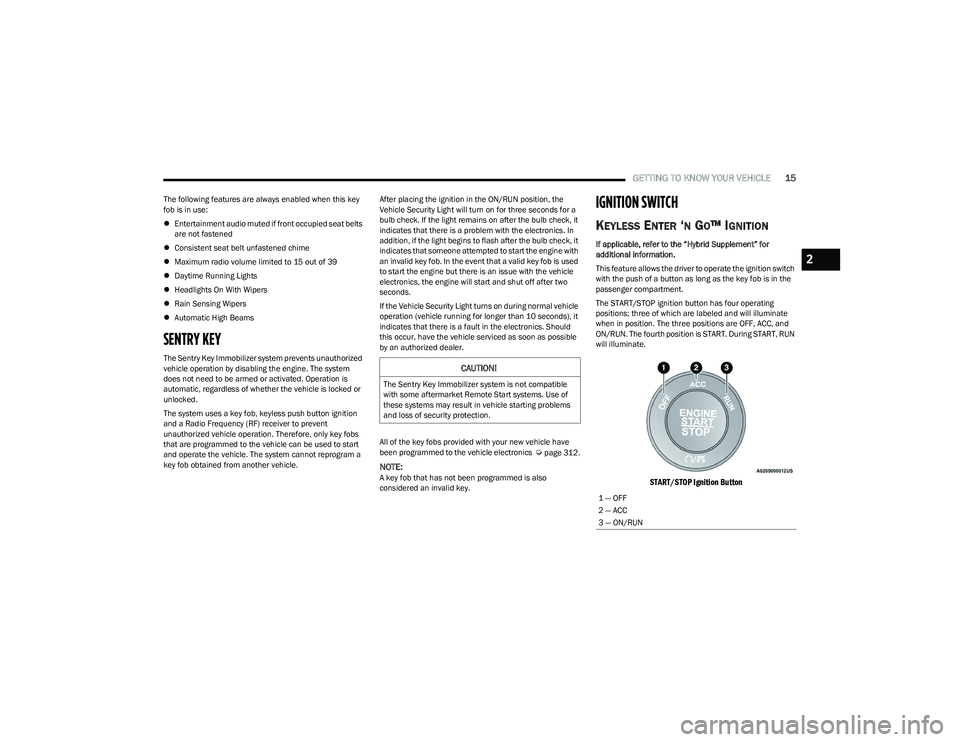
The START/STOP ignition button has four operating
positions; three of which are labeled and will illuminate
when in position. The three positions are OFF, ACC, and
ON/RUN. The fourth position is START. During START, RUN
will illuminate.
START/STOP Ignition Button
CAUTION!
The Sentry Key Immobilizer system is not compatible
with some aftermarket Remote Start systems. Use of
these systems may result in vehicle starting problems
and loss of security protection.
1 — OFF
2 — ACC
3 — ON/RUN
2
23_RUP_OM_EN_USC_t.book Page 15
Page 18 of 328
16GETTING TO KNOW YOUR VEHICLE
The push button ignition can be placed in the following
modes:
OFF
The engine is stopped
Some electrical devices (e.g. power locks, alarm, etc.)
are still available
ACC
The engine is stopped
Some electrical devices are available (e.g. power
windows)
ON/RUN
Driving position
All electrical devices are available (e.g. climate
controls, etc.)
START
The engine will start (when foot is on the brake pedal)
The engine only runs with the ignition in the ON/RUN
ignition position, or from a Remote Start request.
In case the ignition switch does not change with the push
of a button, the key fob may have a low or depleted
battery. In this situation, a backup method can be used to
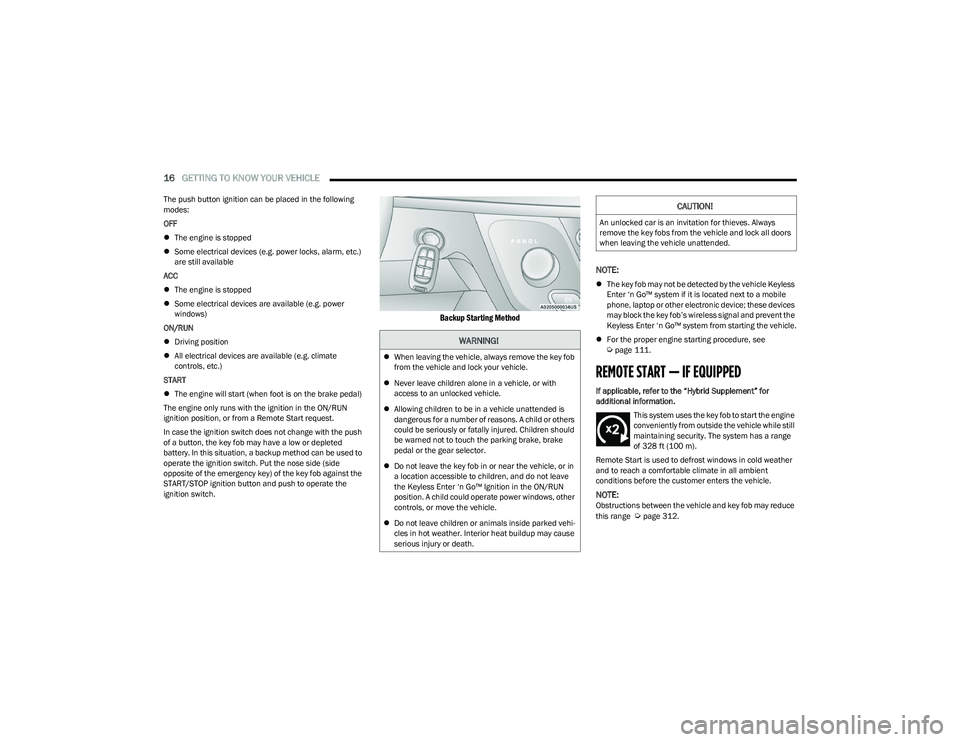
operate the ignition switch. Put the nose side (side
opposite of the emergency key) of the key fob against the
START/STOP ignition button and push to operate the
ignition switch.
Backup Starting Method
NOTE:
The key fob may not be detected by the vehicle Keyless
Enter ‘n Go™ system if it is located next to a mobile
phone, laptop or other electronic device; these devices
may block the key fob’s wireless signal and prevent the
Keyless Enter ‘n Go™ system from starting the vehicle.
For the proper engine starting procedure, see
Úpage 111.
REMOTE START — IF EQUIPPED
If applicable, refer to the “Hybrid Supplement” for
additional information.
This system uses the key fob to start the engine
conveniently from outside the vehicle while still
maintaining security. The system has a range
of 328 ft (100 m).
Remote Start is used to defrost windows in cold weather
and to reach a comfortable climate in all ambient
conditions before the customer enters the vehicle.
NOTE:Obstructions between the vehicle and key fob may reduce
this range Úpage 312.
WARNING!
When leaving the vehicle, always remove the key fob
from the vehicle and lock your vehicle.
Never leave children alone in a vehicle, or with
access to an unlocked vehicle.
Allowing children to be in a vehicle unattended is
dangerous for a number of reasons. A child or others
could be seriously or fatally injured. Children should
be warned not to touch the parking brake, brake
pedal or the gear selector.
Do not leave the key fob in or near the vehicle, or in
a location accessible to children, and do not leave
the Keyless Enter ‘n Go™ Ignition in the ON/RUN
position. A child could operate power windows, other
controls, or move the vehicle.
Do not leave children or animals inside parked vehi -
cles in hot weather. Interior heat buildup may cause
serious injury or death.
CAUTION!
An unlocked car is an invitation for thieves. Always
remove the key fobs from the vehicle and lock all doors
when leaving the vehicle unattended.
23_RUP_OM_EN_USC_t.book Page 16
Page 19 of 328
GETTING TO KNOW YOUR VEHICLE17
HOW TO USE REMOTE START
Push and release the Remote Start button on the key fob
twice within five seconds. The vehicle doors will lock, the
parking lights will flash, and the horn will chirp twice (if
programmed). Then, the engine will start, and the vehicle
will remain in the Remote Start mode for a 15 minute
cycle.
Pushing the Remote Start button a third time shuts the
engine off.
To drive the vehicle, push the unlock button, and place the
ignition in the ON/RUN position.
NOTE:
With Remote Start, the engine will only run for
15 minutes.
Remote Start can only be used twice.
If an engine fault is present or fuel level is low, the
vehicle will start and then shut down after 10 seconds.
The parking lights will turn on, and remain on, during
Remote Start mode.
For security, power window and power sunroof (if
equipped) operation are disabled when the vehicle is in
the Remote Start mode.
The ignition must be placed in the ON/RUN position
before the Remote Start sequence can be repeated for
a third cycle.
All of the following conditions must be met before the
engine will remote start:
Gear selector in PARK
Doors closed
Hood closed
Liftgate closed
Hazard switch off
Brake switch inactive (brake pedal not pressed)
Battery at an acceptable charge level
Panic button not pushed
System not disabled from previous Remote Start event
Vehicle Security Light flashing
Ignition in OFF position
Fuel level meets minimum requirement
Vehicle Security system is not signaling an intrusion
Malfunction Indicator Light (MIL) is not illuminated
TO EXIT REMOTE START MODE
To drive the vehicle after starting the Remote Start
system, either push and release the unlock button on the
key fob to unlock the doors, or unlock the vehicle using
Keyless Enter ‘n Go™ — Passive Entry via the door
handles, and disarm the Vehicle Security system (if
equipped). Then, prior to the end of the 15 minute cycle,
push and release the START/STOP ignition button.
The Remote Start system will turn the engine off with
another push and release of the Remote Start button on
the key fob, or if the engine is allowed to run for the entire
15 minute cycle. Once the ignition is placed in the ON/
RUN position, the climate controls will resume previously
set operations (temperature, blower control, etc.).
WARNING!
Do not start or run an engine in a closed garage or
confined area. Exhaust gas contains carbon
monoxide (CO) which is odorless and colorless.
Carbon monoxide is poisonous and can cause
serious injury or death when inhaled.
Keep key fobs away from children. Operation of the
Remote Start system, windows, door locks or other
controls could cause serious injury or death.
WARNING!
Do not start or run an engine in a closed garage or
confined area. Exhaust gas contains carbon
monoxide (CO) which is odorless and colorless.
Carbon monoxide is poisonous and can cause
serious injury or death when inhaled.
Keep key fobs away from children. Operation of the
Remote Start system, windows, door locks or other
controls could cause serious injury or death.
2
23_RUP_OM_EN_USC_t.book Page 17
Page 21 of 328
GETTING TO KNOW YOUR VEHICLE19
VEHICLE SECURITY SYSTEM — IF EQUIPPED
The Vehicle Security system monitors the vehicle doors for
unauthorized entry and the ignition switch for
unauthorized operation. When the alarm is activated, the
interior switches for door locks, power sliding doors and
power liftgate are disabled. The Vehicle Security system
provides both audible and visible signals. If something
triggers the alarm, the Vehicle Security system will provide
the following audible and visible signals: the horn will
pulse, the parking lights and/or turn signals will flash, and
the Vehicle Security Light in the instrument cluster will
flash.
TO ARM THE SYSTEM
Follow these steps to arm the Vehicle Security system:
1. Make sure the vehicle’s ignition is placed in the OFF
position.
For vehicles equipped with Keyless Enter ‘n Go™ —
Passive Entry, make sure the vehicle ignition
system is OFF.
2. Perform one of the following methods to lock the vehicle:
Push lock on the interior power door lock switch
with the driver and/or passenger door open.
Push the lock button on the exterior Passive Entry
door handle with a valid key fob available in the
same exterior zone
Úpage 21.
Push the lock button on the key fob.
3. If any doors are open, close them.
TO DISARM THE SYSTEM
The Vehicle Security system can be disarmed using any of
the following methods:
Push the unlock button on the key fob.
Grab the Passive Entry door handle (if equipped)
Úpage 21.
Hands-Free Liftgate Passive Entry activation (if
equipped).
Cycle the vehicle ignition system out of the OFF
position.
For vehicles equipped with Keyless Enter ‘n Go™ —
Passive Entry, push the START/STOP ignition
button (requires at least one valid key fob in the
vehicle).
NOTE:
The driver's door key cylinder and the liftgate button on
the key fob cannot arm or disarm the Vehicle Security
system.
The Vehicle Security system remains armed during
power liftgate entry. Pushing the liftgate button will not
disarm the Vehicle Security system. If someone enters
the vehicle through the liftgate and opens any door, the
alarm will sound.
When the Vehicle Security system is armed, the interior
power door lock switches will not unlock the doors. The Vehicle Security system is designed to protect your
vehicle. However, you can create conditions where the
system will give you a false alarm. If one of the previously
described arming sequences has occurred, the Vehicle
Security system will arm regardless of whether you are in
the vehicle or not. If you remain in the vehicle and open a
door, the alarm will sound. If this occurs, disarm the
Vehicle Security system.
If the Vehicle Security system is armed and the battery
becomes disconnected, the Vehicle Security system will
remain armed when the battery is reconnected; the
exterior lights will flash, and the horn will sound. If this
occurs, disarm the Vehicle Security system.
REARMING OF THE SYSTEM
If something triggers the alarm and no action is taken to
disarm it, the Vehicle Security system will turn the horn off
after a 29 second cycle (with five seconds between cycles
and up to 8 cycles if the trigger remains active) and then
rearm itself.
SECURITY SYSTEM MANUAL OVERRIDE
The Vehicle Security system will not arm if you lock the
doors using the manual door lock.
2
23_RUP_OM_EN_USC_t.book Page 19