heater CHRYSLER PACIFICA HYBRID 2017 2.G Owner's Manual
[x] Cancel search | Manufacturer: CHRYSLER, Model Year: 2017, Model line: PACIFICA HYBRID, Model: CHRYSLER PACIFICA HYBRID 2017 2.GPages: 592, PDF Size: 6.73 MB
Page 538 of 592
•Sudoku
• Tic Tac Toe
NOTE: To exit a game, push “Exit Button” than “Back
Arrow,” or “Home Button” on the touchscreen.
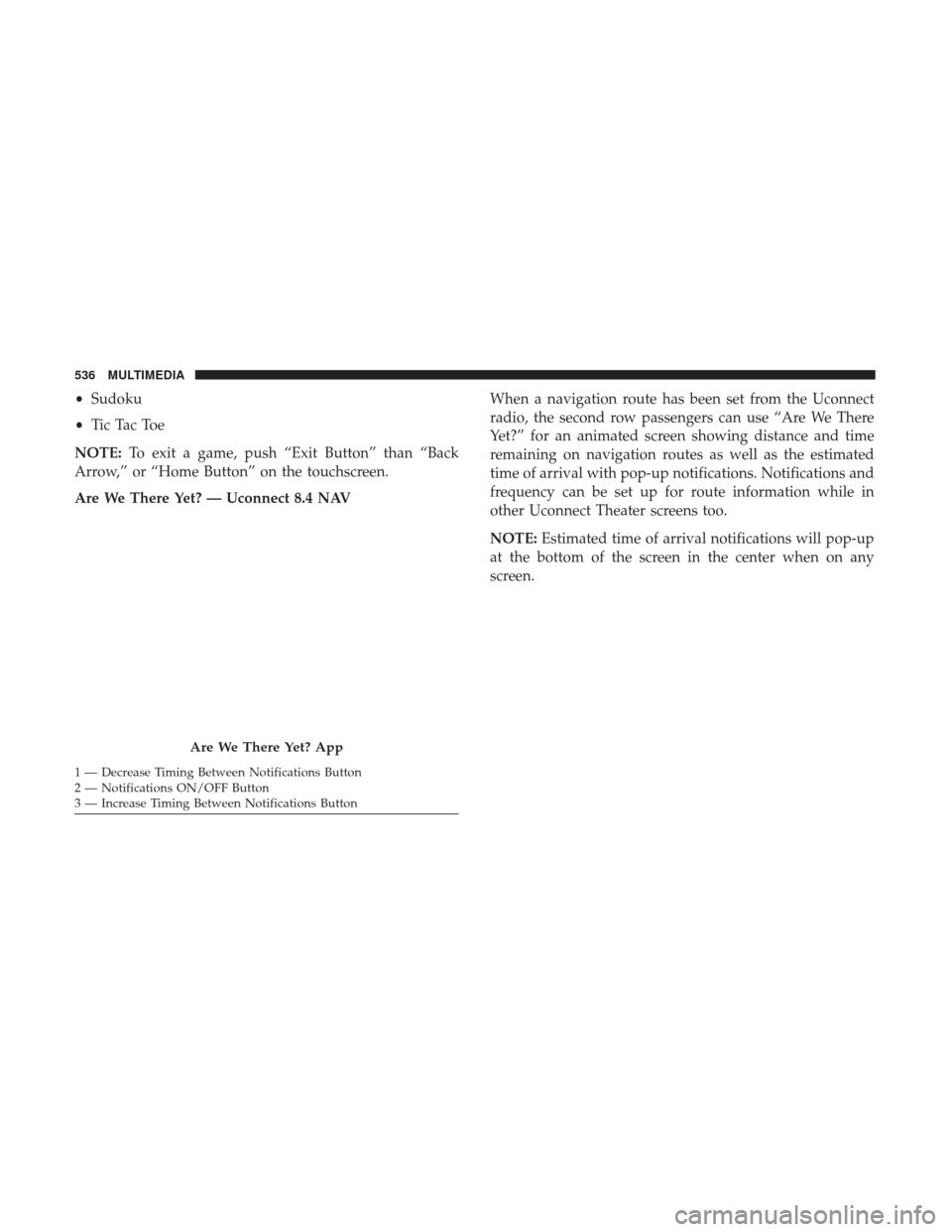
Are We There Yet? — Uconnect 8.4 NAV When a navigation route has been set from the Uconnect
radio, the second row passengers can use “Are We There
Yet?” for an animated screen showing distance and time
remaining on navigation routes as well as the estimated
time of arrival with pop-up notifications. Notifications and
frequency can be set up for route information while in
other Uconnect Theater screens too.
NOTE:
Estimated time of arrival notifications will pop-up
at the bottom of the screen in the center when on any
screen.
Are We There Yet? App
1 — Decrease Timing Between Notifications Button
2 — Notifications ON/OFF Button
3 — Increase Timing Between Notifications Button 536 MULTIMEDIA
Page 539 of 592
Using The Rear Video USB Port
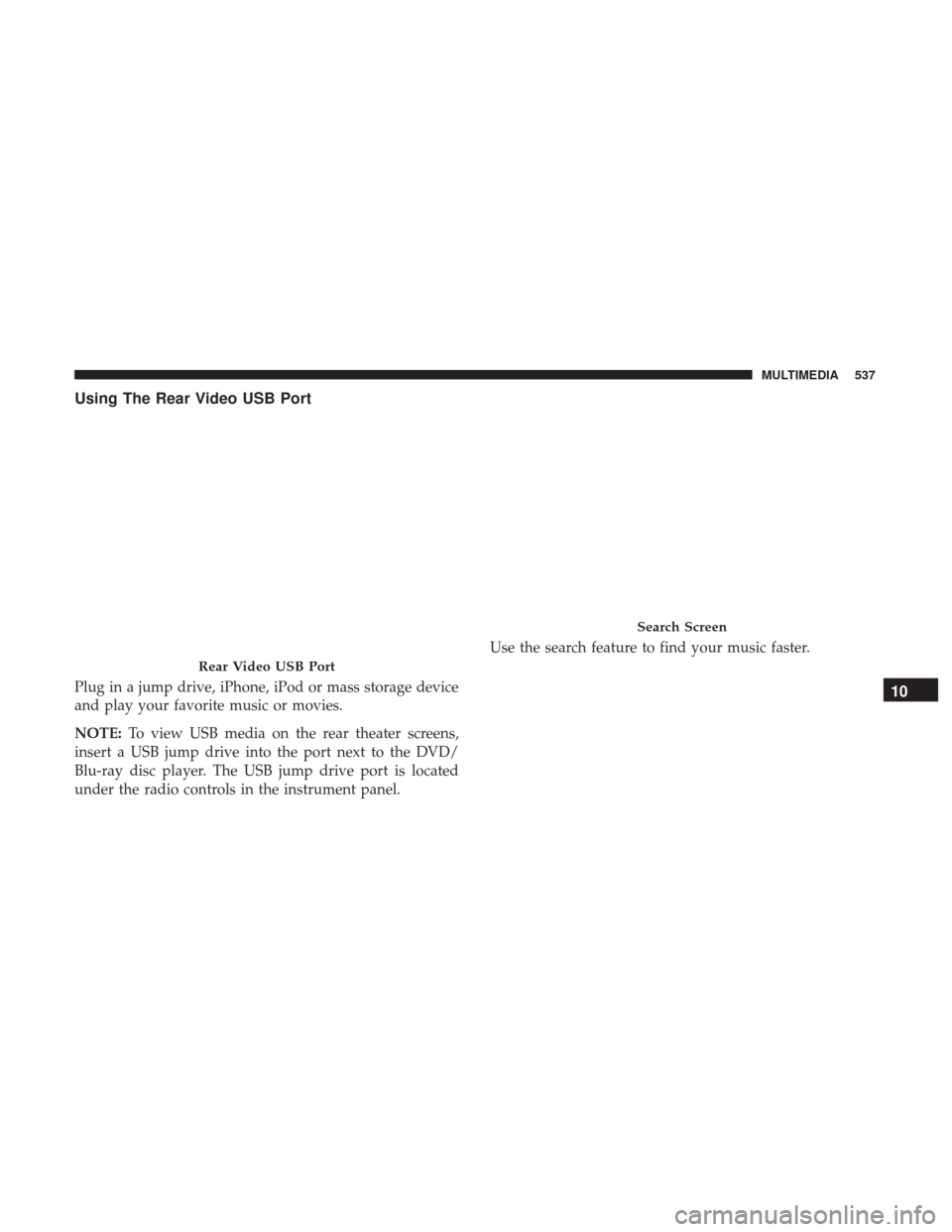
Plug in a jump drive, iPhone, iPod or mass storage device
and play your favorite music or movies.
NOTE:To view USB media on the rear theater screens,
insert a USB jump drive into the port next to the DVD/
Blu-ray disc player. The USB jump drive port is located
under the radio controls in the instrument panel. Use the search feature to find your music faster.
Rear Video USB Port
Search Screen
10
MULTIMEDIA 537
Page 541 of 592
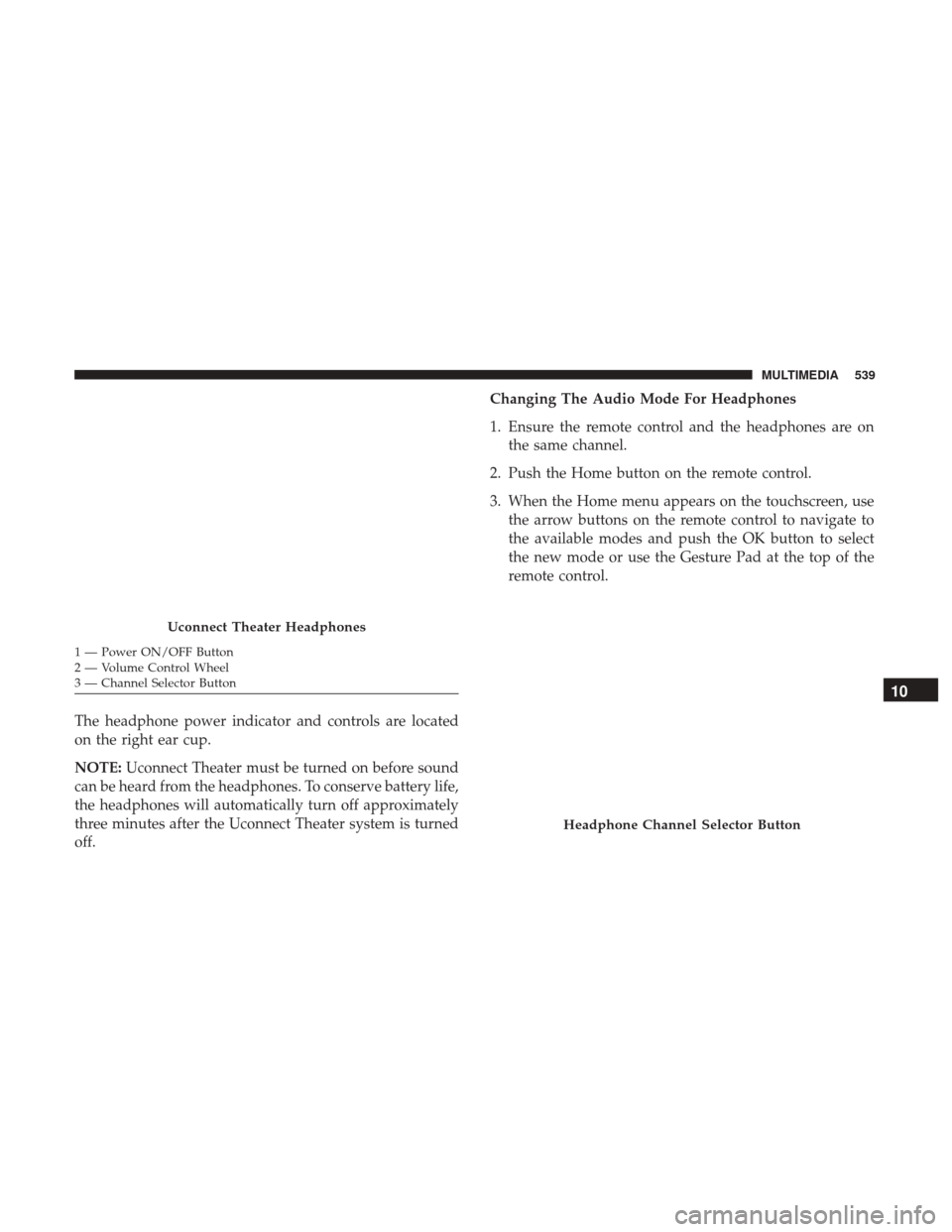
The headphone power indicator and controls are located
on the right ear cup.
NOTE:Uconnect Theater must be turned on before sound
can be heard from the headphones. To conserve battery life,
the headphones will automatically turn off approximately
three minutes after the Uconnect Theater system is turned
off. Changing The Audio Mode For Headphones
1. Ensure the remote control and the headphones are on
the same channel.
2. Push the Home button on the remote control.
3. When the Home menu appears on the touchscreen, use the arrow buttons on the remote control to navigate to
the available modes and push the OK button to select
the new mode or use the Gesture Pad at the top of the
remote control.
Uconnect Theater Headphones
1 — Power ON/OFF Button
2 — Volume Control Wheel
3 — Channel Selector Button
Headphone Channel Selector Button
10
MULTIMEDIA 539
Page 544 of 592
•When the screen is reopened, the video screen will
automatically turn back on and show the appropriate
display menu or media.
If the screen is closed and there is no audio heard, verify
that the headphones are turned on (the ON indicator is
illuminated) and the headphone selector switch is on the
desired channel. If the headphones are turned on, push the
remote control’s power button to turn audio on. If audio is
still not heard, check that fully charged batteries are
installed in the headphones.
Rear Climate Controls
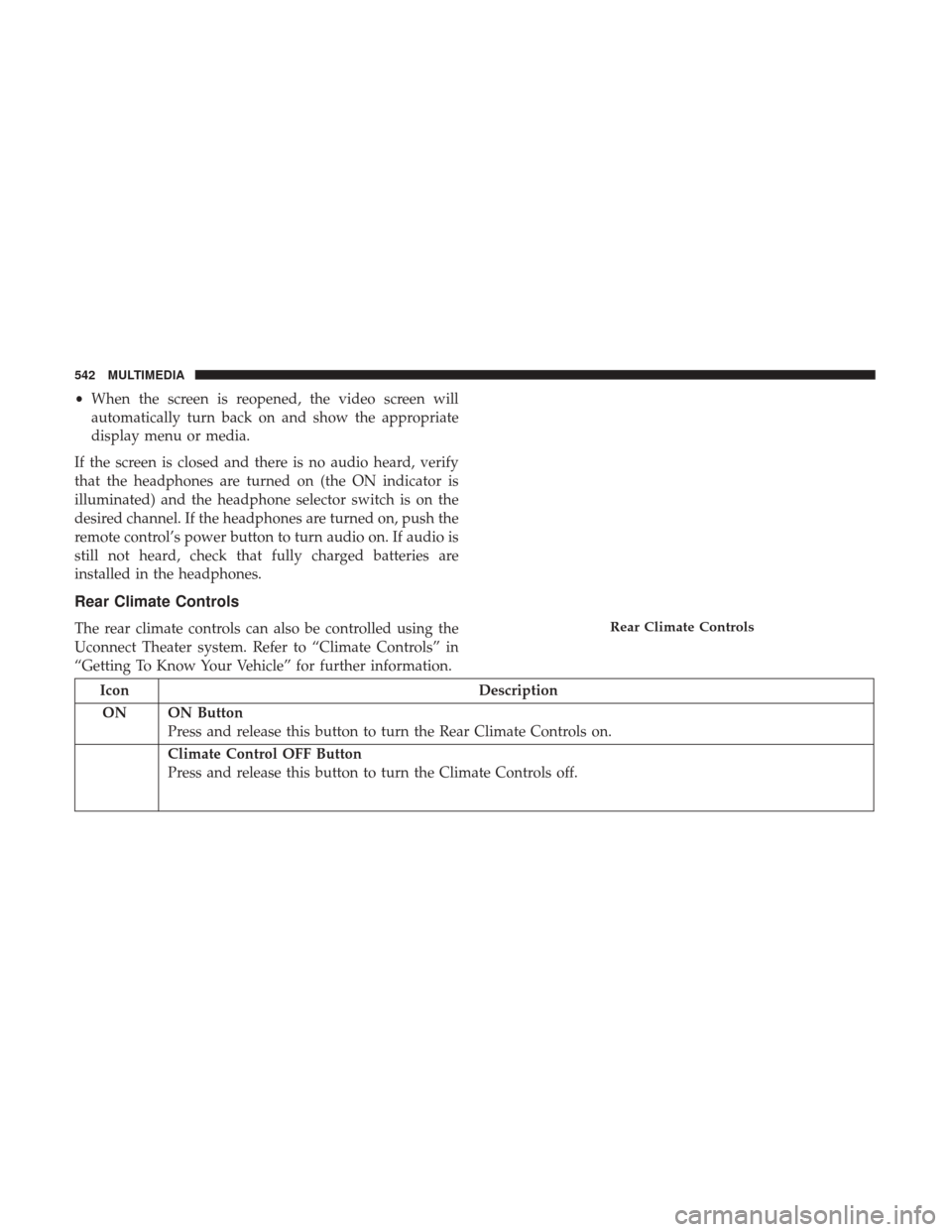
The rear climate controls can also be controlled using the
Uconnect Theater system. Refer to “Climate Controls” in
“Getting To Know Your Vehicle” for further information.
Icon Description
ON ON Button Press and release this button to turn the Rear Climate Controls on.
Climate Control OFF Button
Press and release this button to turn the Climate Controls off.
Rear Climate Controls
542 MULTIMEDIA
Page 546 of 592
IconDescription
Floor
Mode
Floor Mode
Press this button on the touchscreen to change the air distribution mode to Floor Mode. In Floor Mode,
air comes from the floor outlets. A slight amount of air is directed through the defrost and side window
demister outlets.
Blower Control
Blower Control is used to regulate the amount of air forced through the climate system. There are seven
blower speeds available. Adjusting the blower will cause automatic mode to switch to manual operation.
The speeds can be selected using the buttons on the touchscreen.
Wireless Streaming — If Equipped
Your Uconnect Theater System may be equipped with
Wireless Streaming functionality that allows you to project
your smartphone or tablet onto your rear Uconnect Theater
touchscreens.
Look for the Wireless Streaming Source Card on your rear
Uconnect Theater touchscreen, or as a source in the
Uconnect Theater menu on the front Uconnect 8.4/8.4 NAV
touchscreen. This Source Card will allow you to wirelessly
link your compatible Android devices to your Uconnect
Theater system and stream your device onto the touch-
screens. NOTE:
For system compatibility, consult your device’s
owner’s manual to see if your device supports mirroring
technology compatibility. Apple devices do not support
this feature.
To link your device to the rear Uconnect Theater touch-
screens:
1. Enable your device’s Wi-Fi
2. Enable the Wireless Streaming feature on your device
NOTE: Refer to your device’s user manual for further
information.
544 MULTIMEDIA
Page 547 of 592
3. Press the Wireless Streaming Source Card on the touch-screen
4. Select the Chrysler Pacifica Network from the list of available networks on your device
5. When prompted by an Authentication Screen, press Accept on the touchscreen to begin mirroring your
device
NOTE: The Authentication Screen will appear on both
touchscreens. The touchscreen screen on which “Accept” is
selected will be the primary controller for the mirroring
session.
NOTE:
• Some devices will allow you to control your device
through the Uconnect Theater rear touchscreens. They
will react to your selections from the touchscreen and be
represented on your device as well. When supported,
the Uconnect Theater task bar will appear at the top and
bottom of the Uconnect Theater touchscreen, framing
your mirrored device.
• Devices that do not support this feature will not respond
to touchscreen use once paired and must be controlled
using the device.Settings
Below is a list of the settings available for the Wireless
Streaming feature of your Uconnect Theater system:
• Wireless: ON/OFF – Turn on and off the wireless feature
of the Uconnect Theater system.
• Manage Devices – Allows the user to add and delete the
paired devices.
• Local Network Name – Allows the user to rename the
Chrysler Pacifica Network.
Refer to the Wireless Streaming video on Mopar ’s Youtube
Channel for tips and additional information on the Wire-
less Streaming function.
BD And DVD Region Codes
Many BD and DVD discs are coded by geographic region.
These region codes must match in order for the disc to play.
If the region code for the BD or DVD disc does not match the
region code for the Blu-ray Disc player, the disc will not play.
USA and Canada are set for BD : code A / DVD : code 1.10
MULTIMEDIA 545