alarm CHRYSLER PACIFICA HYBRID 2019 User Guide
[x] Cancel search | Manufacturer: CHRYSLER, Model Year: 2019, Model line: PACIFICA HYBRID, Model: CHRYSLER PACIFICA HYBRID 2019Pages: 620, PDF Size: 4.92 MB
Page 180 of 620
What to do when an electrical load reduction action
message is present (“Battery Saver On” or “Battery Saver
Mode”)
During a trip:
•Reduce power to unnecessary loads if possible:
– Turn off redundant lights (interior or exterior)
– Check what may be plugged in to power outlets +12V, 115V AC, USB ports
– Check HVAC settings (blower, temperature)
– Check the audio settings (volume)
After a trip:
• Check if any aftermarket equipment was installed (ad-
ditional lights, upfitter electrical accessories, audio sys-
tems, alarms) and review specifications if any (load and
Ignition Off Draw currents).
• Evaluate the latest driving cycles (distance, driving time
and parking time).
• The vehicle should have service performed if the mes-
sage is still present during consecutive trips and the
evaluation of the vehicle and driving pattern did not
help to identify the cause.WARNING LIGHTS AND MESSAGES
The warning/indicator lights will illuminate in the instru-
ment panel together with a dedicated message and/or
acoustic signal when applicable. These indications are
indicative and precautionary and as such must not be
considered as exhaustive and/or alternative to the infor-
mation contained in the Owner ’s Manual, which you are
advised to read carefully in all cases. Always refer to the
information in this chapter in the event of a failure indica-
tion. All active telltales will display first if applicable. The
system check menu may appear different based upon
equipment options and current vehicle status. Some tell-
tales are optional and may not appear.
Red Warning Lights
— Air Bag Warning Light
This warning light will illuminate to indicate a fault with
the air bag, and will turn on for four to eight seconds as a
bulb check when the ignition is placed in the ON/RUN or
ACC/ON/RUN position. This light will illuminate with a
single chime when a fault with the air bag has been
detected, it will stay on until the fault is cleared. If the light
is either not on during startup, stays on, or turns on while
driving, have the system inspected at an authorized dealer
as soon as possible.
178 GETTING TO KNOW YOUR INSTRUMENT PANEL
Page 184 of 620
— Transmission Temperature Warning Light —
If Equipped
This warning light will illuminate to warn of a high
transmission fluid temperature. This may occur with
strenuous usage such as trailer towing. If this light turns
on, stop the vehicle and run the engine at idle or slightly
faster, with the transmission in PARK or NEUTRAL, until
the light turns off. Once the light turns off, you may
continue to drive normally.
WARNING!
If you continue operating the vehicle when the Trans-
mission Temperature Warning Light is illuminated you
could cause the fluid to boil over, come in contact with
hot engine or exhaust components and cause a fire.
CAUTION!
Continuous driving with the Transmission Tempera-
ture Warning Light illuminated will eventually cause
severe transmission damage or transmission failure.
— Vehicle Security Warning Light — If Equipped
This warning light will flash at a fast rate for approxi-
mately 15 seconds when the vehicle security alarm is
arming, and then will flash slowly until the vehicle is
disarmed.
— Hood Open Warning Light
This warning light will illuminate when the hood is left
open and not fully closed.
NOTE: If the vehicle is moving, there will also be a single
chime.
— Door Open Warning Light — If Equipped
This warning light will illuminate when a door is ajar/
open and not fully closed. This indicator will reflect which
doors are open.
NOTE: If the vehicle is moving, there will also be a single
chime.
— Liftgate Open Warning Light
This warning light will illuminate when the liftgate is open.
NOTE: If the vehicle is moving, there will also be a single
chime.
182 GETTING TO KNOW YOUR INSTRUMENT PANEL
Page 210 of 620
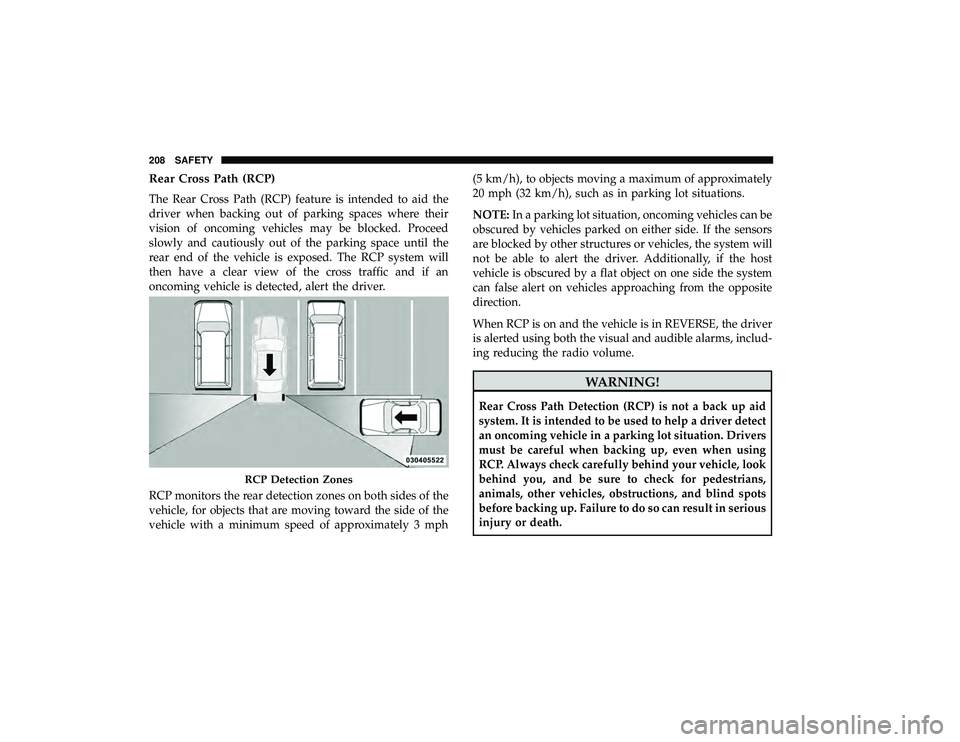
Rear Cross Path (RCP)
The Rear Cross Path (RCP) feature is intended to aid the
driver when backing out of parking spaces where their
vision of oncoming vehicles may be blocked. Proceed
slowly and cautiously out of the parking space until the
rear end of the vehicle is exposed. The RCP system will
then have a clear view of the cross traffic and if an
oncoming vehicle is detected, alert the driver.
RCP monitors the rear detection zones on both sides of the
vehicle, for objects that are moving toward the side of the
vehicle with a minimum speed of approximately 3 mph(5 km/h), to objects moving a maximum of approximately
20 mph (32 km/h), such as in parking lot situations.
NOTE:
In a parking lot situation, oncoming vehicles can be
obscured by vehicles parked on either side. If the sensors
are blocked by other structures or vehicles, the system will
not be able to alert the driver. Additionally, if the host
vehicle is obscured by a flat object on one side the system
can false alert on vehicles approaching from the opposite
direction.
When RCP is on and the vehicle is in REVERSE, the driver
is alerted using both the visual and audible alarms, includ-
ing reducing the radio volume.
WARNING!
Rear Cross Path Detection (RCP) is not a back up aid
system. It is intended to be used to help a driver detect
an oncoming vehicle in a parking lot situation. Drivers
must be careful when backing up, even when using
RCP. Always check carefully behind your vehicle, look
behind you, and be sure to check for pedestrians,
animals, other vehicles, obstructions, and blind spots
before backing up. Failure to do so can result in serious
injury or death.
RCP Detection Zones
208 SAFETY
Page 249 of 620
be modified or replaced with any part except those
which are approved by FCA US LLC.
WARNING!
•Unapproved modifications or service procedures to
the passenger seat assembly, its related components,
seat cover or cushion may inadvertently change the
air bag deployment in case of a frontal collision. This
could result in death or serious injury to the front
passenger if the vehicle is involved in a collision. A
modified vehicle may not comply with required
Federal Motor Vehicle Safety Standards (FMVSS)
and/or Canadian Motor Vehicle Safety Standards
(CMVSS).
• If it is necessary to modify the air bag system for
persons with disabilities, contact an authorized
dealer.
Knee Impact Bolsters
The Knee Impact Bolsters help protect the knees of the
driver and front passenger, and position the front occu-
pants for improved interaction with the front air bags.
WARNING!
• Do not drill, cut, or tamper with the knee impact
bolsters in any way.
• Do not mount any accessories to the knee impact
bolsters such as alarm lights, stereos, citizen band
radios, etc.
Supplemental Driver And Front Passenger Knee Air
Bags
This vehicle is equipped with a Supplemental Driver Knee
Air Bag mounted in the instrument panel below the
steering column and a Supplemental Passenger Knee Air
Bag mounted in the instrument panel below the glove
compartment. The Supplemental Knee Air Bags provide
enhanced protection during a frontal impact by working
together with the seat belts, pretensioners, and front air
bags.
5
SAFETY 247
Page 328 of 620
To change between the different control modes, push the
Adaptive Cruise Control (ACC) on/off button which turns
the ACC and the Normal (Fixed Speed) Cruise Control off.
Pushing the Normal (Fixed Speed) Cruise Control on/off
button will result in turning on (changing to) the Normal
(Fixed Speed) Cruise Control mode.
WARNING!
In the Normal (Fixed Speed) Cruise Control mode, the
system will not react to vehicles ahead. In addition, the
proximity warning does not activate and no alarm will
sound even if you are too close to the vehicle ahead
since neither the presence of the vehicle ahead nor the
vehicle-to-vehicle distance is detected. Be sure to main-
tain a safe distance between your vehicle and the
vehicle ahead. Always be aware which mode is se-
lected.
To Set A Desired Speed
Turn the Normal (Fixed Speed) Cruise Control
on. When the vehicle has reached the desired
speed, push the SET (+) or SET (-) button and
release. Release the accelerator and the vehicle
will operate at the selected speed. Once a speed has been set a message “CRUISE CONTROL SET TO MPH (km/h)”
will appear indicating what speed was set. This light will
turn on when the system is turned on via the on/off
control. It turns green when the cruise control is set.
To Vary The Speed Setting
To Increase Speed
When the Normal (Fixed Speed) Cruise Control is set, you
can increase speed by pushing the SET
(+)button.
The driver ’s preferred units can be selected through the
instrument cluster. Refer to “Instrument Cluster Display”
in “Getting To Know Your Instrument Panel” for more
information. The speed increment shown is dependant on
the speed of U.S. (mph) or Metric (km/h) units:
U.S. Speed (mph)
• Pushing the SET (+)button once will result ina1mph
increase in set speed. Each subsequent tap of the button
results in an increase of 1 mph.
• If the button is continually pushed, the set speed will
continue to increase in 5 mph increments until the
button is released. The increase in set speed is reflected
in the instrument cluster display.
326 STARTING AND OPERATING
Page 588 of 620
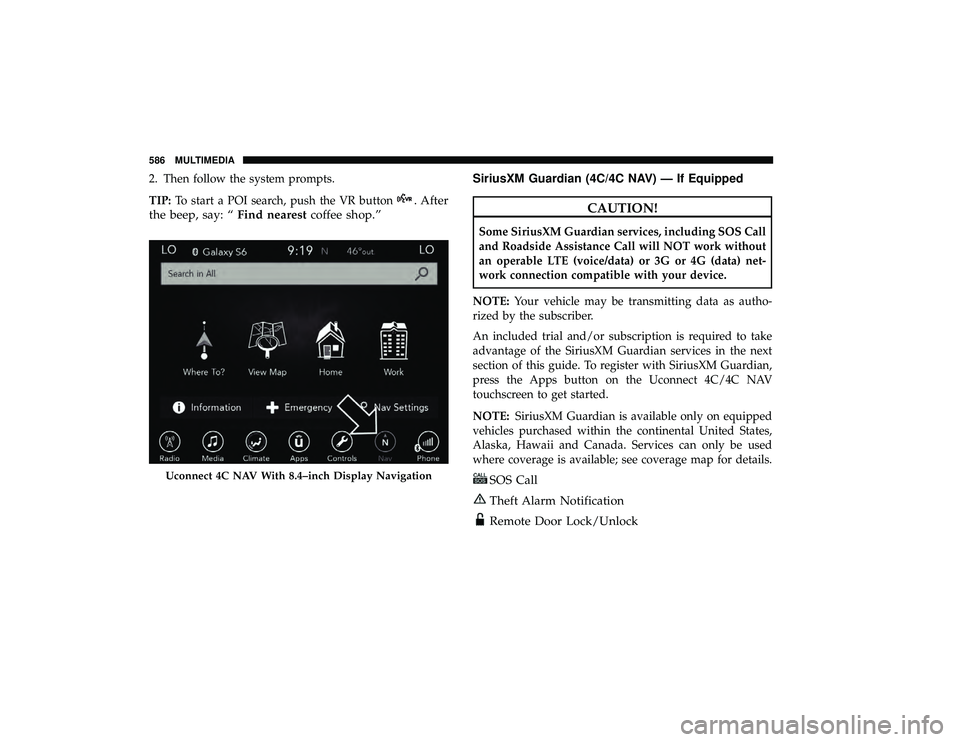
2. Then follow the system prompts.
TIP:To start a POI search, push the VR button
. After
the beep, say: “ Find nearestcoffee shop.” SiriusXM Guardian (4C/4C NAV) — If EquippedCAUTION!
Some SiriusXM Guardian services, including SOS Call
and Roadside Assistance Call will NOT work without
an operable LTE (voice/data) or 3G or 4G (data) net-
work connection compatible with your device.
NOTE: Your vehicle may be transmitting data as autho-
rized by the subscriber.
An included trial and/or subscription is required to take
advantage of the SiriusXM Guardian services in the next
section of this guide. To register with SiriusXM Guardian,
press the Apps button on the Uconnect 4C/4C NAV
touchscreen to get started.
NOTE: SiriusXM Guardian is available only on equipped
vehicles purchased within the continental United States,
Alaska, Hawaii and Canada. Services can only be used
where coverage is available; see coverage map for details.
SOS Call
Theft Alarm Notification
Remote Door Lock/Unlock
Uconnect 4C NAV With 8.4–inch Display Navigation
586 MULTIMEDIA
Page 604 of 620
About Your Brakes........................ .502
Adaptive Cruise Control (ACC) (Cruise Control) . . . .309
Additives, Fuel ........................... .505
Adjust Down .................................81
Forward ................................81
Rearward ...............................81
Up....................................81
AirBag ................................ .238
Air Bag Operation ....................... .239
Air Bag Warning Light .................236, 240
Driver Knee Air Bag ..................... .247
Enhanced Accident Response .............253, 440
Event Data Recorder (EDR) .................440
FrontAirBag .......................... .240
If Deployment Occurs .................... .252
Knee Impact Bolsters ..................... .247
Maintaining Your Air Bag System .............254
Maintenance ........................... .254
Redundant Air Bag Warning Light ............237
Side Air Bags .......................... .248
Transporting Pets ....................... .277
Air Bag Light ...................... .178, 236, 279
Air Cleaner, Engine (Engine Air Cleaner Filter) ......452
Air Conditioning ...........................114 Air Conditioning Filter
.................. .123, 454
Air Conditioning, Operating Tips ...............122
Air Conditioning System .....................115
Air Filter ............................... .452
Air Pressure Tires................................. .482
Alarm Arm The System ..........................54
Disarm The System ........................55
Security Alarm ......................... .182
Alterations/Modifications Vehicle .................................5
Android Auto ............................ .591
Antifreeze (Engine Coolant) ................465, 508
Disposal .............................. .467
Anti-Lock Brake System (ABS) .................194
Anti-Lock Warning Light .................... .183
Apple
CarPlay ........................... .592
Ashtray ................................ .153
Assist, Hill Start .......................... .200
Audio Jack .............................. .544
Audio Systems (Radio) ...................... .515
Automatic Dimming Mirror ....................95
Automatic Headlights ...................... .101
Automatic Temperature Control (ATC) ............115
602 INDEX
Page 609 of 620
Gasoline, Clean Air........................ .505
Gasoline, (Fuel) ........................... .504
Gasoline, Reformulated ..................... .505
Glass Cleaning ........................... .500
GVWR ................................. .384
Hazard Driving Through Flowing, Rising, Or Shallow
Standing Water ......................... .389
Hazard Warning Flashers .................... .392
Headlights ................................99
Bulb Replacement ....................... .398
Cleaning .............................. .496
High Beam/Low Beam Select Switch ...........99
Lights On Reminder ................... .99, 102
Passing ............................ .99, 101
Replacing ............................. .398
Switch .................................99
Time Delay ..............................99
Washers .............................. .101
Head Restraints ............................88
Heated Mirrors ......................... .95, 97
High Voltage Battery .........................17
Hill Start Assist ........................... .200
HomeLink (Garage Door Opener) ...............139Hood Prop
.............................. .131
Hood Release ............................ .131
Hook, Coat .............................. .149
Inside Rearview Mirror ................... .95, 392
Instrument Cluster ......................... .165
Descriptions ........................... .188
Display .............................. .166
Instrument Panel Lens Cleaning ................499
Interior And Instrument Lights .................103
Interior Appearance Care .................... .498
Interior Lights ............................ .103
Intermittent Wipers (Delay Wipers) ..............106
Introduction ................................4
Inverter Power ............................... .152
Jack
Operation ........................ .412, 472
Jump Starting ............................ .431
KeyFob..................................38 Arm The Alarm ..........................54
Disarm The Alarm ........................55
Programming Additional Key Fobs ..........43, 53
Key Fob Battery Service (Remote Keyless Entry) .....41
12
INDEX 607
Page 610 of 620
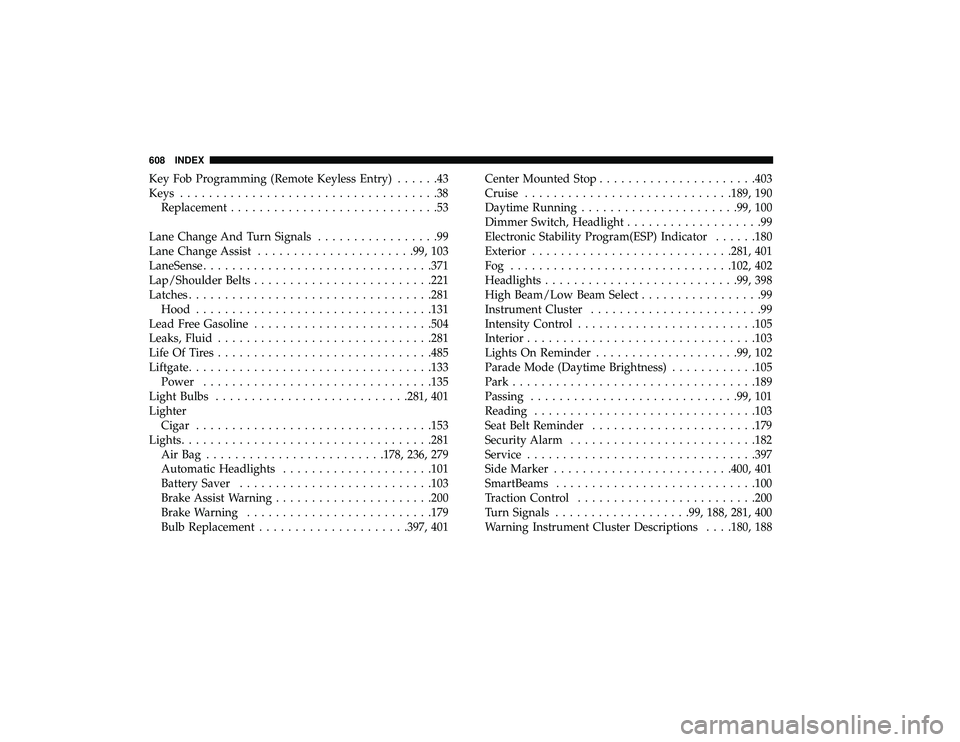
Key Fob Programming (Remote Keyless Entry)......43
Keys ....................................38
Replacement .............................53
Lane Change And Turn Signals .................99
Lane Change Assist ..................... .99, 103
LaneSense ............................... .371
Lap/Shoulder Belts ........................ .221
Latches ................................. .281
Hood ................................ .131
Lead Free Gasoline ........................ .504
Leaks, Fluid ............................. .281
Life Of Tires ............................. .485
Liftgate ................................. .133
Power ............................... .135
Light Bulbs .......................... .281, 401
Lighter Cigar ................................ .153
Lights .................................. .281
AirBag ........................ .178, 236, 279
Automatic Headlights .................... .101
Battery Saver .......................... .103
Brake Assist Warning ..................... .200
Brake Warning ......................... .179
Bulb Replacement .................... .397, 401Center Mounted Stop
..................... .403
Cruise ............................ .189, 190
Daytime Running ..................... .99, 100
Dimmer Switch, Headlight ...................99
Electronic Stability Program(ESP) Indicator ......180
Exterior ........................... .281, 401
Fog .............................. .102, 402
Headlights .......................... .99, 398
High Beam/Low Beam Select .................99
Instrument Cluster ........................99
Intensity Control ........................ .105
Interior ............................... .103
Lights On Reminder ................... .99, 102
Parade Mode (Daytime Brightness) ............105
Park ................................. .189
Passing ............................ .99,
101
Reading .............................. .103
Seat Belt Reminder ...................... .179
Security Alarm ......................... .182
Service ............................... .397
Side Marker ........................ .400, 401
SmartBeams ........................... .100
Traction Control ........................ .200
Turn Signals .................. .99, 188, 281, 400
Warning Instrument Cluster Descriptions . . . .180, 188
608 INDEX
Page 613 of 620
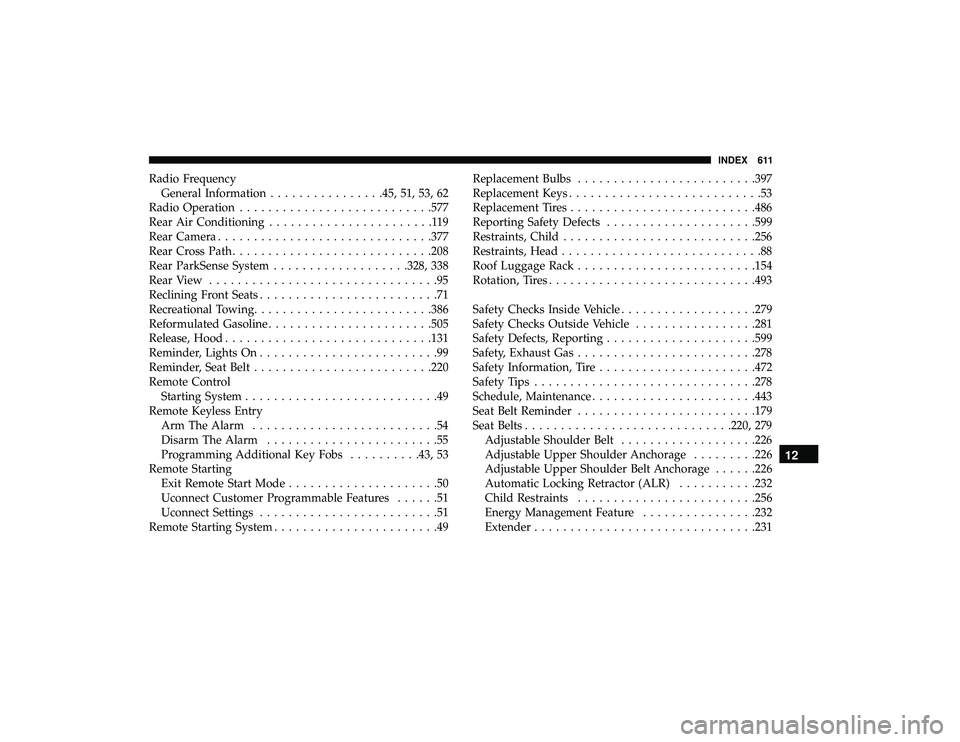
Radio FrequencyGeneral Information ................45, 51, 53, 62
Radio Operation .......................... .577
Rear Air Conditioning .......................119
Rear Camera ............................. .377
Rear Cross Path ........................... .208
Rear ParkSense System .................. .328, 338
Rear View ................................95
Reclining Front Seats .........................71
Recreational Towing ........................ .386
Reformulated Gasoline ...................... .505
Release, Hood ............................ .131
Reminder, Lights On .........................99
Reminder, Seat Belt ........................ .220
Remote Control Starting System ...........................49
Remote Keyless Entry Arm The Alarm ..........................54
Disarm The Alarm ........................55
Programming Additional Key Fobs ..........43, 53
Remote Starting Exit Remote Start Mode .....................50
Uconnect Customer Programmable Features ......51
Uconnect Settings .........................51
Remote Starting System .......................49 Replacement Bulbs
........................ .397
Replacement Keys ...........................53
Replacement Tires ......................... .486
Reporting Safety Defects .................... .599
Restraints, Child .......................... .256
Restraints, Head ............................88
Roof Luggage Rack ........................ .154
Rotation, Tires ............................ .493
Safety Checks Inside Vehicle ...................279
Safety Checks Outside Vehicle .................281
Safety Defects, Reporting .................... .599
Safety, Exhaust Gas ........................ .278
Safety Information, Tire ..................... .472
Safety Tips .............................. .278
Schedule, Maintenance ...................... .443
Seat Belt Reminder ........................ .179
Seat
Belts ............................ .220, 279
Adjustable Shoulder Belt ...................226
Adjustable Upper Shoulder Anchorage .........226
Adjustable Upper Shoulder Belt Anchorage ......226
Automatic Locking Retractor (ALR) ...........232
Child Restraints ........................ .256
Energy Management Feature ................232
Extender .............................. .231
12
INDEX 611