tow CHRYSLER PACIFICA HYBRID 2019 User Guide
[x] Cancel search | Manufacturer: CHRYSLER, Model Year: 2019, Model line: PACIFICA HYBRID, Model: CHRYSLER PACIFICA HYBRID 2019Pages: 620, PDF Size: 4.92 MB
Page 103 of 620
2. Pull the multifunction lever toward you to switch theheadlights from the high beam to the low beam position.
3. Rotate the headlight switch counterclockwise from the AUTO to the on position.
NOTE: Once active, the Automatic High Beam system will
stop functioning below 12 mph (20 km/h).
Flash-To-Pass
You can signal another vehicle with your headlights by
lightly pulling the multifunction lever toward you. This
will cause the high beam headlights to turn on, and remain
on, until the lever is released.
Automatic Headlights — If Equipped
This system automatically turns your headlights on or off
based on ambient light levels. To turn the system on, turn
the headlight switch to the extreme clockwise position
aligning the indicator with the AUTO on the headlight
switch. When the system is on, the Headlight Time Delay
feature is also on. This means your headlights will stay on
for up to 90 seconds after you turn the ignition switch OFF.
To turn the Automatic System off, turn the headlight switch
counterclockwise to the O (off) position. NOTE:
The vehicle must be running before the headlights
will come on in the Automatic mode.
Headlights On With Wipers — If Equipped
When your headlights are in the AUTO mode and the
vehicle is running, the headlights will automatically turn
on when the wiper system is also turned on. Headlights on
when windshield wipers are on may be found on vehicles
equipped with an automatic headlight system.
NOTE: The Headlights with Wipers feature can be turned
on or off through the Uconnect system. Refer to “Uconnect
Settings” in “Multimedia” for further information.
Headlight Delay — If Equipped
This feature provides the safety of headlight illumination
for up to 90 seconds after exiting your vehicle.
To activate the delay feature, turn the ignition OFF while
the headlights are still on. The 90 second delay interval
begins when headlight switch is turned off. If the head-
lights or parking lights are turned back on or the ignition
switch is turned ON, the delay will be cancelled.
3
GETTING TO KNOW YOUR VEHICLE 101
Page 109 of 620
Windshield Washers
To use the washer, pull the lever rearward toward you and
hold while spray is desired. If the lever is pulled while on
the intermittent setting, the wipers will turn on and operate
for several wipe cycles after the lever is released, and then
resume the intermittent interval previously selected. If the
lever is pulled while the wipers are in the off position, the
wipers will operate several wipe cycles, then turn off.
Mist Feature
Use the Mist feature when weather conditions make occa-
sional usage of the wipers necessary. Push the lever upward
to the MIST position and release for a single wiping cycle.
NOTE:The mist feature does not activate the washer
pump; therefore, no washer fluid will be sprayed on the
windshield. The wash function must be used in order to
spray the windshield with washer fluid.
Rain Sensing Wipers — If Equipped
This feature senses rain or snowfall on the windshield and
automatically activates the wipers for the driver. This fea-
ture is especially useful for road splash or overspray from
the windshield washers of the vehicle ahead. Rotate the end
of the multifunction lever to one of the four intermittent
wiper sensitivity settings to activate this feature.
The sensitivity of the system is adjustable from the multi-
function lever. Wiper sensitivity position 3 has been cali-
brated for best overall wiping sensitivity. If the operator
desires more wiping sensitivity, they may select sensitivity
position 4. If the operator desires less wiping sensitivity, they
may select sensitivity positions 2 or 1. Place the multifunc-
tion lever in the OFF position when not using the system.
NOTE:
• The Rain Sensing feature will not operate when the
wiper speed is in the low or high position.
• The Rain Sensing feature may not function properly
when ice or dried saltwater is present on the windshield.
• Use of Rain-X or products containing wax or silicone
may reduce rain sensor performance.
• The Rain Sensing feature can be turned on and off
through the Uconnect System. Refer to “Uconnect Set-
tings” in “Multimedia” for further information.
The Rain Sensing system has protective features for the
wiper blades and arms. It will not operate under the
following conditions:
• Low Temperature Wipe Inhibit — The Rain Sensing
feature will not operate when the ignition is first
switched ON, when the vehicle is stationary and the
3
GETTING TO KNOW YOUR VEHICLE 107
Page 113 of 620
IconDescription
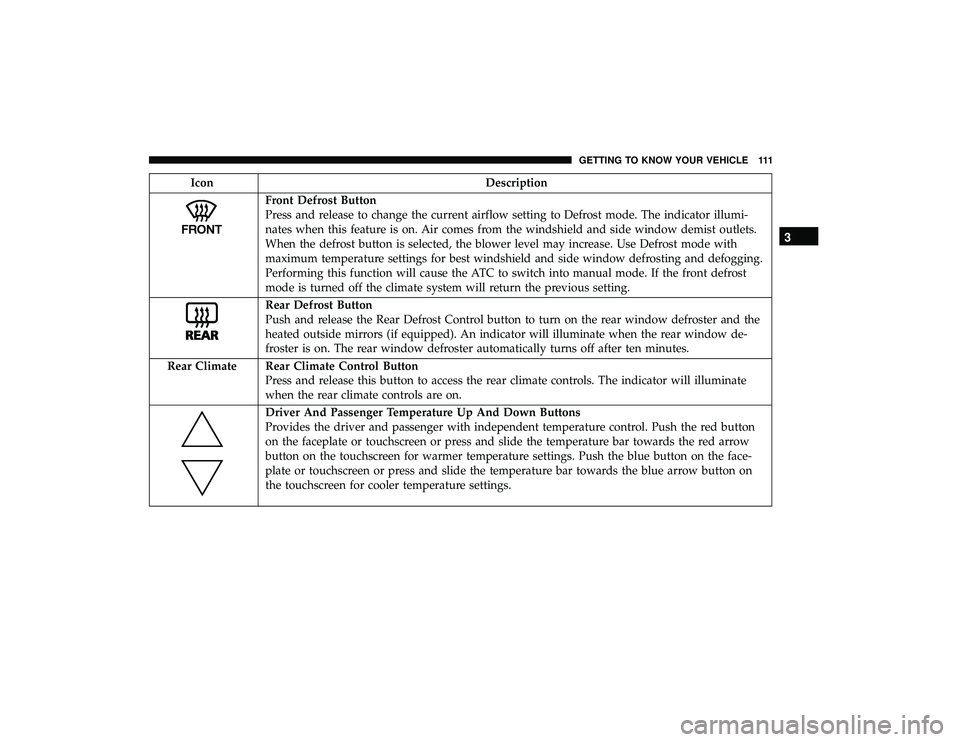
Front Defrost Button
Press and release to change the current airflow setting to Defrost mode. The indicator illumi-
nates when this feature is on. Air comes from the windshield and side window demist outlets.
When the defrost button is selected, the blower level may increase. Use Defrost mode with
maximum temperature settings for best windshield and side window defrosting and defogging.
Performing this function will cause the ATC to switch into manual mode. If the front defrost
mode is turned off the climate system will return the previous setting.
Rear Defrost Button
Push and release the Rear Defrost Control button to turn on the rear window defroster and the
heated outside mirrors (if equipped). An indicator will illuminate when the rear window de-
froster is on. The rear window defroster automatically turns off after ten minutes.
Rear Climate Rear Climate Control Button Press and release this button to access the rear climate controls. The indicator will illuminate
when the rear climate controls are on.
Driver And Passenger Temperature Up And Down Buttons
Provides the driver and passenger with independent temperature control. Push the red button
on the faceplate or touchscreen or press and slide the temperature bar towards the red arrow
button on the touchscreen for warmer temperature settings. Push the blue button on the face-
plate or touchscreen or press and slide the temperature bar towards the blue arrow button on
the touchscreen for cooler temperature settings.
3
GETTING TO KNOW YOUR VEHICLE 111
Page 133 of 620
HOOD
Opening
WARNING!
Always cycle the ignition to OFF mode before opening
the hood. If the ignition is in ON mode and the
Propulsion System is active when the hood is opened,
the engine will automatically start, and persons not
clear of the vehicle could be injured by the engine’s
moving parts.
The hood release lever (to open the primary latch) and
safety latch (to open the secondary latch) must be released
to open the hood.
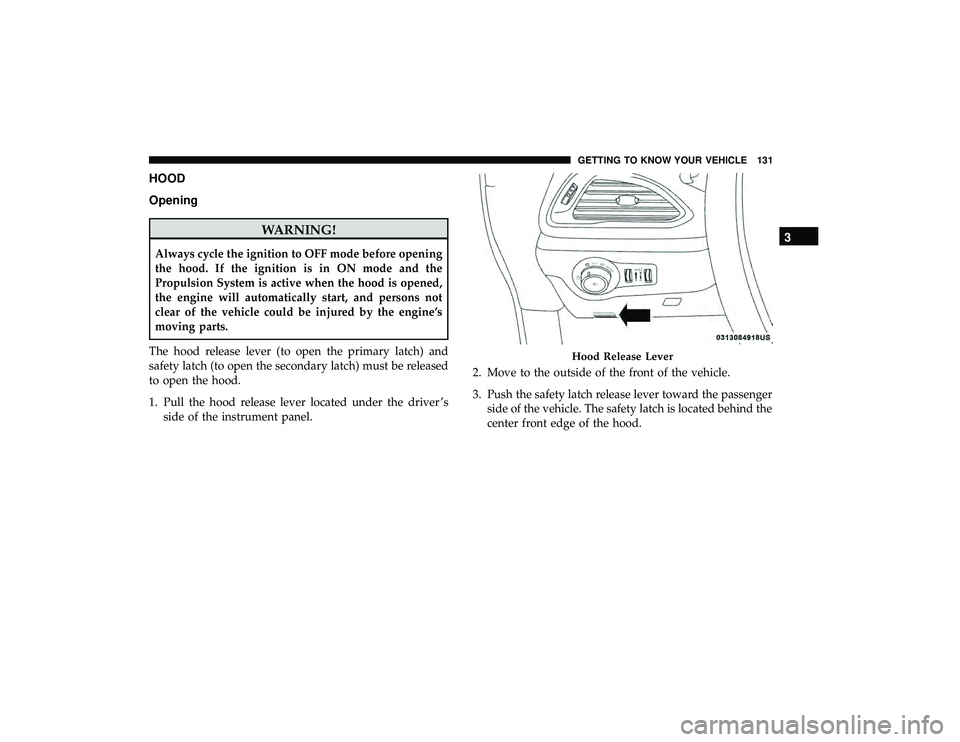
1. Pull the hood release lever located under the driver ’s side of the instrument panel. 2. Move to the outside of the front of the vehicle.
3. Push the safety latch release lever toward the passenger
side of the vehicle. The safety latch is located behind the
center front edge of the hood.
Hood Release Lever
3
GETTING TO KNOW YOUR VEHICLE 131
Page 140 of 620
•If the power liftgate encounters multiple obstructions
within the same cycle, the system will automatically
stop. If this occurs, the liftgate must be operated manu-
ally.
• The power liftgate will release, but not power open, in
temperatures below 12° F (24° C). Be sure to remove
any buildup of snow or ice from the liftgate before
opening the liftgate.
• If the liftgate is left open for an extended period of time,
the liftgate may need to be closed manually to reset
power liftgate functionality.
WARNING!
• Driving with the liftgate open can allow poisonous
exhaust gases into your vehicle. You and your pas-
sengers could be injured by these fumes. Keep the
liftgate closed when you are operating the vehicle.
• If you are required to drive with the liftgate open,
make sure that all windows are closed, and the
climate control blower switch is set at high speed. Do
not use the recirculation mode. Gas props support the liftgate in the open position. How-
ever, because the gas pressure drops with temperature, it
may be necessary to assist the props when opening the
liftgate in cold weather.
NOTE:
Allow the power system to open the liftgate.
Manually pushing or pulling the liftgate may activate the
liftgate obstacle detection feature and stop the power
operation or reverse its direction.
WARNING!
During power operation, personal injury or cargo
damage may occur. Ensure the liftgate travel path is
clear. Make sure the liftgate is closed and latched
before driving away.
Cargo Area Features
Cargo Area Storage
When the third row seats are not in the stowed position,
there is a large area for cargo storage.
138 GETTING TO KNOW YOUR VEHICLE
Page 141 of 620
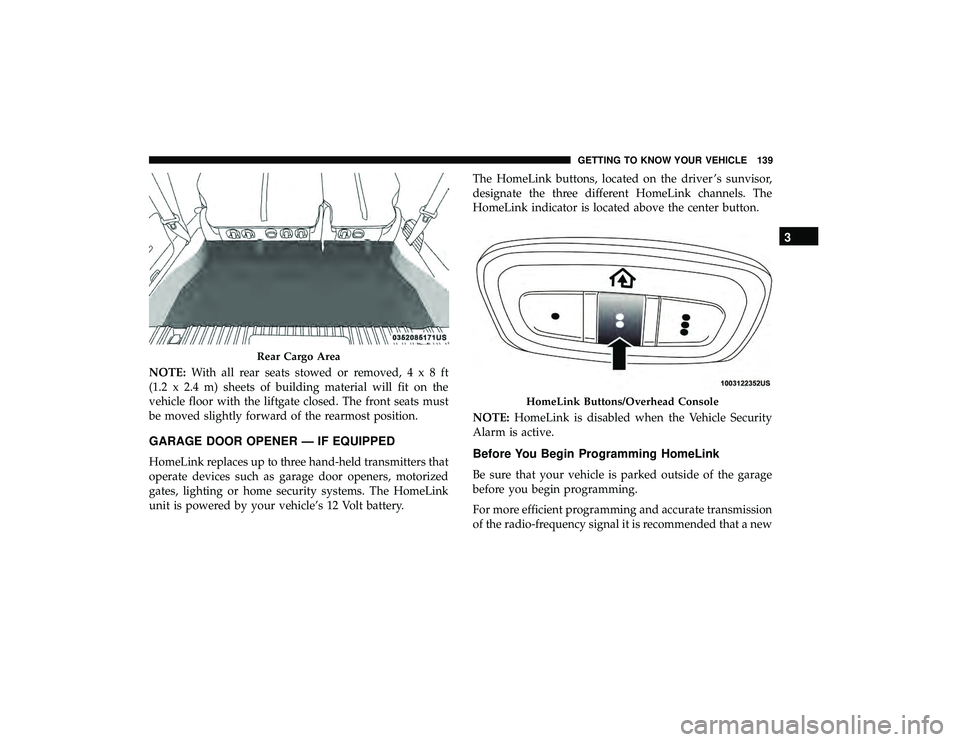
NOTE:With all rear seats stowed or removed,4x8ft
(1.2 x 2.4 m) sheets of building material will fit on the
vehicle floor with the liftgate closed. The front seats must
be moved slightly forward of the rearmost position.
GARAGE DOOR OPENER — IF EQUIPPED
HomeLink replaces up to three hand-held transmitters that
operate devices such as garage door openers, motorized
gates, lighting or home security systems. The HomeLink
unit is powered by your vehicle’s 12 Volt battery. The HomeLink buttons, located on the driver ’s sunvisor,
designate the three different HomeLink channels. The
HomeLink indicator is located above the center button.
NOTE:
HomeLink is disabled when the Vehicle Security
Alarm is active.Before You Begin Programming HomeLink
Be sure that your vehicle is parked outside of the garage
before you begin programming.
For more efficient programming and accurate transmission
of the radio-frequency signal it is recommended that a new
Rear Cargo Area
HomeLink Buttons/Overhead Console
3
GETTING TO KNOW YOUR VEHICLE 139
Page 156 of 620
Overhead Sunglass Storage
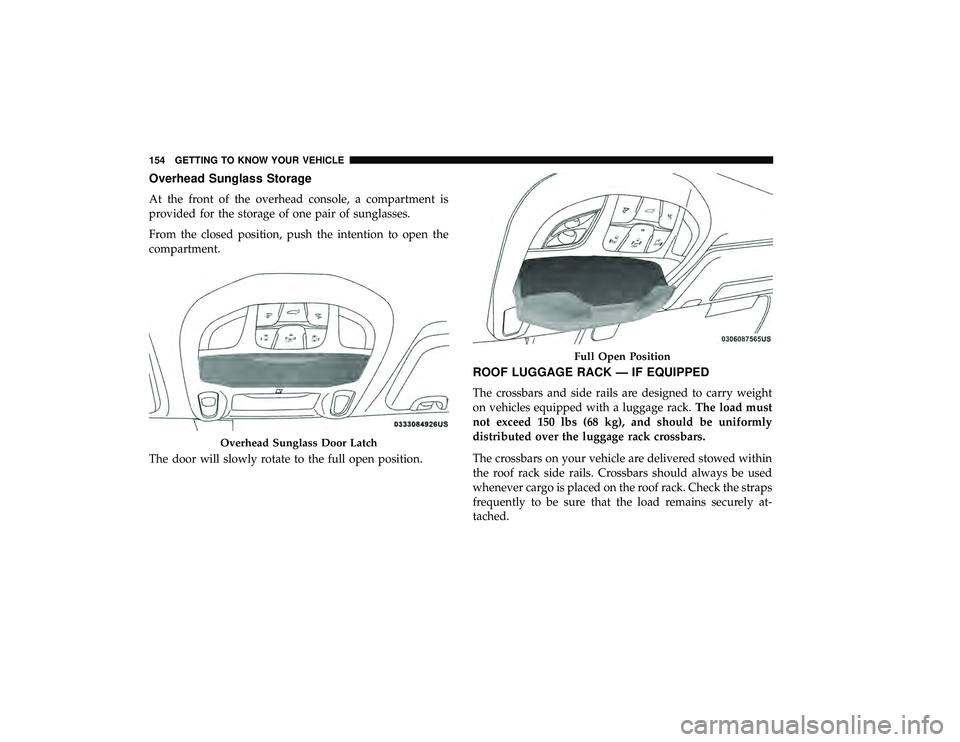
At the front of the overhead console, a compartment is
provided for the storage of one pair of sunglasses.
From the closed position, push the intention to open the
compartment.
The door will slowly rotate to the full open position.
ROOF LUGGAGE RACK — IF EQUIPPED
The crossbars and side rails are designed to carry weight
on vehicles equipped with a luggage rack.The load must
not exceed 150 lbs (68 kg), and should be uniformly
distributed over the luggage rack crossbars.
The crossbars on your vehicle are delivered stowed within
the roof rack side rails. Crossbars should always be used
whenever cargo is placed on the roof rack. Check the straps
frequently to be sure that the load remains securely at-
tached.
Overhead Sunglass Door Latch
Full Open Position
154 GETTING TO KNOW YOUR VEHICLE
Page 157 of 620
The roof rack does not increase the total load carrying
capacity of the vehicle. Be sure the total load of cargo inside
the vehicle plus that on the external rack does not exceed
the maximum vehicle load capacity.
Deploying The Crossbars
1. To deploy the crossbars, completely loosen the thumbscrews at both ends of the crossbar and lift the crossbar
from its stowed position in the side rail. Repeat with
crossbar on the opposite side.
NOTE: The thumb screws cannot be fully removed.
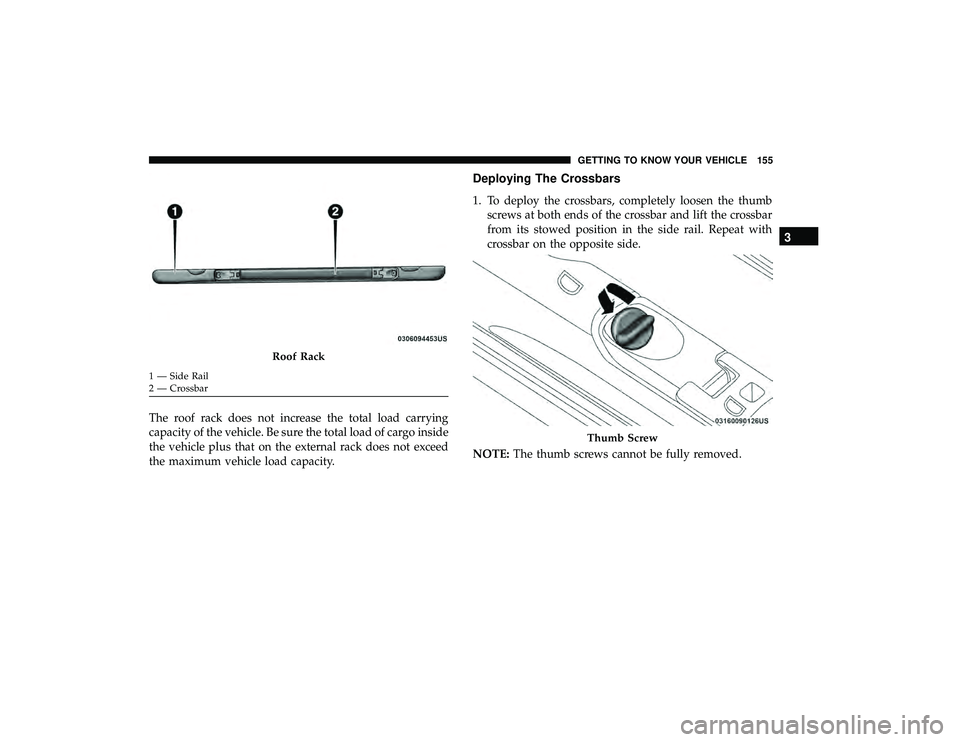
Roof Rack
1 — Side Rail
2 — Crossbar
Thumb Screw
3
GETTING TO KNOW YOUR VEHICLE 155
Page 160 of 620
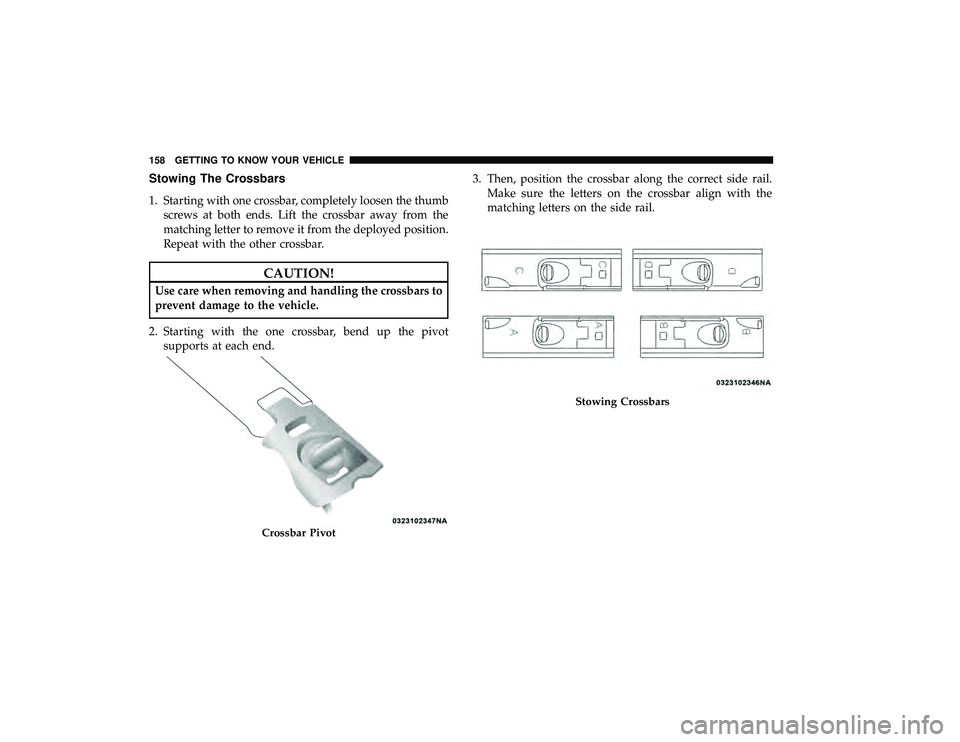
Stowing The Crossbars
1. Starting with one crossbar, completely loosen the thumbscrews at both ends. Lift the crossbar away from the
matching letter to remove it from the deployed position.
Repeat with the other crossbar.
CAUTION!
Use care when removing and handling the crossbars to
prevent damage to the vehicle.
2. Starting with the one crossbar, bend up the pivot supports at each end. 3. Then, position the crossbar along the correct side rail.
Make sure the letters on the crossbar align with the
matching letters on the side rail.
Crossbar Pivot
Stowing Crossbars
158 GETTING TO KNOW YOUR VEHICLE
Page 161 of 620
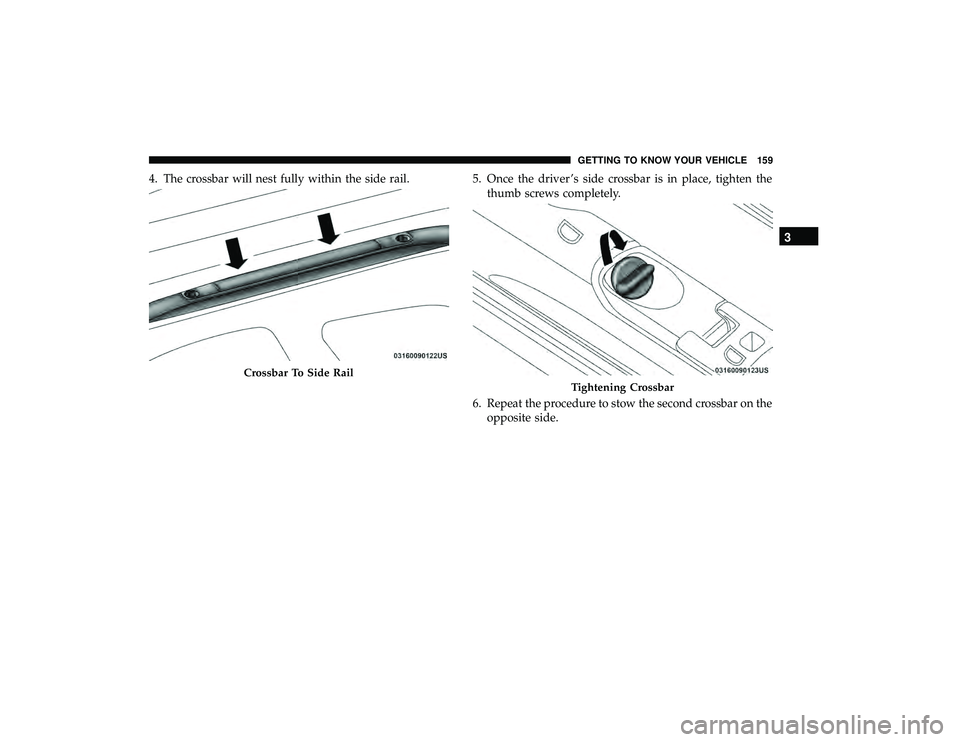
4. The crossbar will nest fully within the side rail.5. Once the driver ’s side crossbar is in place, tighten the
thumb screws completely.
6. Repeat the procedure to stow the second crossbar on the opposite side.
Crossbar To Side Rail
Tightening Crossbar
3
GETTING TO KNOW YOUR VEHICLE 159