ev mode CHRYSLER PACIFICA HYBRID 2023 Owners Manual
[x] Cancel search | Manufacturer: CHRYSLER, Model Year: 2023, Model line: PACIFICA HYBRID, Model: CHRYSLER PACIFICA HYBRID 2023Pages: 328, PDF Size: 16.37 MB
Page 1 of 328
2023 PACIFICA
©2022 FCA US LLC. All Rights Reserved. Tous droits réservés. Chrysler is a registered trademark of FCA US LLC or FCA Canada Inc., used under license. Chrysler est une marque déposée de FCA US LLC ou FCA Canada Inc., utilisée sous le permis. App Store is a registered trademark of Apple Inc. Google Play Store is a registered trademark of Google.
SCAN FOR THE MOST UP-TO-DATE OWNER’S MANUAL, RADIO AND WARRANTY BOOKS
owners.mopar.ca
CanadaUSA
mopar.com/om
First Edition V1 23_RUP_OM_EN_USC
Whether it’s providing information about specific product features, taking a tour through your vehicle’s heritage, knowing what steps to take following an accident or
scheduling your next appointment, we know you’ll find the app an important extension of your Chrysler brand vehicle. Simply download the app, select your make
and model and enjoy the ride. To get this app, go directly to the App Store® or Google Play® Store and enter the search keyword “Chrysler” (U.S. residents only).
2023 PACIFICA| OWNER’S MANUAL
Page 4 of 328
2
INTRODUCTION
SYMBOLS KEY ....................................................................... 8
VEHICLE MODIFICATIONS/ALTERATIONS ......................... 8
SYMBOL GLOSSARY ............................................................. 8
GETTING TO KNOW YOUR VEHICLE
KEYS ....................................................................................12
Key Fob ........................................................................ 12
SENTRY KEY ........................................................................15
IGNITION SWITCH ...............................................................15 Keyless Enter ‘n Go™ Ignition .................................... 15
REMOTE START — IF EQUIPPED ......................................16 How To Use Remote Start .......................................... 17
To Exit Remote Start Mode ........................................ 17
Remote Start Front Defrost Activation —
If Equipped .................................................................. 18
Remote Start Comfort Systems — If Equipped.......... 18
Remote Start Windshield Wiper De-Icer Activation —
If Equipped .................................................................. 18
Remote Start Cancel Message .................................. 18
VEHICLE SECURITY SYSTEM — IF EQUIPPED ..................19 To Arm The System .................................................... 19
To Disarm The System ................................................ 19
Rearming Of The System ............................................ 19
Security System Manual Override.............................. 19 DOORS ................................................................................. 20
Manual Door Locks......................................................20
Power Door Locks — If Equipped ................................ 21
Keyless Enter ‘n Go™ — Passive Entry ...................... 21
Automatic Unlock Doors On Exit — If Equipped ......... 23
Manual Sliding Side Door............................................ 23
Power Sliding Side Door — If Equipped ...................... 24
Hands-Free Sliding Doors — If Equipped.................... 25
Child Protection Door Lock System — Rear Doors.....25
STEERING WHEEL .............................................................. 26 Tilt/Telescoping Steering Column ..............................26
Heated Steering Wheel —If Equipped......................... 26
DRIVER MEMORY SETTINGS — IF EQUIPPED ................ 27 Programming The Memory Feature............................ 27
Linking And Unlinking The Key Fob To Memory......... 27
Memory Position Recall............................................... 28
SEATS ................................................................................... 28 Manual Adjustment (Front Seats) — If Equipped....... 28
Manual Adjustment (Rear Seats) ............................... 29
Power Adjustment (Front Seats) — If Equipped ......... 40
Power Adjustment (Rear Seats) — If Equipped .......... 42
Heated Seats ...............................................................43
Ventilated Seats — If Equipped................................... 44
Plastic Grocery Bag Retainer Hooks........................... 45
Head Restraints .......................................................... 45
UCONNECT VOICE RECOGNITION —
IF EQUIPPED ....................................................................... 47 Introducing Voice Recognition .................................... 47
Basic Voice Commands............................................... 47
Get Started ................................................................... 47
Additional Information................................................. 48 MIRRORS............................................................................. 48
Inside Rearview Mirror ................................................ 48
Illuminated Vanity Mirrors —If Equipped ................... 48
Outside Mirrors ........................................................... 49
Outside Mirrors With Turn Signal — If Equipped ....... 49
Driver's Outside Automatic Dimming Mirror —
If Equipped................................................................... 49
Conversation Mirror .................................................... 49
Power Mirrors — If Equipped....................................... 49
Power Folding Outside Mirrors — If Equipped ........... 50
Automatic Power Folding Mirrors — If Equipped ....... 50
Outside Mirrors Folding Feature................................. 50
Heated Mirrors — If Equipped ..................................... 50
Tilt Side Mirrors In Reverse —If Equipped.................. 51
UNIVERSAL GARAGE DOOR OPENER (HOMELINK®) —
IF EQUIPPED ...................................................................... 51 Before You Begin Programming HomeLink® ............ 51
Erasing All The HomeLink® Channels ....................... 51
Identifying Whether You Have A Rolling Code Or
Non-Rolling Code Device............................................. 52
Programming HomeLink® To A Garage
Door Opener ................................................................ 52
Programming HomeLink® To A
Miscellaneous Device ................................................. 53
Reprogramming A Single HomeLink® Button ........... 53
Canadian/Gate Operator Programming .................... 53
Security ........................................................................ 54
Troubleshooting Tips ................................................... 54
23_RUP_OM_EN_USC_t.book Page 2
Page 5 of 328
3
EXTERIOR LIGHTS ..............................................................54Multifunction Lever ..................................................... 54
Headlight Switch ......................................................... 55
Daytime Running Lights (DRLs) — If Equipped.......... 55
High/Low Beam Switch .............................................. 56
Automatic High Beam — If Equipped ........................ 56
Flash-To-Pass .............................................................. 56
Automatic Headlights — If Equipped ......................... 56
Headlights On With Wipers —If Equipped .................. 56
Headlight Time Delay — If Equipped .......................... 56
Lights-On Reminder .................................................... 57
Front Fog Lights — If Equipped .................................. 57
Turn Signals................................................................. 57
Lane Change Assist — If Equipped............................. 57
Battery Saver .............................................................. 57
INTERIOR LIGHTS ...............................................................58 Interior Courtesy Lights .............................................. 58
WINDSHIELD WIPER AND WASHERS .............................59 Windshield Wiper Operation....................................... 59
Rain Sensing Wipers — If Equipped ........................... 60
Rear Wiper And Washer ............................................. 60
CLIMATE CONTROLS .........................................................60 Automatic Climate Control Descriptions
And Functions.............................................................. 61
Manual Climate Control Descriptions
And Functions.............................................................. 66
Automatic Temperature Control (ATC) —
If Equipped ................................................................. 70
Climate Voice Commands .......................................... 70
Operating Tips ............................................................ 70 INTERIOR STORAGE AND EQUIPMENT ............................ 71
Storage ......................................................................... 71
Lighted Cupholders — If Equipped..............................74
Sun Screens — If Equipped ......................................... 74
USB/AUX Control ........................................................ 74
Power Outlets .............................................................. 75
Power Inverter — If Equipped ..................................... 77
Wireless Charging Pad — If Equipped......................... 77
WINDOWS............................................................................ 78 Power Windows............................................................ 78
Automatic Window Features ....................................... 79
Reset Auto-Up .............................................................. 79
Wind Buffeting ............................................................. 79
PANORAMIC SUNROOF — IF EQUIPPED .......................... 80 Opening And Closing The Sunroof ..............................80
Opening And Closing The Power Sunshade —
If Equipped ................................................................... 81
Pinch Protect Feature.................................................. 81
Venting Sunroof ........................................................... 81
Ignition Off Operation .................................................. 81
Sunroof Maintenance.................................................. 81
HOOD.................................................................................... 82 Opening ........................................................................ 82
Closing .......................................................................... 82
LIFTGATE .............................................................................. 83 To Unlock/Open The Liftgate ......................................83
To Lock/Close The Liftgate ......................................... 83
Power Liftgate — If Equipped ......................................83
Hands-Free Liftgate — If Equipped ............................. 84
Cargo Area Features ................................................... 86 STOW ‘N PLACE ROOF RACK — IF EQUIPPED ............... 90
Deploying The Crossbars ............................................ 91
Stowing The Crossbars ............................................... 92
GETTING TO KNOW YOUR
INSTRUMENT PANEL
INSTRUMENT CLUSTER ..................................................... 94 Instrument Cluster Descriptions ................................ 96
INSTRUMENT CLUSTER DISPLAY .................................... 97 Instrument Cluster Display Location And Controls ... 97
Engine Oil Life ............................................................. 98
KeySense Cluster Messages — If Equipped .............. 98
Instrument Cluster Display Menu Items ................... 99
Battery Saver On/Battery Saver Mode Message —
Electrical Load Reduction Actions — If Equipped ... 101
WARNING LIGHTS AND MESSAGES ..............................102 Red Warning Lights ................................................... 102
Yellow Warning Lights ............................................... 105Yellow Indicator Lights .............................................. 107Green Indicator Lights............................................... 107White Indicator Lights ............................................... 108Blue Indicator Lights ................................................. 109
ONBOARD DIAGNOSTIC SYSTEM — OBD II ................... 109 Onboard Diagnostic System
(OBD II) Cybersecurity ............................................... 109
EMISSIONS INSPECTION AND MAINTENANCE
PROGRAMS ....................................................................... 110
23_RUP_OM_EN_USC_t.book Page 3
Page 6 of 328
4
STARTING AND OPERATING
STARTING THE ENGINE ................................................... 111
Normal Starting ........................................................ 111
AutoPark .................................................................... 111Cold Weather Operation
(Below –22°F Or −30°C) ........................................ 113After Starting — Warming Up The Engine ................ 113
If Engine Fails To Start ............................................. 114
To Turn Off The Engine Using The ENGINE
START/STOP Button.................................................. 114
ENGINE BLOCK HEATER — IF EQUIPPED ..................... 114
ENGINE BREAK-IN RECOMMENDATIONS .................... 114
PARKING BRAKE ............................................................. 115 Electric Park Brake (EPB) ........................................ 115
AUTOMATIC TRANSMISSION .......................................... 117 Ignition Park Interlock............................................... 118
Brake/Transmission Shift Interlock (BTSI) System....118
9-Speed Automatic Transmission ............................ 118
Gear Ranges.............................................................. 119
ALL-WHEEL DRIVE (AWD) — IF EQUIPPED .................. 120
ACTIVE NOISE CANCELLATION....................................... 121
POWER STEERING ........................................................... 121
STOP/START SYSTEM — IF EQUIPPED.......................... 121 Autostop Mode .......................................................... 121
Possible Reasons The Engine Does Not Autostop.. 122
To Start The Engine While In Autostop .................... 122
To Manually Turn Off The Stop/Start System ......... 122
To Manually Turn On The Stop/Start System.......... 123
System Malfunction .................................................. 123 CRUISE CONTROL SYSTEMS — IF EQUIPPED ............. 123
Cruise Control ........................................................... 123
Adaptive Cruise Control (ACC).................................. 124
PARKSENSE FRONT/REAR PARK ASSIST SYSTEM —
IF EQUIPPED .................................................................... 132 ParkSense Sensors .................................................. 132ParkSense Display.................................................... 132
ParkSense Warning Display ..................................... 135
Enabling And Disabling ParkSense ......................... 135
Service The ParkSense Park Assist System............ 135
Cleaning The ParkSense System ............................. 136ParkSense System Usage Precautions ................... 136
PARKSENSE ACTIVE PARK ASSIST SYSTEM —
IF EQUIPPED ..................................................................... 137 Enabling And Disabling The ParkSense Active Park
Assist System ............................................................ 137
Parallel/Perpendicular Parking Space Assistance
Operation................................................................... 138
LANESENSE — IF EQUIPPED ......................................... 140 LaneSense Operation............................................... 140
Turning LaneSense On Or Off .................................. 140
LaneSense Warning Message ................................. 140
Changing LaneSense Status.................................... 142 PARKVIEW REAR BACK UP CAMERA ........................... 142
SURROUND VIEW CAMERA SYSTEM —
IF EQUIPPED......................................................................143
FAMCAM SYSTEM — IF EQUIPPED .................................145
REFUELING THE VEHICLE ................................................146
VEHICLE LOADING ...........................................................146 Certification Label ..................................................... 146
TRAILER TOWING .............................................................147 Common Towing Definitions..................................... 147
Trailer Hitch Classification ........................................ 149Trailer Towing Weights (Maximum Trailer
Weight Ratings) ........................................................ 149
Vehicle Loading Chart ............................................... 150Trailer And Tongue Weight ....................................... 151Towing Requirements .............................................. 151Towing Tips ............................................................... 153
RECREATIONAL TOWING (BEHIND MOTORHOME) ..... 154 Towing This Vehicle Behind Another Vehicle ........... 154
DRIVING TIPS ....................................................................155 Driving On Slippery Surfaces .................................... 155
Driving Through Water ............................................. 156
23_RUP_OM_EN_USC_t.book Page 4
Page 7 of 328
5
MULTIMEDIA
UCONNECT SYSTEMS ..................................................... 157
CYBERSECURITY ............................................................. 157
UCONNECT SETTINGS...................................................... 157Customer Programmable Features ........................ 158
REAR SEAT ENTERTAINMENT (RSE) WITH AMAZON
FIRE TV BUILT-IN — IF EQUIPPED .................................. 177 Overview .................................................................... 177Getting Started .......................................................... 177
Accessing Rear Seat Entertainment with Fire TV
built-in from the Front Radio Screen ....................... 178
Accessing Rear Seat Entertainment with Fire TV
built-in from the Rear Screens ................................. 178First Time Starting Up (Using the Rear Screens) .... 178Alexa Voice Control ................................................... 179
Listen Via Vehicle Speakers ..................................... 179
Quick Menu ............................................................... 179
Parental Controls (Using the Rear Screens)............ 179Voice Remote with Alexa Pairing (Using the Rear
Screens)..................................................................... 179Media Sources Input (Using the Front Radio and
Rear Screens)............................................................ 180
Voice Remote with Alexa .......................................... 180
Rear Seat Entertainment with Fire TV built-in streaming
(Using the Front Radio and Rear Screens) .................181
Play A Blu-ray™ or DVD —If Equipped ...................... 182
Fire TV Apps/Games (Using the Rear Screens) ...... 183 Using The Video USB Port ........................................ 183
Play Video Games ..................................................... 183
Headphones Operation ............................................ 183
Rear Climate Controls .............................................. 184
Legal & Compliance.................................................. 186
RADIO OPERATION AND MOBILE PHONES.................. 186 Regulatory And Safety Information.......................... 186
SAFETY
SAFETY FEATURES .......................................................... 187Anti-Lock Brake System (ABS) ................................ 187
Electronic Brake Control (EBC) System .................. 188
AUXILIARY DRIVING SYSTEMS ...................................... 192 Blind Spot Monitoring (BSM) — If Equipped............ 192
Forward Collision Warning (FCW) With Mitigation —
If Equipped ................................................................ 195Tire Pressure Monitoring System (TPMS) ............... 197
OCCUPANT RESTRAINT SYSTEMS ............................... 200 Occupant Restraint Systems Features ................... 200
Important Safety Precautions .................................. 200
Seat Belt Systems .................................................... 201
Supplemental Restraint Systems (SRS).................. 209
Child Restraints ........................................................ 219
SAFETY TIPS .................................................................... 233 Transporting Passengers ......................................... 233
Transporting Pets .................................................... 233
Connected Vehicles .................................................. 233Safety Checks You Should Make Inside
The Vehicle ............................................................... 233 Periodic Safety Checks You Should Make Outside
The Vehicle ................................................................ 234
Exhaust Gas ............................................................... 235
Carbon Monoxide Warnings ..................................... 235
IN CASE OF EMERGENCY
HAZARD WARNING FLASHERS ......................................236
SOS AND ASSIST MIRROR — IF EQUIPPED ..................236
JACKING AND TIRE CHANGING —IF EQUIPPED ...........239
Preparations For Jacking ......................................... 239
Jack And Spare Tire Location ................................... 240
Equipment Removal ................................................. 240
Jacking Instructions .................................................. 240
Road Tire Installation ................................................ 244
Portable Air Compressor —If Equipped .................... 244
Return Inflatable Spare Tire ..................................... 245
TIRE SERVICE KIT — IF EQUIPPED.................................. 245
JUMP STARTING ...............................................................251 Preparations For Jump Start..................................... 251
Jump Starting Procedure .......................................... 252
REFUELING IN EMERGENCY – IF EQUIPPED ................252
IF YOUR ENGINE OVERHEATS......................................... 253
MANUAL PARK RELEASE ...............................................254
FREEING A STUCK VEHICLE ........................................... 255
TOWING A DISABLED VEHICLE.......................................256 All Wheel Drive (AWD) Models .................................. 258
ENHANCED ACCIDENT RESPONSE SYSTEM (EARS) ..258
EVENT DATA RECORDER (EDR)......................................258
23_RUP_OM_EN_USC_t.book Page 5
Page 9 of 328
7
INTRODUCTION
Dear Customer,
Congratulations on the purchase of your new Chrysler vehicle. Be assured that it represents precision workmanship, distinctive styling, and high quality.
This Owner's Manual has been prepared with the assistance of service and engineering specialists to acquaint you with the operation and maintenance of your vehicle. It is
supplemented by customer-oriented documents. Within this information, you will find a description of the services that FCA US LLC offers to its customers as well as the details of the
terms and conditions for maintaining its validity. Please take the time to read all of these publications carefully before driving your vehicle for the first time. Following the instructions,
recommendations, tips, and important warnings in this manual will help ensure safe and enjoyable operation of your vehicle.
This Owner's Manual describes all versions of this vehicle. Options and equipment dedicated to specific markets or versions are not expressly indicated in the text. Therefore, you should
only consider the information that is related to the trim level, engine, and version that you have purchased. Any content introduced throughout the Owner's Information, which may or
may not be applicable to your vehicle, will be identified with the wording “If Equipped” or, if applicable, refer to the “Hybrid Supplement” for additional information. All data contained
in this publication are intended to help you use your vehicle in the best possible way. FCA US LLC aims at a constant improvement of the vehicles produced. For this reason, it reserves
the right to make changes to the model described for technical and/or commercial reasons. For further information, contact an authorized dealer.
When it comes to service, remember that authorized dealers know your Chrysler vehicle best, have factory-trained technicians, genuine Mopar® parts, and care about your satisfaction.1
23_RUP_OM_EN_USC_t.book Page 7
Page 16 of 328
14GETTING TO KNOW YOUR VEHICLE
Programming And Requesting Additional
Key Fobs
Programming the key fob may be performed by an
authorized dealer.
NOTE:
Once a key fob is programmed to a vehicle, it cannot be
repurposed and reprogrammed to another vehicle.
Only key fobs that are programmed to the vehicle elec -
tronics can be used to start and operate the vehicle.
Once a key fob is programmed to a vehicle, it cannot be
programmed to any other vehicle. Duplication of key fobs may be performed at an authorized
dealer. This procedure consists of programming a blank
key fob to the vehicle electronics. A blank key fob is one
that has never been programmed.
NOTE:
When having the Sentry Key Immobilizer system
serviced, bring all vehicle keys with you to an autho -
rized dealer.
Keys must be ordered to the correct key cut to match
the vehicle locks.
KeySense Features — If Equipped
This feature provides the vehicle owner with the ability to
customize vehicle settings that can be applied to
determine the driving experience for other drivers of the
vehicle. The vehicle settings are protected by a unique
4-digit PIN, which the vehicle owner creates when
accessing the specific settings for the first time.
KeySense also has additional features that are always
enabled when the specific key fob is in use that cannot be
set by the vehicle owner. While this specific key fob is in
use, the vehicle will respond accordingly to the customized
vehicle settings and mandatory features. This includes enhanced driving assistance features, increased driver
alerts, and the locking of certain optional features. These
settings can be selected within the Uconnect system
Úpage 157.
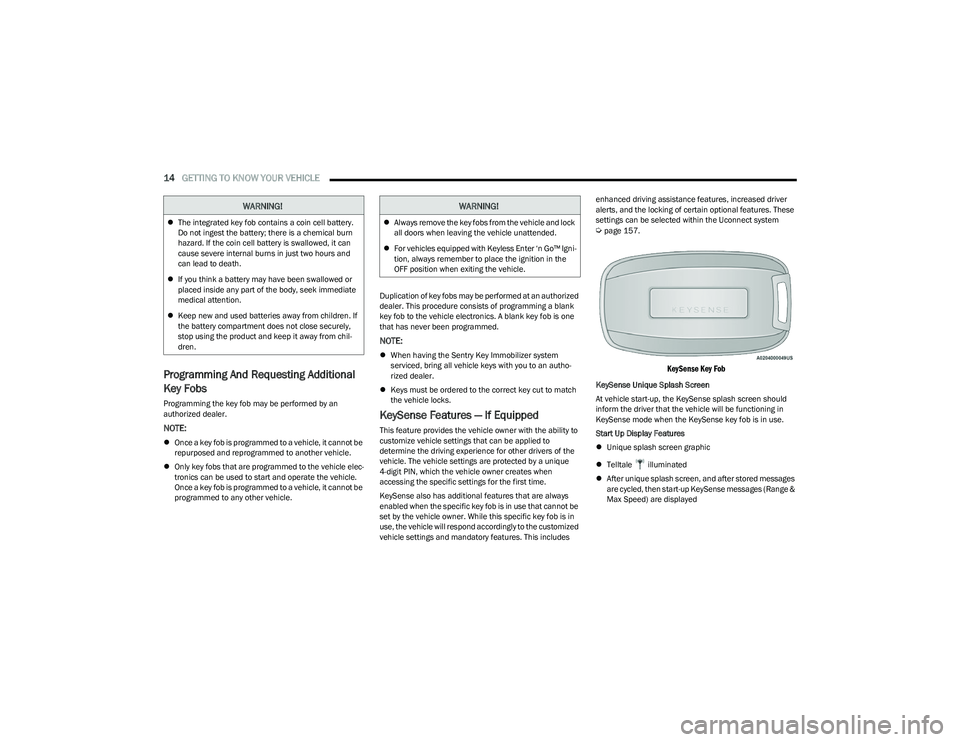
KeySense Key Fob
KeySense Unique Splash Screen
At vehicle start-up, the KeySense splash screen should
inform the driver that the vehicle will be functioning in
KeySense mode when the KeySense key fob is in use.
Start Up Display Features
Unique splash screen graphic
Telltale illuminated
After unique splash screen, and after stored messages
are cycled, then start-up KeySense messages (Range &
Max Speed) are displayed
WARNING!
The integrated key fob contains a coin cell battery.
Do not ingest the battery; there is a chemical burn
hazard. If the coin cell battery is swallowed, it can
cause severe internal burns in just two hours and
can lead to death.
If you think a battery may have been swallowed or
placed inside any part of the body, seek immediate
medical attention.
Keep new and used batteries away from children. If
the battery compartment does not close securely,
stop using the product and keep it away from chil -
dren.
WARNING!
Always remove the key fobs from the vehicle and lock
all doors when leaving the vehicle unattended.
For vehicles equipped with Keyless Enter ‘n Go™ Igni -
tion, always remember to place the ignition in the
OFF position when exiting the vehicle.
23_RUP_OM_EN_USC_t.book Page 14
Page 18 of 328
16GETTING TO KNOW YOUR VEHICLE
The push button ignition can be placed in the following
modes:
OFF
The engine is stopped
Some electrical devices (e.g. power locks, alarm, etc.)
are still available
ACC
The engine is stopped
Some electrical devices are available (e.g. power
windows)
ON/RUN
Driving position
All electrical devices are available (e.g. climate
controls, etc.)
START
The engine will start (when foot is on the brake pedal)
The engine only runs with the ignition in the ON/RUN
ignition position, or from a Remote Start request.
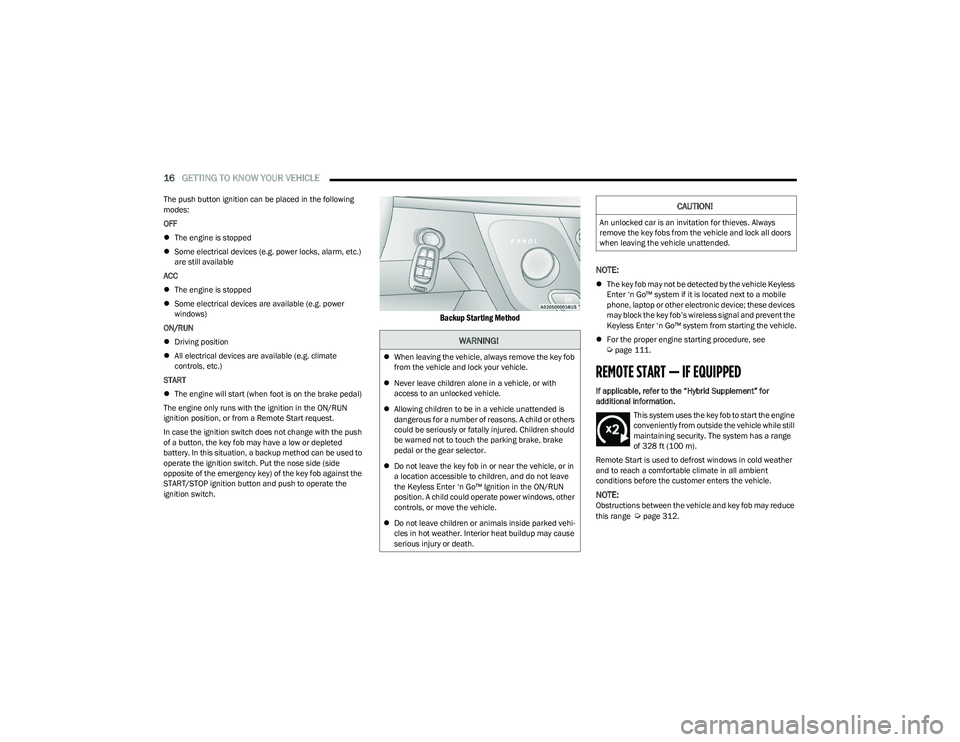
In case the ignition switch does not change with the push
of a button, the key fob may have a low or depleted
battery. In this situation, a backup method can be used to
operate the ignition switch. Put the nose side (side
opposite of the emergency key) of the key fob against the
START/STOP ignition button and push to operate the
ignition switch.
Backup Starting Method
NOTE:
The key fob may not be detected by the vehicle Keyless
Enter ‘n Go™ system if it is located next to a mobile
phone, laptop or other electronic device; these devices
may block the key fob’s wireless signal and prevent the
Keyless Enter ‘n Go™ system from starting the vehicle.
For the proper engine starting procedure, see
Úpage 111.
REMOTE START — IF EQUIPPED
If applicable, refer to the “Hybrid Supplement” for
additional information.
This system uses the key fob to start the engine
conveniently from outside the vehicle while still
maintaining security. The system has a range
of 328 ft (100 m).
Remote Start is used to defrost windows in cold weather
and to reach a comfortable climate in all ambient
conditions before the customer enters the vehicle.
NOTE:Obstructions between the vehicle and key fob may reduce
this range Úpage 312.
WARNING!
When leaving the vehicle, always remove the key fob
from the vehicle and lock your vehicle.
Never leave children alone in a vehicle, or with
access to an unlocked vehicle.
Allowing children to be in a vehicle unattended is
dangerous for a number of reasons. A child or others
could be seriously or fatally injured. Children should
be warned not to touch the parking brake, brake
pedal or the gear selector.
Do not leave the key fob in or near the vehicle, or in
a location accessible to children, and do not leave
the Keyless Enter ‘n Go™ Ignition in the ON/RUN
position. A child could operate power windows, other
controls, or move the vehicle.
Do not leave children or animals inside parked vehi -
cles in hot weather. Interior heat buildup may cause
serious injury or death.
CAUTION!
An unlocked car is an invitation for thieves. Always
remove the key fobs from the vehicle and lock all doors
when leaving the vehicle unattended.
23_RUP_OM_EN_USC_t.book Page 16
Page 19 of 328
GETTING TO KNOW YOUR VEHICLE17
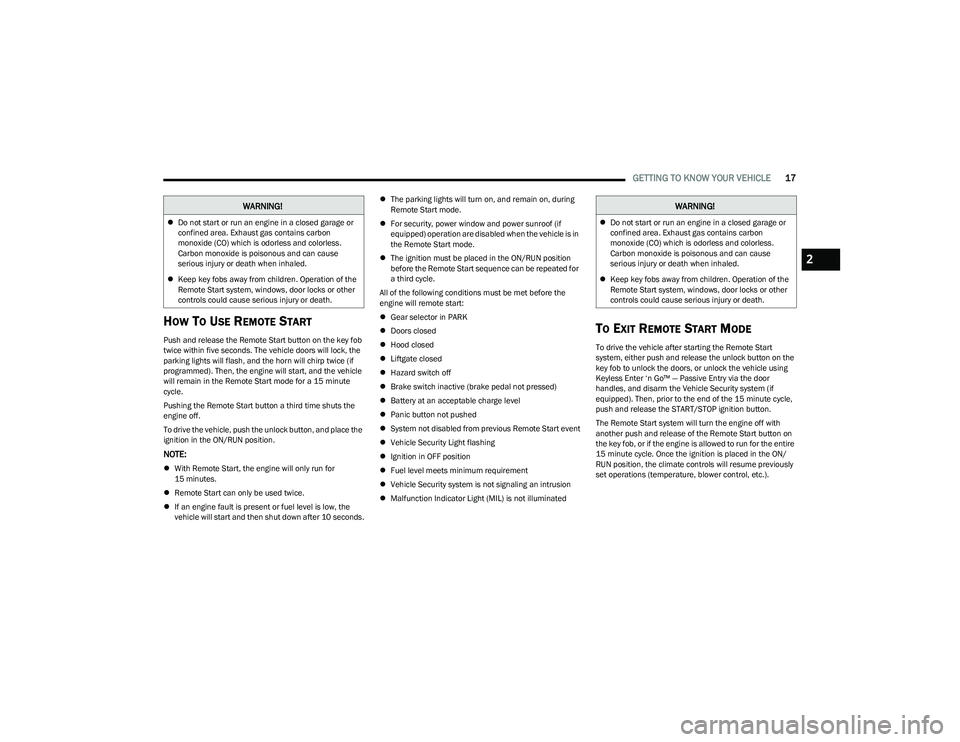
HOW TO USE REMOTE START
Push and release the Remote Start button on the key fob
twice within five seconds. The vehicle doors will lock, the
parking lights will flash, and the horn will chirp twice (if
programmed). Then, the engine will start, and the vehicle
will remain in the Remote Start mode for a 15 minute
cycle.
Pushing the Remote Start button a third time shuts the
engine off.
To drive the vehicle, push the unlock button, and place the
ignition in the ON/RUN position.
NOTE:
With Remote Start, the engine will only run for
15 minutes.
Remote Start can only be used twice.
If an engine fault is present or fuel level is low, the
vehicle will start and then shut down after 10 seconds.
The parking lights will turn on, and remain on, during
Remote Start mode.
For security, power window and power sunroof (if
equipped) operation are disabled when the vehicle is in
the Remote Start mode.
The ignition must be placed in the ON/RUN position
before the Remote Start sequence can be repeated for
a third cycle.
All of the following conditions must be met before the
engine will remote start:
Gear selector in PARK
Doors closed
Hood closed
Liftgate closed
Hazard switch off
Brake switch inactive (brake pedal not pressed)
Battery at an acceptable charge level
Panic button not pushed
System not disabled from previous Remote Start event
Vehicle Security Light flashing
Ignition in OFF position
Fuel level meets minimum requirement
Vehicle Security system is not signaling an intrusion
Malfunction Indicator Light (MIL) is not illuminated
TO EXIT REMOTE START MODE
To drive the vehicle after starting the Remote Start
system, either push and release the unlock button on the
key fob to unlock the doors, or unlock the vehicle using
Keyless Enter ‘n Go™ — Passive Entry via the door
handles, and disarm the Vehicle Security system (if
equipped). Then, prior to the end of the 15 minute cycle,
push and release the START/STOP ignition button.
The Remote Start system will turn the engine off with
another push and release of the Remote Start button on
the key fob, or if the engine is allowed to run for the entire
15 minute cycle. Once the ignition is placed in the ON/
RUN position, the climate controls will resume previously
set operations (temperature, blower control, etc.).
WARNING!
Do not start or run an engine in a closed garage or
confined area. Exhaust gas contains carbon
monoxide (CO) which is odorless and colorless.
Carbon monoxide is poisonous and can cause
serious injury or death when inhaled.
Keep key fobs away from children. Operation of the
Remote Start system, windows, door locks or other
controls could cause serious injury or death.
WARNING!
Do not start or run an engine in a closed garage or
confined area. Exhaust gas contains carbon
monoxide (CO) which is odorless and colorless.
Carbon monoxide is poisonous and can cause
serious injury or death when inhaled.
Keep key fobs away from children. Operation of the
Remote Start system, windows, door locks or other
controls could cause serious injury or death.
2
23_RUP_OM_EN_USC_t.book Page 17
Page 20 of 328
18GETTING TO KNOW YOUR VEHICLE
NOTE:
For vehicles equipped with the Keyless Enter ‘n Go™ —
Passive Entry feature, the message “Remote Start
Active — Push Start Button” will show in the instrument
cluster display until you push the START/STOP ignition
button.
To avoid unintentional shutdowns, the system will
disable for two seconds after receiving a valid Remote
Start request.
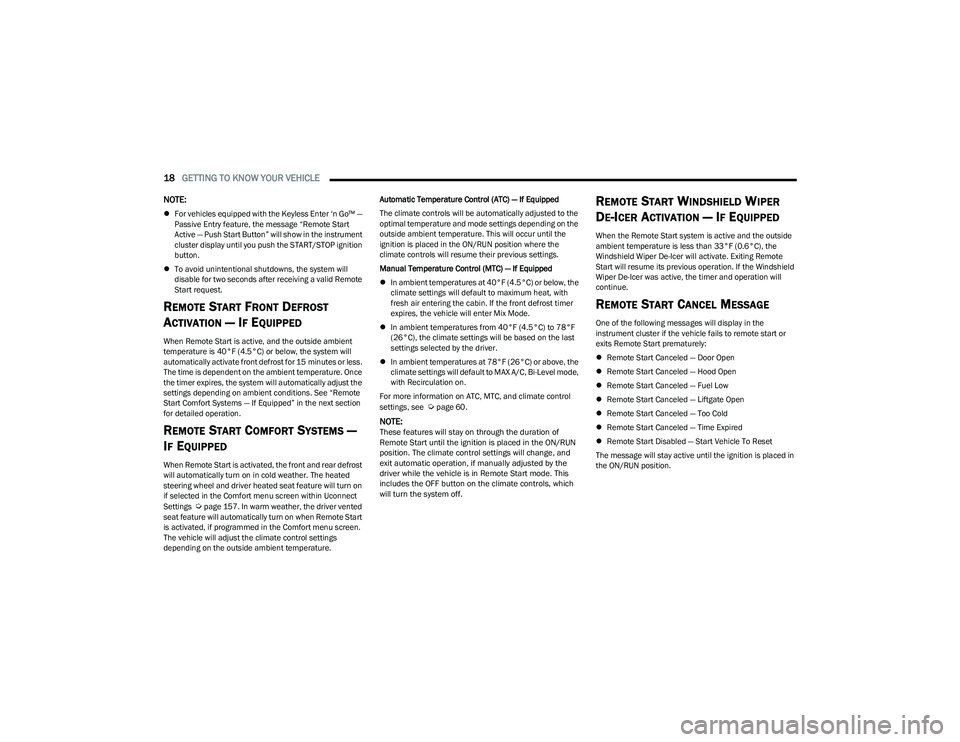
REMOTE START FRONT DEFROST
A
CTIVATION — IF EQUIPPED
When Remote Start is active, and the outside ambient
temperature is 40°F (4.5°C) or below, the system will
automatically activate front defrost for 15 minutes or less.
The time is dependent on the ambient temperature. Once
the timer expires, the system will automatically adjust the
settings depending on ambient conditions. See “Remote
Start Comfort Systems — If Equipped” in the next section
for detailed operation.
REMOTE START COMFORT SYSTEMS —
I
F EQUIPPED
When Remote Start is activated, the front and rear defrost
will automatically turn on in cold weather. The heated
steering wheel and driver heated seat feature will turn on
if selected in the Comfort menu screen within Uconnect
Settings
Úpage 157. In warm weather, the driver vented
seat feature will automatically turn on when Remote Start
is activated, if programmed in the Comfort menu screen.
The vehicle will adjust the climate control settings
depending on the outside ambient temperature. Automatic Temperature Control (ATC) — If Equipped
The climate controls will be automatically adjusted to the
optimal temperature and mode settings depending on the
outside ambient temperature. This will occur until the
ignition is placed in the ON/RUN position where the
climate controls will resume their previous settings.
Manual Temperature Control (MTC) — If Equipped
In ambient temperatures at 40°F (4.5°C) or below, the
climate settings will default to maximum heat, with
fresh air entering the cabin. If the front defrost timer
expires, the vehicle will enter Mix Mode.
In ambient temperatures from 40°F (4.5°C) to 78°F
(26°C), the climate settings will be based on the last
settings selected by the driver.
In ambient temperatures at 78°F (26°C) or above, the
climate settings will default to MAX A/C, Bi-Level mode,
with Recirculation on.
For more information on ATC, MTC, and climate control
settings, see
Úpage 60.
NOTE:
These features will stay on through the duration of
Remote Start until the ignition is placed in the ON/RUN
position. The climate control settings will change, and
exit automatic operation, if manually adjusted by the
driver while the vehicle is in Remote Start mode. This
includes the OFF button on the climate controls, which
will turn the system off.
REMOTE START WINDSHIELD WIPER
D
E-ICER ACTIVATION — IF EQUIPPED
When the Remote Start system is active and the outside
ambient temperature is less than 33°F (0.6°C), the
Windshield Wiper De-Icer will activate. Exiting Remote
Start will resume its previous operation. If the Windshield
Wiper De-Icer was active, the timer and operation will
continue.
REMOTE START CANCEL MESSAGE
One of the following messages will display in the
instrument cluster if the vehicle fails to remote start or
exits Remote Start prematurely:
Remote Start Canceled — Door Open
Remote Start Canceled — Hood Open
Remote Start Canceled — Fuel Low
Remote Start Canceled — Liftgate Open
Remote Start Canceled — Too Cold
Remote Start Canceled — Time Expired
Remote Start Disabled — Start Vehicle To Reset
The message will stay active until the ignition is placed in
the ON/RUN position.
23_RUP_OM_EN_USC_t.book Page 18