steering CHRYSLER SEBRING CONVERTIBLE 2008 3.G User Guide
[x] Cancel search | Manufacturer: CHRYSLER, Model Year: 2008, Model line: SEBRING CONVERTIBLE, Model: CHRYSLER SEBRING CONVERTIBLE 2008 3.GPages: 454, PDF Size: 5.8 MB
Page 101 of 454

The UConnecttsystem is fully integrated with the vehi-
cle's audio system. The volume of the UConnecttsystem
can be adjusted either from the radio volume control
knob or from the steering wheel radio control (right
switch), if so equipped.
The radio display will be used for visual prompts from
the UConnecttsystem such as9CELL9or caller ID on
certain radios.
Operation
Voice commands can be used to operate the UConnectt
system and to navigate through the UConnecttmenu
structure. Voice commands are required after most
UConnecttsystem prompts. You will be prompted for a
specific command and then guided through the available
options.
²Prior to giving a voice command, one must wait for
the beep, which follows the9Ready9prompt or another
prompt.
²For certain operations, compound commands can be
used. For example, instead of saying9Setup9and then
9Phone Pairing,9the following compound command
can be said:9Setup Phone Pairing.9
²For each feature explanation in this section, only the
combined form of the voice command is given. You
can also break the commands into parts and say each
part of the command when you are asked for it. For
example, you can use the combined form voice com-
mand9Phonebook New Entry,9or you can break the
combined form command into two voice commands:
9Phonebook9and9New Entry.9Please remember, the
UConnecttsystem works best when you talk in a
normal conversational tone, as if speaking to someone
sitting a few feet/meters away from you.
Voice Command Tree
Refer to ªVoice Treeº at the end of this section.
UNDERSTANDING THE FEATURES OF YOUR VEHICLE 101
3
Page 138 of 454
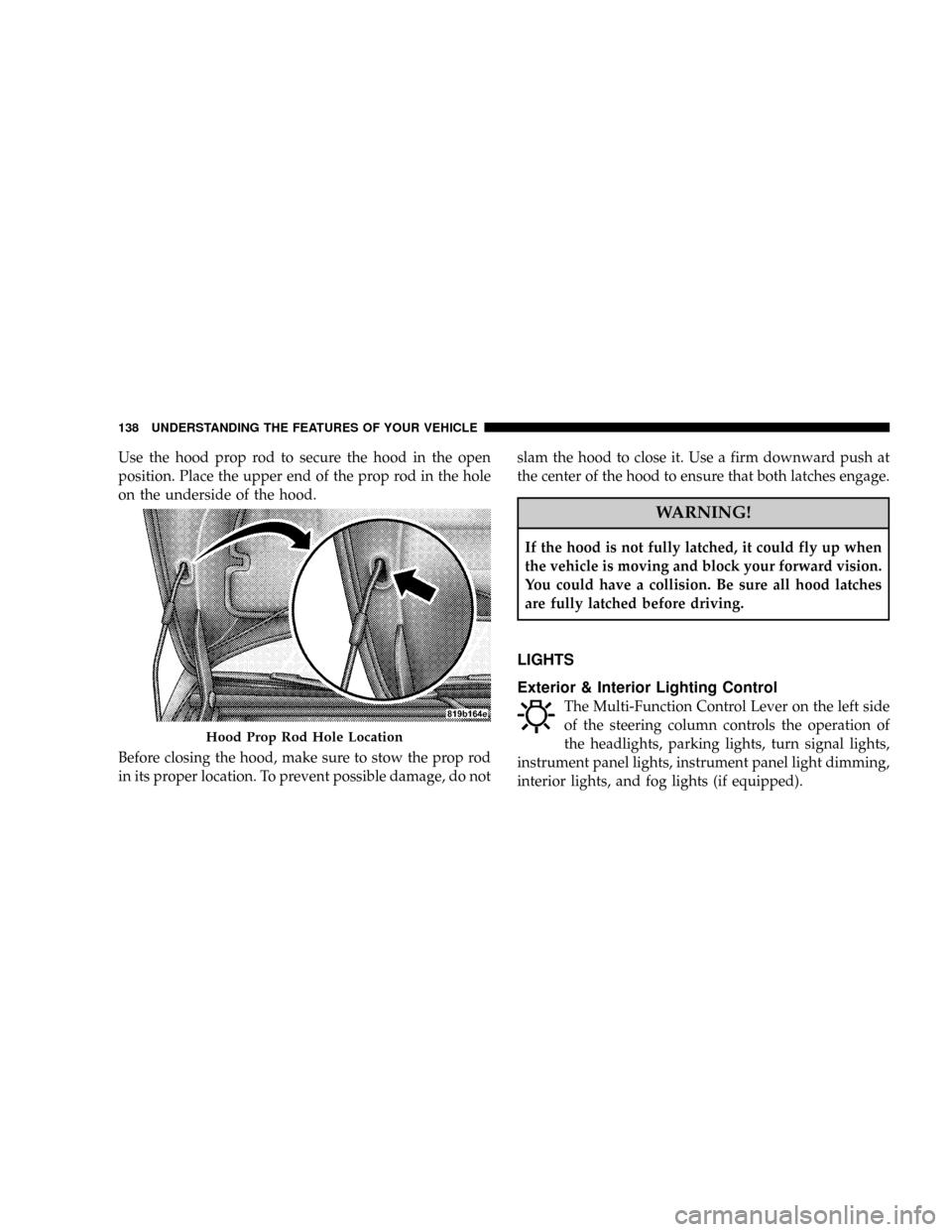
Use the hood prop rod to secure the hood in the open
position. Place the upper end of the prop rod in the hole
on the underside of the hood.
Before closing the hood, make sure to stow the prop rod
in its proper location. To prevent possible damage, do notslam the hood to close it. Use a firm downward push at
the center of the hood to ensure that both latches engage.
WARNING!
If the hood is not fully latched, it could fly up when
the vehicle is moving and block your forward vision.
You could have a collision. Be sure all hood latches
are fully latched before driving.
LIGHTS
Exterior & Interior Lighting Control
The Multi-Function Control Lever on the left side
of the steering column controls the operation of
the headlights, parking lights, turn signal lights,
instrument panel lights, instrument panel light dimming,
interior lights, and fog lights (if equipped).
Hood Prop Rod Hole Location
138 UNDERSTANDING THE FEATURES OF YOUR VEHICLE
Page 146 of 454

WINDSHIELD WIPERS AND WASHERS
The Windshield Wiper / Washer Control Lever is
located on the right side of the steering column.Rotate the end of the lever to the first detent past the
intermittent settings for Low-speed wiper operation, or
to the second detent past the intermittent settings for
High-speed wiper operation.
NOTE:The wipers will automatically return to the
ªParkº position if you turn off the ignition switch while
they are operating. The wipers will resume operation
when you turn the ignition switch to the ON position
again.
Windshield Wiper/Washer Lever
146 UNDERSTANDING THE FEATURES OF YOUR VEHICLE
Page 148 of 454

WARNING!
Sudden loss of visibility through the windshield
could lead to an accident. You might not see other
vehicles or other obstacles. To avoid sudden icing of
the windshield during freezing weather, warm the
windshield with defroster before and during wind-
shield washer use.
Mist Feature
Push downward on the Windshield Wiper / Washer
Control Lever to activate a single wipe cycle to clear the
windshield of road mist or spray from a passing vehicle.
The wipers will continue to operate until you release the
lever.
Headlights with Wipers (Available with Auto
Headlights Only)
When this feature is active, the headlights will turn ON
approximately 10 seconds after the wipers are turned on
if the Multi-Function Control Lever (on the left side of the
steering column) is placed in the (A) AUTO position. In
Mist Control
148 UNDERSTANDING THE FEATURES OF YOUR VEHICLE
Page 150 of 454

WARNING!
Commercially available windshield washer solvents
are flammable. They could ignite and burn you. Care
must be exercised when filling or working around
the washer solution.
TILT/TELESCOPING STEERING COLUMN
This feature allows you to tilt the steering column
upward or downward. It also allows you to lengthen or
shorten the steering column. The tilt/telescoping control
handle is located below the steering wheel at the end of
the steering column.To unlock the steering column, push the control handle
downward. To tilt the steering column, move the steering
wheel upward or downward as desired. To lengthen or
shorten the steering column, pull the steering wheel
outward or push it inward as desired. To lock the steering
column in position, pull the control handle upward until
fully engaged.
150 UNDERSTANDING THE FEATURES OF YOUR VEHICLE
Page 151 of 454
WARNING!
Do not adjust the steering wheel while driving. The
tilt/telescoping adjustment must be locked while
driving. Adjusting the steering wheel while driving
or driving without the tilt/telescoping adjustment
locked could cause the driver to lose control of the
vehicle.
ELECTRONIC SPEED CONTROL Ð IF EQUIPPED
When engaged, this device takes over the accelerator
operation at speeds greater than 25 mph (40 km/h).
Electronic Speed Control Operation
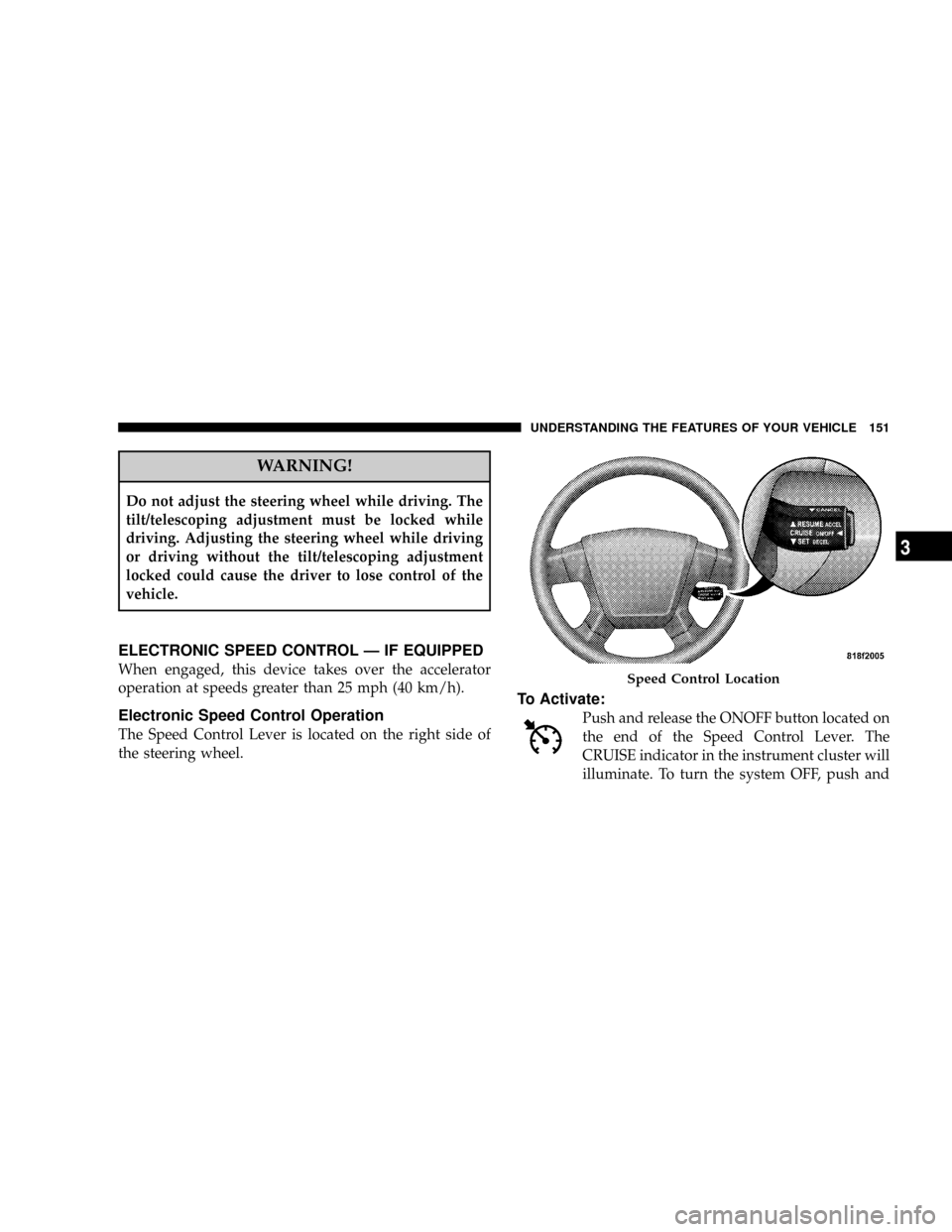
The Speed Control Lever is located on the right side of
the steering wheel.
To Activate:
Push and release the ONOFF button located on
the end of the Speed Control Lever. The
CRUISE indicator in the instrument cluster will
illuminate. To turn the system OFF, push and
Speed Control Location
UNDERSTANDING THE FEATURES OF YOUR VEHICLE 151
3
Page 186 of 454

(Refer to ªTire Inflation Pressuresº under ªTires Ð Gen-
eral Informationº and to ªTire Pressure Monitor System
(TPMS)º in Section 5 of this manual for more informa-
tion).
25. Malfunction Indicator Light
This light is part of an onboard diagnostic system
called OBD that monitors emissions, engine, and
automatic transaxle control systems. The light
will illuminate when the key is in the ON/RUN position
before engine start. If the bulb does not come on when
turning the key from LOCK/OFF to ON/RUN, have the
condition checked promptly.
Certain conditions such as a loose or missing gas cap,
poor fuel quality, etc. may illuminate the light after
engine start. The vehicle should be serviced if the light
stays on through several of your typical driving cycles. In
most situations the vehicle will drive normally and will
not require towing.If the Malfunction Indicator Light flashes when the
engine is running, serious conditions may exist that
could lead to immediate loss of power or severe catalytic
converter damage. The vehicle should be serviced as
soon as possible if this occurs.
26. High Beam Indicator
This light shows that the headlights are on high
beam. Push the turn signal lever away from the
steering wheel to switch the headlights from high or low
beam.
27. Electronic Vehicle Information Center (EVIC)
DisplayÐPremium Cluster Only
This display shows the EVIC messages when the appro-
priate conditions exist. Refer to ªElectronic Vehicle Infor-
mation Center (EVIC)º in this section for more informa-
tion.
186 UNDERSTANDING YOUR INSTRUMENT PANEL
Page 198 of 454

NOTE:
²For vehicles not equipped with the Electronic Vehicle
Information Center (EVIC), the radio and steering
wheel radio controls (if equipped) will remain active
for 45 seconds after the ignition switch is turned to the
LOCK position. Opening either door will cancel this
feature.
²For vehicles equipped with the Electronic Vehicle
Information Center (EVIC), the radio and steering
wheel radio controls (if equipped) will remain active
for up to 10 minutes after the ignition switch is turned
to the LOCK position. Opening either door will cancel
this feature. The time for this feature is programmable.
For details, refer to ªKey-Off Power Delay,º under
ªPersonal Settings (Customer Programmable Fea-
tures),º under ªElectronic Vehicle Information Center
(EVIC)º in Section 4 of this manual.
SALES CODE REQ Ð AM/FM STEREO RADIO
AND 6±DISC CD/DVD CHANGER
(MP3/WMA AUX JACK)
NOTE:The radio sales code is located on the lower right
side of your radio faceplate.
REQ Radio
198 UNDERSTANDING YOUR INSTRUMENT PANEL
Page 230 of 454

REMOTE SOUND SYSTEM CONTROLS Ð IF
EQUIPPED
The remote sound system controls are located on the rear
surface of the steering wheel. The left- and right-hand
controls are rocker-type switches with a push-button in
the center of each switch. Reach behind the steering
wheel to access the switches.
Right-Hand Switch Functions
²
Press the top of the switch to increase the volume.
²Press the bottom of the switch to decrease the volume.
²Press the button in the center of the switch to change
modes (i.e., AM, FM, etc).
Left-Hand Switch Functions for Radio Operation
²
Press the top of the switch to SEEK the next listenable
station up from the current setting.
²Press the bottom of the switch to SEEK the next
listenable station down from the current setting.
²Press the button in the center of the switch to tune to
the next preset that you have programmed.
Remote Sound Controls
230 UNDERSTANDING YOUR INSTRUMENT PANEL
Page 248 of 454

mPower Steering........................270
mDriving On Slippery Surfaces..............271
NAcceleration.........................271
NTraction............................271
mDriving Through Water..................272
NFlowing/Rising Water..................272
NShallow Standing Water.................272
mTraction Control System (TCS) Ð If Equipped . . 274
mBrake Assist System (BAS) Ð If Equipped.....275
mElectronic Stability Program (ESP) Ð
If Equipped...........................276
NESP Operating Modes..................277
NESP/BAS Malfunction Indicator Light And
ESP/TCS Indicator Light................278NSynchronizing ESP....................279
mTire Safety Information...................280
NTire Markings........................280
NTire Identification Number (TIN)..........283
NTire Loading And Tire Pressure...........284
mTires Ð General Information...............288
NTire Pressure.........................288
NTire Inflation Pressures.................289
NRadial-Ply Tires......................291
NCompact Spare Tire Ð If Equipped.........292
NLimited Use Spare Ð If Equipped.........293
NTire Spinning........................294
NTread Wear Indicators..................294
248 STARTING AND OPERATING