clock CHRYSLER SEBRING COUPE 2004 2.G User Guide
[x] Cancel search | Manufacturer: CHRYSLER, Model Year: 2004, Model line: SEBRING COUPE, Model: CHRYSLER SEBRING COUPE 2004 2.GPages: 382, PDF Size: 2.23 MB
Page 225 of 382

To Set The Pushbutton Memory
When you are receiving a station that you wish to commit
to push-button memory, press the SET button. SET 1 will
show in the display window. Select the push-button you
wish to lock onto this station and press and release that
button. If a station is not selected within 5 seconds after
pressing the SET button, the station will continue to play
but will not be locked into push-button memory.
You may add a second station to each push-button by
repeating the above procedure with this exception: Press
the SET button twice and SET 2 will show in the display
window. Each button can be set for SET 1 and SET 2 in
both AM and FM. This allows a total of 10 AM and 10 FM
stations to be locked into memory. You can recall the
stations stored in SET 2 memory by pressing the push-
button twice.
To Change From Clock To Radio Mode
Press the time button to change the display between
radio frequency and time.
General Information
This radio complies with Part 15 of FCC rules and with
RS-210 of Industry Canada. Operation is subject to the
following conditions:
1. This device may not cause harmful interference,
2.
This device must accept any interference received, in-
cluding interference that may cause undesired operation.
NOTE:Changes or modifications not expressively ap-
proved by the party responsible for compliance could
void the user's authority to operate the equipment.
Operating Instructions Ð CD Changer
NOTE
: The ignition switch must be in the ON or ACC
position and the volume control ON before the CD player
will operate.
Inserting the Compact Disc
You may either insert or eject a disc with the radio OFF.
If you insert a disc with the ignition ON and the radio
OFF the time of day will be displayed. If the volume
control is ON, the unit will switch from radio to CD mode
and begin to play when you insert the disc. The display
FOR PLEASANT DRIVING 225
6
Page 235 of 382
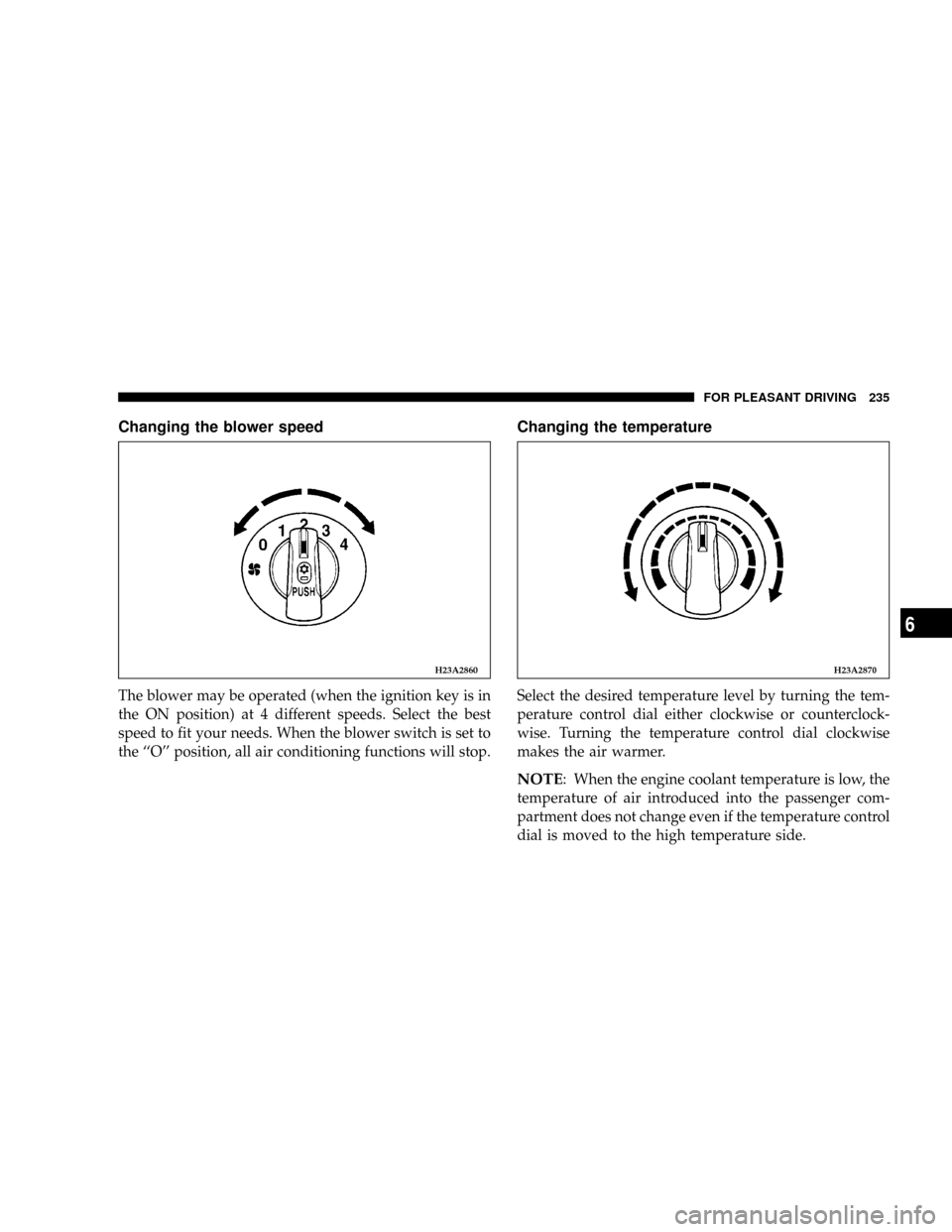
Changing the blower speed
The blower may be operated (when the ignition key is in
the ON position) at 4 different speeds. Select the best
speed to fit your needs. When the blower switch is set to
the ``O'' position, all air conditioning functions will stop.
Changing the temperature
Select the desired temperature level by turning the tem-
perature control dial either clockwise or counterclock-
wise. Turning the temperature control dial clockwise
makes the air warmer.
NOTE: When the engine coolant temperature is low, the
temperature of air introduced into the passenger com-
partment does not change even if the temperature control
dial is moved to the high temperature side.
H23A2860H23A2870
FOR PLEASANT DRIVING 235
6
Page 242 of 382

How to use the controls
Heating
Set the mode selection dial to the position shown in the
illustration and set the air selection switch (A) to the
ªoutsideº position.
Adjust the temperature by turning the temperature con-
trol dial clockwise. Select the desired blower speed.
NOTE: When maximum heating is needed, set the
blower speed to the fourth position.
Defrosting or defogging of the windshield and
door windows
CAUTION!
For safety, make sure you have a clear view through
all windows before driving.
To remove frost or fog from the windshield and door
windows, use the mode selection dial (ª
ºorªº).
H03B0710
H03H0320
242 FOR PLEASANT DRIVING
Page 245 of 382
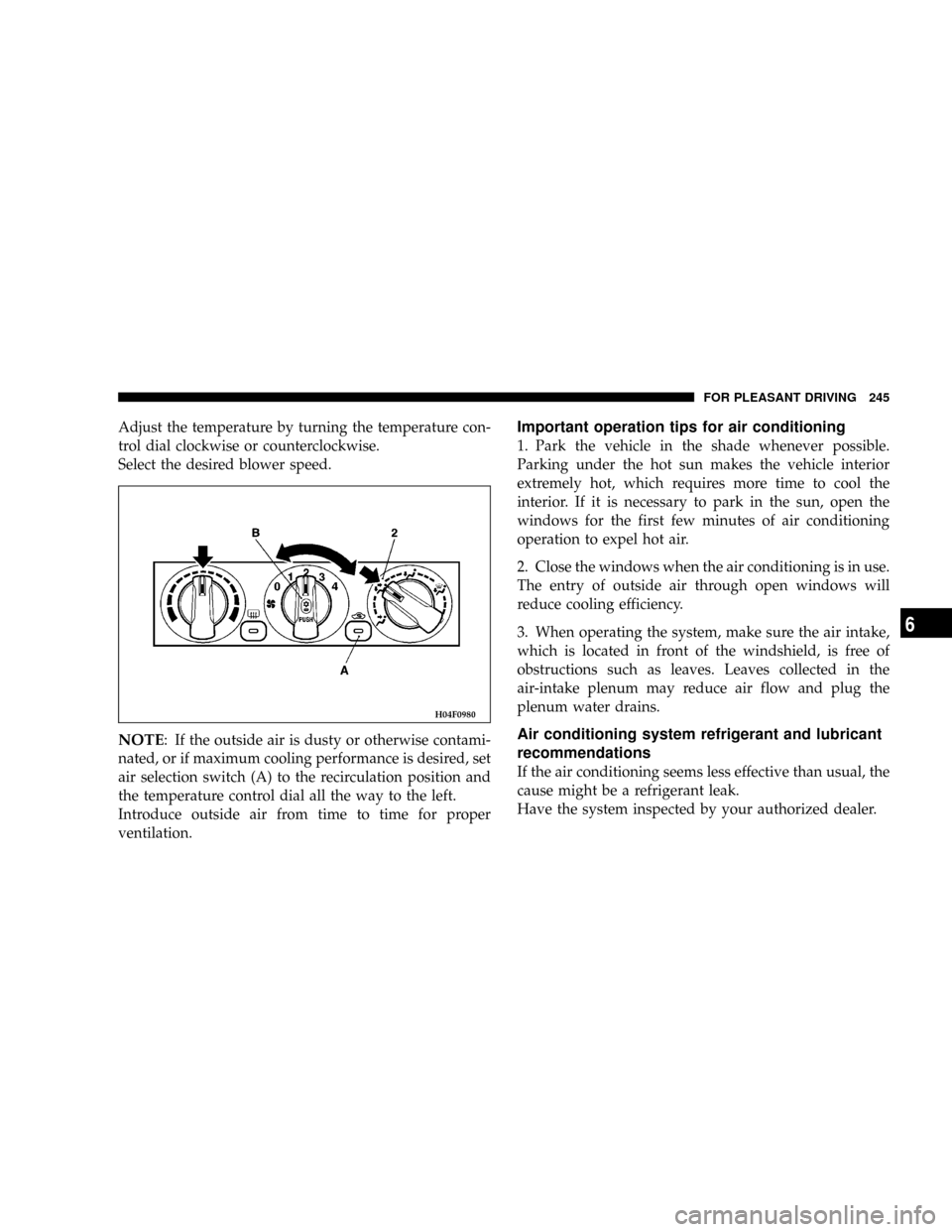
Adjust the temperature by turning the temperature con-
trol dial clockwise or counterclockwise.
Select the desired blower speed.
NOTE: If the outside air is dusty or otherwise contami-
nated, or if maximum cooling performance is desired, set
air selection switch (A) to the recirculation position and
the temperature control dial all the way to the left.
Introduce outside air from time to time for proper
ventilation.
Important operation tips for air conditioning
1. Park the vehicle in the shade whenever possible.
Parking under the hot sun makes the vehicle interior
extremely hot, which requires more time to cool the
interior. If it is necessary to park in the sun, open the
windows for the first few minutes of air conditioning
operation to expel hot air.
2. Close the windows when the air conditioning is in use.
The entry of outside air through open windows will
reduce cooling efficiency.
3. When operating the system, make sure the air intake,
which is located in front of the windshield, is free of
obstructions such as leaves. Leaves collected in the
air-intake plenum may reduce air flow and plug the
plenum water drains.
Air conditioning system refrigerant and lubricant
recommendations
If the air conditioning seems less effective than usual, the
cause might be a refrigerant leak.
Have the system inspected by your authorized dealer.
H04F0980
FOR PLEASANT DRIVING 245
6
Page 290 of 382
Inside
DescriptionWattage or
Candela Power
Dome Light 10W
Rear personal light 8W
Trunk light 5W
Reading light 4W
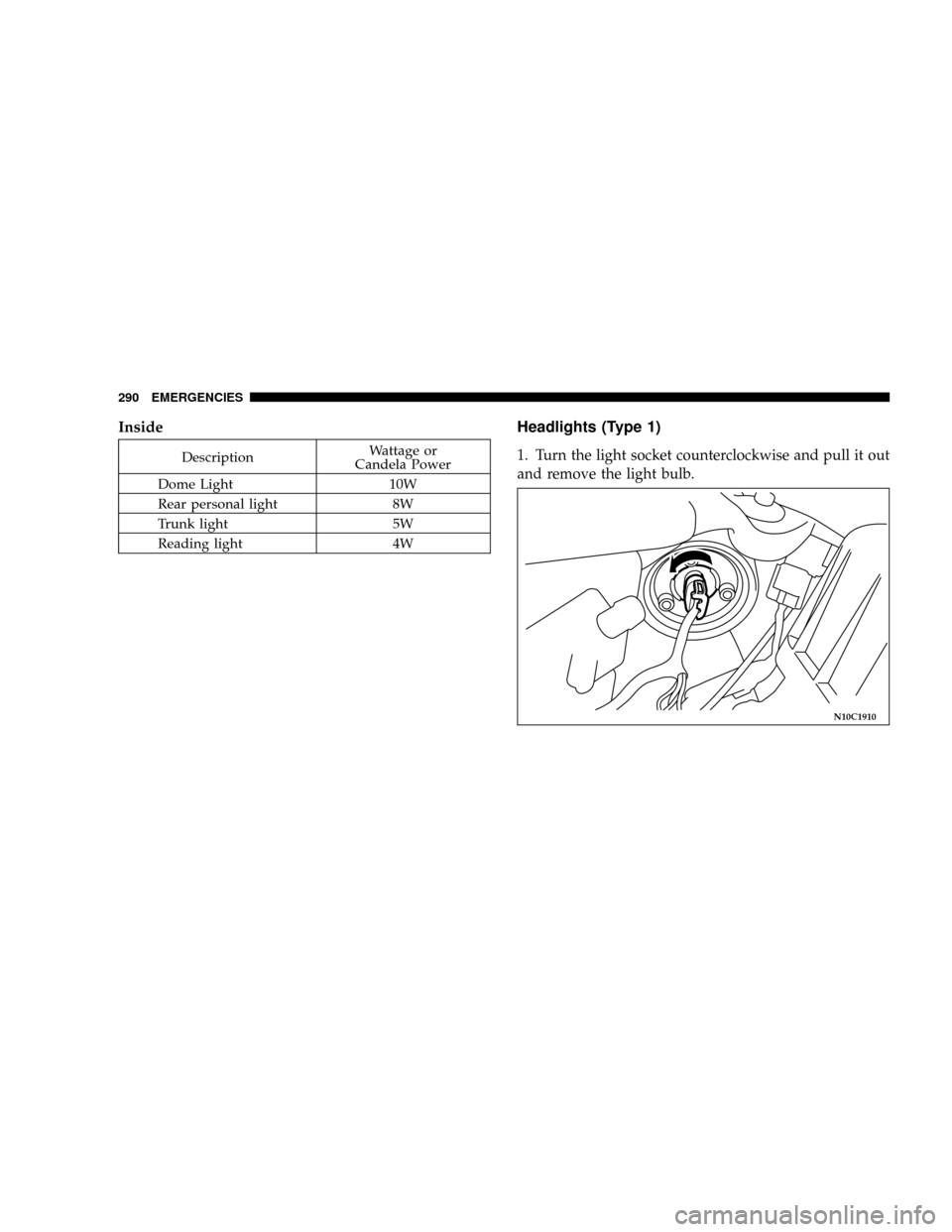
Headlights (Type 1)
1. Turn the light socket counterclockwise and pull it out
and remove the light bulb.
N10C1910
290 EMERGENCIES
Page 292 of 382
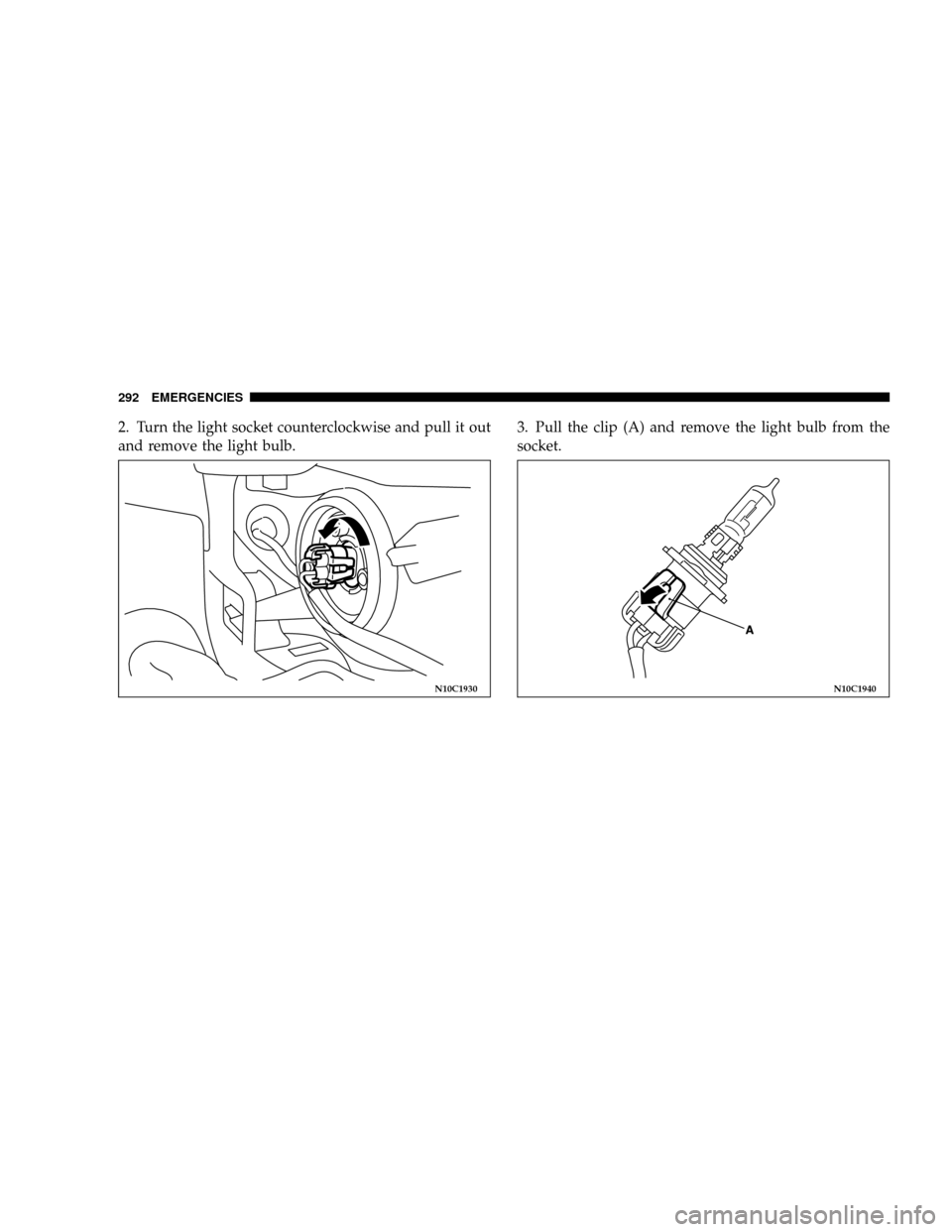
2. Turn the light socket counterclockwise and pull it out
and remove the light bulb.3. Pull the clip (A) and remove the light bulb from the
socket.
N10C1930N10C1940
292 EMERGENCIES
Page 293 of 382
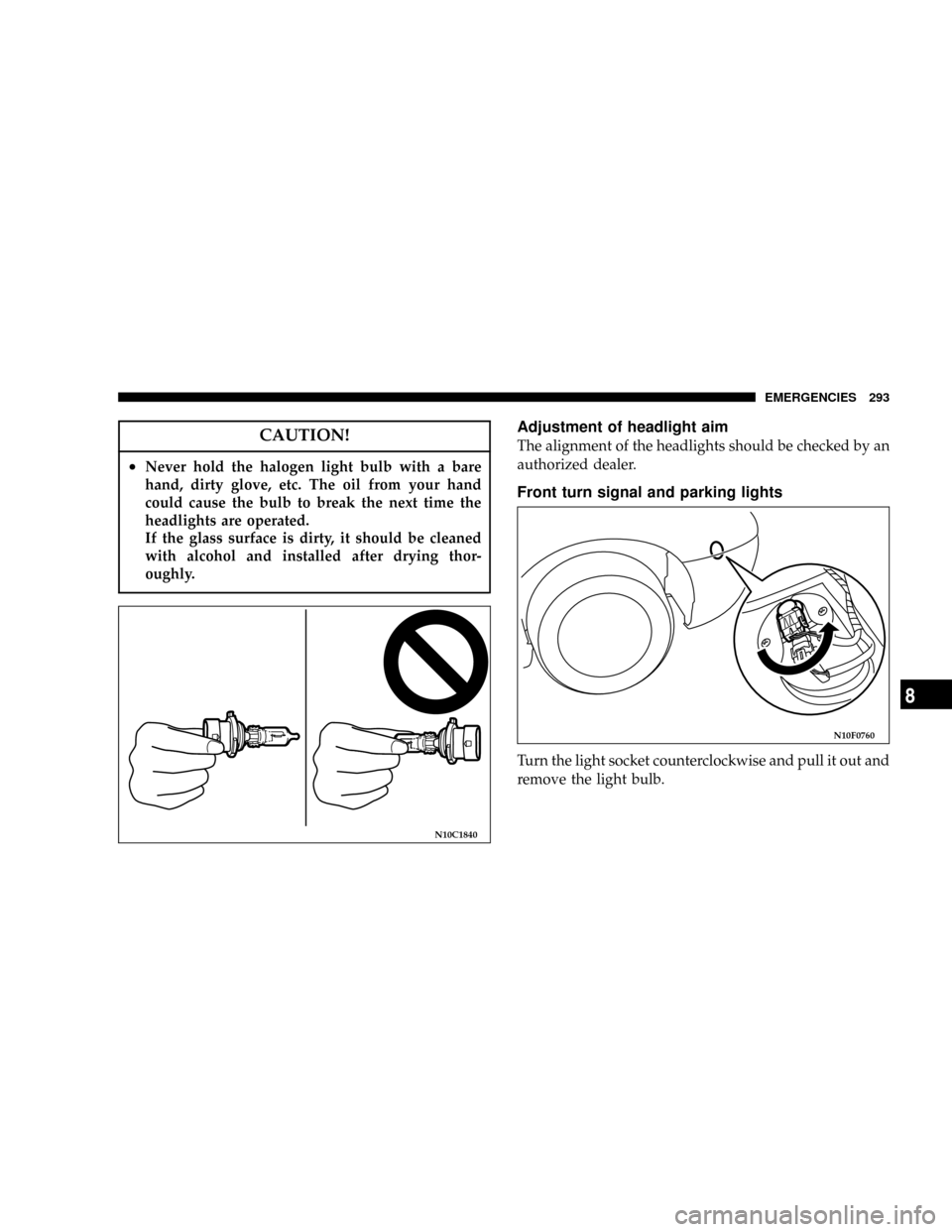
CAUTION!
²Never hold the halogen light bulb with a bare
hand, dirty glove, etc. The oil from your hand
could cause the bulb to break the next time the
headlights are operated.
If the glass surface is dirty, it should be cleaned
with alcohol and installed after drying thor-
oughly.
Adjustment of headlight aim
The alignment of the headlights should be checked by an
authorized dealer.
Front turn signal and parking lights
Turn the light socket counterclockwise and pull it out and
remove the light bulb.
N10C1840
N10F0760
EMERGENCIES 293
8
Page 294 of 382
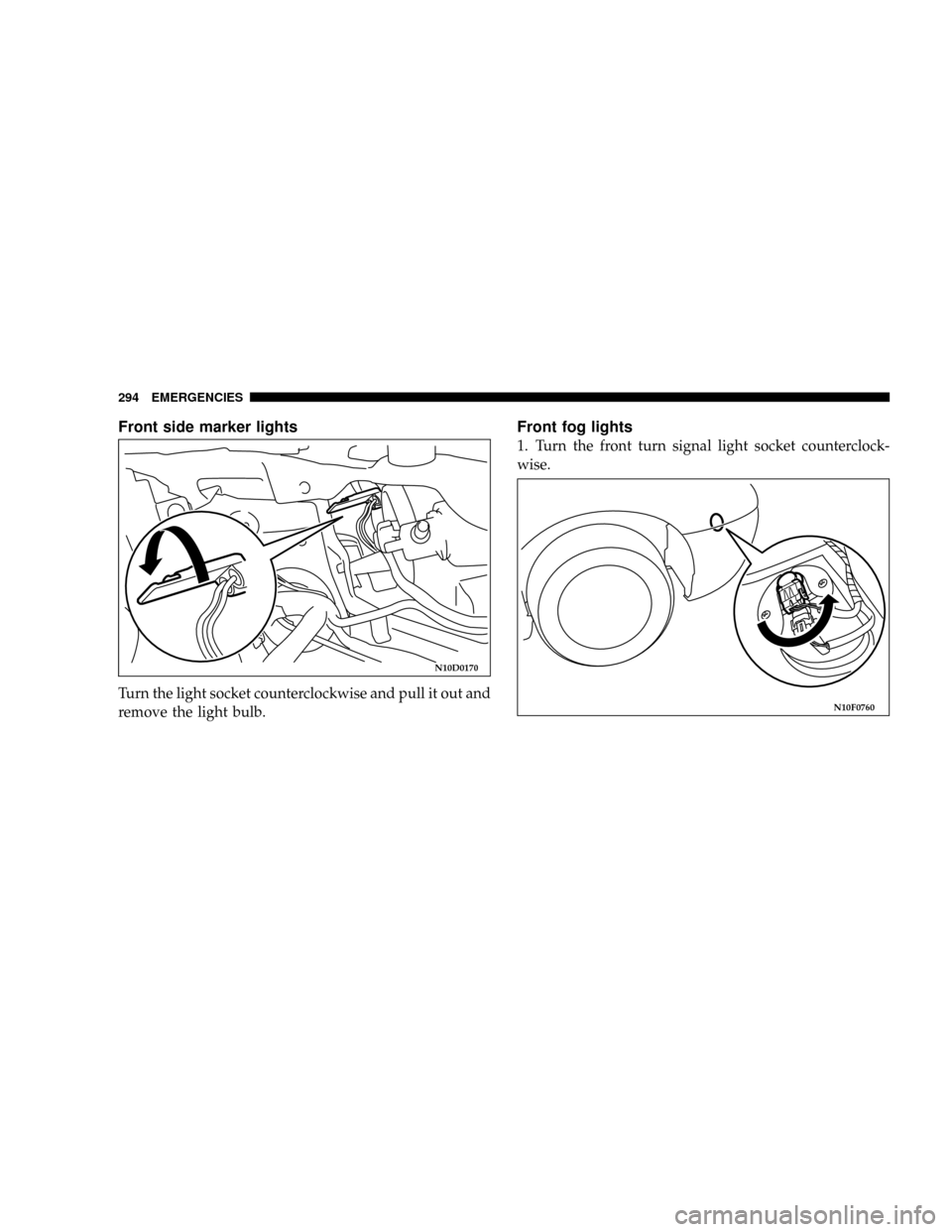
Front side marker lights
Turn the light socket counterclockwise and pull it out and
remove the light bulb.
Front fog lights
1. Turn the front turn signal light socket counterclock-
wise.
N10D0170
N10F0760
294 EMERGENCIES
Page 295 of 382
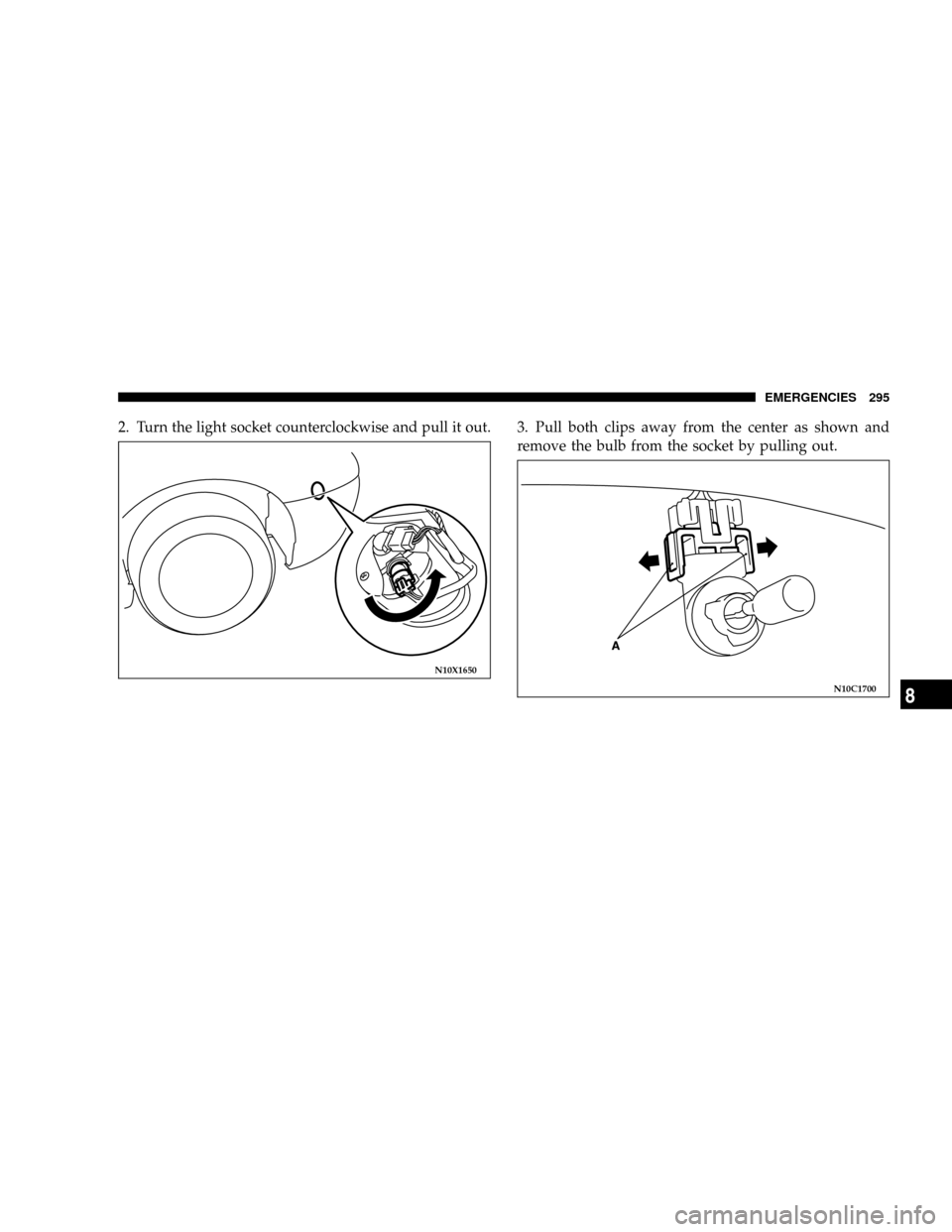
2. Turn the light socket counterclockwise and pull it out. 3. Pull both clips away from the center as shown and
remove the bulb from the socket by pulling out.
N10X1650
N10C1700
EMERGENCIES 295
8
Page 296 of 382
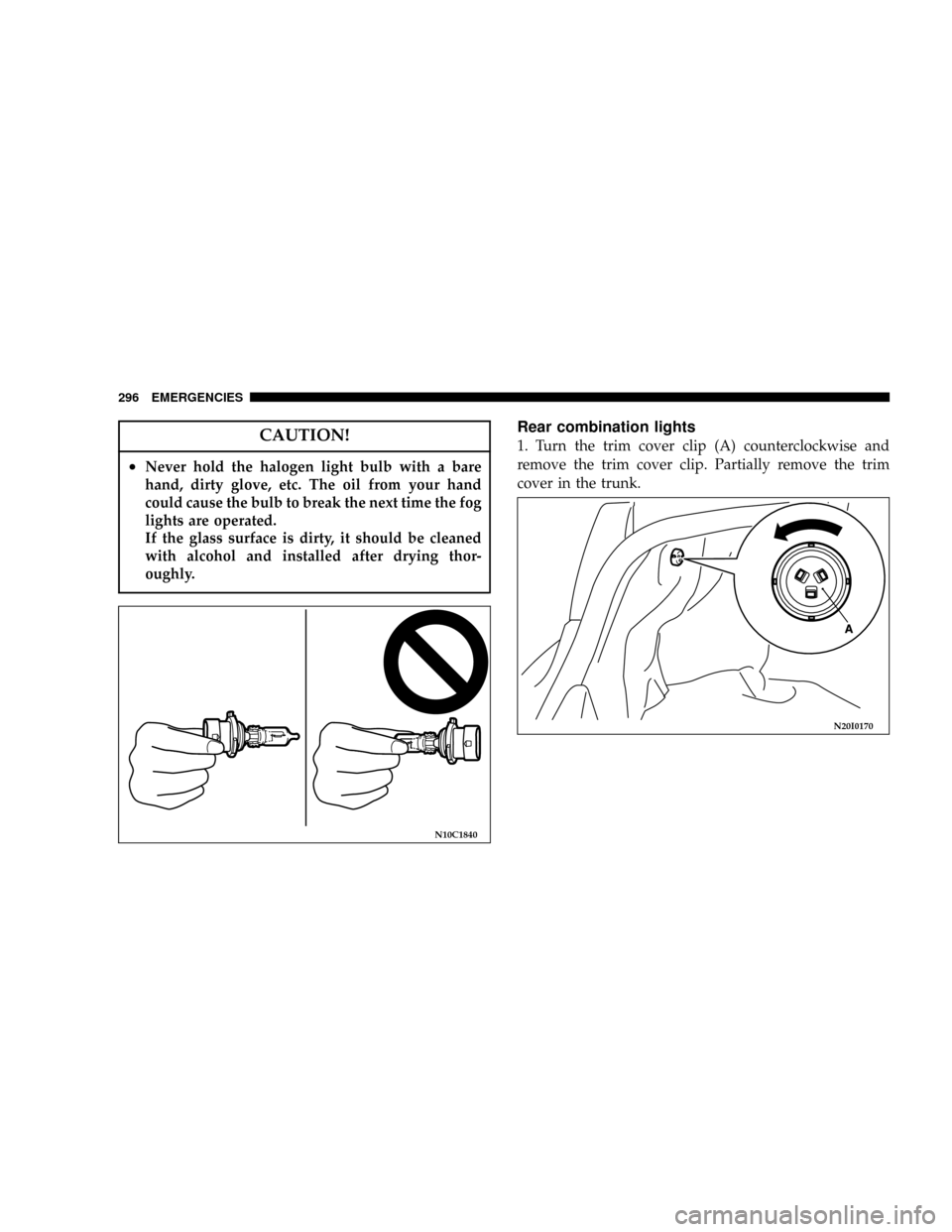
CAUTION!
²Never hold the halogen light bulb with a bare
hand, dirty glove, etc. The oil from your hand
could cause the bulb to break the next time the fog
lights are operated.
If the glass surface is dirty, it should be cleaned
with alcohol and installed after drying thor-
oughly.
Rear combination lights
1. Turn the trim cover clip (A) counterclockwise and
remove the trim cover clip. Partially remove the trim
cover in the trunk.
N10C1840
N20I0170
296 EMERGENCIES