instrument panel CHRYSLER TOWN AND COUNTRY 2012 5.G User Guide
[x] Cancel search | Manufacturer: CHRYSLER, Model Year: 2012, Model line: TOWN AND COUNTRY, Model: CHRYSLER TOWN AND COUNTRY 2012 5.GPages: 132, PDF Size: 3.41 MB
Page 7 of 132
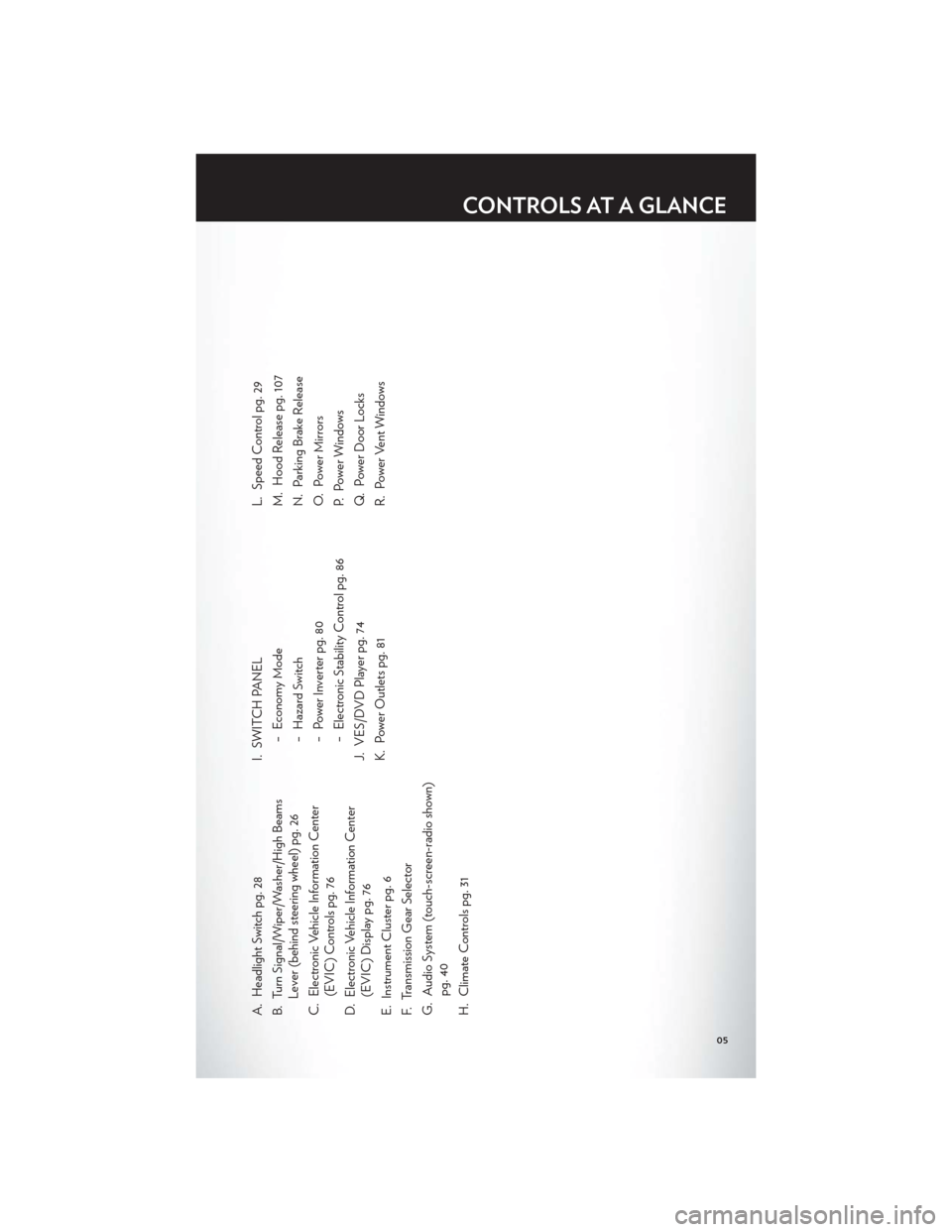
A. Headlight Switch pg. 28
B. Turn Signal/Wiper/Washer/High BeamsLever (behind steering wheel) pg. 26
C. Electronic Vehicle Information Center (EVIC) Controls pg. 76
D. Electronic Vehicle Information Center (EVIC) Display pg. 76
E. Instrument Cluster pg. 6
F. Transmission Gear Selector
G. Audio System (touch-screen-radio shown) pg. 40
H. Climate Controls pg. 31 I. SWITCH PANEL
− Economy Mode
− Hazard Switch
− Power Inverter pg. 80
− Electronic Stability Control pg. 86
J. VES/DVD Player pg. 74
K. Power Outlets pg. 81 L. Speed Control pg. 29
M. Hood Release pg. 107
N. Parking Brake Release
O. Power Mirrors
P. Power Windows
Q. Power Door Locks
R. Power Vent Windows
CONTROLS AT A GLANCE
05
Page 17 of 132
SUPPLEMENTAL RESTRAINT SYSTEM (SRS) — AIR
BAGS
• This vehicle has Advanced Front Air Bags for both the driver and right front passenger asa supplement to the seat belt restraint system. The Advanced Front Air Bags will not
deploy in every type of collision.
• Advanced Front Air Bags are designed to provide additional protection by supplementing the seat belts in certain frontal collisions depending on the severity and type of collision.
Advanced Front Air Bags are not expected to reduce the risk of injury in rear, side, or
rollover collisions.
• This vehicle is equipped with Supplemental Side Air Bag Inflatable Curtains to protect the driver, front and rear passengers sitting next to a window.
• This vehicle is equipped with Supplemental Seat-Mounted Side Air Bags to provide enhanced protection to help protect an occupant during a side impact.
• This vehicle is equipped with a Supplemental Driver Side Knee Air Bag to provide enhanced protection and work together with the Driver Advanced Front Air Bag during a
frontal impact.
• If the Air Bag Warning Light
is not on during starting, stays on, or turns on while
driving, have the vehicle serviced by an authorized service center immediately.
• Refer to the Owner's Manual on the DVD for further details regarding the Supplemental Restraint System (SRS).
WARNING!
• Relying on the air bags alone could lead to more severe injuries in a collision. The airbags work with your seat belt to restrain you properly. In some collisions, the air bags
won't deploy at all. Always wear your seat belts even though you have air bags.
• Being too close to the steering wheel or instrument panel during Advanced Front Air Bag deployment could cause serious injury, including death. Air bags need room to inflate. Sit
back, comfortably extending your arms to reach the steering wheel or instrument panel.
• Supplemental Side Air Bag Inflatable Curtains and Supplemental Seat-Mounted Side Air Bags need room to inflate. Do not lean against the door or window. Sit upright in the
center of the seat.
• Being too close to the Supplemental Side Air Bag Inflatable Curtain and/or Seat-Mounted Side Air Bag during deployment could cause you to be severely injured or
killed.
• Do not drive your vehicle after the air bags have deployed. If you are involved in another
collision, the air bags will not be in place to protect you.
• After any collision, the vehicle should be taken to an authorized dealer immediately.
GETTING STARTED
15
Page 25 of 132

CAUTION!
The storage bin cover must be locked and flat to avoid damage from contact with the front
seat tracks, which have minimal clearance to the cover.
WARNING!
• In a collision, serious injury could result if the seat storage bin covers are not properlylatched.
• Do not drive the vehicle with the storage bin covers open.
• Keep the storage bin covers closed and latched while the vehicle is in motion.
• Do not use a storage bin latch as a tie down.
• In a collision, you or others in your vehicle could be injured if seats are not properly latched to their floor attachments. Always be sure the seats are fully latched.
HEATED SEATS
Front Heated Seats
• The controls for front heated seats arelocated on the center instrument panel
area.
• Press the switch once to select High-level heating. Press the switch a second time to
select Low-level heating. Press the switch
a third time to shut the heating elements
Off.
• If the High-level setting is selected, the system will automatically switch to Low-level after approximately 30 minutes. The Low-level setting will turn Off automatically after
approximately 45 minutes.
Second Row Heated Seats
• Second row heated seat switches arelocated in the sliding door handle trim
panels.
• Press the switch once to select High-level heating. Press the switch a second time to
select Low-level heating. Press the switch
a third time to shut the heating elements
Off.
GETTING STARTED
23
Page 26 of 132
• If the High-level setting is selected, the system will automatically switch to Low-level afterapproximately 30 minutes. The Low-level setting will turn Off automatically after
approximately 45 minutes.
WARNING!
• Persons who are unable to feel pain to the skin because of advanced age, chronic illness,diabetes, spinal cord injury, medication, alcohol use, exhaustion or other physical
conditions must exercise care when using the seat heater. It may cause burns even at low
temperatures, especially if used for long periods of time.
• Do not place anything on the seat that insulates against heat, such as a blanket or cushion. This may cause the seat heater to overheat. Sitting in a seat that has been
overheated could cause serious burns due to the increased surface temperature of the
seat.
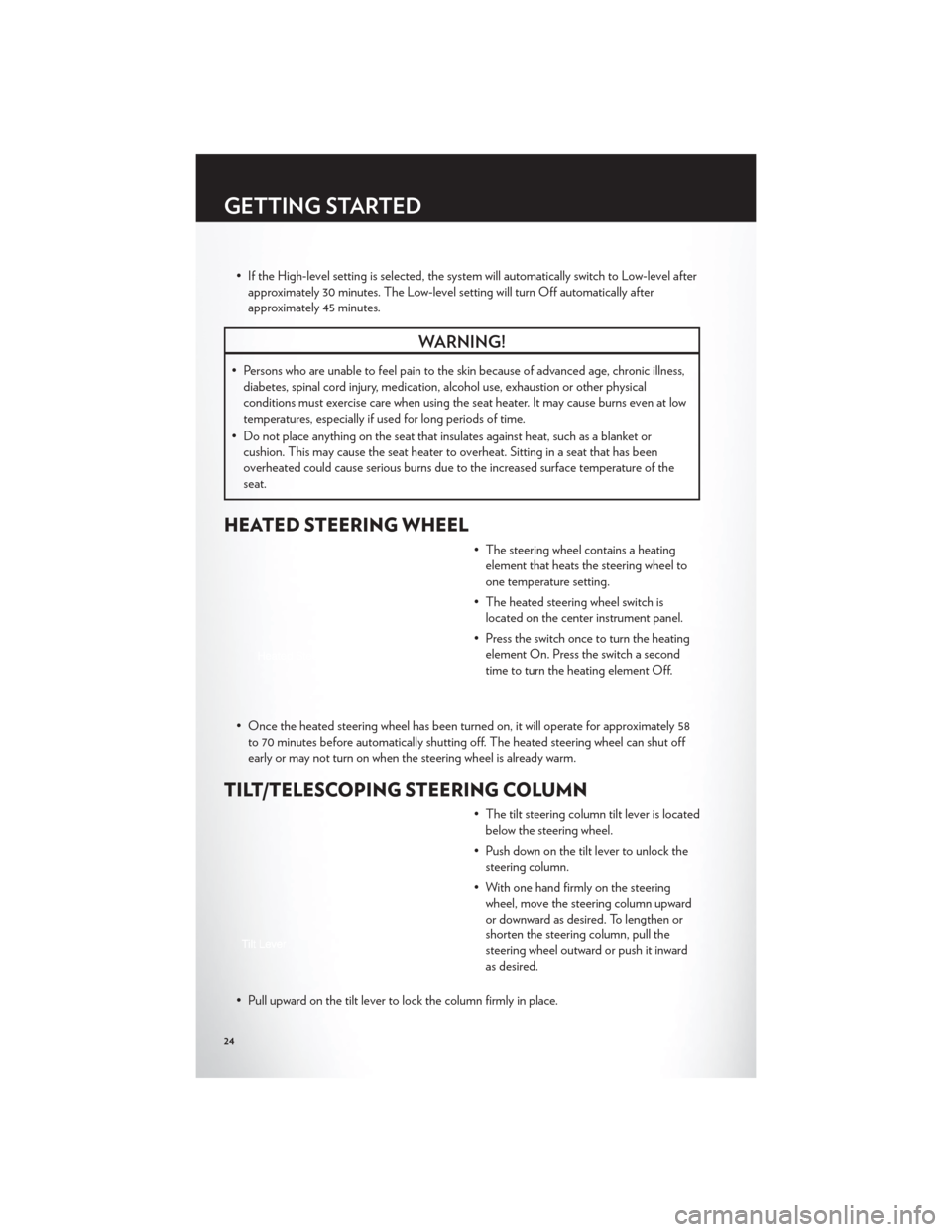
HEATED STEERING WHEEL
• The steering wheel contains a heatingelement that heats the steering wheel to
one temperature setting.
• The heated steering wheel switch is located on the center instrument panel.
• Press the switch once to turn the heating element On. Press the switch a second
time to turn the heating element Off.
• Once the heated steering wheel has been turned on, it will operate for approximately 58 to 70 minutes before automatically shutting off. The heated steering wheel can shut off
early or may not turn on when the steering wheel is already warm.
TILT/TELESCOPING STEERING COLUMN
• The tilt steering column tilt lever is locatedbelow the steering wheel.
• Push down on the tilt lever to unlock the steering column.
• With one hand firmly on the steering wheel, move the steering column upward
or downward as desired. To lengthen or
shorten the steering column, pull the
steering wheel outward or push it inward
as desired.
• Pull upward on the tilt lever to lock the column firmly in place.
GETTING STARTED
24
Page 30 of 132
HEADLIGHT SWITCH AND HALO LIGHT SWITCH
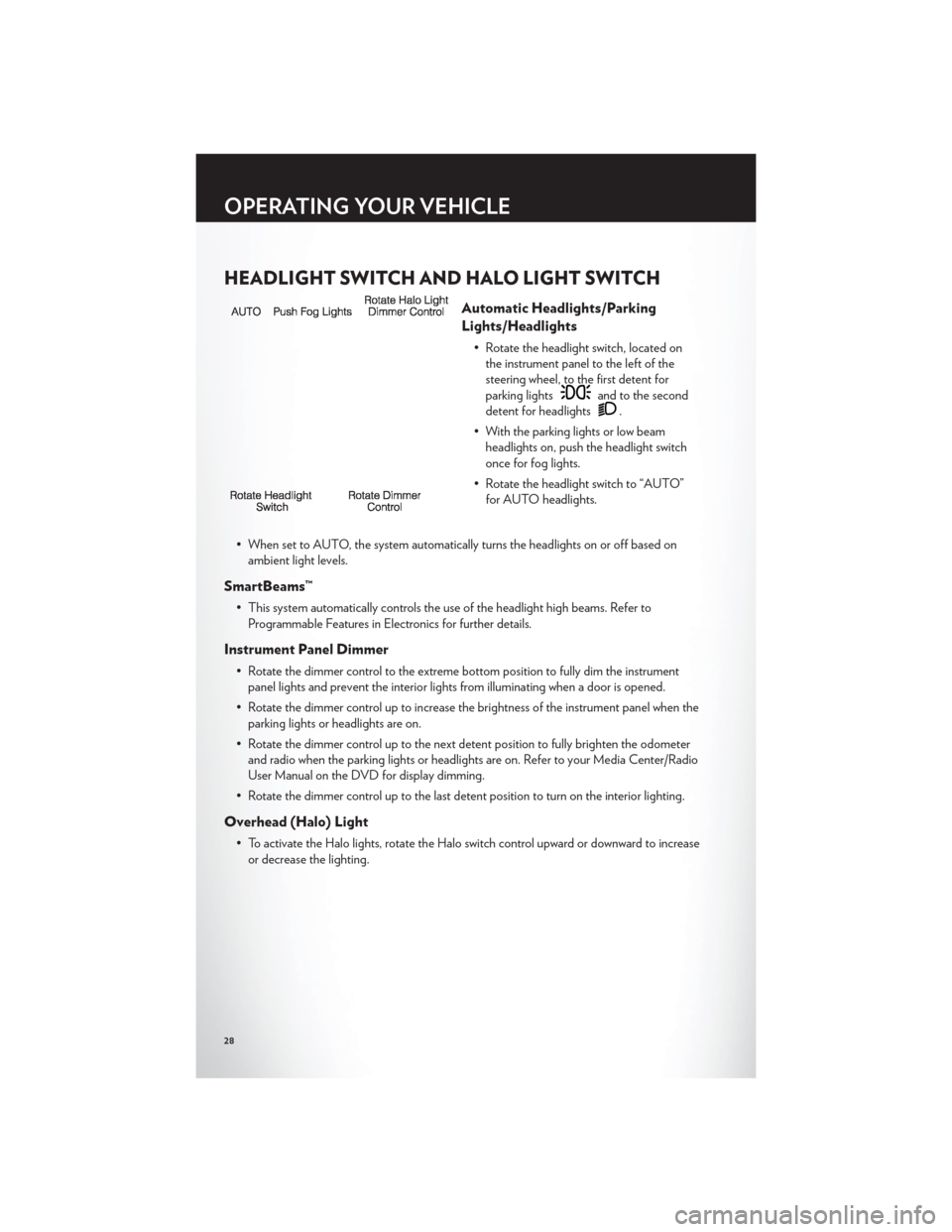
Automatic Headlights/Parking
Lights/Headlights
• Rotate the headlight switch, located onthe instrument panel to the left of the
steering wheel, to the first detent for
parking lights
and to the second
detent for headlights
.
• With the parking lights or low beam headlights on, push the headlight switch
once for fog lights.
• Rotate the headlight switch to “AUTO” for AUTO headlights.
• When set to AUTO, the system automatically turns the headlights on or off based on ambient light levels.
SmartBeams™
• This system automatically controls the use of the headlight high beams. Refer toProgrammable Features in Electronics for further details.
Instrument Panel Dimmer
• Rotate the dimmer control to the extreme bottom position to fully dim the instrumentpanel lights and prevent the interior lights from illuminating when a door is opened.
• Rotate the dimmer control up to increase the brightness of the instrument panel when the parking lights or headlights are on.
• Rotate the dimmer control up to the next detent position to fully brighten the odometer and radio when the parking lights or headlights are on. Refer to your Media Center/Radio
User Manual on the DVD for display dimming.
• Rotate the dimmer control up to the last detent position to turn on the interior lighting.
Overhead (Halo) Light
• To activate the Halo lights, rotate the Halo switch control upward or downward to increase or decrease the lighting.
OPERATING YOUR VEHICLE
28
Page 32 of 132

ELECTRONIC RANGE SELECTION (ERS)
• Electronic Range Select (ERS) allows youto limit the highest available transmission
gear, and can be activated during any
driving condition. When towing a trailer or
operating the vehicle in off-road
conditions, using ERS shift control will
help you maximize both performance and
engine braking.
• To shift from DRIVE mode to ERS mode, move the shift lever to the left (-) once.
The current gear will be maintained as the
top gear. To disable ERS, simply press and
hold the shift lever to the right (+) until
“D” is displayed in the instrument cluster
odometer.
• Switching between ERS and DRIVE mode can be done at any vehicle speed.
• Refer to your Owner's Manual on the DVD for further details.
FUEL ECONOMY (ECON) MODE
• The Fuel Economy (ECON) mode can improve the vehicle’s overall fuel economy duringnormal driving conditions.
• Press the “econ” switch in the center stack of the instrument panel and a green light will indicate the ECON mode is engaged.
OPERATING YOUR VEHICLE
30
Page 35 of 132

Activating Rear Passenger Climate Controls
• Rotate the rear blower control, located on the main climate control in the instrumentpanel, to the “REAR” position. This enables the rear passenger climate controls located in
the headliner above the second row seats.
THREE ZONE AUTOMATIC TEMPERATURE
CONTROLS (ATC)
Automatic Operation
• Push the AUTO mode button to activate the ATC system.
• Select the desired temperature by pressing the temperature control buttons for the driveror passenger.
• The system will maintain the set temperature automatically.
Air Conditioning (A/C)
• If the A/C button is pushed while in AUTO mode, the indicator light may flash three times to indicate the air conditioning is being controlled automatically.
OPERATING YOUR VEHICLE
33
Page 37 of 132

PARKSENSE® REAR PARK ASSIST
• If an object is detected behind the rear bumper while the vehicle is in REVERSE, awarning will display in the instrument cluster and a tone, that changes speed depending
on the distance of the object from the bumper, will sound.
• When the Instrument Cluster reads either “Clean Sensor” or “Blinded”, clean off the bumper sensors to see if the condition is corrected.
PARKVIEW® REAR BACK-UP CAMERA
• You can see an on-screen image of the rear of your vehicle whenever the shift lever is putinto REVERSE. The ParkView® Rear Back-Up Camera image will be displayed on the
radio display screen, located on the center stack of the instrument panel.
• If the radio display screen appears foggy, clean the camera lens located on the liftgate.
WARNING!
Drivers must be careful when backing up even when using the ParkView® Rear Back-Up
Camera. Always check carefully behind your vehicle, and be sure to check for pedestrians,
animals, other vehicles, obstructions, or blind spots before backing up. You must continue
to pay attention while backing up. Failure to do so can result in serious injury or death.
REAR CROSS PATH WITH BLIND SPOT MONITORING
• The Blind Spot Monitoring (BSM) system uses two radar-based sensors, located inside the rear bumper fascia, to detect Highway licensable vehicles (automobiles, trucks,
motorcycles etc.) that enter the blind spot zones from the rear/front/side of the vehicle.
• The Blind Spot Monitoring (BSM) system warning light, located in the outside mirrors, will illuminate if a vehicle moves into a blind spot zone.
• The BSM system can also be configured to sound an audible (chime) alert and mute the radio to notify you of objects that have entered the detection zones.
• Refer to your owner's manual on the DVD for further details.
OPERATING YOUR VEHICLE
35
Page 84 of 132

NOTE:
• If the indicator light stays on constantly, programming is complete and the garage door (ordevice) should activate when the HomeLink® button is pressed.
• To program the two remaining HomeLink® buttons, repeat each step for each remaining button. DO NOT erase the channels.
Using HomeLink®
• To operate, press and release the programmed HomeLink® button. Activation will nowoccur for the programmed device (i.e., garage door opener, gate operator, security
system, entry door lock, home/office lighting, etc.,). The hand-held transmitter of the
device may also be used at any time.
WARNING!
• Your motorized door or gate will open and close while you are programming the universaltransceiver. Do not program the transceiver if people or pets are in the path of the door
or gate.
• Do not run your vehicle in a closed garage or confined area while programming the transceiver. Exhaust gas from your vehicle contains Carbon Monoxide (CO) which is
odorless and colorless. Carbon Monoxide is poisonous when inhaled and can cause you
and others to be severely injured or killed.
POWER INVERTER
• There is a 115 Volt, 150 Watt powerinverter outlet located on the left rear trim
panel immediately behind the second row
left passenger seat. This outlet can power
cellular phones, electronics and other low
power devices requiring power up to 150
Watts.
• Press the switch located in the center of the instrument panel to turn the power to
the outlet on.
• Press the switch again to turn the power off.
• The status indicator of the AC power inverter indicates whether the inverter is producing AC power.
NOTE:The power inverter is designed with built-in overload protection. If the power rating
of 150 Watts is exceeded, the power inverter will automatically shut down. Once the electrical
device has been removed from the outlet, the inverter should automatically reset. If the power
rating exceeds approximately 170 Watts, the power inverter may have to be reset manually. To
reset the inverter manually, unplug the device and plug it in again. To avoid overloading the
circuit, check the power ratings on electrical devices prior to using the inverter.
ELECTRONICS
80
Page 85 of 132

WARNING!
To Avoid Serious Injury or Death: Do not use a three-prong adaptor. Do not insert any
objects into the receptacles. Do not touch with wet hands. Close the lid when not in use. If
this outlet is mishandled, it may cause an electric shock and failure.
POWER OUTLETS
• Two 12 Volt (13 Amp) power outlets arelocated on the lower instrument panel,
below the open storage bin. The
driver-side power outlet is controlled by
the ignition switch and the passenger-side
power outlet is connected directly to the
battery. The driver-side power outlet will
also operate a conventional cigar lighter
unit (if equipped with an optional
Smoker's Package).
• One outlet in the removable floor console (if equipped) shares a fuse with the lower outlet in the instrument panel and is also connected to the battery. Do not exceed a
maximum power of 160 Watts (13 Amps) shared between the lower panel outlet and the
removable floor console outlet.
• On vehicles equipped with the Super Console the power outlets are located under the retractable cover. To access the power outlets push down on the cover and slide it toward
the instrument panel.
• The outlet in the rear quarter panel near the liftgate and the upper outlet in the instrument panel are both controlled by the ignition switch. Each of these outlets can
support 160 Watts (13 Amps). Do not exceed 160 Watts (13 Amps) for each of these
outlets.
ELECTRONICS
81