light CHRYSLER TOWN AND COUNTRY 2013 5.G User Guide
[x] Cancel search | Manufacturer: CHRYSLER, Model Year: 2013, Model line: TOWN AND COUNTRY, Model: CHRYSLER TOWN AND COUNTRY 2013 5.GPages: 140, PDF Size: 4.18 MB
Page 3 of 140
INTRODUCTION/WELCOME
WELCOME FROM CHRYSLER
GROUPLLC ..................3
CONTROLS AT A GLANCE
DRIVER COCKPIT...............6
INSTRUMENT CLUSTER ...........8
GETTING STARTED
KEYFOB ....................10
REMOTE START...............12
KEYLESS ENTER-N-GO™ ...........12
THEFT ALARM ................15
SEATBELT ...................16
SUPPLEMENTAL RESTRAINT
SYSTEM (SRS) — AIR BAGS .........17
CHILD RESTRAINTS .............18
FRONTSEATS ................20
REAR SEATS ..................21
HEATEDSEATS ................25
HEATED STEERING WHEEL ........26
TILT/TELESCOPING STEERING
COLUMN ...................27
ADJUSTABLE PEDALS ............27
OPERATING YOUR VEHICLE
ENGINE BREAK-IN
RECOMMENDATIONS............28
TURN SIGNAL/WIPER/WASHER/
HIGH BEAM LEVER ..............28
HEADLIGHT SWITCH AND HALO
LIGHTSWITCH ................30
SPEED CONTROL ...............31
ELECTRONIC RANGE SELECTION (ERS) . . 32FUEL ECONOMY (ECON) MODE .....33
MANUAL CLIMATE CONTROLS ......34
THREE ZONE MANUAL CLIMATE
CONTROLS ..................35
THREE ZONE AUTOMATIC
TEMPERATURE CONTROLS (ATC) ....36
PARKSENSE® REAR PARK ASSIST .....38
PARKVIEW® REAR BACK-UP CAMERA . . 38
BLIND SPOT MONITORING WITH
REAR CROSS PATH ..............38
POWER SLIDING SIDE DOORS . . . ....39
POWERLIFTGATE ..............39
POWER SUNROOF . . . ..........40
WIND BUFFETING ..............41
ELECTRONICS
YOUR VEHICLE'S SOUND SYSTEM ....42
Uconnect® 130 .................44
Uconnect® 130 WITH SiriusXM SATELLITE
RADIO .....................46 Uconnect® 430/430N
..............49
Uconnect® 730N ................59
SiriusXM SATELLITE RADIO/TRAVEL
LINK ......................70
STEERING WHEEL AUDIO
CONTROLS ..................73
SETTING THE ANALOG CLOCK . . . . . 73
iPod®/USB/MP3 CONTROL .........74
Uconnect® Phone ................75
Uconnect® VOICE COMMAND . . . ....77
Bluetooth® STREAMING AUDIO . . . . . . 80
VIDEO ENTERTAINMENT
SYSTEM (VES™) ................80
ELECTRONIC VEHICLE
INFORMATION CENTER (EVIC) ......82
PROGRAMMABLE FEATURES .......82
UNIVERSAL GARAGE DOOR OPENER
(HomeLink®) ..................84
POWER INVERTER ..............86
POWER OUTLETS ..............87
UTILITY
IN-FLOOR STORAGE – STOW'N GO® . . . 89
ROOF LUGGAGE RACK ..........89
TRAILER TOWING WEIGHTS
(MAXIMUM TRAILER WEIGHT
RATINGS) ...................90
RECREATIONAL TOWING
(BEHIND MOTORHOME, ETC.) ......90
WHAT TO DO IN EMERGENCIES
ROADSIDE ASSISTANCE...........91
INSTRUMENT CLUSTER WARNING
LIGHTS .....................91
IF YOUR ENGINE OVERHEATS . . . ....95
JACKING AND TIRE CHANGING . . . . . 96
JUMP-STARTING . . ............106
SHIFT LEVER OVERRIDE . . .......108
TOWING A DISABLED VEHICLE . . . . . 108
FREEING A STUCK VEHICLE .......108
EVENT DATA RECORDER (EDR) . . . . . 109
MAINTAINING YOUR VEHICLE
OPENING THE HOOD ...........110
ADDING FUEL . . ..............111
ENGINE COMPARTMENT .........112
FLUIDSANDCAPACITIES .........113
MAINTENANCE SCHEDULE .......114
MAINTENANCE RECORD .........118
FUSES .....................119
TIRE PRESSURES ...............122
WHEEL AND WHEEL TRIM CARE . . . . . 123
EXTERIOR BULBS ..............123
TABLE OF CONTENTS
Page 9 of 140
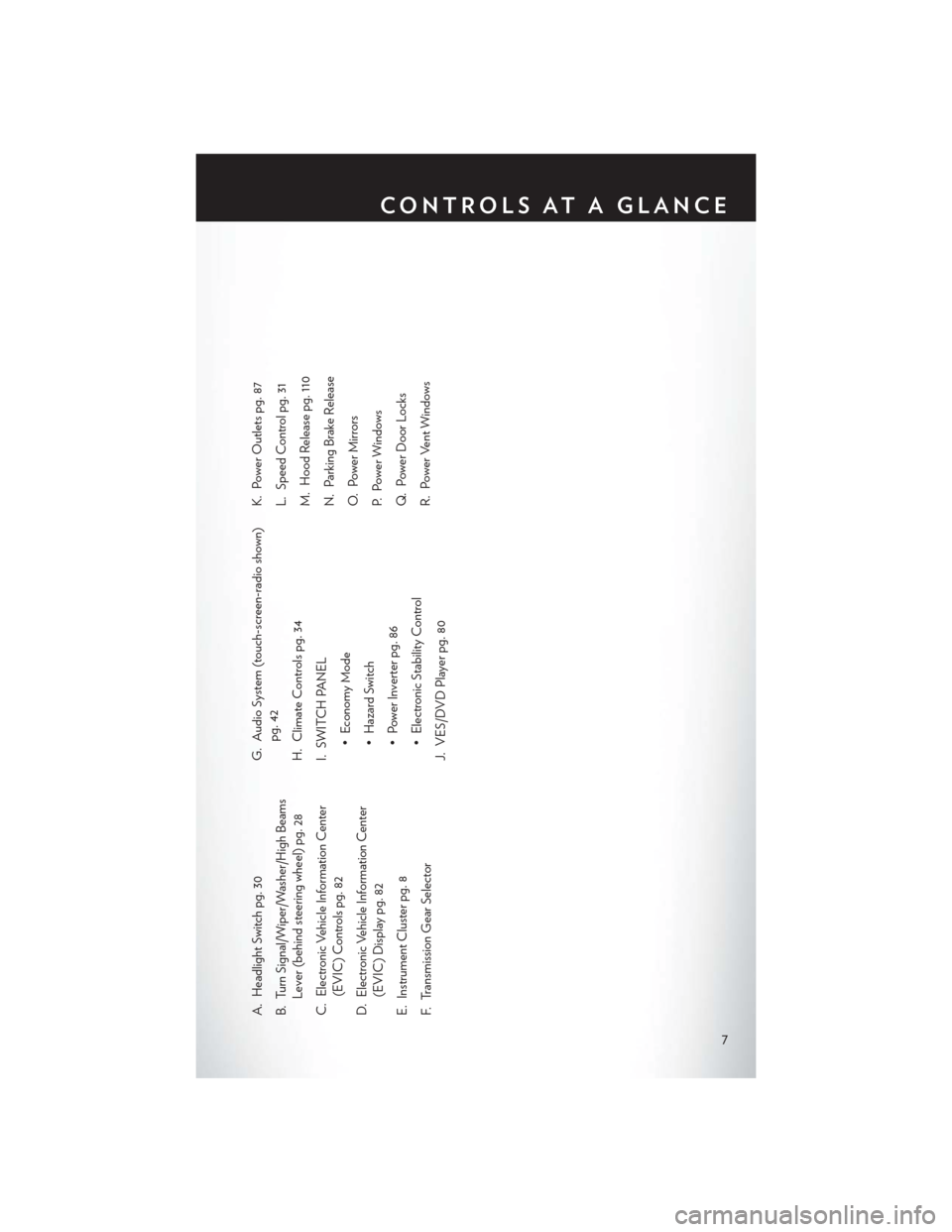
A. Headlight Switch pg. 30
B. Turn Signal/Wiper/Washer/High BeamsLever (behind steering wheel) pg. 28
C. Electronic Vehicle Information Center (EVIC) Controls pg. 82
D. Electronic Vehicle Information Center (EVIC) Display pg. 82
E. Instrument Cluster pg. 8
F. Transmission Gear Selector G. Audio System (touch-screen-radio shown)
pg. 42
H. Climate Controls pg. 34
I. SWITCH PANEL • Economy Mode
• Hazard Switch
• Power Inverter pg. 86
• Electronic Stability Control
J. VES/DVD Player pg. 80 K. Power Outlets pg. 87
L. Speed Control pg. 31
M. Hood Release pg. 110
N. Parking Brake Release
O. Power Mirrors
P. Power Windows
Q. Power Door Locks
R. Power Vent Windows
CONTROLS AT A GLANCE
7
Page 10 of 140
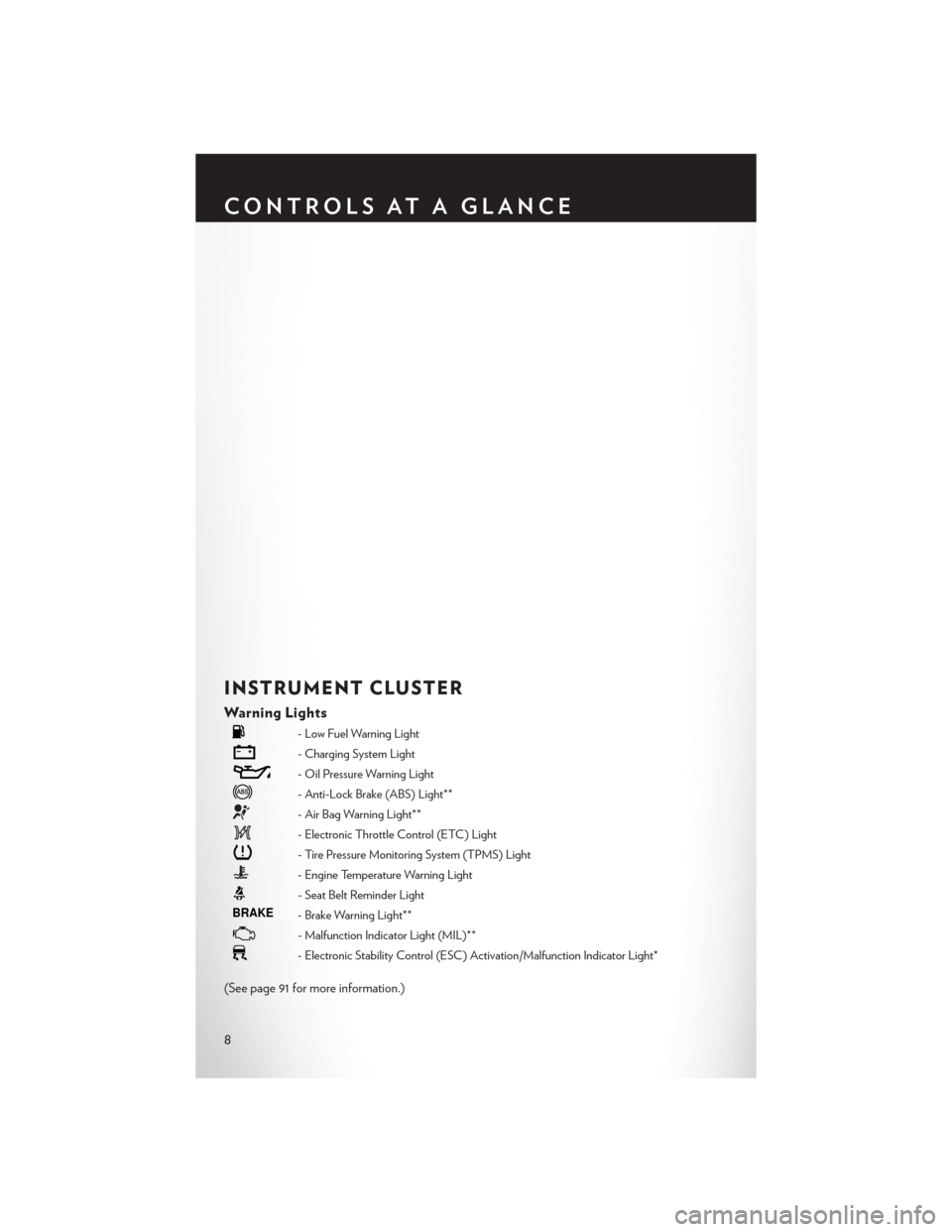
INSTRUMENT CLUSTER
Warning Lights
- Low Fuel Warning Light
- Charging System Light
- Oil Pressure Warning Light
- Anti-Lock Brake (ABS) Light**
- Air Bag Warning Light**
- Electronic Throttle Control (ETC) Light
- Tire Pressure Monitoring System (TPMS) Light
- Engine Temperature Warning Light
- Seat Belt Reminder Light
BRAKE- Brake Warning Light**
- Malfunction Indicator Light (MIL)**
- Electronic Stability Control (ESC) Activation/Malfunction Indicator Light*
(See page 91 for more information.)
CONTROLS AT A GLANCE
8
Page 11 of 140
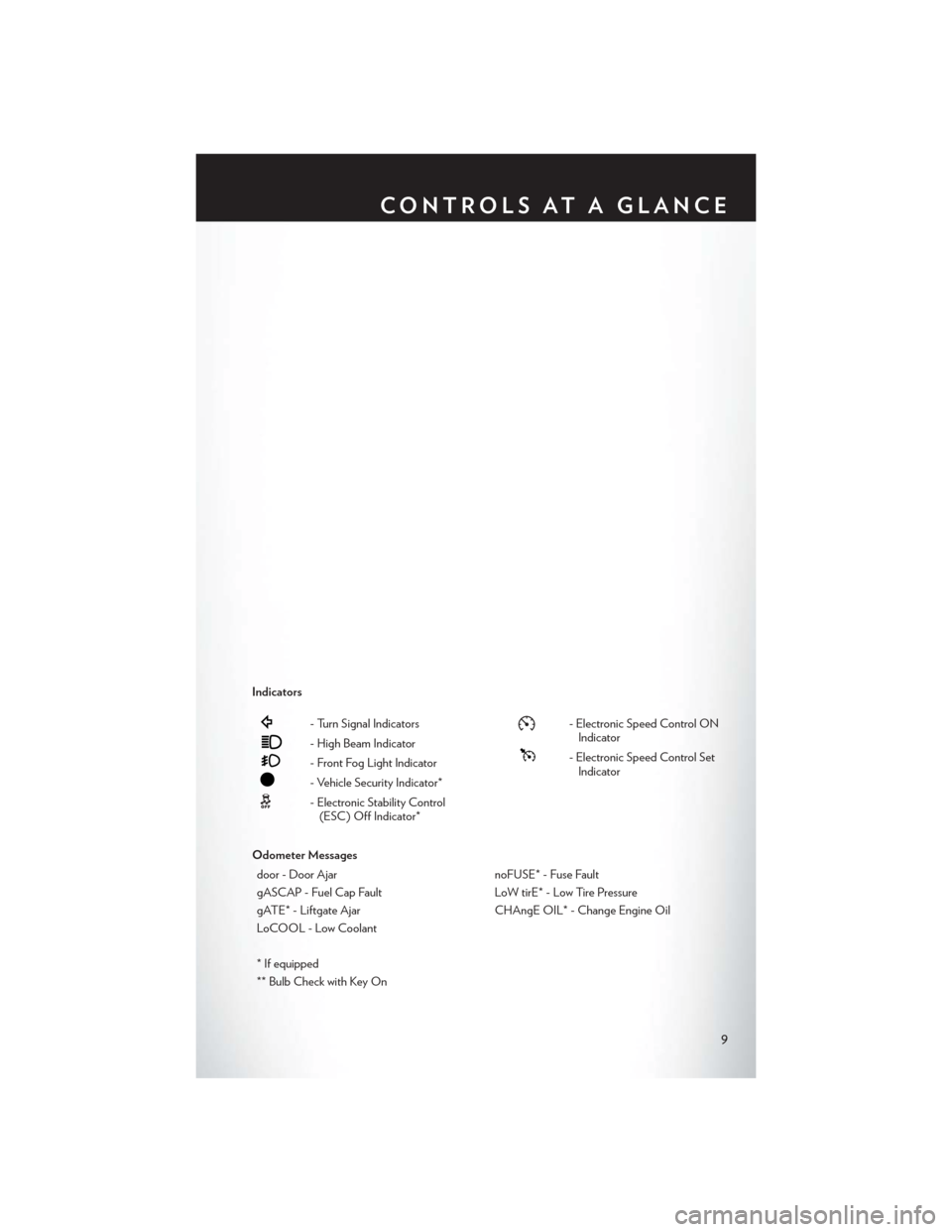
Indicators
- Turn Signal Indicators
- High Beam Indicator
- Front Fog Light Indicator
- Vehicle Security Indicator*
- Electronic Stability Control(ESC) Off Indicator*
- Electronic Speed Control ONIndicator
- Electronic Speed Control SetIndicator
Odometer Messages door - Door Ajar noFUSE* - Fuse Fault
gASCAP - Fuel Cap Fault LoW tirE* - Low Tire Pressure
gATE* - Liftgate Ajar CHAngE OIL* - Change Engine Oil
LoCOOL - Low Coolant
* If equipped
** Bulb Check with Key On
CONTROLS AT A GLANCE
9
Page 19 of 140

SUPPLEMENTAL RESTRAINT SYSTEM (SRS) —
AIR BAGS
• This vehicle has Advanced Front Air Bags for both the driver and right front passenger as asupplement to the seat belt restraint system. The Advanced Front Air Bags will not deploy in
every type of collision.
• Advanced Front Air Bags are designed to provide additional protection by supplementing the seat belts in certain frontal collisions depending on several factors, including the severity and
type of collision. Advanced Front Air Bags are not expected to reduce the risk of injury in rear,
side, or rollover collisions.
• This vehicle is equipped with Supplemental Side Air Bag Inflatable Curtains to protect the driver, front and rear passengers sitting next to a window.
• This vehicle is equipped with Supplemental Seat-Mounted Side Air Bags to provide enhanced protection to help protect an occupant during a side impact.
• This vehicle is equipped with a Supplemental Driver Side Knee Air Bag to provide enhanced protection and work together with the Driver Advanced Front Air Bag during a frontal impact.
• If the Air Bag Warning Light
is not on during starting, stays on, or turns on while driving,
have the vehicle serviced by an authorized service center immediately.
• Refer to the Owner's Manual on the DVD for further details regarding the Supplemental Restraint System (SRS).
WARNING!
• Relying on the air bags alone could lead to more severe injuries in a collision. The air bags
work with your seat belt to restrain you properly. In some collisions, the air bags won't
deploy at all. Always wear your seat belts even though you have air bags.
• Being too close to the steering wheel or instrument panel during Advanced Front Air Bag
deployment could cause serious injury, including death. Air bags need room to inflate.
Sit back, comfortably extending your arms to reach the steering wheel or instrument
panel.
• Supplemental Side Air Bag Inflatable Curtains and Supplemental Seat-Mounted Side
Air Bags need room to inflate. Do not lean against the door or window. Sit upright in the
center of the seat.
• Being too close to the Supplemental Side Air Bag Inflatable Curtain and/or Seat-
Mounted Side Air Bag during deployment could cause you to be severely injured or killed.
• Do not drive your vehicle after the air bags have deployed. If you are involved in another
collision, the air bags will not be in place to protect you.
• After any collision, the vehicle should be taken to an authorized dealer immediately.
GETTING STARTED
17
Page 31 of 140

• Vehicles equipped with Blind Spot Monitoring will produce a visual alert and may be pro-grammed to produce an audible alert when signaling a lane change; refer to your Owner’s
Manual on the DVD for operation.
Front Wipers
Intermittent, Low And High Operation
• Rotate the end of the lever to the first detent position for one of five intermittent settings, thesecond detent for low wiper operation and the third detent for high wiper operation.
Rain Sensing Wipers
• This feature senses moisture on the vehicle’s windshield and automatically activates the wipers for the driver when the switch is in the intermittent positions. Refer to Programmable Features
in Electronics for further details.
Mist
• Push the end of the lever inward to the first detent when a single wipe is desired.
NOTE:
The mist feature does not activate the washer pump; therefore, no washer fluid will be sprayed on
the windshield. The wash function must be activated in order to spray the windshield with washer
fluid.
Washer Operation
• Push the end of the lever inward to the second detent and hold for as long as spray is desired.
Rear Wiper
• Rotate the center portion of the lever forward to the first detent for rear wiper operation.
Rear Washer
• Rotate the center portion of the lever past the first detent to activate the rear washer.
High Beams
• Push the lever away from you to activate the high beams.
• A high beam symbol will illuminate in the cluster to indicate the high beams are on.
NOTE:
For safe driving, turn off the high beams when oncoming traffic is present to prevent headlight
glare and as a courtesy to other motorists.
Flash To Pass
• Pull the lever toward you to activate the high beams. The high beams will remain on until the lever is released.
OPERATING YOUR VEHICLE
29
Page 32 of 140
HEADLIGHT SWITCH AND HALO LIGHT SWITCH
Automatic Headlights/Parking
Lights/Headlights
• Rotate the headlight switch, located on theinstrument panel to the left of the steering
wheel, to the first detent for parking lights
and to the second detent for head-
lights
.
• With the parking lights or low beam head- lights on, push the headlight switch once for
fog lights.
• Rotate the headlight switch to “AUTO” for AUTO headlights.
• When set to AUTO, the system automati- cally turns the headlights on or off based on
ambient light levels.
SmartBeams™
• The SmartBeam™ system provides increased forward lighting at night by automating highbeam control through the use of a digital camera mounted on the inside rearview mirror. This
camera detects vehicle specific light and automatically switches from high beams to low
beams until the approaching vehicle is out of view.
Instrument Panel Dimmer
• Rotate the dimmer control to the extreme bottom position to fully dim the instrument panellights and prevent the interior lights from illuminating when a door is opened.
• Rotate the dimmer control up to increase the brightness of the instrument panel when the parking lights or headlights are on.
• Rotate the dimmer control up to the next detent position to fully brighten the odometer and radio when the parking lights or headlights are on. Refer to your Uconnect®/Radio User
Manual on the DVD for display dimming.
• Rotate the dimmer control up to the last detent position to turn on the interior lighting.
Overhead (Halo) Light
• To activate the Halo lights, rotate the Halo switch control upward or downward to increase or decrease the lighting.
OPERATING YOUR VEHICLE
30
Page 35 of 140
FUEL ECONOMY (ECON) MODE
• The Fuel Economy (ECON) mode can improve the vehicle’s overall fuel economy duringnormal driving conditions.
• Press the “econ” switch in the center stack of the instrument panel and a green light will indicate the ECON mode is engaged.
• When the Fuel Economy (ECON) Mode is engaged, the vehicle control systems will be able to change the following:• The transmission will upshift sooner and downshift later.
• The transmission will skip select gears during shifts to allow the engine to operate at lower
speeds.
• The torque converter clutch will engage sooner (lower engine rpm’s) and remain on longer.
• The engine idle speed will be lower.
• The overall driving performance will be more conservative.
OPERATING YOUR VEHICLE
33
Page 40 of 140
PARKSENSE® REAR PARK ASSIST
• If an object is detected behind the rear bumper while the vehicle is in REVERSE, a warning willdisplay in the instrument cluster and a tone will sound, (closer the object the faster the tone)
that changes speed depending on the distance of the object from the bumper, will sound.
• When the Instrument Cluster reads either “Clean Sensor” or “Blinded”, clean off the bumper sensors to see if the condition is corrected.
PARKVIEW® REAR BACK-UP CAMERA
• You can see an on-screen image of the rear of your vehicle whenever the shift lever is put intoREVERSE. The ParkView® Rear Back-Up Camera image will be displayed on the radio display
screen, located on the center stack of the instrument panel.
• If the radio display screen appears foggy, clean the camera lens located on the liftgate.
WARNING!
Drivers must be careful when backing up; even when using the ParkView® Rear Back-Up
Camera. Always check carefully behind your vehicle, and be sure to check for pedestrians,
animals, other vehicles, obstructions, or blind spots before backing up. You must continue to
pay attention while backing up. Failure to do so can result in serious injury or death.
BLIND SPOT MONITORING WITH REAR
CROSS PATH
• The Blind Spot Monitoring (BSM) system uses two radar-based sensors, located inside the rear bumper fascia, to detect Highway licensable vehicles (automobiles, trucks, motorcycles
etc.) that enter the blind spot zones from the rear/front/side of the vehicle.
• The Blind Spot Monitoring (BSM) system warning light, located in the outside mirrors, will illuminate if a vehicle moves into a blind spot zone.
• The BSM system can also be configured to sound an audible (chime) alert and mute the radio to notify you of objects that have entered the detection zones.
• Refer to your Owner's Manual on the DVD for further details.
OPERATING YOUR VEHICLE
38
Page 85 of 140
• Horn With Remote Start• Tilt Mirror In Reverse
• Flash Lamps With Lock • Blind Spot Alert
• Automatic High Beams • Calibrate Compass
• Headlamp Off Delay • Compass Variance
• Headlamps with Wipers (Available with Auto Headlights Only) • Turn Menu Off
Key Fob Programmable Features
•The following features may also be programmed by using the Key Fob transmitter or the ignition
switch and driver's door lock switch.
NOTE:
Pressing the LOCK button while you are inside the vehicle will activate the Vehicle Security
Alarm. Opening a door with the Vehicle Security Alarm activated will cause the alarm to sound.
Press the UNLOCK button to deactivate the Vehicle Security Alarm.
Unlock On First Press
• To unlock either the driver's side, or all doors, on the first press of the UNLOCK button: • Press and hold the LOCK button for at least four seconds, but no longer than 10 seconds.
Then, press and hold the UNLOCK button while still holding the LOCK button.
• Release both buttons at the same time.
Auto Unlock Doors On Exit
• To have all of the vehicle doors unlock when any door is opened: • Enter your vehicle and close all the doors, and fasten your seat belt.
• Cycle the ignition switch between the LOCK and ON position four times, ending in the
LOCK position (do not start the engine).
• Press the power door UNLOCK switch to unlock the doors. A single chime will indicate that programming is complete.
Sound Horn With Lock
• To turn the horn chirp on or off when the doors are locked: • Press the LOCK button for at least four seconds, but no longer than 10 seconds. Then, press
the PANIC button while still holding the LOCK button.
• Release both buttons at the same time.
Flashing Lights With Lock
• The turn signal lights flashing, when the doors are locked or unlocked, feature can be turned on or off. To turn this feature on or off:•
Press and hold the UNLOCK button for at least four seconds, but no longer than 10 seconds.
Then, press and hold the LOCK button while still holding the UNLOCK button.
• Release both buttons at the same time.
ELECTRONICS
83