ignition Citroen BERLINGO 2012 2.G User Guide
[x] Cancel search | Manufacturer: CITROEN, Model Year: 2012, Model line: BERLINGO, Model: Citroen BERLINGO 2012 2.GPages: 208, PDF Size: 6.67 MB
Page 40 of 208
38
Instruments and controls
Trip recorder
zero reset button
After this operation, if you wish to
disconnect the battery, lock the
vehicle and wait for at least fi ve
minutes, otherwise the zero re-set will
not be registered.
Zero re-set
Your CITROËN dealer or a qualifi ed
workshop carries out this operation
after each service.
However, if you carry out the service
yourself, the re-set procedure is as
follows:
- switch off the ignition,
- press and hold the trip recorder
reset button,
- switch on the ignition.
The display begins a countdown.
When the display shows "=0"
, release
the button; the spanner disappears.
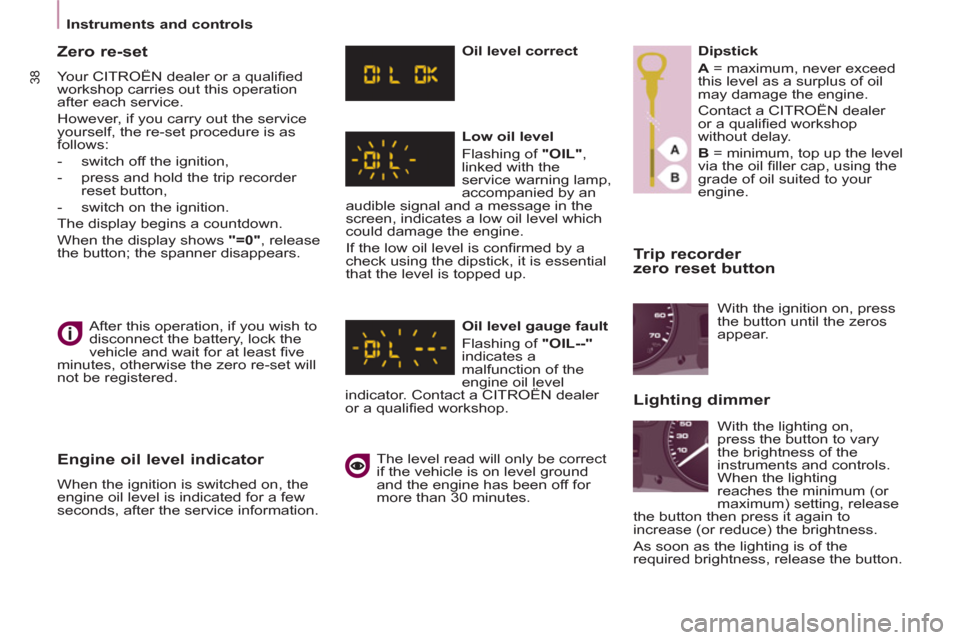
Engine oil level indicator
When the ignition is switched on, the
engine oil level is indicated for a few
seconds, after the service information.
Oil level correct
Low oil level
Flashing of "OIL"
,
linked with the
service warning lamp,
accompanied by an
audible signal and a message in the
screen, indicates a low oil level which
could damage the engine.
If the low oil level is confi rmed by a
check using the dipstick, it is essential
that the level is topped up.
Oil level gauge fault
Flashing of "OIL--"
indicates a
malfunction of the
engine oil level
indicator. Contact a CITROËN dealer
or a qualifi ed workshop.
The level read will only be correct
if the vehicle is on level ground
and the engine has been off for
more than 30 minutes.
Dipstick
A
= maximum, never exceed
this level as a surplus of oil
may damage the engine.
Contact a CITROËN dealer
or a qualifi ed workshop
without delay.
B
= minimum, top up the level
via the oil fi ller cap, using the
grade of oil suited to your
engine.
With the lighting on,
press the button to vary
the brightness of the
instruments and controls.
When the lighting
reaches the minimum (or
maximum) setting, release
the button then press it again to
increase (or reduce) the brightness.
As soon as the lighting is of the
required brightness, release the button. With the ignition on, press
the button until the zeros
appear.
Lighting dimmer
Page 45 of 208
43
READY TO GO
22
Stop & Start
STOP & START
The Stop & Start system puts the
engine temporarily on standby - STOP
mode - during stops in the traffi c (red
lights, traffi c jams, or other...). The
engine restarts automatically - START
mode - as soon as you want to move
off. The restart takes place instantly,
quickly and silently.
Perfect for urban use, the Stop & Start
system reduces fuel consumption and
exhaust emissions as well as the noise
level when stationary.
Operation
Going into engine STOP mode
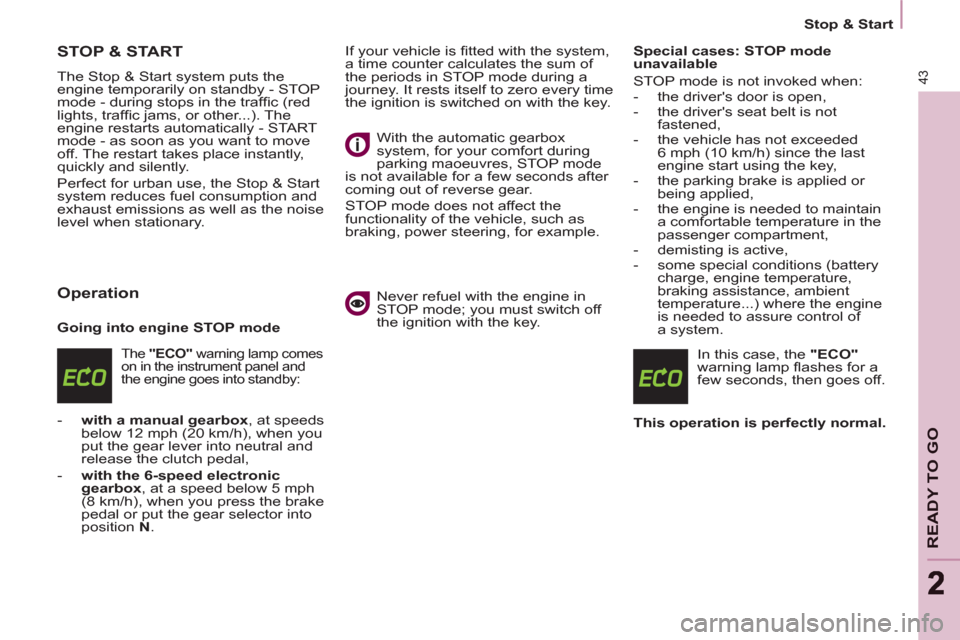
The "ECO"
warning lamp comes
on in the instrument panel and
the engine goes into standby:
- with a manual gearbox
, at speeds
below 12 mph (20 km/h), when you
put the gear lever into neutral and
release the clutch pedal,
- with the 6-speed electronic
gearbox
, at a speed below 5 mph
(8 km/h), when you press the brake
pedal or put the gear selector into
position N
. If your vehicle is fi tted with the system,
a time counter calculates the sum of
the periods in STOP mode during a
journey. It rests itself to zero every time
the ignition is switched on with the key.
With the automatic gearbox
system, for your comfort during
parking maoeuvres, STOP mode
is not available for a few seconds after
coming out of reverse gear.
STOP mode does not affect the
functionality of the vehicle, such as
braking, power steering, for example.
Never refuel with the engine in
STOP mode; you must switch off
the ignition with the key.
Special cases: STOP mode
unavailable
STOP mode is not invoked when:
- the driver's door is open,
- the driver's seat belt is not
fastened,
- the vehicle has not exceeded
6 mph (10 km/h) since the last
engine start using the key,
- the parking brake is applied or
being applied,
- the engine is needed to maintain
a comfortable temperature in the
passenger compartment,
- demisting is active,
- some special conditions (battery
charge, engine temperature,
braking assistance, ambient
temperature...) where the engine
is needed to assure control of
a system.
In this case, the "ECO"
warning lamp fl ashes for a
few seconds, then goes off.
This operation is perfectly normal.
Page 47 of 208
45
READY TO GO
22
Stop & Start
Reactivation
Press the "ECO OFF"
switch again.
The system is active again; this is
confi rmed by the switch warning
lamp going off and a message in the
instrument panel.
The system is reactivated
automatically at every new start
using the key.
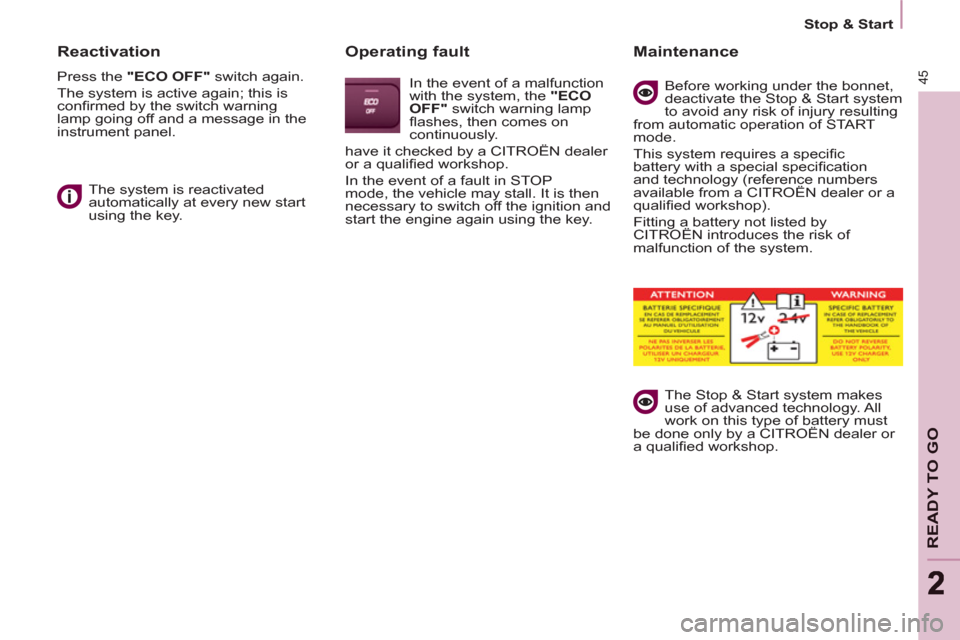
Operating fault
In the event of a malfunction
with the system, the "ECO
OFF"
switch warning lamp
fl ashes, then comes on
continuously.
have it checked by a CITROËN dealer
or a qualifi ed workshop.
In the event of a fault in STOP
mode, the vehicle may stall. It is then
necessary to switch off the ignition and
start the engine again using the key.
Maintenance
Before working under the bonnet,
deactivate the Stop & Start system
to avoid any risk of injury resulting
from automatic operation of START
mode.
This system requires a specifi c
battery with a special specifi cation
and technology (reference numbers
available from a CITROËN dealer or a
qualifi ed workshop).
Fitting a battery not listed by
CITROËN introduces the risk of
malfunction of the system.
The Stop & Start system makes
use of advanced technology. All
work on this type of battery must
be done only by a CITROËN dealer or
a qualifi ed workshop.
Page 48 of 208
Starting and stopping
Good practice when stopping
Good practice when starting
Diesel pre-heating warning
lamp
If the temperature is high
enough, the warning lamp
comes on for less than one
second, you can start without
waiting.
In cold weather, wait for this warning
lamp to go off then operate the starter
(Starting position) until the engine
starts.
Door or bonnet open
warning light
If this comes on, a door or the
bonnet is not closed correctly, check!
Minimise engine and gearbox wear
When switching off the ignition, let the
engine run for a few seconds to allow
the turbocharger (Diesel engine) to
return to idle.
Do not press the accelerator when
switching off the ignition.
There is no need to engage a gear
after parking the vehicle.
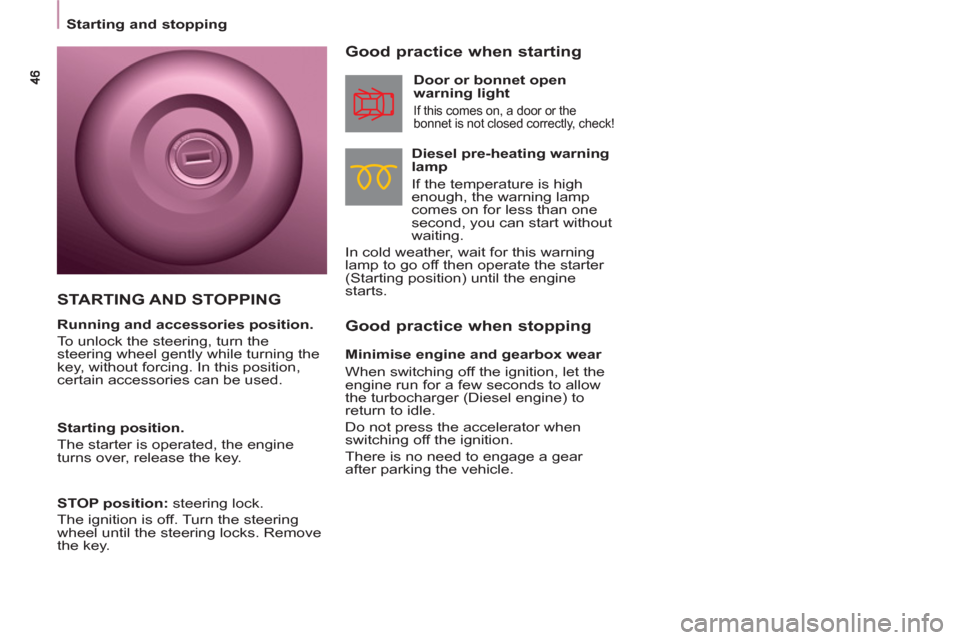
STARTING AND STOPPING
Running and accessories position.
To unlock the steering, turn the
steering wheel gently while turning the
key, without forcing. In this position,
certain accessories can be used.
Starting position.
The starter is operated, the engine
turns over, release the key.
STOP position:
steering lock.
The ignition is off. Turn the steering
wheel until the steering locks. Remove
the key.
Page 50 of 208
48
Steering mounted controls
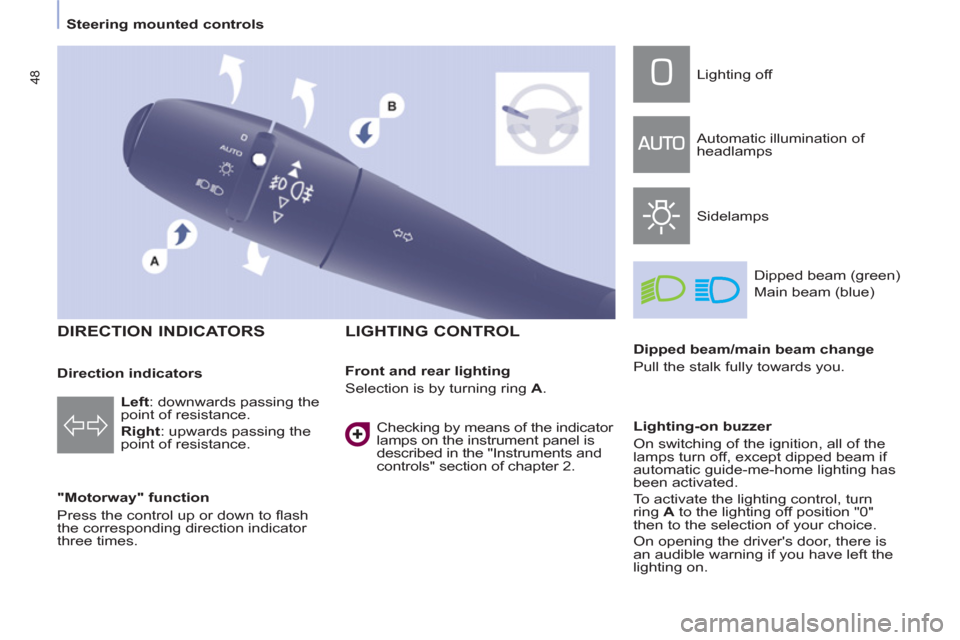
DIRECTION INDICATORS
"Motorway" function
Press the control up or down to fl ash
the corresponding direction indicator
three times.
LIGHTING CONTROL
Left
: downwards passing the
point of resistance.
Right
: upwards passing the
point of resistance.
Front and rear lighting
Selection is by turning ring A
. Lighting off
Automatic illumination of
headlamps
Sidelamps
Dipped beam (green)
Main beam (blue)
Dipped beam/main beam change
Pull the stalk fully towards you.
Lighting-on buzzer
On switching of the ignition, all of the
lamps turn off, except dipped beam if
automatic guide-me-home lighting has
been activated.
To activate the lighting control, turn
ring A
to the lighting off position "0"
then to the selection of your choice.
On opening the driver's door, there is
an audible warning if you have left the
lighting on.
Checking by means of the indicator
lamps on the instrument panel is
described in the "Instruments and
controls" section of chapter 2.
Direction indicators
Page 52 of 208
50
Steering mounted controls
If the sunshine sensor
does not function correctly
,
the lighting comes on
accompanied by the service
warning lamp, an audible
signal and a message in the screen.
Contact a CITROËN dealer or a
qualifi ed workshop.
Guide-me-home lighting
Keeping the dipped beam headlamps
on temporarily with the ignition off,
makes the driver's exit easier when the
light is poor.
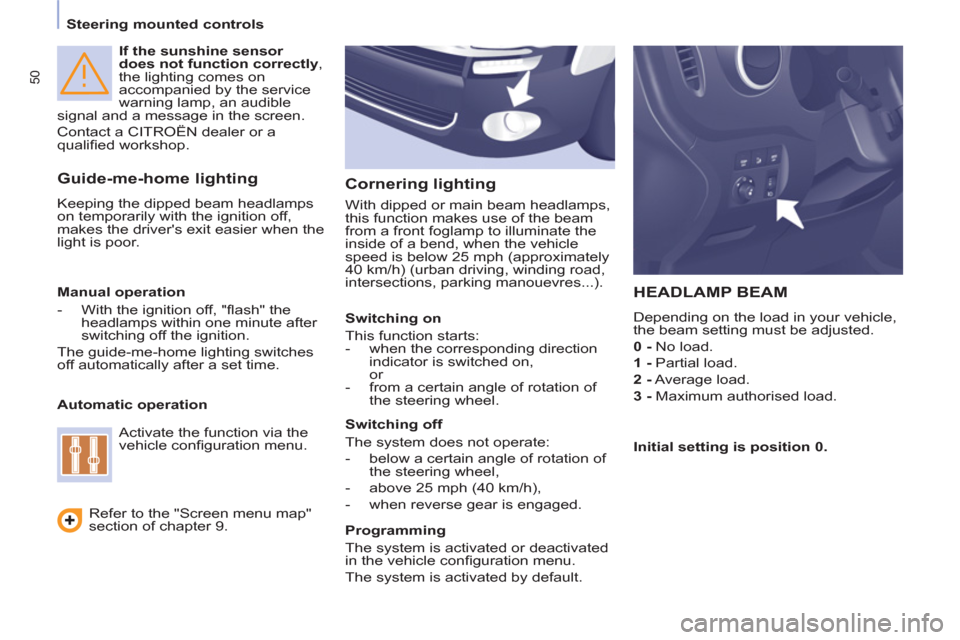
HEADLAMP BEAM
Depending on the load in your vehicle,
the beam setting must be adjusted.
0 -
No load.
1 -
Partial load.
2 -
Average load.
3 -
Maximum authorised load.
Manual operation
- With the ignition off, "fl ash" the
headlamps within one minute after
switching off the ignition.
The guide-me-home lighting switches
off automatically after a set time.
Automatic operation
Refer to the "Screen menu map"
section of chapter 9.
Activate the function via the
vehicle confi guration menu.
Initial setting is position 0.
Cornering lighting
With dipped or main beam headlamps,
this function makes use of the beam
from a front foglamp to illuminate the
inside of a bend, when the vehicle
speed is below 25 mph (approximately
40 km/h) (urban driving, winding road,
intersections, parking manouevres...).
Switching on
This function starts:
- when the corresponding direction
indicator is switched on,
or
- from a certain angle of rotation of
the steering wheel.
Switching off
The system does not operate:
- below a certain angle of rotation of
the steering wheel,
- above 25 mph (40 km/h),
- when reverse gear is engaged.
Programming
The system is activated or deactivated
in the vehicle confi guration menu.
The system is activated by default.
Page 54 of 208
52
Steering mounted controls
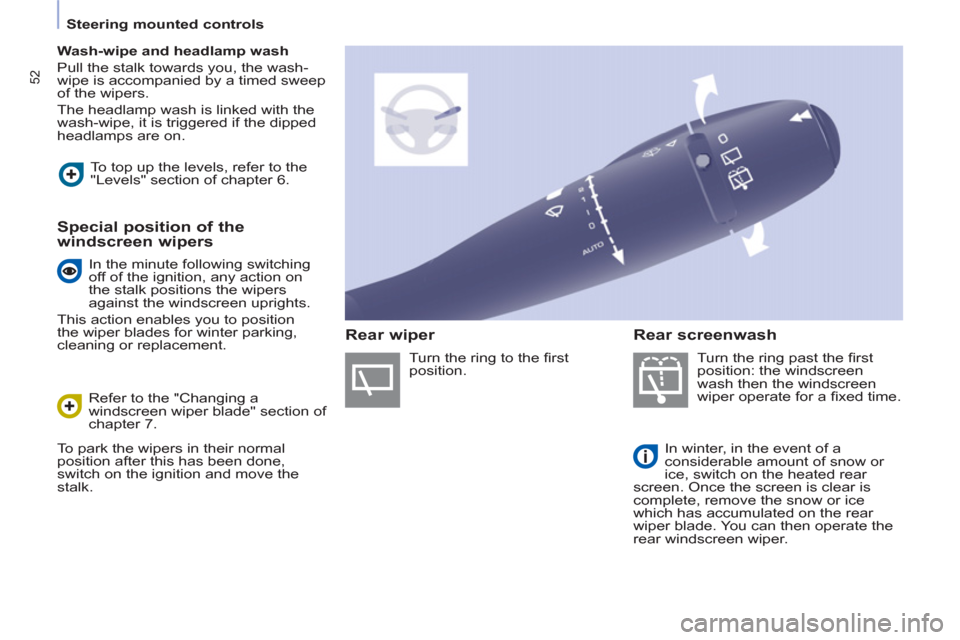
Wash-wipe and headlamp wash
Pull the stalk towards you, the wash-
wipe is accompanied by a timed sweep
of the wipers.
The headlamp wash is linked with the
wash-wipe, it is triggered if the dipped
headlamps are on.
Turn the ring past the fi rst
position: the windscreen
wash then the windscreen
wiper operate for a fi xed time.
In winter, in the event of a
considerable amount of snow or
ice, switch on the heated rear
screen. Once the screen is clear is
complete, remove the snow or ice
which has accumulated on the rear
wiper blade. You can then operate the
rear windscreen wiper. To top up the levels, refer to the
"Levels" section of chapter 6.
Special position of the
windscreen wipers
Refer to the "Changing a
windscreen wiper blade" section of
chapter 7.
To park the wipers in their normal
position after this has been done,
switch on the ignition and move the
stalk. Turn the ring to the fi rst
position.
Rear screenwash
Rear wiper
In the minute following switching
off of the ignition, any action on
the stalk positions the wipers
against the windscreen uprights.
This action enables you to position
the wiper blades for winter parking,
cleaning or replacement.
Page 57 of 208
55
Steering mounted controls
EASE OF USE and COMFOR
T
3
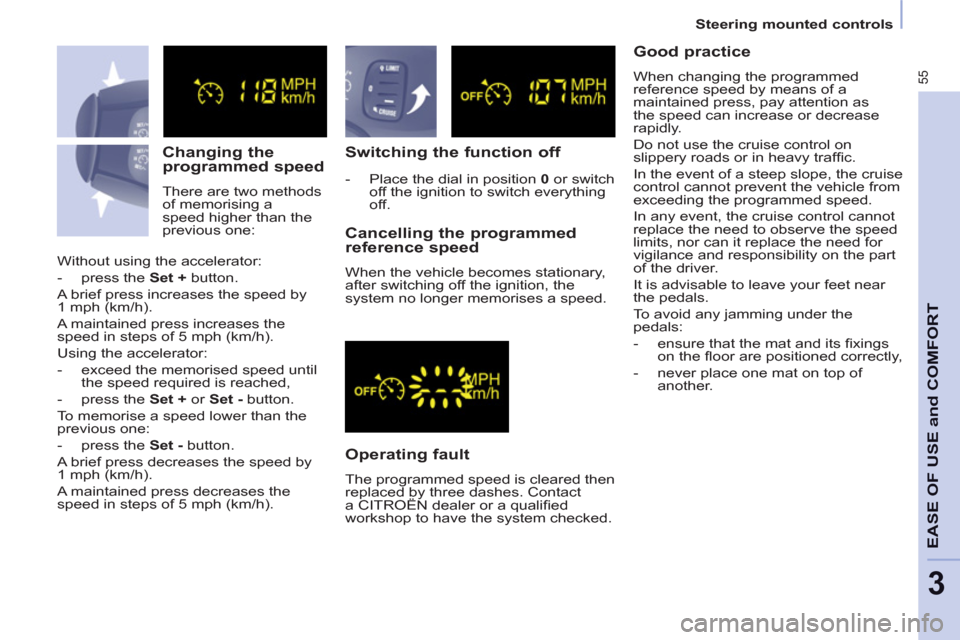
Changing the
programmed speed
There are two methods
of memorising a
speed higher than the
previous one:
Switching the function off
Operating fault
The programmed speed is cleared then
replaced by three dashes. Contact
a CITROËN dealer or a qualifi ed
workshop to have the system checked.
Cancelling the programmed
reference speed
When the vehicle becomes stationary,
after switching off the ignition, the
system no longer memorises a speed. Without using the accelerator:
- press the Set +
button.
A brief press increases the speed by
1 mph (km/h).
A maintained press increases the
speed in steps of 5 mph (km/h).
Using the accelerator:
- exceed the memorised speed until
the speed required is reached,
- press the Set +
or Set -
button.
To memorise a speed lower than the
previous one:
- press the Set -
button.
A brief press decreases the speed by
1 mph (km/h).
A maintained press decreases the
speed in steps of 5 mph (km/h).
- Place the dial in position 0
or switch
off the ignition to switch everything
off.
Good practice
When changing the programmed
reference speed by means of a
maintained press, pay attention as
the speed can increase or decrease
rapidly.
Do not use the cruise control on
slippery roads or in heavy traffi c.
In the event of a steep slope, the cruise
control cannot prevent the vehicle from
exceeding the programmed speed.
In any event, the cruise control cannot
replace the need to observe the speed
limits, nor can it replace the need for
vigilance and responsibility on the part
of the driver.
It is advisable to leave your feet near
the pedals.
To avoid any jamming under the
pedals:
- ensure that the mat and its fi xings
on the fl oor are positioned correctly,
- never place one mat on top of
another.
Page 60 of 208

58
Steering mounted controls
Exceeding the programmed
speed
Pressing the accelerator pedal in order
to exceed the programmed speed
will have no effect unless you press
the pedal fi rmly
beyond the point of
resistance
.
The limiter is deactivated temporarily
and the programmed speed fl ashes.
To return to the limiter function, reduce
your speed to below the programmed
speed.
Switching the function off
- Place the switch in position 0
or
switch off the ignition to switch the
system off.
The last programmed speed remains in
the memory.
Operating fault
The programmed speed is cleared
then replaced by three dashes.
Contact a CITROËN dealer or a
qualifi ed workshop to have the system
checked.
Good practice
Flashing of the speed
The speed fl ashes:
- following forcing of the accelerator
point of resistance,
- when the limiter cannot prevent an
increase in the vehicle speed due
to the profi le of the road or on a
steep descent,
- in the event of sharp acceleration.
In any event, the speed limiter cannot
replace the need to observe speed
limits, nor can it replace the need for
vigilance and responsibility on the part
of the driver.
Always pay attention to the profi le
of the road and sharp acceleration
and stay in complete control of your
vehicle.
To avoid any jamming under the
pedals:
- ensure that the mat and its fi xings
on the fl oor are positioned correctly,
- never place one mat on top of
another.
Page 63 of 208
61
EASE OF USE and COMFOR
T
33
Ventilation
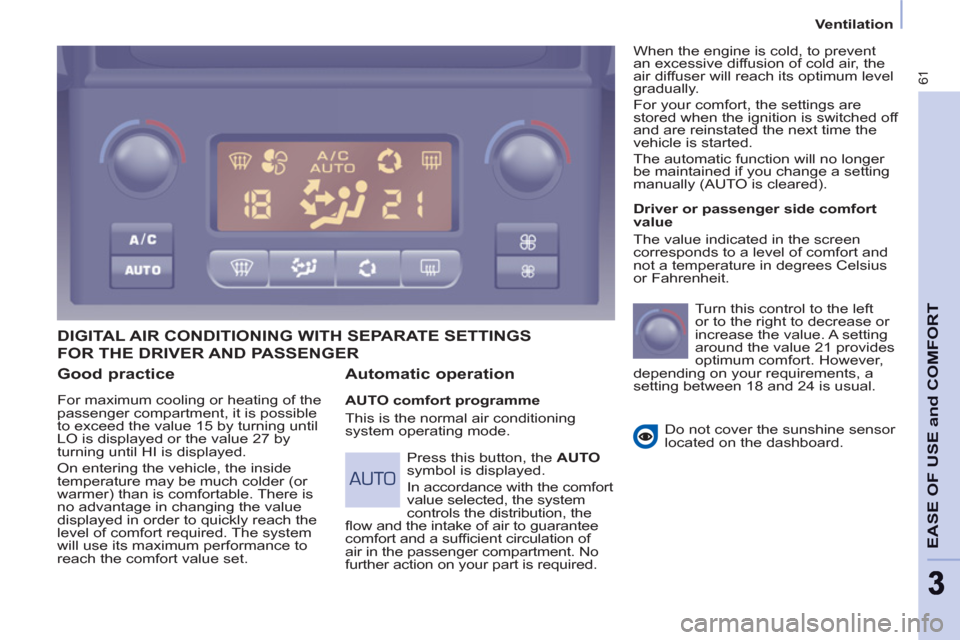
Good practice
For maximum cooling or heating of the
passenger compartment, it is possible
to exceed the value 15 by turning until
LO is displayed or the value 27 by
turning until HI is displayed.
On entering the vehicle, the inside
temperature may be much colder (or
warmer) than is comfortable. There is
no advantage in changing the value
displayed in order to quickly reach the
level of comfort required. The system
will use its maximum performance to
reach the comfort value set.
DIGITAL AIR CONDITIONING WITH SEPARATE SETTINGS
Automatic operation
AUTO comfort programme
This is the normal air conditioning
system operating mode.
Driver or passenger side comfort
value
The value indicated in the screen
corresponds to a level of comfort and
not a temperature in degrees Celsius
or Fahrenheit.
Turn this control to the left
or to the right to decrease or
increase the value. A setting
around the value 21 provides
optimum comfort. However,
depending on your requirements, a
setting between 18 and 24 is usual.
Do not cover the sunshine sensor
located on the dashboard.
Press this button, the AUTO
symbol is displayed.
In accordance with the comfort
value selected, the system
controls the distribution, the
fl ow and the intake of air to guarantee
comfort and a suffi cient circulation of
air in the passenger compartment. No
further action on your part is required. When the engine is cold, to prevent
an excessive diffusion of cold air, the
air diffuser will reach its optimum level
gradually.
For your comfort, the settings are
stored when the ignition is switched off
and are reinstated the next time the
vehicle is started.
The automatic function will no longer
be maintained if you change a setting
manually (AUTO is cleared).
FOR THE DRIVER AND PASSENGER